steering wheel Hyundai Accent 2012 - RHD (UK. Australia) User Guide
[x] Cancel search | Manufacturer: HYUNDAI, Model Year: 2012, Model line: Accent, Model: Hyundai Accent 2012Pages: 367, PDF Size: 25.39 MB
Page 72 of 367
4
Keys / 4-3 Smart key / 4-6Remote keyless entry / 4-10
Door locks / 4-13Boot / 4-17
Tailgate / 4-19
Windows / 4-22Bonnet / 4-27
Fuel filler lid / 4-29
Sunroof / 4-32
Steering wheel / 4-36
Mirrors / 4-38
Instrument cluster / 4-42
Rear parking assist system / 4-67Rearview camera / 4-70
Hazard warning flasher / 4-71Lighting / 4-72
Wipers and washers / 4-77
Interior light / 4-80
Defroster / 4-83
Manual climate control system / 4-84
Automatic climate control system / 4-93
Windscreen defrosting and defogging / 4-100
Features of your vehicle
Page 107 of 367
Features of your vehicle
36
4
Electric power steering
Power steering system uses an electric
motor to assist you in steering the vehi-
cle. If the engine is off or if the power
steering system becomes inoperative,
the vehicle may still be steered, but it will
require an increased steering effort.
The motor driven power steering is con-
trolled by power steering control unit
which sense the steering wheel torque,
steering wheel position and vehicle
speed to command the motor.
The steering wheel becomes heavier as
the vehicle’s speed increases and
becomes lighter as the vehicle’s speed
decreases for the better control of the
steering wheel.
Should you notice any change in the
effort required to steer during normal
vehicle operation, have the power steer-
ing checked by an authorised HYUNDAI
dealer.✽✽
NOTICE
The following symptoms may occur dur- ing normal vehicle operation:
Page 108 of 367
437
Features of your vehicle
Manual type
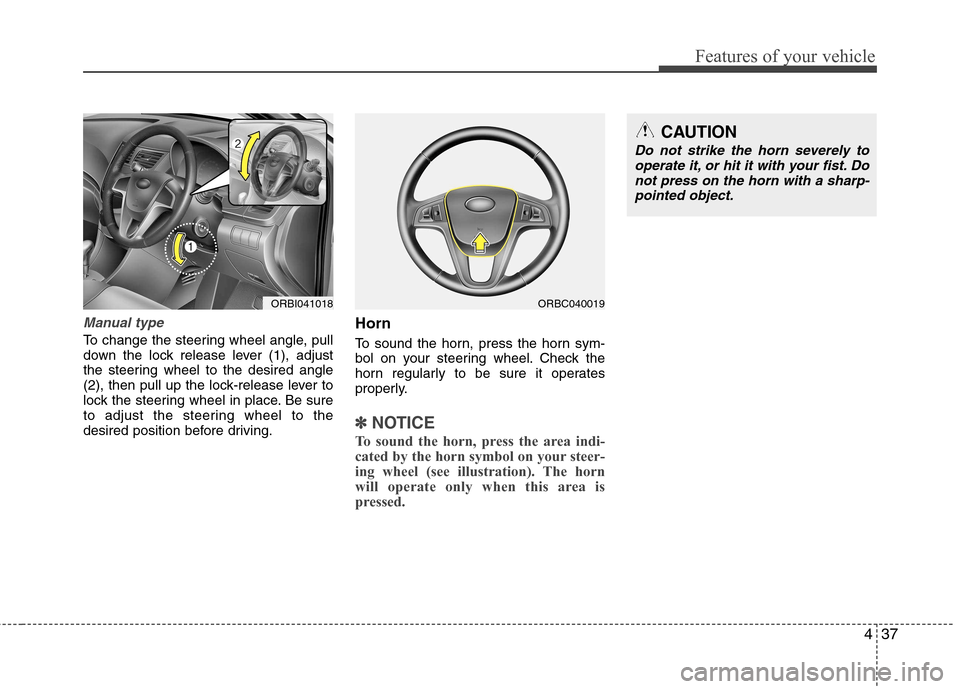
To change the steering wheel angle, pull
down the lock release lever (1), adjust
the steering wheel to the desired angle
(2), then pull up the lock-release lever to
lock the steering wheel in place. Be sure
to adjust the steering wheel to the
desired position before driving.Horn
To sound the horn, press the horn sym-
bol on your steering wheel. Check the
horn regularly to be sure it operates
properly.
✽✽
NOTICE
To sound the horn, press the area indi-
cated by the horn symbol on your steer-
ing wheel (see illustration). The horn
will operate only when this area is
pressed.
ORBI041018
CAUTION
Do not strike the horn severely to operate it, or hit it with your fist. Do
not press on the horn with a sharp- pointed object.
ORBC040019
Page 136 of 367
465
Features of your vehicle
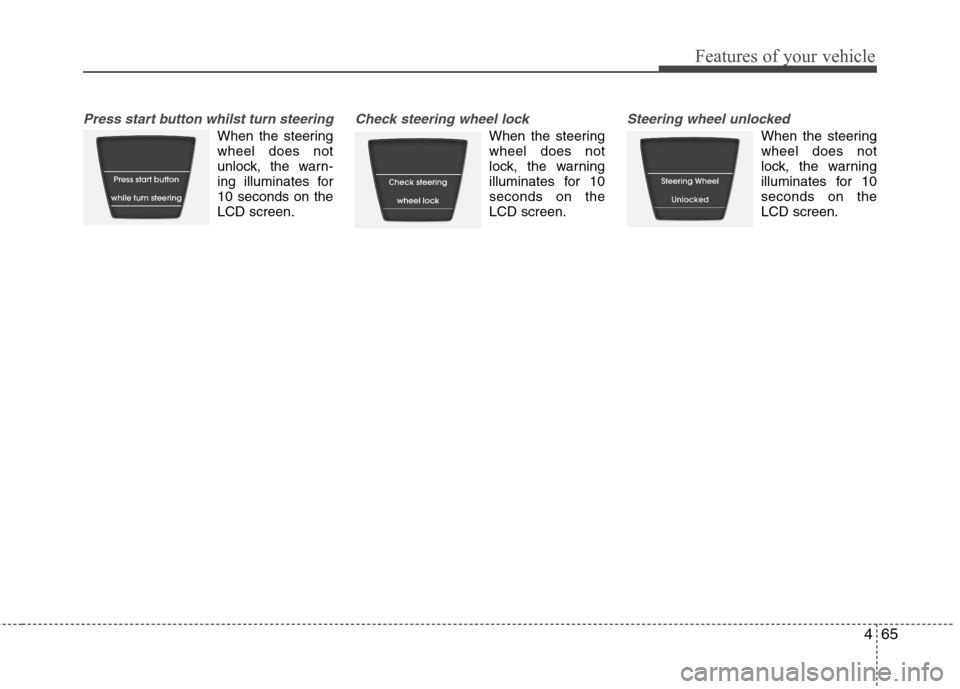
Press start button whilst turn steering
When the steering wheel does not
unlock, the warn-
ing illuminates for10 seconds on theLCD screen.
Check steering wheel lock
When the steering wheel does not
lock, the warning
illuminates for 10seconds on theLCD screen.
Steering wheel unlocked
When the steering wheel does not
lock, the warning
illuminates for 10seconds on theLCD screen.
Page 183 of 367
Features of your vehicle
112
4
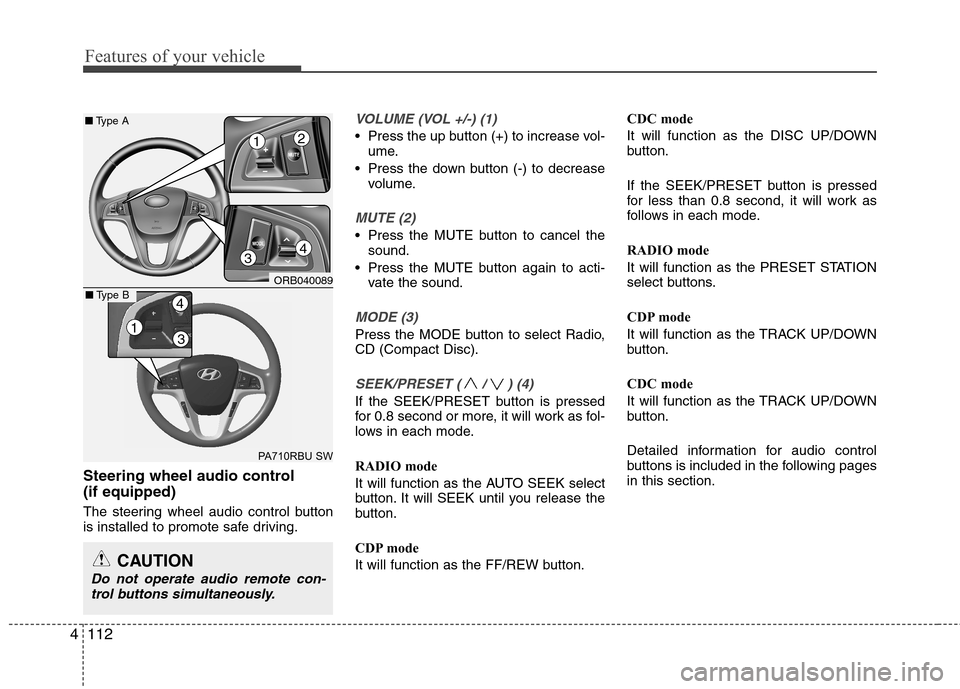
Steering wheel audio control (if equipped)
The steering wheel audio control button
is installed to promote safe driving.
VOLUME (VOL +/-) (1)
• Press the up button (+) to increase vol-
ume.
Press the down button (-) to decrease volume.
MUTE (2)
Press the MUTE button to cancel thesound.
Press the MUTE button again to acti- vate the sound.
MODE (3)
Press the MODE button to select Radio, CD (Compact Disc).
SEEK/PRESET ( / ) (4)
If the SEEK/PRESET button is pressed
for 0.8 second or more, it will work as fol-
lows in each mode.
RADIO mode
It will function as the AUTO SEEK select
button. It will SEEK until you release the
button.
CDP mode
It will function as the FF/REW button. CDC mode
It will function as the DISC UP/DOWN
button.
If the SEEK/PRESET button is pressed
for less than 0.8 second, it will work as
follows in each mode.
RADIO mode
It will function as the PRESET STATION
select buttons.
CDP mode
It will function as the TRACK UP/DOWN
button.
CDC mode
It will function as the TRACK UP/DOWN
button.
Detailed information for audio control
buttons is included in the following pagesin this section.
CAUTION
Do not operate audio remote con-
trol buttons simultaneously.
ORB040089
PA710RBU SW
■ Type A
4
12
3
13
4■Type B
Page 204 of 367
4133
Features of your vehicle
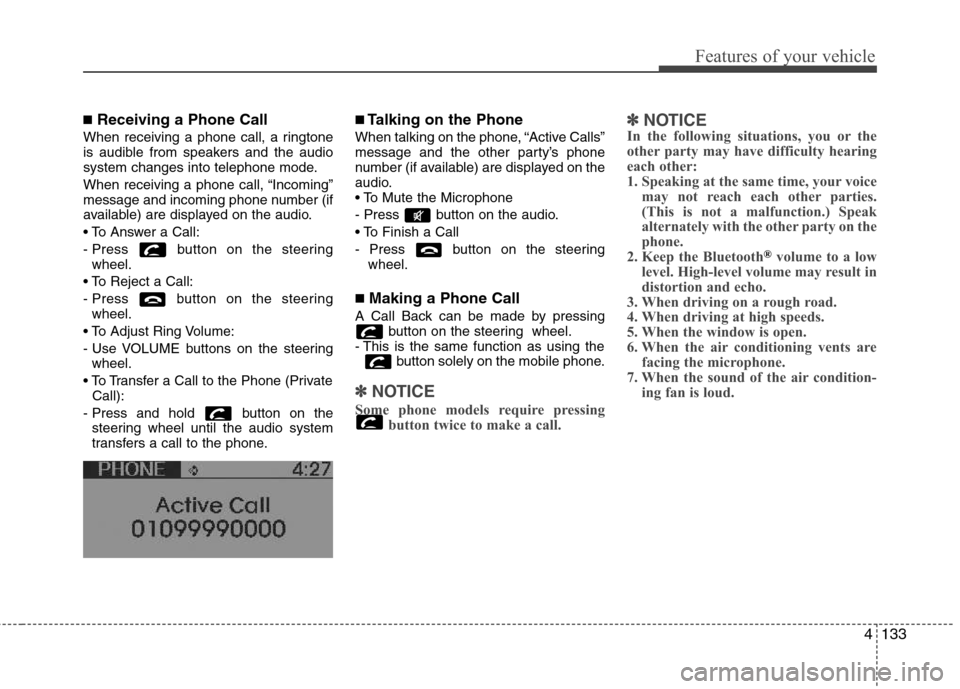
■Receiving a Phone Call
When receiving a phone call, a ringtone
is audible from speakers and the audio
system changes into telephone mode.
When receiving a phone call, “Incoming”
message and incoming phone number (if
available) are displayed on the audio.
- Press button on the steering wheel.
- Press button on the steering wheel.
- Use VOLUME buttons on the steering wheel.
Call):
- Press and hold button on the steering wheel until the audio system
transfers a call to the phone. ■
Talking on the Phone
When talking on the phone, “Active Calls”
message and the other party’s phone
number (if available) are displayed on the
audio.
- Press button on the audio.
- Press button on the steering wheel.
■ Making a Phone Call
A Call Back can be made by pressing button on the steering wheel.
- This is the same function as using the button solely on the mobile phone.
✽✽NOTICE
Some phone models require pressing button twice to make a call. ✽
✽
NOTICE
In the following situations, you or the
other party may have difficulty hearing
each other:
1. Speaking at the same time, your voice
may not reach each other parties.
(This is not a malfunction.) Speak
alternately with the other party on the
phone.
2. Keep the Bluetooth
®volume to a low
level. High-level volume may result in
distortion and echo.
3. When driving on a rough road.
4. When driving at high speeds.
5. When the window is open.
6. When the air conditioning vents are facing the microphone.
7. When the sound of the air condition- ing fan is loud.
Page 210 of 367
Driving your vehicle
4
5
WARNING - Driving under
the influence of alcohol or drugs
Drinking and driving is dangerous.
Drink-driving is the number one
contributor to the road death toll
each year. Even a small amount of
alcohol will affect your reflexes,
perceptions and judgment. Drivingwhilst under the influence of drugs
is as dangerous or more dangerousthan driving drunk.
You are much more likely to have a
serious accident if you drink or
take drugs and drive.
If you are drinking or taking drugs,
don’t drive. Do not ride with a driv-er who has been drinking or taking
drugs. Choose a designated driveror call a taxi cab.WARNING
When you intend to park or stop the vehicle with the engine on, take care not to hold the engine
at high rpm for an extended
amount of time. It may overheat
the engine or exhaust system
and cause fire.
When you make a sudden stop or turn the steering wheel rapidly,
loose objects may drop on the
floor and it could interfere with
the operation of the foot pedals,
possibly causing an accident.
Keep all things in the vehicle
safely stored.
Becoming distracted whilst driv- ing may cause an accident. It isthe responsibility of the driver to
always drive safely.
Page 211 of 367
55
Driving your vehicle
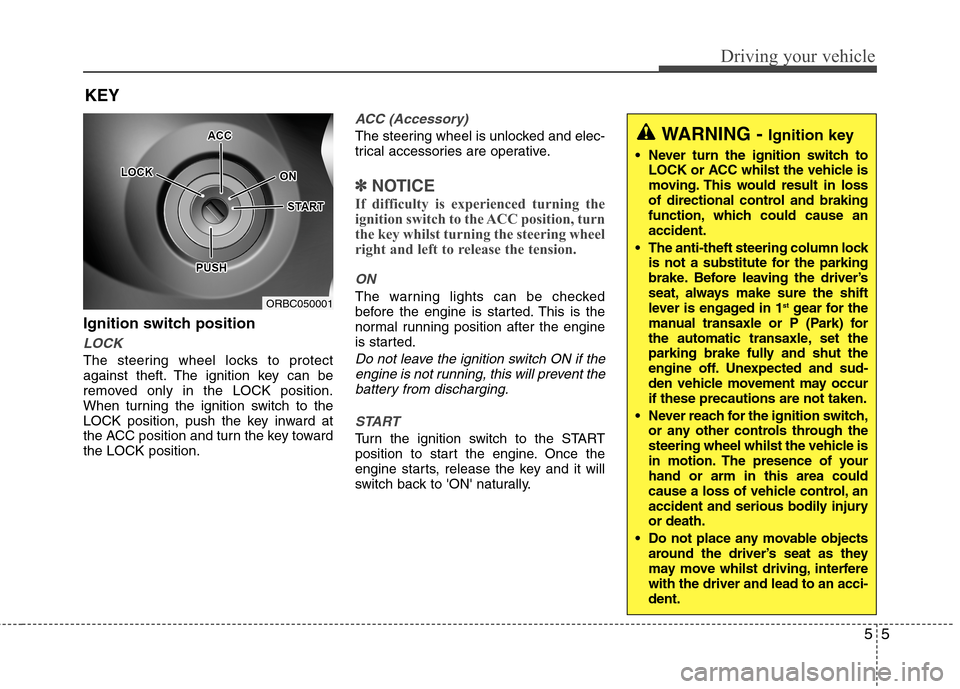
Ignition switch position
LOCK
The steering wheel locks to protect
against theft. The ignition key can be
removed only in the LOCK position.
When turning the ignition switch to the
LOCK position, push the key inward at
the ACC position and turn the key towardthe LOCK position.
ACC (Accessory)
The steering wheel is unlocked and elec-
trical accessories are operative.
✽✽NOTICE
If difficulty is experienced turning the
ignition switch to the ACC position, turn
the key whilst turning the steering wheel
right and left to release the tension.
ON
The warning lights can be checked
before the engine is started. This is the
normal running position after the engine
is started.
Do not leave the ignition switch ON if the engine is not running, this will prevent thebattery from discharging.
START
Turn the ignition switch to the START
position to start the engine. Once the
engine starts, release the key and it will
switch back to 'ON' naturally.
KEY
ORBC050001
WARNING -
Ignition key
Never turn the ignition switch to LOCK or ACC whilst the vehicle is
moving. This would result in loss
of directional control and braking
function, which could cause anaccident.
The anti-theft steering column lock is not a substitute for the parking
brake. Before leaving the driver’s
seat, always make sure the shift
lever is engaged in 1 st
gear for the
manual transaxle or P (Park) for
the automatic transaxle, set the
parking brake fully and shut the
engine off. Unexpected and sud-
den vehicle movement may occurif these precautions are not taken.
Never reach for the ignition switch, or any other controls through the
steering wheel whilst the vehicle is
in motion. The presence of yourhand or arm in this area could
cause a loss of vehicle control, an
accident and serious bodily injuryor death.
Do not place any movable objects around the driver’s seat as they
may move whilst driving, interferewith the driver and lead to an acci-dent.
Page 214 of 367
Driving your vehicle
8
5
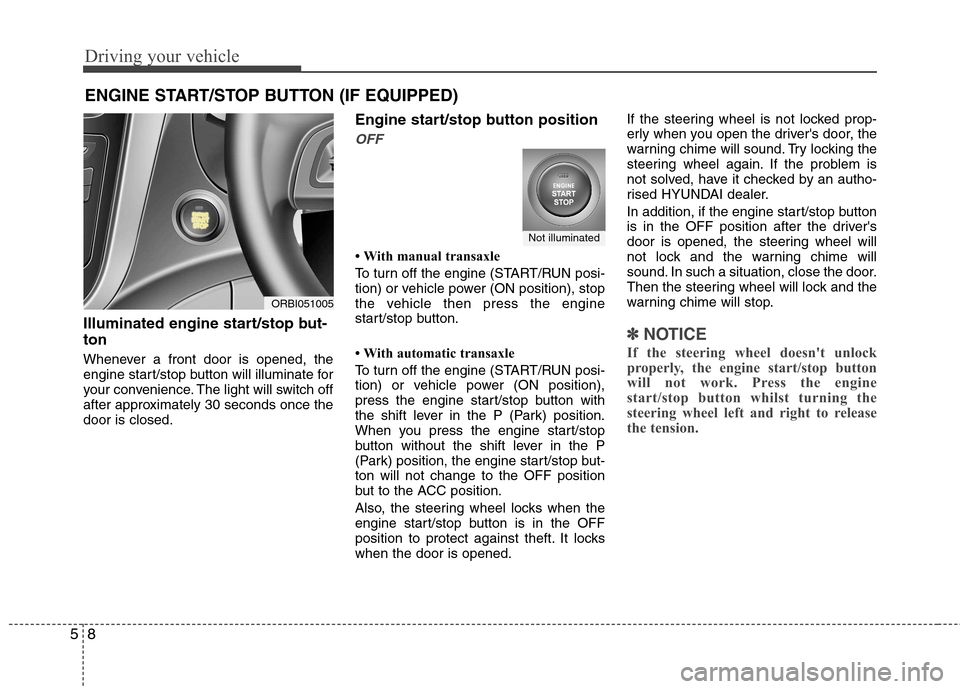
Illuminated engine start/stop but- ton
Whenever a front door is opened, the
engine start/stop button will illuminate for
your convenience. The light will switch off
after approximately 30 seconds once thedoor is closed. Engine start/stop button position
OFF
With manual transaxle
To turn off the engine (START/RUN posi-
tion) or vehicle power (ON position), stop
the vehicle then press the engine
start/stop button.
With automatic transaxle
To turn off the engine (START/RUN posi-
tion) or vehicle power (ON position),
press the engine start/stop button with
the shift lever in the P (Park) position.
When you press the engine start/stop
button without the shift lever in the P
(Park) position, the engine start/stop but-ton will not change to the OFF position
but to the ACC position.
Also, the steering wheel locks when the
engine start/stop button is in the OFF
position to protect against theft. It lockswhen the door is opened.If the steering wheel is not locked prop-
erly when you open the driver's door, the
warning chime will sound. Try locking the
steering wheel again. If the problem is
not solved, have it checked by an autho-
rised HYUNDAI dealer.
In addition, if the engine start/stop button
is in the OFF position after the driver's
door is opened, the steering wheel will
not lock and the warning chime will
sound. In such a situation, close the door.
Then the steering wheel will lock and the
warning chime will stop.
✽✽
NOTICE
If the steering wheel doesn't unlock
properly, the engine start/stop button
will not work. Press the engine
start/stop button whilst turning the
steering wheel left and right to release
the tension.
ENGINE START/STOP BUTTON (IF EQUIPPED)
ORBI051005
Not illuminated
Page 215 of 367
59
Driving your vehicle
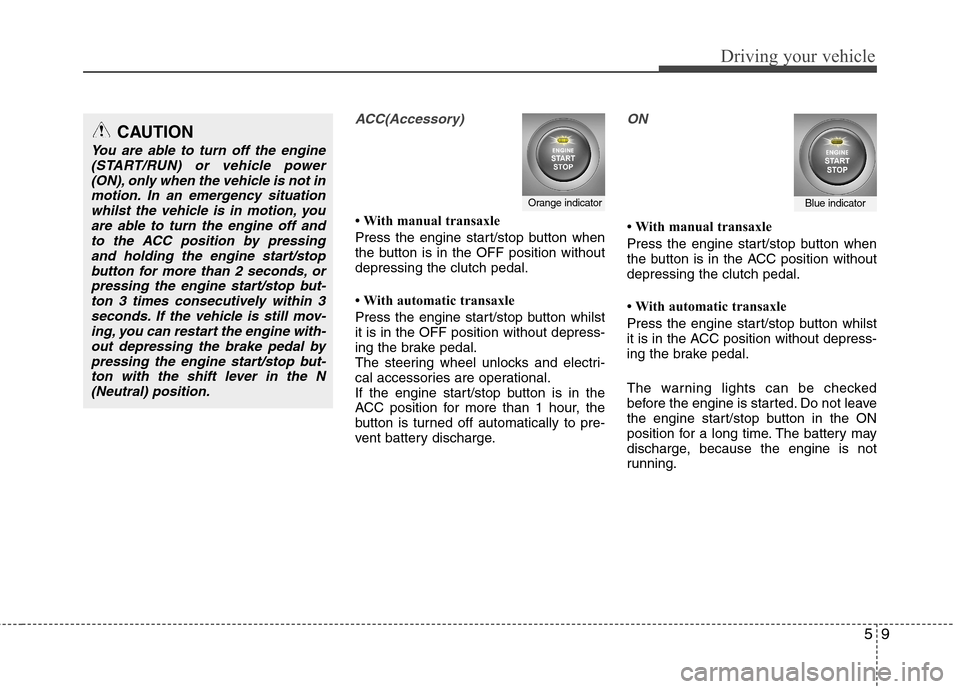
ACC(Accessory)
With manual transaxle
Press the engine start/stop button when
the button is in the OFF position withoutdepressing the clutch pedal.
With automatic transaxle
Press the engine start/stop button whilst it is in the OFF position without depress-
ing the brake pedal.
The steering wheel unlocks and electri-
cal accessories are operational.
If the engine start/stop button is in the
ACC position for more than 1 hour, the
button is turned off automatically to pre-
vent battery discharge.
ON
With manual transaxle
Press the engine start/stop button when
the button is in the ACC position withoutdepressing the clutch pedal.
With automatic transaxle
Press the engine start/stop button whilst
it is in the ACC position without depress-
ing the brake pedal.
The warning lights can be checked
before the engine is started. Do not leave
the engine start/stop button in the ON
position for a long time. The battery may
discharge, because the engine is not
running.
Orange indicatorBlue indicator
CAUTION
You are able to turn off the engine(START/RUN) or vehicle power
(ON), only when the vehicle is not inmotion. In an emergency situationwhilst the vehicle is in motion, you are able to turn the engine off and
to the ACC position by pressingand holding the engine start/stopbutton for more than 2 seconds, or
pressing the engine start/stop but-ton 3 times consecutively within 3seconds. If the vehicle is still mov-ing, you can restart the engine with-
out depressing the brake pedal bypressing the engine start/stop but-ton with the shift lever in the N(Neutral) position.