instrument cluster Hyundai Accent 2016 Owner's Manual - RHD (UK. Australia)
[x] Cancel search | Manufacturer: HYUNDAI, Model Year: 2016, Model line: Accent, Model: Hyundai Accent 2016Pages: 425, PDF Size: 8.62 MB
Page 15 of 425
23
Your vehicle at a glance
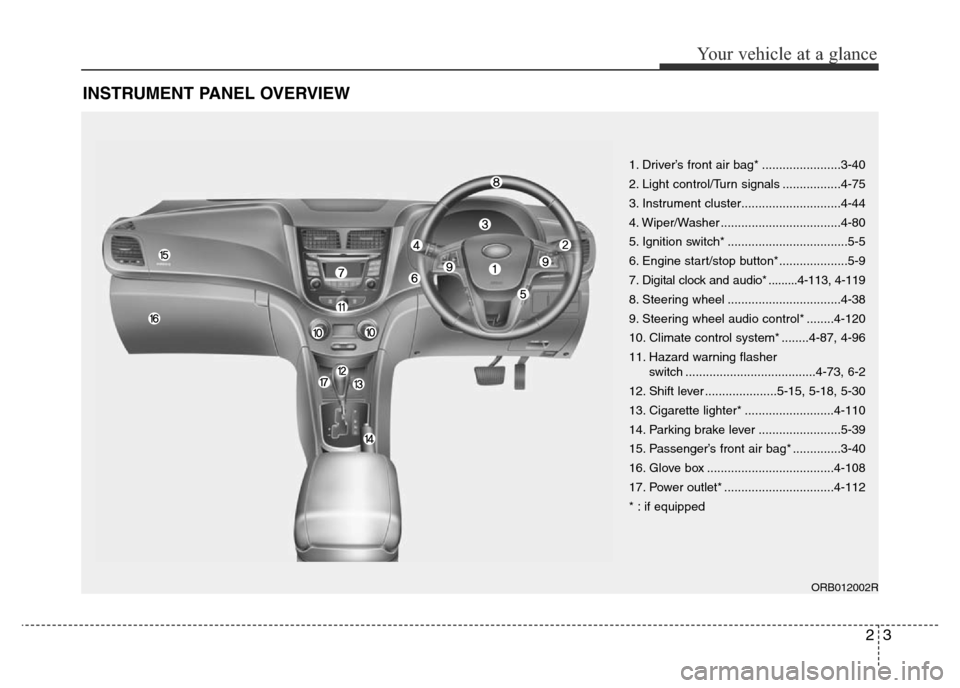
INSTRUMENT PANEL OVERVIEW
1. Driver’s front air bag* .......................3-40
2. Light control/Turn signals .................4-75
3. Instrument cluster.............................4-44
4. Wiper/Washer ...................................4-80
5. Ignition switch* ...................................5-5
6. Engine start/stop button*....................5-9
7. Digital clock and audio* .........4-113, 4-119
8. Steering wheel .................................4-38
9. Steering wheel audio control* ........4-120
10. Climate control system* ........4-87, 4-96
11. Hazard warning flasher
switch ......................................4-73, 6-2
12. Shift lever .....................5-15, 5-18, 5-30
13. Cigarette lighter* ..........................4-110
14. Parking brake lever ........................5-39
15. Passenger’s front air bag* ..............3-40
16. Glove box .....................................4-108
17. Power outlet* ................................4-112
* : if equipped
ORB012002R
Page 56 of 425
339
Safety features of your vehicle
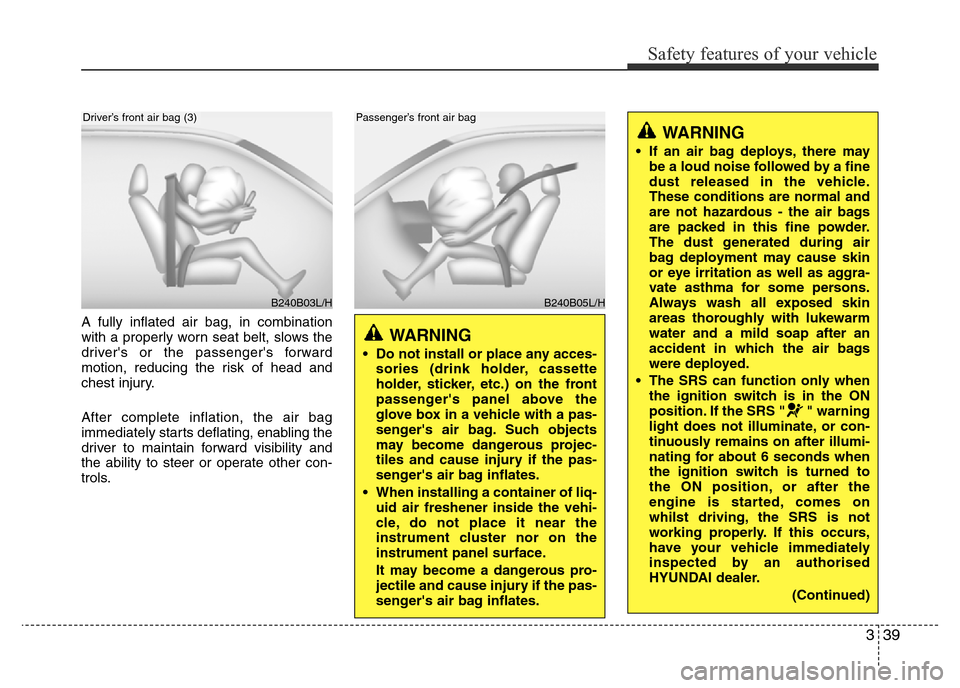
A fully inflated air bag, in combination
with a properly worn seat belt, slows the
driver's or the passenger's forward
motion, reducing the risk of head and
chest injury.
After complete inflation, the air bag
immediately starts deflating, enabling the
driver to maintain forward visibility and
the ability to steer or operate other con-
trols.
B240B03L/H
Driver’s front air bag (3)
B240B05L/H
Passenger’s front air bag
WARNING
• Do not install or place any acces-
sories (drink holder, cassette
holder, sticker, etc.) on the front
passenger's panel above the
glove box in a vehicle with a pas-
senger's air bag. Such objects
may become dangerous projec-
tiles and cause injury if the pas-
senger's air bag inflates.
• When installing a container of liq-
uid air freshener inside the vehi-
cle, do not place it near the
instrument cluster nor on the
instrument panel surface.
It may become a dangerous pro-
jectile and cause injury if the pas-
senger's air bag inflates.
WARNING
• If an air bag deploys, there may
be a loud noise followed by a fine
dust released in the vehicle.
These conditions are normal and
are not hazardous - the air bags
are packed in this fine powder.
The dust generated during air
bag deployment may cause skin
or eye irritation as well as aggra-
vate asthma for some persons.
Always wash all exposed skin
areas thoroughly with lukewarm
water and a mild soap after an
accident in which the air bags
were deployed.
• The SRS can function only when
the ignition switch is in the ON
position. If the SRS " " warning
light does not illuminate, or con-
tinuously remains on after illumi-
nating for about 6 seconds when
the ignition switch is turned to
the ON position, or after the
engine is started, comes on
whilst driving, the SRS is not
working properly. If this occurs,
have your vehicle immediately
inspected by an authorised
HYUNDAI dealer.
(Continued)
Page 71 of 425
4
Keys / 4-3
Smart key / 4-6
Remote keyless entry / 4-11
Door locks / 4-14
Boot / 4-18
Tailgate / 4-21
Windows / 4-24
Bonnet / 4-29
Fuel filler lid / 4-31
Sunroof / 4-34
Steering wheel / 4-38
Mirrors / 4-40
Instrument cluster / 4-44
Rear parking assist system / 4-69
Rearview camera / 4-72
Hazard warning flasher / 4-73
Lighting / 4-74
Wipers and washers / 4-80
Interior light / 4-83
Defroster / 4-86
Manual climate control system / 4-87
Automatic climate control system / 4-96
Windscreen defrosting and defogging / 4-103
Features of your vehicle
Page 114 of 425
Features of your vehicle
44 4
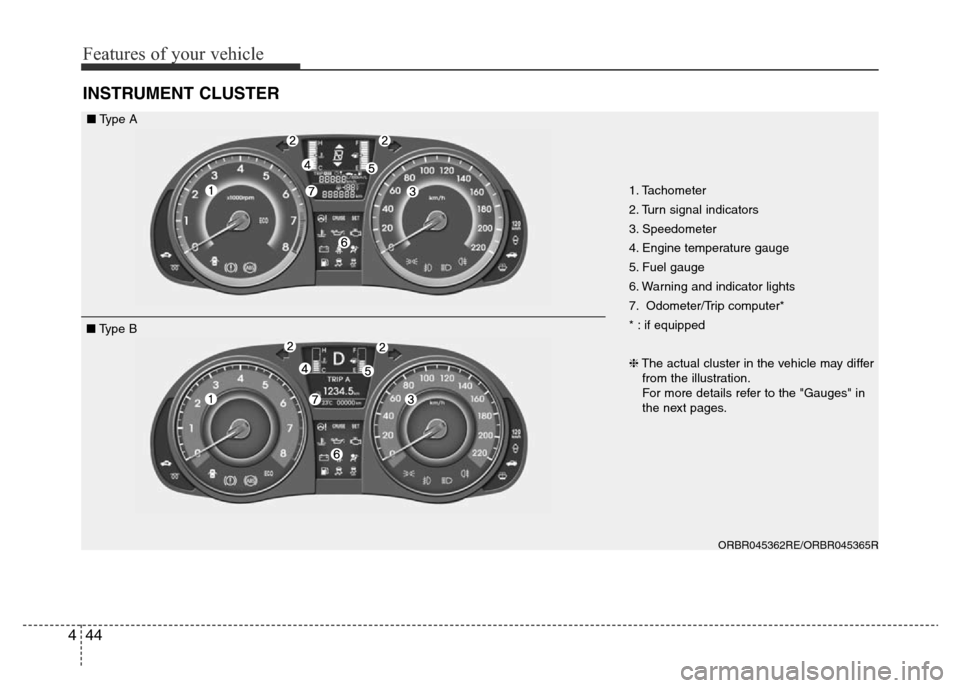
INSTRUMENT CLUSTER
1. Tachometer
2. Turn signal indicators
3. Speedometer
4. Engine temperature gauge
5. Fuel gauge
6. Warning and indicator lights
7. Odometer/Trip computer*
* : if equipped
❈The actual cluster in the vehicle may differ
from the illustration.
For more details refer to the "Gauges" in
the next pages.
ORBR045362RE/ORBR045365R
■Type A
■Type B
Page 115 of 425
445
Features of your vehicle
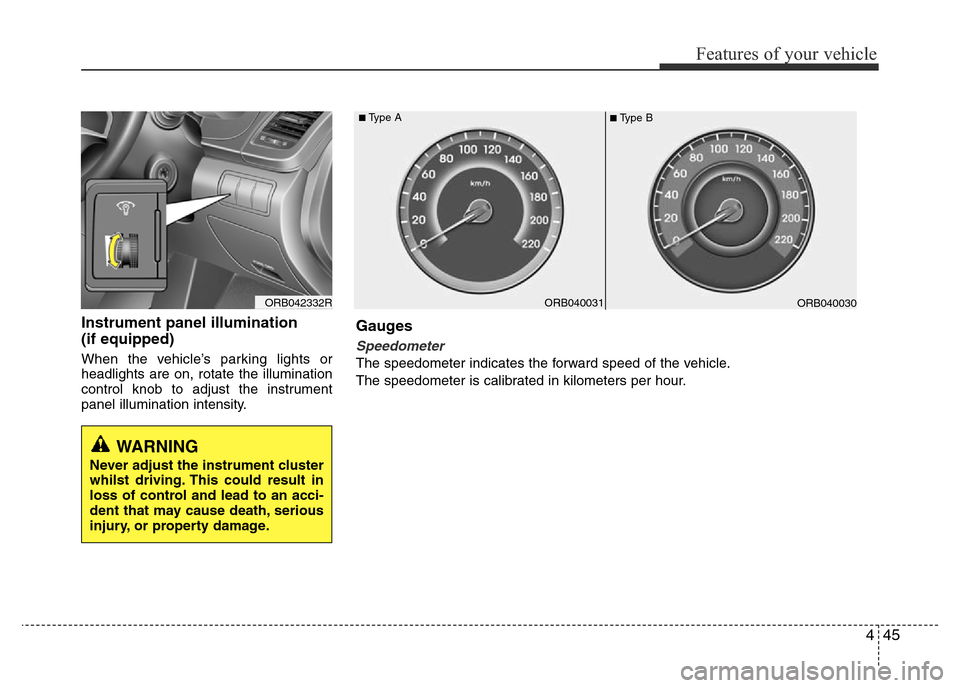
Instrument panel illumination
(if equipped)
When the vehicle’s parking lights or
headlights are on, rotate the illumination
control knob to adjust the instrument
panel illumination intensity.
ORB042332RORB040031ORB040030
■Type A■Type B
Gauges
Speedometer
The speedometer indicates the forward speed of the vehicle.
The speedometer is calibrated in kilometers per hour.
WARNING
Never adjust the instrument cluster
whilst driving. This could result in
loss of control and lead to an acci-
dent that may cause death, serious
injury, or property damage.
Page 121 of 425
451
Features of your vehicle
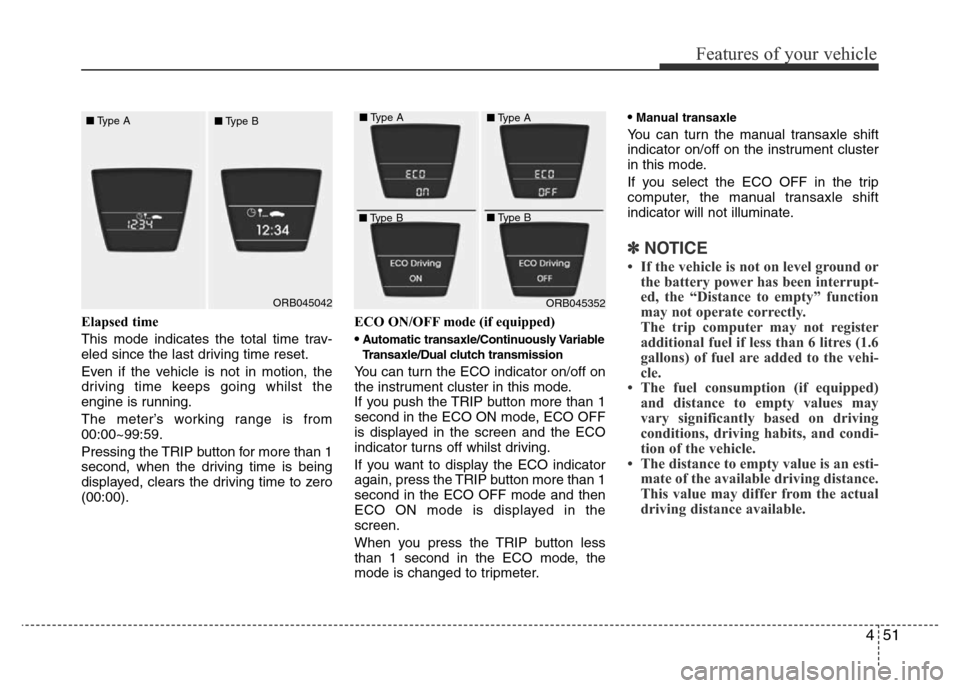
Elapsed time
This mode indicates the total time trav-
eled since the last driving time reset.
Even if the vehicle is not in motion, the
driving time keeps going whilst the
engine is running.
The meter’s working range is from
00:00~99:59.
Pressing the TRIP button for more than 1
second, when the driving time is being
displayed, clears the driving time to zero
(00:00).ECO ON/OFF mode (if equipped)
•
Automatic transaxle/Continuously Variable
Transaxle/Dual clutch transmission
You can turn the ECO indicator on/off on
the instrument cluster in this mode.
If you push the TRIP button more than 1
second in the ECO ON mode, ECO OFF
is displayed in the screen and the ECO
indicator turns off whilst driving.
If you want to display the ECO indicator
again, press the TRIP button more than 1
second in the ECO OFF mode and then
ECO ON mode is displayed in the
screen.
When you press the TRIP button less
than 1 second in the ECO mode, the
mode is changed to tripmeter.•
Manual transaxle
You can turn the manual transaxle shift
indicator on/off on the instrument cluster
in this mode.
If you select the ECO OFF in the trip
computer, the manual transaxle shift
indicator will not illuminate.
✽NOTICE
• If the vehicle is not on level ground or
the battery power has been interrupt-
ed, the “Distance to empty” function
may not operate correctly.
The trip computer may not register
additional fuel if less than 6 litres (1.6
gallons) of fuel are added to the vehi-
cle.
• The fuel consumption (if equipped)
and distance to empty values may
vary significantly based on driving
conditions, driving habits, and condi-
tion of the vehicle.
• The distance to empty value is an esti-
mate of the available driving distance.
This value may differ from the actual
driving distance available.
ORB045042ORB045352 ■Type A
■Type B■Type A
■Type B■Type A
■Type B
Page 132 of 425
Features of your vehicle
62 4
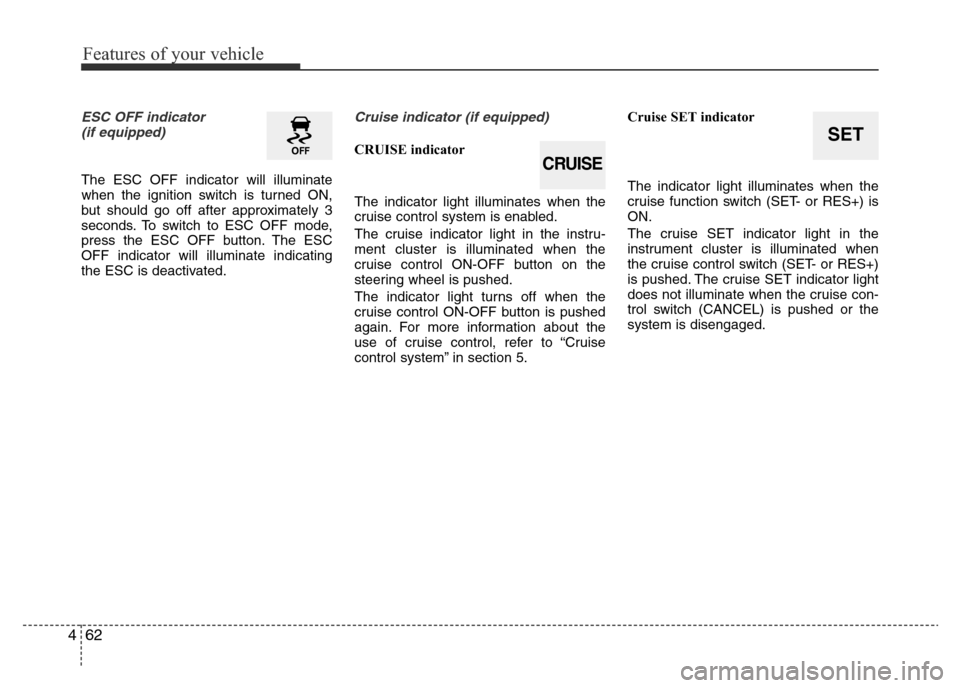
ESC OFF indicator
(if equipped)
The ESC OFF indicator will illuminate
when the ignition switch is turned ON,
but should go off after approximately 3
seconds. To switch to ESC OFF mode,
press the ESC OFF button. The ESC
OFF indicator will illuminate indicating
the ESC is deactivated.
Cruise indicator (if equipped)
CRUISE indicator
The indicator light illuminates when the
cruise control system is enabled.
The cruise indicator light in the instru-
ment cluster is illuminated when the
cruise control ON-OFF button on the
steering wheel is pushed.
The indicator light turns off when the
cruise control ON-OFF button is pushed
again. For more information about the
use of cruise control, refer to “Cruise
control system” in section 5.Cruise SET indicator
The indicator light illuminates when the
cruise function switch (SET- or RES+) is
ON.
The cruise SET indicator light in the
instrument cluster is illuminated when
the cruise control switch (SET- or RES+)
is pushed. The cruise SET indicator light
does not illuminate when the cruise con-
trol switch (CANCEL) is pushed or the
system is disengaged.SET
CRUISE
Page 134 of 425
Features of your vehicle
64 4
Overspeed warning
(if equipped)
Overspeed warning light
If you drive with the speed of 120 km/h or
more, the overspeed warning light will
blink. This is to prevent you from driving
your vehicle with overspeed.
Overspeed warning chime (if equipped)
If you drive with the speed of 120 km/h or
more, the overspeed warning chime will
sound for about 5 seconds. This is to pre-
vent you from driving your vehicle with
overspeed.
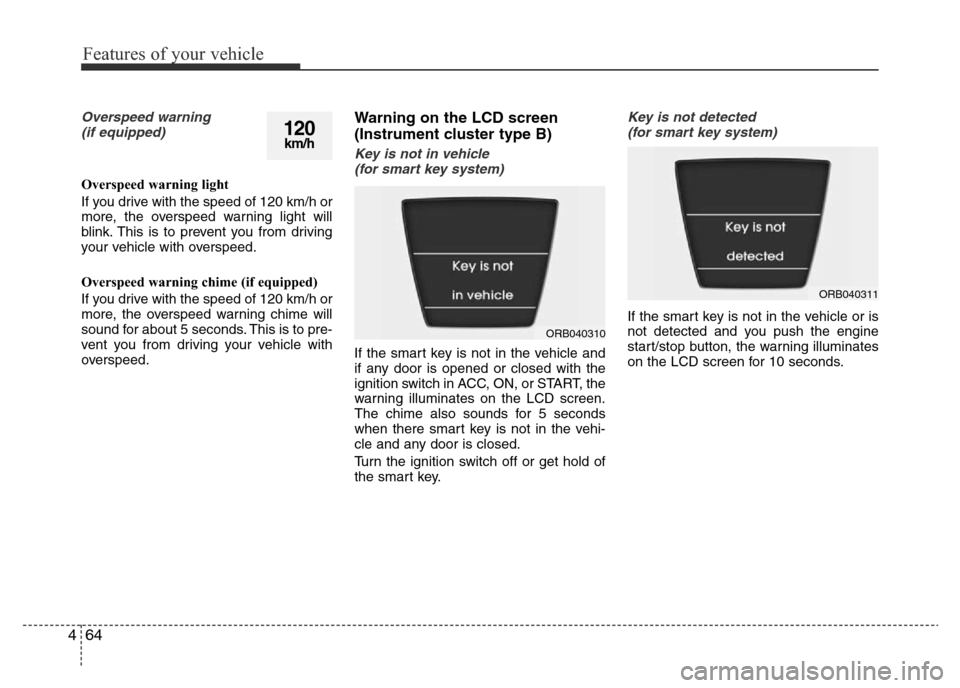
Warning on the LCD screen
(Instrument cluster type B)
Key is not in vehicle
(for smart key system)
If the smart key is not in the vehicle and
if any door is opened or closed with the
ignition switch in ACC, ON, or START, the
warning illuminates on the LCD screen.
The chime also sounds for 5 seconds
when there smart key is not in the vehi-
cle and any door is closed.
Turn the ignition switch off or get hold of
the smart key.
Key is not detected
(for smart key system)
If the smart key is not in the vehicle or is
not detected and you push the engine
start/stop button, the warning illuminates
on the LCD screen for 10 seconds.
120km/h
ORB040310
ORB040311
Page 256 of 425
519
Driving your vehicle
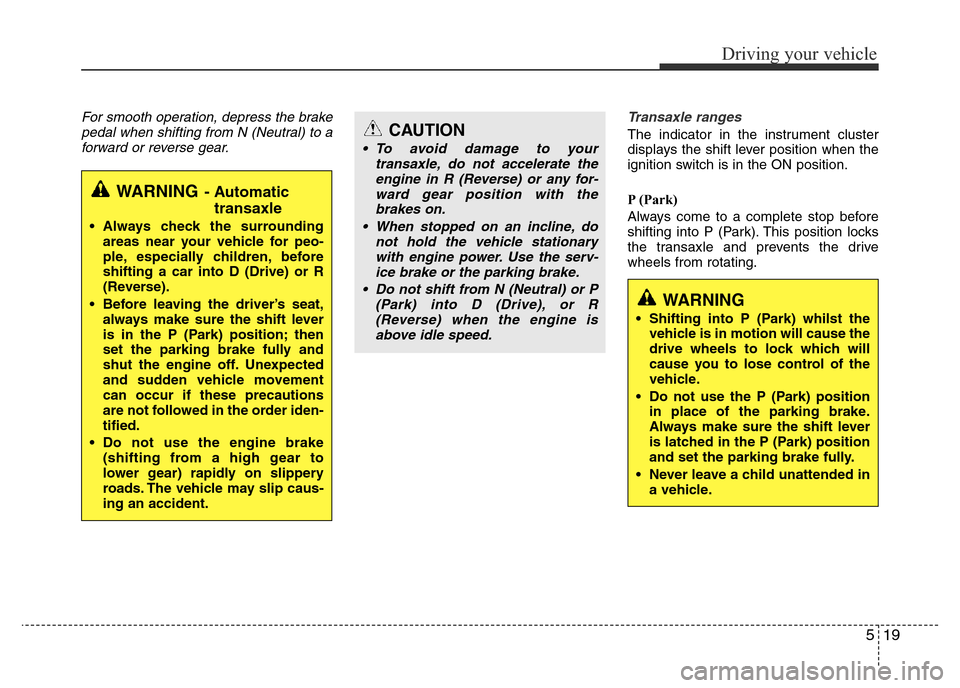
For smooth operation, depress the brake
pedal when shifting from N (Neutral) to a
forward or reverse gear.Transaxle ranges
The indicator in the instrument cluster
displays the shift lever position when the
ignition switch is in the ON position.
P (Park)
Always come to a complete stop before
shifting into P (Park). This position locks
the transaxle and prevents the drive
wheels from rotating.
WARNING- Automatic
transaxle
• Always check the surrounding
areas near your vehicle for peo-
ple, especially children, before
shifting a car into D (Drive) or R
(Reverse).
• Before leaving the driver’s seat,
always make sure the shift lever
is in the P (Park) position; then
set the parking brake fully and
shut the engine off. Unexpected
and sudden vehicle movement
can occur if these precautions
are not followed in the order iden-
tified.
• Do not use the engine brake
(shifting from a high gear to
lower gear) rapidly on slippery
roads. The vehicle may slip caus-
ing an accident.
CAUTION
• To avoid damage to your
transaxle, do not accelerate the
engine in R (Reverse) or any for-
ward gear position with the
brakes on.
• When stopped on an incline, do
not hold the vehicle stationary
with engine power. Use the serv-
ice brake or the parking brake.
• Do not shift from N (Neutral) or P
(Park) into D (Drive), or R
(Reverse) when the engine is
above idle speed.
WARNING
• Shifting into P (Park) whilst the
vehicle is in motion will cause the
drive wheels to lock which will
cause you to lose control of the
vehicle.
• Do not use the P (Park) position
in place of the parking brake.
Always make sure the shift lever
is latched in the P (Park) position
and set the parking brake fully.
• Never leave a child unattended in
a vehicle.
Page 262 of 425
525
Driving your vehicle
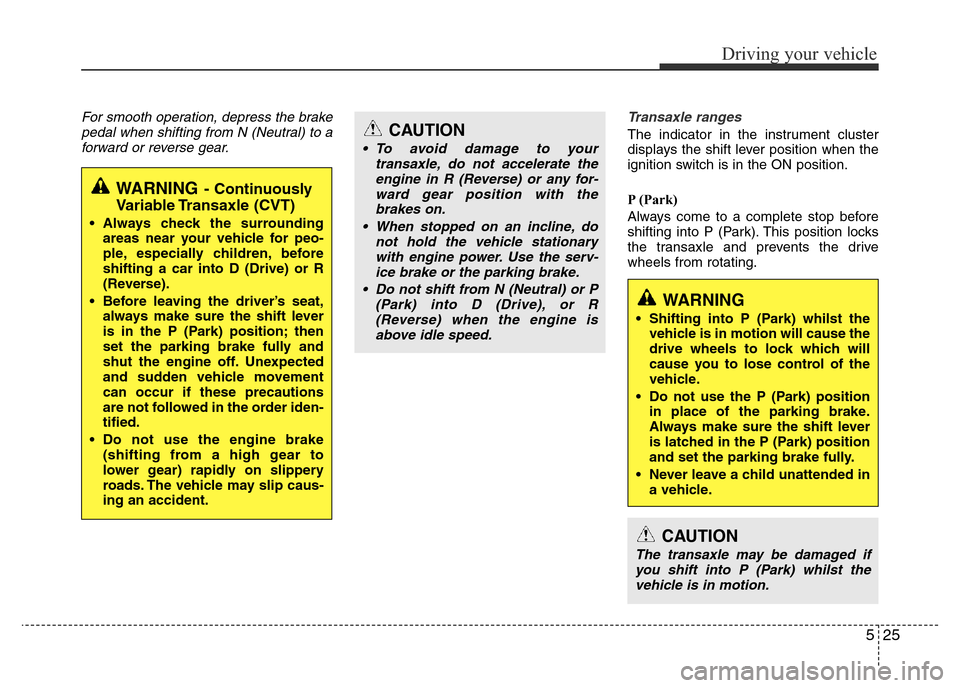
For smooth operation, depress the brake
pedal when shifting from N (Neutral) to a
forward or reverse gear.Transaxle ranges
The indicator in the instrument cluster
displays the shift lever position when the
ignition switch is in the ON position.
P (Park)
Always come to a complete stop before
shifting into P (Park). This position locks
the transaxle and prevents the drive
wheels from rotating.
WARNING- Continuously
Variable Transaxle (CVT)
• Always check the surrounding
areas near your vehicle for peo-
ple, especially children, before
shifting a car into D (Drive) or R
(Reverse).
• Before leaving the driver’s seat,
always make sure the shift lever
is in the P (Park) position; then
set the parking brake fully and
shut the engine off. Unexpected
and sudden vehicle movement
can occur if these precautions
are not followed in the order iden-
tified.
• Do not use the engine brake
(shifting from a high gear to
lower gear) rapidly on slippery
roads. The vehicle may slip caus-
ing an accident.
CAUTION
• To avoid damage to your
transaxle, do not accelerate the
engine in R (Reverse) or any for-
ward gear position with the
brakes on.
• When stopped on an incline, do
not hold the vehicle stationary
with engine power. Use the serv-
ice brake or the parking brake.
• Do not shift from N (Neutral) or P
(Park) into D (Drive), or R
(Reverse) when the engine is
above idle speed.
WARNING
• Shifting into P (Park) whilst the
vehicle is in motion will cause the
drive wheels to lock which will
cause you to lose control of the
vehicle.
• Do not use the P (Park) position
in place of the parking brake.
Always make sure the shift lever
is latched in the P (Park) position
and set the parking brake fully.
• Never leave a child unattended in
a vehicle.
CAUTION
The transaxle may be damaged if
you shift into P (Park) whilst the
vehicle is in motion.