Battery Hyundai Accent 2016 User Guide
[x] Cancel search | Manufacturer: HYUNDAI, Model Year: 2016, Model line: Accent, Model: Hyundai Accent 2016Pages: 456, PDF Size: 16.41 MB
Page 126 of 456
449
Features of your vehicle
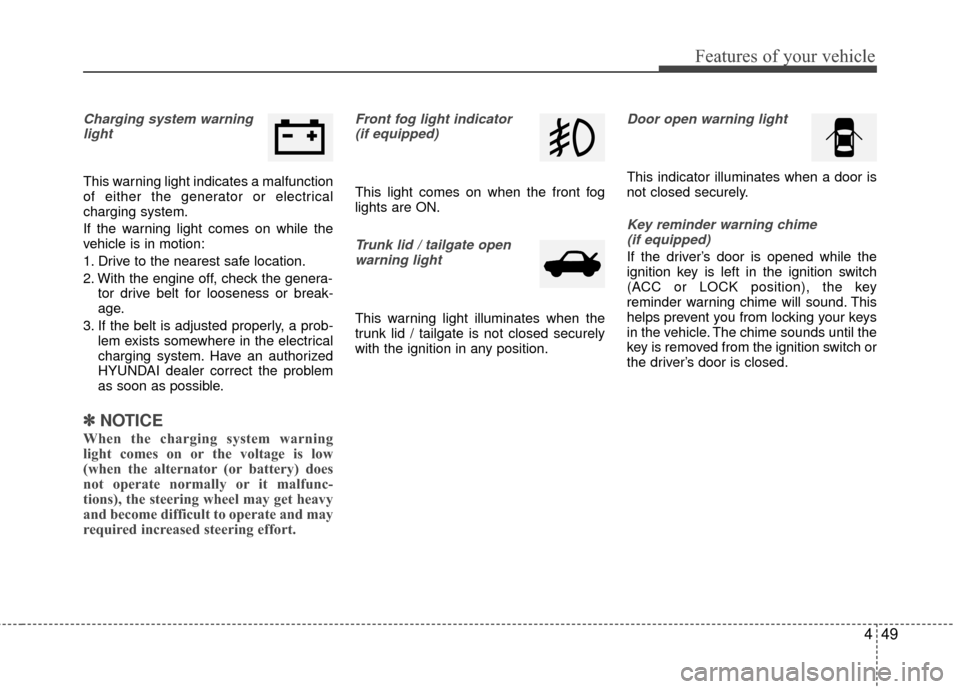
Charging system warninglight
This warning light indicates a malfunction
of either the generator or electrical
charging system.
If the warning light comes on while the
vehicle is in motion:
1. Drive to the nearest safe location.
2. With the engine off, check the genera- tor drive belt for looseness or break-
age.
3. If the belt is adjusted properly, a prob- lem exists somewhere in the electrical
charging system. Have an authorized
HYUNDAI dealer correct the problem
as soon as possible.
✽ ✽NOTICE
When the charging system warning
light comes on or the voltage is low
(when the alternator (or battery) does
not operate normally or it malfunc-
tions), the steering wheel may get heavy
and become difficult to operate and may
required increased steering effort.
Front fog light indicator
(if equipped)
This light comes on when the front fog
lights are ON.
Trunk lid / tailgate openwarning light
This warning light illuminates when the
trunk lid / tailgate is not closed securely
with the ignition in any position.
Door open warning light
This indicator illuminates when a door is
not closed securely.
Key reminder warning chime (if equipped)
If the driver’s door is opened while the
ignition key is left in the ignition switch
(ACC or LOCK position), the key
reminder warning chime will sound. This
helps prevent you from locking your keys
in the vehicle. The chime sounds until the
key is removed from the ignition switch or
the driver’s door is closed.
Page 130 of 456
453
Features of your vehicle
CAUTION
If the driver gets out of the vehiclethrough other doors, the batterysaver function does not operate.Therefore, it causes the battery tobe discharged. In this case, makesure to turn off the lamp before get- ting out of the vehicle.
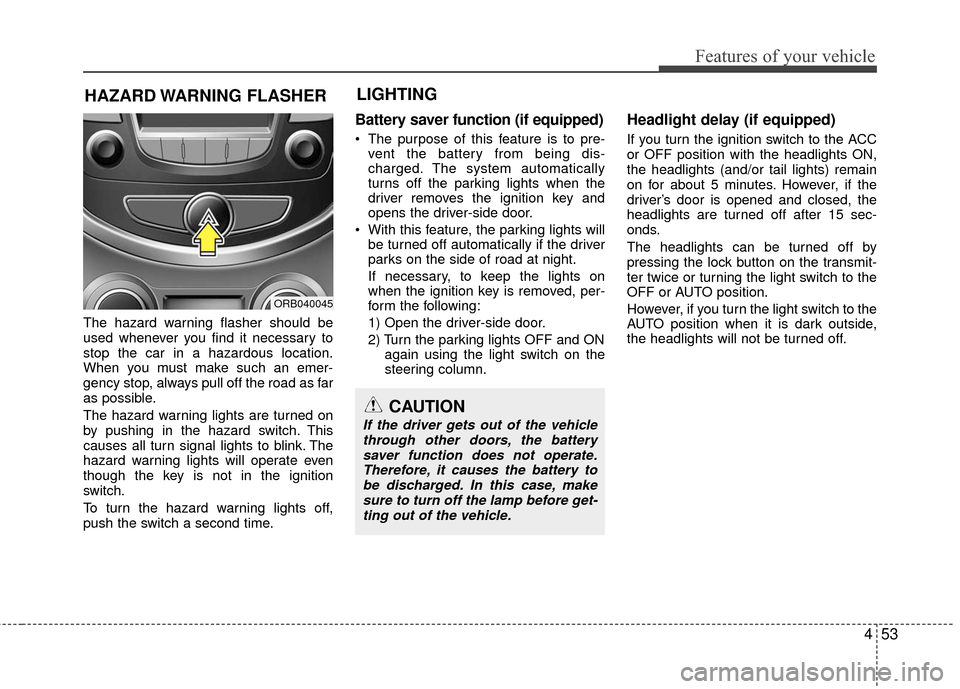
The hazard warning flasher should be
used whenever you find it necessary to
stop the car in a hazardous location.
When you must make such an emer-
gency stop, always pull off the road as far
as possible.
The hazard warning lights are turned on
by pushing in the hazard switch. This
causes all turn signal lights to blink. The
hazard warning lights will operate even
though the key is not in the ignition
switch.
To turn the hazard warning lights off,
push the switch a second time.
Battery saver function (if equipped)
The purpose of this feature is to pre- vent the battery from being dis-
charged. The system automatically
turns off the parking lights when the
driver removes the ignition key and
opens the driver-side door.
With this feature, the parking lights will be turned off automatically if the driver
parks on the side of road at night.
If necessary, to keep the lights on
when the ignition key is removed, per-
form the following:
1) Open the driver-side door.
2) Turn the parking lights OFF and ON again using the light switch on the
steering column.
Headlight delay (if equipped)
If you turn the ignition switch to the ACC
or OFF position with the headlights ON,
the headlights (and/or tail lights) remain
on for about 5 minutes. However, if the
driver’s door is opened and closed, the
headlights are turned off after 15 sec-
onds.
The headlights can be turned off by
pressing the lock button on the transmit-
ter twice or turning the light switch to the
OFF or AUTO position.
However, if you turn the light switch to the
AUTO position when it is dark outside,
the headlights will not be turned off.
HAZARD WARNING FLASHER
ORB040045
LIGHTING
Page 131 of 456
Features of your vehicle
54
4
Headlight welcome function
(if equipped)
When the headlight switch is in the ON or
AUTO position and all doors (and tail-
gate) are closed and locked, if you press
the door unlock button on the transmitter,
the headlights will come on for about 15
seconds.
If the headlight switch is in the AUTO
position, the function can only operate at
night.
At this time, if you press the door unlock
button again or door lock button on the
transmitter, the headlights will turn off
immediately.
Tail lamp warning chime
(if equipped)
If you turn the ignition switch to the OFF
position with the tail lamps ON and the
driver's door in an open position, the
warning chime will sound.
To stop the chime, perform one of the fol-
lowing:
1) Turn the ignition key to the ON posi-
tion.
2) Turn the tail lamps OFF.
3) Close the driver's door.
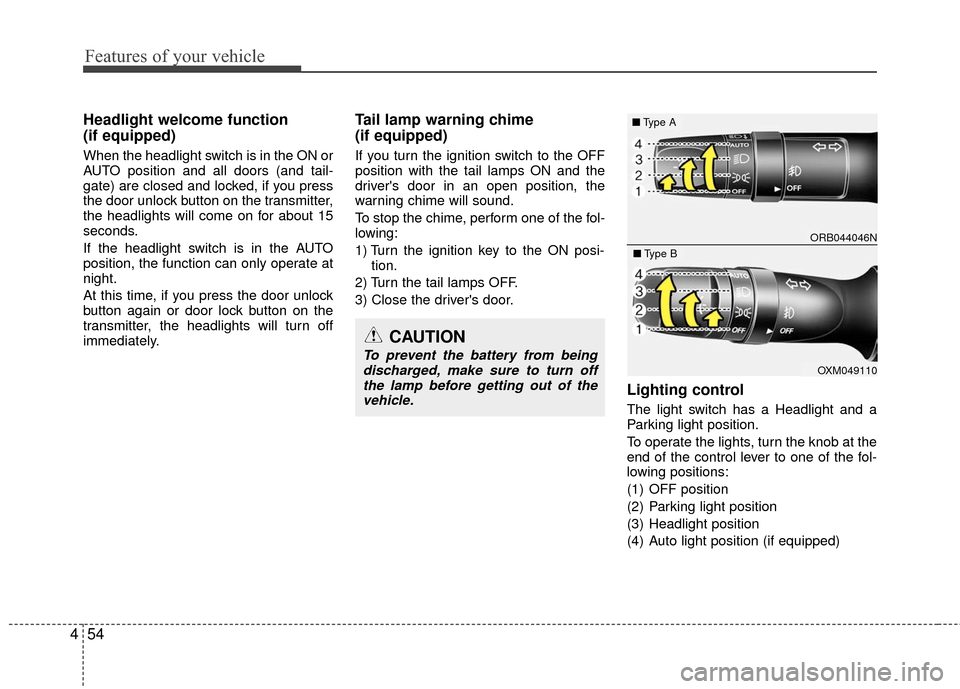
Lighting control
The light switch has a Headlight and a
Parking light position.
To operate the lights, turn the knob at the
end of the control lever to one of the fol-
lowing positions:
(1) OFF position
(2) Parking light position
(3) Headlight position
(4) Auto light position (if equipped)
CAUTION
To prevent the battery from being discharged, make sure to turn offthe lamp before getting out of thevehicle.
ORB044046N
■ Type A
OXM049110
■Type B
Page 133 of 456
Features of your vehicle
56
4
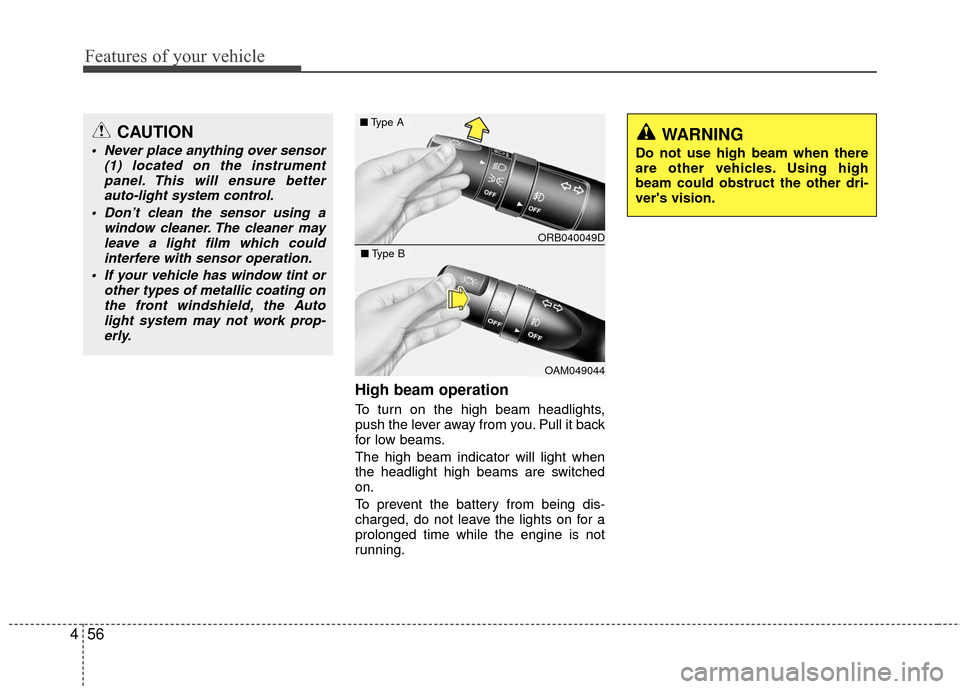
High beam operation
To turn on the high beam headlights,
push the lever away from you. Pull it back
for low beams.
The high beam indicator will light when
the headlight high beams are switched
on.
To prevent the battery from being dis-
charged, do not leave the lights on for a
prolonged time while the engine is not
running.
CAUTION
Never place anything over sensor
(1) located on the instrumentpanel. This will ensure betterauto-light system control.
Don’t clean the sensor using a window cleaner. The cleaner mayleave a light film which could interfere with sensor operation.
If your vehicle has window tint or other types of metallic coating onthe front windshield, the Autolight system may not work prop-erly.WARNING
Do not use high beam when there
are other vehicles. Using high
beam could obstruct the other dri-
ver's vision.
ORB040049D
■ Type A
OAM049044
■Type B
Page 135 of 456
Features of your vehicle
58
4
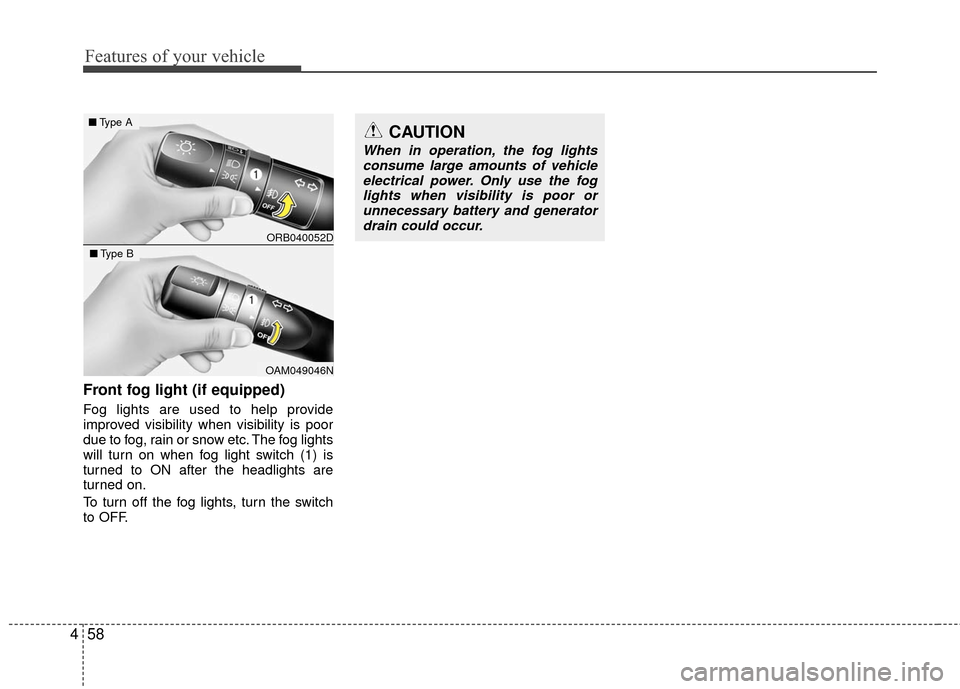
Front fog light (if equipped)
Fog lights are used to help provide
improved visibility when visibility is poor
due to fog, rain or snow etc. The fog lights
will turn on when fog light switch (1) is
turned to ON after the headlights are
turned on.
To turn off the fog lights, turn the switch
to OFF.
CAUTION
When in operation, the fog lights
consume large amounts of vehicleelectrical power. Only use the foglights when visibility is poor orunnecessary battery and generator drain could occur.
ORB040052D
■ Type A
OAM049046N
■Type B
Page 140 of 456
463
Features of your vehicle
Automatic turn off function
(if equipped)
The interior lights automatically turn off
approximately 20 minutes after the igni-
tion switch is turned off.
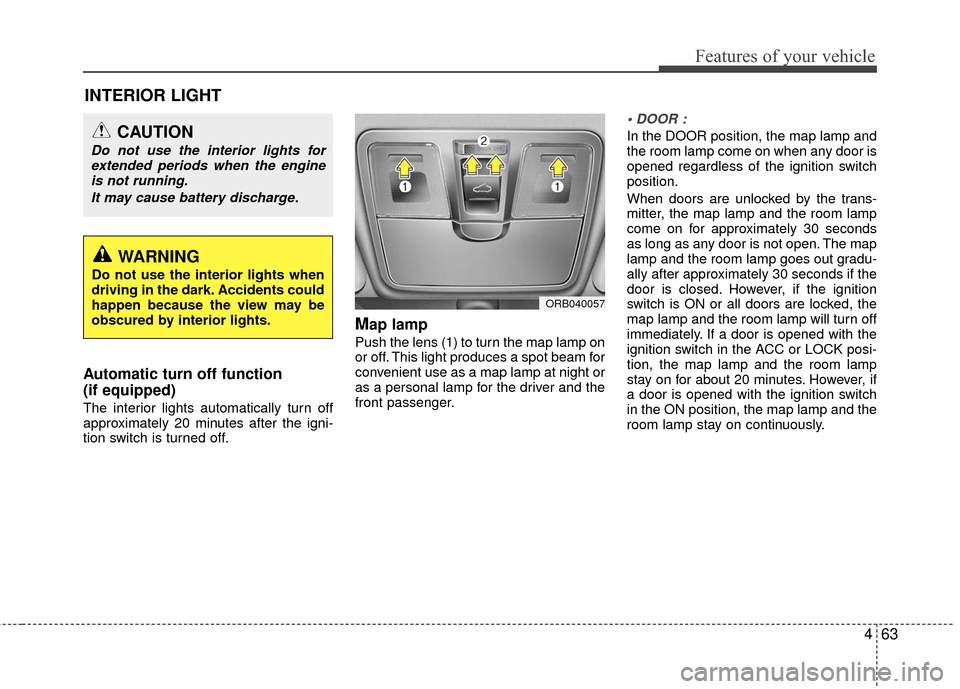
Map lamp
Push the lens (1) to turn the map lamp on
or off. This light produces a spot beam for
convenient use as a map lamp at night or
as a personal lamp for the driver and the
front passenger.
In the DOOR position, the map lamp and
the room lamp come on when any door is
opened regardless of the ignition switch
position.
When doors are unlocked by the trans-
mitter, the map lamp and the room lamp
come on for approximately 30 seconds
as long as any door is not open. The map
lamp and the room lamp goes out gradu-
ally after approximately 30 seconds if the
door is closed. However, if the ignition
switch is ON or all doors are locked, the
map lamp and the room lamp will turn off
immediately. If a door is opened with the
ignition switch in the ACC or LOCK posi-
tion, the map lamp and the room lamp
stay on for about 20 minutes. However, if
a door is opened with the ignition switch
in the ON position, the map lamp and the
room lamp stay on continuously.
INTERIOR LIGHT
WARNING
Do not use the interior lights when
driving in the dark. Accidents could
happen because the view may be
obscured by interior lights.
CAUTION
Do not use the interior lights forextended periods when the engineis not running.
It may cause battery discharge.
ORB040057
Page 157 of 456
Features of your vehicle
80
4
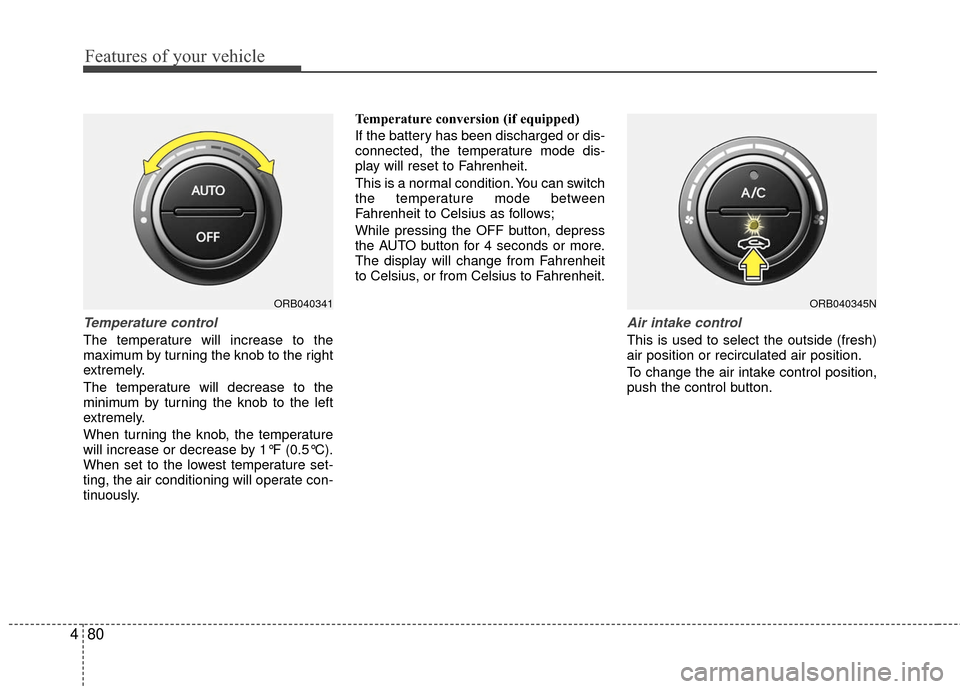
Temperature control
The temperature will increase to the
maximum by turning the knob to the right
extremely.
The temperature will decrease to the
minimum by turning the knob to the left
extremely.
When turning the knob, the temperature
will increase or decrease by 1°F (0.5°C).
When set to the lowest temperature set-
ting, the air conditioning will operate con-
tinuously. Temperature conversion (if equipped)
If the battery has been discharged or dis-
connected, the temperature mode dis-
play will reset to Fahrenheit.
This is a normal condition. You can switch
the temperature mode between
Fahrenheit to Celsius as follows;
While pressing the OFF button, depress
the AUTO button for 4 seconds or more.
The display will change from Fahrenheit
to Celsius, or from Celsius to Fahrenheit.
Air intake control
This is used to select the outside (fresh)
air position or recirculated air position.
To change the air intake control position,
push the control button.
ORB040345NORB040341
Page 162 of 456
485
Features of your vehicle
Defogging logic
To reduce the probability of fogging up
the inside of the windshield, the air intake
or air conditioning are controlled auto-
matically according to certain conditions
such as or position. To cancel or
return the defogging logic, do the follow-
ing.
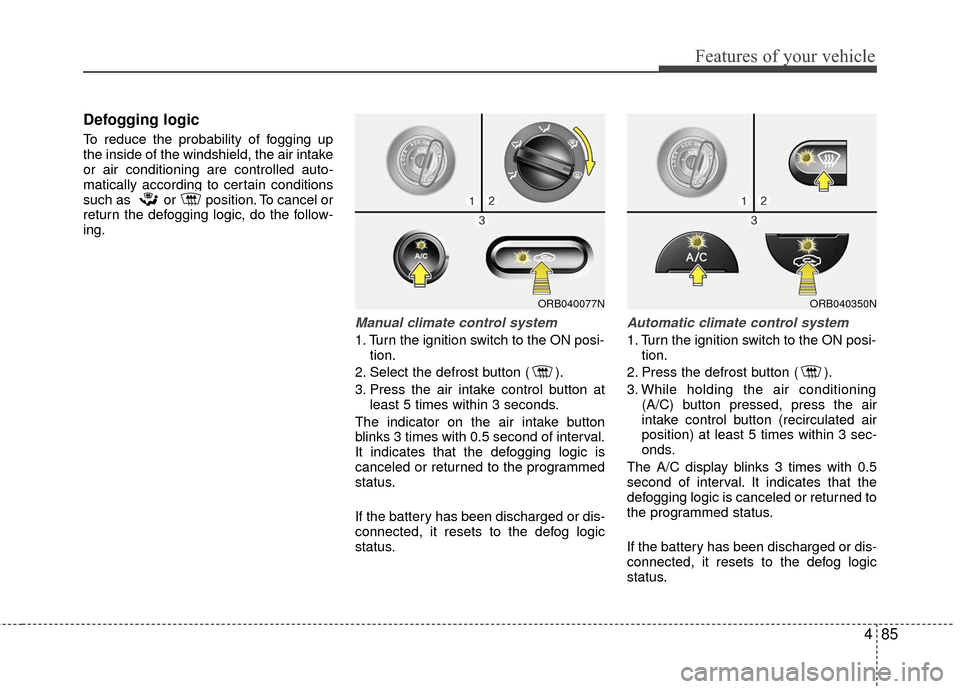
Manual climate control system
1. Turn the ignition switch to the ON posi-tion.
2. Select the defrost button ( ).
3. Press the air intake control button at least 5 times within 3 seconds.
The indicator on the air intake button
blinks 3 times with 0.5 second of interval.
It indicates that the defogging logic is
canceled or returned to the programmed
status.
If the battery has been discharged or dis-
connected, it resets to the defog logic
status.
Automatic climate control system
1. Turn the ignition switch to the ON posi- tion.
2. Press the defrost button ( ).
3. While holding the air conditioning (A/C) button pressed, press the air
intake control button (recirculated air
position) at least 5 times within 3 sec-
onds.
The A/C display blinks 3 times with 0.5
second of interval. It indicates that the
defogging logic is canceled or returned to
the programmed status.
If the battery has been discharged or dis-
connected, it resets to the defog logic
status.
ORB040077NORB040350N
Page 163 of 456
Features of your vehicle
86
4
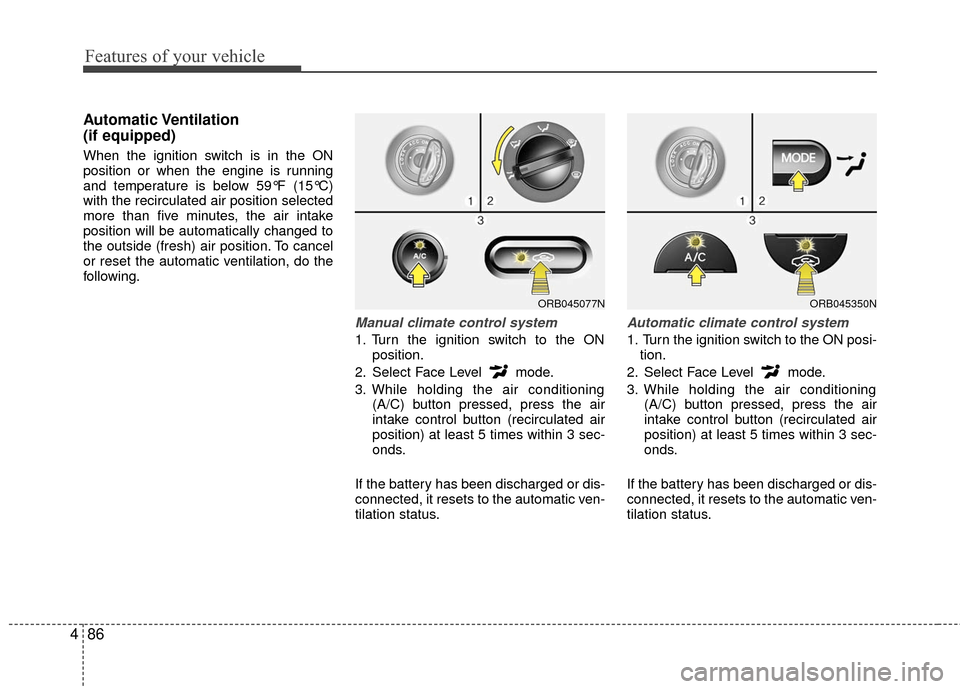
Automatic Ventilation
(if equipped)
When the ignition switch is in the ON
position or when the engine is running
and temperature is below 59°F (15°C)
with the recirculated air position selected
more than five minutes, the air intake
position will be automatically changed to
the outside (fresh) air position. To cancel
or reset the automatic ventilation, do the
following.
Manual climate control system
1. Turn the ignition switch to the ON
position.
2. Select Face Level mode.
3. While holding the air conditioning (A/C) button pressed, press the air
intake control button (recirculated air
position) at least 5 times within 3 sec-
onds.
If the battery has been discharged or dis-
connected, it resets to the automatic ven-
tilation status.
Automatic climate control system
1. Turn the ignition switch to the ON posi- tion.
2. Select Face Level mode.
3. While holding the air conditioning (A/C) button pressed, press the air
intake control button (recirculated air
position) at least 5 times within 3 sec-
onds.
If the battery has been discharged or dis-
connected, it resets to the automatic ven-
tilation status.
ORB045077NORB045350N
Page 168 of 456
491
Features of your vehicle
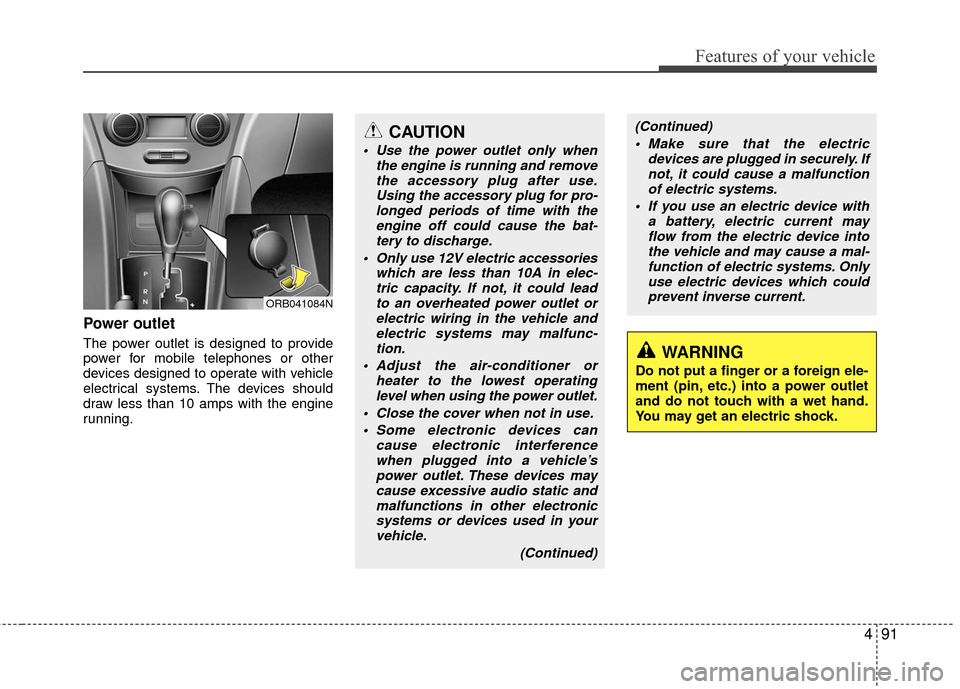
Power outlet
The power outlet is designed to provide
power for mobile telephones or other
devices designed to operate with vehicle
electrical systems. The devices should
draw less than 10 amps with the engine
running.
CAUTION
Use the power outlet only whenthe engine is running and removethe accessory plug after use.Using the accessory plug for pro-longed periods of time with the engine off could cause the bat-tery to discharge.
Only use 12V electric accessories which are less than 10A in elec-tric capacity. If not, it could leadto an overheated power outlet orelectric wiring in the vehicle andelectric systems may malfunc-tion.
Adjust the air-conditioner or heater to the lowest operatinglevel when using the power outlet.
Close the cover when not in use. Some electronic devices can cause electronic interferencewhen plugged into a vehicle’spower outlet. These devices maycause excessive audio static and malfunctions in other electronicsystems or devices used in yourvehicle.
(Continued)
WARNING
Do not put a finger or a foreign ele-
ment (pin, etc.) into a power outlet
and do not touch with a wet hand.
You may get an electric shock.
ORB041084N
(Continued) Make sure that the electric devices are plugged in securely. Ifnot, it could cause a malfunctionof electric systems.
If you use an electric device with a battery, electric current mayflow from the electric device intothe vehicle and may cause a mal- function of electric systems. Onlyuse electric devices which couldprevent inverse current.