heater Hyundai Accent 2017 Owner's Manual
[x] Cancel search | Manufacturer: HYUNDAI, Model Year: 2017, Model line: Accent, Model: Hyundai Accent 2017Pages: 380, PDF Size: 12.45 MB
Page 60 of 380
Safety features of your vehicle
3-44
(Continued)
Do not place an electronic devicesuch as a laptop computer on the
front passenger seat. Its electron-
ic field may cause the ODS to
switch to the "on" condition and
thus allow the passenger air bag
to deploy needlessly in a colli-
sion, increasing your repair costs.
The adult or child in the front pas- senger's seat who is not seated
correctly (for example: seat exces-
sively reclined, leaning on the
door or center console, or hips
shifted forward in the seat) can
cause a condition where the occu-
pant detection system senses
less field than if the occupant
were seated properly (sitting
upright with the seatback in an
upright position, centered on the
seat cushion with their seat belt
on, legs comfortably extended
and their feet on the floor).
This condition can result in an
adult potentially being misclassi-
fied as a child and illumination of
the PASSENGER AIR BAG "OFF"
indicator.(Continued)
Accident statistics show that chil-dren are safer if they are
restrained in the rear, as opposed
to the front seat. It is recommend-
ed that child restraints be secured
in a rear seat, including an infant
riding in a rear-facing infant seat,
a child riding in a forward-facing
child seat and an older child rid-
ing in a booster seat.
Air bags can only be used once – have an authorized HYUNDAI
dealer replace the air bag imme-
diately after deployment.
The occupant detection system may not work properly if water,
coffee or any other liquid includ-
ing rain gets on the seat. Keep
the front seat dry at all times.
(Continued)(Continued)
If the PASSENGER AIR BAG"OFF" indicator is illuminated
when the front passenger's seat
is occupied by an adult and
he/she sits properly (sitting
upright with the seatback in an
upright position, centered on the
seat cushion with their seat belt
on, legs comfortably extended
and their feet on the floor), have
that person sit in the rear seat.
Do not modify or replace the front passenger seat. Don't place any-
thing on or attach anything such
as a blanket or seat heater to the
front passenger seat. This can
adversely affect the occupant
detection system.
Do not sit on sharp objects such as tools when occupying the
front passenger seat. This can
adversely affect the occupant
detection system.
Do not use accessory seat cov- ers on the front seats.
(Continued)
Page 134 of 380
Features of your vehicle
4-60
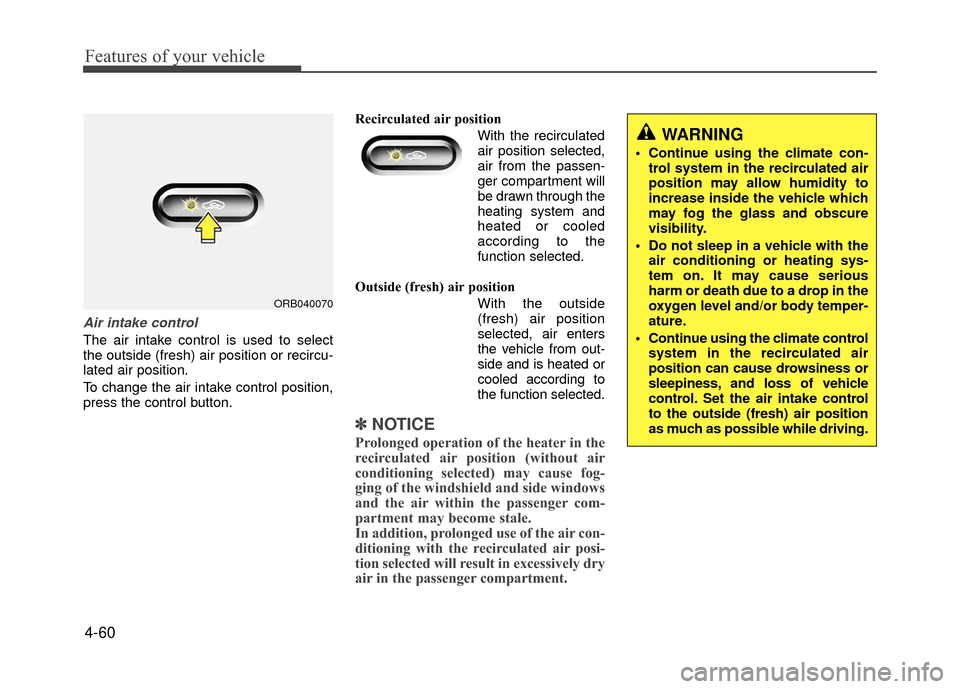
Air intake control
The air intake control is used to select
the outside (fresh) air position or recircu-
lated air position.
To change the air intake control position,
press the control button.Recirculated air position
With the recirculatedair position selected,
air from the passen-
ger compartment will
be drawn through the
heating system and
heated or cooled
according to the
function selected.
Outside (fresh) air position With the outside(fresh) air position
selected, air enters
the vehicle from out-
side and is heated or
cooled according to
the function selected.
✽ ✽ NOTICE
Prolonged operation of the heater in the
recirculated air position (without air
conditioning selected) may cause fog-
ging of the windshield and side windows
and the air within the passenger com-
partment may become stale.
In addition, prolonged use of the air con-
ditioning with the recirculated air posi-
tion selected will result in excessively dry
air in the passenger compartment.
WARNING
Continue using the climate con-
trol system in the recirculated air
position may allow humidity to
increase inside the vehicle which
may fog the glass and obscure
visibility.
Do not sleep in a vehicle with the air conditioning or heating sys-
tem on. It may cause serious
harm or death due to a drop in the
oxygen level and/or body temper-
ature.
Continue using the climate control system in the recirculated air
position can cause drowsiness or
sleepiness, and loss of vehicle
control. Set the air intake control
to the outside (fresh) air position
as much as possible while driving.
ORB040070
Page 138 of 380
Features of your vehicle
4-64
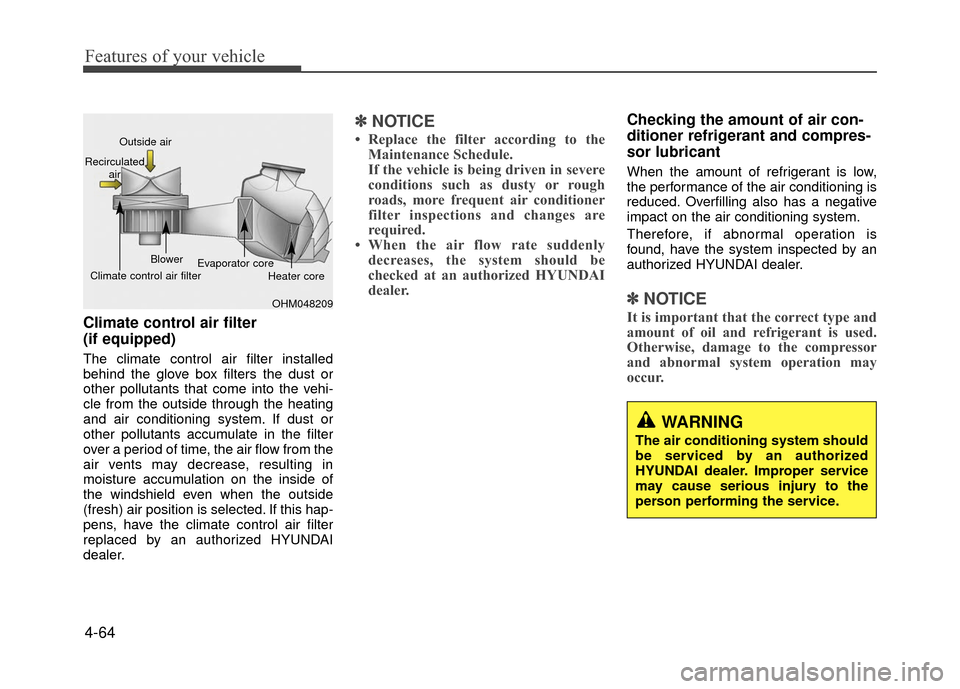
Climate control air filter
(if equipped)
The climate control air filter installed
behind the glove box filters the dust or
other pollutants that come into the vehi-
cle from the outside through the heating
and air conditioning system. If dust or
other pollutants accumulate in the filter
over a period of time, the air flow from the
air vents may decrease, resulting in
moisture accumulation on the inside of
the windshield even when the outside
(fresh) air position is selected. If this hap-
pens, have the climate control air filter
replaced by an authorized HYUNDAI
dealer.
✽ ✽NOTICE
• Replace the filter according to the
Maintenance Schedule.
If the vehicle is being driven in severe
conditions such as dusty or rough
roads, more frequent air conditioner
filter inspections and changes are
required.
• When the air flow rate suddenly decreases, the system should be
checked at an authorized HYUNDAI
dealer.
Checking the amount of air con-
ditioner refrigerant and compres-
sor lubricant
When the amount of refrigerant is low,
the performance of the air conditioning is
reduced. Overfilling also has a negative
impact on the air conditioning system.
Therefore, if abnormal operation is
found, have the system inspected by an
authorized HYUNDAI dealer.
✽ ✽ NOTICE
It is important that the correct type and
amount of oil and refrigerant is used.
Otherwise, damage to the compressor
and abnormal system operation may
occur.
WARNING
The air conditioning system should
be serviced by an authorized
HYUNDAI dealer. Improper service
may cause serious injury to the
person performing the service.
OHM048209
Outside air
Recirculated air
Climate control air filter Blower
Evaporator core
Heater core
Page 143 of 380
4-69
Features of your vehicle
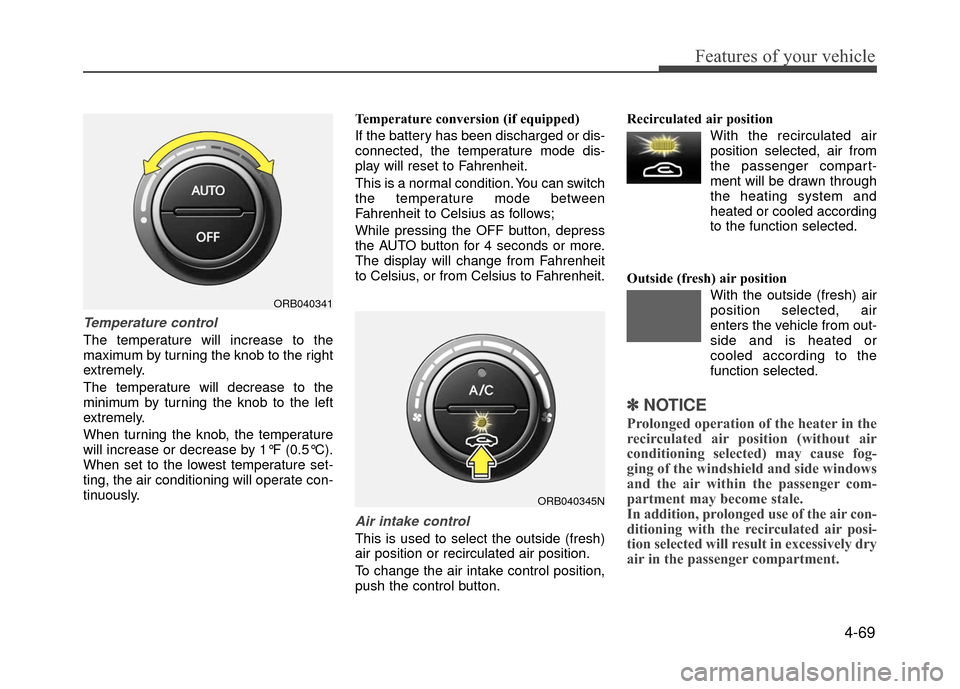
Temperature control
The temperature will increase to the
maximum by turning the knob to the right
extremely.
The temperature will decrease to the
minimum by turning the knob to the left
extremely.
When turning the knob, the temperature
will increase or decrease by 1°F (0.5°C).
When set to the lowest temperature set-
ting, the air conditioning will operate con-
tinuously.Temperature conversion (if equipped)
If the battery has been discharged or dis-
connected, the temperature mode dis-
play will reset to Fahrenheit.
This is a normal condition. You can switch
the temperature mode between
Fahrenheit to Celsius as follows;
While pressing the OFF button, depress
the AUTO button for 4 seconds or more.
The display will change from Fahrenheit
to Celsius, or from Celsius to Fahrenheit.
Air intake control
This is used to select the outside (fresh)
air position or recirculated air position.
To change the air intake control position,
push the control button.Recirculated air position
With the recirculated airposition selected, air from
the passenger compart-
ment will be drawn through
the heating system and
heated or cooled according
to the function selected.
Outside (fresh) air position With the outside (fresh) air
position selected, air
enters the vehicle from out-
side and is heated or
cooled according to the
function selected.
✽ ✽NOTICE
Prolonged operation of the heater in the
recirculated air position (without air
conditioning selected) may cause fog-
ging of the windshield and side windows
and the air within the passenger com-
partment may become stale.
In addition, prolonged use of the air con-
ditioning with the recirculated air posi-
tion selected will result in excessively dry
air in the passenger compartment.
ORB040341
ORB040345N
Page 145 of 380
4-71
Features of your vehicle
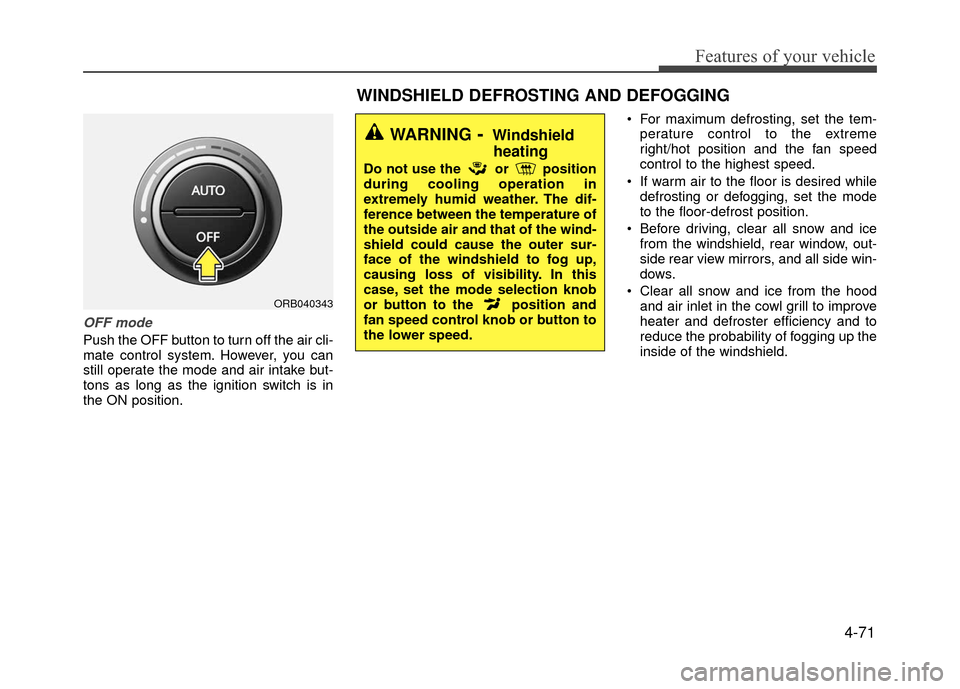
OFF mode
Push the OFF button to turn off the air cli-
mate control system. However, you can
still operate the mode and air intake but-
tons as long as the ignition switch is in
the ON position. For maximum defrosting, set the tem-
perature control to the extreme
right/hot position and the fan speed
control to the highest speed.
If warm air to the floor is desired while defrosting or defogging, set the mode
to the floor-defrost position.
Before driving, clear all snow and ice from the windshield, rear window, out-
side rear view mirrors, and all side win-
dows.
Clear all snow and ice from the hood and air inlet in the cowl grill to improve
heater and defroster efficiency and to
reduce the probability of fogging up the
inside of the windshield.
ORB040343
WINDSHIELD DEFROSTING AND DEFOGGING
WARNING- Windshieldheating
Do not use the or position
during cooling operation in
extremely humid weather. The dif-
ference between the temperature of
the outside air and that of the wind-
shield could cause the outer sur-
face of the windshield to fog up,
causing loss of visibility. In this
case, set the mode selection knob
or button to the position and
fan speed control knob or button to
the lower speed.
Page 153 of 380
4-79
Features of your vehicle
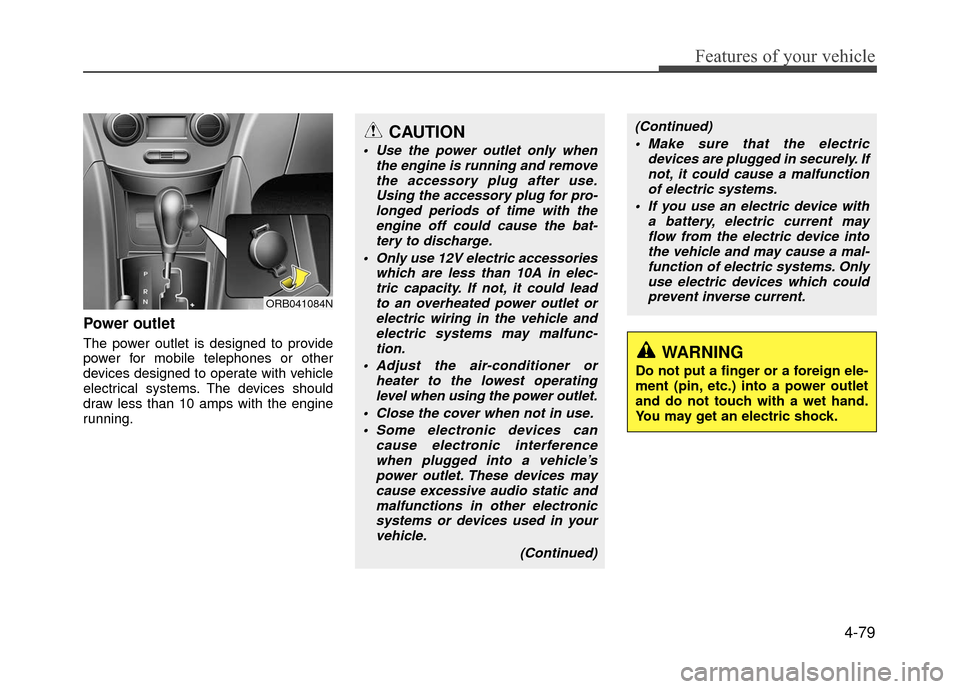
Power outlet
The power outlet is designed to provide
power for mobile telephones or other
devices designed to operate with vehicle
electrical systems. The devices should
draw less than 10 amps with the engine
running.
CAUTION
Use the power outlet only whenthe engine is running and removethe accessory plug after use.Using the accessory plug for pro-longed periods of time with the engine off could cause the bat-tery to discharge.
Only use 12V electric accessories which are less than 10A in elec-tric capacity. If not, it could leadto an overheated power outlet orelectric wiring in the vehicle andelectric systems may malfunc-tion.
Adjust the air-conditioner or heater to the lowest operatinglevel when using the power outlet.
Close the cover when not in use. Some electronic devices can cause electronic interferencewhen plugged into a vehicle’spower outlet. These devices maycause excessive audio static and malfunctions in other electronicsystems or devices used in yourvehicle.
(Continued)
WARNING
Do not put a finger or a foreign ele-
ment (pin, etc.) into a power outlet
and do not touch with a wet hand.
You may get an electric shock.
ORB041084N
(Continued) Make sure that the electric devices are plugged in securely. Ifnot, it could cause a malfunctionof electric systems.
If you use an electric device with a battery, electric current mayflow from the electric device intothe vehicle and may cause a mal- function of electric systems. Onlyuse electric devices which couldprevent inverse current.
Page 165 of 380
4-91
Features of your vehicle
(Continued)
• An encrypted MP3 PLAYER is notrecognizable.
• Depending on the condition of the external USB device, the connected
external USB device can be unrec-
ognizable.
• When the formatted byte/sector setting of External USB device is
not either 512BYTE or 2048BYTE,
then the device will not be recog-
nized.
• Use only a USB device formatted to FAT 12/16/32.
• USB devices without USB I/F authentication may not be recog-
nizable.
• Make sure the USB connection ter- minal does not come in contact with
the human body or other objects.
• If you repeatedly connect or discon- nect the USB device in a short peri-
od of time, it may break the device.
• You may hear a strange noise when connecting or disconnecting a USB
device. (Continued)(Continued)
• If you disconnect the external USB
device during playback in USB
mode, the external USB device can
be damaged or may malfunction.
Therefore, disconnect the external
USB device when the audio is
turned off or in another mode. (e.g,
Radio, CD)
• Depending on the type and capacity of the external USB device or the
type of the files stored in the device,
there is a difference in the time
taken for recognition of the device.
• Do not use the USB device for pur- poses other than playing music
files.
• Playing videos through the USB is not supported.
• Use of USB accessories such as rechargers or heaters using USB
I/F may lower performance or
cause trouble. (Continued)(Continued)
• If you use devices such as a USB hub
purchased separately, the vehicle’s
audio system may not recognize the
USB device. In that case, connect the
USB device directly to the multimedia
terminal of the vehicle.
• If the USB device is divided by logical drives, only the music files on the
highest-priority drive are recognized
by car audio.
• Devices such as MP3 Player/ Cellular phone/Digital camera can be unrec-
ognizable by standard USB I/F can be
unrecognizable.
• Charging through the USB may not be supported in some mobile devices.
• USB HDD or USB types liable to con- nection failures due to vehicle vibra-
tions are not supported.
(i-stick type)
• Some non-standard USB devices (METAL COVER TYPE USB) can be
unrecognizable. (Continued)
Page 207 of 380
Driving your vehicle
5-4
Before starting
Close and lock all doors.
Position the seat so that all controls areeasily reached.
Adjust the inside rearview mirror and side view mirrors.
Be sure that all lights work.
Check all gauges.
Check the operation of warning lights when the ignition switch is turned to
the ON position.
Release the parking brake and make sure the brake warning light goes out.
For safe operation, be sure you are famil-
iar with your vehicle and its equipment.WARNING
Always check the surrounding
areas near your vehicle for people,
especially children, before putting a
car into D (Drive) or R (Reverse).
WARNING- Driving under
the influence of alcohol or
drugs
Drinking and driving is dangerous.
Drunk driving is the number one
contributor to the highway death
toll each year. Even a small amount
of alcohol will affect your reflexes,
perceptions and judgment. Driving
while under the influence of drugs
is as dangerous or more dangerous
than driving drunk.
You are much more likely to have a
serious accident if you drink or
take drugs and drive.
If you are drinking or taking drugs,
don't drive. Do not ride with a driv-
er who has been drinking or taking
drugs. Choose a designated driver
or call a cab.
WARNING
When you intend to park or stop
the vehicle with the engine on, be
careful not to depress the accel-
erator pedal for a long period of
time. It may overheat the engine
or exhaust system and cause fire.
When you make a sudden stop or turn the steering wheel rapidly,
loose objects may drop on the
floor and it could interfere with
the operation of the foot pedals,
possibly causing an accident.
Keep all things in the vehicle
safely stored.
If you do not focus on driving, it may cause an accident. Be care-
ful when operating items that
may distract from such as audio
or heater controls. It is the
responsibility of the driver to
always drive safely with full atten-
tion to the task of driving.
WARNING
All passengers must be properly
belted whenever the vehicle is mov-
ing. Refer to "Seat belts" in section
3 for more information on their
proper use.
Page 288 of 380
7-5
Maintenance
While operating your vehicle:
Note any changes in the sound of theexhaust or any smell of exhaust fumes
in the vehicle.
Check for vibrations in the steering wheel. Notice any increased steering
effort or looseness in the steering
wheel, or change in its straight-ahead
position.
Notice if your vehicle constantly turns slightly or "pulls" to one side when trav-
eling on smooth, level road.
When stopping, listen and check for unusual sounds, pulling to one side,
increased brake pedal travel or "hard-
to-push" brake pedal.
If any slipping or changes in the oper- ation of your transaxle occurs, check
the transaxle fluid level.
Check automatic transaxle P (Park) function.
Check parking brake.
Check for fluid leaks under your vehicle (water dripping from the air condition-
ing system during or after use is nor-
mal).
At least monthly:
Check coolant level in the enginecoolant reservoir.
Check the operation of all exterior lights, including the stoplights, turn sig-
nals and hazard warning flashers.
Check the inflation pressures of all tires including the spare (if equipped).
At least twice a year (i.e., every Spring and Fall):
Check radiator, heater and air condi- tioning hoses for leaks or damage.
Check windshield washer spray and wiper operation. Clean wiper blades
with clean cloth dampened with wash-
er fluid.
Check headlight alignment.
Check muffler, exhaust pipes, shields and clamps.
Check the lap/shoulder belts for wear and function.
Check for worn tires and loose wheel lug nuts.
At least once a year:
Clean body and door drain holes.
Lubricate door hinges and checks, andhood hinges.
Lubricate door and hood locks and latches.
Lubricate door rubber weatherstrips.
Check the air conditioning system.
Inspect and lubricate automatic transaxle linkage and controls.
Clean battery and terminals.
Check the brake fluid level.
Page 306 of 380
7-23
Maintenance
Checking the coolant level
Check the condition and connections of
all cooling system hoses and heater
hoses. Replace any swollen or deterio-
rated hoses.
The coolant level should be filled
between F and L marks on the side of the
coolant reservoir when the engine is cool.
If the coolant level is low, add enough
distilled (deionized) or soft water. Bring
the level to F, but do not overfill. If fre-
quent additions are required, see an
authorized HYUNDAI dealer for a cooling
system inspection.
ORB071005N
(Continued)
Even if the engine is not operat-ing, do not remove the radiator
cap or the drain plug while the
engine and radiator are hot. Hot
coolant and steam may still blow
out under pressure, causing seri-
ous injury.
WARNING
Removing radiator
cap
Never attempt to remove the radi-ator cap while the engine is oper-
ating or hot. Doing so might lead
to cooling system and engine
damage and could result in seri-
ous personal injury from escap-
ing hot coolant or steam.
Turn the engine off and wait until it cools down. Use extreme care
when removing the radiator cap.
Wrap a thick towel around it, and
turn it counterclockwise slowly to
the first stop. Step back while the
pressure is released from the cool-
ing system. When you are sure all
the pressure has been released,
press down on the cap, using a
thick towel, and continue turning
counterclockwise to remove it.
(Continued)
WARNING
The electric motor
(cooling fan) is con-
trolled by engine
coolant temperature,
refrigerant pressure
and vehicle speed. It may some-
times operate even when the
engine is not running. Use extreme
caution when working near the
blades of the cooling fan so that
you are not injured by a rotating fan
blades. As the engine coolant tem-
perature decreases, the electric
motor will automatically shut off.
This is a normal condition. If your
vehicle is equipped with GDI, the
electric motor (cooling fan) may
operate until you disconnect the
negative battery cable.