USB Hyundai Accent 2019 User Guide
[x] Cancel search | Manufacturer: HYUNDAI, Model Year: 2019, Model line: Accent, Model: Hyundai Accent 2019Pages: 442, PDF Size: 14.14 MB
Page 239 of 442
![Hyundai Accent 2019 User Guide 4-32
Multimedia System
AUX
Running AUX
Press the [MEDIA]button, and
select [AUX].
Connect the external device connec-
tion jack to the AUX terminal to run
AUX.
(1) Sound Settings: Audio sound set- tin](/img/35/14345/w960_14345-238.png "Hyundai Accent 2019 User Guide 4-32
Multimedia System
AUX
Running AUX
Press the [MEDIA]button, and
select [AUX].
Connect the external device connec-
tion jack to the AUX terminal to run
AUX.
(1) Sound Settings: Audio sound set- tin")
4-32
Multimedia System
AUX
Running AUX
Press the [MEDIA]button, and
select [AUX].
Connect the external device connec-
tion jack to the AUX terminal to run
AUX.
(1) Sound Settings: Audio sound set- tings can be changed.
My Music (if equipped)
(1) Repeat
Enable/disable repeat play.
(2) Shuffle
Enable/disable shuffle play.
(3) List
View a list of all songs.
(4) Menu
Navigate to the menu screen.
(5) Album Image
View song info.
(6) Pause
Pause or play music.
(7) Playback progress
Select to skip to the desired location.
Playback
Press the [MEDIA] button, and
select [My Music].
My Music cannot be selected if it does not contain music.
Check the content of your USB drive before saving music to My
Music.
Changing songs
Press the [SEEK/TRACK] button to
play the previous or next song.
Press and hold the [SEEK/TRACK]
button to rewind or fast forward the
currently playing song.
Search songs by turning the TUNE
knob, and press the knob to play.
Page 250 of 442
![Hyundai Accent 2019 User Guide 4-43
Multimedia System
4
Bluetooth (if equipped)
Press the [SETUP]button on the
audio system ➟ Select [Bluetooth].
• Connections: Control pairing, dele- tion, connection and disconnection
of
Blue](/img/35/14345/w960_14345-249.png "Hyundai Accent 2019 User Guide 4-43
Multimedia System
4
Bluetooth (if equipped)
Press the [SETUP]button on the
audio system ➟ Select [Bluetooth].
• Connections: Control pairing, dele- tion, connection and disconnection
of
Blue")
4-43
Multimedia System
4
Bluetooth (if equipped)
Press the [SETUP]button on the
audio system ➟ Select [Bluetooth].
• Connections: Control pairing, dele- tion, connection and disconnection
of
Bluetooth®Wireless Technology
devices.
Auto Connection Priority: Set the
connection priority of
Bluetooth®
Wireless Technology de vices when
the vehicle is started.
Download Contacts: Contacts can be downloaded from connected
Bluetooth®Wireless Technology
devices.
Bluetooth Voice Prompts: Play or mute voice prompts for
Bluetooth®
Wireless Technology device pair-
ing, connection and errors.
Information
• When paired devices are deleted,the call history and contacts of the
device saved to the audio system are
deleted.
•For Bluetooth
®Wireless Technology
connections with low connection
priority, some time may be required
for the connection to be established.
• Contacts can be downloaded only from the currently connected
Bluetooth
®Wireless Technology
device.
• If no Bluetooth
®Wireless Technology
device is connected, the Download
Contacts button is disabled.
System
Press the [SETUP] button on the
audio system ➟ Select [System].
Memory Information: View My Music memory usage.
Language: Change the user lan- guage.
System Information: At the System Information screen, Software ver-
sion information, updates are avail-
able.
- System Update: At the SystemInformation screen, insert the
USB memory with the latest file
downloaded, and then select the
[Update] to begin updating. The
system with then reboot auto-
matically.
(if equipped)
i
Page 251 of 442
4-44
Multimedia System
Information
• This product needs supplementedsoftware updates and additional
functions, which collectively may
take some time to complete, depend-
ing on the amount of data.
• If the Power is disconnected or the USB is removed during an update,
the data might be damaged. Please
wait until the update is complete
while engine is on.
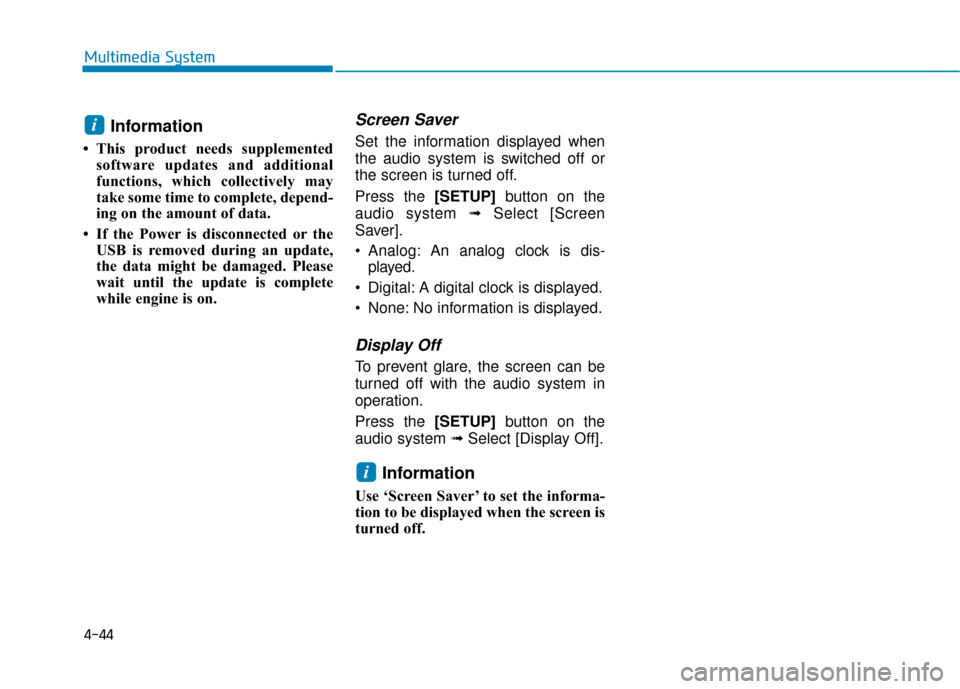
Screen Saver
Set the information displayed when
the audio system is switched off or
the screen is turned off.
Press the [SETUP] button on the
audio system ➟Select [Screen
Saver].
Analog: An analog clock is dis-
played.
Digital: A digital clock is displayed.
None: No information is displayed.
Display Off
To prevent glare, the screen can be
turned off with the audio system in
operation.
Press the [SETUP] button on the
audio system ➟ Select [Display Off].
Information
Use ‘Screen Saver’ to set the informa-
tion to be displayed when the screen is
turned off.
i
i
Page 393 of 442
7-54
Maintenance
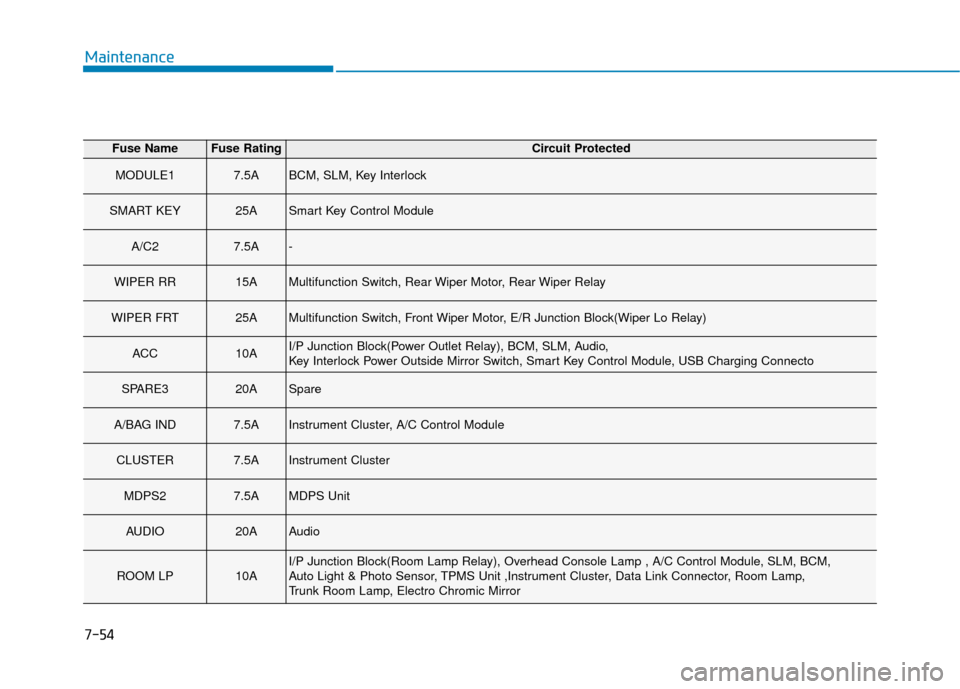
Fuse NameFuse RatingCircuit Protected
MODULE17.5ABCM, SLM, Key Interlock
SMART KEY25ASmart Key Control Module
A/C27.5A-
WIPER RR15AMultifunction Switch, Rear Wiper Motor, Rear Wiper Relay
WIPER FRT25AMultifunction Switch, Front Wiper Motor, E/R Junction Block(Wiper Lo Relay)
ACC10AI/P Junction Block(Power Outlet Relay), BCM, SLM, Audio,
Key Interlock Power Outside Mirror Switch, Smart Key Control Module, USB Charging Connecto
SPARE320ASpare
A/BAG IND7.5AInstrument Cluster, A/C Control Module
CLUSTER7.5AInstrument Cluster
MDPS27.5AMDPS Unit
AUDIO20AAudio
ROOM LP10AI/P Junction Block(Room Lamp Relay), Overhead Console Lamp , A/C Control Module, SLM, BCM,
Auto Light & Photo Sensor, TPMS Unit ,Instrument Cluster, Data Link Connector, Room Lamp,
Trunk Room Lamp, Electro Chromic Mirror
Page 440 of 442
I-6
Manual transmission .......................................................5-15Good Driving Practices ..............................................5-17
Manual Transmission Operation ................................5-15
Mirrors ........................................................................\
....3-20 Inside Rearview Mirror ..............................................3-20
Side View Mirrors ......................................................3-28
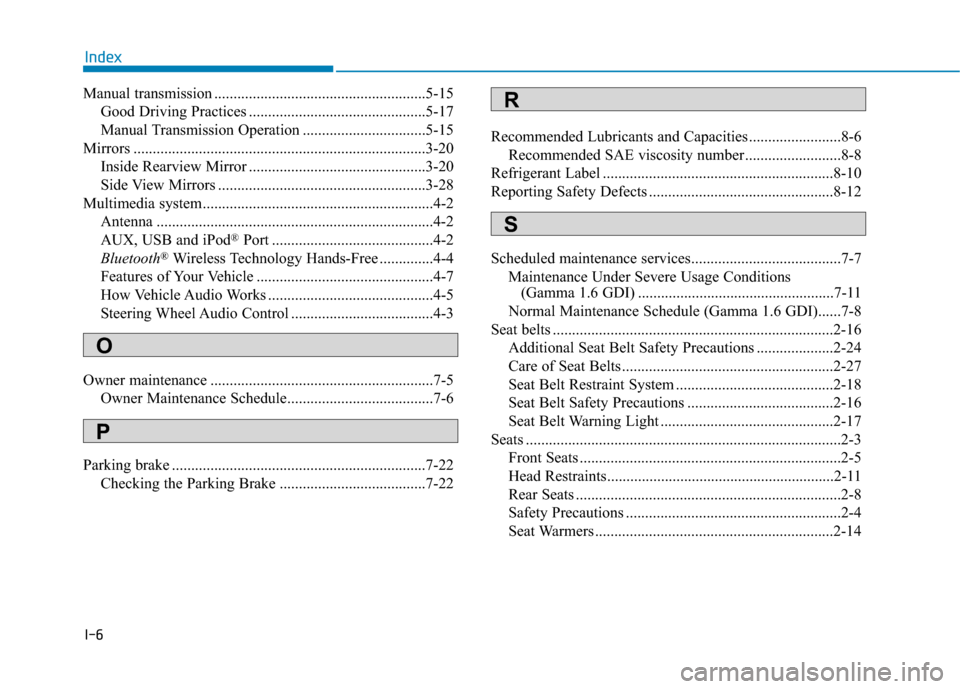
Multimedia system............................................................4-2 Antenna ........................................................................\
4-2
AUX, USB and iPod
®Port ..........................................4-2
Bluetooth®Wireless Technology Hands-Free ..............4-4
Features of Your Vehicle ..............................................4-7
How Vehicle Audio Works ...........................................4-5
Steering Wheel Audio Control .....................................4-3
Owner maintenance ..........................................................7-5 Owner Maintenance Schedule......................................7-6
Parking brake ..................................................................7-22 Checking the Parking Brake ......................................7-22 Recommended Lubricants and Capacities ........................8-6
Recommended SAE viscosity number .........................8-8
Refrigerant Label ............................................................8-10
Reporting Safety Defects ................................................8-12
Scheduled maintenance services.......................................7-7 Maintenance Under Severe Usage Conditions (Gamma 1.6 GDI) ...................................................7-11
Normal Maintenance Schedule (Gamma 1.6 GDI)......7-8
Seat belts ........................................................................\
.2-16 Additional Seat Belt Safety Precautions ....................2-24
Care of Seat Belts .......................................................2-27
Seat Belt Restraint System .........................................2-18
Seat Belt Safety Precautions ......................................2-16
Seat Belt Warning Light .............................................2-17
Seats ........................................................................\
..........2-3 Front Seats ....................................................................2-5
Head Restraints...........................................................2-11
Rear Seats .....................................................................2-8\
Safety Precautions ........................................................2-4
Seat Warmers ..............................................................2-14
Index
O
P
S
R