ECO mode HYUNDAI ACCENT 2023 User Guide
[x] Cancel search | Manufacturer: HYUNDAI, Model Year: 2023, Model line: ACCENT, Model: HYUNDAI ACCENT 2023Pages: 443, PDF Size: 42.78 MB
Page 135 of 443
3-57
Convenient features of your vehicle
3
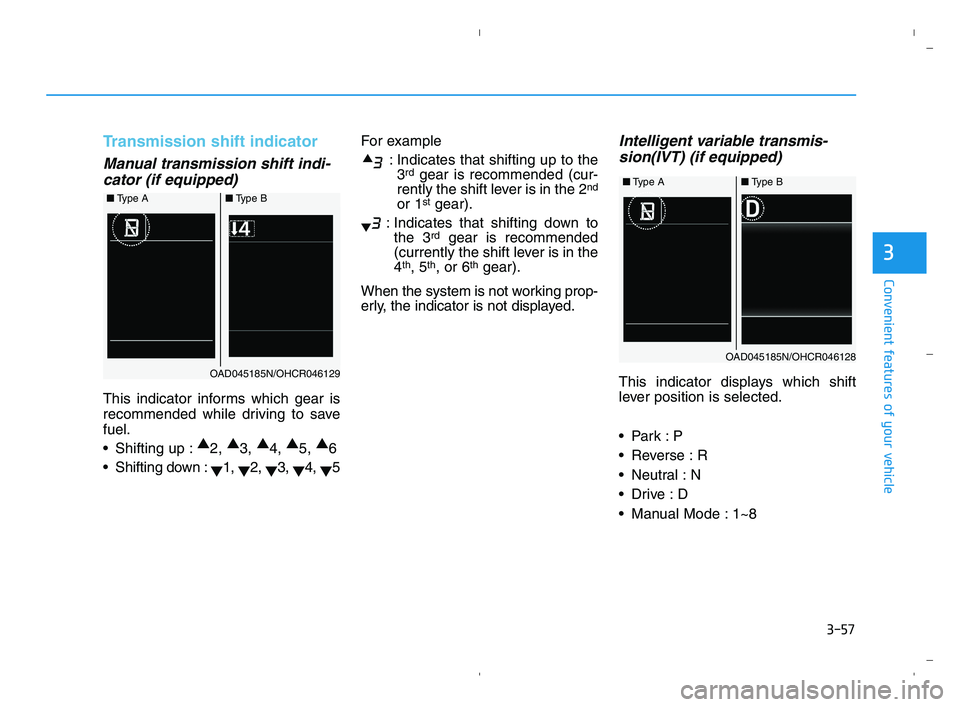
Transmission shift indicator
Manual transmission shift indi-
cator (if equipped)
This indicator informs which gear is
recommended while driving to save
fuel.
Shifting up :▲
2, ▲
3, ▲
4, ▲
5, ▲
6
Shifting down :
▼1,
▼2,
▼3,
▼4,
▼5For example
: Indicates that shifting up to the
3
rdgear is recommended (cur-
rently the shift lever is in the 2nd
or 1stgear).
: Indicates that shifting down to
the 3
rdgear is recommended
(currently the shift lever is in the
4
th, 5th, or 6thgear).
When the system is not working prop-
erly, the indicator is not displayed.
Intelligent variable transmis-
sion(IVT) (if equipped)
This indicator displays which shift
lever position is selected.
Reverse : R
Neutral : N
Manual Mode : 1~8
■Type A ■Type B
OAD045185N/OHCR046129
■Type A ■Type B
OAD045185N/OHCR046128
HCa HMA 3a(~84).qxp 5/25/2020 10:38 AM Page 57
Page 145 of 443
3-67
Convenient features of your vehicle
3
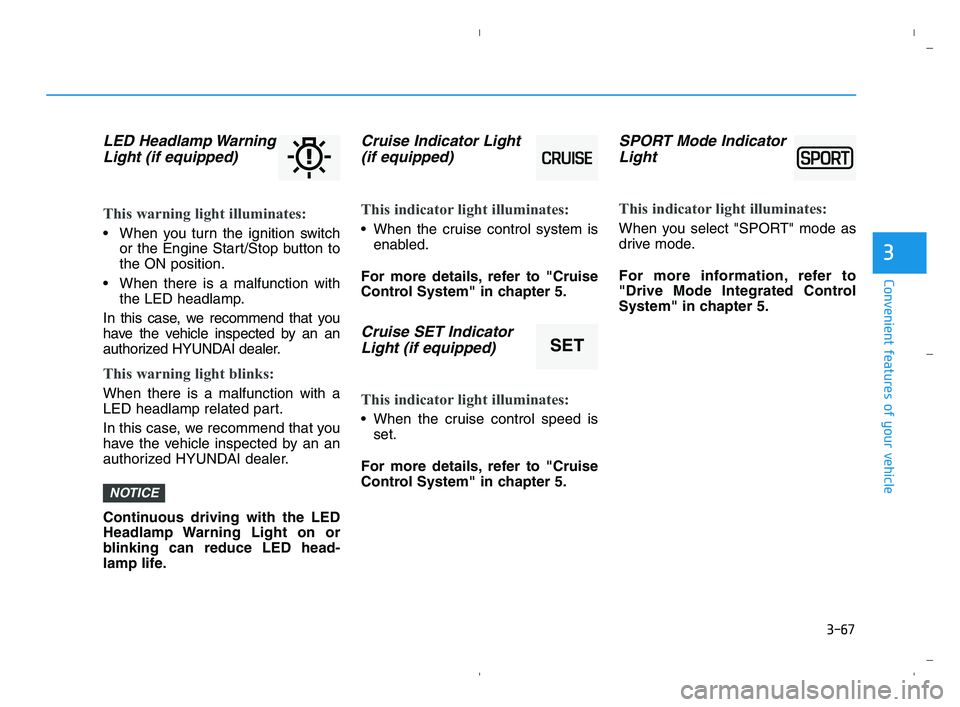
LED Headlamp Warning
Light (if equipped)
This warning light illuminates:
When you turn the ignition switch
or the Engine Start/Stop button to
the ON position.
When there is a malfunction with
the LED headlamp.
In this case, we recommend that you
have the vehicle inspected by an an
authorized HYUNDAI dealer.
This warning light blinks:
When there is a malfunction with a
LED headlamp related part.
In this case, we recommend that you
have the vehicle inspected by an an
authorized HYUNDAI dealer.
Continuous driving with the LED
Headlamp Warning Light on or
blinking can reduce LED head-
lamp life.
Cruise Indicator Light
(if equipped)
This indicator light illuminates:
When the cruise control system is
enabled.
For more details, refer to "Cruise
Control System" in chapter 5.
Cruise SET Indicator
Light (if equipped)
This indicator light illuminates:
When the cruise control speed is
set.
For more details, refer to "Cruise
Control System" in chapter 5.
SPORT Mode Indicator
Light
This indicator light illuminates:
When you select "SPORT" mode as
drive mode.
For more information, refer to
"Drive Mode Integrated Control
System" in chapter 5.
NOTICE
SET
HCa HMA 3a(~84).qxp 5/25/2020 10:39 AM Page 67
Page 150 of 443
3-72
Convenient features of your vehicle
L LC
CD
D
D
DI
IS
SP
PL
LA
AY
Y
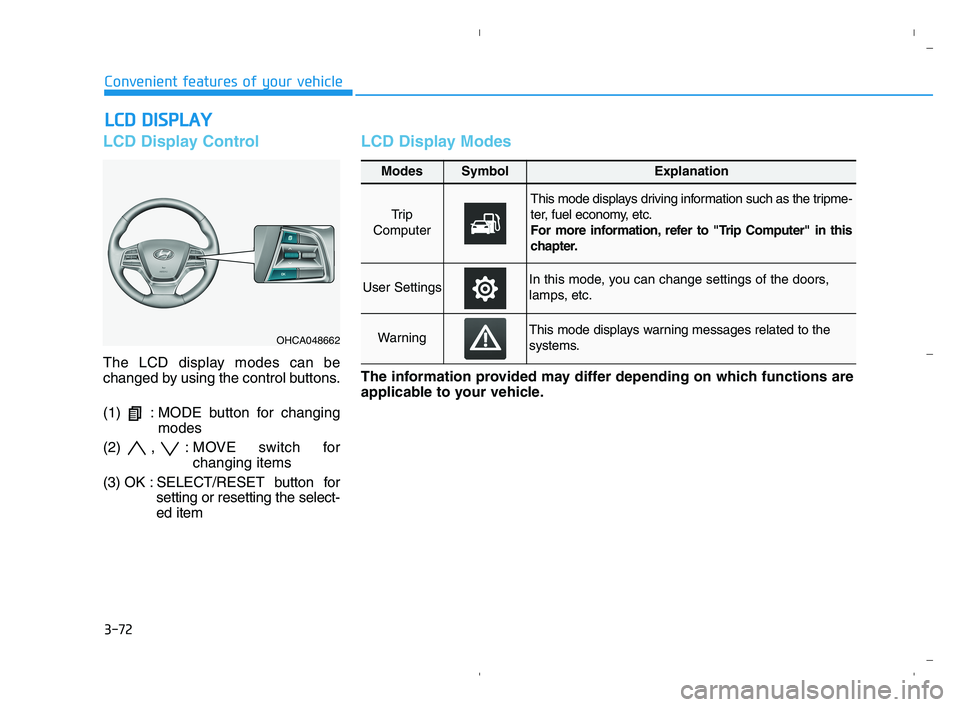
LCD Display Control
The LCD display modes can be
changed by using the control buttons.
(1) : MODE button for changing
modes
(2) , : MOVE switch for
changing items
(3) OK : SELECT/RESET button for
setting or resetting the select-
ed item
LCD Display Modes
OHCA048662
Modes SymbolExplanation
Tr i p
Computer
This mode displays driving information such as the tripme-
ter, fuel economy, etc.
For more information, refer to "Trip Computer" in this
chapter.
User SettingsIn this mode, you can change settings of the doors,
lamps, etc.
WarningThis mode displays warning messages related to the
systems.
The information provided may differ depending on which functions are
applicable to your vehicle.
HCa HMA 3a(~84).qxp 5/25/2020 10:39 AM Page 72
Page 151 of 443
3-73
Convenient features of your vehicle
3
Engage parking brake to edit
settings/Shift to P to edit set-
tings
This warning message appears if
you try to adjust the User Settings
while driving.
- Manual transmission
For your safety, change the User
Settings after parking the vehicle,
applying the parking brake and
moving the shift lever to neutral.
- Intelligent variable transmission
For your safety, change the User
Settings after parking the vehicle,
applying the parking brake and
moving the shift lever to P (Park).
Quick guide help
This mode provides quick guides for
the systems in the User Settings
mode.
Select an item, press and hold the
OK button.
For more information about each
system, refer to this Owner's
Manual.
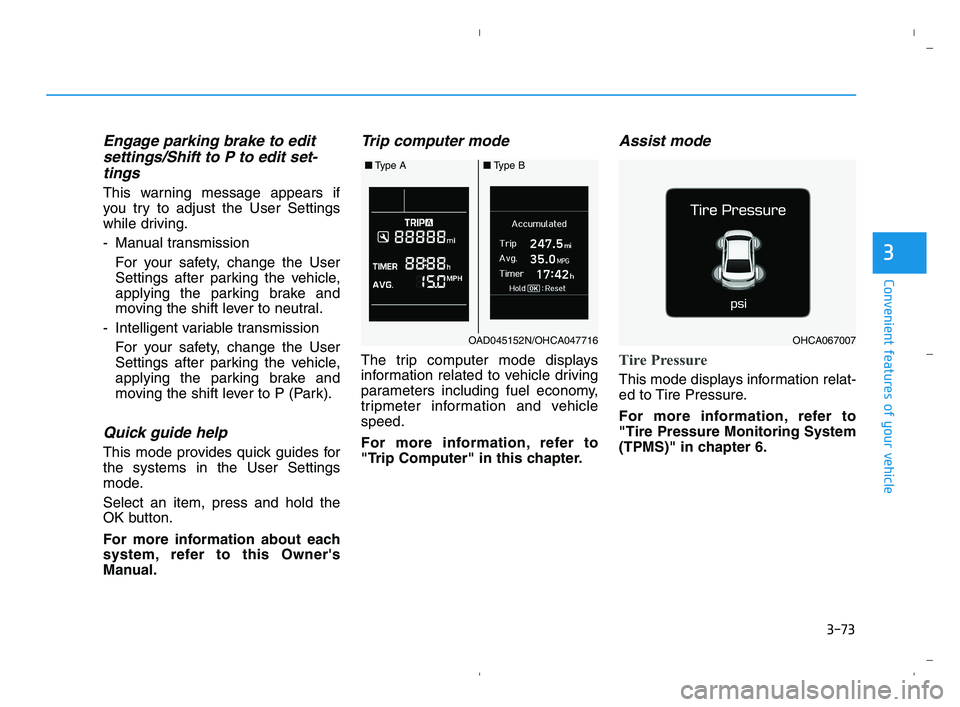
Trip computer mode
The trip computer mode displays
information related to vehicle driving
parameters including fuel economy,
tripmeter information and vehicle
speed.
For more information, refer to
"Trip Computer" in this chapter.
Assist mode
Tire Pressure
This mode displays information relat-
ed to Tire Pressure.
For more information, refer to
"Tire Pressure Monitoring System
(TPMS)" in chapter 6.
■Type A ■Type B
OAD045152N/OHCA047716OHCA067007
HCa HMA 3a(~84).qxp 5/25/2020 10:39 AM Page 73
Page 152 of 443
3-74
Convenient features of your vehicle
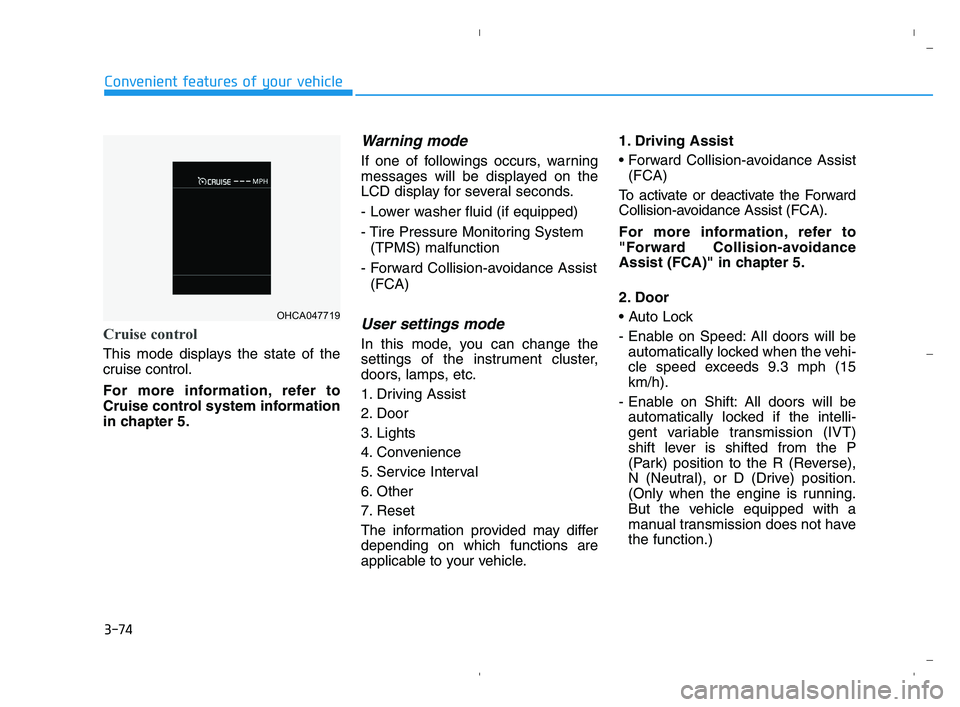
Cruise control
This mode displays the state of the
cruise control.
For more information, refer to
Cruise control system information
in chapter 5.
Warning mode
If one of followings occurs, warning
messages will be displayed on the
LCD display for several seconds.
- Lower washer fluid (if equipped)
- Tire Pressure Monitoring System
(TPMS) malfunction
- Forward Collision-avoidance Assist
(FCA)
User settings mode
In this mode, you can change the
settings of the instrument cluster,
doors, lamps, etc.
1. Driving Assist
2. Door
3. Lights
4. Convenience
5. Service Interval
6. Other
7. Reset
The information provided may differ
depending on which functions are
applicable to your vehicle.1. Driving Assist
(FCA)
To activate or deactivate the Forward
Collision-avoidance Assist (FCA).
For more information, refer to
"Forward Collision-avoidance
Assist (FCA)" in chapter 5.
2. Door
- Enable on Speed: All doors will be
automatically locked when the vehi-
cle speed exceeds 9.3 mph (15
km/h).
- Enable on Shift: All doors will be
automatically locked if the intelli-
gent variable transmission (IVT)
shift lever is shifted from the P
(Park) position to the R (Reverse),
N (Neutral), or D (Drive) position.
(Only when the engine is running.
But the vehicle equipped with a
manual transmission does not have
the function.)
OHCA047719
HCa HMA 3a(~84).qxp 5/25/2020 10:39 AM Page 74
Page 154 of 443
3-76
Convenient features of your vehicle
5. Service Interval
To activate or deactivate the service
interval function.
If the service interval menu is acti-
vated, you may adjust the time and
distance.
Information
To use the service interval menu, con-
sult an authorized HYUNDAI dealer.
If the service interval is activated and
the time and distance is adjusted,
messages are displayed in the fol-
lowing situations each time the vehi-
cle is turned on.
- Service in
: Displayed to inform the driver the
remaining mileage and days to
service.
- Service required
: Displayed when the mileage and
days to service has been reached
or passed.
Information
If any of the following conditions
occur, the mileage and number of days
to service may be incorrect.
- The battery cable is disconnected.
- The fuse switch is turned off.
- The battery is discharged.
6. Other
Reset
- Off: The average fuel economy will
not reset automatically whenever
refueling.
- After Ignition: When the engine has
been OFF for 4 hours or longer the
average fuel economy will reset
automatically.
- After Refueling: The average fuel
economy will reset automatically
after adding 1.6 gallons (6 liters) of
fuel or more and after driving speed
exceeds 1 mph (1 km/h).
For more information, refer to
"Trip Computer" in this chapter. Unit
To select the fuel economy unit.
(US gallon, UK gallon)
To select the temperature unit.
(°C,°F)
To select language.
7. Reset
You can reset the menus in the User
Settings Mode. All menus in the User
Settings Mode are reset to factory
settings, except language and service
interval.
i
i
HCa HMA 3a(~84).qxp 5/25/2020 10:39 AM Page 76
Page 155 of 443
3-77
Convenient features of your vehicle
3
Type A
The trip computer is a microcomput-
er-controlled driver information sys-
tem that displays information related
to driving.
Information
Some driving information stored in
the trip computer (for example
Average Vehicle Speed) resets if the
battery is disconnected.
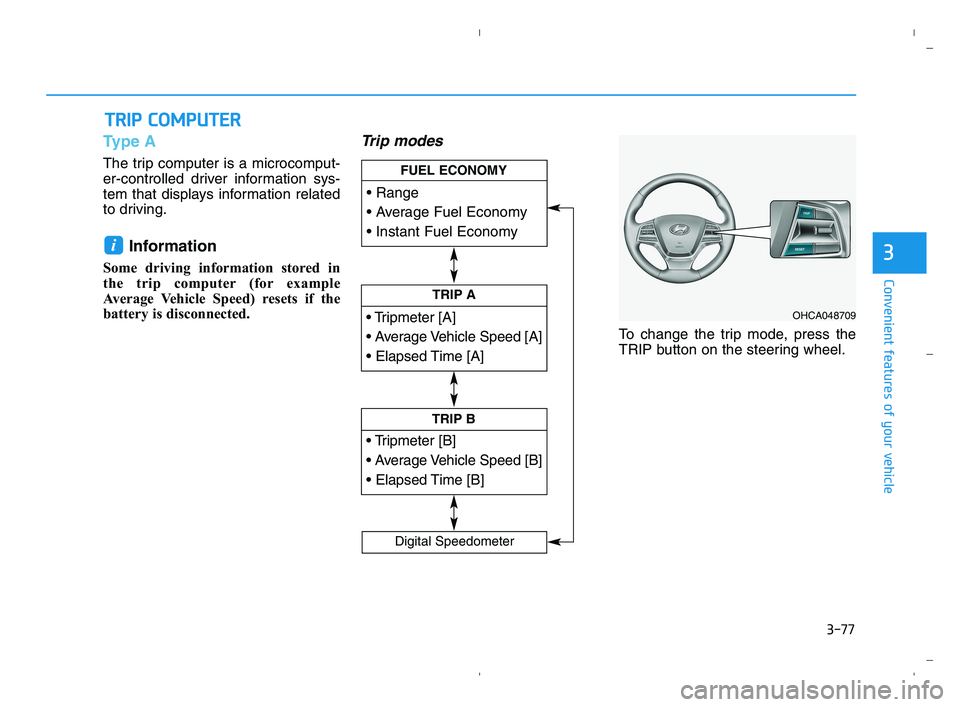
Trip modes
To change the trip mode, press the
TRIP button on the steering wheel.
i
T TR
RI
IP
P
C
CO
OM
MP
PU
UT
TE
ER
R
TRIP A
TRIP B
FUEL ECONOMY
Digital Speedometer
OHCA048709
HCa HMA 3a(~84).qxp 5/25/2020 10:39 AM Page 77
Page 156 of 443
3-78
Convenient features of your vehicle
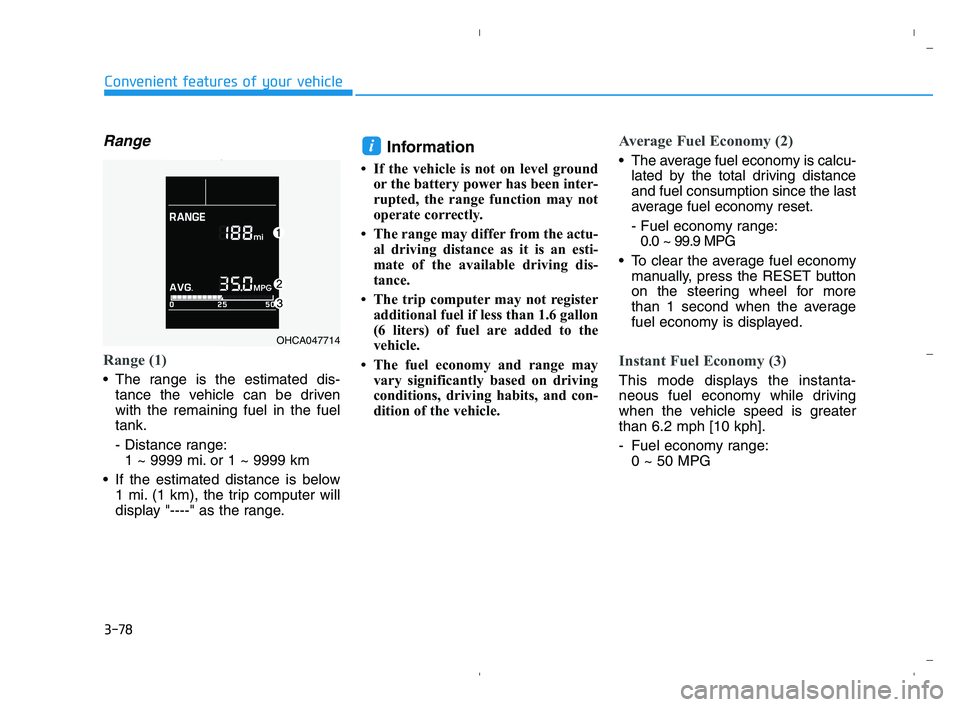
Range
Range (1)
The range is the estimated dis-
tance the vehicle can be driven
with the remaining fuel in the fuel
tank.
- Distance range:
1 ~ 9999 mi. or 1 ~ 9999 km
If the estimated distance is below
1 mi. (1 km), the trip computer will
display "----" as the range.
Information
• If the vehicle is not on level ground
or the battery power has been inter-
rupted, the range function may not
operate correctly.
• The range may differ from the actu-
al driving distance as it is an esti-
mate of the available driving dis-
tance.
• The trip computer may not register
additional fuel if less than 1.6 gallon
(6 liters) of fuel are added to the
vehicle.
• The fuel economy and range may
vary significantly based on driving
conditions, driving habits, and con-
dition of the vehicle.
Average Fuel Economy (2)
The average fuel economy is calcu-
lated by the total driving distance
and fuel consumption since the last
average fuel economy reset.
- Fuel economy range:
0.0 ~ 99.9 MPG
To clear the average fuel economy
manually, press the RESET button
on the steering wheel for more
than 1 second when the average
fuel economy is displayed.
Instant Fuel Economy (3)
This mode displays the instanta-
neous fuel economy while driving
when the vehicle speed is greater
than 6.2 mph [10 kph].
- Fuel economy range:
0 ~ 50 MPG
i
OHCA047714
HCa HMA 3a(~84).qxp 5/25/2020 10:40 AM Page 78
Page 159 of 443
3-81
Convenient features of your vehicle
3
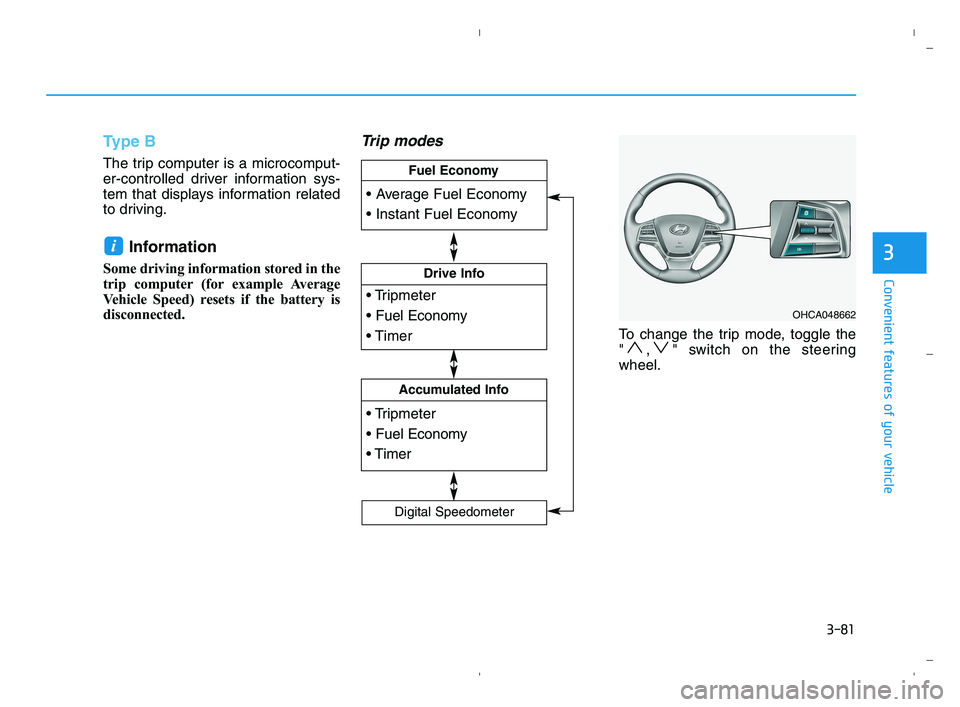
Type B
The trip computer is a microcomput-
er-controlled driver information sys-
tem that displays information related
to driving.
Information
Some driving information stored in the
trip computer (for example Average
Vehicle Speed) resets if the battery is
disconnected.
Trip modes
To change the trip mode, toggle the
" , " switch on the steering
wheel.
i
OHCA048662
Drive Info
Accumulated Info
Fuel Economy
Digital Speedometer
HCa HMA 3a(~84).qxp 5/25/2020 10:40 AM Page 81
Page 160 of 443
3-82
Convenient features of your vehicle
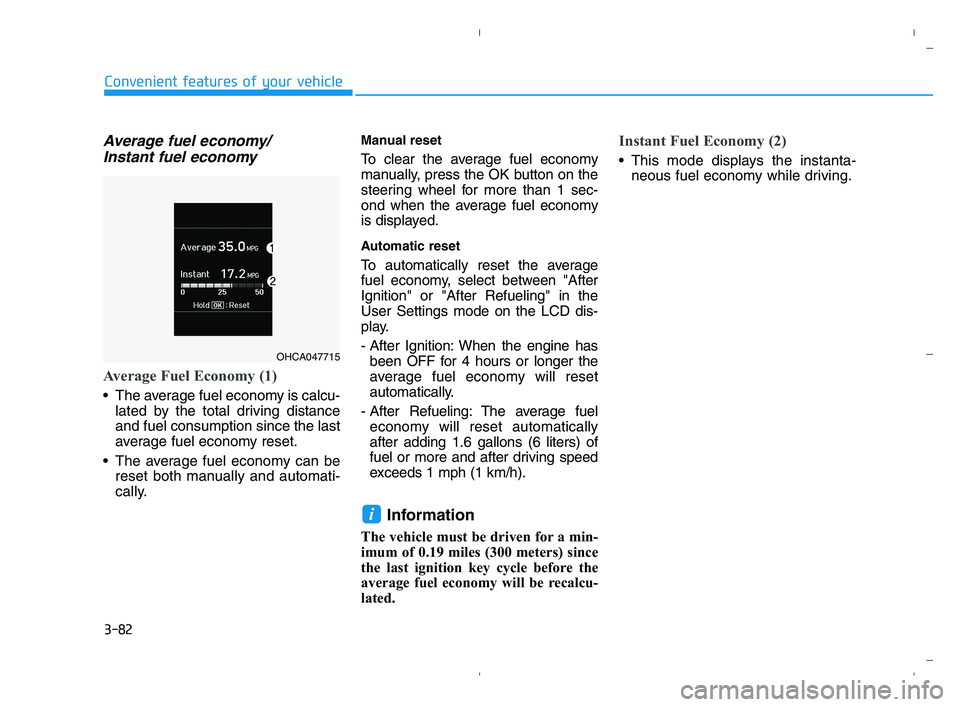
Average fuel economy/
Instant fuel economy
Average Fuel Economy (1)
The average fuel economy is calcu-
lated by the total driving distance
and fuel consumption since the last
average fuel economy reset.
The average fuel economy can be
reset both manually and automati-
cally.
Manual reset
To clear the average fuel economy
manually, press the OK button on the
steering wheel for more than 1 sec-
ond when the average fuel economy
is displayed.
Automatic reset
To automatically reset the average
fuel economy, select between "After
Ignition" or "After Refueling" in the
User Settings mode on the LCD dis-
play.
- After Ignition: When the engine has
been OFF for 4 hours or longer the
average fuel economy will reset
automatically.
- After Refueling: The average fuel
economy will reset automatically
after adding 1.6 gallons (6 liters) of
fuel or more and after driving speed
exceeds 1 mph (1 km/h).
Information
The vehicle must be driven for a min-
imum of 0.19 miles (300 meters) since
the last ignition key cycle before the
average fuel economy will be recalcu-
lated.
Instant Fuel Economy (2)
This mode displays the instanta-
neous fuel economy while driving.
i
OHCA047715
HCa HMA 3a(~84).qxp 5/25/2020 10:40 AM Page 82