speed on HYUNDAI ACCENT 2023 Workshop Manual
[x] Cancel search | Manufacturer: HYUNDAI, Model Year: 2023, Model line: ACCENT, Model: HYUNDAI ACCENT 2023Pages: 443, PDF Size: 42.78 MB
Page 276 of 443
5-24
Driving your vehicle
Power Brakes
Your vehicle has power-assisted
brakes that adjust automatically
through normal usage.
If the engine is not running or is
turned off while driving, the power
assist for the brakes will not work.
You can still stop your vehicle by
applying greater force to the brake
pedal than typical. The stopping dis-
tance, however, will be longer than
with power brakes.
When the engine is not running, the
reserve brake power is partially
depleted each time the brake pedal
is applied. Do not pump the brake
pedal when the power assist has
been interrupted.
Pump the brake pedal only when
necessary to maintain steering con-
trol on slippery surfaces.
B BR
RA
AK
KI
IN
NG
G
S
SY
YS
ST
TE
EM
M
Take the following precautions:
Do not drive with your foot
resting on the brake pedal.
This will create abnormal high
brake temperatures, exces-
sive brake lining and pad
wear, and increased stopping
distances.
When descending down a
long or steep hill, move the
gear shift lever to Manual
Shift Mode and manually
downshift to a lower gear in
order to control your speed
without using the brake pedal
excessively. Applying the
brakes continuously will
cause the brakes to overheat
and could result in a tempo-
rary loss of braking perform-
ance.
(Continued)
(Continued)
Wet brakes may impair the
vehicle's ability to safely slow
down; the vehicle may also
pull to one side when the
brakes are applied. Applying
the brakes lightly will indicate
whether they have been
affected in this way. Always
test your brakes in this fash-
ion after driving through deep
water. To dry the brakes, light-
ly tap the brake pedal to heat
up the brakes while maintain-
ing a safe forward speed until
brake performance returns to
normal. Avoid driving at high
speeds until the brakes func-
tion correctly.
WARNING
HCa HMA 5.QXP 5/25/2020 10:20 AM Page 24
Page 279 of 443
5-27
Driving your vehicle
5
Anti-lock Brake System (ABS)
ABS is an electronic braking system
that helps prevent a braking skid.
ABS allows the driver to steer and
brake at the same time.(Continued)
Drive your vehicle at reduced
speeds during the following
conditions:
Rough, gravel or snow-cov-
ered roads.
On roads where the road sur-
face is pitted or has different
surface height.
Tire chains are installed on
your vehicle.
The safety features of an ABS
or ESC equipped vehicle should
not be tested by high speed
driving or cornering. This could
endanger the safety of yourself
or others.
An Anti-Lock Braking System
(ABS) or an Electronic Stability
Control (ESC) system will not
prevent accidents due to
improper or dangerous driving
maneuvers. Even though vehi-
cle control is improved during
emergency braking, always
maintain a safe distance
between you and objects ahead
of you. Vehicle speeds should
always be reduced during
extreme road conditions. The
braking distance for cars
equipped with ABS or ESC may
be longer than for those without
these systems in the following
road conditions.
(Continued)
WARNING If the ABS warning light ( ) is
on and stays on, you may have
a problem with the ABS. Your
power brakes will work normal-
ly. To reduce the risk of serious
injury or death, contact your
HYUNDAI dealer as soon as
possible.
WARNING
HCa HMA 5.QXP 5/25/2020 10:20 AM Page 27
Page 280 of 443
5-28
Driving your vehicle
Information
When you jump start your vehicle
because of a drained battery, the ABS
warning light ( ) may turn on at the
same time. This happens because of
the low battery voltage. It does not
mean your ABS is malfunctioning.
Have the battery recharged before
driving the vehicle.
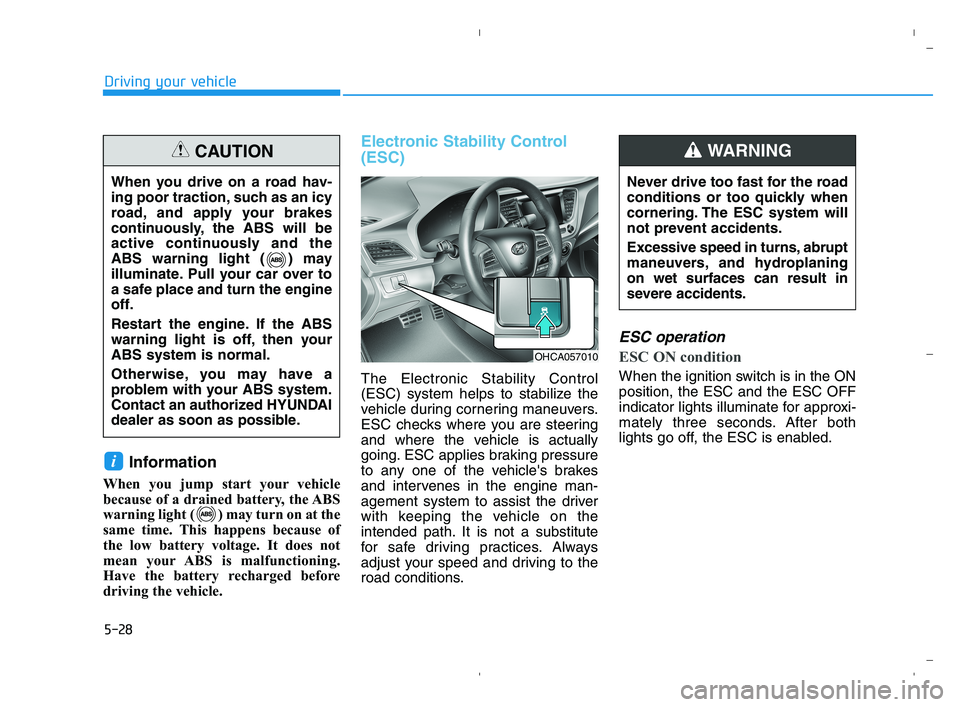
Electronic Stability Control
(ESC)
The Electronic Stability Control
(ESC) system helps to stabilize the
vehicle during cornering maneuvers.
ESC checks where you are steering
and where the vehicle is actually
going. ESC applies braking pressure
to any one of the vehicle's brakes
and intervenes in the engine man-
agement system to assist the driver
with keeping the vehicle on the
intended path. It is not a substitute
for safe driving practices. Always
adjust your speed and driving to the
road conditions.
ESC operation
ESC ON condition
When the ignition switch is in the ON
position, the ESC and the ESC OFF
indicator lights illuminate for approxi-
mately three seconds. After both
lights go off, the ESC is enabled.
i
When you drive on a road hav-
ing poor traction, such as an icy
road, and apply your brakes
continuously, the ABS will be
active continuously and the
ABS warning light ( ) may
illuminate. Pull your car over to
a safe place and turn the engine
off.
Restart the engine. If the ABS
warning light is off, then your
ABS system is normal.
Otherwise, you may have a
problem with your ABS system.
Contact an authorized HYUNDAI
dealer as soon as possible.
CAUTION
OHCA057010
Never drive too fast for the road
conditions or too quickly when
cornering. The ESC system will
not prevent accidents.
Excessive speed in turns, abrupt
maneuvers, and hydroplaning
on wet surfaces can result in
severe accidents.
WARNING
HCa HMA 5.QXP 5/25/2020 10:20 AM Page 28
Page 283 of 443
5-31
Driving your vehicle
5
To prevent damage to the trans-
mission:
Do not allow wheel(s) of one
axle to spin excessively while
the ESC, ABS, and parking brake
warning lights are displayed.
The repairs would not be cov-
ered by the vehicle warranty.
Reduce engine power and do
not spin the wheel(s) excessive-
ly while these lights are dis-
played.
When operating the vehicle on a
dynamometer, make sure the
ESC is turned off (ESC OFF light
illuminated).
Information
Turning the ESC off does not affect
ABS or standard brake system opera-
tion.
Vehicle Stability Management
(VSM)
The Vehicle Stability Management
(VSM) is a function of the Electronic
Stability Control (ESC) system. It
helps ensure the vehicle stays stable
when accelerating or braking sud-
denly on wet, slippery and rough
roads where traction over the four
tires can suddenly become uneven.
VSM operation
VSM ON condition
The VSM operates when:
The Electronic Stability Control
(ESC) is on.
Vehicle speed is approximately
above 9 mph (15 km/h) on curve
roads.
Vehicle speed is approximately
above 12 mph (20 km/h) when the
vehicle is braking on rough roads.
When operating
When you apply your brakes under
conditions which may activate the
ESC, you may hear sounds from the
brakes, or feel a corresponding sen-
sation in the brake pedal. This is nor-
mal and it means your VSM is active.
i
NOTICE
Take the following precautions
when using the Vehicle Stability
Management (VSM):
ALWAYS check the speed and
the distance to the vehicle
ahead. The VSM is not a sub-
stitute for safe driving prac-
tices.
Never drive too fast for the
road conditions. The VSM sys-
tem will not prevent acci-
dents. Excessive speed in bad
weather, slippery and uneven
roads can result in severe
accidents.
WARNING
HCa HMA 5.QXP 5/25/2020 10:21 AM Page 31
Page 287 of 443
5-35
Driving your vehicle
5
Forward Collision-Avoidance Assist
is to help reduce or to avoid accident
risk. It recognizes the distance from
the vehicle ahead through the sen-
sors (i.e. radar), and, if necessary,
warns the driver or applies emer-
gency braking.
❈Radar type FCA does not recog-
nize for pedestrians in front.System Setting and Activation
System setting
The driver can activate FCA by
placing the ignition switch to the
ON position and by selecting:
'User Settings →Driving Assist →
Forward Collision-avoidance Assist
(FCA)'
FCA deactivates, when the driver
deselects the system setting.
F FO
OR
RW
WA
AR
RD
D
C
CO
OL
LL
LI
IS
SI
IO
ON
N-
-A
AV
VO
OI
ID
DA
AN
NC
CE
E
A
AS
SS
SI
IS
ST
T
(
(F
FC
CA
A)
)
-
-
R
RA
AD
DA
AR
R
T
TY
YP
PE
E
Take the following precautions
when using Forward Collision-
avoidance Assist :
This system is only a supple-
mental system and it is not
intended to, nor does it replace
the need for extreme care and
attention of the driver. The
sensing range and objects
detectable by the sensors are
limited. Pay attention to the
road conditions at all times.
NEVER drive too fast in accor-
dance with the road condi-
tions or while cornering.
Always drive cautiously to
prevent unexpected and sud-
den situations from occur-
ring. FCA does not stop the
vehicle completely and is not
a collision avoidance system.
WARNING
Forward Collision-avoidance
Assist is a supplemental sys-
tem and is not a substitute for
safe driving practices.
It is the responsibility of the
driver to always check the
speed and distance to the vehi-
cle ahead to ensure it is safe to
use FCA.
WARNING
HCa HMA 5.QXP 5/25/2020 10:21 AM Page 35
Page 288 of 443
5-36
Driving your vehicle
The warning light illumi-
nates on the LCD display,
when you cancel FCA.
The driver can monitor
FCA ON/OFF status on the LCD dis-
play. Also, the warning light illumi-
nates when ESC (Electronic Stability
Control) is turned off.
If the warning light remains ON when
FCA is activated, have the system
checked by an authorized HYUNDAI
dealer.
The driver can select the initial warn-
ing activation time on the LCD dis-
play.
Go to the 'User Settings →Driving
Assist →Forward Collision-avoid-
ance Assist→Late/Normal/Early'.The options for the initial Forward
Collision-avoidance Assist includes
the following:
- Early :
When this condition is selected, the
initial Forward Collision-avoidance
Assist is activated earlier. This set-
ting maximizes the amount of dis-
tance between the vehicle ahead
before the initial warning occurs.
If the 'Early' condition feels too sen-
sitive, select 'Normal' condition.
Even though, 'Early' is selected if the
front vehicle suddenly stops the ini-
tial warning activation time may not
seem fast.
- Normal :
When this condition is selected, the
initial Forward Collision-avoidance
Assist is activated normally. This set-
ting allows for a nominal amount of
distance between the vehicle ahead
before the initial warning occurs.- Late :
When this condition is selected, the
initial Forward Collision-avoidance
Assist is activated later than normal.
This setting reduces the amount of
distance between the vehicle ahead
before the initial warning occurs.
Select 'Late' when traffic is light and
when driving speed is slow.
Prerequisite for activation
FCA is on and ready when FCA is
selected on the LCD display and
when the following prerequisites are
satisfied:
- ESC (Electronic Stability Control)
is on.
- Driving speed exceeds approxi-
mately 6 mph (10 km/h). (FCA
is only activated within a certain
speed range.)
- When FCA recognizes a vehicle in
front. (FCA may not recognize
every obstacle or provide warnings
and braking in every situation, so
do not rely on FCA to stop the vehi-
cle in instances where the driver
sees an obstacle and has the abil-
ity to apply the brakes).
HCa HMA 5.QXP 5/25/2020 10:21 AM Page 36
Page 290 of 443
5-38
Driving your vehicle
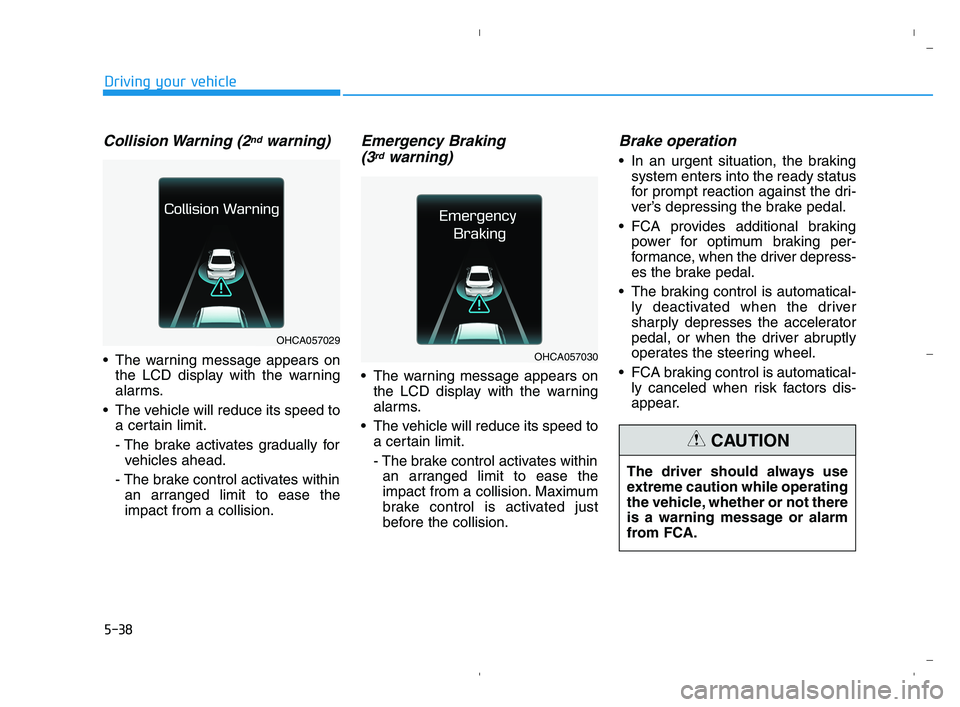
Collision Warning (2ndwarning)
The warning message appears on
the LCD display with the warning
alarms.
The vehicle will reduce its speed to
a certain limit.
- The brake activates gradually for
vehicles ahead.
- The brake control activates within
an arranged limit to ease the
impact from a collision.
Emergency Braking
(3rdwarning)
The warning message appears on
the LCD display with the warning
alarms.
The vehicle will reduce its speed to
a certain limit.
- The brake control activates within
an arranged limit to ease the
impact from a collision. Maximum
brake control is activated just
before the collision.
Brake operation
In an urgent situation, the braking
system enters into the ready status
for prompt reaction against the dri-
ver’s depressing the brake pedal.
FCA provides additional braking
power for optimum braking per-
formance, when the driver depress-
es the brake pedal.
The braking control is automatical-
ly deactivated when the driver
sharply depresses the accelerator
pedal, or when the driver abruptly
operates the steering wheel.
FCA braking control is automatical-
ly canceled when risk factors dis-
appear.
OHCA057029
OHCA057030
The driver should always use
extreme caution while operating
the vehicle, whether or not there
is a warning message or alarm
from FCA.
CAUTION
HCa HMA 5.QXP 5/25/2020 10:21 AM Page 38
Page 291 of 443
5-39
Driving your vehicle
5
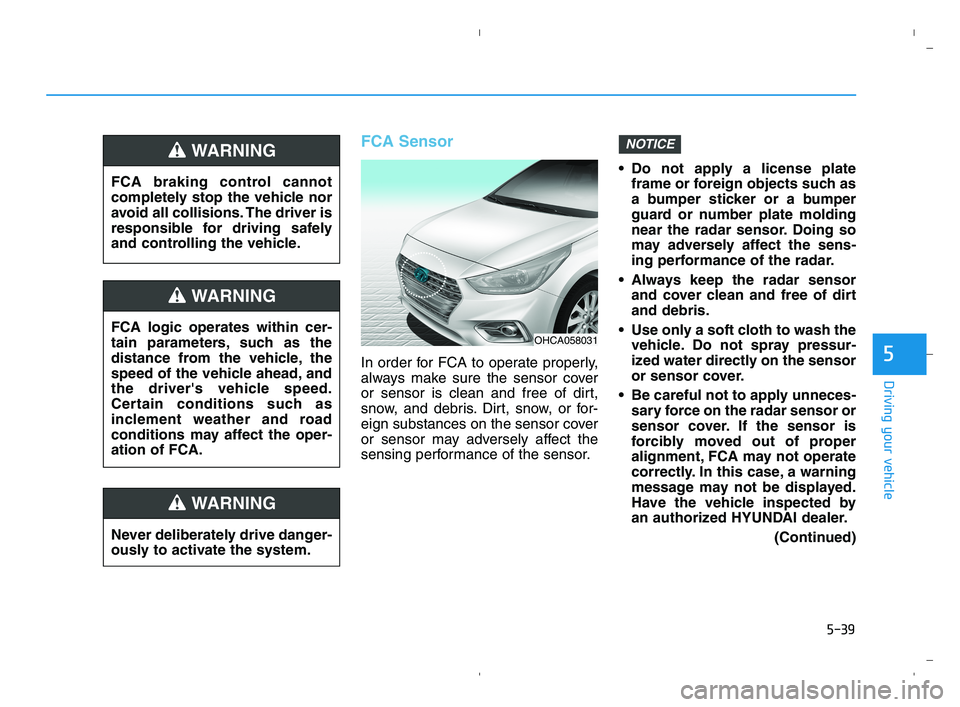
FCA Sensor
In order for FCA to operate properly,
always make sure the sensor cover
or sensor is clean and free of dirt,
snow, and debris. Dirt, snow, or for-
eign substances on the sensor cover
or sensor may adversely affect the
sensing performance of the sensor. Do not apply a license plate
frame or foreign objects such as
a bumper sticker or a bumper
guard or number plate molding
near the radar sensor. Doing so
may adversely affect the sens-
ing performance of the radar.
Always keep the radar sensor
and cover clean and free of dirt
and debris.
Use only a soft cloth to wash the
vehicle. Do not spray pressur-
ized water directly on the sensor
or sensor cover.
Be careful not to apply unneces-
sary force on the radar sensor or
sensor cover. If the sensor is
forcibly moved out of proper
alignment, FCA may not operate
correctly. In this case, a warning
message may not be displayed.
Have the vehicle inspected by
an authorized HYUNDAI dealer.
(Continued)
NOTICE
FCA logic operates within cer-
tain parameters, such as the
distance from the vehicle, the
speed of the vehicle ahead, and
the driver's vehicle speed.
Certain conditions such as
inclement weather and road
conditions may affect the oper-
ation of FCA.
WARNING
FCA braking control cannot
completely stop the vehicle nor
avoid all collisions. The driver is
responsible for driving safely
and controlling the vehicle.
WARNING
Never deliberately drive danger-
ously to activate the system.
WARNING
OHCA058031
HCa HMA 5.QXP 5/25/2020 10:21 AM Page 39
Page 293 of 443
5-41
Driving your vehicle
5
FCA is only a supplemental
system for the driver’s con-
venience. The driver is
responsible for controlling the
vehicle operation. Do not
solely depend on FCA. Rather,
maintain a safe braking dis-
tance, and, if necessary,
depress the brake pedal to
reduce the driving speed.
In certain instances and
under certain driving condi-
tions, FCA may activate pre-
maturely. This initial warning
message appears on the LCD
display with a warning chime.
Also, in certain instances the
front radar sensor may not
detect the vehicle ahead. FCA
may not activate and the
warning message will not be
displayed.
(Continued)
WARNING (Continued)
If there is a malfunction with
FCA, the Forward Collision-
Avoidance Assist is not
applied even though the brak-
ing system is operating nor-
mally.
If the vehicle in front stops
suddenly, you may have less
control of the brake system.
Therefore, always keep a safe
distance between your vehicle
and the vehicle in front of you.
FCA may activate during brak-
ing and the vehicle may stop
suddenly shifting loose
objects toward the passen-
gers. Always keep loose
objects secured.
FCA may not activate if the
driver applies the brake pedal
to avoid a collision.
The brake control may not
work, possibly causing a colli-
sion, if a vehicle in front
abruptly stops. Always pay
extreme caution.
(Continued)
(Continued)
Occupants may get injured, if
the vehicle abruptly stops by
the activated FCA. Pay
extreme caution.
HCa HMA 5.QXP 5/25/2020 10:21 AM Page 41
Page 294 of 443
5-42
Driving your vehicle
Limitations of the System
FCA is designed to monitor the vehi-
cle ahead on the roadway through
radar signals to warn the driver that a
collision is imminent, and if neces-
sary, apply emergency braking.
In certain situations, the radar sen-
sor may not be able to detect the
vehicle ahead. In these cases, FCA
may not operate normally. The driver
must pay careful attention in the fol-
lowing situations where FCA opera-
tion may be limited.
Detecting vehicles
The sensor may be limited when:
The radar sensor is blocked with a
foreign object or debris
Inclement weather such as heavy
rain or snow obscures the field of
view of the radar sensor
There is interference by electro-
magnetic waves
There is severe irregular reflection
from the radar sensor
The radar sensor recognition is
limited
The vehicle in front is too small to
be detected (for example a motor-
cycle or a bicycle, etc.)
The vehicle in front is an oversize
vehicle or trailer that is too big to
be detected by the camera recog-
nition system (for example a tractor
trailer, etc.)
The vehicle is driven near areas
containing metal substances as a
construction zone, railroad, etc.
The vehicle in front is driving errat-
ically
FCA operates only to detect
vehicles in front of the vehi-
cle.
FCA does not operate when
the vehicle is in reverse.
FCA is not designed to detect
other objects on the road.
FCA does not detect vehicles
in the opposite lane.
FCA does not detect cross
traffic vehicles that are
approaching.
FCA cannot detect the driver
approaching the side view of
a parked vehicle (for example
on a dead end street.)
In these cases, you must main-
tain a safe braking distance,
and if necessary, depress the
brake pedal to reduce the driv-
ing speed in order to maintain a
safe distance.
WARNING
HCa HMA 5.QXP 5/25/2020 10:21 AM Page 42