turn signal Hyundai Azera 2006 Owner's Manual
[x] Cancel search | Manufacturer: HYUNDAI, Model Year: 2006, Model line: Azera, Model: Hyundai Azera 2006Pages: 307, PDF Size: 12.62 MB
Page 14 of 307

YOUR VEHICLE AT A GLANCEB255A01TG-AATINDICATOR SYMBOLS ON THE INSTRUMENT CLUSTER* More detailed explanations of these items will be found beginning on page 1-66.
Turn Signal Indicator LightsHigh Beam Indicator LightLow Oil Pressure Warning LightParking Brake/Low Brake Fluid Level
Warning Light
Charging System Warning LightDoor Ajar Warning LightTrunk Lid Open Warning LightLow Fuel Level Warning Light
Low Windshield Washer Fluid Level Warning Light
Seat Belt Warning LightFront Fog Light Indicator LightCheck Engine - Malfunction Indicator Light (MIL)SRS (Airbag) Warning LightABS Service Reminder Indicator (If Installed)
Electronic Stability Control (ESC) Indicator
Lights (If Installed)Cruise Indicator LightCruise SET Indicator Light
Immobilizer Warning Light
Page 25 of 307
1
FEATURES OF YOUR HYUNDAI
11
THEFT-ALARM SYSTEMB070A01A-AATThis system is designed to provide protec-
tion from unauthorized entry into the car.
This system is operated in three stages :
the first is the "Armed" stage, the second is
the "Alarm" stage and the third is the "Dis-
armed" stage. If triggered, the system pro-
vides an audible alarm with blinking of the
turn signal lights.B070B01TG-AATArmed Stage
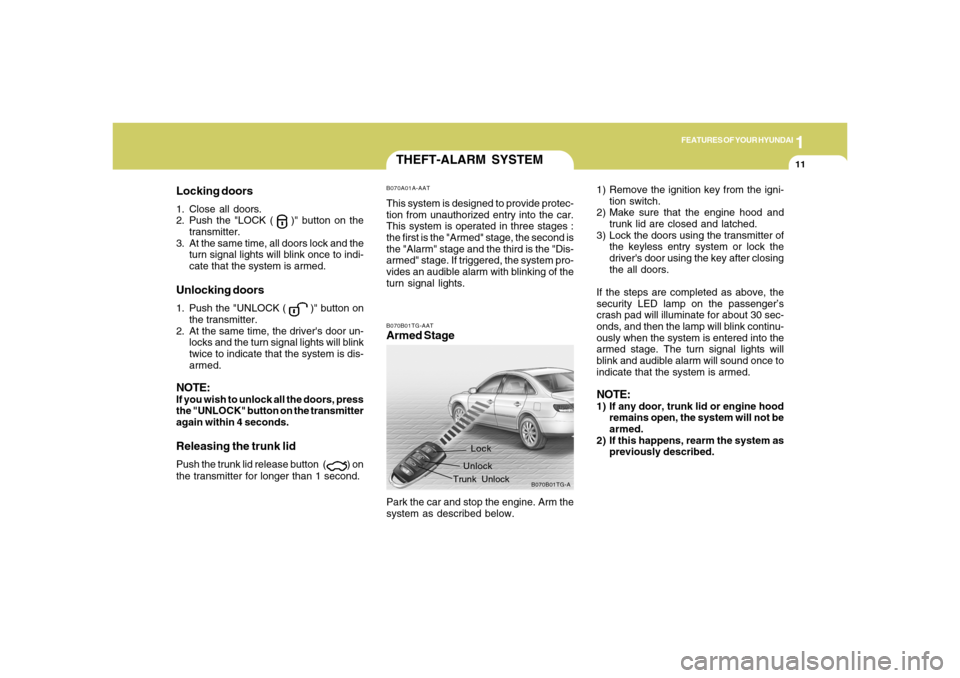
B070B01TG-A
Lock
Unlock
Trunk Unlock
Park the car and stop the engine. Arm the
system as described below.
Locking doors1. Close all doors.
2. Push the "LOCK (
)" button on the
transmitter.
3. At the same time, all doors lock and the
turn signal lights will blink once to indi-
cate that the system is armed.
Unlocking doors1. Push the "UNLOCK (
)" button on
the transmitter.
2. At the same time, the driver's door un-
locks and the turn signal lights will blink
twice to indicate that the system is dis-
armed.
NOTE:If you wish to unlock all the doors, press
the "UNLOCK" button on the transmitter
again within 4 seconds.Releasing the trunk lidPush the trunk lid release button (
) on
the transmitter for longer than 1 second.1) Remove the ignition key from the igni-
tion switch.
2) Make sure that the engine hood and
trunk lid are closed and latched.
3) Lock the doors using the transmitter of
the keyless entry system or lock the
driver's door using the key after closing
the all doors.
If the steps are completed as above, the
security LED lamp on the passenger’s
crash pad will illuminate for about 30 sec-
onds, and then the lamp will blink continu-
ously when the system is entered into the
armed stage. The turn signal lights will
blink and audible alarm will sound once to
indicate that the system is armed.
NOTE:1) If any door, trunk lid or engine hood
remains open, the system will not be
armed.
2) If this happens, rearm the system as
previously described.
Page 26 of 307
1FEATURES OF YOUR HYUNDAI12
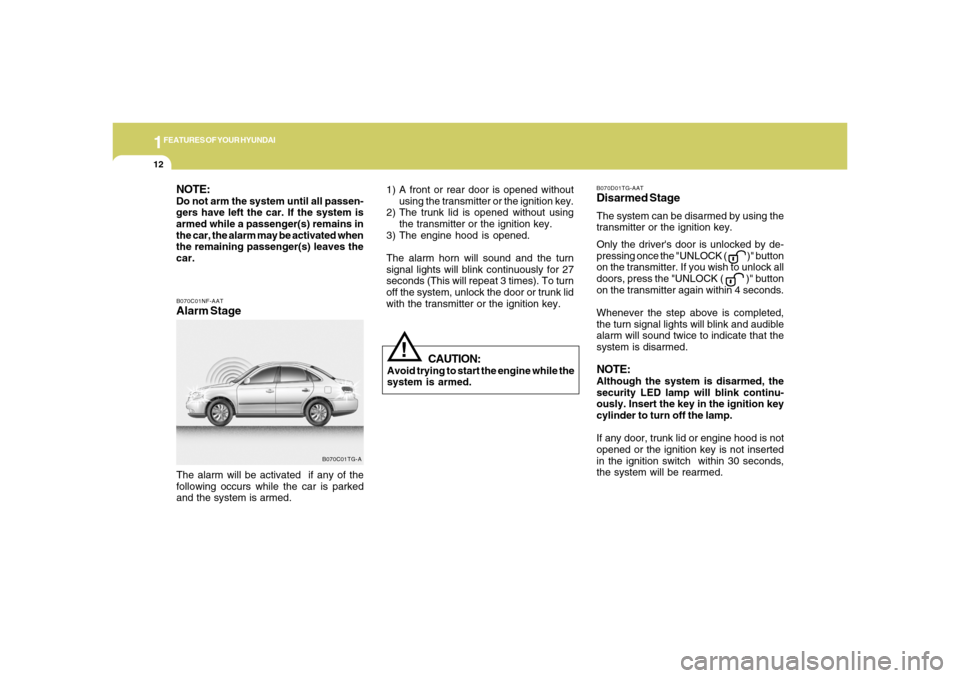
B070C01NF-AATAlarm StageThe alarm will be activated if any of the
following occurs while the car is parked
and the system is armed.
B070C01TG-A
CAUTION:
Avoid trying to start the engine while the
system is armed.
!
NOTE:Do not arm the system until all passen-
gers have left the car. If the system is
armed while a passenger(s) remains in
the car, the alarm may be activated when
the remaining passenger(s) leaves the
car.
B070D01TG-AATDisarmed StageThe system can be disarmed by using the
transmitter or the ignition key.
Only the driver's door is unlocked by de-
pressing once the "UNLOCK (
)" button
on the transmitter. If you wish to unlock all
doors, press the "UNLOCK ( )" button
on the transmitter again within 4 seconds.
Whenever the step above is completed,
the turn signal lights will blink and audible
alarm will sound twice to indicate that the
system is disarmed.
NOTE:Although the system is disarmed, the
security LED lamp will blink continu-
ously. Insert the key in the ignition key
cylinder to turn off the lamp.
If any door, trunk lid or engine hood is not
opened or the ignition key is not inserted
in the ignition switch within 30 seconds,
the system will be rearmed. 1) A front or rear door is opened without
using the transmitter or the ignition key.
2) The trunk lid is opened without using
the transmitter or the ignition key.
3) The engine hood is opened.
The alarm horn will sound and the turn
signal lights will blink continuously for 27
seconds (This will repeat 3 times). To turn
off the system, unlock the door or trunk lid
with the transmitter or the ignition key.
Page 27 of 307
1
FEATURES OF YOUR HYUNDAI
13
NOTE:When the system is disarmed while the
"DOOR" button for the interior light switch
is depressed, the interior light will illumi-
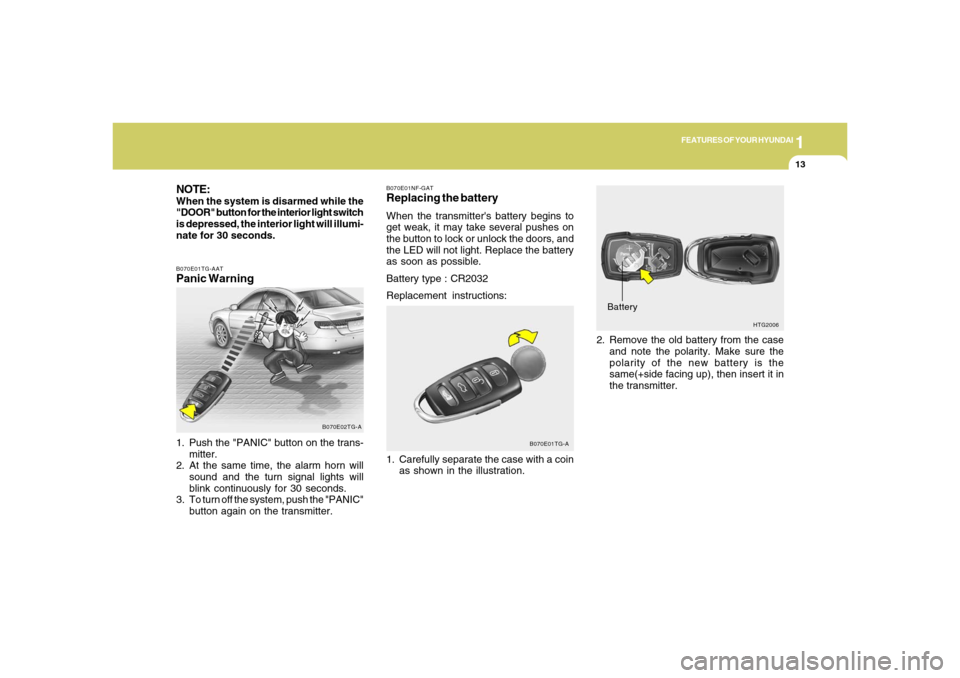
nate for 30 seconds.B070E01TG-AATPanic Warning1. Push the "PANIC" button on the trans-
mitter.
2. At the same time, the alarm horn will
sound and the turn signal lights will
blink continuously for 30 seconds.
3. To turn off the system, push the "PANIC"
button again on the transmitter.
B070E02TG-A
HTG2006
Battery2. Remove the old battery from the case
and note the polarity. Make sure the
polarity of the new battery is the
same(+side facing up), then insert it in
the transmitter.
B070E01NF-GATReplacing the batteryWhen the transmitter's battery begins to
get weak, it may take several pushes on
the button to lock or unlock the doors, and
the LED will not light. Replace the battery
as soon as possible.
Battery type : CR2032
Replacement instructions:
1. Carefully separate the case with a coin
as shown in the illustration.
B070E01TG-A
Page 77 of 307

1
FEATURES OF YOUR HYUNDAI
63
1. Check Engine - Malfunction Indicator Light (MIL)
2. Low Oil Pressure Warning Light
3. Charging System Warning Light
4. SRS (Airbag) Warning Light
5. Tachometer
6. Turn Signal Indicator Lights
7. High Beam Indicator Light
8. Electronic Stability Control (ESC) Indicator Lights
(If Installed)
9. Automatic Transaxle Position Indicator Light
10. CRUISE Indicator Light
11. Front Fog Light Indicator Light
12. Cruise SET Indicator Light13. Speedometer
14. Low Windshield Washer Fluid Level Warning Light
15. Trunk Lid Open Warning Light
16. Immobilizer Warning Light
17. Coolant Temperature Gauge
18. ABS Service Reminder Indicator (SRI) (If Installed)
19. Door Ajar Warning Light
20. Seat Belt Warning Light (Driver's side)
21. Odometer/Trip Computer
22. Parking Brake/Low Brake Fluid Level Warning Light
23. Low Fuel Warning Light
24. Fuel Gauge
Page 79 of 307

1
FEATURES OF YOUR HYUNDAI
65
1. Tachometer
2. High Beam Indicator Light
3. Turn Signal Indicator Lights
4. Speedometer
5. Front Fog Light Indicator Light
6. Coolant Temperature Gauge
7. Fuel Gauge
8. Charging System Warning Light
9. Parking Brake/Low Brake Fluid Level Warning Light
10. Seat Belt Warning Light (Driver's side)
11. Door Ajar Warning Light
12. SRS (Airbag) Warning Light
13. Check Engine - Malfunction Indicator Light (MIL)14. Low Oil Pressure Warning Light
15. Low Windshield Washer Fluid Level Warning Light
16. ABS Service Reminder Indicator (SRI) (If Installed)
17. CRUISE Indicator Light
18. Trunk Lid Open Warning Light
19. Immobilizer Warning Light
20. Cruise SET Indicator Light
21. Automatic Transaxle Position Indicator Light
22. Odometer/Trip Computer/Warning Text
23. Electronic Stability Control (ESC) Indicator Lights
(If Installed)
24. Low Fuel Warning Light
Page 80 of 307
1FEATURES OF YOUR HYUNDAI66
WARNING AND INDICATOR LIGHTSB260D01A-AAT
Turn Signal Indicator Lights
The blinking green arrows on the instru-
ment panel show the direction indicated
by the turn signals. If the arrow comes on
but does not blink, blinks more rapidly than
normal, or does not illuminate at all, a
malfunction in the turn signal system is
indicated. Your dealer should be consulted
for repairs.B260F01A-AAT
High Beam Indicator Light
The high beam indicator light comes on
whenever the headlights are switched to
the high beam or flash position.
B260G01TG-AAT
Low Oil Pressure Warning
Light
CAUTION:
If the low oil pressure warning light stays
on while the engine is running, serious
engine damage may result. The oil pres-
sure warning light comes on whenever
there is insufficient oil pressure. In nor-
mal operation, it should come on when
the ignition switch is turned on, then go
out when the engine is started. If the oil
pressure warning light stays on while
the engine is running, there is a serious
malfunction.
If this happens, stop the car as soon as
it is safe to do so, turn off the engine and
check the oil level. If the oil level is low,
fill the engine oil to the proper level and
start the engine again. If the light stays
on with the engine running, turn the en-
gine off immediately. In any instance
where the oil light stays on when the
engine is running, the engine should be
checked by a Hyundai dealer before the
car is driven again.
!
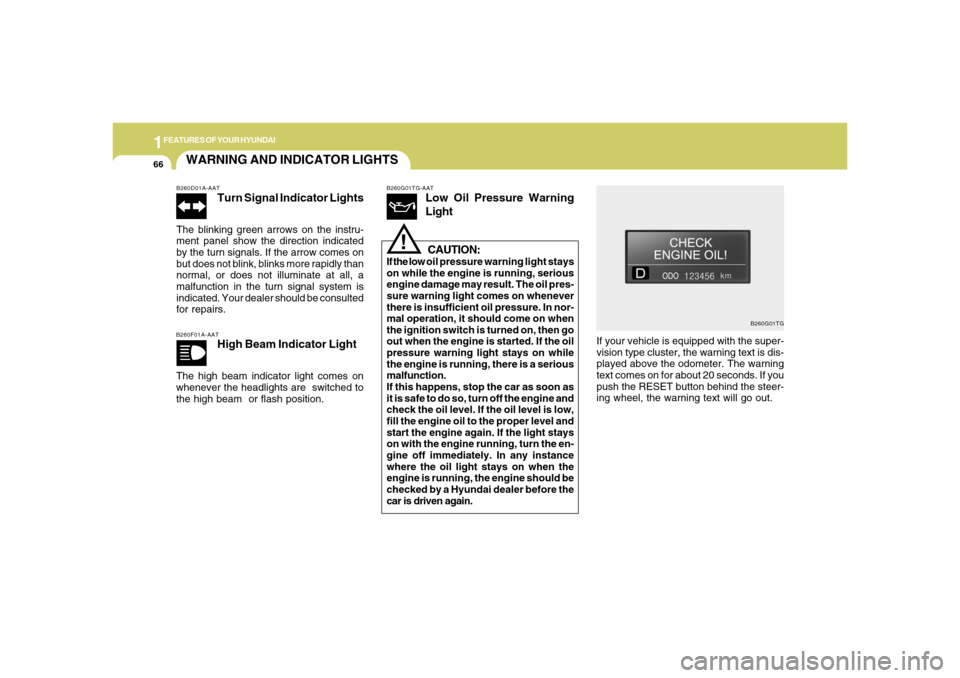
If your vehicle is equipped with the super-
vision type cluster, the warning text is dis-
played above the odometer. The warning
text comes on for about 20 seconds. If you
push the RESET button behind the steer-
ing wheel, the warning text will go out.
B260G01TG
Page 95 of 307
1
FEATURES OF YOUR HYUNDAI
81
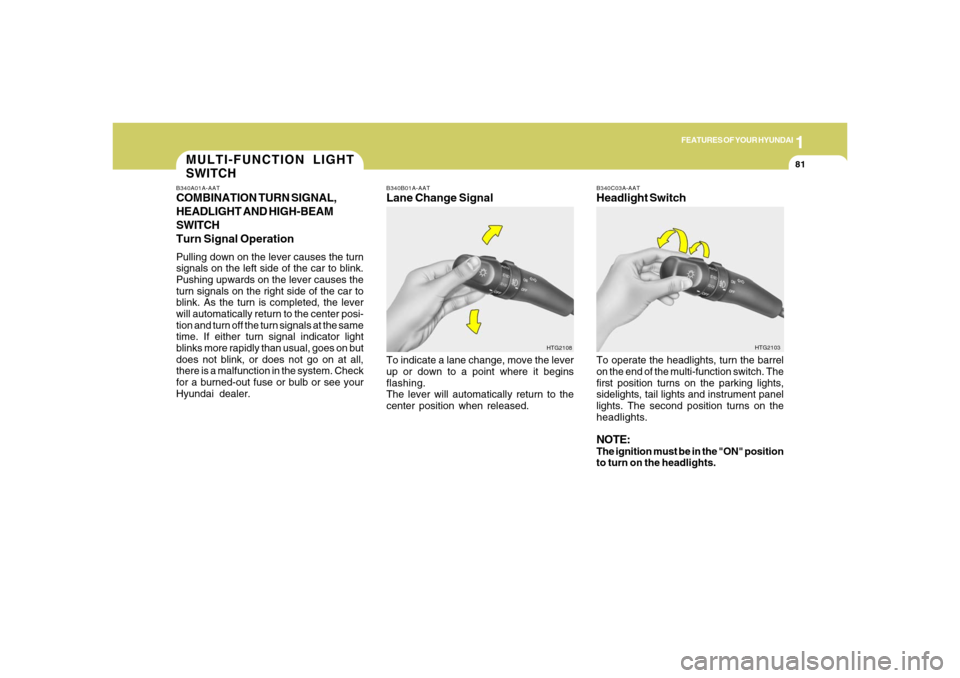
B340B01A-AATLane Change SignalTo indicate a lane change, move the lever
up or down to a point where it begins
flashing.
The lever will automatically return to the
center position when released.
B340C03A-AATHeadlight SwitchTo operate the headlights, turn the barrel
on the end of the multi-function switch. The
first position turns on the parking lights,
sidelights, tail lights and instrument panel
lights. The second position turns on the
headlights.NOTE:The ignition must be in the "ON" position
to turn on the headlights.
HTG2108HTG2103
MULTI-FUNCTION LIGHT
SWITCHB340A01A-AATCOMBINATION TURN SIGNAL,
HEADLIGHT AND HIGH-BEAM
SWITCH
Turn Signal OperationPulling down on the lever causes the turn
signals on the left side of the car to blink.
Pushing upwards on the lever causes the
turn signals on the right side of the car to
blink. As the turn is completed, the lever
will automatically return to the center posi-
tion and turn off the turn signals at the same
time. If either turn signal indicator light
blinks more rapidly than usual, goes on but
does not blink, or does not go on at all,
there is a malfunction in the system. Check
for a burned-out fuse or bulb or see your
Hyundai dealer.
Page 100 of 307
1FEATURES OF YOUR HYUNDAI86
FRONT/REAR WINDOW
DEFROSTER SWITCH
B380A01TG-A B380A02HP-AAT
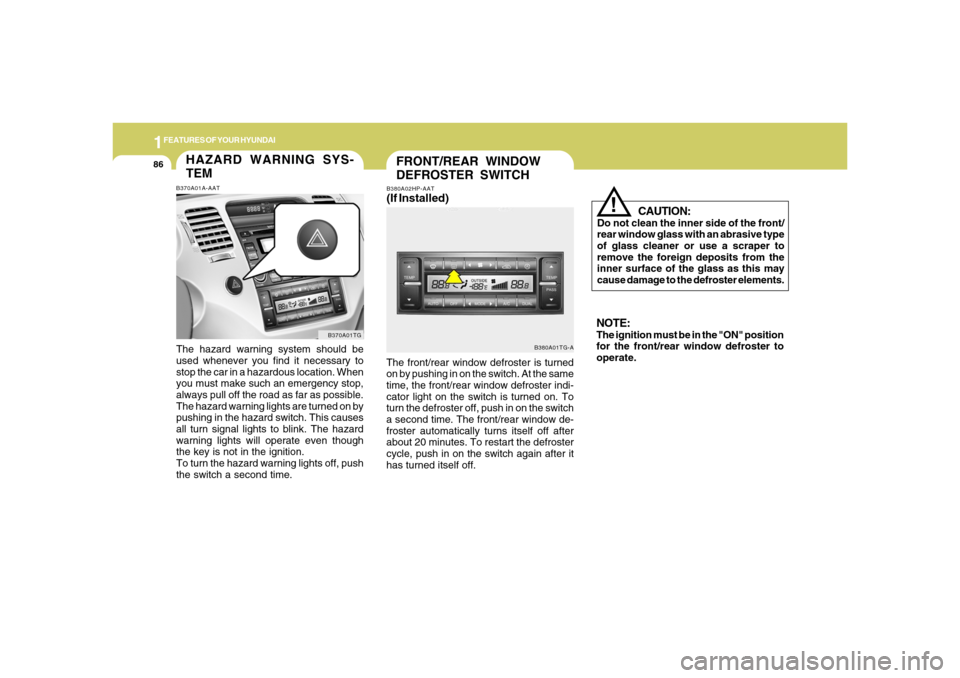
(If Installed)The front/rear window defroster is turned
on by pushing in on the switch. At the same
time, the front/rear window defroster indi-
cator light on the switch is turned on. To
turn the defroster off, push in on the switch
a second time. The front/rear window de-
froster automatically turns itself off after
about 20 minutes. To restart the defroster
cycle, push in on the switch again after it
has turned itself off.
CAUTION:
Do not clean the inner side of the front/
rear window glass with an abrasive type
of glass cleaner or use a scraper to
remove the foreign deposits from the
inner surface of the glass as this may
cause damage to the defroster elements.
!
NOTE:The ignition must be in the "ON" position
for the front/rear window defroster to
operate.
HAZARD WARNING SYS-
TEMB370A01A-AATThe hazard warning system should be
used whenever you find it necessary to
stop the car in a hazardous location. When
you must make such an emergency stop,
always pull off the road as far as possible.
The hazard warning lights are turned on by
pushing in the hazard switch. This causes
all turn signal lights to blink. The hazard
warning lights will operate even though
the key is not in the ignition.
To turn the hazard warning lights off, push
the switch a second time.
B370A01TG
Page 118 of 307
1FEATURES OF YOUR HYUNDAI
104
!
Integrated HomeLink
® Wireless Con-
trol System
The HomeLink
® Wireless Control System
provides a convenient way to replace up to
three hand-held radio-frequency (RF)
transmitters with a single built-in device.
This innovative feature will learn the radio
frequency codes of most current transmit-
ters to operate devices such as gate op-
erators, garage door openers, entry door
locks, security systems, even home light-
ing. Both standard and rolling code-
equipped transmitters can be programmed
by following the outlined procedures. Ad-
ditional HomeLink
® information can be
found at: www.homelink.com or by calling
1-800-355-3515.
CAUTION:
Before programming HomeLink
® to a
garage door opener or gate operator,
make sure that people and objects are
out of the way of the device to prevent
potential harm or damage. Do not use
HomeLink
® with any garage door opener
that lacks the safety stop and reverse
features as required by U.S. federal
safety standards (this includes any ga-
rage door opener model manufactured
before April 1, 1982). A garage door that
cannot detect an object - signaling the
door to stop and reverse - does not meet
current U.S. federal safety standards.
Using a garage door opener without these
features increases the risk of serious
injury or death.Programming HomeLink
®
NOTE:o When programming a garage door
opener, it is advised to park the ve-
hicle outside of the garage.
o It is recommended that a new battery
be placed in the hand-held transmit-
ter of the device being programmed
to HomeLink
® for quicker training and
accurate transmission of the radio-
frequency signal.
o Some vehicles may require the igni-
tion switch to be turned to the second
(or "accessories") position for pro-
gramming and/or operation of
HomeLink.
o In the event that there are still pro-
gramming difficulties or questions
after following the programming steps
listed below, contact HomeLink
® at:
www.homelink.com or 1-800-355-
3515. Retain the original transmitter of the RF
device you are programming for use in
other vehicles as well as for future
HomeLink
® programming. It is also sug-
gested that upon the sale of the vehicle, the
programmed HomeLink
® buttons be
erased for security purposes.
1. Press and hold the button for more
than 6 seconds. When the compass
memory is cleared a "C" will appear in
the display.
2. To calibrate the compass, drive the
vehicle in 2 complete circles at less than
5 MPH (8 Km/h).