lock Hyundai Azera 2008 Service Manual
[x] Cancel search | Manufacturer: HYUNDAI, Model Year: 2008, Model line: Azera, Model: Hyundai Azera 2008Pages: 345, PDF Size: 14.61 MB
Page 121 of 345

1
FEATURES OF YOUR HYUNDAI
107
4. Press and hold the just-trained
HomeLink
® button and observe the red
Status Indicator LED. If the indicator
light stays on constantly, programming
is complete and your device should
activate.
5. To program the remaining two
HomeLink® buttons, follow either steps
1 through 4 above for other Rolling
Code devices or steps 2 through 5 in
Standard Programming for standard
devices.
During programming, your handheld trans-
mitter may automatically stop transmitting.
Continue to press the Integrated
HomeLink
® Wireless Control System but-
ton (note steps 2 through 4 in the Standard
Programming portion of this document)
while you press and re-press ("cycle") your
handheld transmitter every two seconds
until the frequency signal has been learned.
The indicator light will flash slowly and
then rapidly after several seconds upon
successful training.Operating HomeLink
®
To operate, simply press and release the
programmed HomeLink
® button. Activa-
tion will now occur for the trained device
(i.e. garage door opener, gate operator,
security system, entry door lock, home/
office lighting, etc.). For convenience, the
hand-held transmitter of the device may
also be used at any time.
Reprogramming a Single HomeLink
®
Button
To program a new device to a previously
trained HomeLink
® button, follow these
steps:
1. Press and hold the desired HomeLink
®
button. Do NOT release until step 4 has
been completed.
2. When the indicator light begins to flash
slowly (after 20 seconds), position the
handheld transmitter 1 to 3 inches away
from the HomeLink
® surface.
3. Press and hold the handheld transmit-
ter button. The HomeLink
® indicator light
will flash, first slowly and then rapidly.
4. When the indicator light begins to flash
rapidly, release both buttons.
5. Press and hold the just-trainedHomeLink
® button and observe the red
Status Indicator LED. If the indicator
light stays on constantly, programming
is complete and your new device should
activate.
Erasing HomeLink
® Buttons
Individual buttons cannot be erased. How-
ever, to erase all three programmed but-
tons:
1. Press and hold the two outer HomeLink
®
buttons until the indicator light begins to
flash-after 20 seconds.
2. Release both buttons. Do not hold for
longer than 30 seconds.
The Integrated HomeLink
® Wireless Con-
trol System is now in the training (learn)
mode and can be programmed at any time
following the appropriate steps in the Pro-
gramming sections above.
FCC ID: NZLZTVHL3
IC: 4112A-ZTVHL3
Page 123 of 345
1
FEATURES OF YOUR HYUNDAI
109
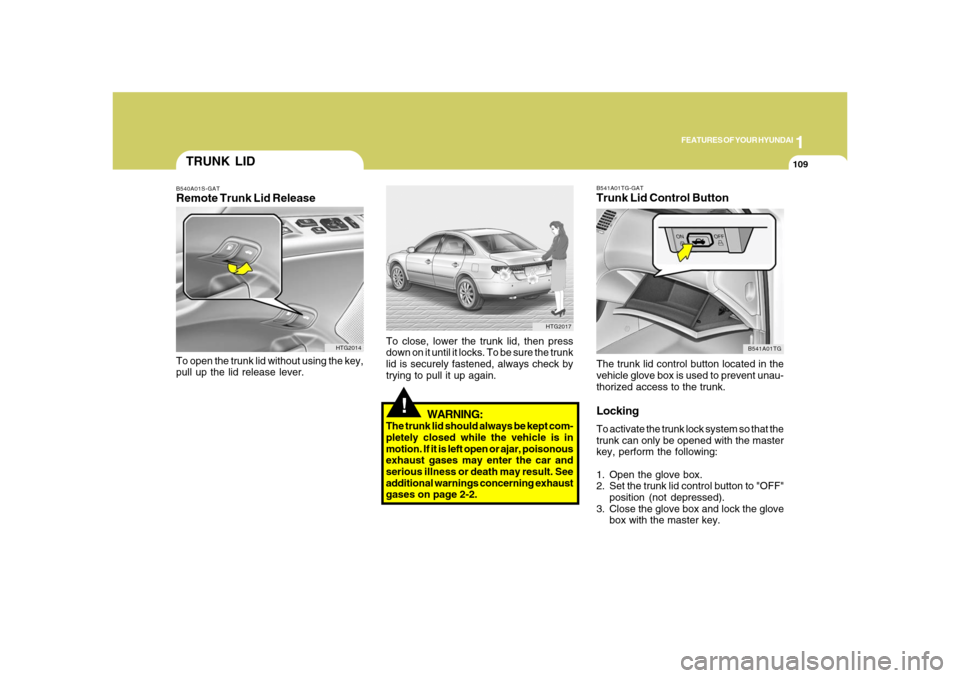
B541A01TG-GATTrunk Lid Control ButtonThe trunk lid control button located in the
vehicle glove box is used to prevent unau-
thorized access to the trunk.LockingTo activate the trunk lock system so that the
trunk can only be opened with the master
key, perform the following:
1. Open the glove box.
2. Set the trunk lid control button to "OFF"
position (not depressed).
3. Close the glove box and lock the glove
box with the master key.
B541A01TG
!
WARNING:
The trunk lid should always be kept com-
pletely closed while the vehicle is in
motion. If it is left open or ajar, poisonous
exhaust gases may enter the car and
serious illness or death may result. See
additional warnings concerning exhaust
gases on page 2-2.To close, lower the trunk lid, then press
down on it until it locks. To be sure the trunk
lid is securely fastened, always check by
trying to pull it up again.
HTG2017
TRUNK LIDB540A01S-GATRemote Trunk Lid ReleaseTo open the trunk lid without using the key,
pull up the lid release lever.
HTG2014
Page 124 of 345
1FEATURES OF YOUR HYUNDAI
110
!
When leaving the key with a parking lot
attendant or valet, perform steps 1 to 3
above and leave the sub key with the
attendent. Sub key can start the engine
and operate door locks only.ReleasingTo release the trunk lock feature, open the
glove box with master key and set the trunk
lid control button to "ON" position (de-
pressed). In this position the trunk will
open with trunk lid release lever or trans-
mitter. The trunk can never be opened with
the sub key.
WARNING:
Doors and trunk should be kept locked
and keys be kept out of the reach of
children. Parents also should teach their
children about the dangers of playing in
trunks.
!
WARNING:
o If a person becomes locked in the
trunk, pull the emergency trunk re-
lease lever of the inside panel in the
trunk to open the trunk lid.
o Keep cars locked and keys out of the
reach of children. HYUNDAI recom-
mends parents teach children about
the emergency trunk release lever in
their vehicle and how to open the trunk
lid if they are accidentally locked in
the trunk.
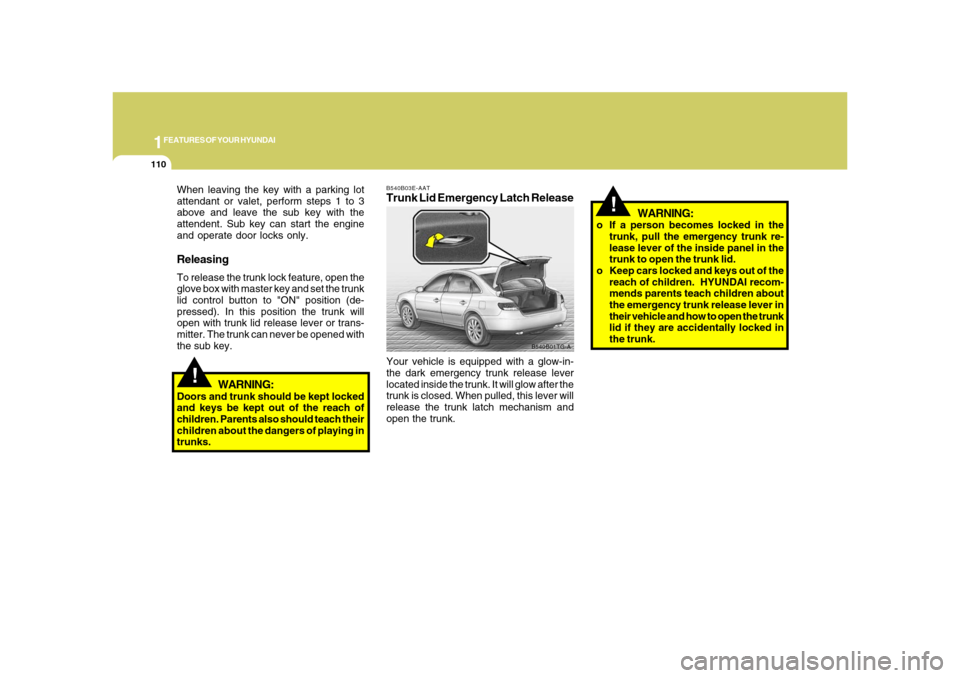
B540B03E-AATTrunk Lid Emergency Latch ReleaseYour vehicle is equipped with a glow-in-
the dark emergency trunk release lever
located inside the trunk. It will glow after the
trunk is closed. When pulled, this lever will
release the trunk latch mechanism and
open the trunk.
B540B01TG-A
Page 125 of 345
1
FEATURES OF YOUR HYUNDAI
111
!
CAUTION:
To prevent damage to the goods or the
vehicle, care should be taken when car-
rying fragile or bulky objects in the lug-
gage compartment.
!
WARNING:
Avoid eye injury. DO NOT overstretch.
The luggage net ALWAYS keep your
face and body out of its recoil path. DO
NOT use when the luggage net straps
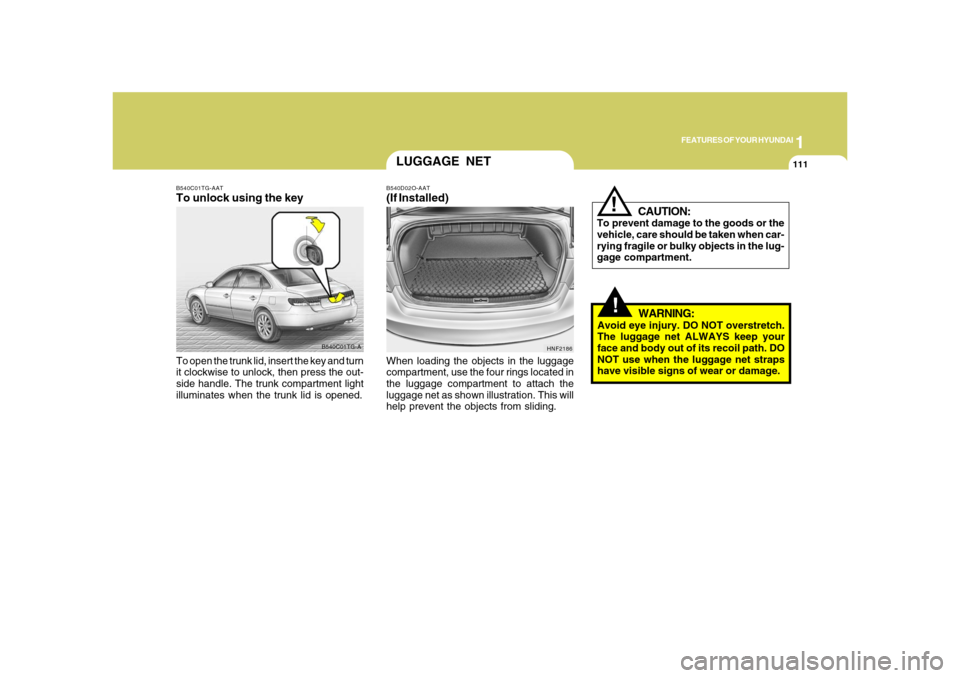
have visible signs of wear or damage. When loading the objects in the luggage
compartment, use the four rings located in
the luggage compartment to attach the
luggage net as shown illustration. This will
help prevent the objects from sliding.
HNF2186
LUGGAGE NETB540D02O-AAT(If Installed)
B540C01TG-A B540C01TG-AAT
To unlock using the keyTo open the trunk lid, insert the key and turn
it clockwise to unlock, then press the out-
side handle. The trunk compartment light
illuminates when the trunk lid is opened.
Page 129 of 345
1
FEATURES OF YOUR HYUNDAI
115
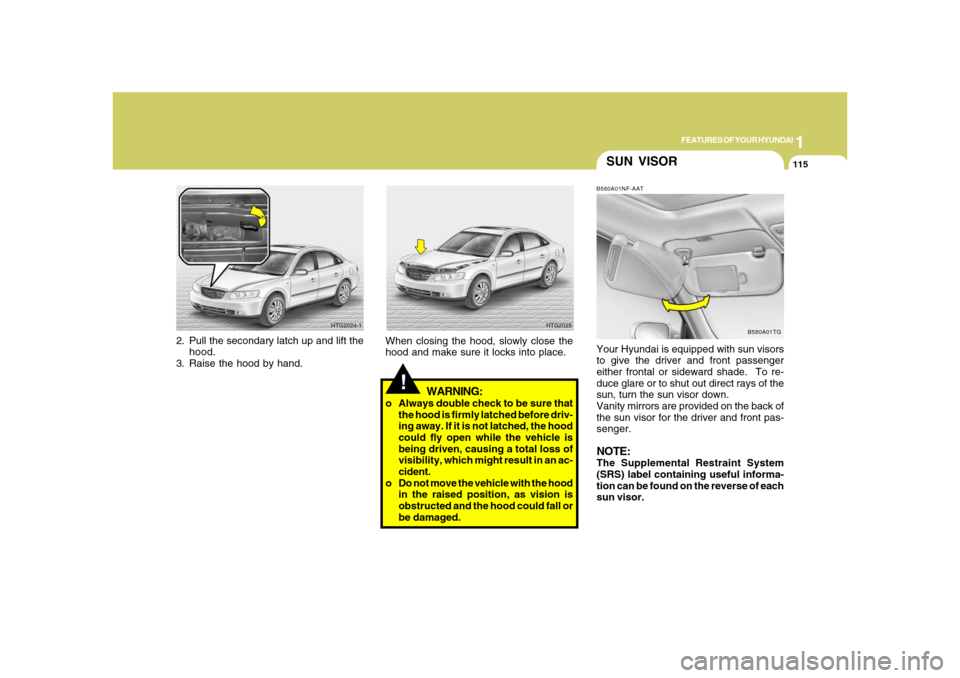
SUN VISORB580A01NF-AATYour Hyundai is equipped with sun visors
to give the driver and front passenger
either frontal or sideward shade. To re-
duce glare or to shut out direct rays of the
sun, turn the sun visor down.
Vanity mirrors are provided on the back of
the sun visor for the driver and front pas-
senger.NOTE:The Supplemental Restraint System
(SRS) label containing useful informa-
tion can be found on the reverse of each
sun visor.
B580A01TG
!
WARNING:
o Always double check to be sure that
the hood is firmly latched before driv-
ing away. If it is not latched, the hood
could fly open while the vehicle is
being driven, causing a total loss of
visibility, which might result in an ac-
cident.
o Do not move the vehicle with the hood
in the raised position, as vision is
obstructed and the hood could fall or
be damaged. When closing the hood, slowly close the
hood and make sure it locks into place.
HTG2025
2. Pull the secondary latch up and lift the
hood.
3. Raise the hood by hand.
HTG2024-1
Page 132 of 345
1FEATURES OF YOUR HYUNDAI
118
REAR WINDOW CURTAIN
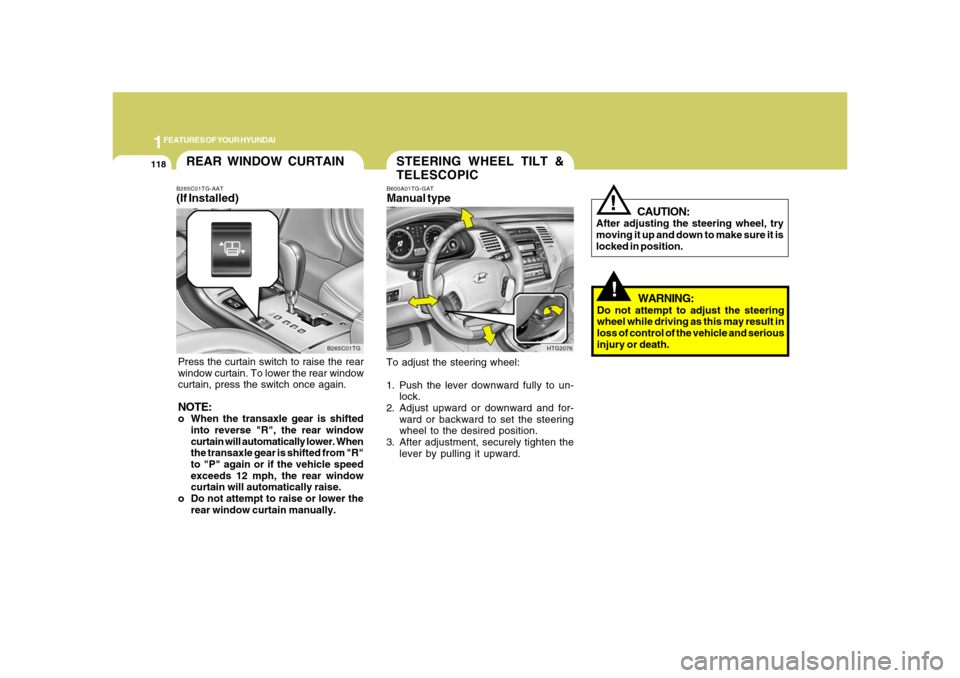
B265C01TG B265C01TG-AAT
(If Installed)Press the curtain switch to raise the rear
window curtain. To lower the rear window
curtain, press the switch once again.NOTE:o When the transaxle gear is shifted
into reverse "R", the rear window
curtain will automatically lower. When
the transaxle gear is shifted from "R"
to "P" again or if the vehicle speed
exceeds 12 mph, the rear window
curtain will automatically raise.
o Do not attempt to raise or lower the
rear window curtain manually.
STEERING WHEEL TILT &
TELESCOPICB600A01TG-GATManual typeTo adjust the steering wheel:
1. Push the lever downward fully to un-
lock.
2. Adjust upward or downward and for-
ward or backward to set the steering
wheel to the desired position.
3. After adjustment, securely tighten the
lever by pulling it upward.
HTG2076
!!
CAUTION:
After adjusting the steering wheel, try
moving it up and down to make sure it is
locked in position.
WARNING:
Do not attempt to adjust the steering
wheel while driving as this may result in
loss of control of the vehicle and serious
injury or death.
Page 146 of 345

1FEATURES OF YOUR HYUNDAI
132
B730A01L-AATOperation Tipso To keep dust or unpleasant fumes from
entering the car through the ventilation
system, temporarily set the air intake
control at the
position. Be sure to
return the control to the
position
when the irritation has passed to keep
fresh air in the vehicle. This will help
keep the driver alert and comfortable.
o Air for the heating/cooling system is
drawn in through the grilles just ahead
of the windshield. Care should be taken
that these are not blocked by leaves,
snow, ice or other obstructions.
o To prevent interior fog on the wind-
shield, set the air intake control to the
fresh air (
) position and fan speed
to the desired position, turn on the air
conditioning system, and adjust tem-
perature control to desired tempera-
ture. In automatic operation, the air condition-
ing will operate if ambient temperature is
higher than 34.7°F (1.5°C) and automati-
cally turns off if the ambient temperature
drops below 33.08°F (0.6°C).
Page 150 of 345
1FEATURES OF YOUR HYUNDAI
136
!
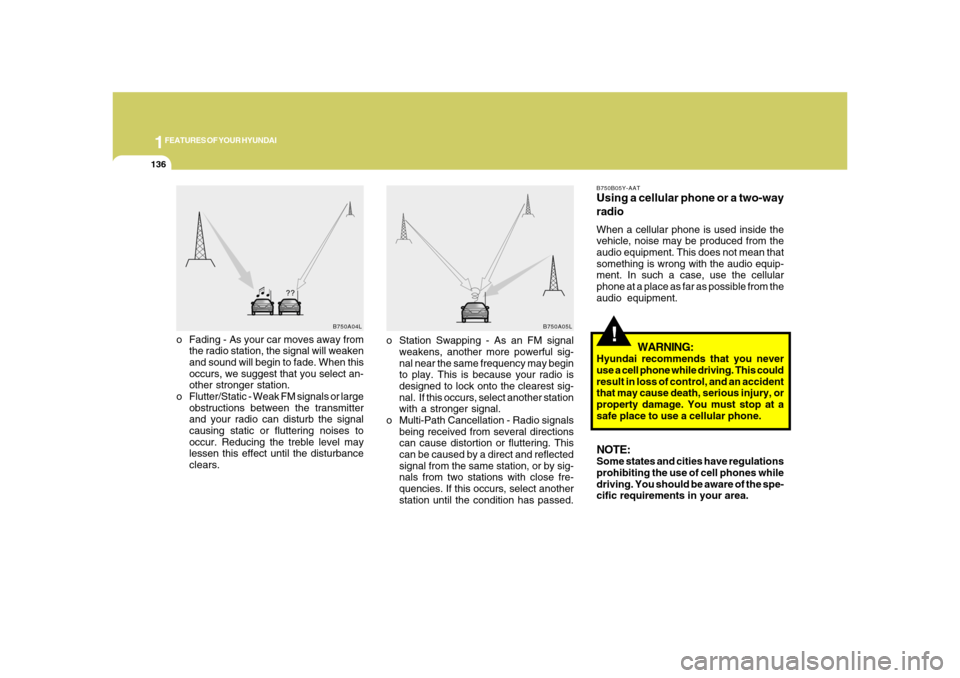
o Fading - As your car moves away from
the radio station, the signal will weaken
and sound will begin to fade. When this
occurs, we suggest that you select an-
other stronger station.
o Flutter/Static - Weak FM signals or large
obstructions between the transmitter
and your radio can disturb the signal
causing static or fluttering noises to
occur. Reducing the treble level may
lessen this effect until the disturbance
clears.
B750B05Y-AATUsing a cellular phone or a two-way
radioWhen a cellular phone is used inside the
vehicle, noise may be produced from the
audio equipment. This does not mean that
something is wrong with the audio equip-
ment. In such a case, use the cellular
phone at a place as far as possible from the
audio equipment.
WARNING:
Hyundai recommends that you never
use a cell phone while driving. This could
result in loss of control, and an accident
that may cause death, serious injury, or
property damage. You must stop at a
safe place to use a cellular phone.NOTE:Some states and cities have regulations
prohibiting the use of cell phones while
driving. You should be aware of the spe-
cific requirements in your area.
B750A04L
B750A05L
o Station Swapping - As an FM signal
weakens, another more powerful sig-
nal near the same frequency may begin
to play. This is because your radio is
designed to lock onto the clearest sig-
nal. If this occurs, select another station
with a stronger signal.
o Multi-Path Cancellation - Radio signals
being received from several directions
can cause distortion or fluttering. This
can be caused by a direct and reflected
signal from the same station, or by sig-
nals from two stations with close fre-
quencies. If this occurs, select another
station until the condition has passed.
Page 152 of 345
1FEATURES OF YOUR HYUNDAI
138
M445B01TG-AAT1. POWER ON-OFF Control Knobo The radio unit may be operated when
the ignition key is in the "ACC" or "ON"
position. Press the knob to switch the
power on. The display shows the radio
frequency in the radio mode or CD/MP3
track in either the CD/MP3 mode. To
switch the power off, press the knob
again.
o Push the FM/AM or CD/MP3 to turn on
that function without pushing Power
ON-OFF control knob.VOLUME ControlRotate the knob clockwise to increase the
volume and turn the knob counterclock-
wise to reduce the volume.2. BAND SelectorPressing the band selector FM/AM changes
the AM, FM1 and FM2 bands.
The mode selected is shown on the dis-
play.
3. TUNE (Manual) Select KnobRotate the knob clockwise to increase the
frequency and turn the knob counterclock-
wise to reduce the frequency.4. SEEK Select Button
(Automatic Channel Selection)Press the SEEK select button. When the
(
) side is pressed, the unit will
automatically tune to the next higher
frequency and when the (
) side is
pressed, it will automatically tune to the
next lower frequency.
5. SCAN ButtonWhen you press the button, frequency is
changed and the next channel is received
automatically. To stay on a station, press
the SCAN button again.
6. EQUALIZER (EQ) ButtonPress the EQ button to select the CLAS-
SIC, POPS, ROCK, JAZZ and DEFEAT
MODE for the desired tone quality. Each
press of the button changes the display as
follows;7. Adjustment Mode
Select (A.MODE) ButtonPressing the A.MODE button changes the
BASS, MIDDLE, TREBLE, FADER and
BALANCE mode. The mode selected is
shown on the display. After selecting the
each mode, rotate the VOLUME control
knob clockwise or counterclockwise.BASS ControlTo increase the bass, rotate the knob clock-
wise, while to decrease the bass, rotate the
knob counterclockwise. CLASSIC → POPS → ROCK → JAZZ →DEFEAT
Page 153 of 345
1
FEATURES OF YOUR HYUNDAI
139139
MIDDLE ControlTo increase the MIDDLE, rotate the knob
clockwise, while to decrease the MIDDLE,
rotate the knob counterclockwise.TREBLE ControlTo increase the TREBLE, rotate the knob
clockwise, while to decrease the TREBLE,
rotate the knob counterclockwise.FADER ControlTurn the control knob clockwise to empha-
size rear speaker sound (front speaker
sound will be attenuated).
When the control knob is turned counter-
clockwise, front speaker sound will be
emphasized (rear speaker sound will be
attenuated).BALANCE ControlRotate the knob clockwise to emphasize
right speaker sound (Left speaker sound
will be attenuated).
When the control knob is turned counter-
clockwise, left speaker sound will be em-
phasized (Right speaker sound will be
attenuated).
CAUTION:
o Do not place beverages close to the
audio system. The playback mecha-
nism may be damaged if you spill
them.
o Do not impact on the audio system, or
the playback mechanism could be
damaged.
!
8. PRESET STATION Select ButtonsSix (6) stations for AM, FM1 and FM2
respectively can be preset in the electronic
memory circuit.HOW TO PRESET STATIONSSix AM and twelve FM stations may be
programmed into the memory of the radio.
Then, by simply pressing the band select
button and/or one of the six station select
buttons, you may recall any of these sta-
tions instantly.
To program the stations, follow these steps:
o Press band selector to set the band for
AM, FM1 and FM2.
o Select the desired station to be stored
by seek or manual tuning.
o Determine the preset station select
button you wish to use to access that
station.
o Press the station select button for more
than two seconds. Beep sound will be
heard while depressing the button. You
should then release the button, and
proceed to program the next desired
station. A total of 18 stations can be
programmed by selecting one AM and
two FM station per button.o When completed, any preset station
may be recalled by selecting AM, FM1
or FM2 band and the appropriate sta-
tion button.