head light Hyundai Azera 2012 User Guide
[x] Cancel search | Manufacturer: HYUNDAI, Model Year: 2012, Model line: Azera, Model: Hyundai Azera 2012Pages: 403, PDF Size: 9.28 MB
Page 157 of 403
481
Features of your vehicle
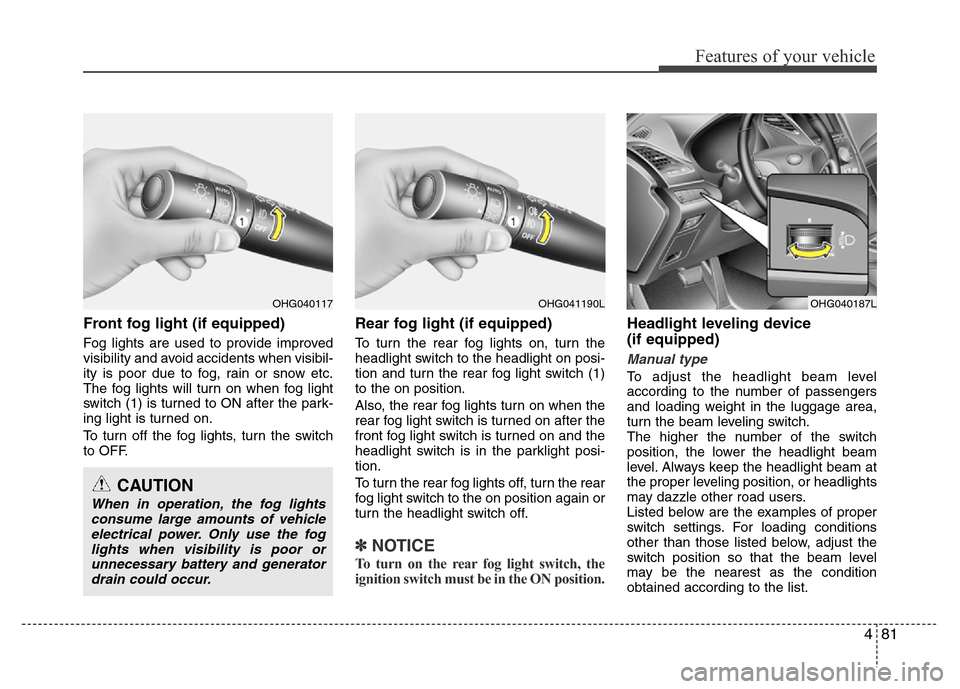
Front fog light (if equipped)
Fog lights are used to provide improved
visibility and avoid accidents when visibil-
ity is poor due to fog, rain or snow etc.
The fog lights will turn on when fog light
switch (1) is turned to ON after the park-
ing light is turned on.
To turn off the fog lights, turn the switch
to OFF.
Rear fog light (if equipped)
To turn the rear fog lights on, turn the
headlight switch to the headlight on posi-
tion and turn the rear fog light switch (1)
to the on position.
Also, the rear fog lights turn on when the
rear fog light switch is turned on after the
front fog light switch is turned on and the
headlight switch is in the parklight posi-
tion.
To turn the rear fog lights off, turn the rear
fog light switch to the on position again or
turn the headlight switch off.
✽NOTICE
To turn on the rear fog light switch, the
ignition switch must be in the ON position.
Headlight leveling device
(if equipped)
Manual type
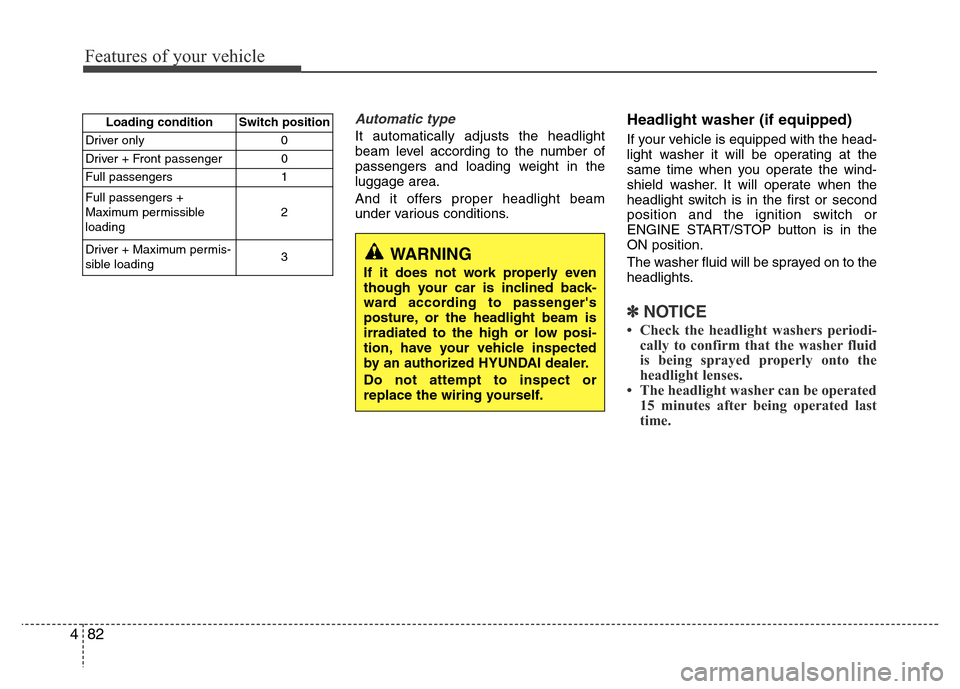
To adjust the headlight beam level
according to the number of passengers
and loading weight in the luggage area,
turn the beam leveling switch.
The higher the number of the switch
position, the lower the headlight beam
level. Always keep the headlight beam at
the proper leveling position, or headlights
may dazzle other road users.
Listed below are the examples of proper
switch settings. For loading conditions
other than those listed below, adjust the
switch position so that the beam level
may be the nearest as the condition
obtained according to the list.
OHG040117
CAUTION
When in operation, the fog lights
consume large amounts of vehicle
electrical power. Only use the fog
lights when visibility is poor or
unnecessary battery and generator
drain could occur.
OHG040187LOHG041190L
Page 158 of 403
Features of your vehicle
82 4
Automatic type
It automatically adjusts the headlight
beam level according to the number of
passengers and loading weight in the
luggage area.
And it offers proper headlight beam
under various conditions.
Headlight washer (if equipped)
If your vehicle is equipped with the head-
light washer it will be operating at the
same time when you operate the wind-
shield washer. It will operate when the
headlight switch is in the first or second
position and the ignition switch or
ENGINE START/STOP button is in the
ON position.
The washer fluid will be sprayed on to the
headlights.
✽NOTICE
• Check the headlight washers periodi-
cally to confirm that the washer fluid
is being sprayed properly onto the
headlight lenses.
• The headlight washer can be operated
15 minutes after being operated last
time.
Loading condition Switch position
Driver only 0
Driver + Front passenger 0
Full passengers 1
Full passengers +
Maximum permissible
loading2
Driver + Maximum permis-
sible loading 3
WARNING
If it does not work properly even
though your car is inclined back-
ward according to passenger's
posture, or the headlight beam is
irradiated to the high or low posi-
tion, have your vehicle inspected
by an authorized HYUNDAI dealer.
Do not attempt to inspect or
replace the wiring yourself.
Page 164 of 403
Features of your vehicle
88 4
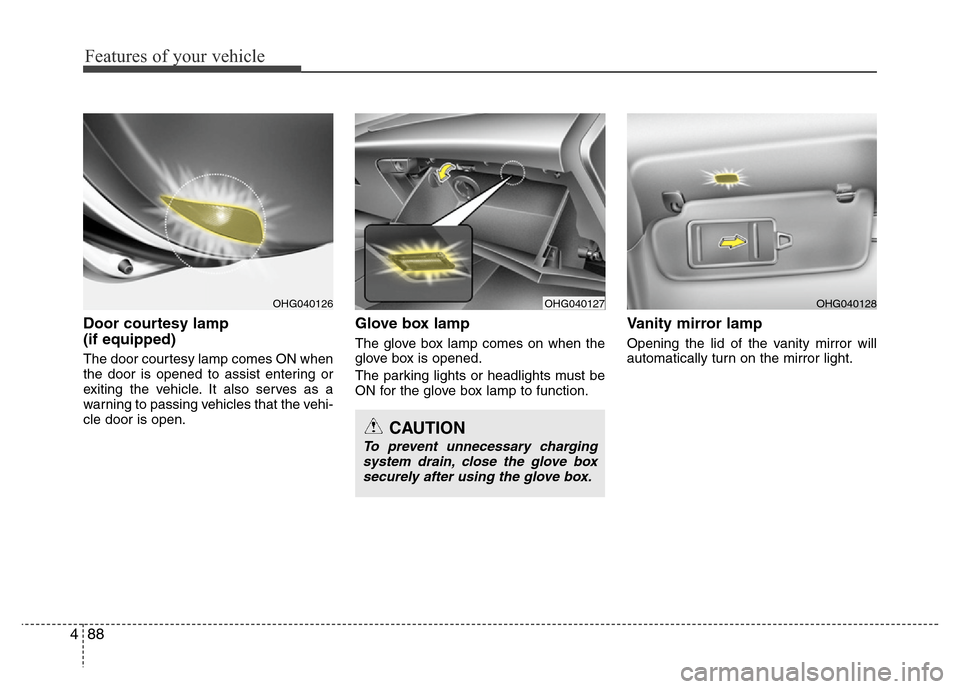
Door courtesy lamp
(if equipped)
The door courtesy lamp comes ON when
the door is opened to assist entering or
exiting the vehicle. It also serves as a
warning to passing vehicles that the vehi-
cle door is open.
Glove box lamp
The glove box lamp comes on when the
glove box is opened.
The parking lights or headlights must be
ON for the glove box lamp to function.
Vanity mirror lamp
Opening the lid of the vanity mirror will
automatically turn on the mirror light.
OHG040127OHG040128
CAUTION
To prevent unnecessary charging
system drain, close the glove box
securely after using the glove box.
OHG040126
Page 165 of 403
489
Features of your vehicle
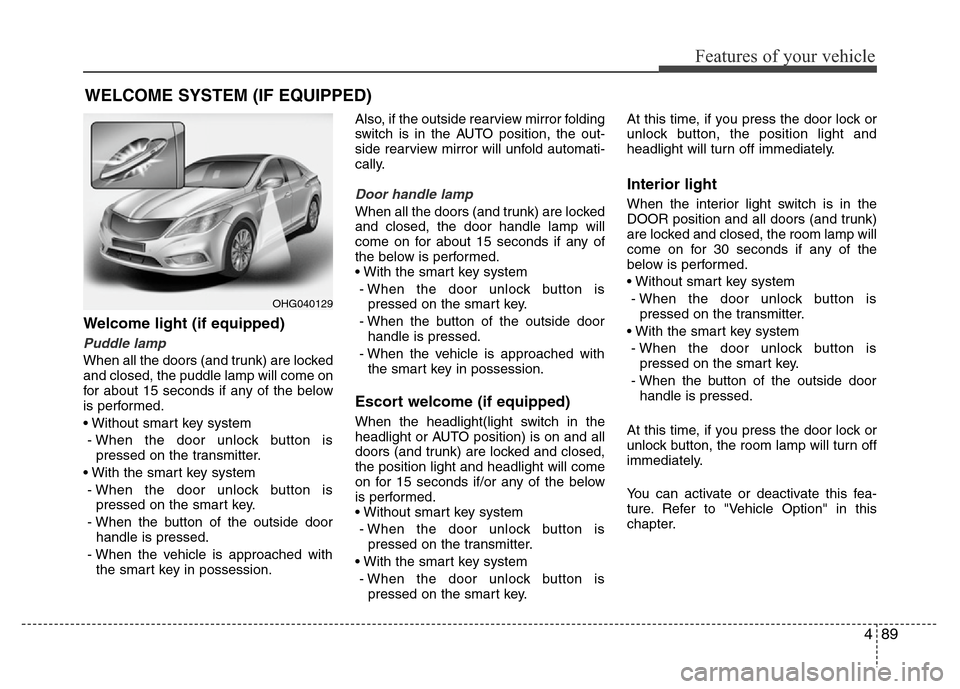
Welcome light (if equipped)
Puddle lamp
When all the doors (and trunk) are locked
and closed, the puddle lamp will come on
for about 15 seconds if any of the below
is performed.
• Without smart key system
- When the door unlock button is
pressed on the transmitter.
• With the smart key system
- When the door unlock button is
pressed on the smart key.
- When the button of the outside door
handle is pressed.
- When the vehicle is approached with
the smart key in possession.Also, if the outside rearview mirror folding
switch is in the AUTO position, the out-
side rearview mirror will unfold automati-
cally.
Door handle lamp
When all the doors (and trunk) are locked
and closed, the door handle lamp will
come on for about 15 seconds if any of
the below is performed.
• With the smart key system
- When the door unlock button is
pressed on the smart key.
- When the button of the outside door
handle is pressed.
- When the vehicle is approached with
the smart key in possession.
Escort welcome (if equipped)
When the headlight(light switch in the
headlight or AUTO position) is on and all
doors (and trunk) are locked and closed,
the position light and headlight will come
on for 15 seconds if/or any of the below
is performed.
• Without smart key system
- When the door unlock button is
pressed on the transmitter.
• With the smart key system
- When the door unlock button is
pressed on the smart key.At this time, if you press the door lock or
unlock button, the position light and
headlight will turn off immediately.
Interior light
When the interior light switch is in the
DOOR position and all doors (and trunk)
are locked and closed, the room lamp will
come on for 30 seconds if any of the
below is performed.
• Without smart key system
- When the door unlock button is
pressed on the transmitter.
• With the smart key system
- When the door unlock button is
pressed on the smart key.
- When the button of the outside door
handle is pressed.
At this time, if you press the door lock or
unlock button, the room lamp will turn off
immediately.
You can activate or deactivate this fea-
ture. Refer to "Vehicle Option" in this
chapter.
WELCOME SYSTEM (IF EQUIPPED)
OHG040129
Page 250 of 403
527
Driving your vehicle
2. When you stop the vehicle completely
by depressing the brake pedal, the
AUTO HOLD indicator changes from
white to green.
3. The vehicle will remain stationary even
if you release the brake pedal.
4. If EPB is applied, Auto Hold will be
released.
Leaving
If you press the accelerator pedal with
the shift lever in R (Reverse), D (Drive) or
sports mode, the Auto Hold will be
released automatically and the vehicle
will start to move. The indicator changes
from green to white.
Cancel
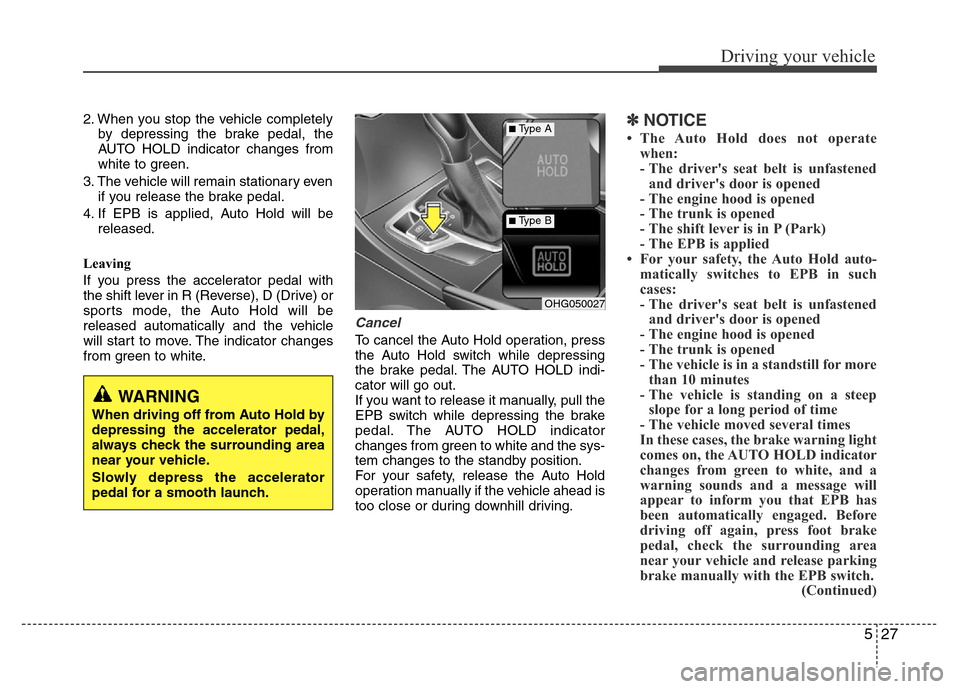
To cancel the Auto Hold operation, press
the Auto Hold switch while depressing
the brake pedal. The AUTO HOLD indi-
cator will go out.
If you want to release it manually, pull the
EPB switch while depressing the brake
pedal. The AUTO HOLD indicator
changes from green to white and the sys-
tem changes to the standby position.
For your safety, release the Auto Hold
operation manually if the vehicle ahead is
too close or during downhill driving.
✽NOTICE
• The Auto Hold does not operate
when:
- The driver's seat belt is unfastened
and driver's door is opened
- The engine hood is opened
- The trunk is opened
- The shift lever is in P (Park)
- The EPB is applied
• For your safety, the Auto Hold auto-
matically switches to EPB in such
cases:
- The driver's seat belt is unfastened
and driver's door is opened
- The engine hood is opened
- The trunk is opened
- The vehicle is in a standstill for more
than 10 minutes
- The vehicle is standing on a steep
slope for a long period of time
- The vehicle moved several times
In these cases, the brake warning light
comes on, the AUTO HOLD indicator
changes from green to white, and a
warning sounds and a message will
appear to inform you that EPB has
been automatically engaged. Before
driving off again, press foot brake
pedal, check the surrounding area
near your vehicle and release parking
brake manually with the EPB switch.
(Continued)
OHG050027
■Type A
■Type B
WARNING
When driving off from Auto Hold by
depressing the accelerator pedal,
always check the surrounding area
near your vehicle.
Slowly depress the accelerator
pedal for a smooth launch.
Page 251 of 403
Driving your vehicle
28 5
(Continued)
• If the AUTO HOLD indicator lights
up yellow, the Auto Hold is not work-
ing properly. Take your vehicle to an
authorized HYUNDAI dealer and
have the system checked.
• While operating Auto Hold, you may
hear mechanical noise. However, it is
normal operating noise.Anti-lock brake system (ABS)
(if equipped)
The ABS continuously senses the speed
of the wheels. If the wheels are going to
lock, the ABS system repeatedly modu-
lates the hydraulic brake pressure to the
wheels.
When you apply your brakes under con-
ditions which may lock the wheels, you
may hear a “tik-tik’’ sound from the
brakes, or feel a corresponding sensation
in the brake pedal. This is normal and it
means your ABS is active.
In order to obtain the maximum benefit
from your ABS in an emergency situa-
tion, do not attempt to modulate your
brake pressure and do not try to pump
your brakes. Press your brake pedal as
hard as possible or as hard as the situa-
tion warrants and allow the ABS to con-
trol the force being delivered to the
brakes.
WARNING
ABS (or ESP) will not prevent acci-
dents due to improper or danger-
ous driving maneuvers. Even
though vehicle control is improved
during emergency braking, always
maintain a safe distance between
you and objects ahead. Vehicle
speeds should always be reduced
during extreme road conditions.
The braking distance for cars
equipped with an anti-lock braking
system (or Electronic Stability
Program system) may be longer
than for those without it in the fol-
lowing road conditions.
During these conditions the vehicle
should be driven at reduced
speeds:
• Rough, gravel or snow-covered
roads.
• With tire chains installed.
(Continued)
(Continued)
• On roads where the road surface
is pitted or has different surface
height.
The safety features of an ABS (or
ESP) equipped vehicle should not
be tested by high speed driving or
cornering. This could endanger the
safety of yourself or others.
WARNING
• Press the accelerator pedal slow-
ly when you start the vehicle.
• For your safety, cancel the Auto
Hold when you drive downhill or
back up the vehicle or park the
vehicle.
CAUTION
If there is a malfunction with the dri-
ver’s door, hood or trunk open
detection system, the Auto Hold
may not work properly.
Take your vehicle to an authorized
HYUNDAI dealer and have the sys-
tem checked.
Page 258 of 403
535
Driving your vehicle
• Check to be sure the parking brake is
not engaged and that the parking
brake indicator light is out before driv-
ing away.
• Driving through water may get the
brakes wet. They can also get wet
when the car is washed. Wet brakes
can be dangerous! Your car will not
stop as quickly if the brakes are wet.
Wet brakes may cause the car to pull
to one side.
To dry the brakes, apply the brakes
lightly until the braking action returns to
normal, taking care to keep the car
under control at all times. If the braking
action does not return to normal, stop
as soon as it is safe to do so and call
an authorized HYUNDAI dealer for
assistance.
• Do not coast down hills with the car out
of gear. This is extremely hazardous.
Keep the car in gear at all times, use
the brakes to slow down, then shift to a
lower gear so that engine braking will
help you maintain a safe speed.
• Do not "ride" the brake pedal. Resting
your foot on the brake pedal while driv-
ing can be dangerous because the
brakes might overheat and lose their
effectiveness. It also increases the
wear of the brake components.• If a tire goes flat while you are driving,
apply the brakes gently and keep the
car pointed straight ahead while you
slow down. When you are moving
slowly enough for it to be safe to do so,
pull off the road and stop in a safe
place.
• If your car is equipped with an auto-
matic transaxle, don't let your car
creep forward. To avoid creeping for-
ward, keep your foot firmly on the
brake pedal when the car is stopped.
• Be cautious when parking on a hill.
Firmly engage the parking brake and
place the shift lever in P (Park). If your
car is facing downhill, turn the front
wheels into the curb to help keep the
car from rolling. If your car is facing
uphill, turn the front wheels away from
the curb to help keep the car from
rolling. If there is no curb or if it is
required by other conditions to keep
the car from rolling, block the wheels.• Under some conditions your parking
brake can freeze in the engaged posi-
tion. This is most likely to happen when
there is an accumulation of snow or ice
around or near the rear brakes or if the
brakes are wet. If there is a risk that the
parking brake may freeze, apply it only
temporarily while you put the shift lever
in P (Park) and block the rear wheels
so the car cannot roll. Then release the
parking brake.
• Do not hold the vehicle on the upgrade
with the accelerator pedal. This can
cause the transaxle to overheat.
Always use the brake pedal or parking
brake.
Page 263 of 403
Driving your vehicle
40 5
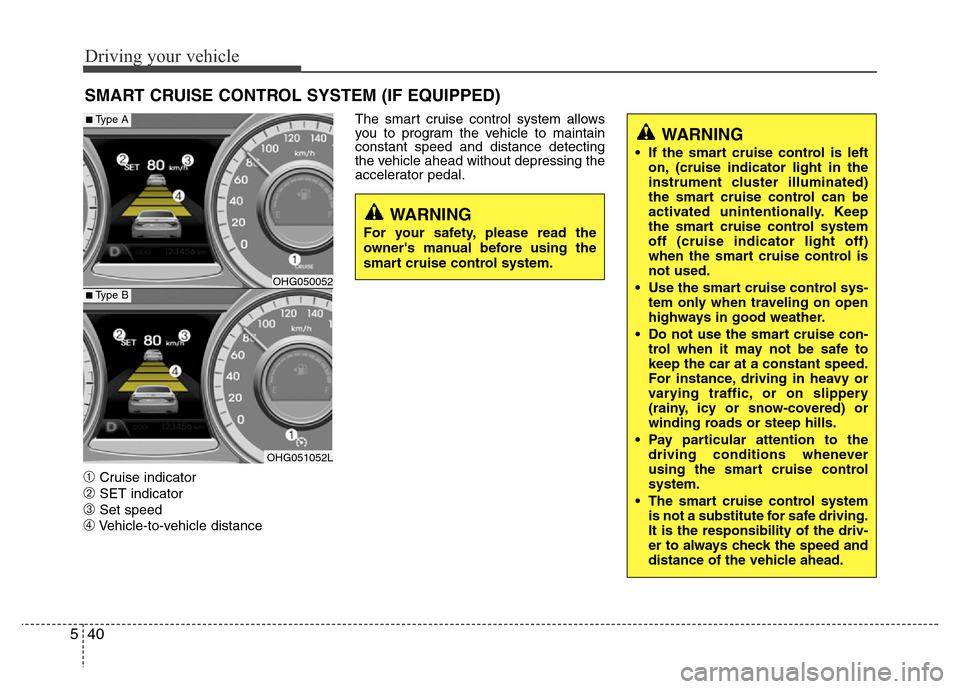
➀Cruise indicator
➁SET indicator
➂Set speed
➃Vehicle-to-vehicle distanceThe smart cruise control system allows
you to program the vehicle to maintain
constant speed and distance detecting
the vehicle ahead without depressing the
accelerator pedal.
SMART CRUISE CONTROL SYSTEM (IF EQUIPPED)
WARNING
• If the smart cruise control is left
on, (cruise indicator light in the
instrument cluster illuminated)
the smart cruise control can be
activated unintentionally. Keep
the smart cruise control system
off (cruise indicator light off)
when the smart cruise control is
not used.
• Use the smart cruise control sys-
tem only when traveling on open
highways in good weather.
• Do not use the smart cruise con-
trol when it may not be safe to
keep the car at a constant speed.
For instance, driving in heavy or
varying traffic, or on slippery
(rainy, icy or snow-covered) or
winding roads or steep hills.
• Pay particular attention to the
driving conditions whenever
using the smart cruise control
system.
• The smart cruise control system
is not a substitute for safe driving.
It is the responsibility of the driv-
er to always check the speed and
distance of the vehicle ahead.
WARNING
For your safety, please read the
owner's manual before using the
smart cruise control system.
OHG050052
OHG051052L
■Type A
■Type B
Page 264 of 403
541
Driving your vehicle
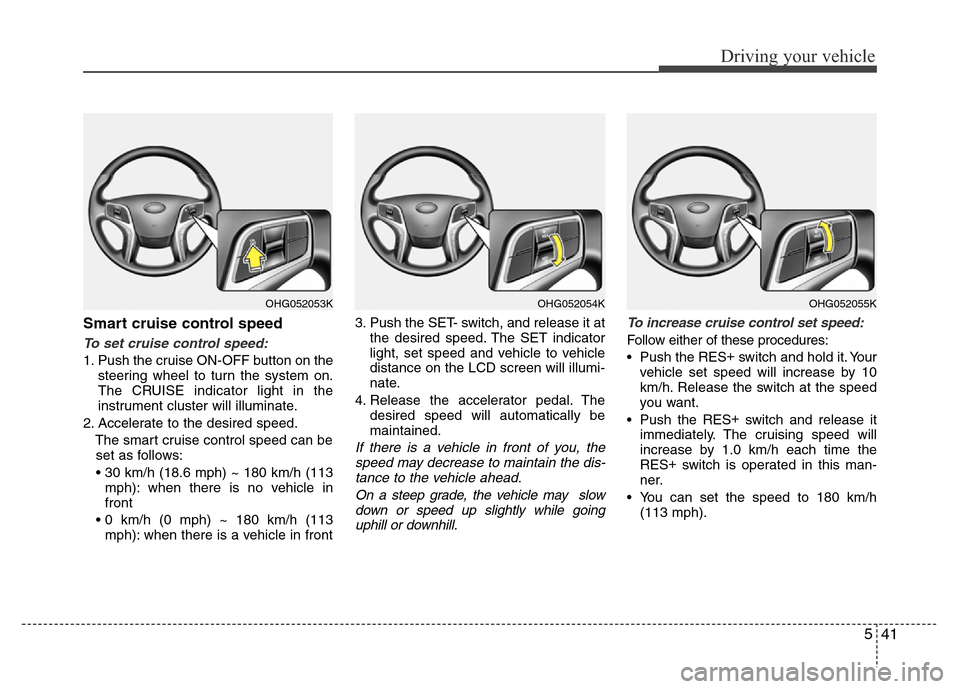
Smart cruise control speed
To set cruise control speed:
1. Push the cruise ON-OFF button on the
steering wheel to turn the system on.
The CRUISE indicator light in the
instrument cluster will illuminate.
2. Accelerate to the desired speed.
The smart cruise control speed can be
set as follows:
• 30 km/h (18.6 mph) ~ 180 km/h (113
mph): when there is no vehicle in
front
• 0 km/h (0 mph) ~ 180 km/h (113
mph): when there is a vehicle in front3. Push the SET- switch, and release it at
the desired speed. The SET indicator
light, set speed and vehicle to vehicle
distance on the LCD screen will illumi-
nate.
4. Release the accelerator pedal. The
desired speed will automatically be
maintained.
If there is a vehicle in front of you, the
speed may decrease to maintain the dis-
tance to the vehicle ahead.
On a steep grade, the vehicle may slow
down or speed up slightly while going
uphill or downhill.To increase cruise control set speed:
Follow either of these procedures:
• Push the RES+
switch and hold it. Your
vehicle set speed will increase by 10
km/h. Release the switch at the speed
you want.
• Push the RES+
switch and release it
immediately. The cruising speed will
increase by 1.0 km/h each time the
RES+
switch is operated in this man-
ner.
• You can set the speed to 180 km/h
(113 mph).
OHG052054KOHG052053KOHG052055K
Page 267 of 403
Driving your vehicle
44 5
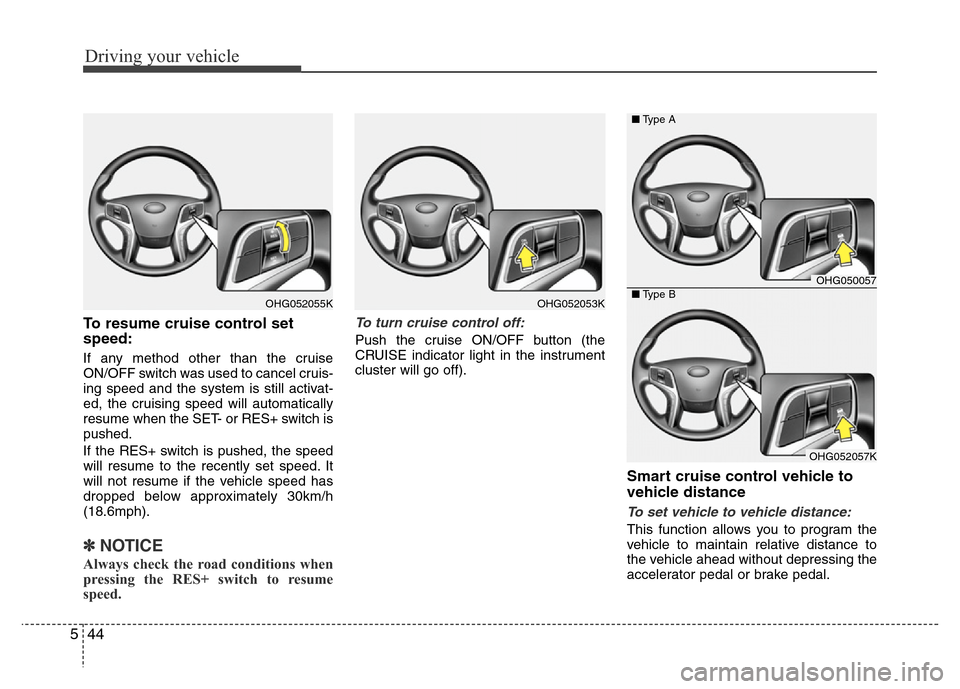
To resume cruise control set
speed:
If any method other than the cruise
ON/OFF switch was used to cancel cruis-
ing speed and the system is still activat-
ed, the cruising speed will automatically
resume when the SET- or RES+ switch is
pushed.
If the RES+ switch is pushed, the speed
will resume to the recently set speed. It
will not resume if the vehicle speed has
dropped below approximately 30km/h
(18.6mph).
✽NOTICE
Always check the road conditions when
pressing the RES+ switch to resume
speed.
To turn cruise control off:
Push the cruise ON/OFF button (the
CRUISE indicator light in the instrument
cluster will go off).
Smart cruise control vehicle to
vehicle distance
To set vehicle to vehicle distance:
This function allows you to program the
vehicle to maintain relative distance to
the vehicle ahead without depressing the
accelerator pedal or brake pedal.
OHG052053KOHG052055K
OHG050057
OHG052057K ■Type A
■Type B