stop start Hyundai Azera 2015 User Guide
[x] Cancel search | Manufacturer: HYUNDAI, Model Year: 2015, Model line: Azera, Model: Hyundai Azera 2015Pages: 473, PDF Size: 11.92 MB
Page 135 of 473
Features of your vehicle
58 4
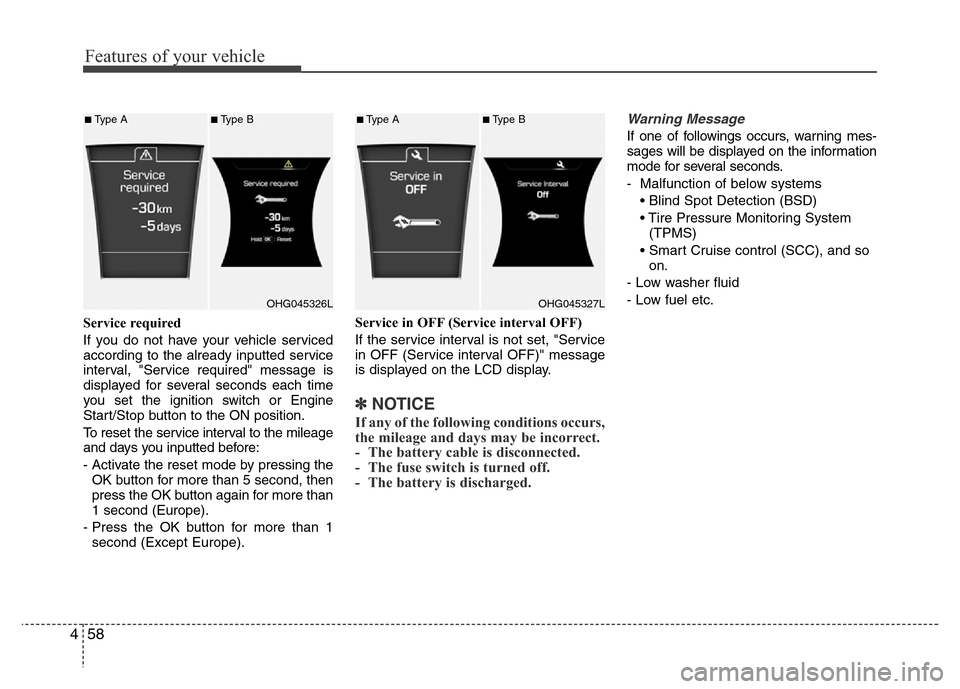
Service required
If you do not have your vehicle serviced
according to the already inputted service
interval, "Service required" message is
displayed for several seconds each time
you set the ignition switch or Engine
Start/Stop button to the ON position.
To reset the service interval to the mileage
and days you inputted before:
- Activate the reset mode by pressing the
OK button for more than 5 second, then
press the OK button again for more than
1 second (Europe).
- Press the OK button for more than 1
second (Except Europe).Service in OFF (Service interval OFF)
If the service interval is not set, "Service
in OFF (Service interval OFF)" message
is displayed on the LCD display.
✽NOTICE
If any of the following conditions occurs,
the mileage and days may be incorrect.
- The battery cable is disconnected.
- The fuse switch is turned off.
- The battery is discharged.
Warning Message
If one of followings occurs, warning mes-
sages will be displayed on the information
mode for several seconds.
- Malfunction of below systems
• Blind Spot Detection (BSD)
• Tire Pressure Monitoring System
(TPMS)
• Smart Cruise control (SCC), and so
on.
- Low washer fluid
- Low fuel etc.
OHG045326L
■Type A■Type B
OHG045327L
■Type A■Type B
Page 139 of 473
Features of your vehicle
62 4
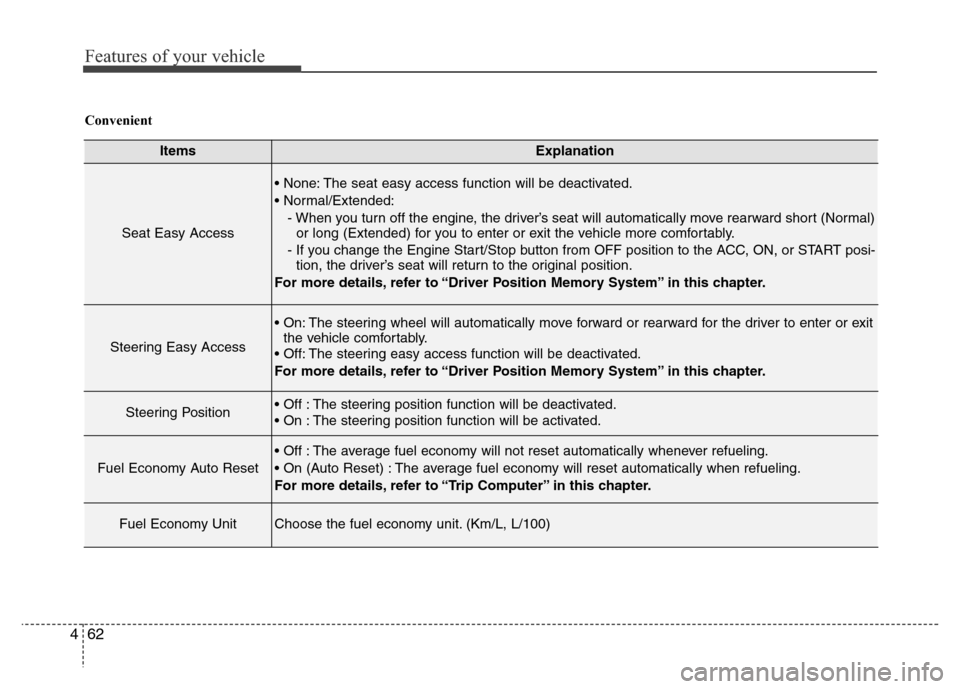
ItemsExplanation
Seat Easy Access
• None: The seat easy access function will be deactivated.
• Normal/Extended:
- When you turn off the engine, the driver’s seat will automatically move rearward short (Normal)
or long (Extended) for you to enter or exit the vehicle more comfortably.
- If you change the Engine Start/Stop button from OFF position to the ACC, ON, or START posi-
tion, the driver’s seat will return to the original position.
For more details, refer to “Driver Position Memory System” in this chapter.
Steering Easy Access
• On: The steering wheel will automatically move forward or rearward for the driver to enter or exit
the vehicle comfortably.
• Off: The steering easy access function will be deactivated.
For more details, refer to “Driver Position Memory System” in this chapter.
Steering Position• Off : The steering position function will be deactivated.
• On : The steering position function will be activated.
Fuel Economy Auto Reset
• Off : The average fuel economy will not reset automatically whenever refueling.
• On (Auto Reset) : The average fuel economy will reset automatically when refueling.
For more details, refer to “Trip Computer” in this chapter.
Fuel Economy UnitChoose the fuel economy unit. (Km/L, L/100)
Convenient
Page 142 of 473
465
Features of your vehicle
Average Vehicle Speed (2)
• The average vehicle speed is calculat-
ed by the total driving distance and
driving time since the last average
vehicle speed reset.
- Speed range: 0 ~ 999 km/h or MPH
• To reset the average vehicle speed,
press the [OK] button on the steering
wheel for more than 1 second when the
average vehicle speed is displayed.
✽NOTICE
• The average vehicle speed is not dis-
played if the driving distance is less than
300 meters (0.19 miles) or the driving
time is less than 10 seconds since the
ignition switch or the Engine Start/Stop
button is turned to ON.
• Even if the vehicle is not in motion,
the average vehicle speed keeps calcu-
lating while the engine is running.
Elapsed Time (3)
• The elapsed time is the total driving
time since the last elapsed time reset.
- Time range (hh:mm): 00:00 ~ 99:59
• To reset the elapsed time, press the
[OK] button on the steering wheel for
more than 1 second when the elapsed
time is displayed.
✽NOTICE
Even if the vehicle is not in motion, the
elapsed time keeps calculating while the
engine is running.
Fuel economy (km or mile,
L/100km, km/L or MPG)
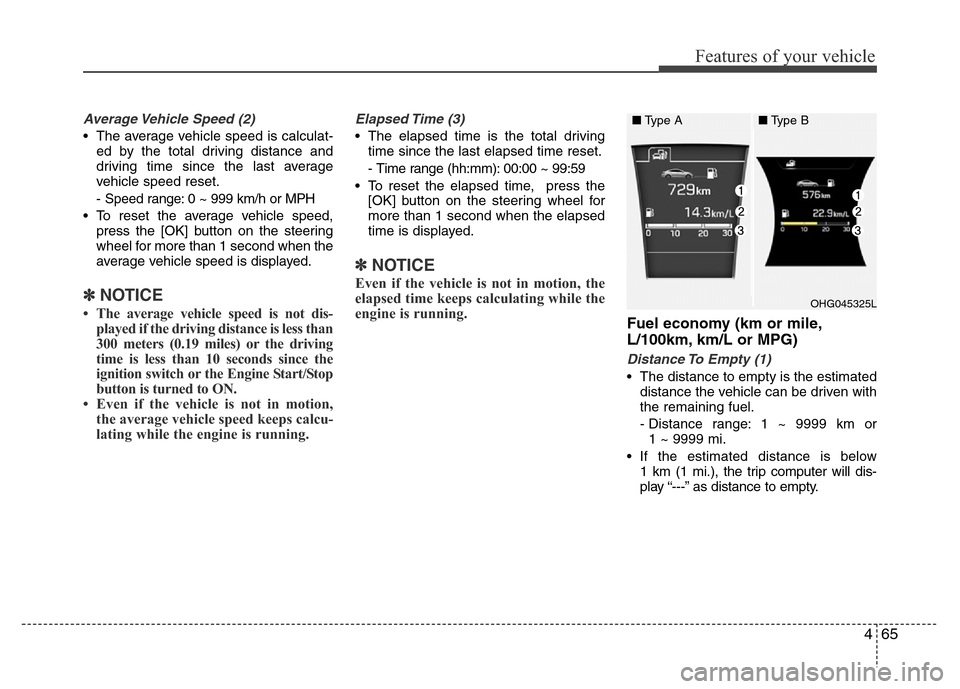
Distance To Empty (1)
• The distance to empty is the estimated
distance the vehicle can be driven with
the remaining fuel.
- Distance range: 1 ~ 9999 km or
1 ~ 9999 mi.
• If the estimated distance is below
1 km (1 mi.), the trip computer will dis-
play “---” as distance to empty.
OHG045325L
■Type A■Type B
Page 143 of 473
Features of your vehicle
66 4
✽NOTICE
• If the vehicle is not on level ground or
the battery power has been interrupt-
ed, the distance to empty function
may not operate correctly.
• The distance to empty may differ
from the actual driving distance as it
is an estimate of the available driving
distance.
• The trip computer may not register
additional fuel if less than 6 liters (1.6
gallons) of fuel are added to the vehi-
cle.
• The fuel economy and distance to
empty may vary significantly based
on driving conditions, driving habits,
and condition of the vehicle.
Average Fuel Economy (2)
• The average fuel economy is calculat-
ed by the total driving distance and fuel
consumption since the last average fuel
economy reset.
- Fuel economy range: 0.0 ~ 99.9
L/100km, km/L or MPG
• The average fuel economy can be
reset both manually and automatically.
Manual reset
To clear the average fuel economy manu-
ally, press the [OK] button on the steering
wheel for more than 1 second when the
average fuel economy is displayed.Automatic reset
To make the average fuel economy be
reset automatically whenever refueling,
select the “Auto Reset” mode in User
Setting menu of the LCD display (Refer
to “LCD Display”).
Under “Auto Reset” mode, the average
fuel economy will be cleared to zero (---)
when the vehicle speed exceeds 1 km/h
after refueling more than 6 liters (1.6 gal-
lons).
✽NOTICE
The average fuel economy is not dis-
played for more accurate calculation if
the vehicle does not drive more than 10
seconds or 300 meters (0.19 miles) since
the ignition switch or the Engine
Start/Stop button is turned to ON.
Instant Fuel Economy (3)
• This mode displays the instant fuel
economy during the last few seconds
when the vehicle speed is more than
10 km/h (6.2 MPH).
- Fuel economy range: 0 ~ 30
L/100km, km/L or 0 ~ 50 MPG
Page 147 of 473
Features of your vehicle
70 4
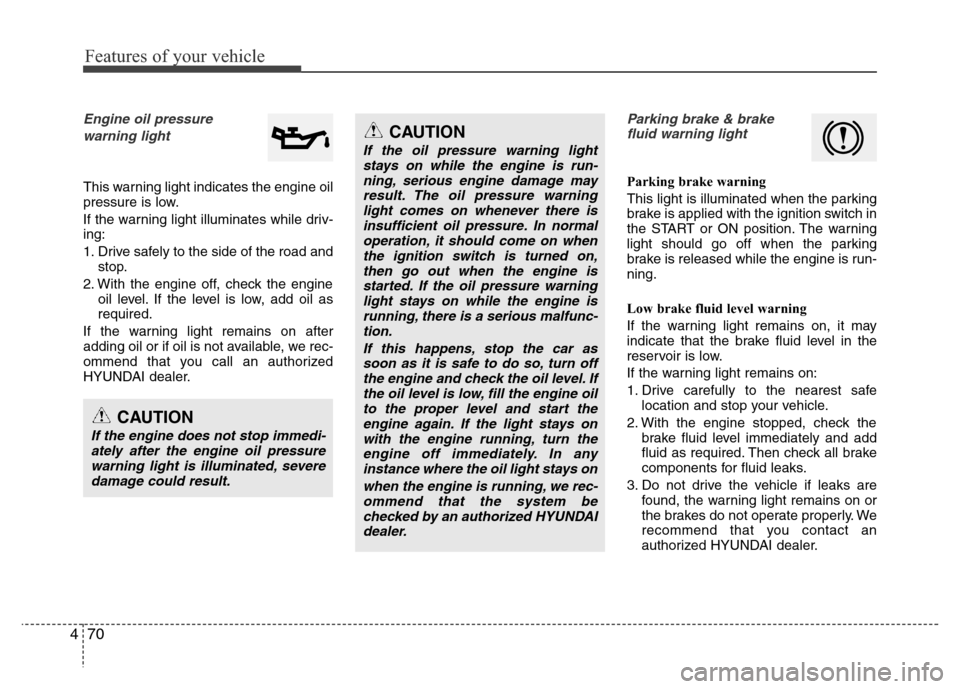
Engine oil pressure
warning light
This warning light indicates the engine oil
pressure is low.
If the warning light illuminates while driv-
ing:
1. Drive safely to the side of the road and
stop.
2. With the engine off, check the engine
oil level. If the level is low, add oil as
required.
If the warning light remains on after
adding oil or if oil is not available, we rec-
ommend that you call an authorized
HYUNDAI dealer.
Parking brake & brake
fluid warning light
Parking brake warning
This light is illuminated when the parking
brake is applied with the ignition switch in
the START or ON position. The warning
light should go off when the parking
brake is released while the engine is run-
ning.
Low brake fluid level warning
If the warning light remains on, it may
indicate that the brake fluid level in the
reservoir is low.
If the warning light remains on:
1. Drive carefully to the nearest safe
location and stop your vehicle.
2. With the engine stopped, check the
brake fluid level immediately and add
fluid as required. Then check all brake
components for fluid leaks.
3. Do not drive the vehicle if leaks are
found, the warning light remains on or
the brakes do not operate properly. We
recommend that you contact an
authorized HYUNDAI dealer.
CAUTION
If the engine does not stop immedi-
ately after the engine oil pressure
warning light is illuminated, severe
damage could result.
CAUTION
If the oil pressure warning light
stays on while the engine is run-
ning, serious engine damage may
result. The oil pressure warning
light comes on whenever there is
insufficient oil pressure. In normal
operation, it should come on when
the ignition switch is turned on,
then go out when the engine is
started. If the oil pressure warning
light stays on while the engine is
running, there is a serious malfunc-
tion.
If this happens, stop the car as
soon as it is safe to do so, turn off
the engine and check the oil level. If
the oil level is low, fill the engine oil
to the proper level and start the
engine again. If the light stays on
with the engine running, turn the
engine off immediately. In any
instance where the oil light stays on
when the engine is running, we rec-
ommend that the system be
checked by an authorized HYUNDAI
dealer.
Page 150 of 473
473
Features of your vehicle
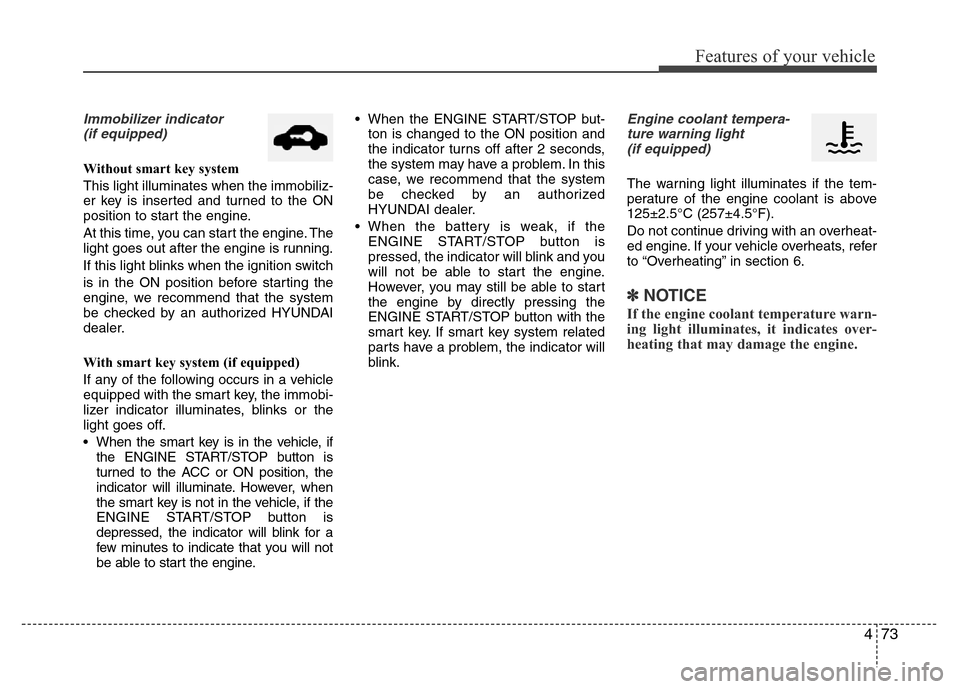
Immobilizer indicator
(if equipped)
Without smart key system
This light illuminates when the immobiliz-
er key is inserted and turned to the ON
position to start the engine.
At this time, you can start the engine. The
light goes out after the engine is running.
If this light blinks when the ignition switch
is in the ON position before starting the
engine, we recommend that the system
be checked by an authorized HYUNDAI
dealer.
With smart key system (if equipped)
If any of the following occurs in a vehicle
equipped with the smart key, the immobi-
lizer indicator illuminates, blinks or the
light goes off.
• When the smart key is in the vehicle, if
the ENGINE START/STOP button is
turned to the ACC or ON position, the
indicator will illuminate. However, when
the smart key is not in the vehicle, if the
ENGINE START/STOP button is
depressed, the indicator will blink for a
few minutes to indicate that you will not
be able to start the engine.• When the ENGINE START/STOP but-
ton is changed to the ON position and
the indicator turns off after 2 seconds,
the system may have a problem. In this
case, we recommend that the system
be checked by an authorized
HYUNDAI dealer.
• When the battery is weak, if the
ENGINE START/STOP button is
pressed, the indicator will blink and you
will not be able to start the engine.
However, you may still be able to start
the engine by directly pressing the
ENGINE START/STOP button with the
smart key. If smart key system related
parts have a problem, the indicator will
blink.
Engine coolant tempera-
ture warning light
(if equipped)
The warning light illuminates if the tem-
perature of the engine coolant is above
125±2.5°C (257±4.5°F).
Do not continue driving with an overheat-
ed engine. If your vehicle overheats, refer
to “Overheating” in section 6.
✽NOTICE
If the engine coolant temperature warn-
ing light illuminates, it indicates over-
heating that may damage the engine.
Page 155 of 473
Features of your vehicle
78 4
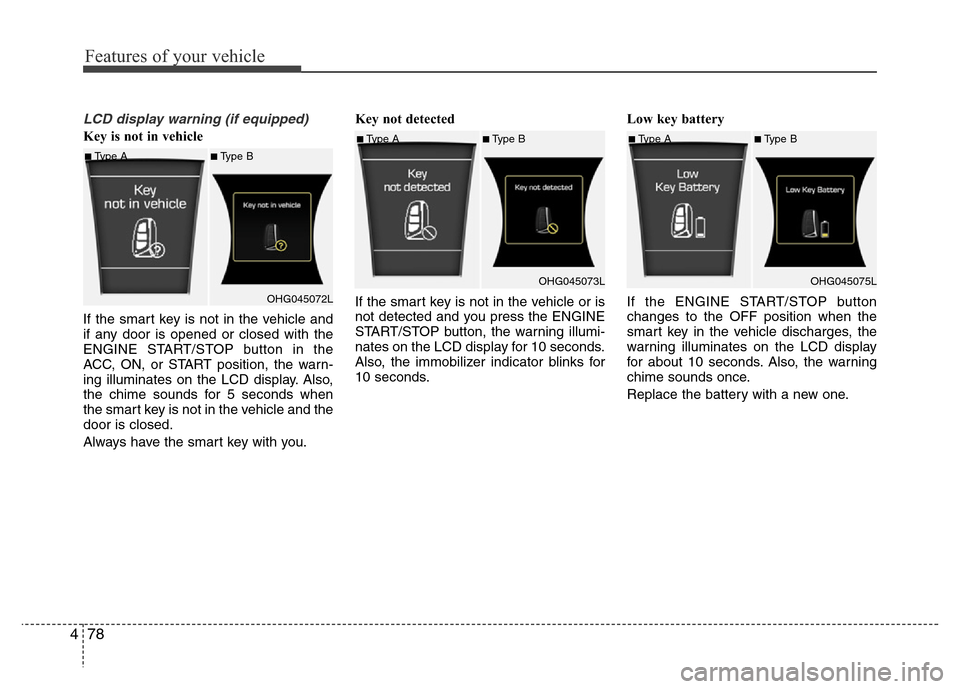
LCD display warning (if equipped)
Key is not in vehicle
If the smart key is not in the vehicle and
if any door is opened or closed with the
ENGINE START/STOP button in the
ACC, ON, or START position, the warn-
ing illuminates on the LCD display. Also,
the chime sounds for 5 seconds when
the smart key is not in the vehicle and the
door is closed.
Always have the smart key with you.Key not detected
If the smart key is not in the vehicle or is
not detected and you press the ENGINE
START/STOP button, the warning illumi-
nates on the LCD display for 10 seconds.
Also, the immobilizer indicator blinks for
10 seconds.Low key battery
If the ENGINE START/STOP button
changes to the OFF position when the
smart key in the vehicle discharges, the
warning illuminates on the LCD display
for about 10 seconds. Also, the warning
chime sounds once.
Replace the battery with a new one.
■Type A■Type B
OHG045072L
■Type A■Type B
OHG045073L■Type A■Type B
OHG045075L
Page 156 of 473
479
Features of your vehicle
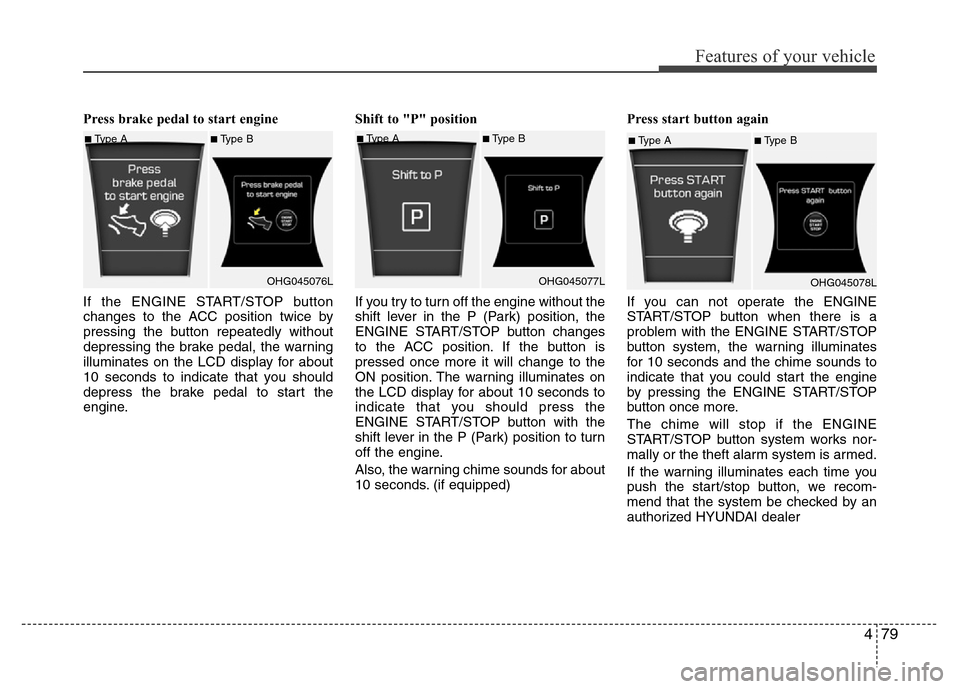
Press brake pedal to start engine
If the ENGINE START/STOP button
changes to the ACC position twice by
pressing the button repeatedly without
depressing the brake pedal, the warning
illuminates on the LCD display for about
10 seconds to indicate that you should
depress the brake pedal to start the
engine.Shift to "P" position
If you try to turn off the engine without the
shift lever in the P (Park) position, the
ENGINE START/STOP button changes
to the ACC position. If the button is
pressed once more it will change to the
ON position. The warning illuminates on
the LCD display for about 10 seconds to
indicate that you should press the
ENGINE START/STOP button with the
shift lever in the P (Park) position to turn
off the engine.
Also, the warning chime sounds for about
10 seconds. (if equipped)Press start button again
If you can not operate the ENGINE
START/STOP button when there is a
problem with the ENGINE START/STOP
button system, the warning illuminates
for 10 seconds and the chime sounds to
indicate that you could start the engine
by pressing the ENGINE START/STOP
button once more.
The chime will stop if the ENGINE
START/STOP button system works nor-
mally or the theft alarm system is armed.
If the warning illuminates each time you
push the start/stop button, we recom-
mend that the system be checked by an
authorized HYUNDAI dealer
■Type A■Type B
OHG045076L■Type A■Type B
OHG045077L■Type A■Type B
OHG045078L
Page 157 of 473
Features of your vehicle
80 4
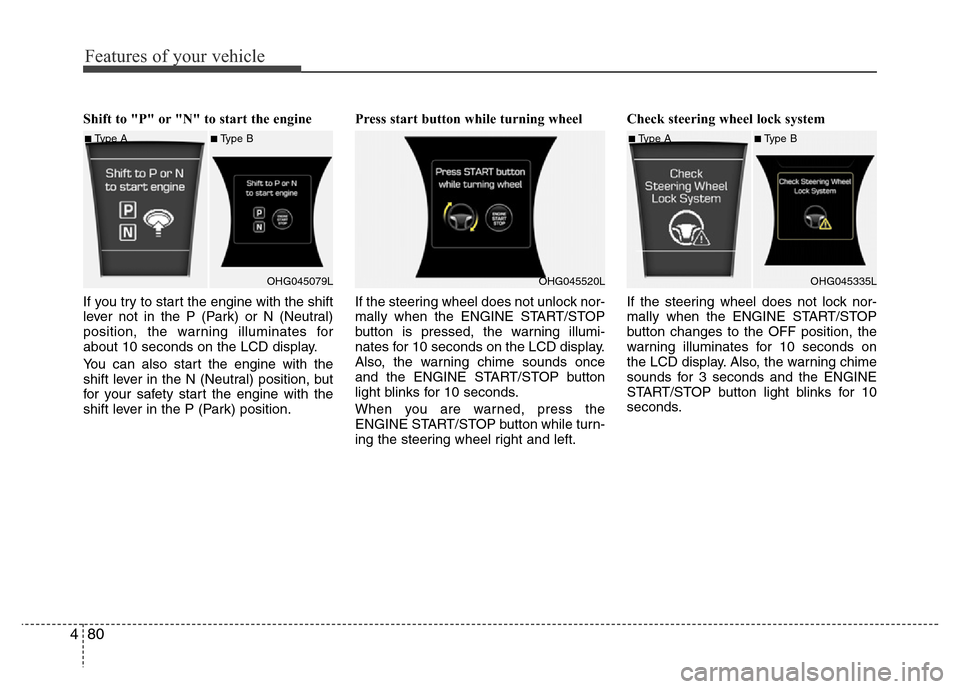
Shift to "P" or "N" to start the engine
If you try to start the engine with the shift
lever not in the P (Park) or N (Neutral)
position, the warning illuminates for
about 10 seconds on the LCD display.
You can also start the engine with the
shift lever in the N (Neutral) position, but
for your safety start the engine with the
shift lever in the P (Park) position.Press start button while turning wheel
If the steering wheel does not unlock nor-
mally when the ENGINE START/STOP
button is pressed, the warning illumi-
nates for 10 seconds on the LCD display.
Also, the warning chime sounds once
and the ENGINE START/STOP button
light blinks for 10 seconds.
When you are warned, press the
ENGINE START/STOP button while turn-
ing the steering wheel right and left.Check steering wheel lock system
If the steering wheel does not lock nor-
mally when the ENGINE START/STOP
button changes to the OFF position, the
warning illuminates for 10 seconds on
the LCD display. Also, the warning chime
sounds for 3 seconds and the ENGINE
START/STOP button light blinks for 10
seconds.
■Type A■Type B
OHG045079L
OHG045520L
■Type A■Type B
OHG045335L
Page 158 of 473
481
Features of your vehicle
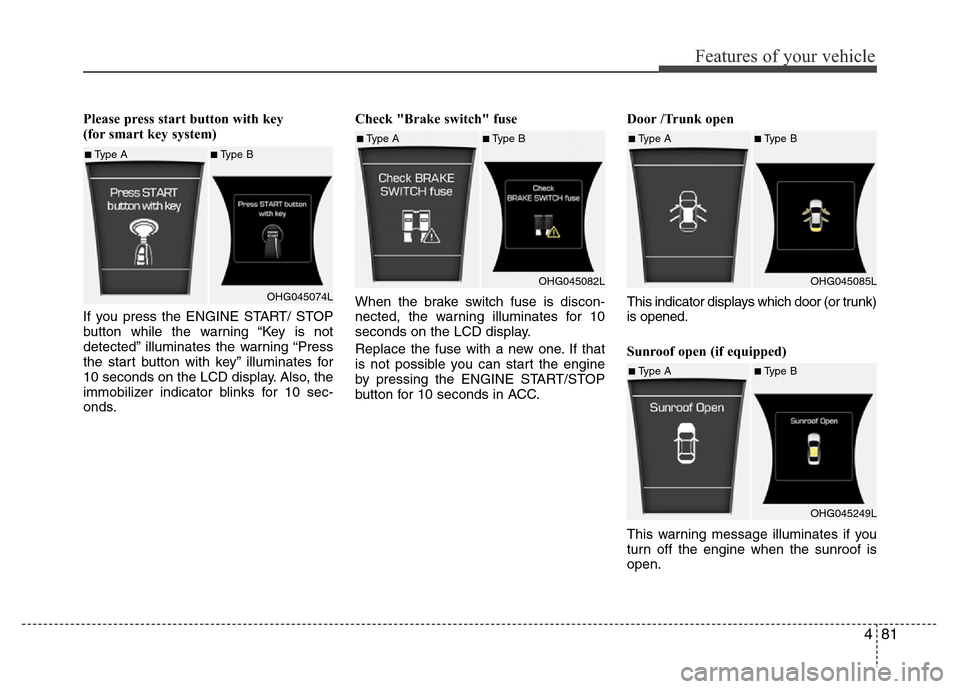
Please press start button with key
(for smart key system)
If you press the ENGINE START/ STOP
button while the warning “Key is not
detected” illuminates the warning “Press
the start button with key” illuminates for
10 seconds on the LCD display. Also, the
immobilizer indicator blinks for 10 sec-
onds.Check "Brake switch" fuse
When the brake switch fuse is discon-
nected, the warning illuminates for 10
seconds on the LCD display.
Replace the fuse with a new one. If that
is not possible you can start the engine
by pressing the ENGINE START/STOP
button for 10 seconds in ACC.Door /Trunk open
This indicator displays which door (or trunk)
is opened.
Sunroof open (if equipped)
This warning message illuminates if you
turn off the engine when the sunroof is
open.
■Type A■Type B
OHG045074L
■Type A■Type B
OHG045082L■Type A■Type B
OHG045085L
■Type A■Type B
OHG045249L