engine part Hyundai Azera 2016 User Guide
[x] Cancel search | Manufacturer: HYUNDAI, Model Year: 2016, Model line: Azera, Model: Hyundai Azera 2016Pages: 521, PDF Size: 16.54 MB
Page 162 of 521
Features of your vehicle
82
4
Door ajar warning light
This warning light illuminates when a
door is not closed securely.
Trunk lid open warning
light
This warning light illuminates when a
trunk lid is not closed securely.
Immobilizer indicator
If any of the following occurs in a
vehicle equipped with the smart key,
the immobilizer indicator illuminates,
blinks or the light goes off.
When the smart key is in the vehi- cle, if the ENGINE START/STOP
button is in the ACC or ON posi-
tion, the indicator will illuminate.
However, when the smart key is
not in the vehicle, if the ENGINE
START/STOP button is pressed,
the indicator will blink 10 times to
indicate that you will not be able to
start the engine.
When the ENGINE START/STOP button is in the ON position and the
indicator turns off after 2 seconds,
the system may have a problem.
Have the vehicle checked by an
authorized HYUNDAI dealer. When the battery is weak, if the
ENGINE START/STOP button is
pressed, the indicator will blink and
you will not be able to start the
engine. However, you may still be
able to start the engine by directly
pressing the engine start/stop but-
ton with the smart key. If smart key
system related parts have a prob-
lem, the indicator will blink.
Page 164 of 521
Features of your vehicle
84
4
Low fuel level warning
light
This warning light indicates the fuel
tank is nearly empty. When it comes
on, you should add fuel as soon as
possible. Driving with the fuel level
warning light on or with the fuel level
below “E” can cause the engine to
misfire and damage the catalytic
converter.
Malfunction indicatorlight (MIL) (check engine light)
This indicator light is part of the
Engine Control System which moni-
tors various emission control system
components. If this light illuminates
while driving, it indicates that a
potential malfunction has been
detected somewhere in the emission
control system.
This light will also illuminate when
the ignition switch is turned to the
ON position, and will go out in a few
seconds after the engine is started. If
it illuminates while driving, or does
not illuminate when the ignition
switch is in the ON position, take
your vehicle to your nearest author-
ized HYUNDAI dealer and have the
system checked.
Generally, your vehicle will continue
to be drivable, but have the system
checked by an authorized HYUNDAI
dealer promptly.
CAUTION - MIL
illumination
Prolonged driving with the Malfunction Indicator Lightilluminated may cause damageto the emission control sys-tems which could effect dri-vability and/or fuel economy.
If the Emission Control Malfunction Indicator Lightilluminates, potential catalyticconverter damage is possiblewhich could result in loss ofengine power. Have the EngineControl System inspected assoon as possible by an author-ized HYUNDAI dealer.
Page 187 of 521
4107
Features of your vehicle
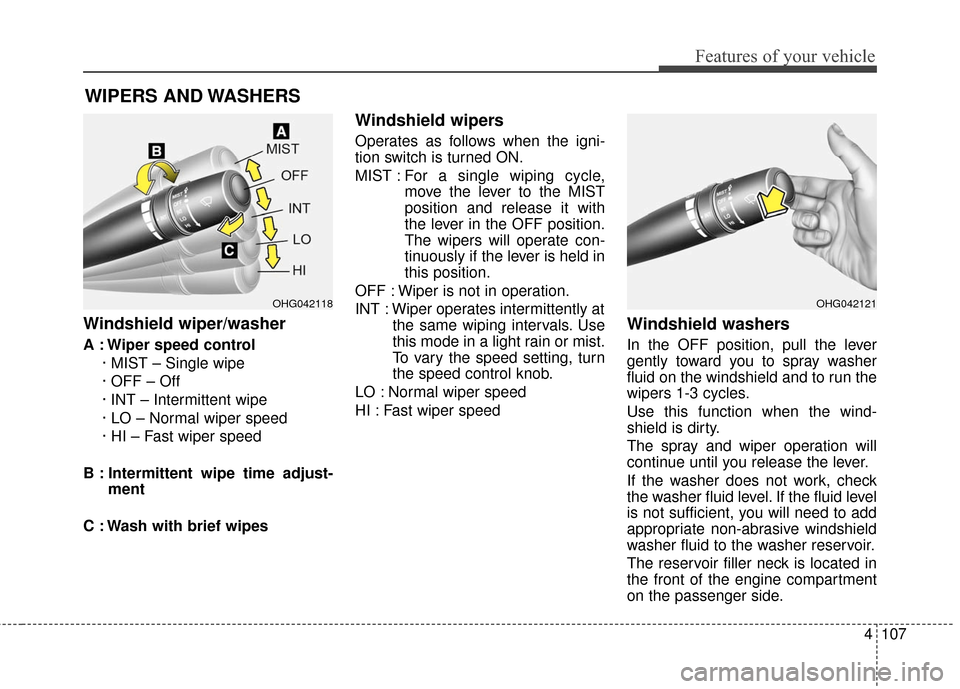
Windshield wiper/washer
A : Wiper speed control· MIST – Single wipe
· OFF – Off
· INT – Intermittent wipe
· LO – Normal wiper speed
· HI – Fast wiper speed
B : Intermittent wipe time adjust- ment
C : Wash with brief wipes
Windshield wipers
Operates as follows when the igni-
tion switch is turned ON.
MIST : For a single wiping cycle,
move the lever to the MIST
position and release it with
the lever in the OFF position.
The wipers will operate con-
tinuously if the lever is held in
this position.
OFF : Wiper is not in operation.
INT : Wiper operates intermittently at the same wiping intervals. Use
this mode in a light rain or mist.
To vary the speed setting, turn
the speed control knob.
LO : Normal wiper speed
HI : Fast wiper speed
Windshield washers
In the OFF position, pull the lever
gently toward you to spray washer
fluid on the windshield and to run the
wipers 1-3 cycles.
Use this function when the wind-
shield is dirty.
The spray and wiper operation will
continue until you release the lever.
If the washer does not work, check
the washer fluid level. If the fluid level
is not sufficient, you will need to add
appropriate non-abrasive windshield
washer fluid to the washer reservoir.
The reservoir filler neck is located in
the front of the engine compartment
on the passenger side.
WIPERS AND WASHERS
OHG042118OHG042121
Page 236 of 521
✽
✽NOTICE - USING THE USB
DEVICE
• Connect the USB device after turning on the engine. The USB
device may become damaged if
it is already connected when the
ignition is turned on.The USB
device may not operate properly
if the car ignition is turned on or
off with the USB device connect-
ed.
• Heed caution to static electricity when connecting/disconnecting
USB devices.
• Encoded MP3 Players will not be recognized when connected
as an external device.
• When connecting an external USB device, the device may not
properly recognize the USB is in
some states.
• Only products formatted with byte/sectors under 64Kbyte will
be recognized.
• This device recognizes USB devices formatted in FAT
12/16/32 file formats. This
device does not recognize files in
NTFS file format. (Continued)(Continued)
• Some USB devices may not be supported due to compatibility
issues.
• Avoid contact between the USB connector with bodily parts or
foreign objects.
• Repeated connecting/discon- necting of USB devices within
short periods of time may result
in product malfunction.
• A strange noise may occur when disconnecting the USB.
• Make sure to connect/discon- nect external USB devices with
the audio power turned off.
• The amount of time required to recognize the USB device may
differ depending on the type,
size or file formats stored in the
USB. Such differences in time
are not indications of malfunc-
tions.
• The device only supports USB devices used to play music files.
• USB images and videos are not supported. (Continued)(Continued)
• Do not use the USB I/F to charge batteries or USB acces-
sories that generate heat. Such
acts may lead to worsened per-
formance or damage to the
device.
• The device may not recognize the USB device if separately
purchased USB hubs and exten-
sion cables are being used.
Connect the USB directly with
the multimedia terminal of the
vehicle.
• When using mass storage USB devices with separate logical
drives, only files saved to the
root drive can be played.
• Files may not properly operate if application programs are
installed to the USBs.
• The device may not operate nor- mally if MP3 Players, cellular
phones, digital cameras, or oth-
er electronic devices (USB
devices not recognized as
portable disk drives) are con-
nected with the device. (Continued)
4156
Features of your vehicle
Page 306 of 521
Driving your vehicle
Before driving . . . . . . . . . . . . . . . . . . . . . . . . . . . . . . 5-3
Engine start/stop button . . . . . . . . . . . . . . . . . . . . . 5-5
• Illuminated ENGINE START/STOP button . . . . . . . 5-5
. . . . . . . . . . . 5-5
. . . . . . . . . . . . . . . . . . . . . . . . . . . . 5-7
Automatic transaxle . . . . . . . . . . . . . . . . . . . . . . . . 5-10
. . . . . . . . . . . . . . . . . . 5-10
Brake system . . . . . . . . . . . . . . . . . . . . . . . . . . . . . . 5-16
. . . . . . . . . . . . . . . . . . . . . . . . . . . . . . . . 5-16
. . . . . . . . . . . . . . . . . . . . . . . . . . . . . . . 5-18
. . . . . . . . . . . . . . . . 5-19
. . . . . . . . . . . . . . . . . . . . . . . . . . . . . . . . . . . 5-\
25
. . . . . . . . . . . . . . . . . . 5-29
. . . . . . . . . . . . . . . 5-30
. . . . . . . . . . . . 5-34
. . . . . . . . . . . . . . . . . . 5-35
Cruise control system. . . . . . . . . . . . . . . . . . . . . . . 5-38
Smart cruise control system . . . . . . . . . . . . . . . . . 5-42
Active ECO system. . . . . . . . . . . . . . . . . . . . . . . . . 5-56
Blind spot detection system (BSD) . . . . . . . . . . . . 5-57
LCA (Lane Change Assist) . . . . . . . . . . . . . . . . . . . . 5-58
. . . . . . . . . . . . . . . . . . . . . . . . . . . . 5-63
Lane departure warning system (LDWS) . . . . . . 5-65
Forward collision warning system (FCWS). . . . . 5-69
Economical operation . . . . . . . . . . . . . . . . . . . . . . 5-73
Special driving conditions . . . . . . . . . . . . . . . . . . . 5-75
. . . . . . . . . . . . . . . . . . 5-75
. . . . . . . . . . . . . . . . . . . . . . . . . . . 5-75
. . . . . . . . . . . . . . . . . . . . . . . . . . . . 5-76
. . . . . . . . . . . . . . . . . . . . . . . . . . . . . . 5-76
. . . . . . . . . . . . . . . . . . . . . . . . . . . . 5-77
. . . . . . . . . . . . . . . . . . . . . . . 5-77
. . . . . . . . . . . . . . . . . . . . . . . . . . . . . . 5-77
. . . . . . . . . . . . . . . . . . . . . . . . . . . . . 5-78
Winter driving . . . . . . . . . . . . . . . . . . . . . . . . . . . . 5-79
Vehicle load limit . . . . . . . . . . . . . . . . . . . . . . . . . . 5-83
. . . . . . . . . . . . . . 5-83
. . . . . . . . . . . . . . . . . . . . . . . . . . . . 5-86
Vehicle weight . . . . . . . . . . . . . . . . . . . . . . . . . . . . . 5-87
. . . . . . . . . . . . . . . . . . . . . . . . . . . . 5-87
. . . . . . . . . . . . . . . . . . . . . . . . . . . 5-87
. . . . . . . . . . . . . . . . . . . . . . . . . . . . . . . . 5-87
. . . . . . . . . . . . . . . . . . . . . . 5-87
. . . . . . . . . . . . . . . 5-87
. . . . . . . . . . . . . . . . . . . 5-87
. . . . . . . . . . . . 5-87
Trailer Towing . . . . . . . . . . . . . . . . . . . . . . . . . . . . 5-88
5
Page 307 of 521
Driving your vehicle
25
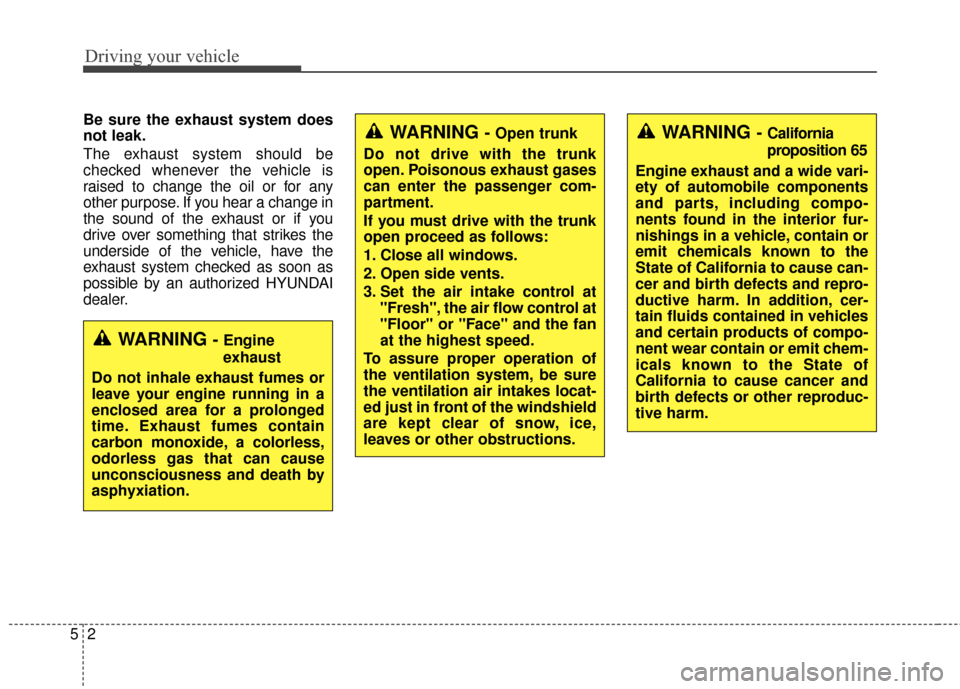
Be sure the exhaust system does
not leak.
The exhaust system should be
checked whenever the vehicle is
raised to change the oil or for any
other purpose. If you hear a change in
the sound of the exhaust or if you
drive over something that strikes the
underside of the vehicle, have the
exhaust system checked as soon as
possible by an authorized HYUNDAI
dealer.
WARNING - Engine
exhaust
Do not inhale exhaust fumes or
leave your engine running in a
enclosed area for a prolonged
time. Exhaust fumes contain
carbon monoxide, a colorless,
odorless gas that can cause
unconsciousness and death by
asphyxiation.
WARNING - Open trunk
Do not drive with the trunk
open. Poisonous exhaust gases
can enter the passenger com-
partment.
If you must drive with the trunk
open proceed as follows:
1. Close all windows.
2. Open side vents.
3. Set the air intake control at "Fresh", the air flow control at
"Floor" or "Face" and the fan
at the highest speed.
To assure proper operation of
the ventilation system, be sure
the ventilation air intakes locat-
ed just in front of the windshield
are kept clear of snow, ice,
leaves or other obstructions.WARNING - California
proposition 65
Engine exhaust and a wide vari-
ety of automobile components
and parts, including compo-
nents found in the interior fur-
nishings in a vehicle, contain or
emit chemicals known to the
State of California to cause can-
cer and birth defects and repro-
ductive harm. In addition, cer-
tain fluids contained in vehicles
and certain products of compo-
nent wear contain or emit chem-
icals known to the State of
California to cause cancer and
birth defects or other reproduc-
tive harm.
Page 321 of 521
Driving your vehicle
16
5
BRAKE SYSTEM
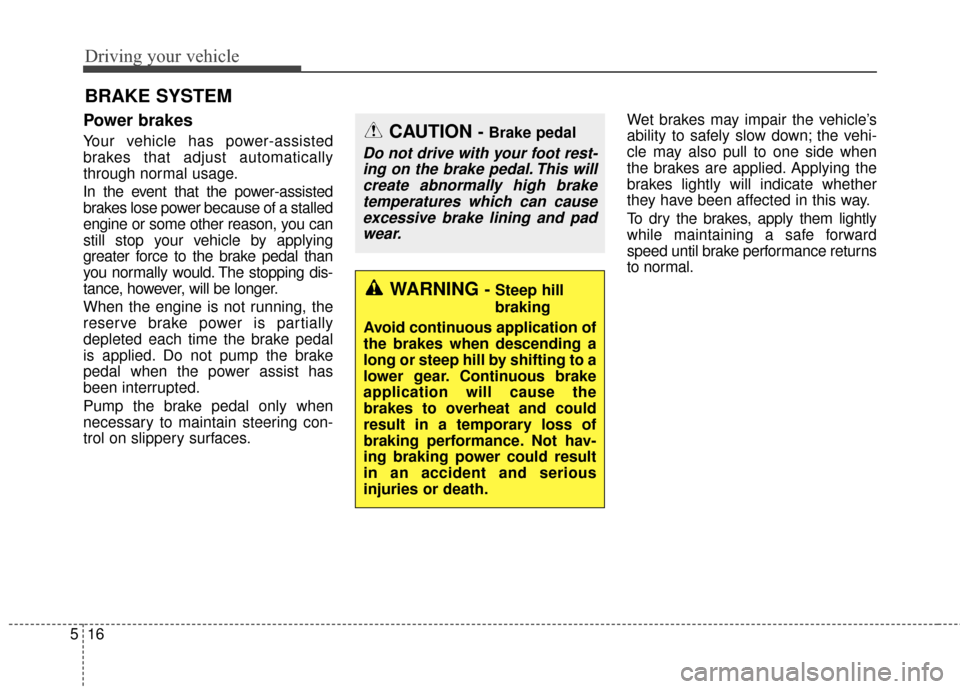
Power brakes
Your vehicle has power-assisted
brakes that adjust automatically
through normal usage.
In the event that the power-assisted
brakes lose power because of a stalled
engine or some other reason, you can
still stop your vehicle by applying
greater force to the brake pedal than
you normally would. The stopping dis-
tance, however, will be longer.
When the engine is not running, the
reserve brake power is partially
depleted each time the brake pedal
is applied. Do not pump the brake
pedal when the power assist has
been interrupted.
Pump the brake pedal only when
necessary to maintain steering con-
trol on slippery surfaces. Wet brakes may impair the vehicle’s
ability to safely slow down; the vehi-
cle may also pull to one side when
the brakes are applied. Applying the
brakes lightly will indicate whether
they have been affected in this way.
To dry the brakes, apply them lightly
while maintaining a safe forward
speed until brake performance returns
to normal.CAUTION - Brake pedal
Do not drive with your foot rest-
ing on the brake pedal. This willcreate abnormally high braketemperatures which can causeexcessive brake lining and padwear.
WARNING - Steep hill
braking
Avoid continuous application of
the brakes when descending a
long or steep hill by shifting to a
lower gear. Continuous brake
application will cause the
brakes to overheat and could
result in a temporary loss of
braking performance. Not hav-
ing braking power could result
in an accident and serious
injuries or death.
Page 334 of 521
529
Driving your vehicle
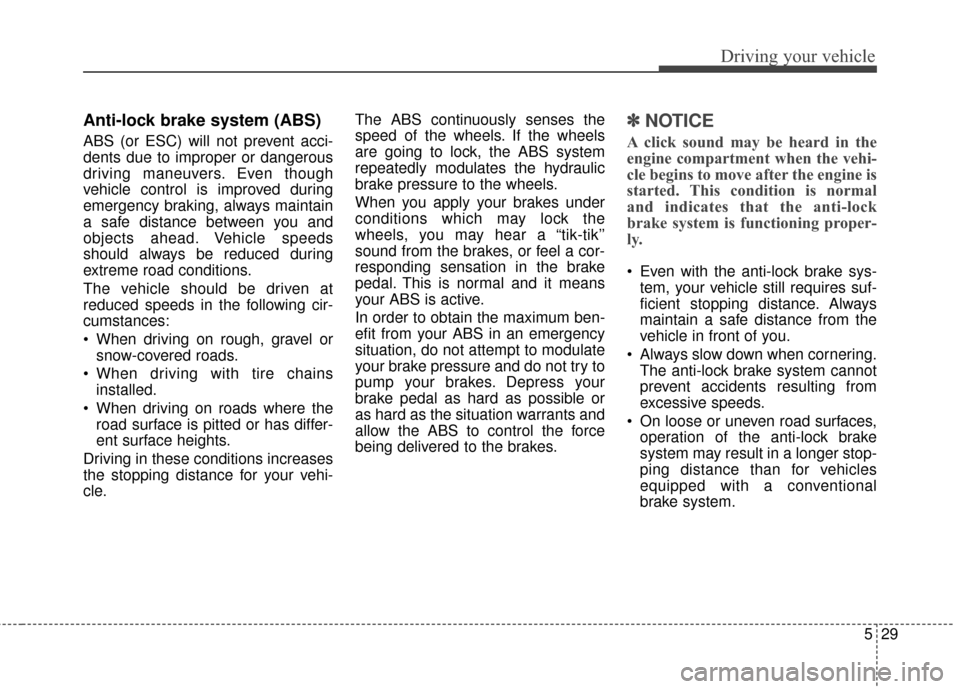
Anti-lock brake system (ABS)
ABS (or ESC) will not prevent acci-
dents due to improper or dangerous
driving maneuvers. Even though
vehicle control is improved during
emergency braking, always maintain
a safe distance between you and
objects ahead. Vehicle speeds
should always be reduced during
extreme road conditions.
The vehicle should be driven at
reduced speeds in the following cir-
cumstances:
When driving on rough, gravel orsnow-covered roads.
When driving with tire chains installed.
When driving on roads where the road surface is pitted or has differ-
ent surface heights.
Driving in these conditions increases
the stopping distance for your vehi-
cle. The ABS continuously senses the
speed of the wheels. If the wheels
are going to lock, the ABS system
repeatedly modulates the hydraulic
brake pressure to the wheels.
When you apply your brakes under
conditions which may lock the
wheels, you may hear a “tik-tik’’
sound from the brakes, or feel a cor-
responding sensation in the brake
pedal. This is normal and it means
your ABS is active.
In order to obtain the maximum ben-
efit from your ABS in an emergency
situation, do not attempt to modulate
your brake pressure and do not try to
pump your brakes. Depress your
brake pedal as hard as possible or
as hard as the situation warrants and
allow the ABS to control the force
being delivered to the brakes.
✽ ✽
NOTICE
A click sound may be heard in the
engine compartment when the vehi-
cle begins to move after the engine is
started. This condition is normal
and indicates that the anti-lock
brake system is functioning proper-
ly.
Even with the anti-lock brake sys-
tem, your vehicle still requires suf-
ficient stopping distance. Always
maintain a safe distance from the
vehicle in front of you.
Always slow down when cornering. The anti-lock brake system cannot
prevent accidents resulting from
excessive speeds.
On loose or uneven road surfaces, operation of the anti-lock brake
system may result in a longer stop-
ping distance than for vehicles
equipped with a conventional
brake system.
Page 343 of 521
Driving your vehicle
38
5
CRUISE CONTROL SYSTEM
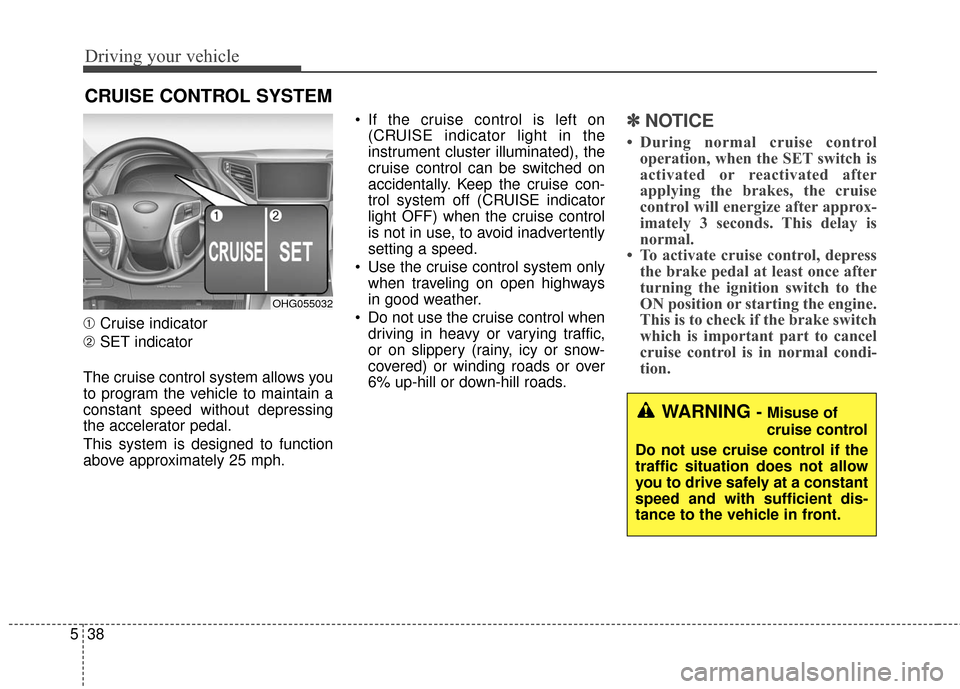
➀ Cruise indicator
➁ SET indicator
The cruise control system allows you
to program the vehicle to maintain a
constant speed without depressing
the accelerator pedal.
This system is designed to function
above approximately 25 mph. If the cruise control is left on
(CRUISE indicator light in the
instrument cluster illuminated), the
cruise control can be switched on
accidentally. Keep the cruise con-
trol system off (CRUISE indicator
light OFF) when the cruise control
is not in use, to avoid inadvertently
setting a speed.
Use the cruise control system only when traveling on open highways
in good weather.
Do not use the cruise control when driving in heavy or varying traffic,
or on slippery (rainy, icy or snow-
covered) or winding roads or over
6% up-hill or down-hill roads.
✽ ✽ NOTICE
• During normal cruise control
operation, when the SET switch is
activated or reactivated after
applying the brakes, the cruise
control will energize after approx-
imately 3 seconds. This delay is
normal.
• To activate cruise control, depress the brake pedal at least once after
turning the ignition switch to the
ON position or starting the engine.
This is to check if the brake switch
which is important part to cancel
cruise control is in normal condi-
tion.
WARNING - Misuse of
cruise control
Do not use cruise control if the
traffic situation does not allow
you to drive safely at a constant
speed and with sufficient dis-
tance to the vehicle in front.
OHG055032
Page 371 of 521
Driving your vehicle
66
5
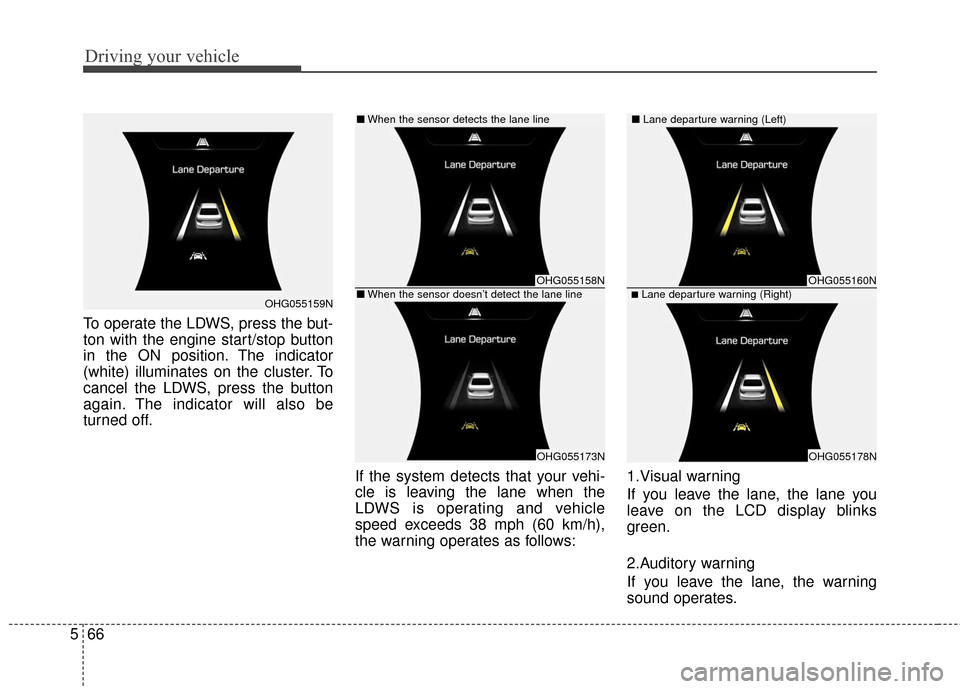
To operate the LDWS, press the but-
ton with the engine start/stop button
in the ON position. The indicator
(white) illuminates on the cluster. To
cancel the LDWS, press the button
again. The indicator will also be
turned off.
If the system detects that your vehi-
cle is leaving the lane when the
LDWS is operating and vehicle
speed exceeds 38 mph (60 km/h),
the warning operates as follows:1.Visual warning
If you leave the lane, the lane you
leave on the LCD display blinks
green.
2.Auditory warning
If you leave the lane, the warning
sound operates.
OHG055159N
OHG055158N
OHG055173N
OHG055160N
OHG055178N
■Lane departure warning (Right)
■
When the sensor detects the lane line■ Lane departure warning (Left)
■When the sensor doesn’t detect the lane line