instrument panel Hyundai Azera 2017 User Guide
[x] Cancel search | Manufacturer: HYUNDAI, Model Year: 2017, Model line: Azera, Model: Hyundai Azera 2017Pages: 520, PDF Size: 16.33 MB
Page 66 of 520
347
Safety features of your vehicle
Any child age 12 and under should
ride in the rear seat. Children too
large for child restraints should use
the available lap/shoulder belts. No
matter what type of crash, children of
all ages are safer when restrained in
the rear seat.
✽ ✽NOTICE
Do not modify or replace the front
passenger seat. Do not place any-
thing on or attach anything such as
a blanket, front seat covers or after
market seat heater to the front pas-
senger seat. This can adversely
affect the occupant classification
system.
If the occupant classification system
is not working properly, the SRS air
bag warning light on the instrument
panel will illuminate because the
passenger's front air bag is connect-
ed with the occupant classification
system. If there is a malfunction of
the occupant detection system, the
PASSENGER AIR BAG “OFF” indi-
cator will not illuminate and the pas-
senger's front air bag will inflate in
frontal impact crashes even if there is
no occupant in the front passenger's
seat.
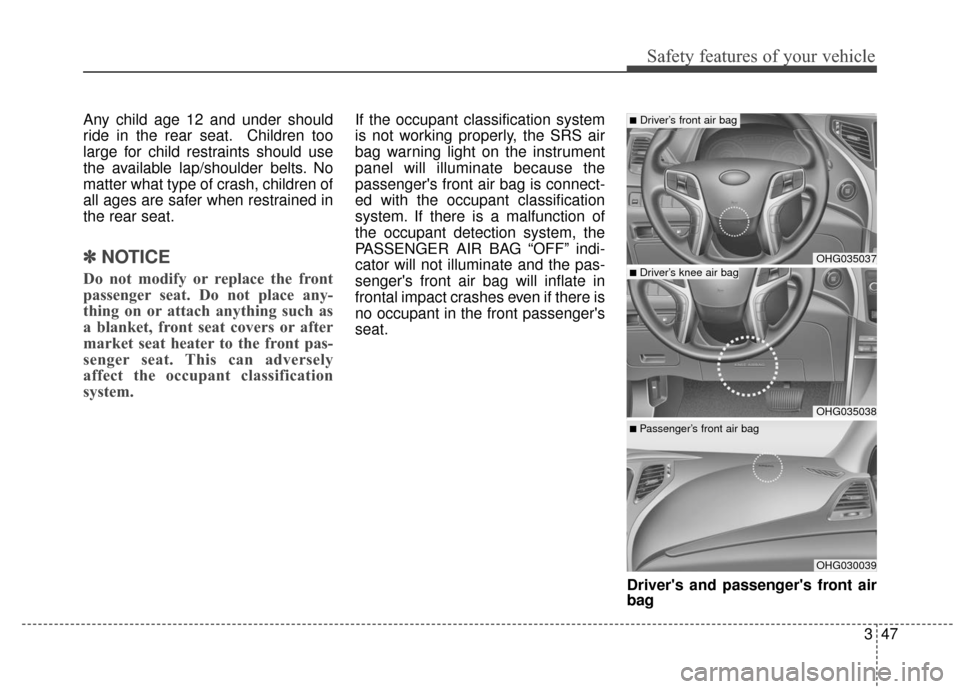
Driver's and passenger's front air
bag
OHG035037
OHG035038
OHG030039
■Driver’s front air bag
■ Passenger’s front air bag
■Driver’s knee air bag
Page 77 of 520
Safety features of your vehicle
58
3
SRS Care
The SRS is virtually maintenance-free
and so there are no parts you can
safely service by yourself. If the SRS
air bag warning light ( ) does not illu-
minate when you turn the ignition ON,
or if it continuously remains on, have
your vehicle immediately inspected by
an authorized HYUNDAI dealer.
Any work on the SRS system, such
as removing, installing, repairing, or
any work on the steering wheel, the
front passenger's panel, front seats
and roof rails must be performed by
an authorized HYUNDAI dealer.
Improper handling of the SRS system
may result in serious personal injury.
For cleaning the air bag pad covers,
use only a soft, dry cloth or one which
has been moistened with plain water.
Solvents or cleaners could adversely
affect the air bag covers and proper
deployment of the system.
✽ ✽
NOTICE
• If the air bags inflate, they must
be replaced by an authorized
HYUNDAI dealer.
• If your vehicle was flooded and has soaked carpeting or water on
the flooring, you should not try to
start the engine; have the vehicle
towed to an authorized
HYUNDAI dealer.WARNING
Modification to SRS compo-
nents or wiring, including the
addition of any kind of badges
to the pad covers or modifica-
tions to the body structure, can
adversely affect SRS perform-
ance and lead to possible injury.
No objects (such as crash pad cover, cellular phone holder,
cup holder, perfume or stick-
ers) should be placed over or
near the air bag modules on
the steering wheel, instrument
panel, windshield glass, and
the front passenger's panel
above the glove box. Such
objects could cause harm if
the vehicle is in a crash
severe enough to cause the
air bags to deploy.
WARNING - Tampering
with SRS
Do not tamper with or discon-
nect SRS wiring, or other com-
ponents of the SRS system.
Doing so could result in the
accidental inflation of the air
bags or render the SRS inoper-
ative and lead to possible seri-
ous injury.
Page 119 of 520
Features of your vehicle
40
4
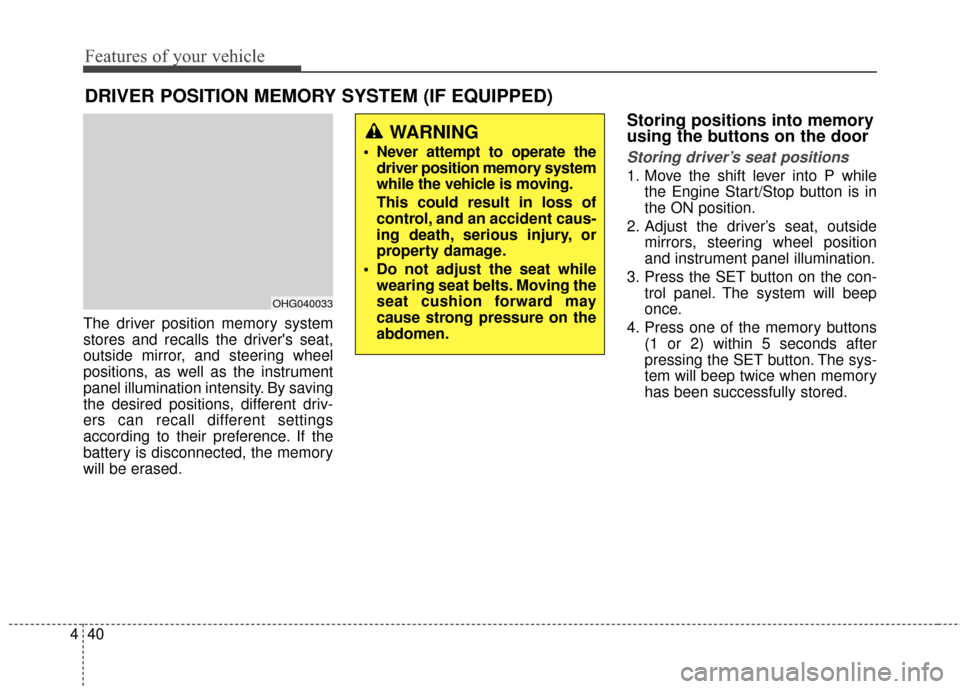
The driver position memory system
stores and recalls the driver's seat,
outside mirror, and steering wheel
positions, as well as the instrument
panel illumination intensity. By saving
the desired positions, different driv-
ers can recall different settings
according to their preference. If the
battery is disconnected, the memory
will be erased.
Storing positions into memory
using the buttons on the door
Storing driver’s seat positions
1. Move the shift lever into P while
the Engine Start/Stop button is in
the ON position.
2. Adjust the driver’s seat, outside mirrors, steering wheel position
and instrument panel illumination.
3. Press the SET button on the con- trol panel. The system will beep
once.
4. Press one of the memory buttons (1 or 2) within 5 seconds after
pressing the SET button. The sys-
tem will beep twice when memory
has been successfully stored.
DRIVER POSITION MEMORY SYSTEM (IF EQUIPPED)
OHG040033
WARNING
Never attempt to operate thedriver position memory system
while the vehicle is moving.
This could result in loss of
control, and an accident caus-
ing death, serious injury, or
property damage.
Do not adjust the seat while wearing seat belts. Moving the
seat cushion forward may
cause strong pressure on the
abdomen.
Page 120 of 520
441
Features of your vehicle
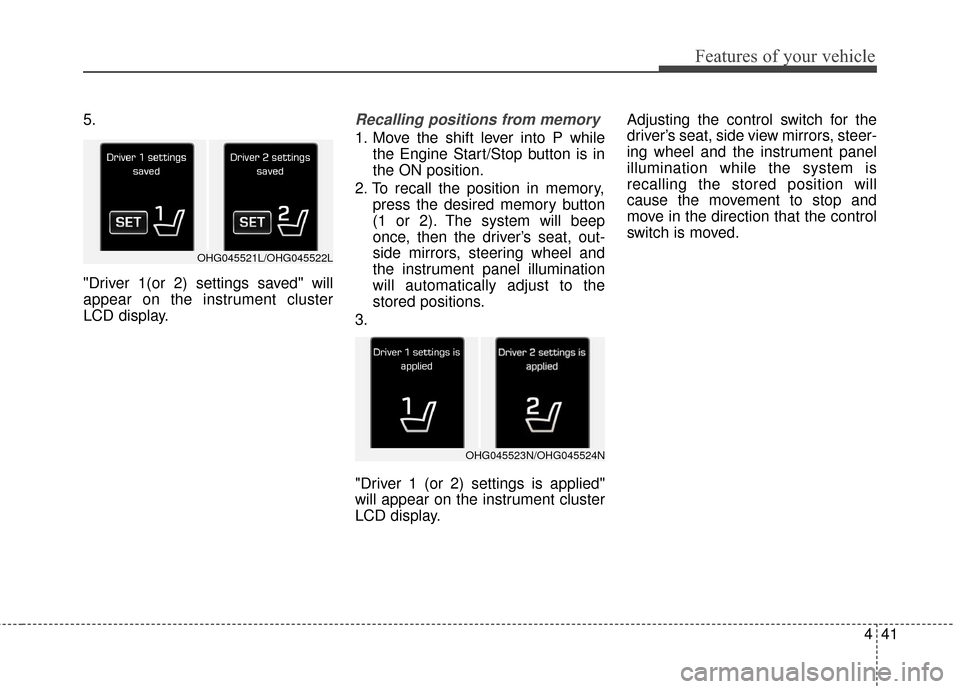
5.
"Driver 1(or 2) settings saved" will
appear on the instrument cluster
LCD display.Recalling positions from memory
1. Move the shift lever into P whilethe Engine Start/Stop button is in
the ON position.
2. To recall the position in memory, press the desired memory button
(1 or 2). The system will beep
once, then the driver’s seat, out-
side mirrors, steering wheel and
the instrument panel illumination
will automatically adjust to the
stored positions.
3.
"Driver 1 (or 2) settings is applied"
will appear on the instrument cluster
LCD display. Adjusting the control switch for the
driver’s seat, side view mirrors, steer-
ing wheel and the instrument panel
illumination while the system is
recalling the stored position will
cause the movement to stop and
move in the direction that the control
switch is moved.
OHG045521L/OHG045522L
OHG045523N/OHG045524N
Page 123 of 520
Features of your vehicle
44
4
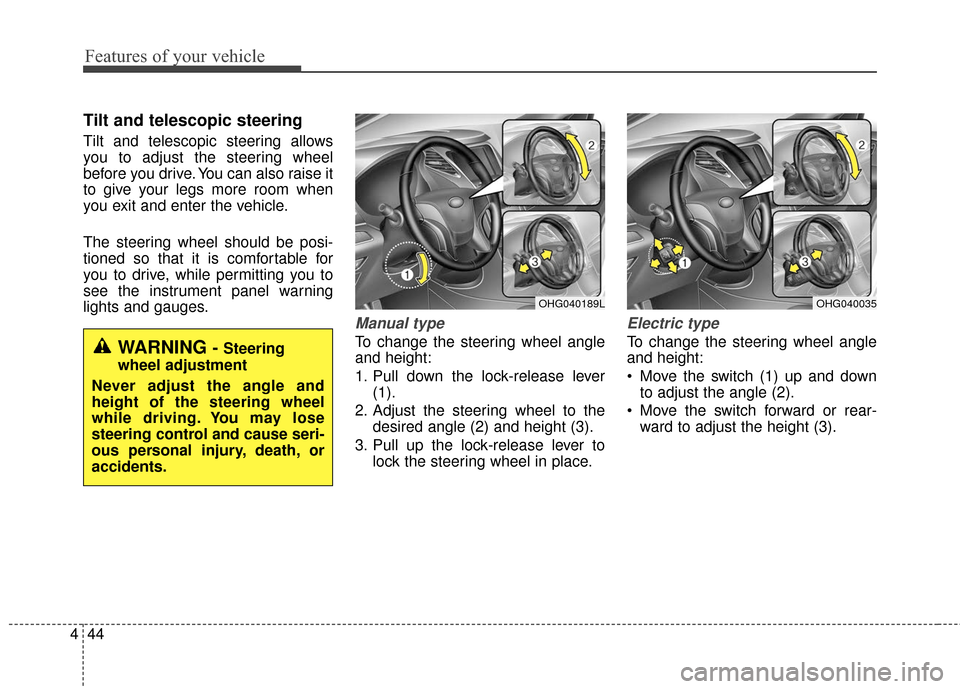
Tilt and telescopic steering
Tilt and telescopic steering allows
you to adjust the steering wheel
before you drive. You can also raise it
to give your legs more room when
you exit and enter the vehicle.
The steering wheel should be posi-
tioned so that it is comfortable for
you to drive, while permitting you to
see the instrument panel warning
lights and gauges.
Manual type
To change the steering wheel angle
and height:
1. Pull down the lock-release lever
(1).
2. Adjust the steering wheel to the desired angle (2) and height (3).
3. Pull up the lock-release lever to lock the steering wheel in place.
Electric type
To change the steering wheel angle
and height:
Move the switch (1) up and downto adjust the angle (2).
Move the switch forward or rear- ward to adjust the height (3).
OHG040189LOHG040035
WARNING - Steering
wheel adjustment
Never adjust the angle and
height of the steering wheel
while driving. You may lose
steering control and cause seri-
ous personal injury, death, or
accidents.
Page 138 of 520
459
Features of your vehicle
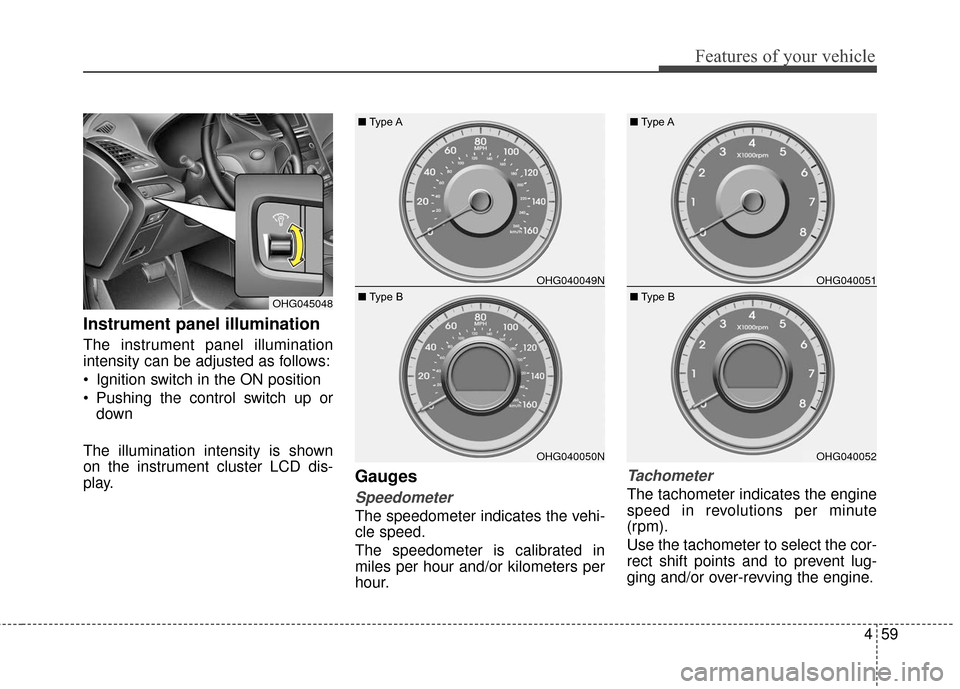
Instrument panel illumination
The instrument panel illumination
intensity can be adjusted as follows:
Ignition switch in the ON position
Pushing the control switch up ordown
The illumination intensity is shown
on the instrument cluster LCD dis-
play.
Gauges
Speedometer
The speedometer indicates the vehi-
cle speed.
The speedometer is calibrated in
miles per hour and/or kilometers per
hour.
Tachometer
The tachometer indicates the engine
speed in revolutions per minute
(rpm).
Use the tachometer to select the cor-
rect shift points and to prevent lug-
ging and/or over-revving the engine.
OHG045048
OHG040049N
OHG040050N
■ Type A
■ Type B
OHG040051
OHG040052
■Type A
■ Type B
Page 157 of 520
Features of your vehicle
78
4
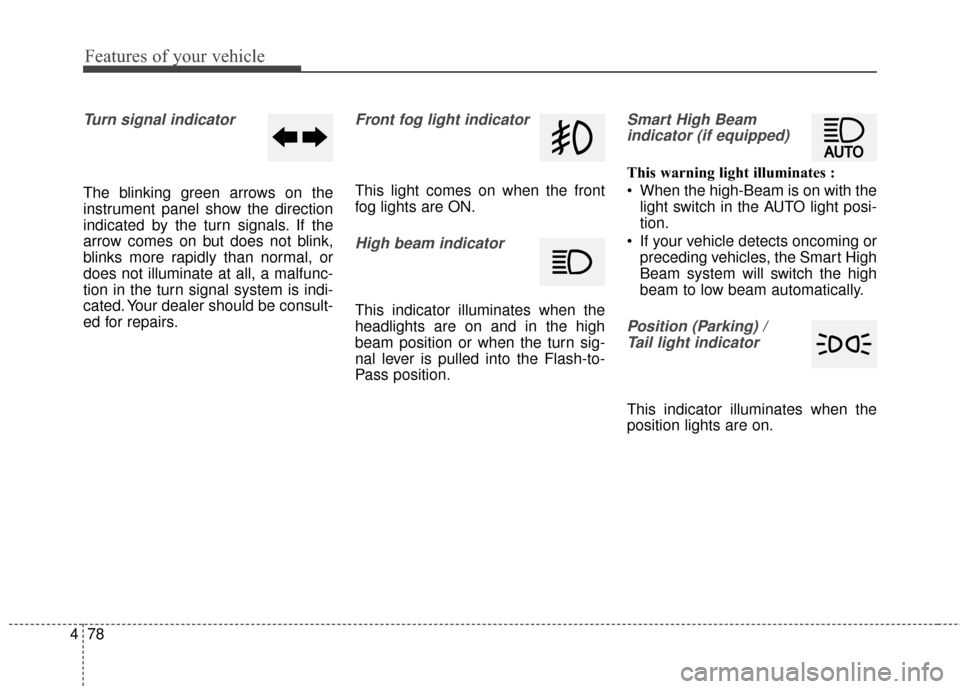
Turn signal indicator
The blinking green arrows on the
instrument panel show the direction
indicated by the turn signals. If the
arrow comes on but does not blink,
blinks more rapidly than normal, or
does not illuminate at all, a malfunc-
tion in the turn signal system is indi-
cated. Your dealer should be consult-
ed for repairs.
Front fog light indicator
This light comes on when the front
fog lights are ON.
High beam indicator
This indicator illuminates when the
headlights are on and in the high
beam position or when the turn sig-
nal lever is pulled into the Flash-to-
Pass position.
Smart High Beam
indicator (if equipped)
This warning light illuminates :
When the high-Beam is on with the light switch in the AUTO light posi-
tion.
If your vehicle detects oncoming or preceding vehicles, the Smart High
Beam system will switch the high
beam to low beam automatically.
Position (Parking) / Tail light indicator
This indicator illuminates when the
position lights are on.
Page 170 of 520
491
Features of your vehicle
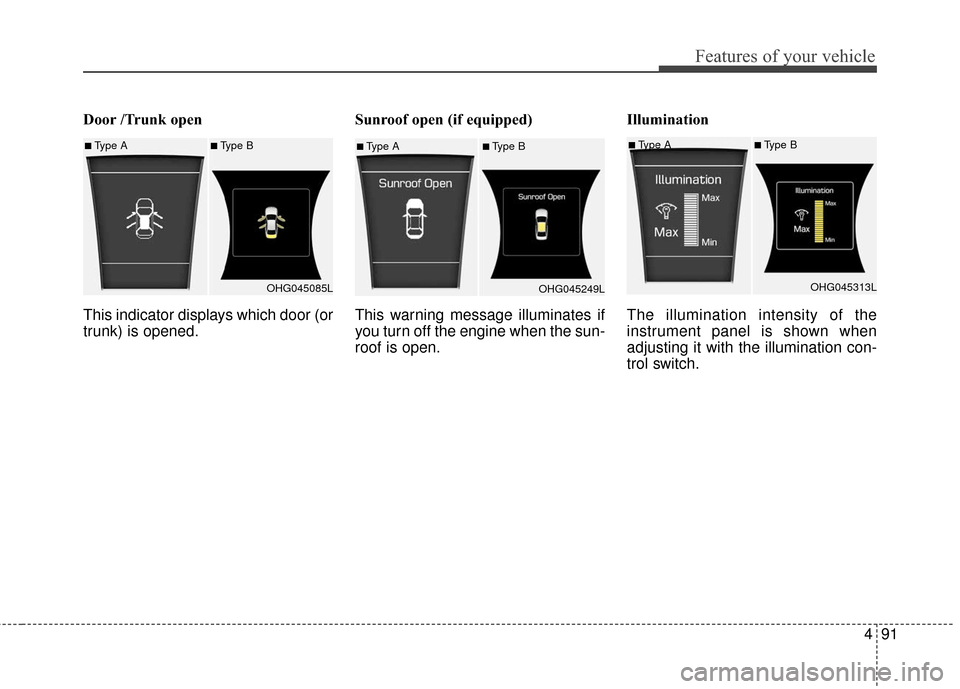
Door /Trunk open
This indicator displays which door (or
trunk) is opened.Sunroof open (if equipped)
This warning message illuminates if
you turn off the engine when the sun-
roof is open.Illumination
The illumination intensity of the
instrument panel is shown when
adjusting it with the illumination con-
trol switch.
■Type A■Type B
OHG045085L■Type A■Type BOHG045249L■Type A■Type BOHG045313L
Page 181 of 520
Features of your vehicle
102
4
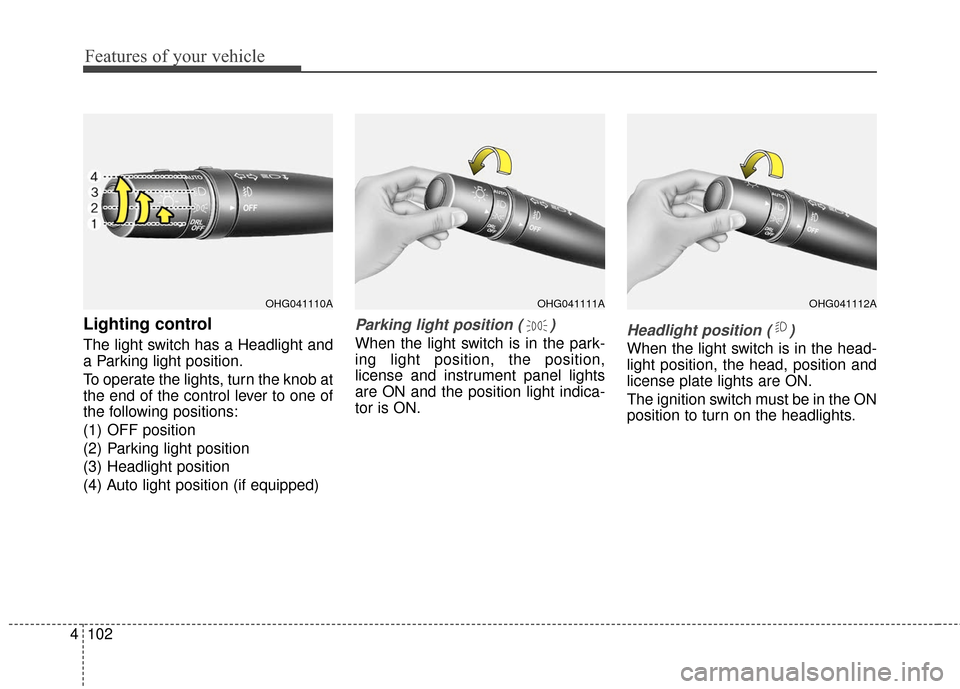
Lighting control
The light switch has a Headlight and
a Parking light position.
To operate the lights, turn the knob at
the end of the control lever to one of
the following positions:
(1) OFF position
(2) Parking light position
(3) Headlight position
(4) Auto light position (if equipped)
Parking light position ( )
When the light switch is in the park-
ing light position, the position,
license and instrument panel lights
are ON and the position light indica-
tor is ON.Headlight position ( )
When the light switch is in the head-
light position, the head, position and
license plate lights are ON.
The ignition switch must be in the ON
position to turn on the headlights.
OHG041111AOHG041112AOHG041110A
Page 182 of 520
4103
Features of your vehicle
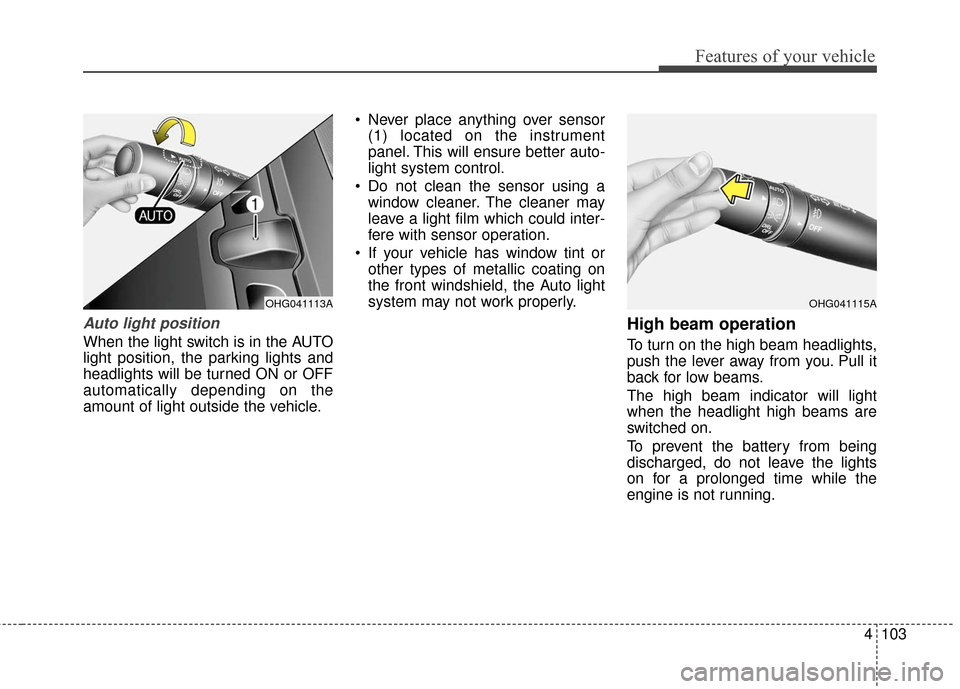
Auto light position
When the light switch is in the AUTO
light position, the parking lights and
headlights will be turned ON or OFF
automatically depending on the
amount of light outside the vehicle. Never place anything over sensor
(1) located on the instrument
panel. This will ensure better auto-
light system control.
Do not clean the sensor using a window cleaner. The cleaner may
leave a light film which could inter-
fere with sensor operation.
If your vehicle has window tint or other types of metallic coating on
the front windshield, the Auto light
system may not work properly.
High beam operation
To turn on the high beam headlights,
push the lever away from you. Pull it
back for low beams.
The high beam indicator will light
when the headlight high beams are
switched on.
To prevent the battery from being
discharged, do not leave the lights
on for a prolonged time while the
engine is not running.
OHG041115AOHG041113A