drive mode Hyundai Azera 2017 Owner's Guide
[x] Cancel search | Manufacturer: HYUNDAI, Model Year: 2017, Model line: Azera, Model: Hyundai Azera 2017Pages: 520, PDF Size: 16.33 MB
Page 317 of 520
513
Driving your vehicle
In manual shift mode, moving the
shift lever backwards and forwards
will allow you to make gearshifts rap-
idly.
In contrast to a manual transaxle, the
manual shift mode allows gearshifts
with the accelerator pedal
depressed.
Up (+) : Push the lever forwardonce to shift up one gear.
Down (-) : Pull the lever backwards once to shift down one
gear.✽ ✽NOTICE
• In manual shift mode, the driver
must execute upshifts in accor-
dance with road conditions, taking
care to keep the engine speed
below the red zone.
• In manual shift mode, only the 6 forward gears can be selected. To
reverse or park the vehicle, move
the shift lever to the R (Reverse)
or P (Park) position as required.
• In manual shift mode, downshifts are made automatically when the
vehicle slows down. When the
vehicle stops, 1st gear is automati-
cally selected.
• In manual shift mode, when the engine rpm approaches the red
zone, the transaxle will upshift
automatically to the next higher
gear.
• To maintain the required levels of vehicle performance and safety,
the system may not execute cer-
tain gearshifts when the shift lever
is operated.
Shift lock system
For your safety, the automatic
transaxle has a shift lock system
which prevents shifting the transaxle
from P (Park) into R (Reverse)
unless the brake pedal is depressed.
To shift the transaxle from P (Park)
into R (Reverse):
1. Depress and hold the brake pedal.
2. Start the engine or change the
ignition switch to the ON position.
3. Move the shift lever.
WARNING - Shifting from
park
Always fully depress the brake
pedal before and while shifting
out of the P (Park) position into
another position to avoid inad-
vertent motion of the vehicle
which could injure persons in
or around the vehicle.
Page 318 of 520
Driving your vehicle
14
5
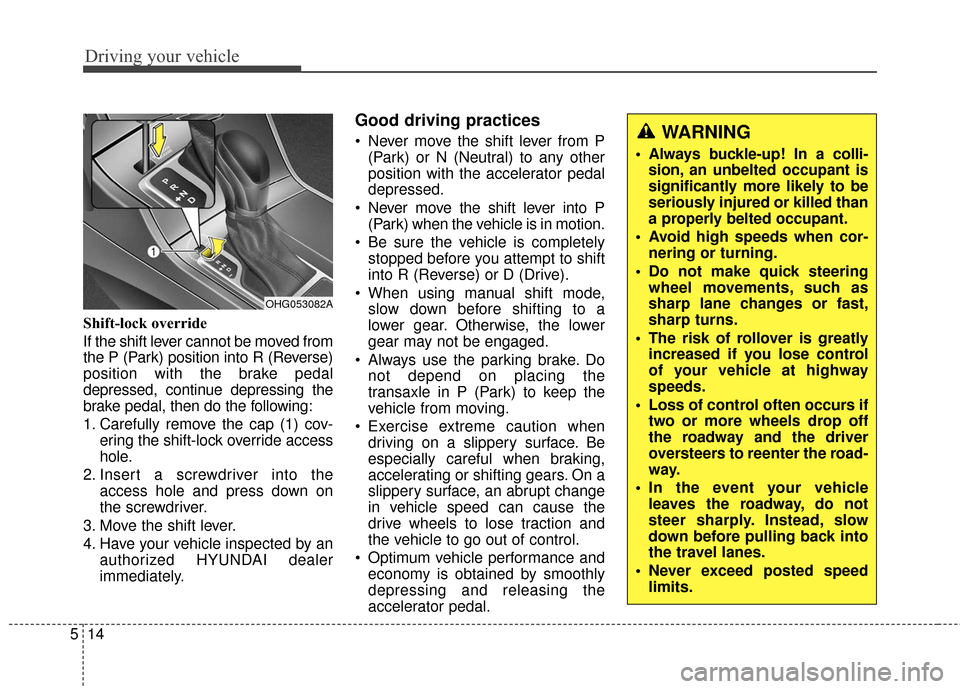
Shift-lock override
If the shift lever cannot be moved from
the P (Park) position into R (Reverse)
position with the brake pedal
depressed, continue depressing the
brake pedal, then do the following:
1. Carefully remove the cap (1) cov-
ering the shift-lock override access
hole.
2. Insert a screwdriver into the access hole and press down on
the screwdriver.
3. Move the shift lever.
4. Have your vehicle inspected by an authorized HYUNDAI dealer
immediately.
Good driving practices
Never move the shift lever from P(Park) or N (Neutral) to any other
position with the accelerator pedal
depressed.
Never move the shift lever into P (Park) when the vehicle is in motion.
Be sure the vehicle is completely stopped before you attempt to shift
into R (Reverse) or D (Drive).
When using manual shift mode, slow down before shifting to a
lower gear. Otherwise, the lower
gear may not be engaged.
Always use the parking brake. Do not depend on placing the
transaxle in P (Park) to keep the
vehicle from moving.
Exercise extreme caution when driving on a slippery surface. Be
especially careful when braking,
accelerating or shifting gears. On a
slippery surface, an abrupt change
in vehicle speed can cause the
drive wheels to lose traction and
the vehicle to go out of control.
Optimum vehicle performance and economy is obtained by smoothly
depressing and releasing the
accelerator pedal.
OHG053082A
WARNING
Always buckle-up! In a colli-sion, an unbelted occupant is
significantly more likely to be
seriously injured or killed than
a properly belted occupant.
Avoid high speeds when cor- nering or turning.
Do not make quick steering wheel movements, such as
sharp lane changes or fast,
sharp turns.
The risk of rollover is greatly increased if you lose control
of your vehicle at highway
speeds.
Loss of control often occurs if two or more wheels drop off
the roadway and the driver
oversteers to reenter the road-
way.
In the event your vehicle leaves the roadway, do not
steer sharply. Instead, slow
down before pulling back into
the travel lanes.
Never exceed posted speed limits.
Page 324 of 520
Driving your vehicle
20
5
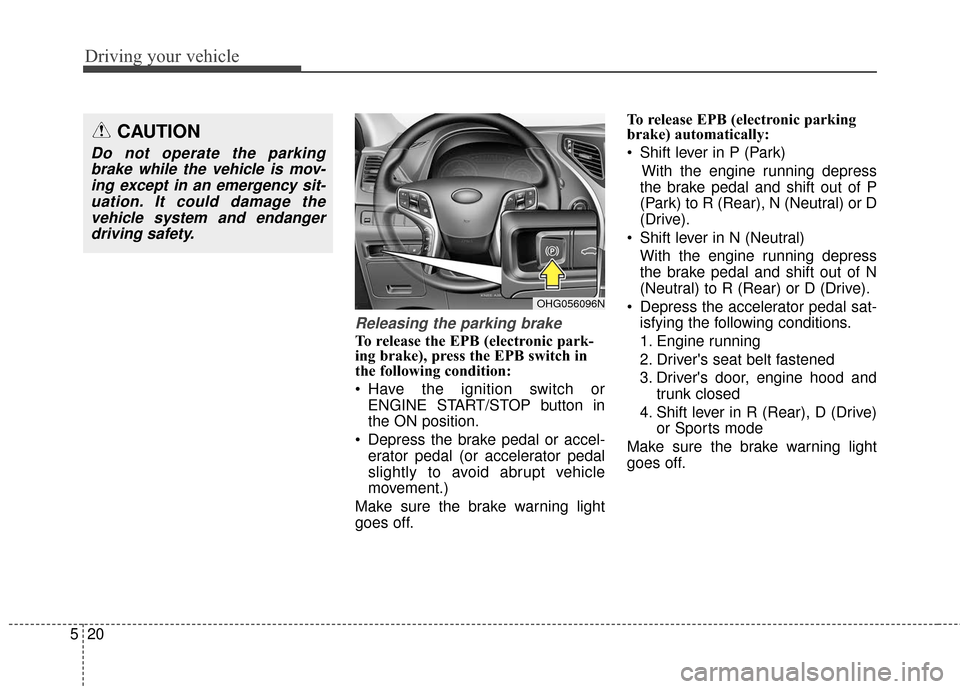
Releasing the parking brake
To release the EPB (electronic park-
ing brake), press the EPB switch in
the following condition:
Have the ignition switch or
ENGINE START/STOP button in
the ON position.
Depress the brake pedal or accel- erator pedal (or accelerator pedal
slightly to avoid abrupt vehicle
movement.)
Make sure the brake warning light
goes off. To release EPB (electronic parking
brake) automatically:
Shift lever in P (Park)
With the engine running depress
the brake pedal and shift out of P
(Park) to R (Rear), N (Neutral) or D
(Drive).
Shift lever in N (Neutral) With the engine running depress
the brake pedal and shift out of N
(Neutral) to R (Rear) or D (Drive).
Depress the accelerator pedal sat- isfying the following conditions.
1. Engine running
2. Driver's seat belt fastened
3. Driver's door, engine hood and trunk closed
4. Shift lever in R (Rear), D (Drive) or Sports mode
Make sure the brake warning light
goes off.
CAUTION
Do not operate the parking brake while the vehicle is mov-ing except in an emergency sit-uation. It could damage thevehicle system and endangerdriving safety.
OHG056096N
Page 329 of 520
525
Driving your vehicle
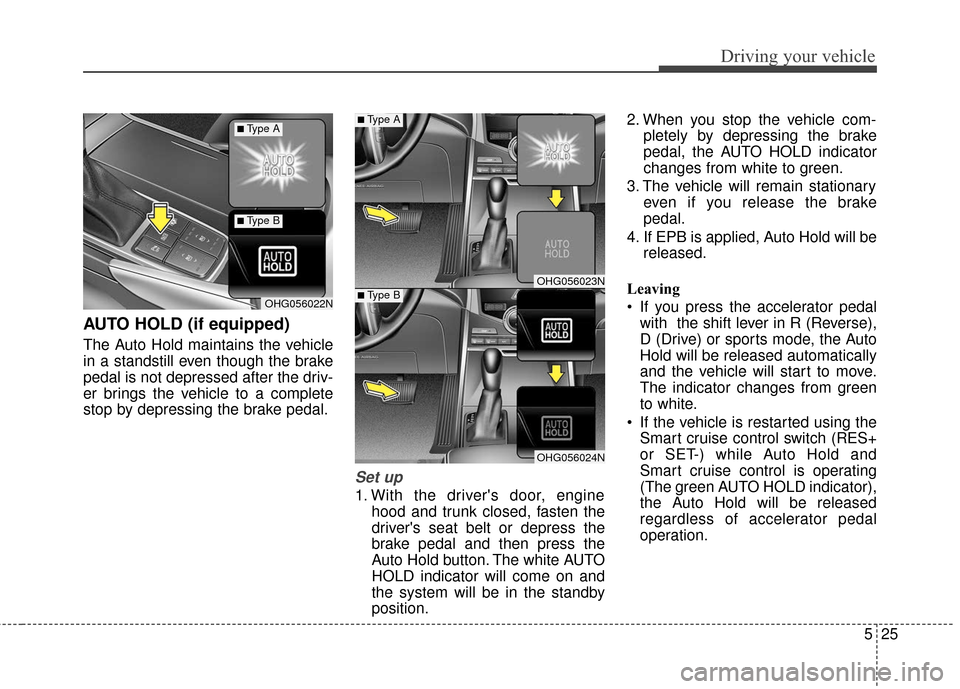
AUTO HOLD (if equipped)
The Auto Hold maintains the vehicle
in a standstill even though the brake
pedal is not depressed after the driv-
er brings the vehicle to a complete
stop by depressing the brake pedal.
Set up
1. With the driver's door, enginehood and trunk closed, fasten the
driver's seat belt or depress the
brake pedal and then press the
Auto Hold button. The white AUTO
HOLD indicator will come on and
the system will be in the standby
position. 2. When you stop the vehicle com-
pletely by depressing the brake
pedal, the AUTO HOLD indicator
changes from white to green.
3. The vehicle will remain stationary even if you release the brake
pedal.
4. If EPB is applied, Auto Hold will be released.
Leaving
If you press the accelerator pedal with the shift lever in R (Reverse),
D (Drive) or sports mode, the Auto
Hold will be released automatically
and the vehicle will start to move.
The indicator changes from green
to white.
If the vehicle is restarted using the Smart cruise control switch (RES+
or SET-) while Auto Hold and
Smart cruise control is operating
(The green AUTO HOLD indicator),
the Auto Hold will be released
regardless of accelerator pedal
operation.
OHG056023N
OHG056024N
OHG056022N
■Type A
■Type B
■Type A
■Type B
Page 354 of 520
Driving your vehicle
50
5
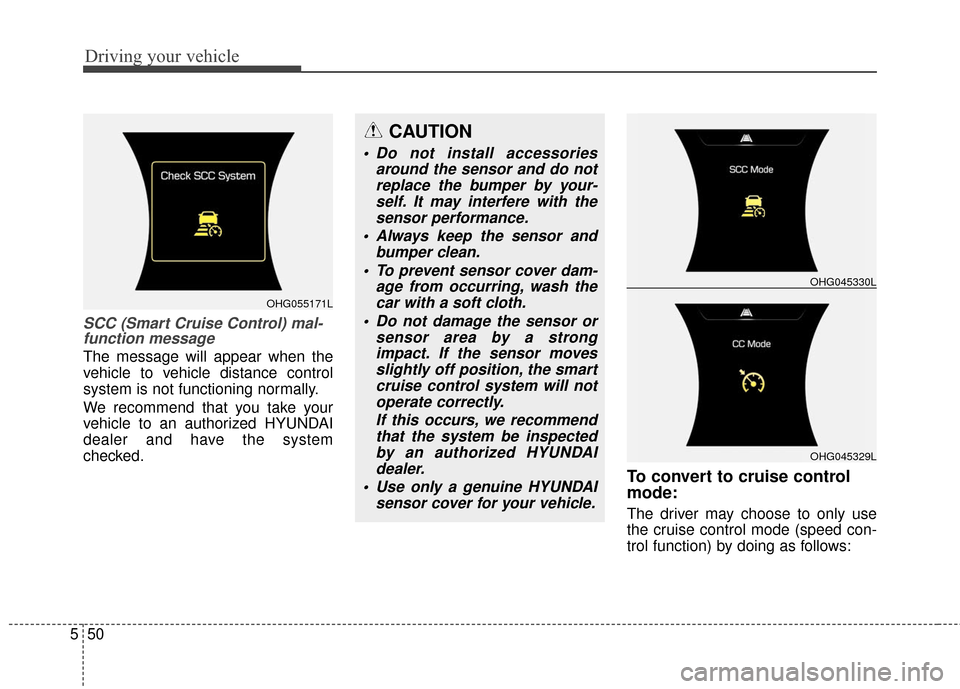
SCC (Smart Cruise Control) mal-
function message
The message will appear when the
vehicle to vehicle distance control
system is not functioning normally.
We recommend that you take your
vehicle to an authorized HYUNDAI
dealer and have the system
checked.
To convert to cruise control
mode:
The driver may choose to only use
the cruise control mode (speed con-
trol function) by doing as follows:
OHG045329L
OHG045330L
CAUTION
Do not install accessories
around the sensor and do notreplace the bumper by your-self. It may interfere with thesensor performance.
Always keep the sensor and bumper clean.
To prevent sensor cover dam- age from occurring, wash thecar with a soft cloth.
Do not damage the sensor or sensor area by a strongimpact. If the sensor movesslightly off position, the smartcruise control system will notoperate correctly.
If this occurs, we recommendthat the system be inspectedby an authorized HYUNDAIdealer.
Use only a genuine HYUNDAI sensor cover for your vehicle.
OHG055171L
Page 360 of 520
Driving your vehicle
56
5
ACTIVE ECO SYSTEM
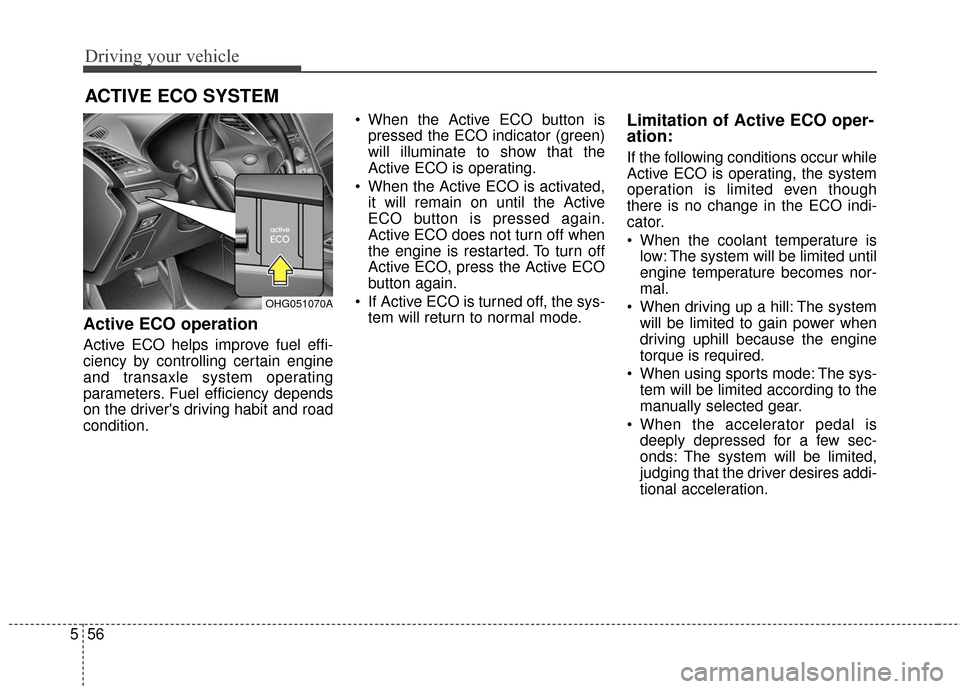
Active ECO operation
Active ECO helps improve fuel effi-
ciency by controlling certain engine
and transaxle system operating
parameters. Fuel efficiency depends
on the driver's driving habit and road
condition. When the Active ECO button is
pressed the ECO indicator (green)
will illuminate to show that the
Active ECO is operating.
When the Active ECO is activated, it will remain on until the Active
ECO button is pressed again.
Active ECO does not turn off when
the engine is restarted. To turn off
Active ECO, press the Active ECO
button again.
If Active ECO is turned off, the sys- tem will return to normal mode.
Limitation of Active ECO oper-
ation:
If the following conditions occur while
Active ECO is operating, the system
operation is limited even though
there is no change in the ECO indi-
cator.
When the coolant temperature islow: The system will be limited until
engine temperature becomes nor-
mal.
When driving up a hill: The system will be limited to gain power when
driving uphill because the engine
torque is required.
When using sports mode: The sys- tem will be limited according to the
manually selected gear.
When the accelerator pedal is deeply depressed for a few sec-
onds: The system will be limited,
judging that the driver desires addi-
tional acceleration.
OHG051070A
Page 373 of 520
569
Driving your vehicle
FORWARD COLLISION WARNING SYSTEM (FCWS) (IF EQUIPPED)
The Foward Collision Warning
System helps avoid accidents by
identifying critical situations early
and warning the driver.
FCWS Operation
To operate:
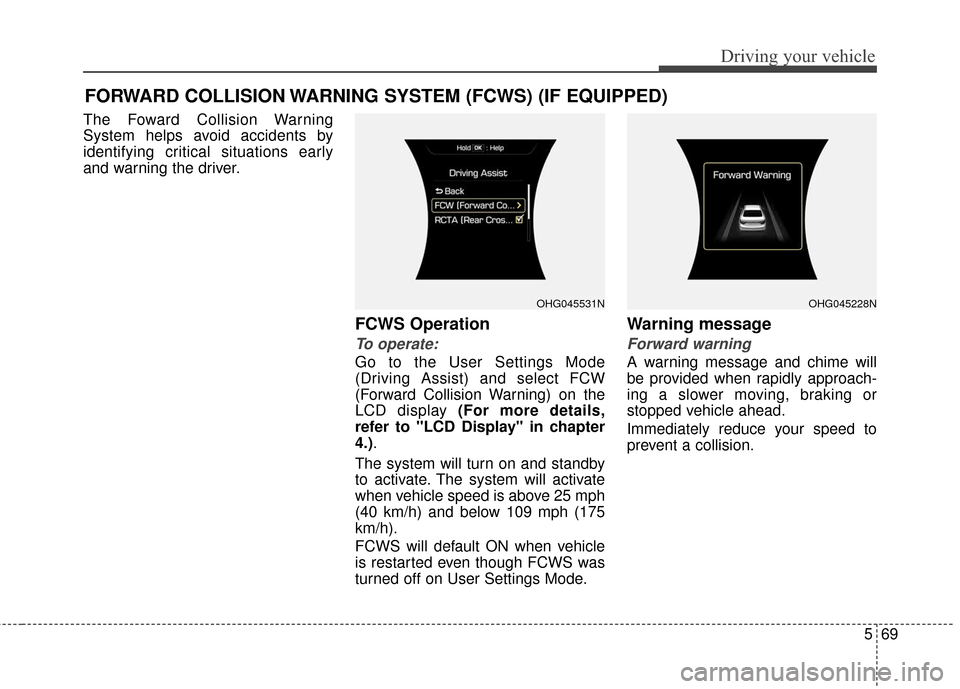
Go to the User Settings Mode
(Driving Assist) and select FCW
(Forward Collision Warning) on the
LCD display (For more details,
refer to "LCD Display" in chapter
4.).
The system will turn on and standby
to activate. The system will activate
when vehicle speed is above 25 mph
(40 km/h) and below 109 mph (175
km/h).
FCWS will default ON when vehicle
is restarted even though FCWS was
turned off on User Settings Mode.
Warning message
Forward warning
A warning message and chime will
be provided when rapidly approach-
ing a slower moving, braking or
stopped vehicle ahead.
Immediately reduce your speed to
prevent a collision.
OHG045531NOHG045228N
Page 377 of 520
573
Driving your vehicle
Your vehicle's fuel economy depends
mainly on your style of driving, where
you drive and when you drive.
Each of these factors affects how
many miles you can get from a gallon
of fuel. To operate your vehicle as
economically as possible, use the
following driving suggestions to help
save money in both fuel and repairs:
Drive smoothly. Accelerate at amoderate rate. Avoid making "jack-
rabbit" starts or full-throttle shifts
and maintain a steady cruising
speed. Don't race between stop-
lights. Try to adjust your speed to
that of the other traffic so you don't
have to change speeds unneces-
sarily. Avoid heavy traffic whenever
possible. Always maintain a safe
distance from other vehicles so
you can avoid unnecessary brak-
ing. This also reduces brake wear. Drive at a moderate speed. The
faster you drive, the more fuel your
vehicle uses. Driving at a moderate
speed, especially on the highway,
is one of the most effective ways to
reduce fuel consumption.
Do not "ride" the brake pedal. This can increase fuel consumption and
also increase wear on these com-
ponents. In addition, driving with
your foot resting on the brake pedal
may cause the brakes to overheat,
which reduces their effectiveness
and may lead to more serious con-
sequences.
Take care of your tires. Keep them inflated to the recommended pres-
sure. Incorrect inflation, either too
much or too little, results in unnec-
essary tire wear. Check the tire
pressures at least once a month.
Be sure that the wheels are aligned correctly. Improper align-
ment can result from hitting curbs
or driving too fast over irregular
surfaces. Poor alignment causes
faster tire wear and may also result
in other problems as well as
greater fuel consumption. Keep your vehicle in good condi-
tion. For better fuel economy and
reduced maintenance costs, main-
tain your vehicle in accordance
with the maintenance schedule in
section 7. If you drive your vehicle
in severe conditions, more frequent
maintenance is required (see sec-
tion 7 for details).
Keep your vehicle clean. For best operation, your vehicle should be
kept clean and free of corrosive
materials. It is especially important
that mud, dirt, ice, etc. not be
allowed to accumulate on the
underside of the vehicle. This extra
weight can result in increased fuel
consumption and also contribute to
corrosion.
Travel lightly. Do not carry unnec- essary weight in your vehicle.
Weight reduces fuel economy.
Do not let the engine idle longer than necessary. If you are waiting
(and not in traffic), turn off your
engine and restart only when
you're ready to go.
ECONOMICAL OPERATION
Page 474 of 520
Maintenance
58
7
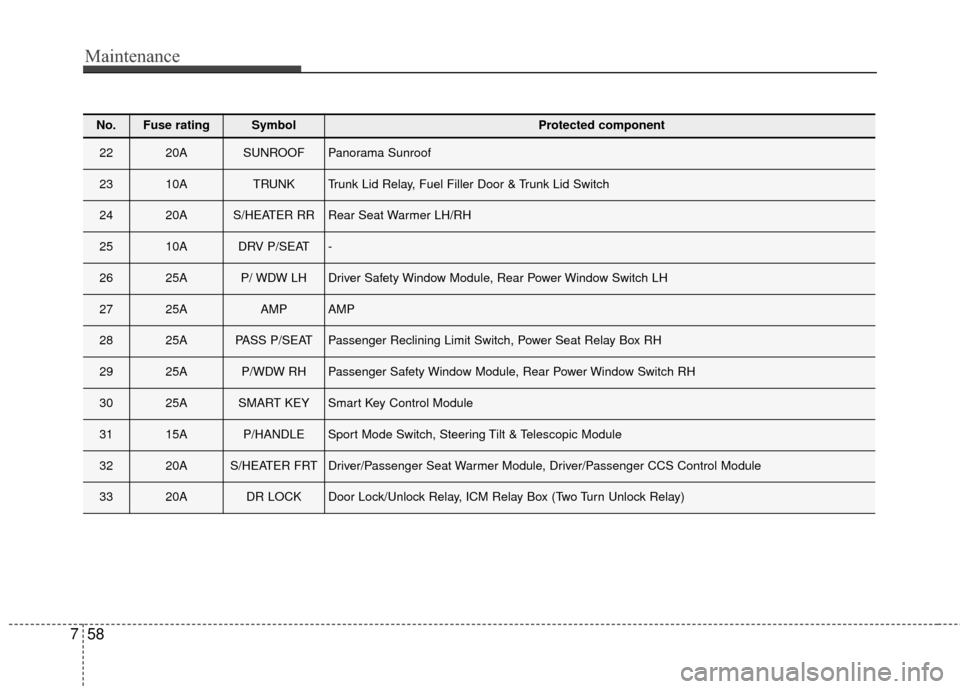
No.Fuse ratingSymbol Protected component
2220ASUNROOFPanorama Sunroof
2310ATRUNKTrunk Lid Relay, Fuel Filler Door & Trunk Lid Switch
2420AS/HEATER RRRear Seat Warmer LH/RH
2510ADRV P/SEAT-
2625AP/ WDW LHDriver Safety Window Module, Rear Power Window Switch LH
2725AAMPAMP
2825APASS P/SEATPassenger Reclining Limit Switch, Power Seat Relay Box RH
2925AP/WDW RHPassenger Safety Window Module, Rear Power Window Switch RH
3025ASMART KEYSmart Key Control Module
3115AP/HANDLESport Mode Switch, Steering Tilt & Telescopic Module
3220AS/HEATER FRTDriver/Passenger Seat Warmer Module, Driver/Passenger CCS Control Module
3320ADR LOCKDoor Lock/Unlock Relay, ICM Relay Box (Two Turn Unlock Relay)
Page 510 of 520
Index
2I
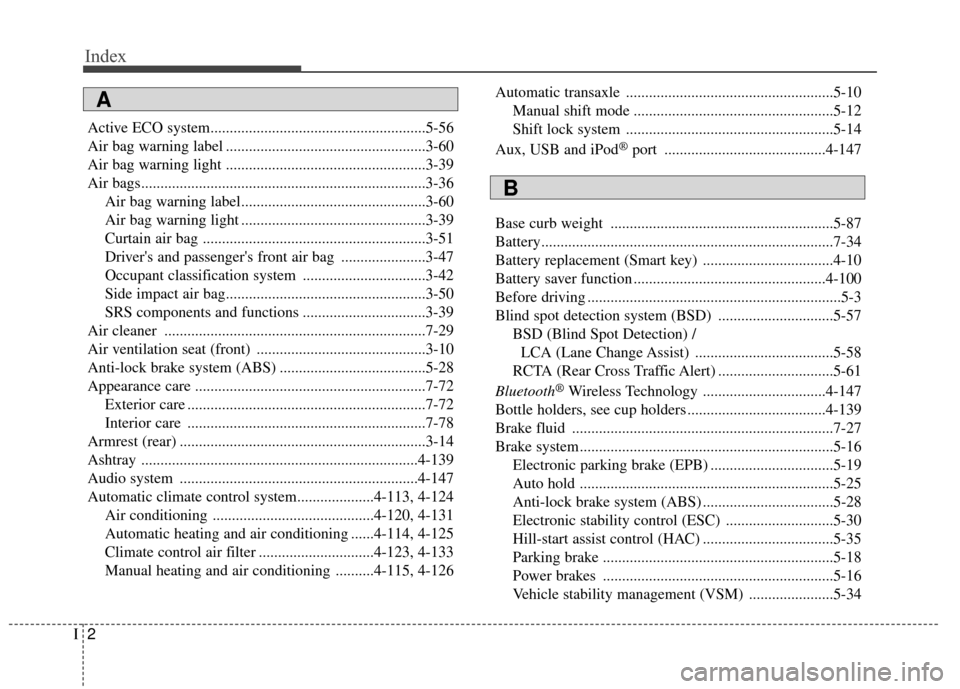
Active ECO system........................................................5-56
Air bag warning label ....................................................3-60
Air bag warning light ....................................................3-39
Air bags........................................................................\
..3-36Air bag warning label................................................3-60
Air bag warning light ................................................3-39
Curtain air bag ..........................................................3-51
Driver's and passenger's front air bag ......................3-47
Occupant classification system ................................3-42
Side impact air bag....................................................3-50
SRS components and functions ................................3-39
Air cleaner ....................................................................7-29\
Air ventilation seat (front) ............................................3-10
Anti-lock brake system (ABS) ......................................5-28
Appearance care ............................................................7-72 Exterior care ..............................................................7-72
Interior care ..............................................................7-78
Armrest (rear) ................................................................3-14
Ashtray ........................................................................\
4-139
Audio system ..............................................................4-147
Automatic climate control system....................4-113, 4-124 Air conditioning ..........................................4-120, 4-131
Automatic heating and air conditioning ......4-114, 4-125
Climate control air filter ..............................4-123, 4-133
Manual heating and air conditioning ..........4-115, 4-126 Automatic transaxle ......................................................5-10
Manual shift mode ....................................................5-12
Shift lock system ......................................................5-14
Aux, USB and iPod
®port ..........................................4-147
Base curb weight ..........................................................5-87
Battery........................................................................\
....7-34
Battery replacement (Smart key) ..................................4-10
Battery saver function ..................................................4-100
Before driving ..................................................................5-3
Blind spot detection system (BSD) ..............................5-57 BSD (Blind Spot Detection) / LCA (Lane Change Assist) ....................................5-58
RCTA (Rear Cross Traffic Alert) ..............................5-61
Bluetooth
®Wireless Technology ................................4-147
Bottle holders, see cup holders ....................................4-139
Brake fluid ....................................................................7-27\
Brake system..................................................................5-16 Electronic parking brake (EPB) ................................5-19
Auto hold ..................................................................5-25
Anti-lock brake system (ABS) ..................................5-28
Electronic stability control (ESC) ............................5-30
Hill-start assist control (HAC) ..................................5-35
Parking brake ............................................................5-18
Power brakes ............................................................5-16
Vehicle stability management (VSM) ......................5-34
A
B