Key Hyundai Azera 2017 Workshop Manual
[x] Cancel search | Manufacturer: HYUNDAI, Model Year: 2017, Model line: Azera, Model: Hyundai Azera 2017Pages: 520, PDF Size: 16.33 MB
Page 258 of 520
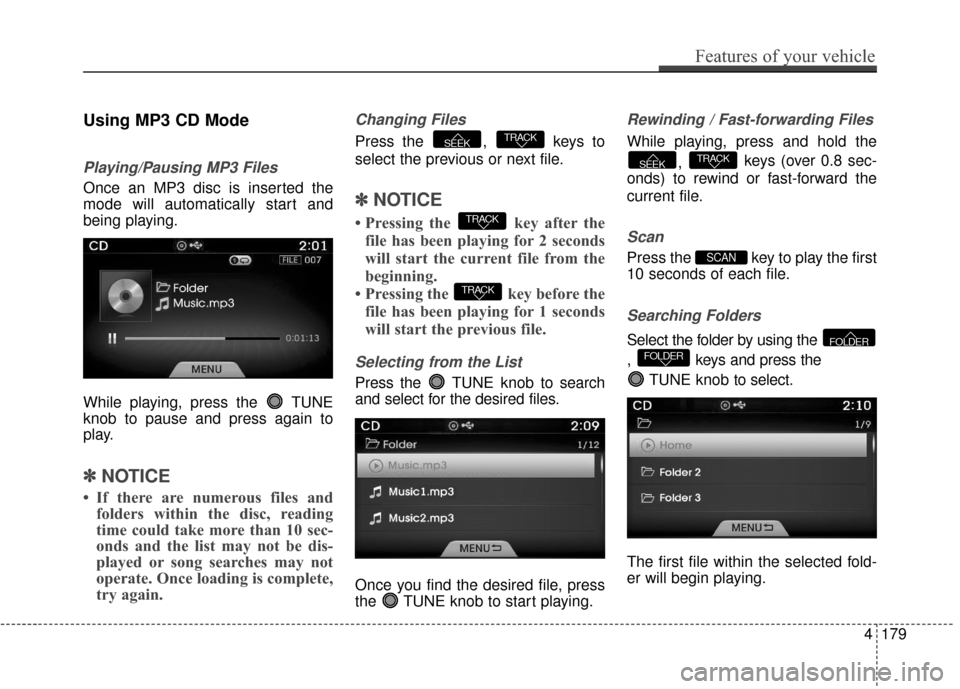
Using MP3 CD Mode
Playing/Pausing MP3 Files
Once an MP3 disc is inserted the
mode will automatically start and
being playing.
While playing, press the TUNE
knob to pause and press again to
play.
✽ ✽NOTICE
• If there are numerous files and
folders within the disc, reading
time could take more than 10 sec-
onds and the list may not be dis-
played or song searches may not
operate. Once loading is complete,
try again.
Changing Files
Press the , keys to
select the previous or next file.
✽ ✽ NOTICE
• Pressing the key after the
file has been playing for 2 seconds
will start the current file from the
beginning.
• Pressing the key before the file has been playing for 1 seconds
will start the previous file.
Selecting from the List
Press the TUNE knob to search
and select for the desired files.
Once you find the desired file, press
the TUNE knob to start playing.
Rewinding / Fast-forwarding Files
While playing, press and hold the
, keys (over 0.8 sec-
onds) to rewind or fast-forward the
current file.
Scan
Press the key to play the first
10 seconds of each file.
Searching Folders
Select the folder by using the
, keys and press the
TUNE knob to select.
The first file within the selected fold-
er will begin playing.FOLDERFOLDER
SCAN
TRACKSEEK
TRACK
TRACK
TRACKSEEK
Features of your vehicle
179
4
Page 259 of 520
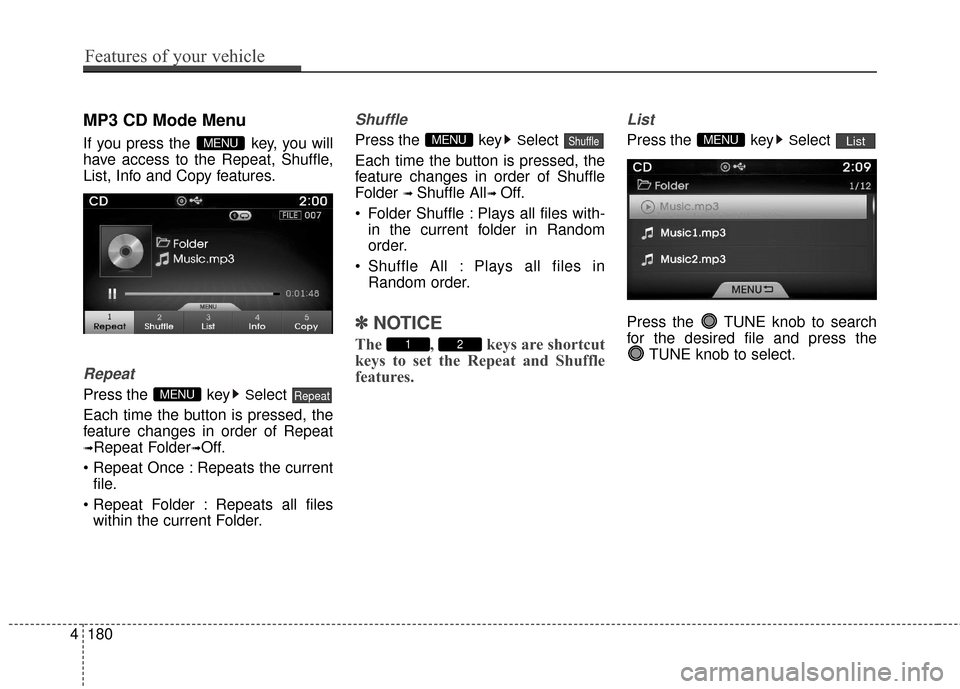
MP3 CD Mode Menu
If you press the key, you will
have access to the Repeat, Shuffle,
List, Info and Copy features.
Repeat
Press the keySelect
Each time the button is pressed, the
feature changes in order of Repeat
➟Repeat Folder➟Off.
Repeats the current file.
: Repeats all files within the current Folder.
Shuffle
Press the keySelect
Each time the button is pressed, the
feature changes in order of Shuffle
Folder
➟ Shuffle All➟ Off.
Folder Shuffle : Plays all files with- in the current folder in Random
order.
Shuffle All : Plays all files in Random order.
✽ ✽ NOTICE
The , keys are shortcut
keys to set the Repeat and Shuffle
features.
List
Press the keySelect
Press the TUNE knob to search
for the desired file and press the TUNE knob to select.ListMENU
21
ShuffleMENU
RepeatMENU
MENU
4180
Features of your vehicle
Page 260 of 520
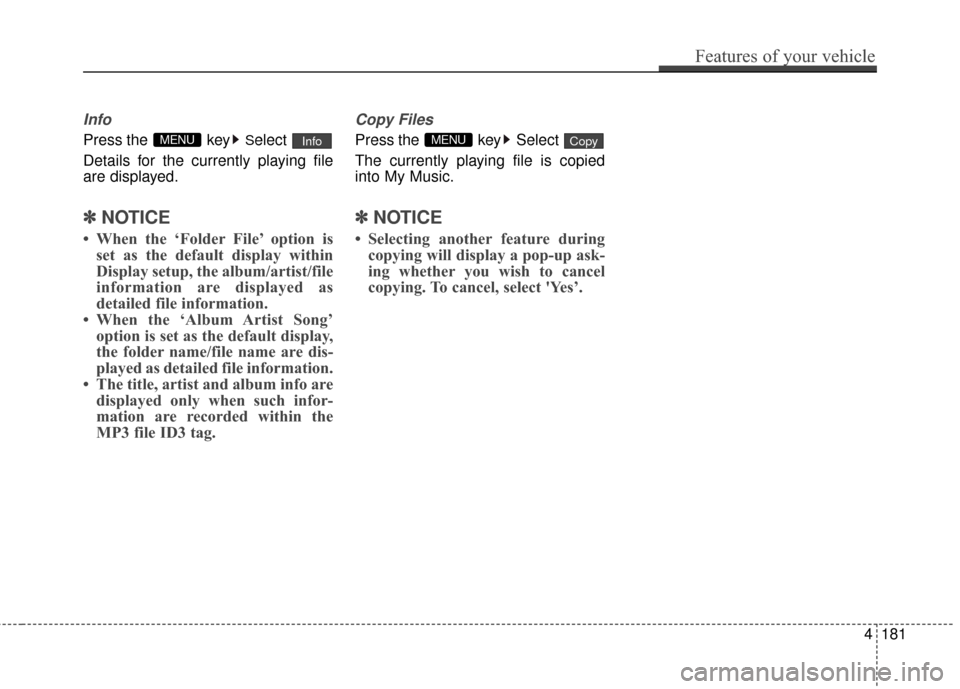
Info
Press the keySelect
Details for the currently playing file
are displayed.
✽ ✽ NOTICE
• When the ‘Folder File’ option is
set as the default display within
Display setup, the album/artist/file
information are displayed as
detailed file information.
• When the ‘Album Artist Song’ option is set as the default display,
the folder name/file name are dis-
played as detailed file information.
• The title, artist and album info are displayed only when such infor-
mation are recorded within the
MP3 file ID3 tag.
Copy Files
Press the key Select
The currently playing file is copied
into My Music.
✽ ✽ NOTICE
• Selecting another feature during
copying will display a pop-up ask-
ing whether you wish to cancel
copying. To cancel, select 'Yes’.
CopyMENUInfoMENU
Features of your vehicle
181
4
Page 262 of 520
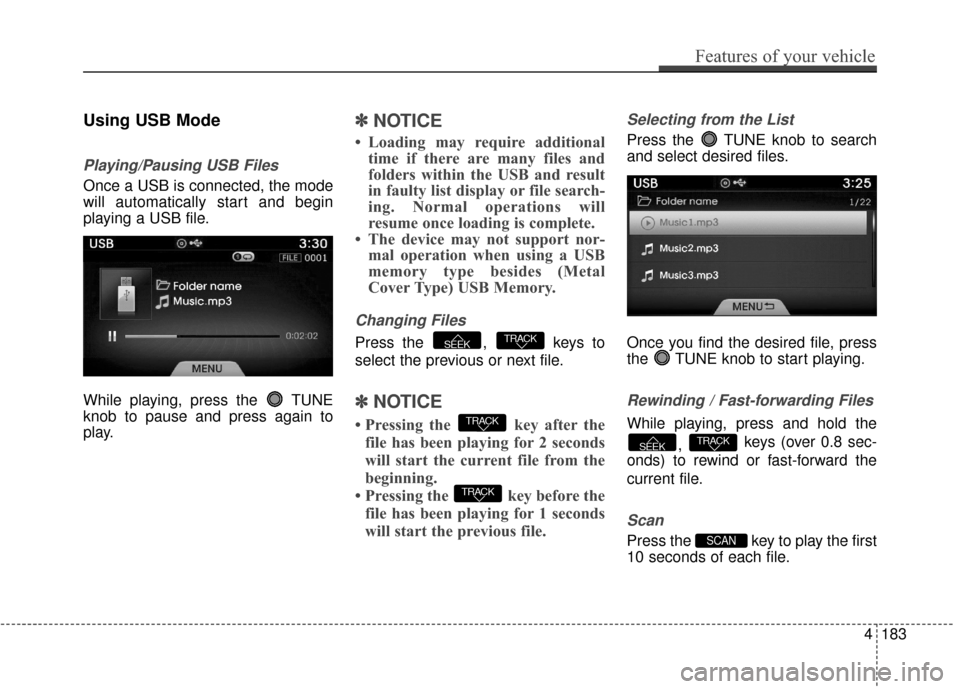
Using USB Mode
Playing/Pausing USB Files
Once a USB is connected, the mode
will automatically start and begin
playing a USB file.
While playing, press the TUNE
knob to pause and press again to
play.
✽ ✽NOTICE
• Loading may require additional
time if there are many files and
folders within the USB and result
in faulty list display or file search-
ing. Normal operations will
resume once loading is complete.
• The device may not support nor- mal operation when using a USB
memory type besides (Metal
Cover Type) USB Memory.
Changing Files
Press the , keys to
select the previous or next file.
✽ ✽ NOTICE
• Pressing the key after the
file has been playing for 2 seconds
will start the current file from the
beginning.
• Pressing the key before the file has been playing for 1 seconds
will start the previous file.
Selecting from the List
Press the TUNE knob to search
and select desired files.
Once you find the desired file, press
the TUNE knob to start playing.
Rewinding / Fast-forwarding Files
While playing, press and hold the
, keys (over 0.8 sec-
onds) to rewind or fast-forward the
current file.
Scan
Press the key to play the first
10 seconds of each file.SCAN
TRACKSEEK
TRACK
TRACK
TRACKSEEK
Features of your vehicle
183
4
Page 263 of 520
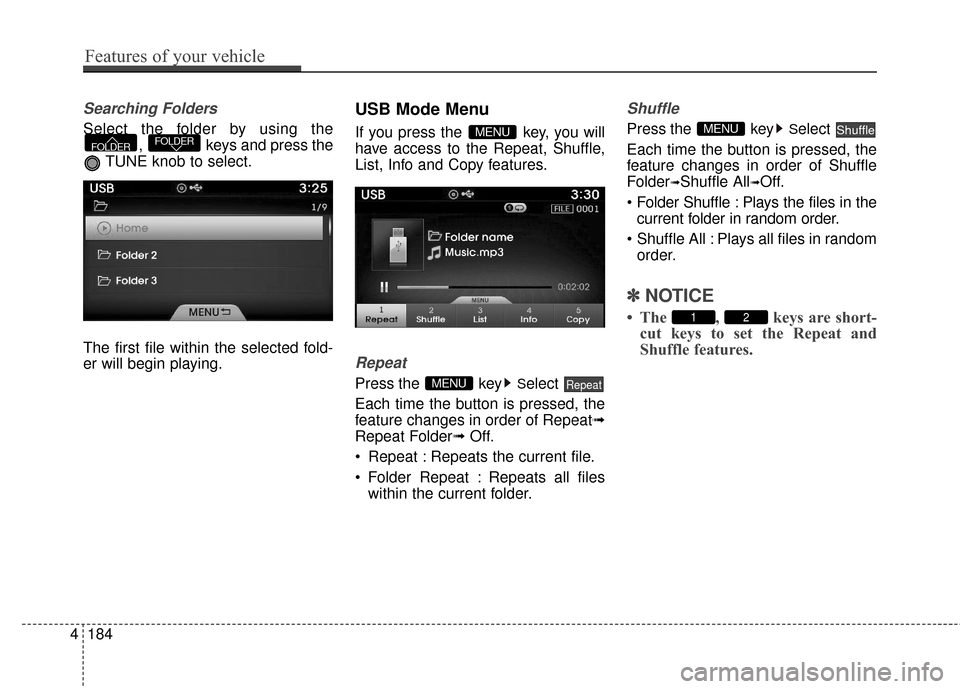
Searching Folders
Select the folder by using the, keys and press the
TUNE knob to select.
The first file within the selected fold-
er will begin playing.
USB Mode Menu
If you press the key, you will
have access to the Repeat, Shuffle,
List, Info and Copy features.
Repeat
Press the keySelect
Each time the button is pressed, the
feature changes in order of Repeat➟
Repeat Folder➟ Off.
Repeat : Repeats the current file.
Folder Repeat : Repeats all files within the current folder.
Shuffle
Press the keySelect
Each time the button is pressed, the
feature changes in order of Shuffle
Folder
➟Shuffle All➟Off.
: Plays the files in the current folder in random order.
All : Plays all files in random order.
✽ ✽ NOTICE
• The , keys are short-
cut keys to set the Repeat and
Shuffle features.21
ShuffleMENU
RepeatMENU
MENUFOLDERFOLDER
4184
Features of your vehicle
Page 264 of 520
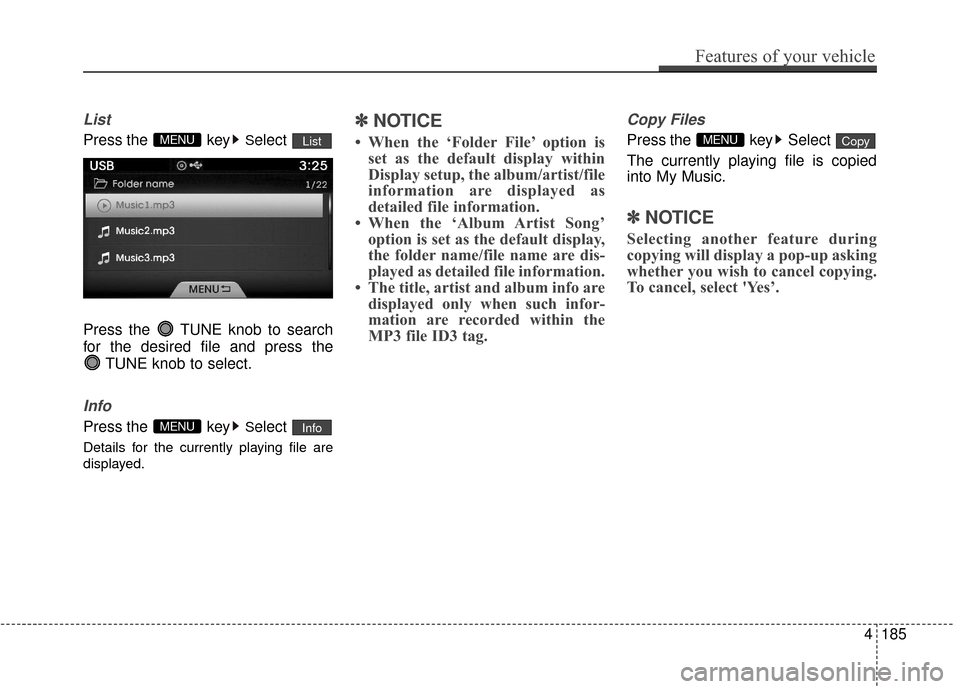
List
Press the keySelect
Press the TUNE knob to search
for the desired file and press the TUNE knob to select.
Info
Press the keySelect
Details for the currently playing file are
displayed.
✽ ✽NOTICE
• When the ‘Folder File’ option is
set as the default display within
Display setup, the album/artist/file
information are displayed as
detailed file information.
• When the ‘Album Artist Song’ option is set as the default display,
the folder name/file name are dis-
played as detailed file information.
• The title, artist and album info are displayed only when such infor-
mation are recorded within the
MP3 file ID3 tag.
Copy Files
Press the key Select
The currently playing file is copied
into My Music.
✽ ✽ NOTICE
Selecting another feature during
copying will display a pop-up asking
whether you wish to cancel copying.
To cancel, select 'Yes’.
CopyMENU
InfoMENU
ListMENU
Features of your vehicle
185
4
Page 266 of 520
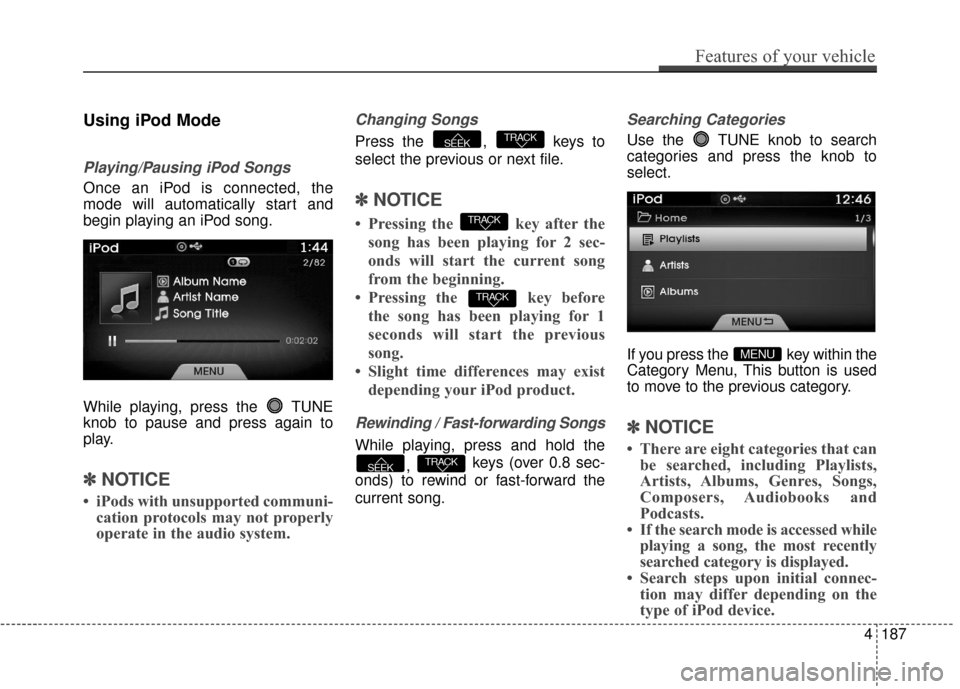
Using iPod Mode
Playing/Pausing iPod Songs
Once an iPod is connected, the
mode will automatically start and
begin playing an iPod song.
While playing, press the TUNE
knob to pause and press again to
play.
✽ ✽NOTICE
• iPods with unsupported communi-
cation protocols may not properly
operate in the audio system.
Changing Songs
Press the , keys to
select the previous or next file.
✽ ✽ NOTICE
• Pressing the key after the
song has been playing for 2 sec-
onds will start the current song
from the beginning.
• Pressing the key before the song has been playing for 1
seconds will start the previous
song.
• Slight time differences may exist depending your iPod product.
Rewinding / Fast-forwarding Songs
While playing, press and hold the
, keys (over 0.8 sec-
onds) to rewind or fast-forward the
current song.
Searching Categories
Use the TUNE knob to search
categories and press the knob to
select.
If you press the key within the
Category Menu, This button is used
to move to the previous category.
✽ ✽ NOTICE
• There are eight categories that can
be searched, including Playlists,
Artists, Albums, Genres, Songs,
Composers, Audiobooks and
Podcasts.
• If the search mode is accessed while playing a song, the most recently
searched category is displayed.
• Search steps upon initial connec- tion may differ depending on the
type of iPod device.
MENU
TRACKSEEK
TRACK
TRACK
TRACKSEEK
Features of your vehicle
187
4
Page 267 of 520
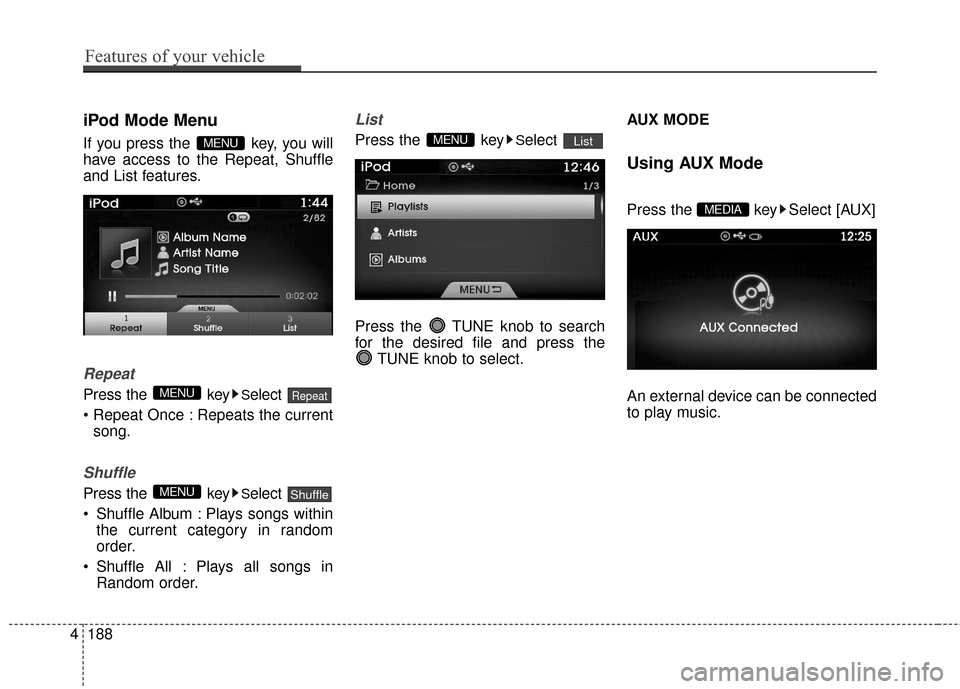
iPod Mode Menu
If you press the key, you will
have access to the Repeat, Shuffle
and List features.
Repeat
Press the keySelect
Repeats the current song.
Shuffle
Press the keySelect
Shuffle Album : Plays songs within the current category in random
order.
Shuffle All : Plays all songs in Random order.
List
Press the keySelect
Press the TUNE knob to search
for the desired file and press the TUNE knob to select. AUX MODE
Using AUX Mode
Press the key Select [AUX]
An external device can be connected
to play music.MEDIA
ListMENU
ShuffleMENU
RepeatMENU
MENU
4188
Features of your vehicle
Page 270 of 520
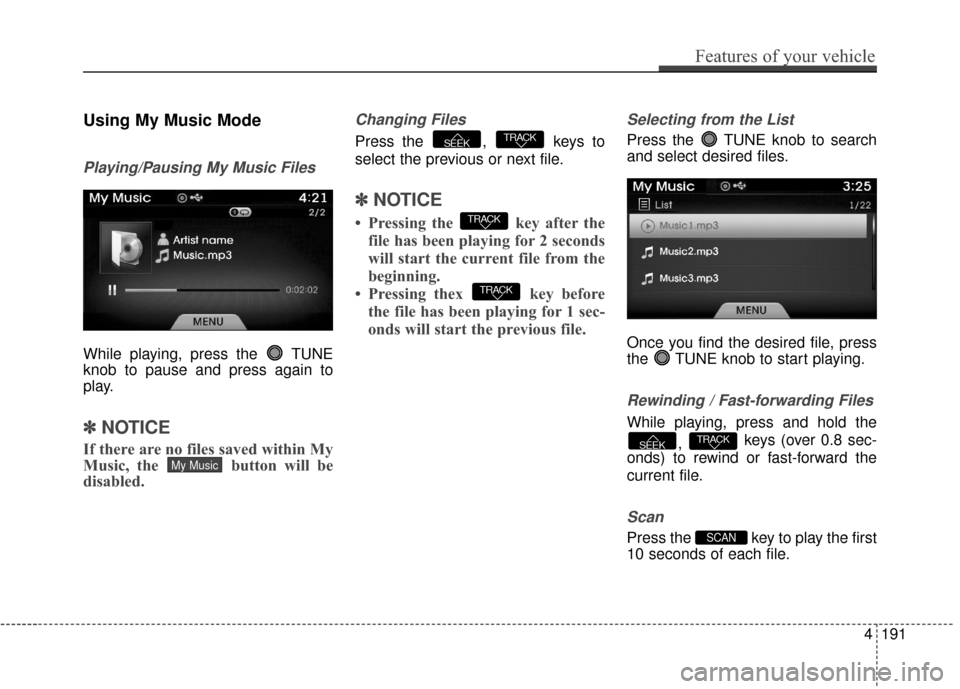
Using My Music Mode
Playing/Pausing My Music Files
While playing, press the TUNE
knob to pause and press again to
play.
✽ ✽NOTICE
If there are no files saved within My
Music, the button will be
disabled.
Changing Files
Press the , keys to
select the previous or next file.
✽ ✽NOTICE
• Pressing the key after the
file has been playing for 2 seconds
will start the current file from the
beginning.
• Pressing thex key before the file has been playing for 1 sec-
onds will start the previous file.
Selecting from the List
Press the TUNE knob to search
and select desired files.
Once you find the desired file, press
the TUNE knob to start playing.
Rewinding / Fast-forwarding Files
While playing, press and hold the
, keys (over 0.8 sec-
onds) to rewind or fast-forward the
current file.
Scan
Press the key to play the first
10 seconds of each file.SCAN
TRACKSEEK
TRACK
TRACK
TRACKSEEK
My Music
Features of your vehicle
191
4
Page 271 of 520
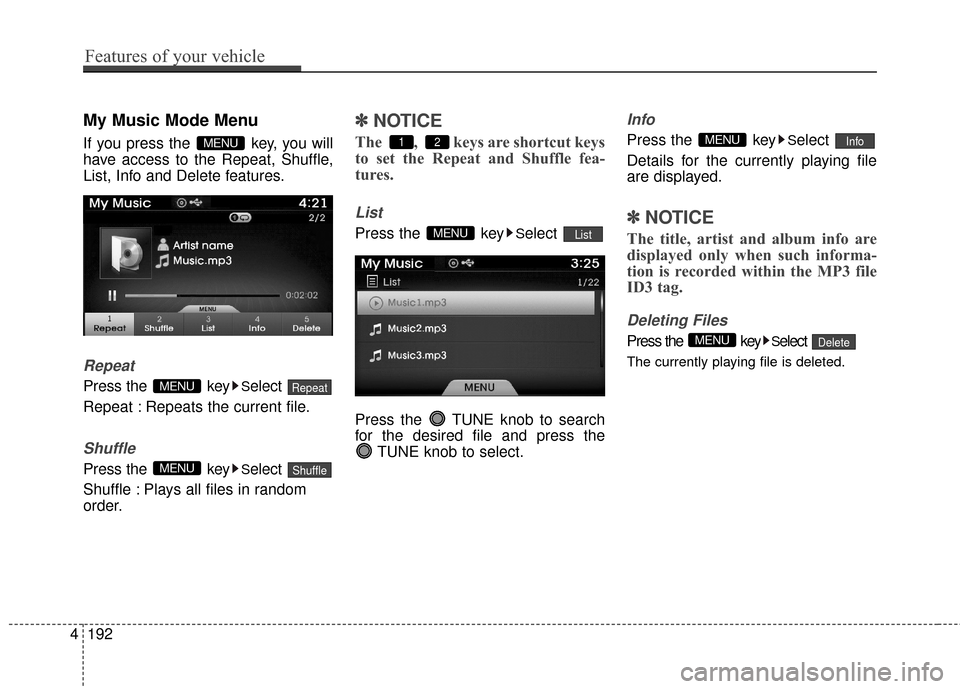
My Music Mode Menu
If you press the key, you will
have access to the Repeat, Shuffle,
List, Info and Delete features.
Repeat
Press the keySelect
Repeat : Repeats the current file.
Shuffle
Press the keySelect
Shuffle : Plays all files in random
order.
✽ ✽ NOTICE
The , keys are shortcut keys
to set the Repeat and Shuffle fea-
tures.
List
Press the keySelect
Press the TUNE knob to search
for the desired file and press the TUNE knob to select.
Info
Press the keySelect
Details for the currently playing file
are displayed.
✽ ✽ NOTICE
The title, artist and album info are
displayed only when such informa-
tion is recorded within the MP3 file
ID3 tag.
Deleting Files
Press the keySelect
The currently playing file is deleted.
DeleteMENU
InfoMENU
ListMENU
21
ShuffleMENU
RepeatMENU
MENU
4192
Features of your vehicle