lock Hyundai Azera 2017 Repair Manual
[x] Cancel search | Manufacturer: HYUNDAI, Model Year: 2017, Model line: Azera, Model: Hyundai Azera 2017Pages: 520, PDF Size: 16.33 MB
Page 236 of 520
(Continued)
• Avoid use of USBmemory products
that can also be used
as key chains or
mobile phone acces-
sories. Use of such products may
cause damage to the USB jack.
• Connecting an MP3 device or phone through various chan-
nels, such as AUX/BT or Audio/
USB mode may result in pop
noises or abnormal operation.
• USB memory without the certi- fication mark may not be recog-
nized.
(Continued)
• Charging through the USB may
not work for some mobile
devices.
• The device may not support normal operation when using a
USB memory type besides
(Metal Cover Type) USB
Memory.
• The device may not support normal operation when using
formats such as HDD Type, CF,
or SD Memory.
• The device will not support files locked by DRM (Digital Rights
Management.)
• USB memory sticks used by connecting an Adaptor (SD
Type or CF Type) may not be
properly recognized.
• The device may not operate properly when using USB HDDs
or USBs subject to connection
failures caused by vehicle vibra-
tions. (e.g. i-stick type) (Continued)
Features of your vehicle
157
4
Page 244 of 520
Features of your vehicle
165
4
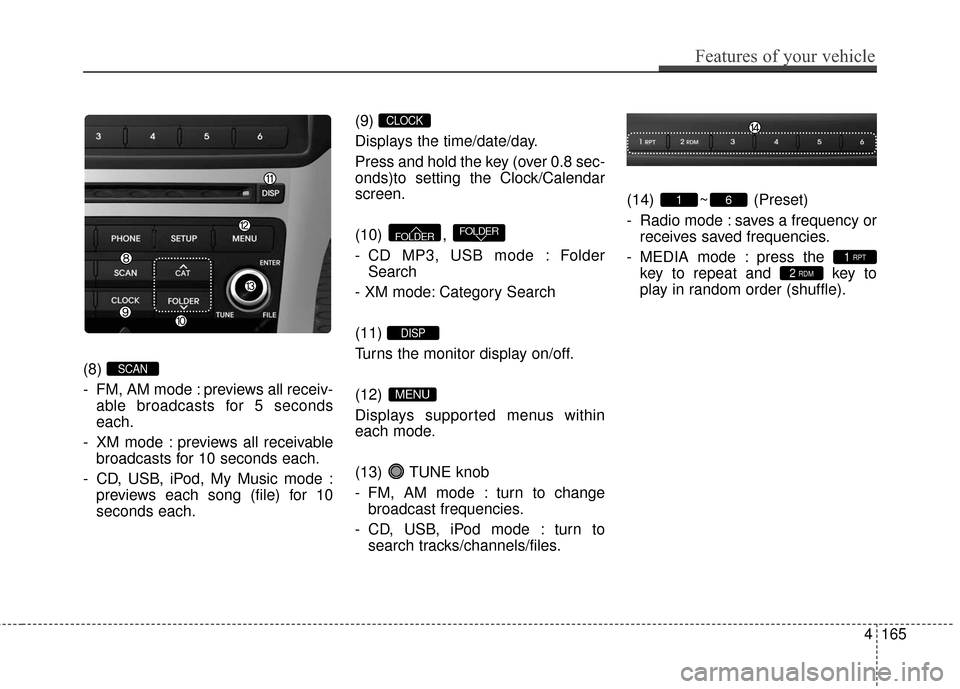
(8)
- FM, AM mode : previews all receiv-
able broadcasts for 5 seconds
each.
- XM mode : previews all receivable broadcasts for 10 seconds each.
- CD, USB, iPod, My Music mode : previews each song (file) for 10
seconds each. (9)
Displays the time/date/day.
Press and hold the key (over 0.8 sec-
onds)to setting the Clock/Calendar
screen.
(10) ,
- CD MP3, USB mode : Folder
Search
- XM mode: Category Search
(11)
Turns the monitor display on/off.
(12)
Displays supported menus within
each mode.
(13) TUNE knob
- FM, AM mode : turn to change broadcast frequencies.
- CD, USB, iPod mode : turn to search tracks/channels/files. (14) ~ (Preset)
- Radio mode : saves a frequency or
receives saved frequencies.
- MEDIA mode : press the key to repeat and key to
play in random order (shuffle).
2 RDM1 RPT
61
MENU
DISP
FOLDERFOLDER
CLOCK
SCAN
Page 291 of 520
![Hyundai Azera 2017 Repair Manual Features of your vehicle
212
4
USING SETUP
Starting Mode
Press the key to display the
Setup screen.
You can select and control options
related to [Display], [Sound], [Clock /
Calendar], [Phone] and [](/img/35/14459/w960_14459-290.png "Hyundai Azera 2017 Repair Manual Features of your vehicle
212
4
USING SETUP
Starting Mode
Press the key to display the
Setup screen.
You can select and control options
related to [Display], [Sound], [Clock /
Calendar], [Phone] and [")
Features of your vehicle
212
4
USING SETUP
Starting Mode
Press the key to display the
Setup screen.
You can select and control options
related to [Display], [Sound], [Clock /
Calendar], [Phone] and [System].
✽ ✽
NOTICE
Once settings have been changed,
press the key to return to the
previous menu.
Display Settings
Adjusting the Brightness
Press the key Select [Display]
Select [Brightness]
Use the TUNE knob to adjust the
screen brightness or set the
Brightness on Automatic, Daylight, or
Nightmode.
(1) Automatic : Adjusts the bright- ness automatically
(2) Day : Always maintains the bright- ness on high
(3) Night : Always maintains the brightness on low
Mode Pop-up
Press the key Select [Display]
Select [Mode Pop up]
This feature is used to display the
Mode Pop-up screen when entering
radio and media modes.
When this feature is turned on,
pressing the or key
will display the Mode Pop-up screen.
✽ ✽ NOTICE
The media Mode Pop-up screen can
be displayed only when two or more
media modes have been connected.
MEDIA RADIO
SETUP
SETUP
MENU
SETUP
Page 294 of 520
![Hyundai Azera 2017 Repair Manual 4215
Features of your vehicle
Clock/Calendar Setting
Clock Setting
Press the key Select [Clock/
Calendar] Select [Clock Settings]
Use the TUNE knob to select the
Hour, Minutes and AM/PM setting
and](/img/35/14459/w960_14459-293.png "Hyundai Azera 2017 Repair Manual 4215
Features of your vehicle
Clock/Calendar Setting
Clock Setting
Press the key Select [Clock/
Calendar] Select [Clock Settings]
Use the TUNE knob to select the
Hour, Minutes and AM/PM setting
and")
4215
Features of your vehicle
Clock/Calendar Setting
Clock Setting
Press the key Select [Clock/
Calendar] Select [Clock Settings]
Use the TUNE knob to select the
Hour, Minutes and AM/PM setting
and use TUNE knob to change
settings.
Calendar Setting
Press the key Select [Clock/
Calendar] Select [Calendar
Settings]
Use the TUNE knob to select the
Month, Day, and Year and use TUNE knob to change settings.
Time Format
Press the key Select [Clock/
Calendar] Select [Time Format]
This feature is used to change the
clock format between 12hr or 24hr.
Clock Display
Press the key Select [Clock/
Calendar] Select [Clock Display
(Power off)]
This feature is used to display a clock
on the screen when the audio sys-
tem is turned off.SETUP
SETUP SETUP
SETUP
Page 307 of 520
53
Driving your vehicle
Before entering vehicle
• Be sure that all windows, outsidemirror(s), and outside lights are
clean.
Check the condition of the tires.
Check under the vehicle for any sign of leaks.
Be sure there are no obstacles behind you if you intend to back up.
Necessary inspections
Fluid levels, such as engine oil,
engine coolant, brake fluid, and
washer fluid should be checked on a
regular basis, with the exact interval
depending on the fluid. Further
details are provided in section 7,
“Maintenance”.
Before starting
Close and lock all doors.
Position the seat so that all con-trols are easily reached.
Adjust the inside and outside rearview mirrors.
Be sure that all lights work.
Check all gauges.
Check the operation of warning lights when the ignition switch is
changed to the ON position.
Release the parking brake and make sure the brake warning light
goes out.
For safe operation, be sure you are
familiar with your vehicle and its
equipment.
BEFORE DRIVING
WARNING - Distracted
driving
Focus on the road while driving.
The driver's primary responsi-
bility is in the safe and legal
operation of the vehicle. Use of
any hand-held devices, other
equipment or vehicle systems
that distract the driver should
not be used during vehicle
operation. Distracted driving
can result in injuries or death.
WARNING
All passengers must be proper-
ly belted whenever the vehicle
is moving. Refer to “Seat belts”
in section 3 for more informa-
tion on their proper use.
Page 314 of 520
Driving your vehicle
10
5
Automatic transaxle operation
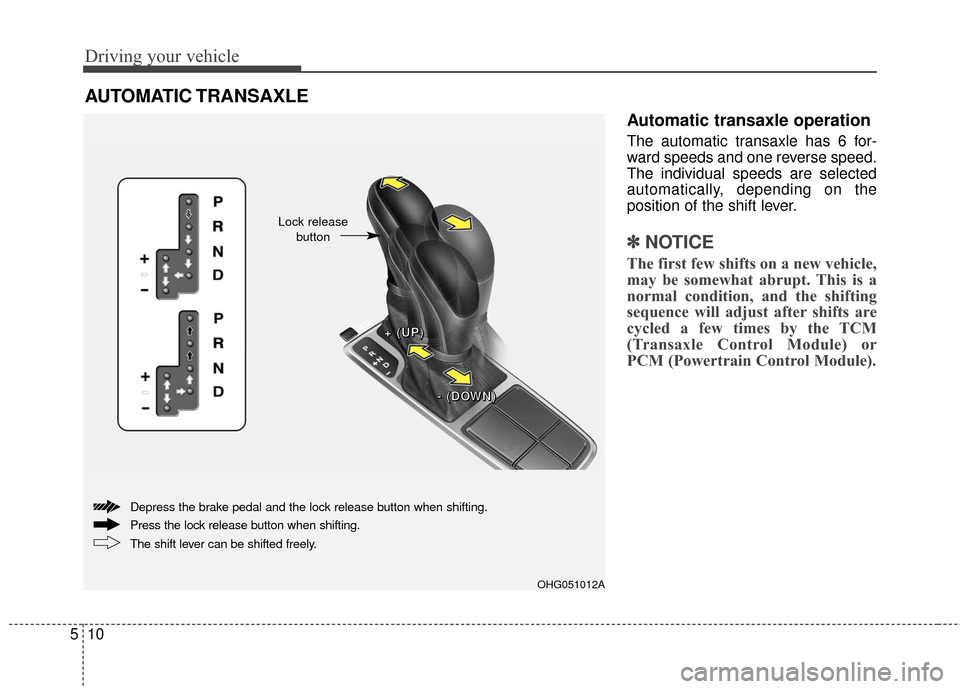
The automatic transaxle has 6 for-
ward speeds and one reverse speed.
The individual speeds are selected
automatically, depending on the
position of the shift lever.
✽ ✽
NOTICE
The first few shifts on a new vehicle,
may be somewhat abrupt. This is a
normal condition, and the shifting
sequence will adjust after shifts are
cycled a few times by the TCM
(Transaxle Control Module) or
PCM (Powertrain Control Module).
AUTOMATIC TRANSAXLE
OHG051012A
+ +
+
+
(
(
(
(
U
U
U
U
P
P
P
P
)
)
)
)
-
-
-
-
(
(
(
(
D
D
D
D
O
O
O
O
W
W
W
W
N
N
N
N
)
)
)
)
The shift lever can be shifted freely. Press the lock release button when shifting. Depress the brake pedal and the lock release button when shifting.
Lock release button
Page 315 of 520
511
Driving your vehicle
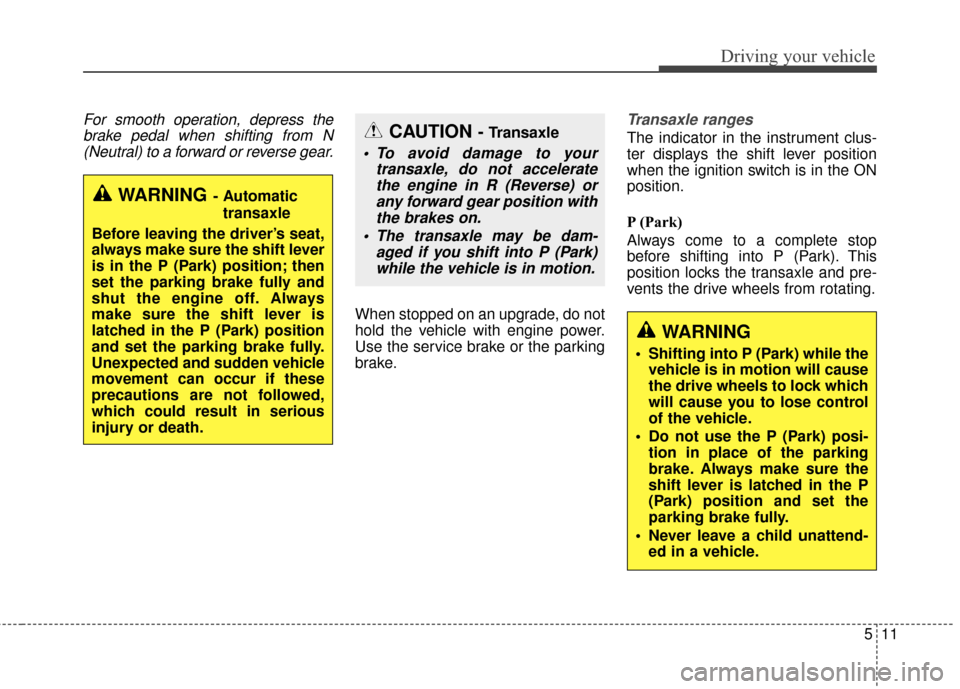
For smooth operation, depress thebrake pedal when shifting from N(Neutral) to a forward or reverse gear.
When stopped on an upgrade, do not
hold the vehicle with engine power.
Use the service brake or the parking
brake.
Transaxle ranges
The indicator in the instrument clus-
ter displays the shift lever position
when the ignition switch is in the ON
position.
P (Park)
Always come to a complete stop
before shifting into P (Park). This
position locks the transaxle and pre-
vents the drive wheels from rotating.
WARNING- Automatic
transaxle
Before leaving the driver’s seat,
always make sure the shift lever
is in the P (Park) position; then
set the parking brake fully and
shut the engine off. Always
make sure the shift lever is
latched in the P (Park) position
and set the parking brake fully.
Unexpected and sudden vehicle
movement can occur if these
precautions are not followed,
which could result in serious
injury or death.
CAUTION - Transaxle
To avoid damage to your transaxle, do not acceleratethe engine in R (Reverse) orany forward gear position withthe brakes on.
The transaxle may be dam- aged if you shift into P (Park)while the vehicle is in motion.
WARNING
Shifting into P (Park) while the vehicle is in motion will cause
the drive wheels to lock which
will cause you to lose control
of the vehicle.
Do not use the P (Park) posi- tion in place of the parking
brake. Always make sure the
shift lever is latched in the P
(Park) position and set the
parking brake fully.
Never leave a child unattend- ed in a vehicle.
Page 317 of 520
513
Driving your vehicle
In manual shift mode, moving the
shift lever backwards and forwards
will allow you to make gearshifts rap-
idly.
In contrast to a manual transaxle, the
manual shift mode allows gearshifts
with the accelerator pedal
depressed.
Up (+) : Push the lever forwardonce to shift up one gear.
Down (-) : Pull the lever backwards once to shift down one
gear.✽ ✽NOTICE
• In manual shift mode, the driver
must execute upshifts in accor-
dance with road conditions, taking
care to keep the engine speed
below the red zone.
• In manual shift mode, only the 6 forward gears can be selected. To
reverse or park the vehicle, move
the shift lever to the R (Reverse)
or P (Park) position as required.
• In manual shift mode, downshifts are made automatically when the
vehicle slows down. When the
vehicle stops, 1st gear is automati-
cally selected.
• In manual shift mode, when the engine rpm approaches the red
zone, the transaxle will upshift
automatically to the next higher
gear.
• To maintain the required levels of vehicle performance and safety,
the system may not execute cer-
tain gearshifts when the shift lever
is operated.
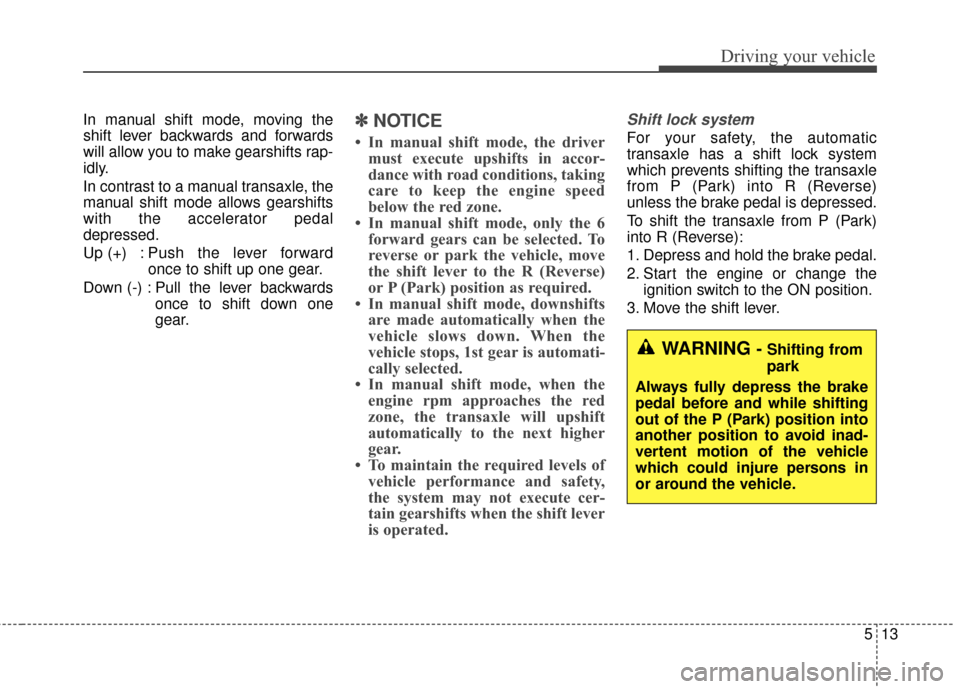
Shift lock system
For your safety, the automatic
transaxle has a shift lock system
which prevents shifting the transaxle
from P (Park) into R (Reverse)
unless the brake pedal is depressed.
To shift the transaxle from P (Park)
into R (Reverse):
1. Depress and hold the brake pedal.
2. Start the engine or change the
ignition switch to the ON position.
3. Move the shift lever.
WARNING - Shifting from
park
Always fully depress the brake
pedal before and while shifting
out of the P (Park) position into
another position to avoid inad-
vertent motion of the vehicle
which could injure persons in
or around the vehicle.
Page 318 of 520
Driving your vehicle
14
5
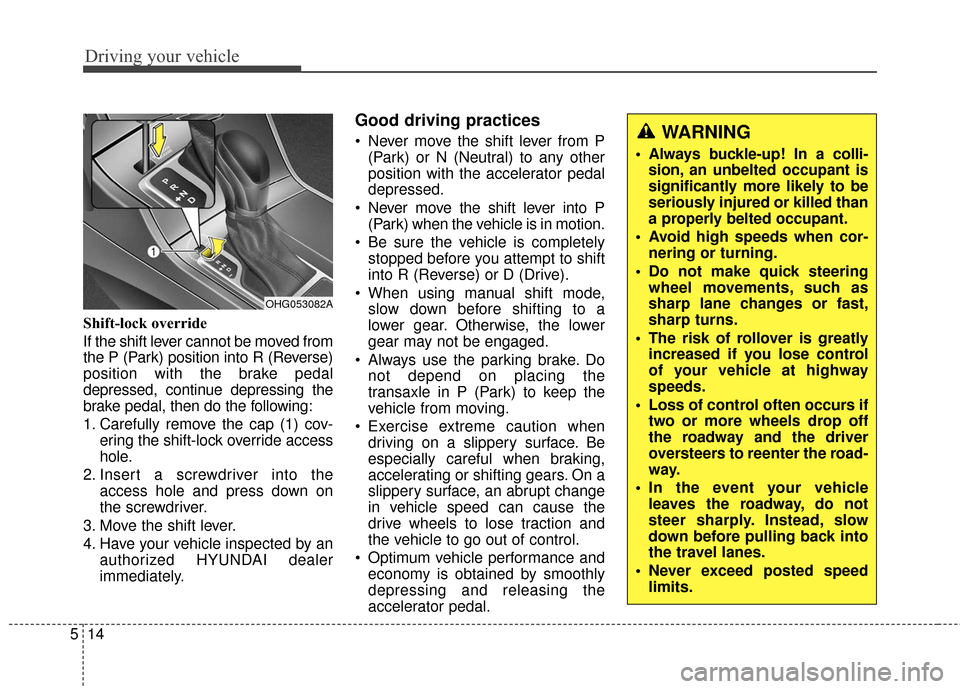
Shift-lock override
If the shift lever cannot be moved from
the P (Park) position into R (Reverse)
position with the brake pedal
depressed, continue depressing the
brake pedal, then do the following:
1. Carefully remove the cap (1) cov-
ering the shift-lock override access
hole.
2. Insert a screwdriver into the access hole and press down on
the screwdriver.
3. Move the shift lever.
4. Have your vehicle inspected by an authorized HYUNDAI dealer
immediately.
Good driving practices
Never move the shift lever from P(Park) or N (Neutral) to any other
position with the accelerator pedal
depressed.
Never move the shift lever into P (Park) when the vehicle is in motion.
Be sure the vehicle is completely stopped before you attempt to shift
into R (Reverse) or D (Drive).
When using manual shift mode, slow down before shifting to a
lower gear. Otherwise, the lower
gear may not be engaged.
Always use the parking brake. Do not depend on placing the
transaxle in P (Park) to keep the
vehicle from moving.
Exercise extreme caution when driving on a slippery surface. Be
especially careful when braking,
accelerating or shifting gears. On a
slippery surface, an abrupt change
in vehicle speed can cause the
drive wheels to lose traction and
the vehicle to go out of control.
Optimum vehicle performance and economy is obtained by smoothly
depressing and releasing the
accelerator pedal.
OHG053082A
WARNING
Always buckle-up! In a colli-sion, an unbelted occupant is
significantly more likely to be
seriously injured or killed than
a properly belted occupant.
Avoid high speeds when cor- nering or turning.
Do not make quick steering wheel movements, such as
sharp lane changes or fast,
sharp turns.
The risk of rollover is greatly increased if you lose control
of your vehicle at highway
speeds.
Loss of control often occurs if two or more wheels drop off
the roadway and the driver
oversteers to reenter the road-
way.
In the event your vehicle leaves the roadway, do not
steer sharply. Instead, slow
down before pulling back into
the travel lanes.
Never exceed posted speed limits.
Page 327 of 520
523
Driving your vehicle
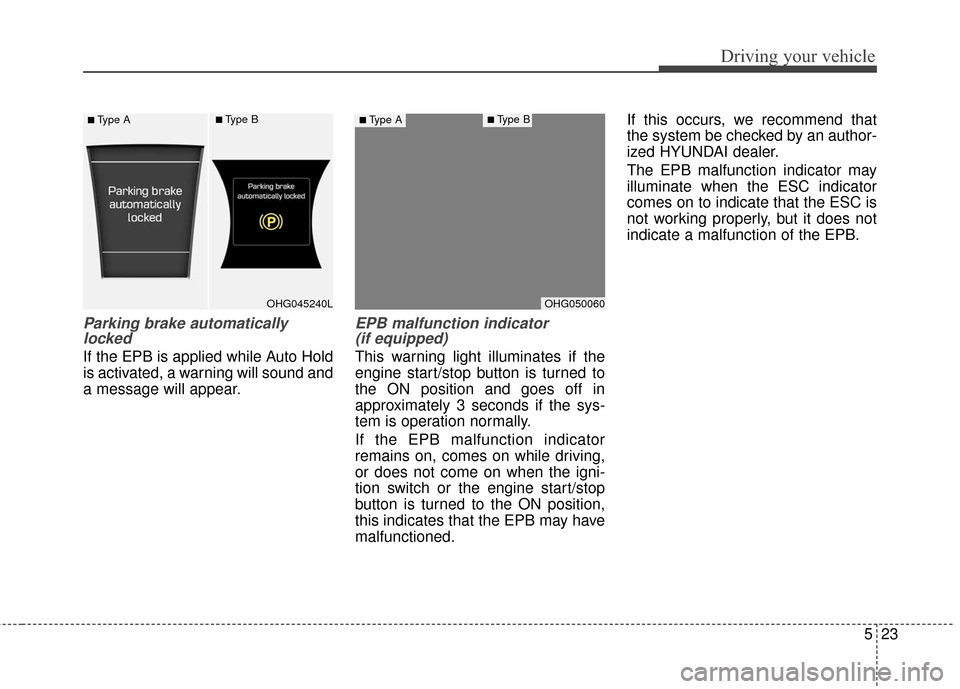
Parking brake automaticallylocked
If the EPB is applied while Auto Hold
is activated, a warning will sound and
a message will appear.
EPB malfunction indicator (if equipped)
This warning light illuminates if the
engine start/stop button is turned to
the ON position and goes off in
approximately 3 seconds if the sys-
tem is operation normally.
If the EPB malfunction indicator
remains on, comes on while driving,
or does not come on when the igni-
tion switch or the engine start/stop
button is turned to the ON position,
this indicates that the EPB may have
malfunctioned. If this occurs, we recommend that
the system be checked by an author-
ized HYUNDAI dealer.
The EPB malfunction indicator may
illuminate when the ESC indicator
comes on to indicate that the ESC is
not working properly, but it does not
indicate a malfunction of the EPB.
OHG045240L
■Type A■Type B
OHG050060
■Type A■Type B