change time Hyundai Coupe 2002 Owner's Manual
[x] Cancel search | Manufacturer: HYUNDAI, Model Year: 2002, Model line: Coupe, Model: Hyundai Coupe 2002Pages: 140, PDF Size: 1.45 MB
Page 36 of 140
CONTROLS AND EQUIPMENT
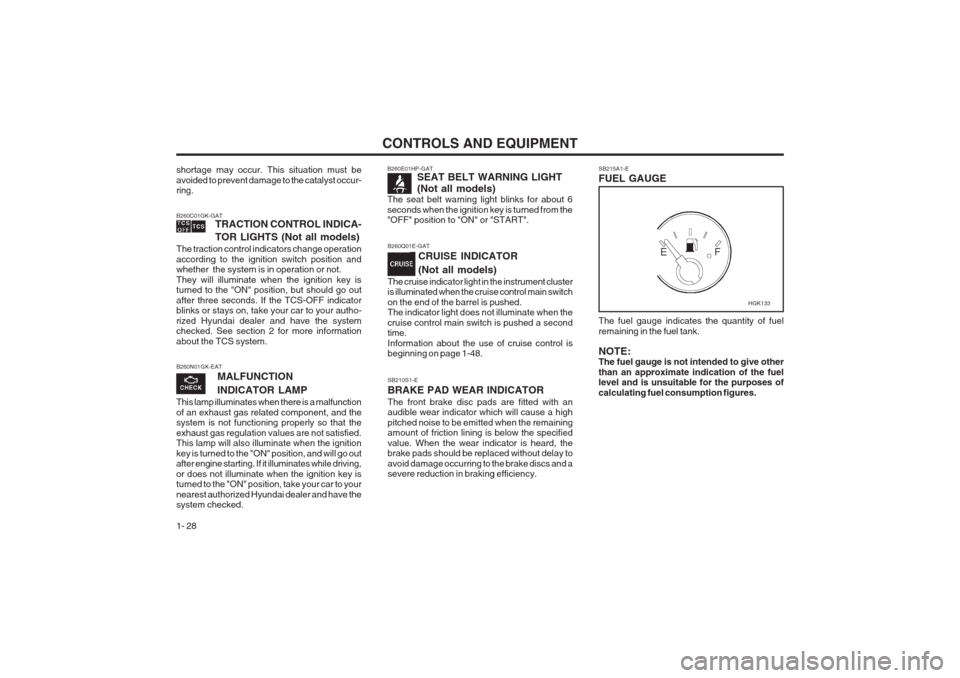
1- 28 SB210S1-E BRAKE PAD WEAR INDICATORThe front brake disc pads are fitted with an audible wear indicator which will cause a high pitched noise to be emitted when the remaining amount of friction lining is below the specified value. When the wear indicator is heard, the brake pads should be replaced without delay to avoid damage occurring to the brake discs and a severe reduction in braking efficiency.SB215A1-E FUEL GAUGE The fuel gauge indicates the quantity of fuel remaining in the fuel tank. NOTE: The fuel gauge is not intended to give other than an approximate indication of the fuel level and is unsuitable for the purposes of calculating fuel consumption figures.
B260N01GK-EAT
MALFUNCTION INDICATOR LAMP
This lamp illuminates when there is a malfunction of an exhaust gas related component, and the system is not functioning properly so that the exhaust gas regulation values are not satisfied. This lamp will also illuminate when the ignition
key is turned to the "ON" position, and will go out after engine starting. If it illuminates while driving, or does not illuminate when the ignition key is turned to the "ON" position, take your car to your nearest authorized Hyundai dealer and have the system checked.
shortage may occur. This situation must be avoided to prevent damage to the catalyst occur- ring. B260C01GK-GAT TRACTION CONTROL INDICA-
TOR LIGHTS (Not all models)
The traction control indicators change operation according to the ignition switch position and whether the system is in operation or not. They will illuminate when the ignition key is turned to the "ON" position, but should go out after three seconds. If the TCS-OFF indicator blinks or stays on, take your car to your autho- rized Hyundai dealer and have the system checked. See section 2 for more information about the TCS system.B260E01HP-GAT SEAT BELT WARNING LIGHT (Not all models)
The seat belt warning light blinks for about 6 seconds when the ignition key is turned from the "OFF" position to "ON" or "START".
B260Q01E-GAT
CRUISE INDICATOR (Not all models)
The cruise indicator light in the instrument cluster is illuminated when the cruise control main switch on the end of the barrel is pushed. The indicator light does not illuminate when the cruise control main switch is pushed a second time. Information about the use of cruise control is beginning on page 1-48.
HGK133
Page 38 of 140
CONTROLS AND EQUIPMENT
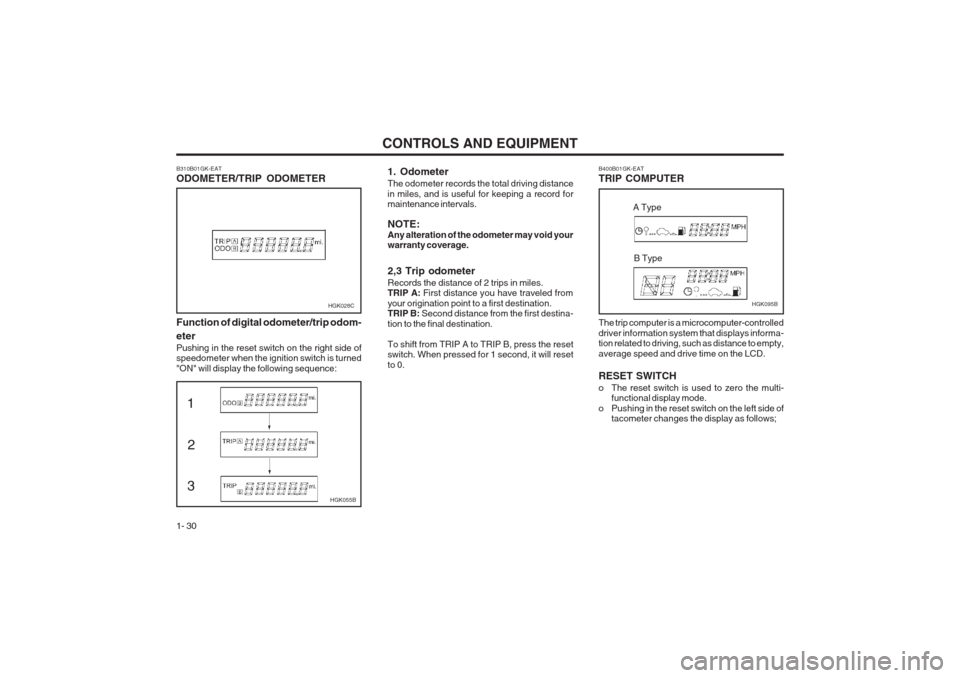
1- 30 The trip computer is a microcomputer-controlled driver information system that displays informa- tion related to driving, such as distance to empty, average speed and drive time on the LCD. RESET SWITCH
o The reset switch is used to zero the multi-
functional display mode.
o Pushing in the reset switch on the left side of tacometer changes the display as follows;
HGK095B
B400B01GK-EAT TRIP COMPUTER
A Type
B Type
1. Odometer The odometer records the total driving distance in miles, and is useful for keeping a record for maintenance intervals. NOTE: Any alteration of the odometer may void your warranty coverage. 2,3 Trip odometer Records the distance of 2 trips in miles. TRIP A:
First distance you have traveled from
your origination point to a first destination.TRIP B: Second distance from the first destina-
tion to the final destination. To shift from TRIP A to TRIP B, press the reset switch. When pressed for 1 second, it will reset to 0.
B310B01GK-EAT ODOMETER/TRIP ODOMETERHGK028C
Function of digital odometer/trip odom- eter
Pushing in the reset switch on the right side of speedometer when the ignition switch is turned "ON" will display the following sequence:
HGK055B
13 2
Page 41 of 140
CONTROLS AND EQUIPMENT1- 33
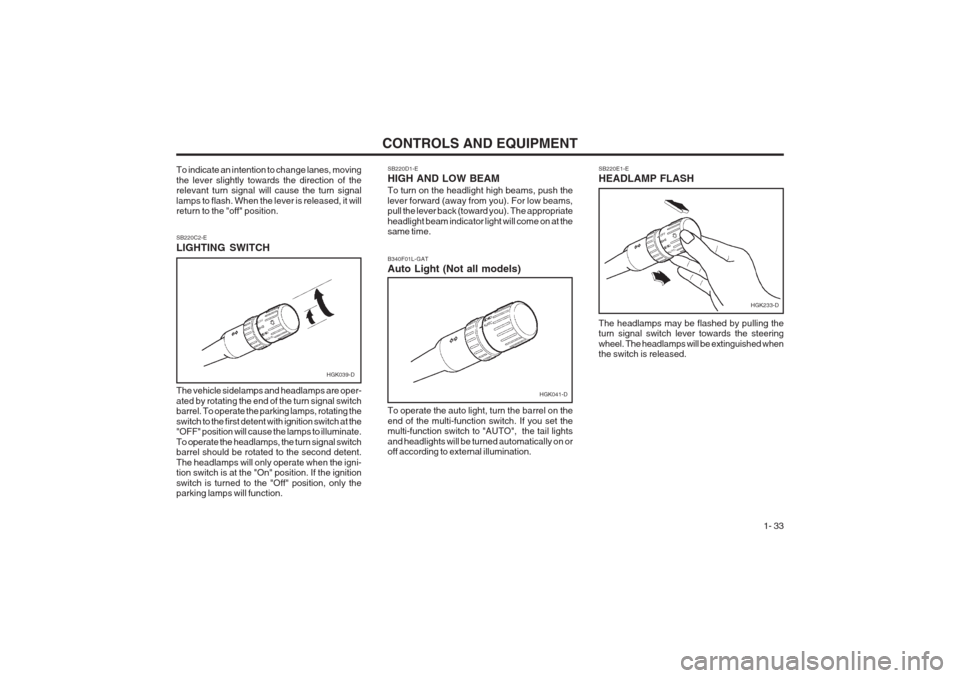
SB220D1-E HIGH AND LOW BEAM To turn on the headlight high beams, push the lever forward (away from you). For low beams, pull the lever back (toward you). The appropriate headlight beam indicator light will come on at the same time.
SB220E1-E HEADLAMP FLASH
SB220C2-E LIGHTING SWITCH The vehicle sidelamps and headlamps are oper- ated by rotating the end of the turn signal switch barrel. To operate the parking lamps, rotating the switch to the first detent with ignition switch at the "OFF" position will cause the lamps to illuminate. To operate the headlamps, the turn signal switch barrel should be rotated to the second detent. The headlamps will only operate when the igni- tion switch is at the "On" position. If the ignition switch is turned to the "Off" position, only the parking lamps will function. The headlamps may be flashed by pulling theturn signal switch lever towards the steering wheel. The headlamps will be extinguished when the switch is released.
To indicate an intention to change lanes, moving the lever slightly towards the direction of the relevant turn signal will cause the turn signal lamps to flash. When the lever is released, it will return to the "off" position.
HGK039-D
To operate the auto light, turn the barrel on the end of the multi-function switch. If you set the multi-function switch to "AUTO", the tail lights and headlights will be turned automatically on or off according to external illumination.
B340F01L-GAT Auto Light (Not all models)
HGK041-D
HGK233-D
Page 44 of 140
CONTROLS AND EQUIPMENT
1- 36 SB290A1-F CIGAR LIGHTER
NOTE: The engine must be running for the heated rear window to operate. ZB190A1-A DIGITAL CLOCK SB280A1-EINSTRUMENT PANEL ILLUMINATION CONTROL
There are three control buttons for the digital clock. Their functions are: HOUR - Push "H" to advance the hour indicated.
MIN - Push "M" to advance the minute indicated.
RESET - Push "R" to reset minutes to ":00" to
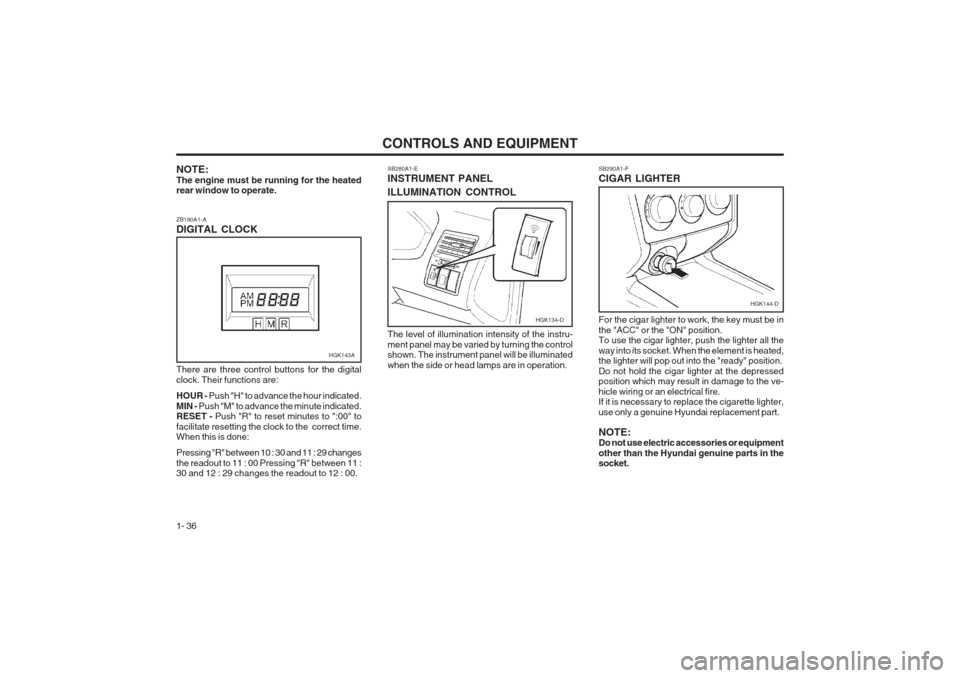
facilitate resetting the clock to the correct time. When this is done: Pressing "R" between 10 : 30 and 11 : 29 changes the readout to 11 : 00 Pressing "R" between 11 : 30 and 12 : 29 changes the readout to 12 : 00. The level of illumination intensity of the instru- ment panel may be varied by turning the control shown. The instrument panel will be illuminated when the side or head lamps are in operation.
For the cigar lighter to work, the key must be inthe "ACC" or the "ON" position. To use the cigar lighter, push the lighter all the way into its socket. When the element is heated, the lighter will pop out into the "ready" position. Do not hold the cigar lighter at the depressed position which may result in damage to the ve- hicle wiring or an electrical fire. If it is necessary to replace the cigarette lighter, use only a genuine Hyundai replacement part. NOTE: Do not use electric accessories or equipment other than the Hyundai genuine parts in the socket.
HGK143A
HGK134-D
HGK144-D
Page 61 of 140
CONTROLS AND EQUIPMENT1- 53
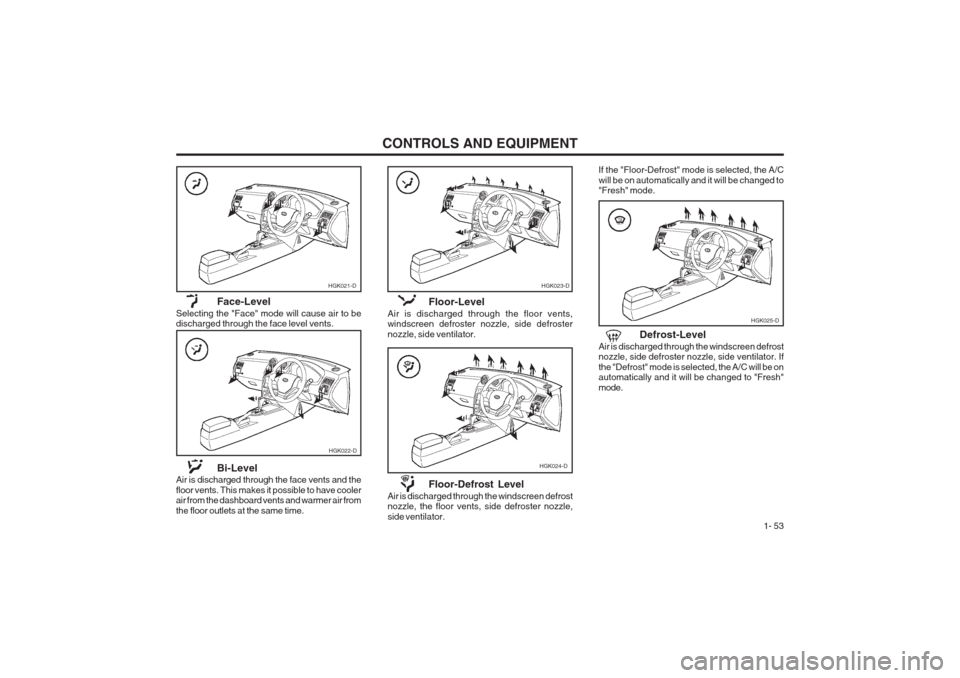
HGK023-D
HGK024-D
Floor-Level
Air is discharged through the floor vents, windscreen defroster nozzle, side defroster nozzle, side ventilator.
Floor-Defrost Level
Air is discharged through the windscreen defrost nozzle, the floor vents, side defroster nozzle, side ventilator.
HGK025-D
Face-Level
Selecting the "Face" mode will cause air to be discharged through the face level vents.
HGK022-D
Bi-Level
Air is discharged through the face vents and the floor vents. This makes it possible to have cooler air from the dashboard vents and warmer air from the floor outlets at the same time.
HGK021-D If the "Floor-Defrost" mode is selected, the A/C will be on automatically and it will be changed to "Fresh" mode.
Defrost-Level
Air is discharged through the windscreen defrostnozzle, side defroster nozzle, side ventilator. If the "Defrost" mode is selected, the A/C will be on automatically and it will be changed to "Fresh" mode.
Page 62 of 140
CONTROLS AND EQUIPMENT
1- 54
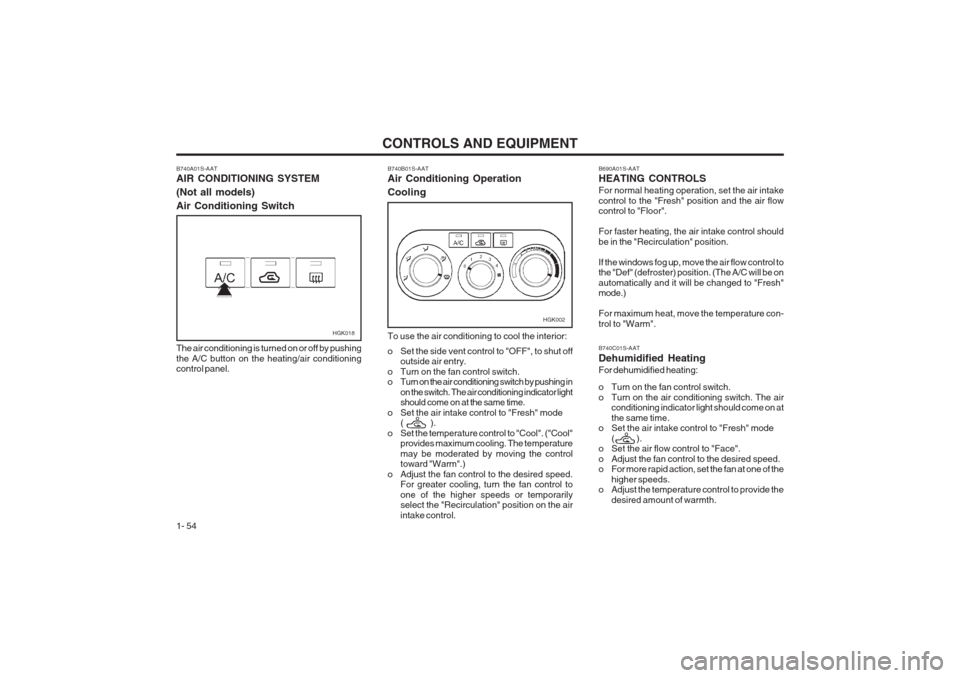
B740A01S-AAT AIR CONDITIONING SYSTEM (Not all models)Air Conditioning Switch
HGK018
The air conditioning is turned on or off by pushing the A/C button on the heating/air conditioning control panel.
HGK002
B740B01S-AAT Air Conditioning Operation Cooling To use the air conditioning to cool the interior:
o Set the side vent control to "OFF", to shut off outside air entry.
o Turn on the fan control switch.
o Turn on the air conditioning switch by pushing in on the switch. The air conditioning indicator lightshould come on at the same time.
o Set the air intake control to "Fresh" mode ( ).
o Set the temperature control to "Cool". ("Cool" provides maximum cooling. The temperature may be moderated by moving the control toward "Warm".)
o Adjust the fan control to the desired speed. For greater cooling, turn the fan control to one of the higher speeds or temporarily select the "Recirculation" position on the air intake control.B690A01S-AAT HEATING CONTROLS For normal heating operation, set the air intake control to the "Fresh" position and the air flow control to "Floor". For faster heating, the air intake control should be in the "Recirculation" position. If the windows fog up, move the air flow control to the "Def" (defroster) position. (The A/C will be on automatically and it will be changed to "Fresh" mode.) For maximum heat, move the temperature con- trol to "Warm". B740C01S-AAT Dehumidified HeatingFor dehumidified heating:
o Turn on the fan control switch.
o Turn on the air conditioning switch. The airconditioning indicator light should come on atthe same time.
o Set the air intake control to "Fresh" mode
( ).
o Set the air flow control to "Face".
o Adjust the fan control to the desired speed.
o For more rapid action, set the fan at one of the
higher speeds.
o Adjust the temperature control to provide the
desired amount of warmth.
Page 63 of 140
CONTROLS AND EQUIPMENT1- 55
B730A01FC-EAT Operation Tips
o To keep dust or unpleasant fumes from enter-
ing the car through the ventilation system, temporarily set the air intake control at "Recir- culation". Be sure to return the control to "Fresh" when the irritation has passed to keep fresh air in the vehicle. This will helpkeep the driver alert and comfortable.
o Air for the heating/cooling system is drawn in through the grilles just ahead of the wind- screen. Care should be taken that these are not blocked by leaves, snow, ice or other obstructions.
o To prevent interior fog on the windscreen, set
the air intake control to the fresh air ( ) position and fan speed to the desi-red posi- tion.
NOTE:When the A/C is operated continuously on the floor-defrost level (
) or defrost level
(), it may cause fog to form on the exterior
windscreen by the temperature differential. At this time set the air flow control to the face level position (
)and fan speed control to the
low position.
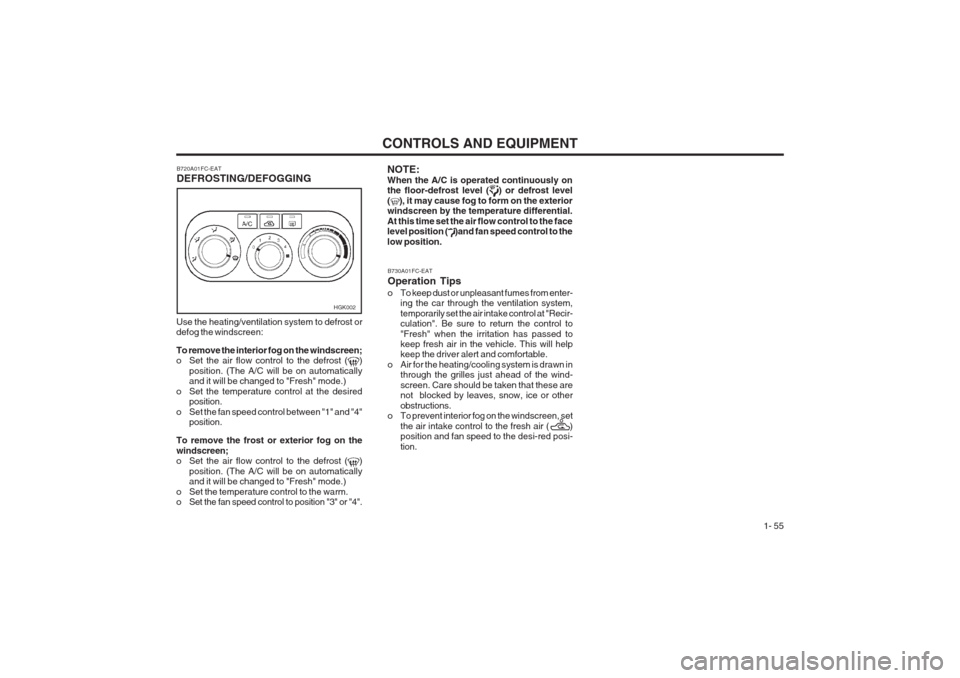
Use the heating/ventilation system to defrost or defog the windscreen: To remove the interior fog on the windscreen;
o Set the air flow control to the defrost (
)
position. (The A/C will be on automatically and it will be changed to "Fresh" mode.)
o Set the temperature control at the desired position.
o Set the fan speed control between "1" and "4" position.
To remove the frost or exterior fog on the windscreen;
o Set the air flow control to the defrost (
)
position. (The A/C will be on automatically and it will be changed to "Fresh" mode.)
o Set the temperature control to the warm.
o Set the fan speed control to position "3" or "4". B720A01FC-EAT DEFROSTING/DEFOGGING
HGK002
Page 82 of 140
DRIVING YOUR HYUNDAI
2- 8 o Since the power assistance provided by the
brake servo is derived from the engine, coasting with the engine turned off or towing of the vehicle with the engine turned off will result in greatly increased pedal pressures being required to stop the vehicle.
o Do not hold the vehicle on the upgrade with the accelerator pedal. This can cause thetransmission to overheat. Always use the brake pedal or parking brake.
SC140B1-E ANTI-LOCK BRAKE SYSTEM (Not all models) The Anti-Lock Brake System (ABS) is designed to prevent wheel lock-up during sudden braking or on hazardous road surfaces. The ABS con- trol module monitors the wheel speed and con- trols the pressure applied to each brake. Thus, in emergency situations or on slick roads, ABS will increase vehicle control during braking. NOTE: During ABS operation, a slight pulsation may be felt in the brake pedal when the brakes are applied. Also, a noise may be heard in the engine compartment while brak- ing. These conditions are normal and indi- cate that the anti-lock brake system is func- tioning properly.
when you are driving down a long hill, slowdown and shift to a lower gear. When you do this, engine braking will help slow the car.
o Slow down before shifting to a lower gear.
Otherwise, the lower gear may not be en-gaged.
o Always use the parking brake. Do not de- pend on placing the transaxle in "P" to keep the car from moving.
o Exercise extreme caution when driving on a slippery surface. Be especially careful whenbraking, accelerating or shifting gears. On a slippery surface, an abrupt change in vehi- cle speed can cause the drive wheels to lose traction and the vehicle to go out of control.
WARNING:
o Avoid high cornering speeds.
o Do not make quick steering wheel move- ments, such as sharp lane changes orfast, sharp turns.
o Always wear your seat belts.
o The risk of rollover is greatly increased if
you lose control of your vehicle at high- way speeds.
o Loss of control often occurs if two or more wheels drop off the roadway andthe driver oversteers to reenter the road- way.
o In the event your vehicle leaves the road- way, do not steer sharply. Instead, slowdown before pulling back into the travel lanes. o In a collision crash, un unbelted person
is significantly more likely to die than aperson wearing a seatbelt.
SC140A1-E EFFECTIVE BRAKINGBraking system performance and friction mate- rial life are greatly affected by the driving style adopted. The following suggestions are made to assist in achieving the best results from the braking system.
o Anticipate the road and conditions ahead in order that heavy braking may be avoided.
o When descending long gradients, use the engine to assist in retarding the vehicle to minimize the possibility of brake fade occur- ring.
o When trailer towing, ensure that the trailer brakes function correctly and use enginebraking to assist the vehicle braking system.
o Use only genuine Hyundai replacement brake pads and shoes to ensure consistentfriction characteristics and wear rates.
o After driving through deep water (e.g.
fording), the brakes may become wet and performance reduced. Always check brake efficiency after emerging from the water and dry the brakes by lightly depressing the brake pedal several times whilst driving slow- ly.
o Apply the parking brake only when the vehi- cle is at rest.
Page 87 of 140
DRIVING YOUR HYUNDAI 2- 13
NOTE:
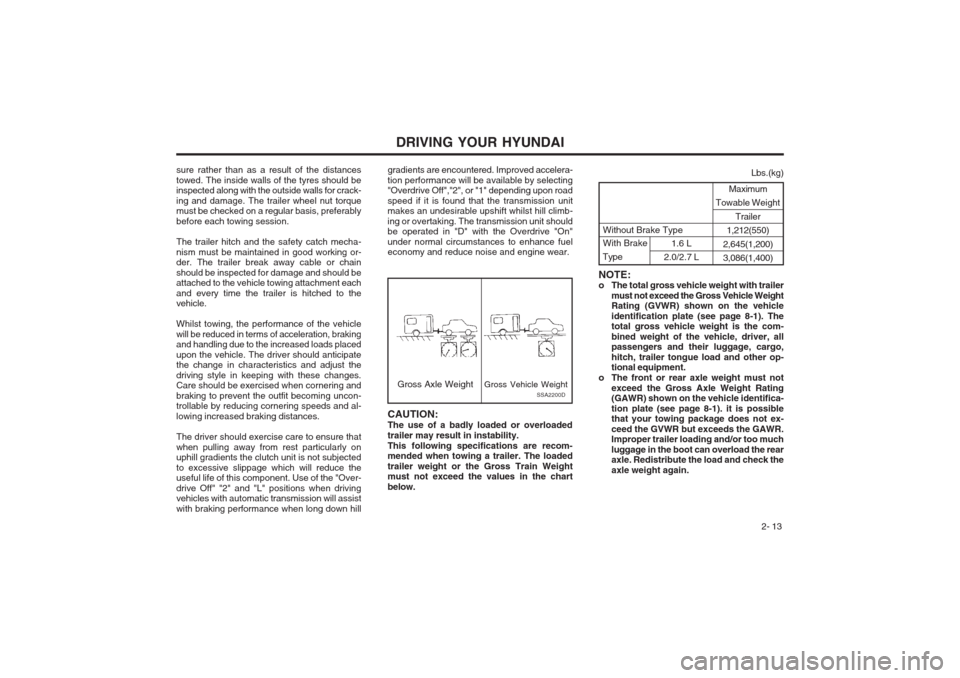
o The total gross vehicle weight with trailer
must not exceed the Gross Vehicle WeightRating (GVWR) shown on the vehicle identification plate (see page 8-1). The total gross vehicle weight is the com- bined weight of the vehicle, driver, all passengers and their luggage, cargo, hitch, trailer tongue load and other op- tional equipment.
o The front or rear axle weight must not exceed the Gross Axle Weight Rating(GAWR) shown on the vehicle identifica- tion plate (see page 8-1). it is possible that your towing package does not ex- ceed the GVWR but exceeds the GAWR. Improper trailer loading and/or too much luggage in the boot can overload the rear axle. Redistribute the load and check the axle weight again.
sure rather than as a result of the distancestowed. The inside walls of the tyres should be inspected along with the outside walls for crack- ing and damage. The trailer wheel nut torque must be checked on a regular basis, preferably before each towing session. The trailer hitch and the safety catch mecha- nism must be maintained in good working or- der. The trailer break away cable or chain should be inspected for damage and should be attached to the vehicle towing attachment each and every time the trailer is hitched to the vehicle. Whilst towing, the performance of the vehicle will be reduced in terms of acceleration, braking and handling due to the increased loads placed upon the vehicle. The driver should anticipate the change in characteristics and adjust the driving style in keeping with these changes. Care should be exercised when cornering and braking to prevent the outfit becoming uncon- trollable by reducing cornering speeds and al- lowing increased braking distances. The driver should exercise care to ensure that when pulling away from rest particularly on uphill gradients the clutch unit is not subjected to excessive slippage which will reduce the useful life of this component. Use of the "Over- drive Off" "2" and "L" positions when driving vehicles with automatic transmission will assist with braking performance when long down hill gradients are encountered. Improved accelera-tion performance will be available by selecting "Overdrive Off","2", or "1" depending upon road speed if it is found that the transmission unit makes an undesirable upshift whilst hill climb- ing or overtaking. The transmission unit should be operated in "D" with the Overdrive "On" under normal circumstances to enhance fuel economy and reduce noise and engine wear.
SSA2200DGross Axle Weight
Gross Vehicle Weight
CAUTION: The use of a badly loaded or overloadedtrailer may result in instability.This following specifications are recom- mended when towing a trailer. The loaded trailer weight or the Gross Train Weight must not exceed the values in the chart below. Maximum
Towable Weight
Trailer
1,212(550)
2,645(1,200) 3,086(1,400)
Lbs.(kg)
With Brake
Type1.6 L
2.0/2.7 L
Without Brake Type
Page 88 of 140
DRIVING YOUR HYUNDAI
2- 14
Coupling point
HGK260
View from below the vehicle 13. Avoid holding the brake pedal down too long
or too frequently. This could cause the brakes to overheat, resulting in reduced braking efficiency.
14. When going down a hill, shift into a lower gear and use the engine braking effect.When ascending a long grade, downshift the transmission to a lower gear and reduce speed to reduce chances of engine over- loading and/or overheating.
15. If you have to stop while going uphill, do not hold the vehicle in place by pressing on theaccelerator. This can cause the automatic transmission to overheat. Use the parking brake or footbrake.
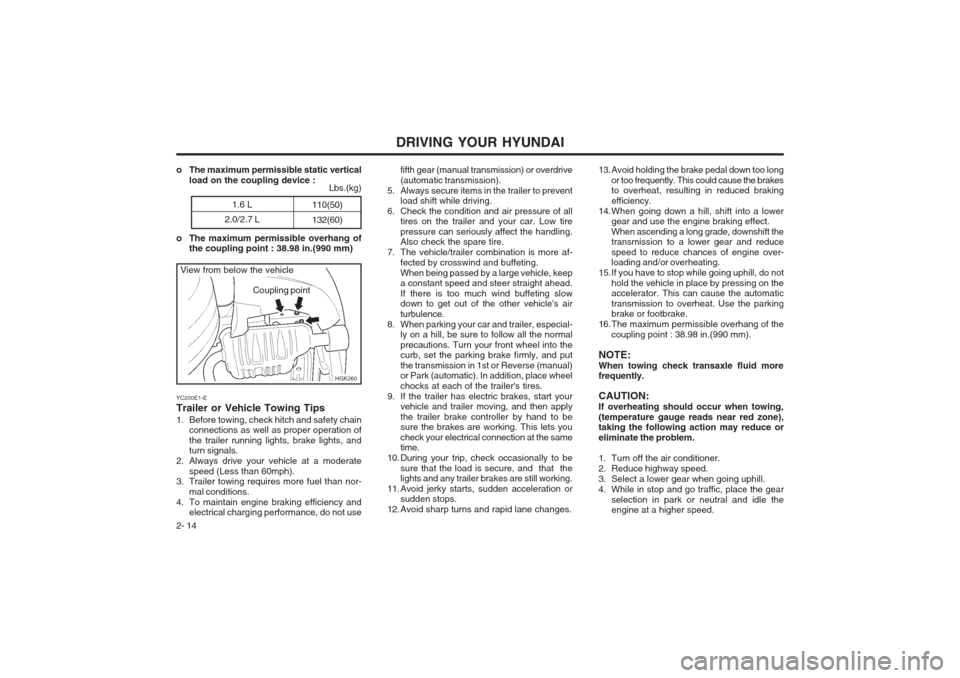
16. The maximum permissible overhang of the coupling point : 38.98 in.(990 mm).
NOTE: When towing check transaxle fluid more frequently. CAUTION: If overheating should occur when towing,(temperature gauge reads near red zone), taking the following action may reduce or eliminate the problem.
1. Turn off the air conditioner.
2. Reduce highway speed.
3. Select a lower gear when going uphill.
4. While in stop and go traffic, place the gear selection in park or neutral and idle the engine at a higher speed.
fifth gear (manual transmission) or overdrive (automatic transmission).
5. Always secure items in the trailer to prevent load shift while driving.
6. Check the condition and air pressure of all tires on the trailer and your car. Low tirepressure can seriously affect the handling. Also check the spare tire.
7. The vehicle/trailer combination is more af-
fected by crosswind and buffeting. When being passed by a large vehicle, keep a constant speed and steer straight ahead. If there is too much wind buffeting slow down to get out of the other vehicle's air turbulence.
8. When parking your car and trailer, especial- ly on a hill, be sure to follow all the normalprecautions. Turn your front wheel into the curb, set the parking brake firmly, and put the transmission in 1st or Reverse (manual) or Park (automatic). In addition, place wheel chocks at each of the trailer's tires.
9. If the trailer has electric brakes, start your vehicle and trailer moving, and then applythe trailer brake controller by hand to be sure the brakes are working. This lets you check your electrical connection at the same time.
10. During your trip, check occasionally to be sure that the load is secure, and that thelights and any trailer brakes are still working.
11. Avoid jerky starts, sudden acceleration or sudden stops.
12. Avoid sharp turns and rapid lane changes.
o The maximum permissible static vertical
load on the coupling device :
o The maximum permissible overhang of the coupling point : 38.98 in.(990 mm)
YC200E1-E Trailer or Vehicle Towing Tips
1. Before towing, check hitch and safety chain connections as well as proper operation of the trailer running lights, brake lights, and turn signals.
2. Always drive your vehicle at a moderate speed (Less than 60mph).
3. Trailer towing requires more fuel than nor-
mal conditions.
4. To maintain engine braking efficiency and electrical charging performance, do not use
1.6 L
2.0/2.7 L 110(50) 132(60)
Lbs.(kg)