ECO mode Hyundai Coupe 2004 User Guide
[x] Cancel search | Manufacturer: HYUNDAI, Model Year: 2004, Model line: Coupe, Model: Hyundai Coupe 2004Pages: 389, PDF Size: 10.22 MB
Page 91 of 389

FEATURES OF YOUR HYUNDAI 1- 83
5. FM, AM station search Turn the right rotary control to the left/right in desired waveband. The radio searches in de-scending/ascending order.
6. Scan search In the desired waveband (FM or AM) press the right rotary control, SC is displayed. An auto-matic station search is started. The first search isperformed on an insensitive plane, all furthersearches on a sensitive plane. Receivable sta-tions can be heard for 8 seconds. Press the rightrotary control if the received program should beretained.
7. Direct frequency input Select radio menu mode and then, within 8 sec- onds, enter the frequency using the multifunctionbuttons. 8. FM /AM station - retrieve/store Store: 10 frequencies or programs can be stored respectively on each of wavebands FM 1, FM 2and AM.Press multifunction button for 2 - 4 seconds inorder to store the desired station or program. Retrieve: press multifunction button "1-0". The stored station is requested.The frequency is displayed if the station cannotbe identified.
9.AM / FM autostore Select desired wave band. Select radio menu mode by pressing
button. Then Press multi-
function button "AS" repeatedly until AS-SEEK is displayed. The 10 stations with the best recep-tion are stored under the station buttons in orderof quality. The auto store plane is identified on thedisplay by AS. Select radio menu mode in orderto quit the autostore storage plane. Then pressmultifunction button "AS". The radio switchesback to the station button plane. 10.Manual tuning Select radio menu and the turn the right rotary control.Turning steps of 100 kHz (FM) or 9 kHz (AM) areperformer.Pressing the right rotary control switches to finetuning (1 kHz steps) for AM. The function is quitif there is no further actuation within 10 seconds.
B260B04GK
B260E01GK-GAT CD OPERATION 1.CDs - insert / eject Press
button briefly; the display folds down-
wards and the CD slot with the printed side upwards. The unit pulls in the CD automaticallyand begins to play the disc from the first track.Then fold the display up again. After playing thelast track, the unit automatically begins to playthe first track of the CD again. If there is alreadya CD in the CD slot, press
button repeatedly
until CD appears on the display. In order to eject a CD, press
button briefly; the display folds
downward and the CD is ejected. Then remove the CD. Then fold the display up again. NOTE: The CD is not ejected when the unit is switchedoff but remains in the CD slot.
2. Track skip - forwards / reverse Turn right rotary control to right/left. If the track has been playing for longer than 10seconds when the return function is triggered, areturn to the beginning of the track takes place.Through further turning of the right rotary control,several tracks can be skipped over in forward orreverse directions. Skip returns to the first to thelast track.
Page 92 of 389

FEATURES OF YOUR HYUNDAI
1- 84
3. Scan search Press and hold the right rotary control, until the prompt "SC" (5) appears on the display. Allfollowing CD tracks are played for 8 secondseach. Press the rotary control again to terminatethe search.
4. Fast forward /rewind Fast forward (audible) is activated by pressing the multifunction button (3) " " and fast rewind(audible) is activated by pressing the multifunc-tion button (2) " ". The relative time is displayedduring this function.
5. Relative time, number of tracks, to- tal playing time By pressing the multifunction button (1) "T", the relative time for the track currently being playedis displayed for approx.10seconds.
B260B05GK
(2) (3) (5)(1)(4)
By against pressing the multifunction button "T" (within 10 seconds), the number of tracks andtotal playing time of the CD currently being playedare displayed for approx.10 seconds
6. Random play The random play is activated by pressing the multifunction button (4) "RP". The tracks of thecurrent CD are then played in random order."RP" appears on the display. The random playfunction is terminated by repeated pressing ofthe multifunction button "RP".
7. Direct track selection The unit is switched to select mode by pressing the multifunction button "0" The digits 1-0 andTRACK _ _ are displayed. A track can be se-lected directly by using the multifunction buttons"1-0". The unit switches back to CD menu modeif no buttons are actuated for approx.8seconds.
8. Temperature protection circuit A temperature protection circuit is utilized in this unit in order to protect the laser diode againstover heating.When this protection circuit is activated, CDTEMP. appears for 8 seconds. The unit switchesback to the last selected signal source (FM / AM).The single CD operation can be requested againafter a short cooling phase. However, if thetemperature is still too high, the unit again switchesback to the previously selected signal source.
Page 101 of 389

DRIVING YOUR HYUNDAI
2- 6 C090B01A-AAT The function of each position is as follows: o P (Park): Use to hold the vehicle in place when parked orwhile starting the engine. Whenever parking thecar, apply the parking brake and shift the selectorlever to the "P" (Park) position. CAUTION: Never place the selector lever in the "P"(Park) position unless the vehicle is fullystopped. Failure to observe this caution willcause severe damage to the transaxle. C090C01A-AAT o R(Reverse): Use for backing up the vehicle. Bring the car to a complete stop before shifting the selector lever to"R" position. C090D02O-AAT o N (Neutral): In the "N" position, the transaxle is in neutral, which means that no gears are engaged. Theengine can be started with the shift lever in "N"position, although this is not recommended ex-cept if the engine stalls while the car is moving.
HGK174
C090A04Y-GAT AUTOMATIC TRANSAXLE The highly efficient Hyundai automatic transaxle has four forward speeds and one reverse speed.The individual speeds are selected automatical-ly, depending on the position of the speed selec-tor lever. The selector lever has 2 gates; the maingate and the manual gate. NOTE: For information on manual gate operation,refer to "Sports Mode". In the main gate, the selector lever has 4 posi- tions, and is equipped with a button to avoidinadvertent wrong selection. NOTE:
Depress the brake pedal and push the button when shifting.Push the button when shifting.The selector lever can be shifted freely.
The first few shifts on a new vehicle, or if the battery has been disconnected, may be some-what abrupt. This is a normal condition, andthe shifting sequence will adjust after shiftsare cycled a few times by the T.C.M (Trans-mission Control Module). CAUTION: Never shift into "R" or "P" position while thevehicle is moving.
The indicator lights in the instrument cluster indicate the selector lever position when theignition is switched "ON". During "D" or sportsmode operation, the gear currently in use dis-plays in the numeral indicator.
C090A02L
Page 105 of 389

DRIVING YOUR HYUNDAI
2- 10 2) When the traction control system is oper-
ating properly, you can feel a slight pulsa- tion in the vehicle. This is only the effect ofbrake control and indicates nothing un-usual.
3) When the engine starts, a click is heard from the engine compartment; however,this is only the sound of traction controlbeing checked.
4) When moving out of the mud or fresh snow, pressing the accelerator pedal maynot cause the engine speed to increasedue to TCS operation.
C310D01O-AAT Indicators and Warning The indicators should illuminate when the igni- tion key is turned to ON or START but should goout after three seconds.If the indicators do not illuminate, or the TCS orTCS-OFF indicator does not go out after 3 sec-onds, have it checked by an authorized dealer. Should there be any unusual conditions in the device while driving, TCS-OFF indicator illumi-nates as a warning.If TCS-OFF indicator illuminates, pull your car toa safe place and stop the engine.Then, start the engine again to check if the TCS-OFF indicator goes out.
C300A03Y-GAT TRACTION CONTROL SYSTEM (TCS) (If installed)
HGK156A
CAUTION: When the TCS indicator blinks, SLIP controlhas been activated. It also means that theroad is slippery or your car is acceleratingexcessively. In this situation, gently releasefoot pressure from the accelerator pedal andmaintain moderate speed. WARNING: Traction control is only a driving aid; allnormal precautions for driving in inclementweather and on slippery road surfaces shouldbe observed.
On slippery road surfaces, the traction controlsystem (TCS) limits the drive wheels from spin-ning excessively, thus helping the car to acceler-ate. It also provides sufficient driving force andsteering performance as the car turns at acceler-ated speeds. SLIP Control Limits the drive wheels from spinning exces- sively during starting or while making accelerat-ed turns on slippery roads to avoid losing thedriving force of the front wheels. Driving hints TCS does not actively apply brakes. Be sure to decelerate the car sufficiently before enteringcurves. C310B01O-AAT TCS ON/OFF Mode When the TCS is running, the TCS indicator light in the instrument cluster will blink.If you turn the system off by pressing the TCSswitch, the TCS-OFF indicator light will come onand stay on. In the TCS-OFF mode, the SLIPcontrol will be deactivated. Adjust you drivingaccordingly. To turn the system back on, pressthe switch again. The TCS-OFF indicator lightshould go off. NOTE:
1) The TCS mode will automatically be turned
ON after the engine is turned off and re-started.
Page 106 of 389

DRIVING YOUR HYUNDAI 2- 11
off your engine and restart only when you're ready to go.
o Remember, your Hyundai does not require extended warm-up. As soon as the engine isrunning smoothly, you can drive away. Invery cold weather, however, give your enginea slightly longer warm-up period.
o Don't "lug" or "over-rev" the engine. Lugging is driving too slowly in too high a gear result-ing in the engine bucking. If this happens, shiftto a lower gear. Over-revving is racing theengine beyond its safe limit. This can beavoided by shifting at the recommendedspeeds.
o Use your air conditioning sparingly. The air conditioning system is operated by enginepower so your fuel economy is reduced whenyou use it.
crease wear on these components. In addi-tion, driving with your foot resting on the brakepedal may cause the brakes to overheat,which reduces their effectiveness and maylead to more serious consequences.
o Take care of your tires. Keep them inflated to the recommended pressure. Incorrect infla-tion, either too much or too little, results inunnecessary tire wear. Check the tire pres-sures at least once a month.
o Be sure that the wheels are aligned correctly. Improper alignment can result from hittingcurbs or driving too fast over irregular surfac-es. Poor alignment causes faster tire wearand may also result in other problems as wellas greater fuel consumption.
o Keep your car in good condition. For better fuel economy and reduced maintenancecosts, maintain your car in accordance withthe maintenance schedule in Section 5. If youdrive your car in severe conditions, morefrequent maintenance is required (see Sec-tion 5 for details).
o Keep your car clean. For maximum service, your Hyundai should be kept clean and free ofcorrosive materials. It is especially importantthat mud, dirt, ice, etc. not be allowed toaccumulate on the underside of the car. Thisextra weight can result in increased fuel con-sumption and also contribute to corrosion.
o Travel lightly. Don't carry unnecessary weight in your car. Weight reduces fuel economy.
o Don't let the engine idle longer than neces- sary. If you are waiting (and not in traffic), turn C150A01A-AAT
SMOOTH CORNERING
Avoid braking or gear changing in corners, espe-cially when roads are wet. Ideally, corners shouldalways be taken under gentle acceleration. If youfollow these suggestions, tire wear will be held toa minimum. C160A01A-AAT WINTER DRIVING The more severe weather conditions of winter result in greater wear and other problems. Tominimize the problems of winter driving, youshould follow these suggestions:
If the indicator remains lit even after the enginehas been started, have your car checked by anauthorized Hyundai dealer. NOTE:
1) When the TCS-OFF indicator illuminates,
traction control is automatically deacti-vated for safety.
2) This warning function is not provided when the driver selects the TCS-OFF mode.
C140A01A-GAT DRIVING FOR ECONOMY You can save fuel and get more kilometers from your car if you follow these suggestions:
o Drive smoothly. Accelerate at a moderate rate. Don't make "jack-rabbit" starts or full- throttle shifts and maintain a steady cruisingspeed. Don't race between stoplights. Try toadjust your speed to that of the other traffic soyou don't have to change speeds unneces-sarily. Avoid heavy traffic whenever possible.Always maintain a safe distance from othervehicles so you can avoid unnecessary brak-ing. This also reduces brake wear.
o Drive at a moderate speed. The faster you drive, the more fuel your car uses. Driving ata moderate speed, especially on the high-way, is one of the most effective ways toreduce fuel consumption.
o Don't "ride" the brake or clutch pedal. This can increase fuel consumption and also in-
Page 110 of 389

DRIVING YOUR HYUNDAI 2- 15
Maximum
Towable Weight Trailer550
1,200 1,400
CAUTION: The following specifications are recom-
mended when towing a trailer. The loadedtrailer weight cannot safely exceed the val-ues in the following chart.
kg
With Brake Type1.6 L
2.0/2.7 L
4. The maximum permissible static vertical
load on the coupling device:
WARNING: Improperly loading your car and trailer can
seriously affect its steering and braking per-formance causing a crash which you may be
serious injury or death.Without Brake Type
Coupling point
HGK260
1.6 L
2.0/2.7 L 50 kg 60 kg
View from below the vehicle
5. The maximum permissible overhang of
the coupling point : 990 mm.
C190F01A-GAT Trailer or Vehicle Towing Tips
1. Before towing, check hitch and safety chainconnections as well as proper operation of the trailer running lights, brake lights, and turnsignals.
2. Always drive your vehicle at a moderate speed (Less than 100 km/H).
3. Trailer towing requires more fuel than normal conditions.
4. To maintain engine braking efficiency and electrical charging performance, do not usefifth gear (manual transaxle) or overdrive(automatic transaxle).
5. Always secure items in the trailer to prevent load shift while driving.
6. Check the condition and air pressure of all tires on the trailer and your car. Low tirepressure can seriously affect the handling.Also check the spare tire.
7. The vehicle/trailer combination is more af- fected by crosswind and buffeting.When being passed by a large vehicle, keepa constant speed and steer straight ahead. Ifthere is too much wind buffeting, slow down toget out of the other vehicle's air turbulence.
8. When parking your car and trailer, especially on a hill, be sure to follow all the normalprecautions. Turn your front wheel into thecurb, set the parking brake firmly, and put thetransmission in 1st or Reverse (manual) orPark (automatic). In addition, place wheelchocks at each of the trailer's tires.
Page 183 of 389
1
CONTROLS AND EQUIPMENT
3RUNNING IN YOUR NEW HYUNDAI
B020A01S-EAT The longevity and performance of the vehicle are greatly affected by the care exercised during the first 1,000 miles of motoring. Because of modern manu-facturing techniques, rigid guidelines regarding maximum road speeds have become unnecessary. However, cer-tain precautions should be observed in order to obtain the best possible per- formance and useful life from the ve-hicle.
1) Do not race the engine without a
load (i.e revving the engine in neu- tral).
2) During the first 500 miles the maxi- mum engine speed should be re-stricted to 3,000 rpm and gradually increased thereafter.
3) Avoid prolonged constant speed operation. The internal componentsof the engine will become morequickly run in if the operation speed is varied during the running in pe- riod.
4) Never allow the engine to labour. Use the gearbox freely and avoidlarge throttle openings when theengine speed is below 1,500 rpm.BEFORE ENTERING THE VEHICLEAFTER ENTERING THE VEHICLE
YB020A1-E
o Ensure that all windows, mirrors
and lamps are clean.
o Check condition of all tyres.
o Ensure that no fluid leaks are evi-
dent.
o Ensure that the area around the vehicle is clear before driving off. YB020B1-E
o Ensure that all occupants fasten
and correctly adjust seat belts.
o Ensure that seat and headrestraint positions are adjusted for optimum safety, control and comfort.
o Adjust interior and exterior rear view mirrors.
o Verify correct operation of lamps, horn and other electrical equipment.
o Ensure that warning lamps illumi-
nate when ignition is turned on.
NOTE: Fluid levels such as engine oil, en- gine coolant, brake and windscreenwasher fluid should be checked daily or at each refuelling, which- ever occurs sooner.
Page 185 of 389
1
CONTROLS AND EQUIPMENT
5ILLUMINATED IGNITION SWITCH
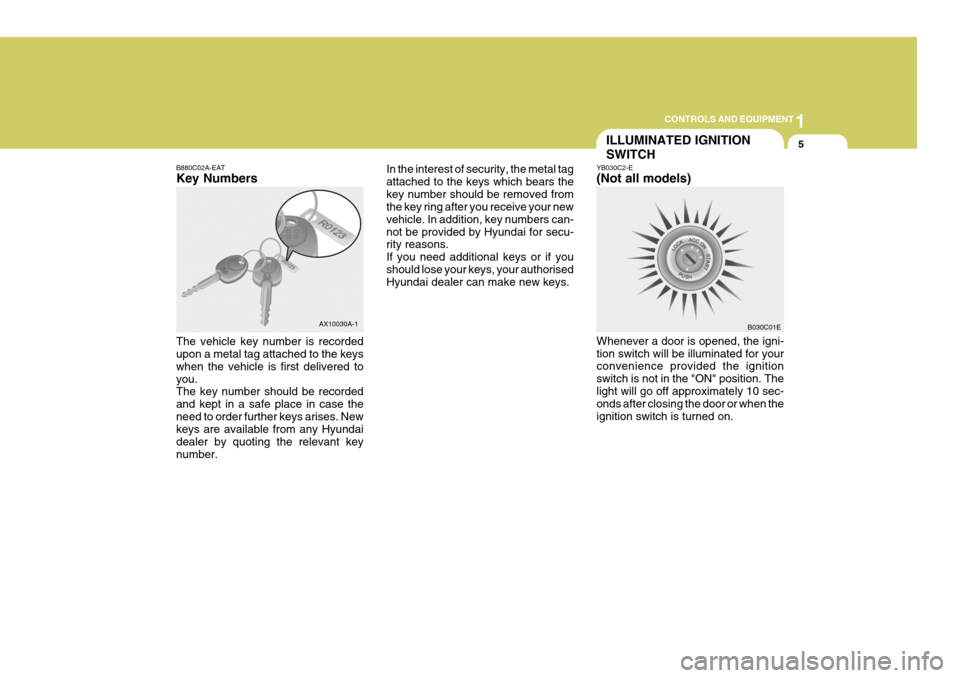
B880C02A-EAT Key Numbers The vehicle key number is recorded upon a metal tag attached to the keys when the vehicle is first delivered toyou. The key number should be recorded and kept in a safe place in case theneed to order further keys arises. New keys are available from any Hyundai dealer by quoting the relevant keynumber. In the interest of security, the metal tagattached to the keys which bears thekey number should be removed from the key ring after you receive your new vehicle. In addition, key numbers can-not be provided by Hyundai for secu- rity reasons. If you need additional keys or if youshould lose your keys, your authorised Hyundai dealer can make new keys.
AX10030A-1 B030C01E
YB030C2-E (Not all models) Whenever a door is opened, the igni- tion switch will be illuminated for your convenience provided the ignition switch is not in the "ON" position. Thelight will go off approximately 10 sec- onds after closing the door or when the ignition switch is turned on.
Page 188 of 389
1CONTROLS AND EQUIPMENT
8THEFT-ALARM SYSTEM
B070A01A-AAT (Not all models) This system is designed to provide protection from unauthorized entry intothe car. This system is operated in three stages: the first is the "Armed" stage, the second is the "Alarm" stage,and the third is the "Disarmed" stage. If triggered, the system provides an audible alarm with blinking of the turnsignal light.
!
B070C01GK-EAT Alarm Stage The alarm will be activated if any of the following occur while the car is parked and the system is armed.
1) A front door is unlocked and opened without using the transmitter.
2) The hatchback door is opened with- out using the key.
3) The engine bonnet is opened.The siren will sound and the turn signal lamp will blink continuously for 30 sec- onds. To turn off the system, unlockthe door with the transmitter.
B070B02GK-EAT Armed Stage Park the car and stop the engine. Arm the system as described below.
1) Remove the ignition key from the
ignition switch.
2) Make sure that the engine bonnet and hatchback door are closed.
3) Lock the doors using the transmitter of the keyless entry system.
After completion of the steps above, the turn signal lamp will blink once to indicate that the system is armed. NOTE:
1) If any door, hatchback door or engine bonnet remains open, the system will not be armed.
2) If this happens, rearm the system as described above.
3) Once the system is armed, only
the hatchback door may be un- locked using the key without dis- arming the system. CAUTION:
Do not arm the system until allpassengers have left the car. If thesystem is armed while a passenger(s) remains in the car, the alarm may be activated whenthe remaining passenger(s) leaves the car.
Page 189 of 389
1
CONTROLS AND EQUIPMENT
9
1) The driver's or passenger's door is
unlocked by depressing the "UN- LOCK" button on the transmitter.
2) In the middle of alarming or after
alarming, it disarms after 30 sec-onds if the key is turned to and kept in the "ON" position.
After completing one of steps above,the turn signal lamp will blink twice to indicate that the system is disarmed. NOTE: If any door, hatchback door or en- gine bonnet is not opened within 30 seconds, the system will be re-armed.
!
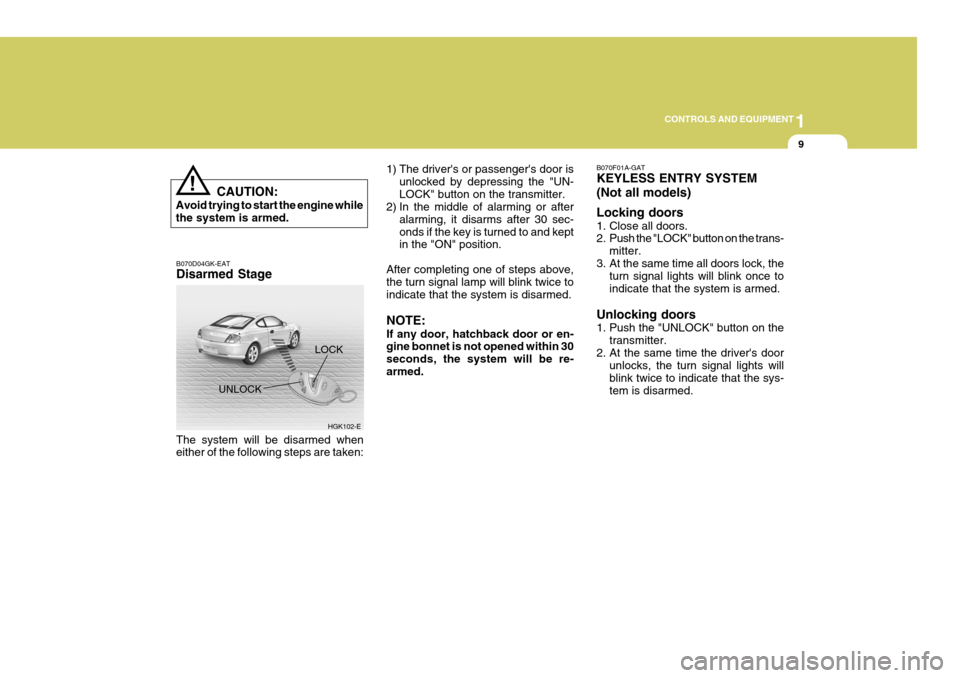
B070D04GK-EAT Disarmed Stage
UNLOCK
The system will be disarmed when either of the following steps are taken: CAUTION:
Avoid trying to start the engine whilethe system is armed.
HGK102-E
LOCK
B070F01A-GAT KEYLESS ENTRY SYSTEM (Not all models) Locking doors
1. Close all doors.
2. Push the "LOCK" button on the trans-
mitter.
3. At the same time all doors lock, the turn signal lights will blink once to indicate that the system is armed.
Unlocking doors
1. Push the "UNLOCK" button on the transmitter.
2. At the same time the driver's door unlocks, the turn signal lights will blink twice to indicate that the sys-tem is disarmed.