lock Hyundai Coupe 2004 Manual PDF
[x] Cancel search | Manufacturer: HYUNDAI, Model Year: 2004, Model line: Coupe, Model: Hyundai Coupe 2004Pages: 389, PDF Size: 10.22 MB
Page 223 of 389

1
CONTROLS AND EQUIPMENT
43
B260N01GK-EAT Malfunction Indicator Lamp
This lamp illuminates when there is a malfunction of an exhaust gas relatedcomponent, and the system is not functioning properly so that the ex- haust gas regulation values are notsatisfied. This lamp will also illuminate when the ignition key is turned to the "ON" position, and will go out afterengine starting. If it illuminates while driving, or does not illuminate when the ignition key is turned to the "ON"position, take your car to your nearest authorized Hyundai dealer and have the system checked.
B260E01HP-GAT Seat Belt Warning Light
The seat belt warning light blinks for about 6 seconds when the ignition key is turned from the "OFF" position to"ON" or "START".
B260Q01E-EAT Cruise Indicator (Not all models)
The cruise indicator light in the instru- ment cluster is illuminated when thecruise control main switch on the end of the barrel is pushed. The indicator light does not illuminatewhen the cruise control main switch is pushed a second time. Information about the use of cruisecontrol is beginning on page 1-48.B265C01LZ-EAT Electronic Stability Program Indicator Lights(Not all models)
The electronic stability program indi- cators change operation according to the ignition switch position and whetherthe system is in operation or not. They will illuminate when the ignition key is turned to the "ON" position, butshould go out after three seconds. If the ESP or ESP-OFF indicator stays on, take your car to your authorizedHyundai dealer and have the system checked. See section 2 for more infor- mation about the ESP.
B260R01E-EAT CRUISE SET Indicator
Light (Not all models)
The set indicator light in the instrument cluster is illuminated when the cruisecontrol switch is pushed downward to "SET (COAST)". The set indicator light does not illumi-nate when the control switch is in the "CANCEL" position. B260U01TB-EAT
Immobiliser Warning Light (Not all models)
This indicator light comes on for some seconds after the ignition key is turned to the "ON" position. At this time, youcan start the engine. The light goes out after the engine is running. In case this light goes out before you start theengine, you must turn to the "LOCK" position and restart the engine. In case
Page 236 of 389
1CONTROLS AND EQUIPMENT
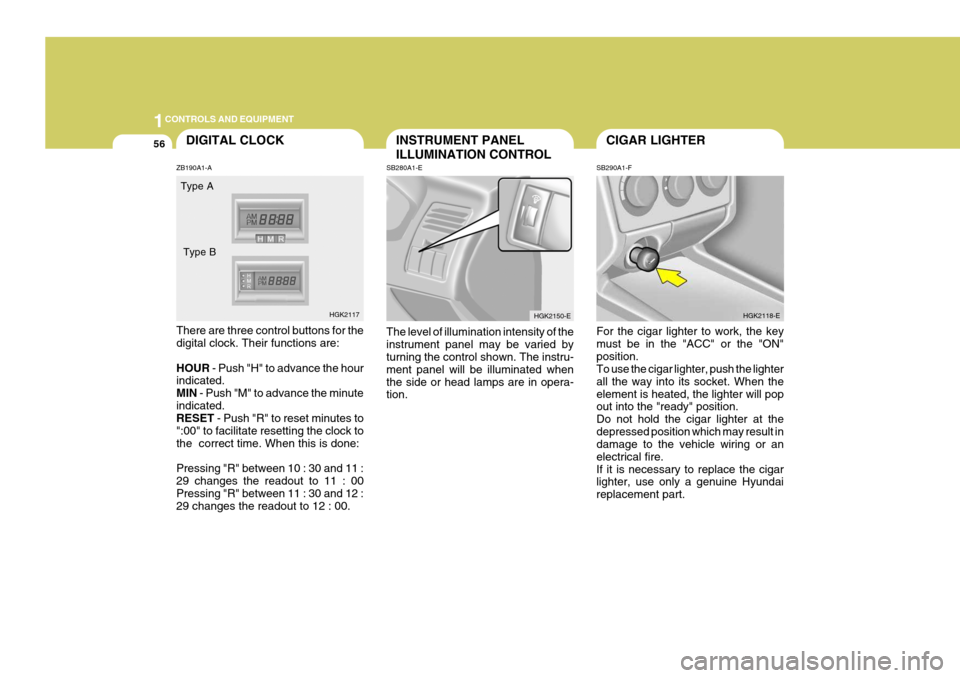
56CIGAR LIGHTER
SB290A1-F For the cigar lighter to work, the key must be in the "ACC" or the "ON"position. To use the cigar lighter, push the lighter all the way into its socket. When theelement is heated, the lighter will pop out into the "ready" position. Do not hold the cigar lighter at thedepressed position which may result in damage to the vehicle wiring or an electrical fire.If it is necessary to replace the cigar lighter, use only a genuine Hyundai replacement part. HGK2118-EINSTRUMENT PANEL ILLUMINATION CONTROL
SB280A1-E The level of illumination intensity of the instrument panel may be varied by turning the control shown. The instru- ment panel will be illuminated whenthe side or head lamps are in opera- tion. HGK2150-EDIGITAL CLOCK
ZB190A1-A There are three control buttons for the digital clock. Their functions are: HOUR - Push "H" to advance the hour
indicated. MIN - Push "M" to advance the minute
indicated. RESET - Push "R" to reset minutes to
":00" to facilitate resetting the clock to the correct time. When this is done: Pressing "R" between 10 : 30 and 11 : 29 changes the readout to 11 : 00 Pressing "R" between 11 : 30 and 12 : 29 changes the readout to 12 : 00. Type A
HGK2117
Type B
Page 240 of 389
1CONTROLS AND EQUIPMENT
60
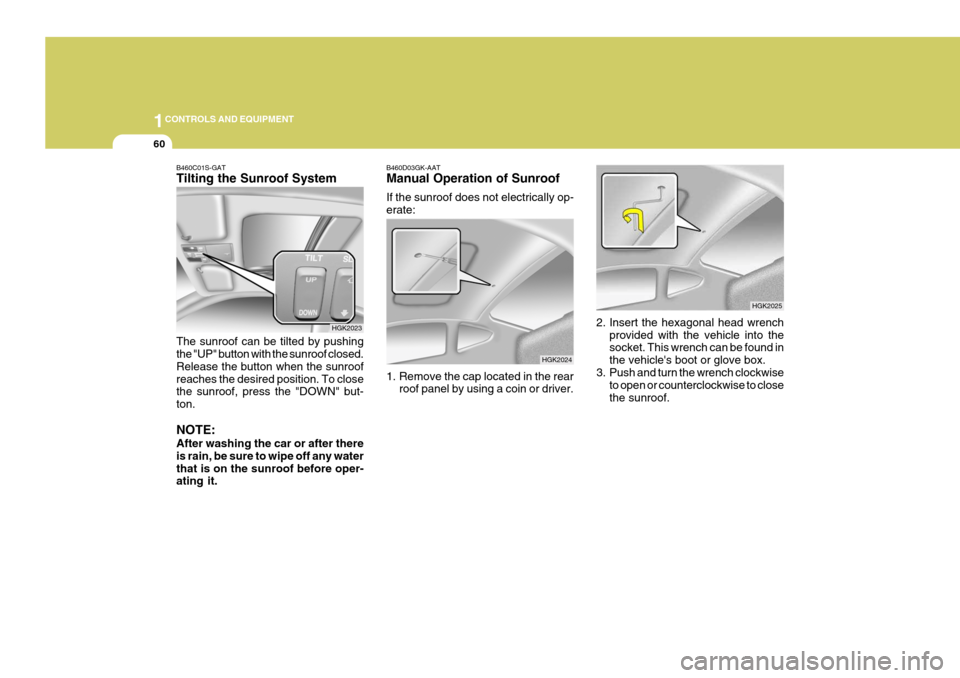
2. Insert the hexagonal head wrenchprovided with the vehicle into the socket. This wrench can be found in the vehicle's boot or glove box.
3. Push and turn the wrench clockwise
to open or counterclockwise to closethe sunroof.
HGK2025
B460D03GK-AAT Manual Operation of Sunroof If the sunroof does not electrically op- erate:
1. Remove the cap located in the rear
roof panel by using a coin or driver.
HGK2024
B460C01S-GAT Tilting the Sunroof System The sunroof can be tilted by pushing the "UP" button with the sunroof closed. Release the button when the sunroofreaches the desired position. To close the sunroof, press the "DOWN" but- ton. NOTE: After washing the car or after there is rain, be sure to wipe off any waterthat is on the sunroof before oper- ating it.
HGK2023
Page 241 of 389
1
CONTROLS AND EQUIPMENT
61
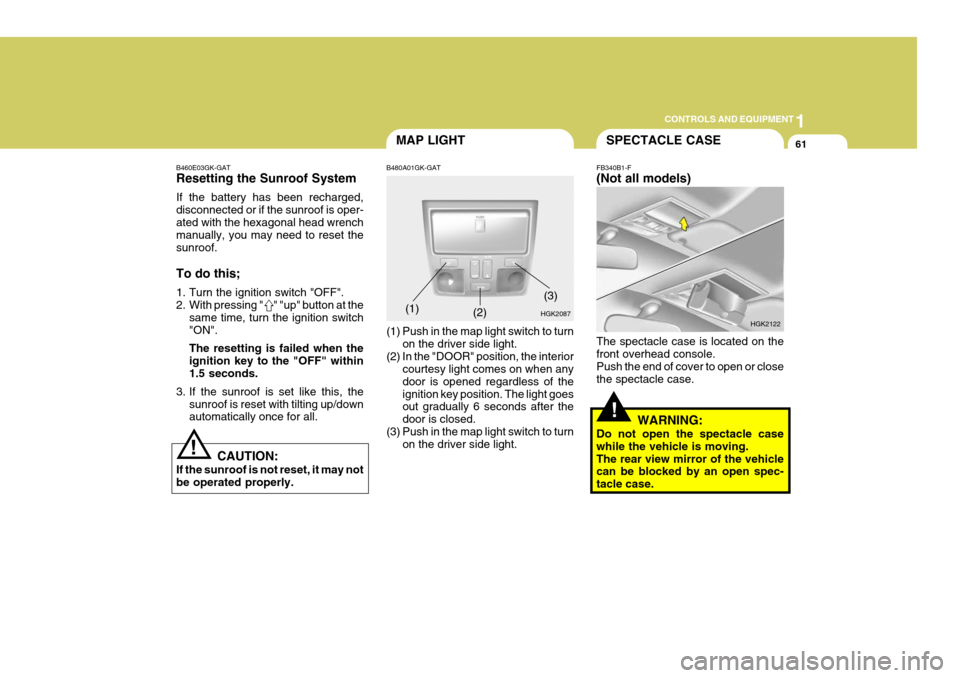
B460E03GK-GAT Resetting the Sunroof System If the battery has been recharged, disconnected or if the sunroof is oper-ated with the hexagonal head wrench manually, you may need to reset the sunroof. To do this;
1. Turn the ignition switch "OFF".
2. With pressing " " "up" button at the
same time, turn the ignition switch"ON". The resetting is failed when the ignition key to the "OFF" within1.5 seconds.
3. If the sunroof is set like this, the sunroof is reset with tilting up/down automatically once for all.
CAUTION:
If the sunroof is not reset, it may not be operated properly.
!
MAP LIGHT
B480A01GK-GAT
(1) Push in the map light switch to turn on the driver side light.
(2) In the "DOOR" position, the interior courtesy light comes on when any door is opened regardless of theignition key position. The light goes out gradually 6 seconds after the door is closed.
(3) Push in the map light switch to turn on the driver side light.(1)
HGK2087
(2)
(3)
!
SPECTACLE CASE
FB340B1-F (Not all models) The spectacle case is located on the front overhead console. Push the end of cover to open or closethe spectacle case.
WARNING:
Do not open the spectacle casewhile the vehicle is moving.The rear view mirror of the vehicle can be blocked by an open spec- tacle case. HGK2122
Page 245 of 389
1
CONTROLS AND EQUIPMENT
65FRONT DOOR EDGE WARN- ING LAMP
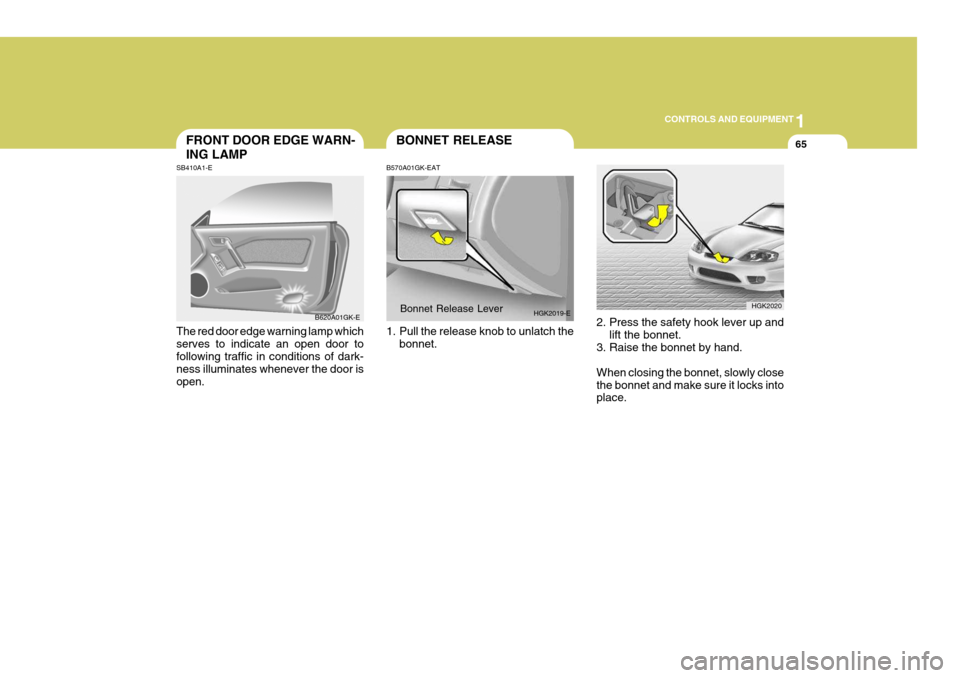
SB410A1-E The red door edge warning lamp which serves to indicate an open door tofollowing traffic in conditions of dark- ness illuminates whenever the door is open. B620A01GK-EBONNET RELEASE
B570A01GK-EAT
1. Pull the release knob to unlatch the bonnet.Bonnet Release Lever
HGK2019-E
2. Press the safety hook lever up and
lift the bonnet.
3. Raise the bonnet by hand. When closing the bonnet, slowly close the bonnet and make sure it locks into place. HGK2020
Page 247 of 389
1
CONTROLS AND EQUIPMENT
67HATCHBACK DOOR
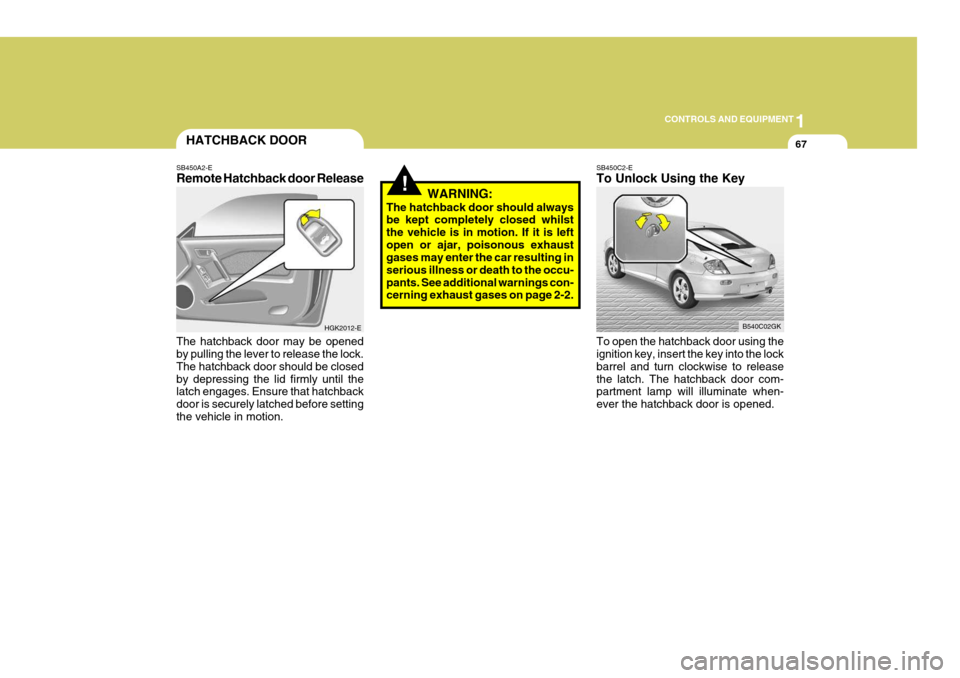
SB450A2-E Remote Hatchback door Release The hatchback door may be opened by pulling the lever to release the lock. The hatchback door should be closedby depressing the lid firmly until the latch engages. Ensure that hatchback door is securely latched before settingthe vehicle in motion. HGK2012-E
!WARNING:
The hatchback door should always be kept completely closed whilst the vehicle is in motion. If it is leftopen or ajar, poisonous exhaust gases may enter the car resulting in serious illness or death to the occu-pants. See additional warnings con- cerning exhaust gases on page 2-2.
SB450C2-E To Unlock Using the Key To open the hatchback door using the ignition key, insert the key into the lock barrel and turn clockwise to releasethe latch. The hatchback door com- partment lamp will illuminate when- ever the hatchback door is opened. B540C02GK
Page 249 of 389
1
CONTROLS AND EQUIPMENT
69
!
NOTE: The Supplemental Restraint Sys- tem (SRS) label containing useful information can be found on thefront of each sun visor.
WARNING:
Do not place the sunvisor in such a manner that it obscures visibility of the roadway, traffic or the objects.
!
STEERING WHEEL TILT LE- VER
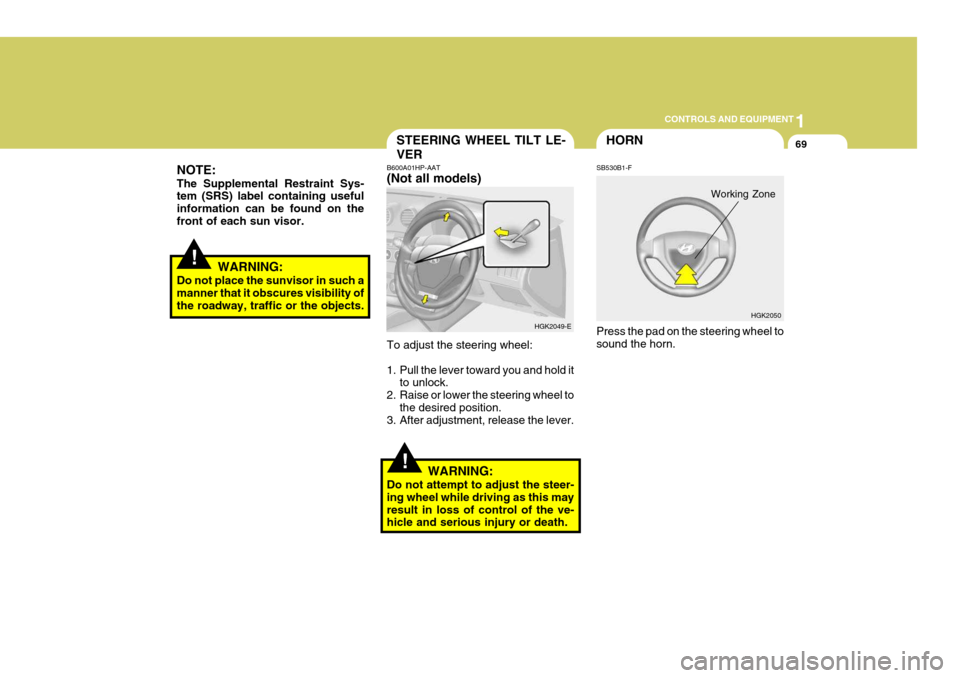
B600A01HP-AAT (Not all models) To adjust the steering wheel:
1. Pull the lever toward you and hold it
to unlock.
2. Raise or lower the steering wheel to
the desired position.
3. After adjustment, release the lever.
WARNING:
Do not attempt to adjust the steer- ing wheel while driving as this mayresult in loss of control of the ve- hicle and serious injury or death. HGK2049-E
HGK2050
HORN
SB530B1-F Press the pad on the steering wheel to sound the horn.
Working Zone
Page 261 of 389
1
FEATURES OF YOUR HYUNDAI
81
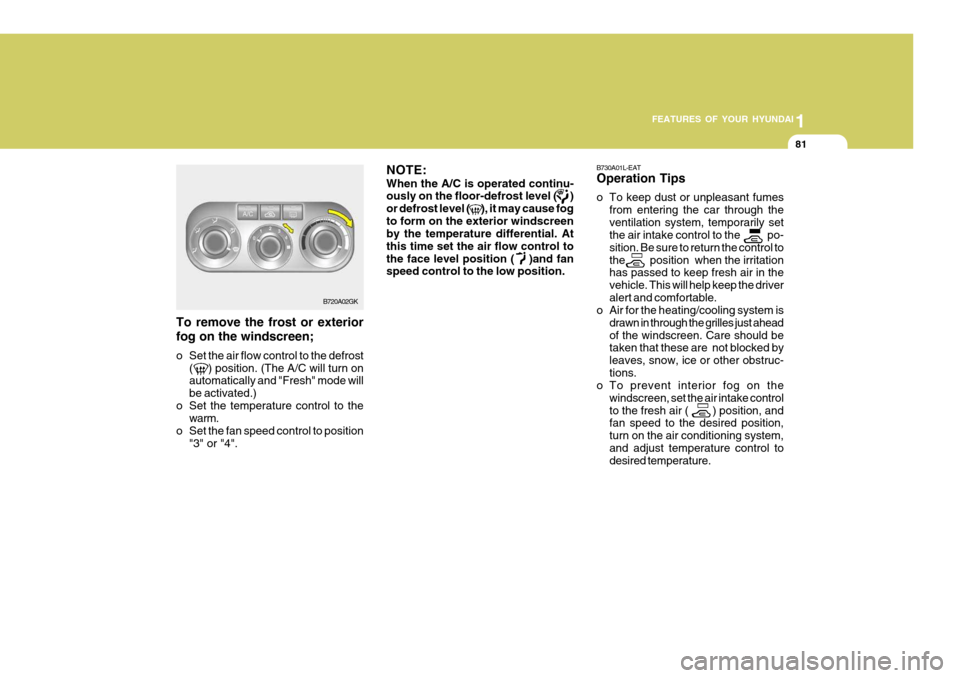
To remove the frost or exterior fog on the windscreen;
o Set the air flow control to the defrost
( ) position. (The A/C will turn on automatically and "Fresh" mode will be activated.)
o Set the temperature control to the warm.
o Set the fan speed control to position "3" or "4". NOTE: When the A/C is operated continu- ously on the floor-defrost level ( ) or defrost level ( ), it may cause fogto form on the exterior windscreen by the temperature differential. At this time set the air flow control tothe face level position ( )and fan speed control to the low position.
B730A01L-EAT Operation Tips
o To keep dust or unpleasant fumes
from entering the car through the ventilation system, temporarily set the air intake control to the po- sition. Be sure to return the control tothe position when the irritation has passed to keep fresh air in the vehicle. This will help keep the driveralert and comfortable.
o Air for the heating/cooling system is
drawn in through the grilles just aheadof the windscreen. Care should be taken that these are not blocked by leaves, snow, ice or other obstruc-tions.
o To prevent interior fog on the
windscreen, set the air intake controlto the fresh air ( ) position, and fan speed to the desired position, turn on the air conditioning system,and adjust temperature control to desired temperature.
B720A02GK
Page 273 of 389
1
FEATURES OF YOUR HYUNDAI
93
!
B750A04L
B750A05L
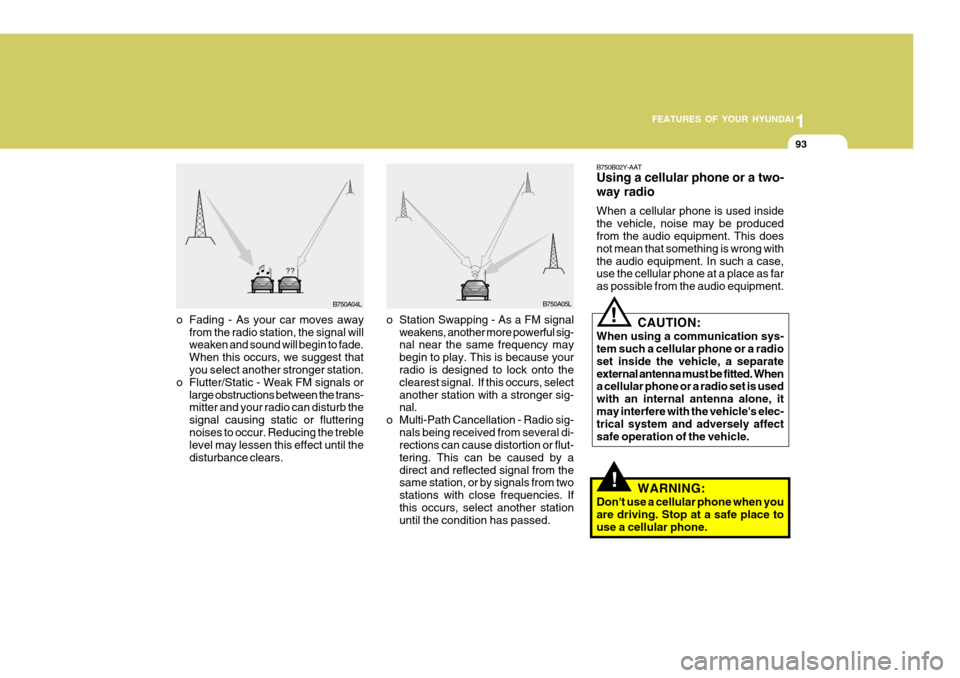
o Station Swapping - As a FM signal weakens, another more powerful sig- nal near the same frequency may begin to play. This is because your radio is designed to lock onto the clearest signal. If this occurs, selectanother station with a stronger sig- nal.
o Multi-Path Cancellation - Radio sig- nals being received from several di-rections can cause distortion or flut- tering. This can be caused by adirect and reflected signal from the same station, or by signals from two stations with close frequencies. Ifthis occurs, select another station until the condition has passed.
o Fading - As your car moves away
from the radio station, the signal willweaken and sound will begin to fade. When this occurs, we suggest that you select another stronger station.
o Flutter/Static - Weak FM signals or large obstructions between the trans-mitter and your radio can disturb the signal causing static or flutteringnoises to occur. Reducing the treble level may lessen this effect until the disturbance clears. B750B02Y-AAT Using a cellular phone or a two- way radio When a cellular phone is used inside the vehicle, noise may be produced from the audio equipment. This does not mean that something is wrong withthe audio equipment. In such a case, use the cellular phone at a place as far as possible from the audio equipment.
!
CAUTION:
When using a communication sys- tem such a cellular phone or a radio set inside the vehicle, a separateexternal antenna must be fitted. When a cellular phone or a radio set is used with an internal antenna alone, itmay interfere with the vehicle's elec- trical system and adversely affect safe operation of the vehicle.
WARNING:
Don't use a cellular phone when youare driving. Stop at a safe place touse a cellular phone.
Page 276 of 389
1FEATURES OF YOUR HYUNDAI
96ANTENNA
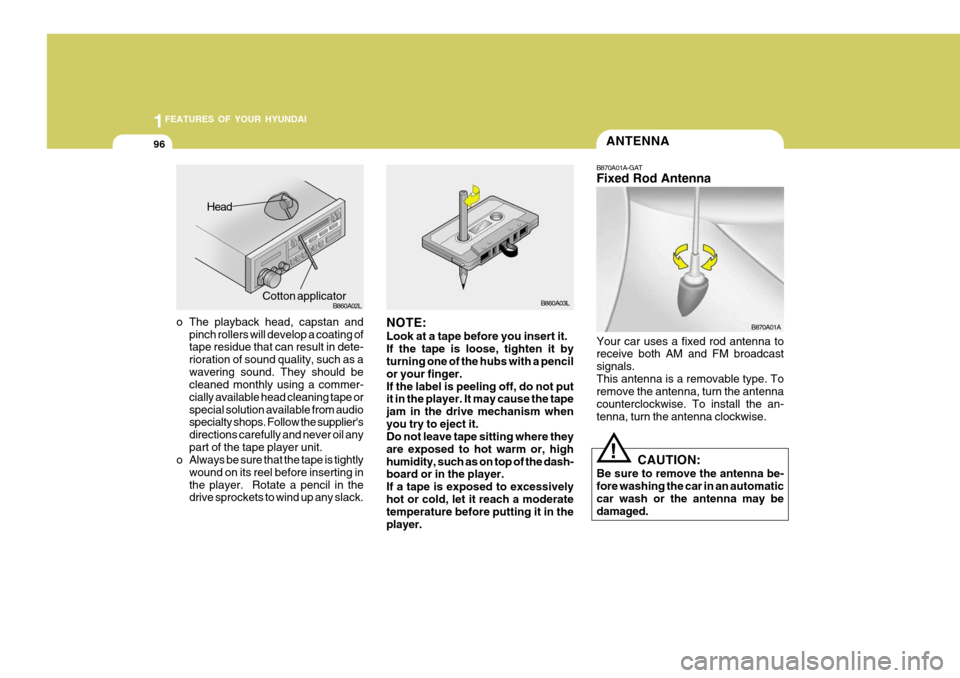
o The playback head, capstan and pinch rollers will develop a coating of tape residue that can result in dete- rioration of sound quality, such as awavering sound. They should be cleaned monthly using a commer- cially available head cleaning tape orspecial solution available from audio specialty shops. Follow the supplier's directions carefully and never oil anypart of the tape player unit.
o Always be sure that the tape is tightly
wound on its reel before inserting inthe player. Rotate a pencil in the drive sprockets to wind up any slack. B860A03L
NOTE: Look at a tape before you insert it. If the tape is loose, tighten it by turning one of the hubs with a pencil or your finger.If the label is peeling off, do not put it in the player. It may cause the tape jam in the drive mechanism whenyou try to eject it. Do not leave tape sitting where they are exposed to hot warm or, highhumidity, such as on top of the dash- board or in the player. If a tape is exposed to excessivelyhot or cold, let it reach a moderate temperature before putting it in the player. B870A01A
!
Head
Cotton applicator B860A02L
B870A01A-GAT Fixed Rod Antenna Your car uses a fixed rod antenna to receive both AM and FM broadcast signals.This antenna is a removable type. To remove the antenna, turn the antenna counterclockwise. To install the an-tenna, turn the antenna clockwise.
CAUTION:
Be sure to remove the antenna be- fore washing the car in an automatic car wash or the antenna may bedamaged.