ESP Hyundai Coupe 2005 User Guide
[x] Cancel search | Manufacturer: HYUNDAI, Model Year: 2005, Model line: Coupe, Model: Hyundai Coupe 2005Pages: 478, PDF Size: 13.44 MB
Page 65 of 478
1
FEATURES OF YOUR HYUNDAI
51MULTI GAUGE
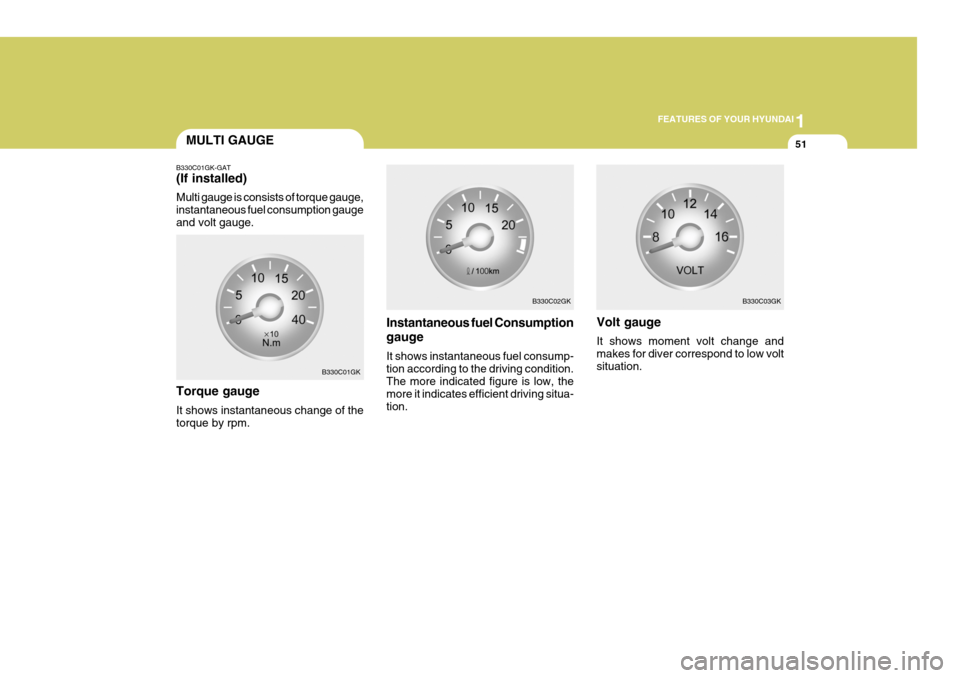
B330C01GK-GAT (If installed) Multi gauge is consists of torque gauge, instantaneous fuel consumption gaugeand volt gauge.
Instantaneous fuel Consumption gauge It shows instantaneous fuel consump- tion according to the driving condition. The more indicated figure is low, the more it indicates efficient driving situa-tion.
Torque gauge It shows instantaneous change of the torque by rpm. Volt gauge It shows moment volt change and makes for diver correspond to low voltsituation.
B330C01GK B330C02GK
B330C03GK
Page 77 of 478
1
FEATURES OF YOUR HYUNDAI
63
B460E03GK-GAT Resetting the Sunroof System If the battery has been recharged, disconnected or if the sunroof is oper-ated with the hexagonal head wrench manually, you may need to reset the sunroof. To do this;
1. Turn the ignition switch "OFF".
2. With pressing " " "up" button at the same time, turn the ignition switch"ON". The resetting is failed when the ignition key to the "OFF" within1.5 seconds.
3. If the sunroof is set like this, the sunroof is reset with tilting up/down automatically once for all.
CAUTION:
If the sunroof is not reset, it may not be operated properly.
!
!
SPECTACLE CASEMAP LIGHT
B480A01GK-GAT
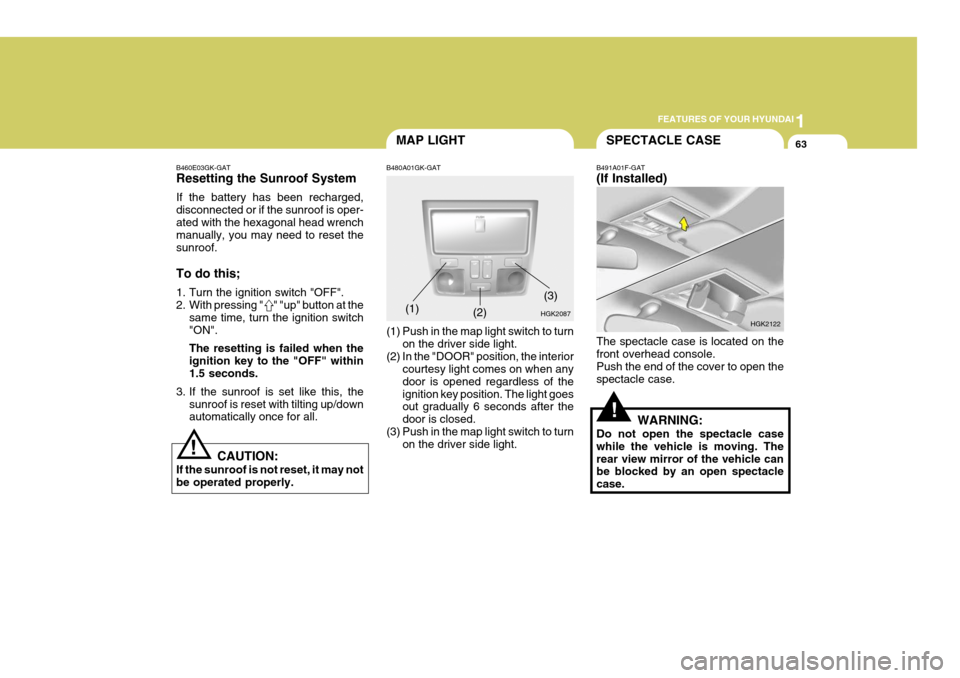
(1) Push in the map light switch to turn on the driver side light.
(2) In the "DOOR" position, the interior courtesy light comes on when any door is opened regardless of theignition key position. The light goes out gradually 6 seconds after the door is closed.
(3) Push in the map light switch to turn on the driver side light.(1) B491A01F-GAT (If Installed) The spectacle case is located on the front overhead console. Push the end of the cover to open thespectacle case.
WARNING:
Do not open the spectacle casewhile the vehicle is moving. Therear view mirror of the vehicle can be blocked by an open spectacle case.
HGK2087
(2)
HGK2122
(3)
Page 78 of 478
1FEATURES OF YOUR HYUNDAI
64
!
!
OUTSIDE REARVIEW MIRROR
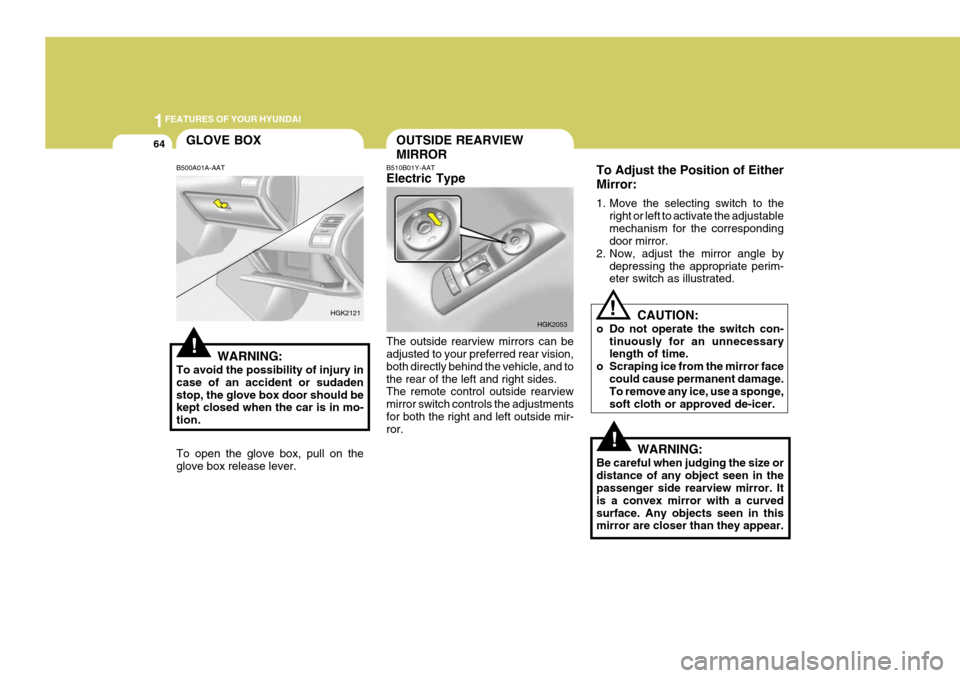
B510B01Y-AAT Electric Type The outside rearview mirrors can be adjusted to your preferred rear vision, both directly behind the vehicle, and tothe rear of the left and right sides. The remote control outside rearview mirror switch controls the adjustmentsfor both the right and left outside mir- ror. To Adjust the Position of Either Mirror:
1. Move the selecting switch to the
right or left to activate the adjustable mechanism for the corresponding door mirror.
2. Now, adjust the mirror angle by
depressing the appropriate perim-eter switch as illustrated.
CAUTION:
o Do not operate the switch con- tinuously for an unnecessarylength of time.
o Scraping ice from the mirror face
could cause permanent damage.To remove any ice, use a sponge, soft cloth or approved de-icer.
WARNING:
Be careful when judging the size ordistance of any object seen in the passenger side rearview mirror. It is a convex mirror with a curvedsurface. Any objects seen in this mirror are closer than they appear.
HGK2053
!
GLOVE BOX
B500A01A-AAT
WARNING:
To avoid the possibility of injury in case of an accident or sudadenstop, the glove box door should be kept closed when the car is in mo- tion. To open the glove box, pull on the glove box release lever.
HGK2121
Page 111 of 478
1
FEATURES OF YOUR HYUNDAI
97
H240B02A-GAT
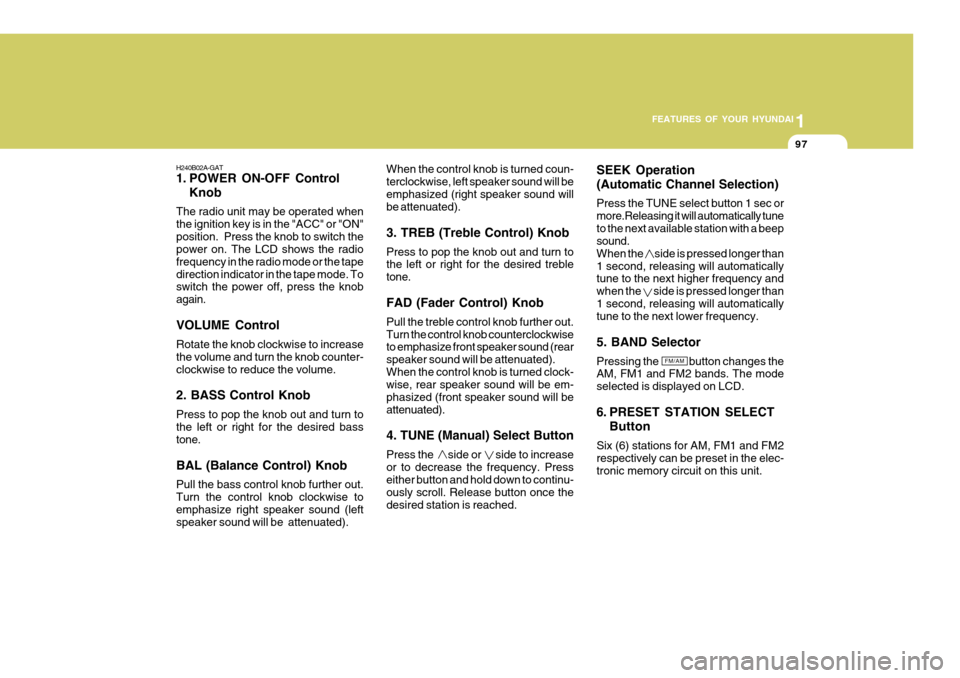
1. POWER ON-OFF Control Knob
The radio unit may be operated when the ignition key is in the "ACC" or "ON"position. Press the knob to switch the power on. The LCD shows the radio frequency in the radio mode or the tapedirection indicator in the tape mode. To switch the power off, press the knob again. VOLUME Control Rotate the knob clockwise to increase the volume and turn the knob counter-clockwise to reduce the volume. 2. BASS Control Knob Press to pop the knob out and turn to the left or right for the desired bass tone. BAL (Balance Control) Knob Pull the bass control knob further out. Turn the control knob clockwise toemphasize right speaker sound (left speaker sound will be attenuated). When the control knob is turned coun- terclockwise, left speaker sound will beemphasized (right speaker sound will be attenuated). 3. TREB (Treble Control) Knob Press to pop the knob out and turn to the left or right for the desired treble tone. FAD (Fader Control) Knob Pull the treble control knob further out. Turn the control knob counterclockwise to emphasize front speaker sound (rear speaker sound will be attenuated).When the control knob is turned clock- wise, rear speaker sound will be em- phasized (front speaker sound will beattenuated). 4. TUNE (Manual) Select Button Press the side or side to increase or to decrease the frequency. Press either button and hold down to continu- ously scroll. Release button once thedesired station is reached.
SEEK Operation (Automatic Channel Selection) Press the TUNE select button 1 sec or more.Releasing it will automatically tuneto the next available station with a beep sound. When the side is pressed longer than1 second, releasing will automatically tune to the next higher frequency and when the side is pressed longer than1 second, releasing will automatically tune to the next lower frequency. 5. BAND Selector Pressing the button changes the AM, FM1 and FM2 bands. The mode selected is displayed on LCD.
6. PRESET STATION SELECT
Button
Six (6) stations for AM, FM1 and FM2 respectively can be preset in the elec-tronic memory circuit on this unit.
FM/AM
Page 117 of 478
1
FEATURES OF YOUR HYUNDAI
103
!
7. PRESET STATION SELECT
Button
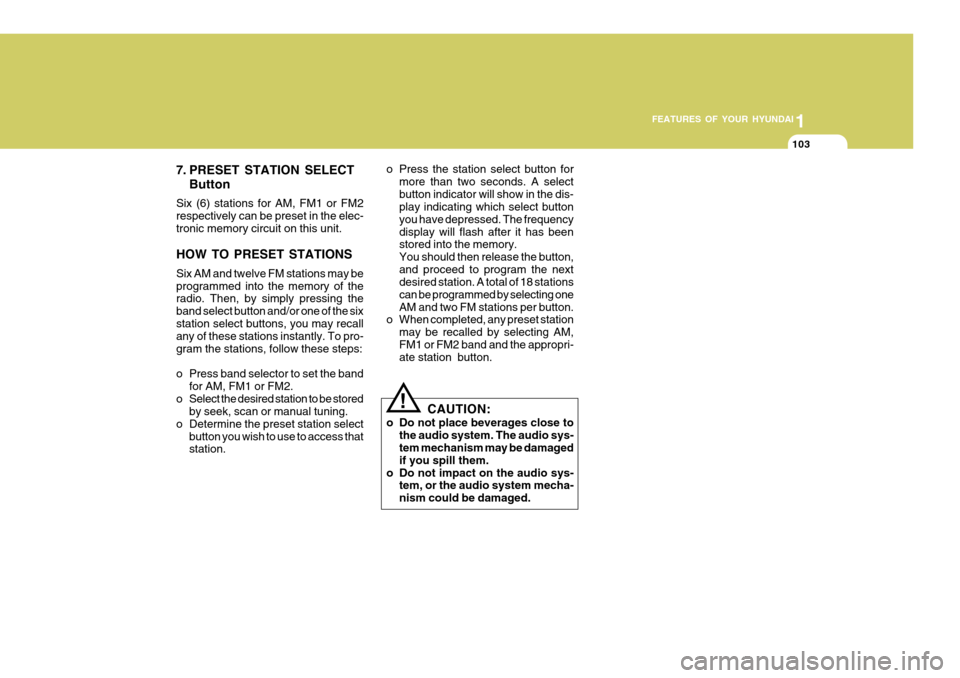
Six (6) stations for AM, FM1 or FM2 respectively can be preset in the elec-tronic memory circuit on this unit. HOW TO PRESET STATIONS Six AM and twelve FM stations may be programmed into the memory of the radio. Then, by simply pressing the band select button and/or one of the sixstation select buttons, you may recall any of these stations instantly. To pro- gram the stations, follow these steps:
o Press band selector to set the band for AM, FM1 or FM2.
o Select the desired station to be stored by seek, scan or manual tuning.
o Determine the preset station select button you wish to use to access that station. o Press the station select button for
more than two seconds. A select button indicator will show in the dis- play indicating which select button you have depressed. The frequencydisplay will flash after it has been stored into the memory. You should then release the button,and proceed to program the next desired station. A total of 18 stations can be programmed by selecting oneAM and two FM stations per button.
o When completed, any preset station
may be recalled by selecting AM,FM1 or FM2 band and the appropri- ate station button.
CAUTION:
o Do not place beverages close to the audio system. The audio sys-tem mechanism may be damaged if you spill them.
o Do not impact on the audio sys- tem, or the audio system mecha-nism could be damaged.
Page 125 of 478

1
FEATURES OF YOUR HYUNDAI
111
J290B01JM-GAT
1. POWER ON-OFF/VOLUME Control Knob
The radio unit may be operated when the ignition key is in the "ACC" or "ON"position. Press the button to switch the power on. The display shows the radio frequency in the radio mode, the tapedirection indicator in the tape mode, or
CD track in the CD AUTO CHANGER mode. To switch the power off, pressthe button again. VOLUME Control Rotate the knob clockwise to increase the volume and turn the knob counter- clockwise to reduce the volume.
2. BAND Selector Pressing the button changes the AM, FM1 and FM2 bands. The mode se-lected is shown on the display. o Press AM/FM selector to set the
band for AM, FM1 and FM2.
o Select the desired station to be stored by seek, scan or manual tuning.
o Determine the preset station select
button you wish to use to access that station.
o Press the station select button for
more than two seconds. A selectbutton indicator will show in the dis- play indicating which select buttonyou have depressed. The frequency display will flash after it has been stored into the memory. You shouldthen release the button, and proceed to program the next desired station. A total of 18 stations can be pro-grammed by selecting one AM and two FM station per button.
o When completed, any preset station may be recalled by selecting AM,FM1 or FM2 band and the appropri- ate station button.
3. SEEK Select Button
(Automatic Channel Selection)
Press the SEEK select button 1 sec. or
more. When the ( ) side is pressed, theunit will automatically tune to the next
higher frequency and when the ( ) side
is pressed, it will automatically tune to the next lower frequency.
4. PRESET STATION Select
Buttons
Six (6) stations for AM, FM and FM2 respectively can be preset in the elec- tronic memory circuit. HOW TO PRESET STATIONS Six AM and twelve FM stations may be programmed into the memory of the radio. Then, by simply pressing the AM/ FM select button and/or one of the six station select buttons, you may recall any of these stations instantly. To pro-gram the stations, follow these steps:
Page 138 of 478
1FEATURES OF YOUR HYUNDAI
124
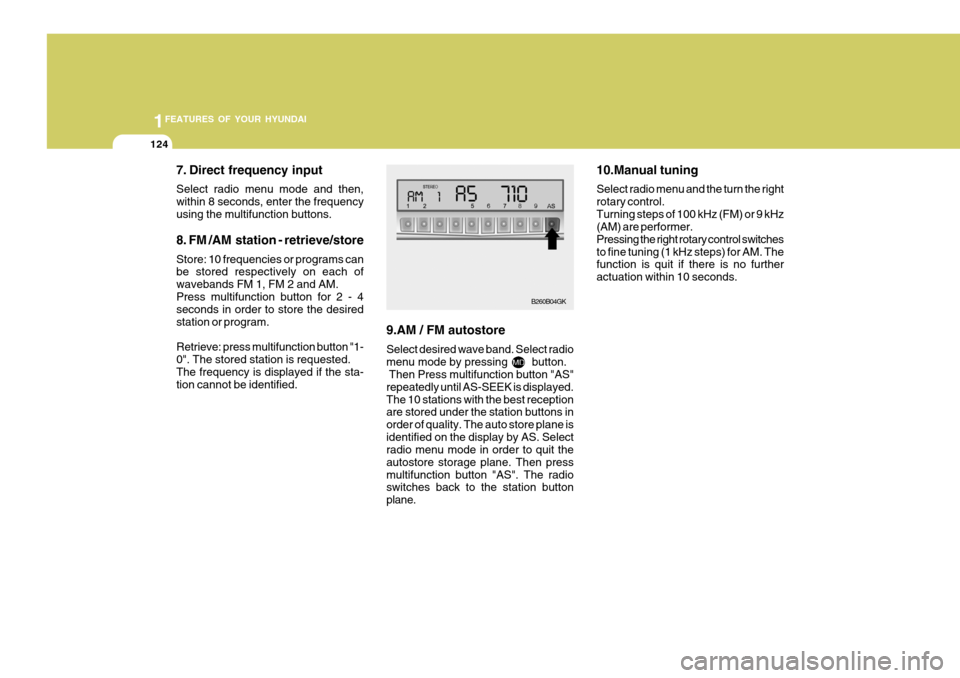
7. Direct frequency input Select radio menu mode and then, within 8 seconds, enter the frequencyusing the multifunction buttons. 8. FM /AM station - retrieve/store Store: 10 frequencies or programs can be stored respectively on each of wavebands FM 1, FM 2 and AM.Press multifunction button for 2 - 4 seconds in order to store the desired station or program. Retrieve: press multifunction button "1- 0". The stored station is requested.The frequency is displayed if the sta- tion cannot be identified. 9.AM / FM autostore Select desired wave band. Select radio menu mode by pressing button. Then Press multifunction button "AS" repeatedly until AS-SEEK is displayed.The 10 stations with the best reception are stored under the station buttons in order of quality. The auto store plane isidentified on the display by AS. Select radio menu mode in order to quit the autostore storage plane. Then pressmultifunction button "AS". The radio switches back to the station button plane. 10.Manual tuning Select radio menu and the turn the right rotary control.Turning steps of 100 kHz (FM) or 9 kHz (AM) are performer. Pressing the right rotary control switchesto fine tuning (1 kHz steps) for AM. The function is quit if there is no further actuation within 10 seconds.
B260B04GK
Page 144 of 478
2
Engine Exhaust Can Be Dangerous! ........................... 2-2
Before Starting the Engine ........................................... 2-3
Key Positions ................................................................ 2-3Starting......................................................................... 2-4
Operating the Manual Transaxle ................................. 2-5
Operating the Automatic Transaxle ............................. 2-8
Anti-Lock Brake System (ABS) .................................. 2-12
Good Braking Practices ............................................. 2-13
Electronic Stabilty Program (ESP) ............................. 2-14
Driving for Economy ................................................... 2-16
Smooth Cornering ...................................................... 2-17
Winter Driving ............................................................. 2-18
Trailer or Vehicle Towing ........................................... 2-21
DRIVING YOUR HYUNDAI
2
Page 150 of 478

2
DRIVING YOUR HYUNDAI
7
!
C070D03A-AAT Good Driving Practices
o Never take the car out of gear and
coast down a hill. This is extremely hazardous. Always leave the car in gear.
o Don't "ride" the brakes. This can cause them to overheat and mal-function. Instead, when you are driv- ing down a long hill, slow down andshift to a lower gear. When you do this, engine braking will help slow the car.
o Slow down before shifting to a lower gear. This will help avoid over-rev-ving the engine, which can causedamage.
o Slow down when you encounter
cross winds. This gives you muchbetter control of your car.
o Be sure the car is completely stopped
before you attempt to shift into re-verse. The transaxle can be dam- aged if you do not. To shift into reverse, depress the clutch, movethe shift lever to neutral, wait three seconds, then shift to the reverse position. o Exercise extreme caution when driv-
ing on a slippery surface. Be espe-cially careful when braking, acceler- ating or shifting gears. On a slippery surface, an abrupt change in ve-hicle speed can cause the drive wheels to lose traction and the ve- hicle to go out of control.
WARNING:
o Avoid high cornering speeds.
o Do not make quick steering wheel movements, such as sharp lanechanges or fast, sharp turns.
o Always wear your seat belts.
In a collision crash, un unbeltedperson is significantly more likely to die than a person wearing a seatbelt.
o The risk of rollover is greatly in- creased if you lose control ofyour vehicle at highway speeds.
o Loss of control often occurs if two or more wheels drop off theroadway and the driver oversteersto reenter the roadway.o In the event your vehicle leaves
the roadway, do not steer sharply. Instead, slow down before pull- ing back into the travel lanes.
o Never exceed posted speed lim- its.
Page 155 of 478
2 DRIVING YOUR HYUNDAI
12ANTI-LOCK BRAKE SYSTEM (ABS)
!
o Slow down before shifting to a lower
gear. Otherwise, the lower gear may not be engaged.
o Always use the parking brake. Do
not depend on placing the transaxlein "P" to keep the car from moving.
o Exercise extreme caution when driv-
ing on a slippery surface. Be espe-cially careful when braking, acceler- ating or shifting gears. On a slippery surface, an abrupt change in vehiclespeed can cause the drive wheels to lose traction and the vehicle to go out of control. o Loss of control often occurs if two
or more wheels drop off the road- way and the driver oversteers to reenter the roadway.
o In the event your vehicle leaves the roadway, do not steer sharply.Instead, slow down before pull-ing back into the travel lanes.
o Never exceed posted speed lim-
its.
o Excessive depressing of the accelerater pedal under the tireslip condition such as movingout of the mud or fresh snow etc, may cause severe damage to the transaxle. At this time, take otherway such as towing.
WARNING:
o Avoid high cornering speeds.
o Do not make quick steering wheel movements, such as sharp lanechanges or fast, sharp turns.
o Always wear your seat belts. In a collision crash, un unbeltedperson is significantly more likelyto die than a person wearing a seatbelt.
o The risk of rollover is greatly in-
creased if you lose control of yourvehicle at highway speeds. C120A03A-AAT (If Installed) The Anti-Lock Brake System (ABS) is designed to prevent wheel lock-upduring sudden braking or on hazard- ous road surfaces. The ABS control module monitors the wheel speed andcontrols the pressure applied to each brake. Thus, in emergency situations or on slick roads, ABS will increasevehicle control during braking. NOTE:
o A click sound may be heard in the
engine compartment when the ve- hicle begins to move after the en- gine is started. These conditionsare normal and indicate that the anti-lock brake system (Electronic Stability Program) is functioningproperly.
o During ABS operation, a slight
pulsation may be felt in the brakepedal when the brakes are ap- plied. Also, a noise may be heard in the engine compartment whilebraking. These conditions are normal and indicate that the anti- lock brake system is functioningproperly.