buttons Hyundai Coupe 2005 User Guide
[x] Cancel search | Manufacturer: HYUNDAI, Model Year: 2005, Model line: Coupe, Model: Hyundai Coupe 2005Pages: 478, PDF Size: 13.44 MB
Page 137 of 478

1
FEATURES OF YOUR HYUNDAI
123
11.Adjust Mono /Stereo Three different reception optimization setting can be set in order to suppressreception dependent interference and reflections. Repeatedly press multifunction button(6) "ST" in tone menu until the desired optimization is set. AUTO: Setting for normal operation - i.e., the unit switches from stereo to mono and back depending upon recep-tion location (provides the optimum setting for almost all reception areas). STEREO: Setting for unusual recep- tion situations - i.e. the unit is set permanently to stereo (e.g. for privateradio stations in city areas) MONO: Setting for reception condi- tions in which reflections constantly occur - i.e., the unit is set constantly to mono.The setting is effective immediately after pressing the multifunction button "ST" and is also retained on switchingoff. B260D01GK-GAT Radio operation
1. Select operating Mode Press Button. The operating mode. Radio, CD can be selected. The last selected operating mode is selected after the button is pressed for
the first time. If
the other operating
modes are to be selected, press the
button quickly and repeatedly until
the desired operating mode is selected.
2. Select Waveband Press button repeatedly until desi- red waveband FM 1, FM 2 or AM is selected. When changing the waveband, the last selected station is selected.
3. Switch on radio menu mode Press button. The radio menu mode is switched on and displayed, The unit switches back to the normal display if no buttons are pressed within the next8 seconds. 4. Radio Operation Setting procedures for station selec- tion.The desired broadcasting station can be selected via station search, manual tuning, autostore, direct frequency in-put and station buttons.
5. FM, AM station search Turn the right rotary control to the left/ right in desired waveband. The radio searches in descending/ascending or-der.
6. Scan search In the desired waveband (FM or AM) press the right rotary control, SC is displayed. An automatic station search is started. The first search is performedon an insensitive plane, all further searches on a sensitive plane. Receiv- able stations can be heard for 8 sec-onds. Press the right rotary control if the received program should be re- tained.
Page 138 of 478
1FEATURES OF YOUR HYUNDAI
124
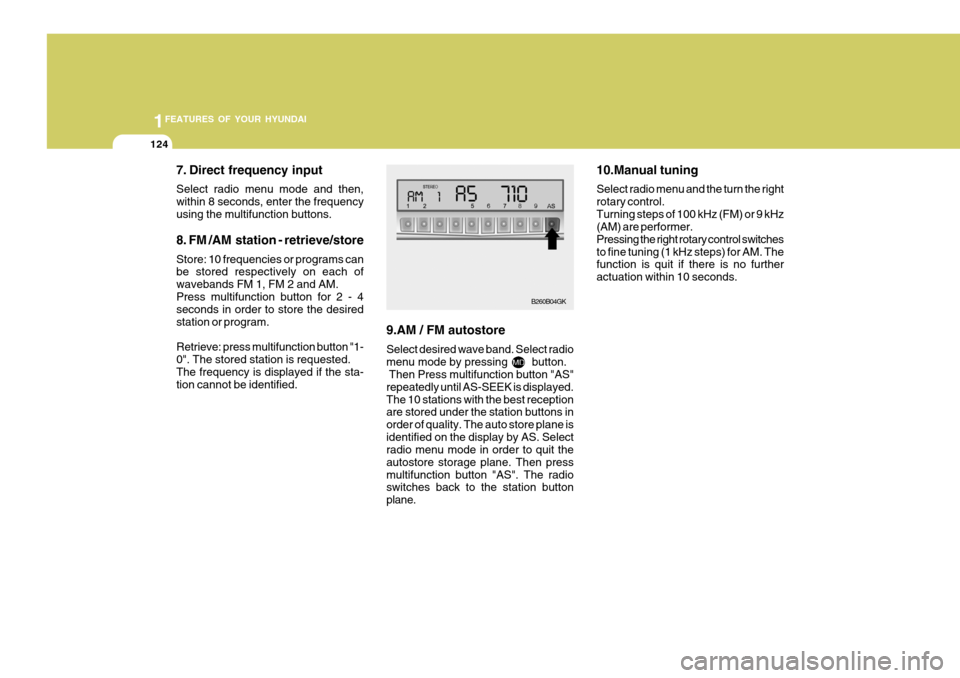
7. Direct frequency input Select radio menu mode and then, within 8 seconds, enter the frequencyusing the multifunction buttons. 8. FM /AM station - retrieve/store Store: 10 frequencies or programs can be stored respectively on each of wavebands FM 1, FM 2 and AM.Press multifunction button for 2 - 4 seconds in order to store the desired station or program. Retrieve: press multifunction button "1- 0". The stored station is requested.The frequency is displayed if the sta- tion cannot be identified. 9.AM / FM autostore Select desired wave band. Select radio menu mode by pressing button. Then Press multifunction button "AS" repeatedly until AS-SEEK is displayed.The 10 stations with the best reception are stored under the station buttons in order of quality. The auto store plane isidentified on the display by AS. Select radio menu mode in order to quit the autostore storage plane. Then pressmultifunction button "AS". The radio switches back to the station button plane. 10.Manual tuning Select radio menu and the turn the right rotary control.Turning steps of 100 kHz (FM) or 9 kHz (AM) are performer. Pressing the right rotary control switchesto fine tuning (1 kHz steps) for AM. The function is quit if there is no further actuation within 10 seconds.
B260B04GK
Page 140 of 478
1FEATURES OF YOUR HYUNDAI
126
6. Random play The random play is activated by press- ing the multifunction button (4) "RP".The tracks of the current CD are then played in random order. "RP" appears on the display. The random play func-tion is terminated by repeated pressing of the multifunction button "RP".
7. Direct track selection The unit is switched to select mode by pressing the multifunction button "0"The digits 1-0 and TRACK _ _ are displayed. A track can be selected directly by using the multifunction but-tons "1-0". The unit switches back to CD menu mode if no buttons are actu- ated for approx.8seconds. 8. Temperature protection circuit A temperature protection circuit is uti- lized in this unit in order to protect thelaser diode against over heating. When this protection circuit is acti- vated, CD TEMP. appears for 8 sec-onds. The unit switches back to the last selected signal source (FM / AM). The single CD operation can be re-quested again after a short cooling phase. However, if the temperature is still too high, the unit again switchesback to the previously selected signal source.
Page 327 of 478
1CONTROLS AND EQUIPMENT
56CIGAR LIGHTER
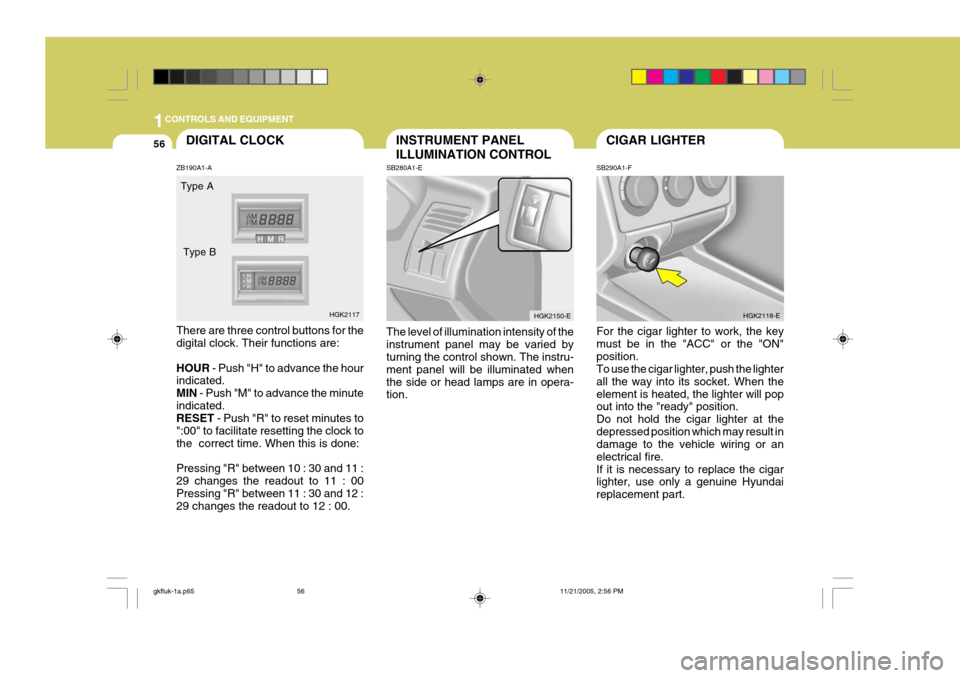
SB290A1-F For the cigar lighter to work, the key must be in the "ACC" or the "ON"position. To use the cigar lighter, push the lighter all the way into its socket. When theelement is heated, the lighter will pop out into the "ready" position. Do not hold the cigar lighter at thedepressed position which may result in damage to the vehicle wiring or an electrical fire.If it is necessary to replace the cigar lighter, use only a genuine Hyundai replacement part. HGK2118-EINSTRUMENT PANEL ILLUMINATION CONTROL
SB280A1-E The level of illumination intensity of the instrument panel may be varied by turning the control shown. The instru- ment panel will be illuminated whenthe side or head lamps are in opera- tion. HGK2150-EDIGITAL CLOCK
ZB190A1-A There are three control buttons for the digital clock. Their functions are: HOUR - Push "H" to advance the hour
indicated. MIN - Push "M" to advance the minute
indicated. RESET - Push "R" to reset minutes to
":00" to facilitate resetting the clock to the correct time. When this is done: Pressing "R" between 10 : 30 and 11 : 29 changes the readout to 11 : 00 Pressing "R" between 11 : 30 and 12 : 29 changes the readout to 12 : 00. Type A
HGK2117
Type B
gkfluk-1a.p65
11/21/2005, 2:56 PM
56
Page 357 of 478
1FEATURES OF YOUR HYUNDAI
86
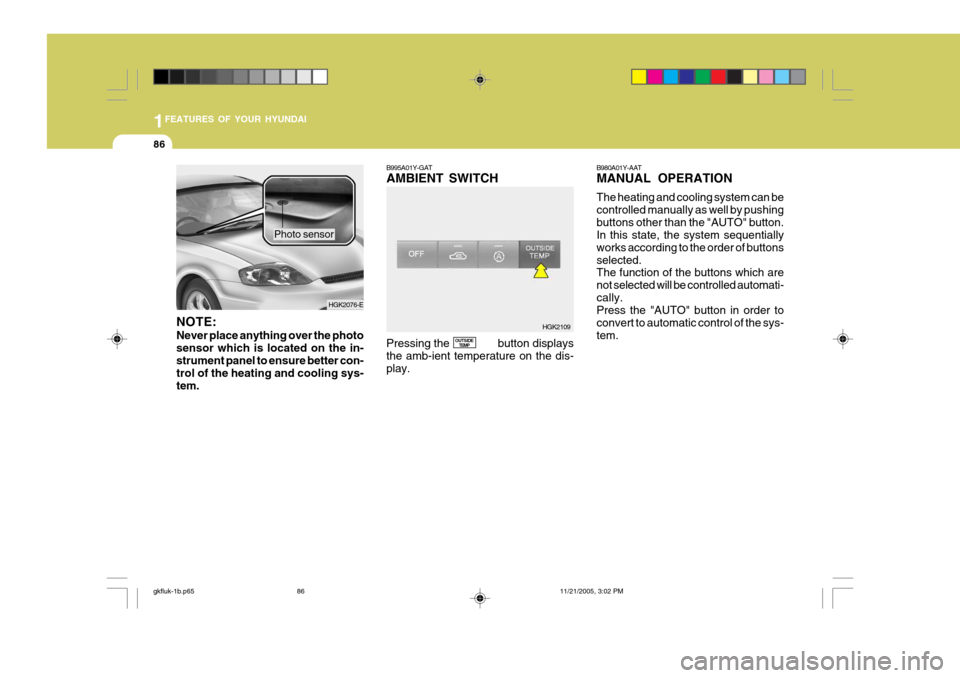
NOTE: Never place anything over the photo sensor which is located on the in-strument panel to ensure better con- trol of the heating and cooling sys- tem. Photo sensor
B995A01Y-GAT AMBIENT SWITCH Pressing the button displays the amb-ient temperature on the dis-play.
OUTSIDE
TEMP B980A01Y-AAT MANUAL OPERATION The heating and cooling system can be controlled manually as well by pushingbuttons other than the "AUTO" button. In this state, the system sequentially works according to the order of buttonsselected. The function of the buttons which are not selected will be controlled automati-cally. Press the "AUTO" button in order to convert to automatic control of the sys-tem.
HGK2109
HGK2076-E
gkfluk-1b.p65
11/21/2005, 3:02 PM
86