display Hyundai Coupe 2005 Owner's Guide
[x] Cancel search | Manufacturer: HYUNDAI, Model Year: 2005, Model line: Coupe, Model: Hyundai Coupe 2005Pages: 478, PDF Size: 13.44 MB
Page 136 of 478
1FEATURES OF YOUR HYUNDAI
122
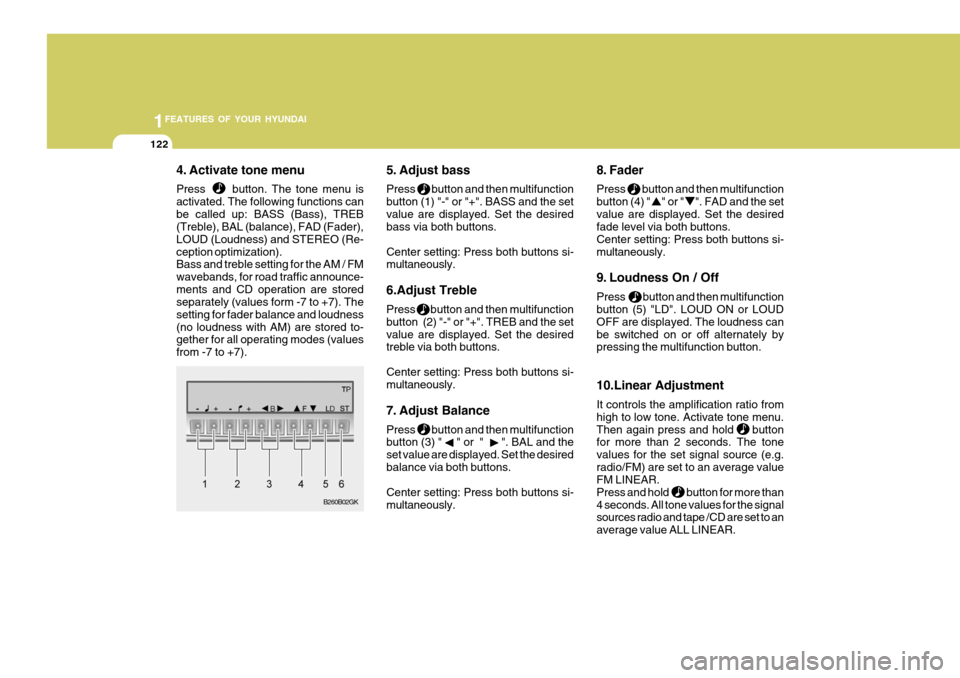
4. Activate tone menu Press button. The tone menu is activated. The following functions canbe called up: BASS (Bass), TREB (Treble), BAL (balance), FAD (Fader), LOUD (Loudness) and STEREO (Re-ception optimization). Bass and treble setting for the AM / FM wavebands, for road traffic announce-ments and CD operation are stored separately (values form -7 to +7). The setting for fader balance and loudness(no loudness with AM) are stored to- gether for all operating modes (values from -7 to +7). 5. Adjust bass Press button and then multifunction button (1) "-" or "+". BASS and the setvalue are displayed. Set the desired bass via both buttons. Center setting: Press both buttons si- multaneously. 6.Adjust Treble Press button and then multifunction button (2) "-" or "+". TREB and the setvalue are displayed. Set the desired treble via both buttons. Center setting: Press both buttons si- multaneously.
7. Adjust Balance Press button and then multifunction button (3) " " or " ". BAL and the set value are displayed. Set the desiredbalance via both buttons. Center setting: Press both buttons si- multaneously. 8. Fader Press button and then multifunction button (4) " " or " ". FAD and the setvalue are displayed. Set the desired fade level via both buttons. Center setting: Press both buttons si-multaneously.
9. Loudness On / Off Press button and then multifunction button (5) "LD". LOUD ON or LOUD OFF are displayed. The loudness canbe switched on or off alternately by pressing the multifunction button. 10.Linear Adjustment It controls the amplification ratio from high to low tone. Activate tone menu.Then again press and hold button for more than 2 seconds. The tone values for the set signal source (e.g.radio/FM) are set to an average value FM LINEAR. Press and hold button for more than4 seconds. All tone values for the signal sources radio and tape /CD are set to an average value ALL LINEAR.
B260B02GK
Page 137 of 478

1
FEATURES OF YOUR HYUNDAI
123
11.Adjust Mono /Stereo Three different reception optimization setting can be set in order to suppressreception dependent interference and reflections. Repeatedly press multifunction button(6) "ST" in tone menu until the desired optimization is set. AUTO: Setting for normal operation - i.e., the unit switches from stereo to mono and back depending upon recep-tion location (provides the optimum setting for almost all reception areas). STEREO: Setting for unusual recep- tion situations - i.e. the unit is set permanently to stereo (e.g. for privateradio stations in city areas) MONO: Setting for reception condi- tions in which reflections constantly occur - i.e., the unit is set constantly to mono.The setting is effective immediately after pressing the multifunction button "ST" and is also retained on switchingoff. B260D01GK-GAT Radio operation
1. Select operating Mode Press Button. The operating mode. Radio, CD can be selected. The last selected operating mode is selected after the button is pressed for
the first time. If
the other operating
modes are to be selected, press the
button quickly and repeatedly until
the desired operating mode is selected.
2. Select Waveband Press button repeatedly until desi- red waveband FM 1, FM 2 or AM is selected. When changing the waveband, the last selected station is selected.
3. Switch on radio menu mode Press button. The radio menu mode is switched on and displayed, The unit switches back to the normal display if no buttons are pressed within the next8 seconds. 4. Radio Operation Setting procedures for station selec- tion.The desired broadcasting station can be selected via station search, manual tuning, autostore, direct frequency in-put and station buttons.
5. FM, AM station search Turn the right rotary control to the left/ right in desired waveband. The radio searches in descending/ascending or-der.
6. Scan search In the desired waveband (FM or AM) press the right rotary control, SC is displayed. An automatic station search is started. The first search is performedon an insensitive plane, all further searches on a sensitive plane. Receiv- able stations can be heard for 8 sec-onds. Press the right rotary control if the received program should be re- tained.
Page 138 of 478
1FEATURES OF YOUR HYUNDAI
124
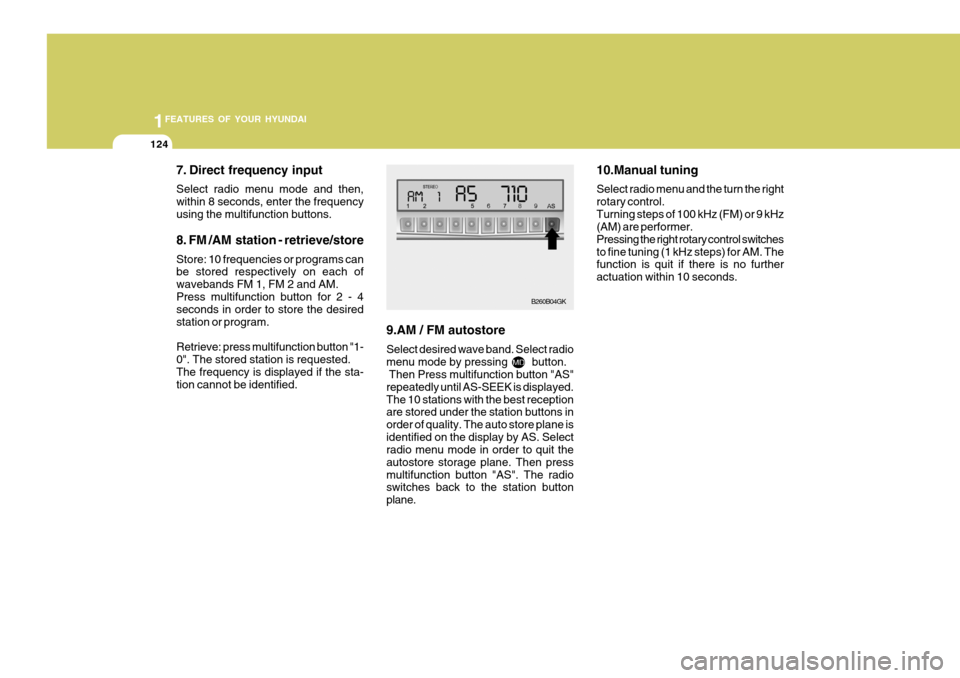
7. Direct frequency input Select radio menu mode and then, within 8 seconds, enter the frequencyusing the multifunction buttons. 8. FM /AM station - retrieve/store Store: 10 frequencies or programs can be stored respectively on each of wavebands FM 1, FM 2 and AM.Press multifunction button for 2 - 4 seconds in order to store the desired station or program. Retrieve: press multifunction button "1- 0". The stored station is requested.The frequency is displayed if the sta- tion cannot be identified. 9.AM / FM autostore Select desired wave band. Select radio menu mode by pressing button. Then Press multifunction button "AS" repeatedly until AS-SEEK is displayed.The 10 stations with the best reception are stored under the station buttons in order of quality. The auto store plane isidentified on the display by AS. Select radio menu mode in order to quit the autostore storage plane. Then pressmultifunction button "AS". The radio switches back to the station button plane. 10.Manual tuning Select radio menu and the turn the right rotary control.Turning steps of 100 kHz (FM) or 9 kHz (AM) are performer. Pressing the right rotary control switchesto fine tuning (1 kHz steps) for AM. The function is quit if there is no further actuation within 10 seconds.
B260B04GK
Page 139 of 478
1
FEATURES OF YOUR HYUNDAI
125
B260E01GK-GAT CD operation 1.CDs - insert / eject Press button briefly; the display folds downwards and the CD slot withthe printed side upwards. The unit pulls in the CD automatically and begins to play the disc from the first track. Thenfold the display up again. After playing the last track, the unit automatically begins to play the first track of the CDagain. If there is already a CD in the CD slot, press button repeatedly until CD appears on the display. In order toeject a CD, press button briefly; the display folds downward and the CD is ejected. Then remove the CD. Thenfold the display up again. Note: The CD is not ejected when the unit is switched off but remains in the CDslot. 2. Track skip - forwards / reverse Turn right rotary control to right/left. If the track has been playing for longer than 10 seconds when the return func-tion is triggered, a return to the begin- ning of the track takes place. Through further turning of the right ro-tary control, several tracks can be skipped over in forward or reverse di- rections. Skip returns to the first to thelast track.
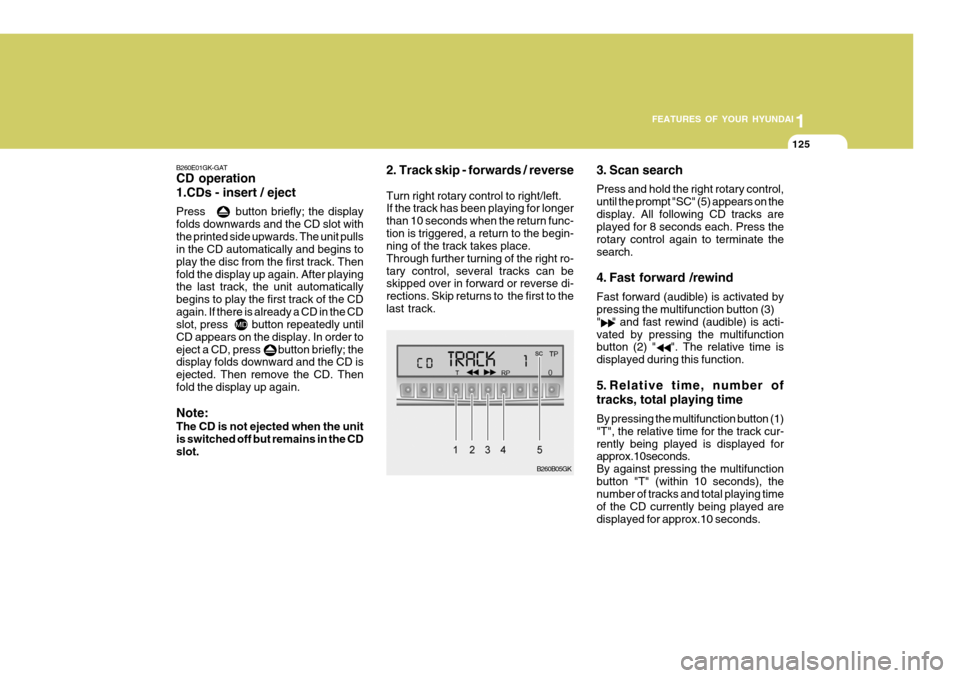
3. Scan search Press and hold the right rotary control, until the prompt "SC" (5) appears on thedisplay. All following CD tracks are played for 8 seconds each. Press the rotary control again to terminate thesearch.
4. Fast forward /rewind Fast forward (audible) is activated by pressing the multifunction button (3) " " and fast rewind (audible) is acti-vated by pressing the multifunction button (2) " ". The relative time is displayed during this function.
5. Relative time, number of tracks, total playing time By pressing the multifunction button (1) "T", the relative time for the track cur-rently being played is displayed for approx.10seconds. By against pressing the multifunctionbutton "T" (within 10 seconds), the number of tracks and total playing time of the CD currently being played aredisplayed for approx.10 seconds.
B260B05GK
Page 140 of 478
1FEATURES OF YOUR HYUNDAI
126
6. Random play The random play is activated by press- ing the multifunction button (4) "RP".The tracks of the current CD are then played in random order. "RP" appears on the display. The random play func-tion is terminated by repeated pressing of the multifunction button "RP".
7. Direct track selection The unit is switched to select mode by pressing the multifunction button "0"The digits 1-0 and TRACK _ _ are displayed. A track can be selected directly by using the multifunction but-tons "1-0". The unit switches back to CD menu mode if no buttons are actu- ated for approx.8seconds. 8. Temperature protection circuit A temperature protection circuit is uti- lized in this unit in order to protect thelaser diode against over heating. When this protection circuit is acti- vated, CD TEMP. appears for 8 sec-onds. The unit switches back to the last selected signal source (FM / AM). The single CD operation can be re-quested again after a short cooling phase. However, if the temperature is still too high, the unit again switchesback to the previously selected signal source.
Page 152 of 478
2
DRIVING YOUR HYUNDAI
9
!
C090B01A-AAT The function of each position is as follows: o P (Park): Use to hold the vehicle in place when parked or while starting the engine.Whenever parking the car, apply the parking brake and shift the selector lever to the "P" (Park) position.
CAUTION:
Never place the selector lever in the "P" (Park) position unless the ve- hicle is fully stopped. Failure toobserve this caution will cause se- vere damage to the transaxle. C090C01A-AAT o R (Reverse): Use for backing up the vehicle. Bring the car to a complete stop before shift-ing the selector lever to "R" position. C090D02O-AAT o N (Neutral): In the "N" position, the transaxle is in neutral, which means that no gears are engaged. The engine can be started with the shift lever in "N" position,although this is not recommended ex- cept if the engine stalls while the car is moving. C090E01O-AAT
o D (Drive): Use for normal driving. The transaxle will automatically shift through a four gear sequence.
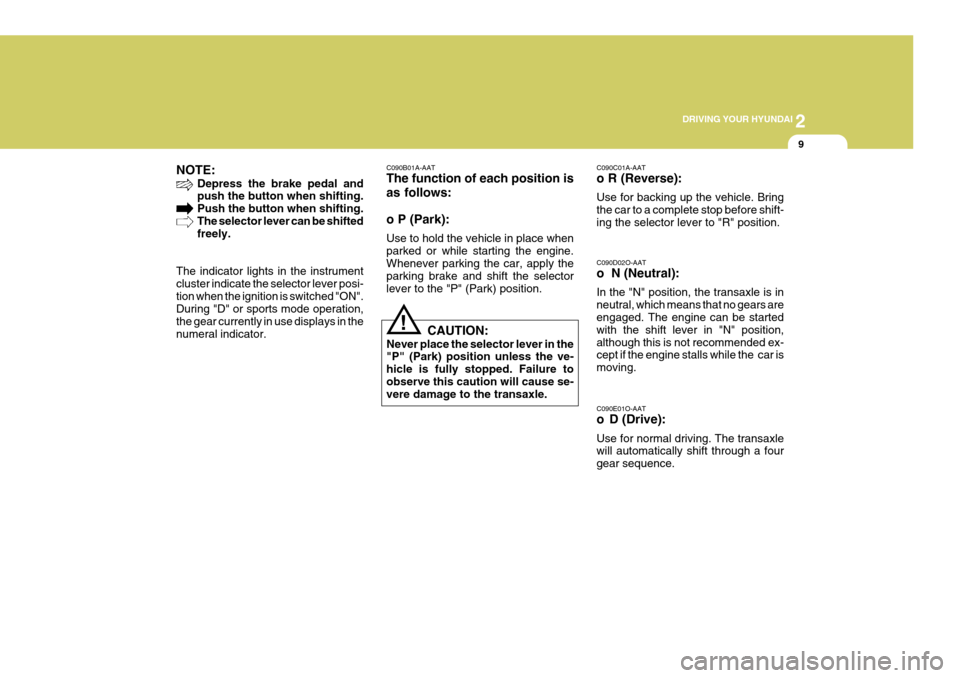
NOTE:
Depress the brake pedal and push the button when shifting. Push the button when shifting.The selector lever can be shifted freely.
The indicator lights in the instrument cluster indicate the selector lever posi-tion when the ignition is switched "ON". During "D" or sports mode operation, the gear currently in use displays in thenumeral indicator.
Page 307 of 478
1CONTROLS AND EQUIPMENT
36
B240C01HP
!WARNING:
o Extreme Hazard! Do not use a rearward facing child restraint on a seat protected by an airbag in front of it! If you must use a rear facing childseat on the front seat, first deacti- vate the air bag system and ensure that the passenger's front air bag'off' indicator light in the instru- ment cluster is displayed.
o Do not install a child restraint sys- tem in the front passenger seatposition. A child restraint system must never be placed in the front seat. The infant or child could be se- verely injured by an airbag de-ployment in case of an accident.
o Modification to SRS components
or wir-ing, including the additionof any kind of badges to the pad cover or modifications to the body structure, can adverselyaffect SRS performance and lead to possible injury.
o For cleaning the horn pad, use
only a soft, dry cloth or one whichhas been moistened with plain water. Solvents or cleaners couldadversely affect the airbag cover and proper deployment of the system.
o No objects should be placed over or near the airbag module on thesteering wheel, because any suchobject could cause harm if the vehicle is in a crash severe enough to cause the airbag to inflate.
B240C03Y-EAT SRS Care The SRS is virtually maintenance-free and so there are no parts you cansafely service by yourself. The entire SRS system must be inspected by an authorized Hyundai dealer 10 yearsafter the date that the vehicle was manufactured. Any work on the SRS system, such as removing, installing, repairing, or any work on the steering wheel must beperformed by a qualified Hyundai tech- nician. Improper handling of the SRS systemmay result in serious personal injury.
gkfluk-1a.p65
11/21/2005, 2:56 PM
36
Page 317 of 478
1CONTROLS AND EQUIPMENT
46
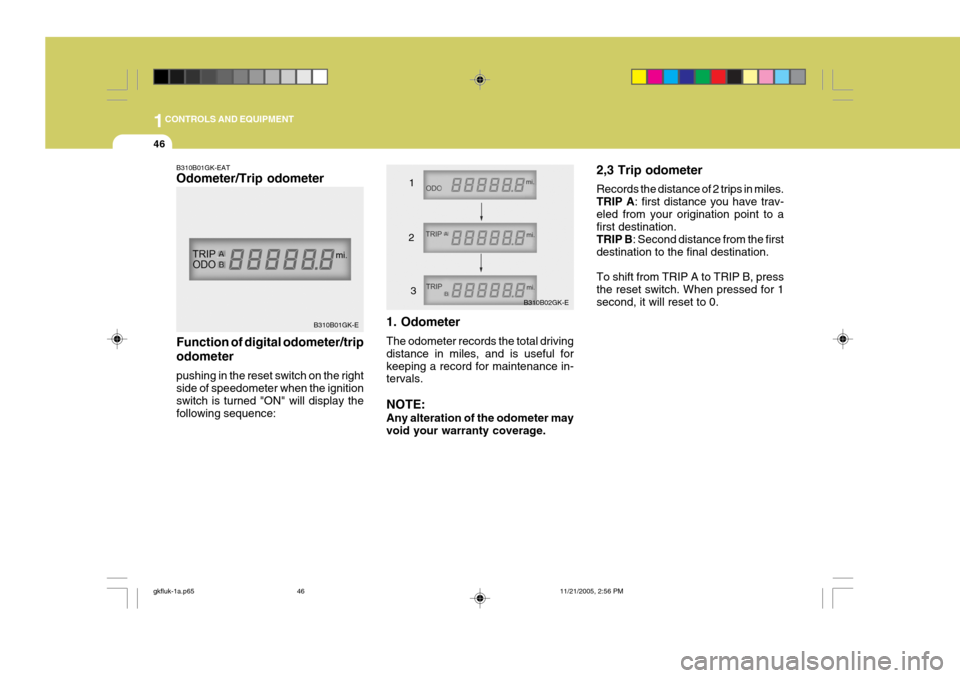
B310B01GK-EAT Odometer/Trip odometer Function of digital odometer/trip odometer pushing in the reset switch on the right side of speedometer when the ignition switch is turned "ON" will display thefollowing sequence: 1. Odometer The odometer records the total driving distance in miles, and is useful forkeeping a record for maintenance in- tervals. NOTE: Any alteration of the odometer may void your warranty coverage. 2,3 Trip odometer Records the distance of 2 trips in miles. TRIP A
: first distance you have trav-
eled from your origination point to a first destination. TRIP B : Second distance from the first
destination to the final destination. To shift from TRIP A to TRIP B, press the reset switch. When pressed for 1 second, it will reset to 0.
B310B01GK-E B310B02GK-E
1
2 3
gkfluk-1a.p65 11/21/2005, 2:56 PM
46
Page 318 of 478
1
CONTROLS AND EQUIPMENT
47TRIP COMPUTER
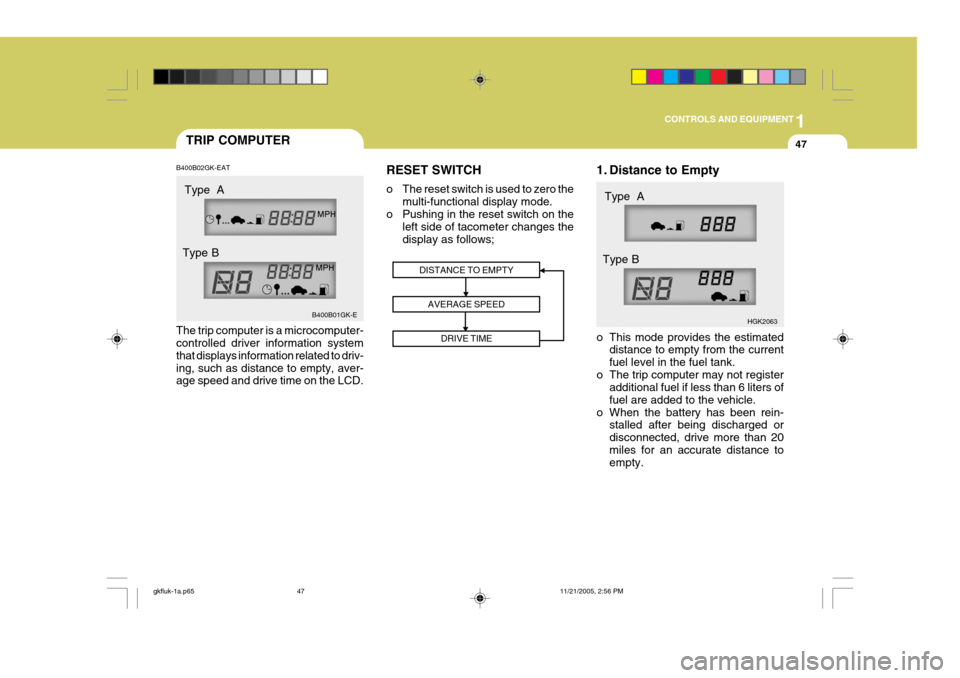
B400B02GK-EAT The trip computer is a microcomputer- controlled driver information system that displays information related to driv-ing, such as distance to empty, aver- age speed and drive time on the LCD. RESET SWITCH
o The reset switch is used to zero the
multi-functional display mode.
o Pushing in the reset switch on the left side of tacometer changes the display as follows; 1. Distance to Empty
o This mode provides the estimated
distance to empty from the current fuel level in the fuel tank.
o The trip computer may not register additional fuel if less than 6 liters offuel are added to the vehicle.
o When the battery has been rein- stalled after being discharged ordisconnected, drive more than 20miles for an accurate distance to empty.
DISTANCE TO EMPTY
AVERAGE SPEED DRIVE TIME
B400B01GK-E HGK2063
Type A
Type B Type A
Type B
gkfluk-1a.p65 11/21/2005, 2:56 PM
47
Page 319 of 478
1CONTROLS AND EQUIPMENT
48
NOTE:
o When the distance to empty is
less than 50 km, the symbol will always come on and the distanceto empty digits will indicate "--- " with flash until more fuel is added.
o The distance to empty can differ from the actual tripmeter ac-cording to driving conditions.
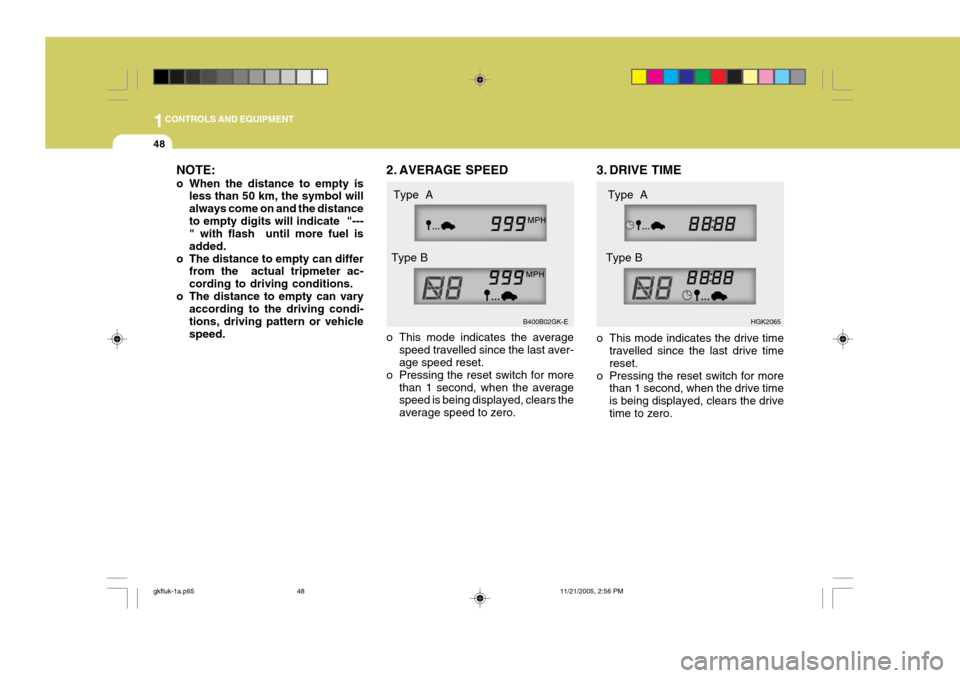
o The distance to empty can vary according to the driving condi-tions, driving pattern or vehiclespeed. 2. AVERAGE SPEED
o This mode indicates the average
speed travelled since the last aver- age speed reset.
o Pressing the reset switch for more than 1 second, when the averagespeed is being displayed, clears the average speed to zero. 3. DRIVE TIME
o This mode indicates the drive time
travelled since the last drive time reset.
o Pressing the reset switch for more than 1 second, when the drive timeis being displayed, clears the drivetime to zero.
B400B02GK-E
HGK2065
Type A
Type B Type A
Type B
gkfluk-1a.p65 11/21/2005, 2:56 PM
48