ECO mode Hyundai Coupe 2006 User Guide
[x] Cancel search | Manufacturer: HYUNDAI, Model Year: 2006, Model line: Coupe, Model: Hyundai Coupe 2006Pages: 483, PDF Size: 12.73 MB
Page 133 of 483
1
FEATURES OF YOUR HYUNDAI
121
H465B01GK-GAT
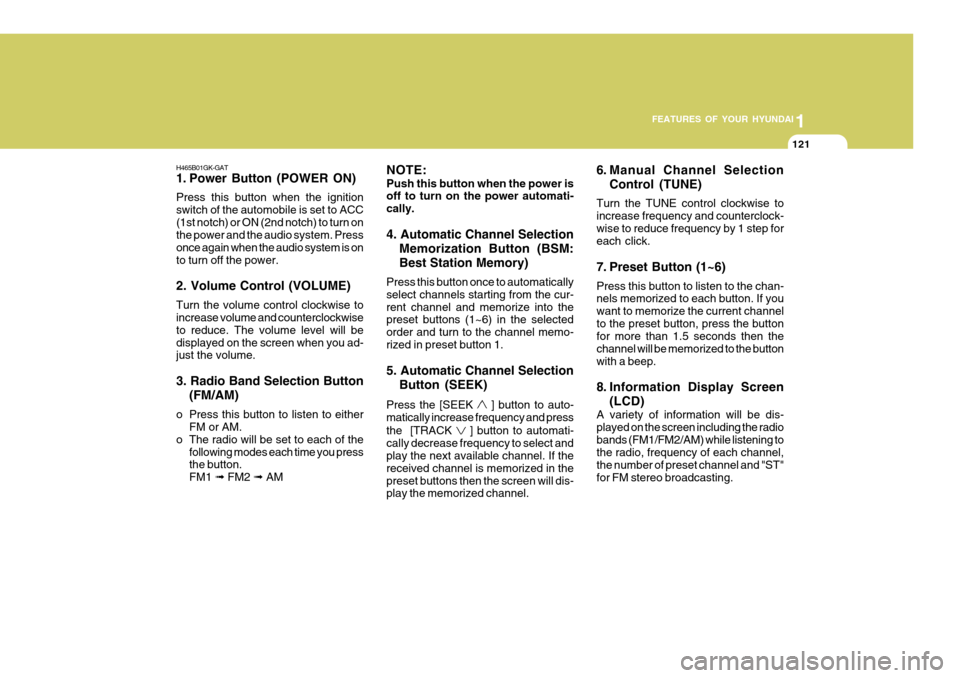
1. Power Button (POWER ON) Press this button when the ignition switch of the automobile is set to ACC(1st notch) or ON (2nd notch) to turn on the power and the audio system. Press once again when the audio system is onto turn off the power. 2. Volume Control (VOLUME) Turn the volume control clockwise to increase volume and counterclockwise to reduce. The volume level will bedisplayed on the screen when you ad- just the volume. 3. Radio Band Selection Button (FM/AM)
o Press this button to listen to either FM or AM.
o The radio will be set to each of the
following modes each time you press the button. FM1 ➟ FM2 ➟ AM NOTE: Push this button when the power is off to turn on the power automati- cally. 4. Automatic Channel Selection
Memorization Button (BSM: Best Station Memory)
Press this button once to automatically select channels starting from the cur-rent channel and memorize into the preset buttons (1~6) in the selected order and turn to the channel memo-rized in preset button 1. 5. Automatic Channel Selection Button (SEEK)
Press the [SEEK
] button to auto-
matically increase frequency and press the [TRACK
] button to automati-
cally decrease frequency to select and play the next available channel. If the received channel is memorized in thepreset buttons then the screen will dis- play the memorized channel. 6. Manual Channel Selection
Control (TUNE)
Turn the TUNE control clockwise to increase frequency and counterclock-wise to reduce frequency by 1 step for each click.
7. Preset Button (1~6) Press this button to listen to the chan- nels memorized to each button. If you want to memorize the current channelto the preset button, press the button for more than 1.5 seconds then the channel will be memorized to the buttonwith a beep.
8. Information Display Screen (LCD)
A variety of information will be dis- played on the screen including the radiobands (FM1/FM2/AM) while listening to the radio, frequency of each channel, the number of preset channel and "ST"for FM stereo broadcasting.
Page 136 of 483
![Hyundai Coupe 2006 User Guide 1FEATURES OF YOUR HYUNDAI
124
H465D01GK-GAT 1.CD Deck The deck will open only when you press [LOAD] button. Make sure the printedside of the disk faces upward when you insert the disk. The CD changer](/img/35/14503/w960_14503-135.png "Hyundai Coupe 2006 User Guide 1FEATURES OF YOUR HYUNDAI
124
H465D01GK-GAT 1.CD Deck The deck will open only when you press [LOAD] button. Make sure the printedside of the disk faces upward when you insert the disk. The CD changer")
1FEATURES OF YOUR HYUNDAI
124
H465D01GK-GAT 1.CD Deck The deck will open only when you press [LOAD] button. Make sure the printedside of the disk faces upward when you insert the disk. The CD changer can only play 12cm disks. If you insertvideo CD or DATA CD, then the screen will display "ERROR DISC," eject the disk and return to the previous mode.
2. CD Load Button When you press [LOAD] button, the empty lots of the CD Changer will beopened in the order of 1, 2, 3, 4, 5 and 6. When you insert CD, you can listen to the corresponding CD. In this case,the last CD you inserted will be played. If you do not take any actions after pressing (LOAD) then the (LOAD) willbe cancelled.
3. CD Eject Button When you press [
] button, the cur-
rently played CD will be ejected. If you press the button for more than 2 sec- onds, you will be able to eject all CDs.If currently played CD is in the 3rd slot, the ejection order will be 3, 4, 5, 6, 1 and 2. 4. Information Display Screen
(LCD)
This shows the location of disk insidethe CD Changer and the correspondingCD deck number will flicker when you load or eject the CD.
5. CD Changer Selection Button If the power was turned off when the CD is inside the CD changer or if you press "CD" button when radio was on, thesystem will play CD. If you press [CD] button when there is no CD in the changer then the system will display"NO DISK" for 2 seconds and return to the previous mode. NOTE: If you press this button when the power is off and CD is inside the deck, the power will be automati-cally turned on.
6. Disc Selection Button If you press [DISC
] button while
using CD Changer, the next disc will be played (If you press the button when you are listening to CD 1, the CD 2 will be played). If you wish to listen to the previous CD, then press [DISC
] button then the
previous disc will be played (If you press the button when you are listening to CD 2, the CD 1 will be played). If the CD Changer is not fully loaded, this willmove to the next available deck. When the player moves from deck to deck, the screen will display the selecteddeck number.
7. Fast Backward (REW) Press and hold [REW] button while playing CD then the player will play the disk backwards 5 times the regular speed for first 5 seconds and 15 timesfaster after that. The sound will be reduced by 12dB while you are holding the button.
8. Fast Forward (FF) Press and hold [FF] button while play- ing CD then the player will play the disk forward 5 times the regular speed for first 5 seconds and 15 times faster afterthat. The sound will be reduced by 12dB while you are holding the button.
Page 149 of 483
2 DRIVING YOUR HYUNDAI
8
!
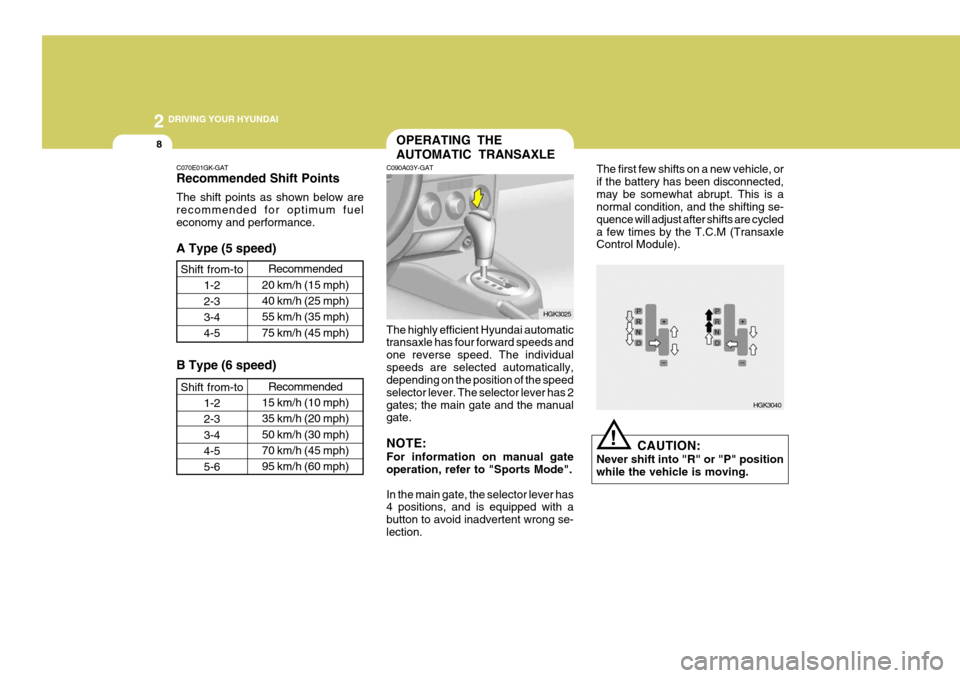
C070E01GK-GAT Recommended Shift Points The shift points as shown below are recommended for optimum fueleconomy and performance. A Type (5 speed)
Shift from-to 1-2 2-33-4 4-5 Recommended
20 km/h (15 mph)40 km/h (25 mph) 55 km/h (35 mph)75 km/h (45 mph)
B Type (6 speed)
Shift from-to 1-2 2-33-4 4-5 5-6 Recommended
15 km/h (10 mph)35 km/h (20 mph)50 km/h (30 mph) 70 km/h (45 mph) 95 km/h (60 mph)
C090A03Y-GAT OPERATING THE AUTOMATIC TRANSAXLE
The highly efficient Hyundai automatic transaxle has four forward speeds and one reverse speed. The individualspeeds are selected automatically, depending on the position of the speed selector lever. The selector lever has 2gates; the main gate and the manual gate. NOTE: For information on manual gate operation, refer to "Sports Mode". In the main gate, the selector lever has 4 positions, and is equipped with a button to avoid inadvertent wrong se-lection. The first few shifts on a new vehicle, orif the battery has been disconnected,may be somewhat abrupt. This is a normal condition, and the shifting se- quence will adjust after shifts are cycleda few times by the T.C.M (Transaxle Control Module).
CAUTION:
Never shift into "R" or "P" position while the vehicle is moving.
HGK3025
HGK3040
Page 150 of 483
2
DRIVING YOUR HYUNDAI
9
!
C090B01A-AAT The function of each position is as follows: o P (Park): Use to hold the vehicle in place when parked or while starting the engine.Whenever parking the car, apply the parking brake and shift the selector lever to the "P" (Park) position.
CAUTION:
Never place the selector lever in the "P" (Park) position unless the ve- hicle is fully stopped. Failure toobserve this caution will cause se- vere damage to the transaxle. C090C01A-AAT o R (Reverse): Use for backing up the vehicle. Bring the car to a complete stop before shift-ing the selector lever to "R" position. C090D02O-AAT o N (Neutral): In the "N" position, the transaxle is in neutral, which means that no gears are engaged. The engine can be started with the shift lever in "N" position,although this is not recommended ex- cept if the engine stalls while the car is moving. C090E01O-AAT
o D (Drive): Use for normal driving. The transaxle will automatically shift through a four gear sequence.
NOTE:
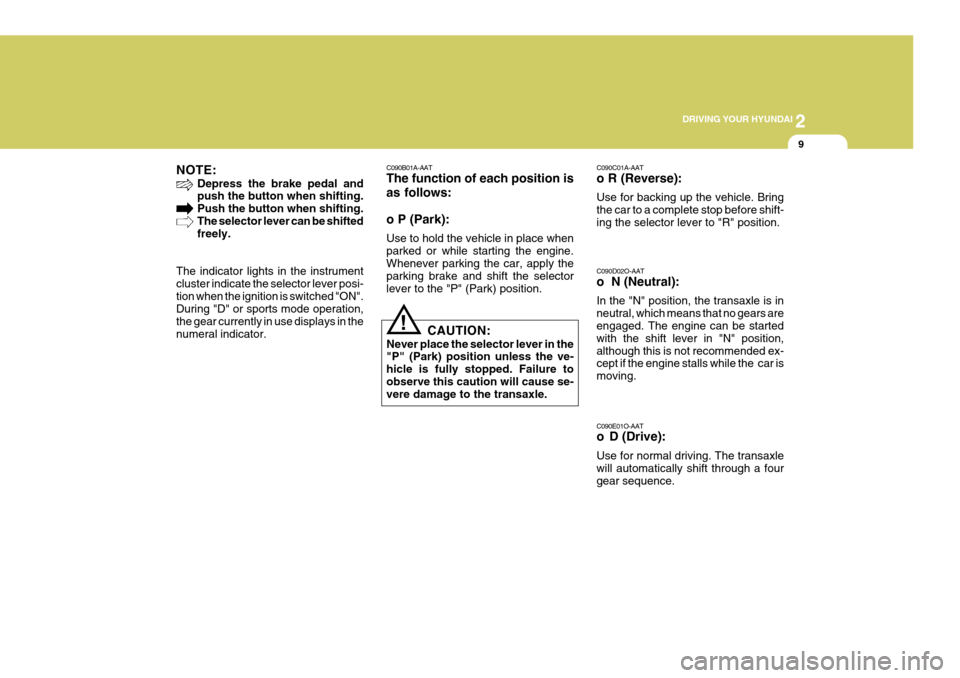
Depress the brake pedal and push the button when shifting. Push the button when shifting.The selector lever can be shifted freely.
The indicator lights in the instrument cluster indicate the selector lever posi-tion when the ignition is switched "ON". During "D" or sports mode operation, the gear currently in use displays in thenumeral indicator.
Page 152 of 483
2
DRIVING YOUR HYUNDAI
11
!
C090H01L-GAT NOTE:
o For smooth and safe operation,
depress the brake pedal when shifting from "Neutral" positionor "Park" position to a forward or reverse gear.
o The ignition key must be in the "ON" position and the brake pedalfully depressed in order to move the shift lever from the "P" (Park)position to any of the other posi- tions.
o It is always possible to shift from "R", "N", "D" position to "P" po-sition. The vehicle must be fully stopped to avoid transaxle dam-age. C090I03L-GAT
CAUTION:
o Shift into "R" and "P" position only when the vehicle has com-pletely stopped.
o Do not accelerate the engine in reverse or any of the forward posi-tions with the brakes applied.
o Always apply the footbrake when shifting from "P" or "N", to "R","D"position.
o Do not use the "P" (Park) position in place of the parking brake.Always set the parking brake, shiftthe transaxle into "P" (Park) posi- tion and turn off the ignition when you leave the vehicle, even mo-mentarily. Never leave the vehicle unattended while the engine is running.
o When accelerating from a stop on a steep hill, the vehicle may havea tendency to roll backwards. Shift-ing the shift lever into 2nd gear while in Sport mode will help pre- vent the vehicle from rolling back-wards. o Check the automatic transaxle fluid
level regularly, and add fluid as necessary.
o See the maintenance schedule for
the proper fluid recommendation.
C090N04O-AAT Good Driving Practices
o Never move the gear selector lever from "P" or "N" to any other position with the accelerator pedal de- pressed.
o Never move the gear selector lever
into "P" when the vehicle is in mo-tion.
o Be sure the car is completely stopped
before you attempt to shift into "R".
o Never take the car out of gear and
coast down a hill. This may be ex- tremely hazardous. Always leave the car in gear when moving.
o Do not "ride" the brakes. This can cause them to overheat and mal-function. Instead, when you are driv- ing down a long hill, slow down andshift to a lower gear. When you do this, engine braking will help slow the car.
Page 155 of 483
2 DRIVING YOUR HYUNDAI
14
C310B01JM-AAT ESP ON/OFF Mode When the ESP is operating, the ESP indicator in the instrument cluster willblink. If you turn the system off by pressing the ESP switch, the ESP-OFF indica-tor will come on and stay on. In the ESP-OFF mode, the stability control will be deactivated. Adjust your drivingaccordingly. To turn the system back on, press the switch again. The ESP- OFF indicator should go off. NOTE: The ESP mode will automatically be turned ON after the engine is turnedoff and restarted.
!
Factors including speed, road condi- tions and driver steering input can allaffect whether ESP will be effective in preventing a loss of control. It is still your responsibility to drive and cornerat reasonable speeds and to leave a sufficient margin of safety.
CAUTION:
Driving with varying tire or wheelsize may cause the ESP system to malfunction. When replacing tires,make sure they are the same size as your original tires.
WARNING:
Electronic stability program is only a driving aid; all normal precautions for driving in inclement weather and on slippery road surfaces should beobserved.
! C310D01JM-AAT Indicators and Warning The indicators should illuminate when the ignition key is turned to ON orSTART but should go out after three seconds. If the indicators do not illuminate, or theESP or ESP-OFF indicator does not go out after 3 seconds, have the vehicle checked by an authorized dealer. Should there be any unusual conditions in the device while driving, ESP-OFFindicator illuminates as a warning. If ESP-OFF indicator illuminates, pull your car to a safe place and stop theengine. Then, start the engine again to check if the ESP-OFF indicator goes out. If the indicator remains lit even after the engine has been started, have your carchecked by an authorized Hyundai dealer.
Page 157 of 483
2 DRIVING YOUR HYUNDAI
16
C140A01A-GAT You can save fuel and get more kilo- meters from your car if you follow these suggestions:
o Drive smoothly. Accelerate at a
moderate rate. Don't make "jack- rabbit" starts or full-throttle shiftsand maintain a steady cruising speed. Don't race between stop- lights. Try to adjust your speed tothat of the other traffic so you don't have to change speeds unneces- sarily. Avoid heavy traffic wheneverpossible. Always maintain a safe distance from other vehicles so you can avoidunnecessary braking. This also re- duces brake wear.
o Drive at a moderate speed. The faster you drive, the more fuel yourcar uses. Driving at a moderate speed, especially on the highway, isone of the most effective ways to reduce fuel consumption.
DRIVING FOR ECONOMY
o Don't "ride" the brake or clutch pedal.This can increase fuel consumption and also increase wear on these components. In addition, driving with your foot resting on the brake pedalmay cause the brakes to overheat, which reduces their effectiveness and may lead to more serious con-sequences.
o Take care of your tires. Keep them
inflated to the recommended pres-sure. Incorrect inflation, either too much or too little, results in unnec- essary tire wear. Check the tire pres-sures at least once a month.
o Be sure that the wheels are aligned
correctly. Improper alignment canresult from hitting curbs or driving too fast over irregular surfaces. Poor alignment causes faster tire wearand may also result in other prob- lems as well as greater fuel con- sumption.
o Keep your car in good condition. For better fuel economy and reducedmaintenance costs, maintain yourcar in accordance with the mainte- nance schedule in Section 5. If you drive your car in severe conditions, more frequent maintenance is re-quired (see Section 5 for details).
o Keep your car clean. For maximum service, your Hyundai should bekept clean and free of corrosivematerials. It is especially important that mud, dirt, ice, etc. not be al- lowed to accumulate on the under-side of the car. This extra weight can result in increased fuel con- sumption and also contribute to cor-rosion.
o Travel lightly. Don't carry unneces-
sary weight in your car. Weight re-duces fuel economy.
o Don't let the engine idle longer than
necessary. If you are waiting (andnot in traffic), turn off your engine and restart only when you're ready to go.
o Remember, your Hyundai does not require extended warm-up. As soonas the engine is running smoothly,you can drive away. In very cold weather, however, give your engine a slightly longer warm-up period.
Page 270 of 483
1
CONTROLS AND EQUIPMENT
3RUNNING IN YOUR NEW HYUNDAI
B020A01S-EAT The longevity and performance of the vehicle are greatly affected by the care exercised during the first 1,000 miles of motoring. Because of modern manu-facturing techniques, rigid guidelines regarding maximum road speeds have become unnecessary. However, cer-tain precautions should be observed in order to obtain the best possible per- formance and useful life from the ve-hicle.
1) Do not race the engine without a
load (i.e revving the engine in neu- tral).
2) During the first 500 miles the maxi- mum engine speed should be re-stricted to 3,000 rpm and gradually increased thereafter.
3) Avoid prolonged constant speed operation. The internal componentsof the engine will become morequickly run in if the operation speed is varied during the running in pe- riod.
4) Never allow the engine to labour. Use the gearbox freely and avoidlarge throttle openings when theengine speed is below 1,500 rpm.BEFORE ENTERING THE VEHICLEAFTER ENTERING THE VEHICLE
YB020A1-E
o Ensure that all windows, mirrors
and lamps are clean.
o Check condition of all tyres.
o Ensure that no fluid leaks are evi-
dent.
o Ensure that the area around the vehicle is clear before driving off. YB020B1-E
o Ensure that all occupants fasten
and correctly adjust seat belts.
o Ensure that seat and head restraint positions are adjusted for optimum safety, control and comfort.
o Adjust interior and exterior rear view mirrors.
o Verify correct operation of lamps, horn and other electrical equipment.
o Ensure that warning lamps illumi-
nate when ignition is turned on.
NOTE: Fluid levels such as engine oil, en- gine coolant, brake and windscreenwasher fluid should be checked daily or at each refuelling, which- ever occurs sooner.
gkfluk-1a.p65 12/26/2006, 5:11 PM
3
Page 273 of 483
1CONTROLS AND EQUIPMENT
6
!
DOOR LOCKS
B040A01GK-EAT
WARNING:
o Unlocked doors can be danger- ous. Before you drive away (es- pecially if there are children in the car), be sure that all the doorsare securely closed and locked so that the doors cannot be inad- vertently opened from the inside.This helps ensure that doors will not be opened accidentally. Also, when combined with the properuse of seat belts, locking the doors helps keep occupants from being ejected from the car in caseof an accident.
o Before opening the door, always
look for and avoid oncoming traf-fic.
o A locked-up vehicle can become
extremely hot, causing death orsevere injury to unattended chil- dren, handicapped persons or animals who cannot escape thevehicle. Never leave children, handicapped persons or animals unattended in your vehicle.
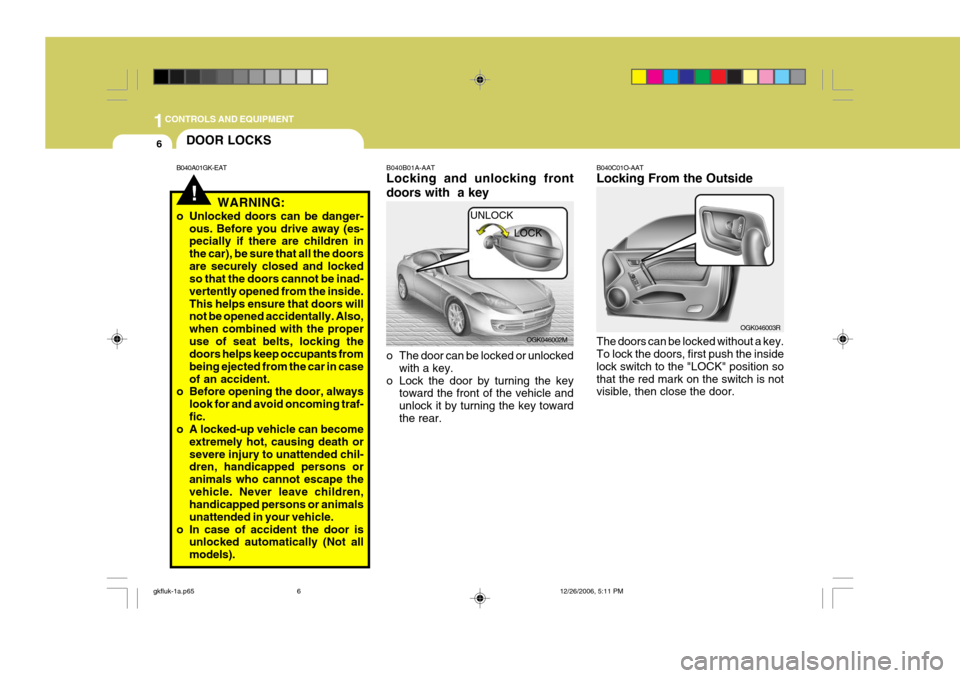
o In case of accident the door is unlocked automatically (Not allmodels). B040B01A-AAT Locking and unlocking front doors with a key
o The door can be locked or unlocked
with a key.
o Lock the door by turning the key toward the front of the vehicle and unlock it by turning the key towardthe rear. OGK046002M
UNLOCK
LOCK B040C01O-AAT Locking From the Outside The doors can be locked without a key. To lock the doors, first push the inside lock switch to the "LOCK" position sothat the red mark on the switch is not visible, then close the door.
OGK046003R
gkfluk-1a.p65
12/26/2006, 5:11 PM
6
Page 275 of 483
1CONTROLS AND EQUIPMENT
8
!
B070B02GK-EAT Armed Stage Park the car and stop the engine. Arm the system as described below.
1) Remove the ignition key from the
ignition switch.
2) Make sure that the engine bonnet,
doors and hatchback door are closed.
3) Lock the doors using the transmitter
of the keyless entry system.
After completion of the steps above, the turn signal lamp will blink once toindicate that the system is armed. CAUTION:
Do not arm the system until all passengers have left the car. If the system is armed while apassenger(s) remains in the car, the alarm may be activated when the remaining passenger(s) leavesthe car. NOTE:
1) If any door, hatchback door or
engine bonnet remains open, the system will not be armed.
2) If this happens, rearm the system as described above.
3) Once the system is armed, only the hatchback door may be un- locked using the key without dis- arming the system.
ANTI-THEFT ALARM SYS- TEM
B070A01A-EAT (Not all models) This system is designed to provide protection from unauthorised entry intothe car. This system is operated in three stages: the first is the "Armed" stage, the second is the "Alarm" stage,and the third is the "Disarmed" stage. If triggered, the system provides an audible alarm with blinking of the turnsignal light.
NOTE:
o When pushing the switch toward
the rear, all doors will unlock. When pushing the switch towardthe front, all doors will lock.
o When the door is unlocked, the
red mark on the switch is visible.
o The central door locking is oper- ated by turning the key (driver'sdoor only) toward the front orrear of the vehicle.
o If the door is locked/unlocked mul-
tiple times in rapid successionwith either the vehicle key or door lock switch, the system may stop operating temporarily in order toprotect the circuit and prevent damage to system components.
gkfluk-1a.p65 12/26/2006, 5:11 PM
8