reset Hyundai Coupe 2006 Owner's Guide
[x] Cancel search | Manufacturer: HYUNDAI, Model Year: 2006, Model line: Coupe, Model: Hyundai Coupe 2006Pages: 483, PDF Size: 12.73 MB
Page 326 of 483
1
CONTROLS AND EQUIPMENT
59
!
CAUTION:
The inside of the rear windscreen should never be cleaned with a hard or sharp implement since damage to the heating element may occur.The glass should only be cleaned with a soft cloth or chamois leather with the use only of a mild deter-gent or proprietary glass cleaner where necessary. Only horizontal movement of the cloth should bemade when cleaning the glass and care should be exercised to ensure that the heating elements are not damaged by rings or jewellery whilst the glass is being cleaned. NOTE: The engine must be running for the rear window defroster to operate.
INSTRUMENT PANEL ILLUMINATION CONTROL
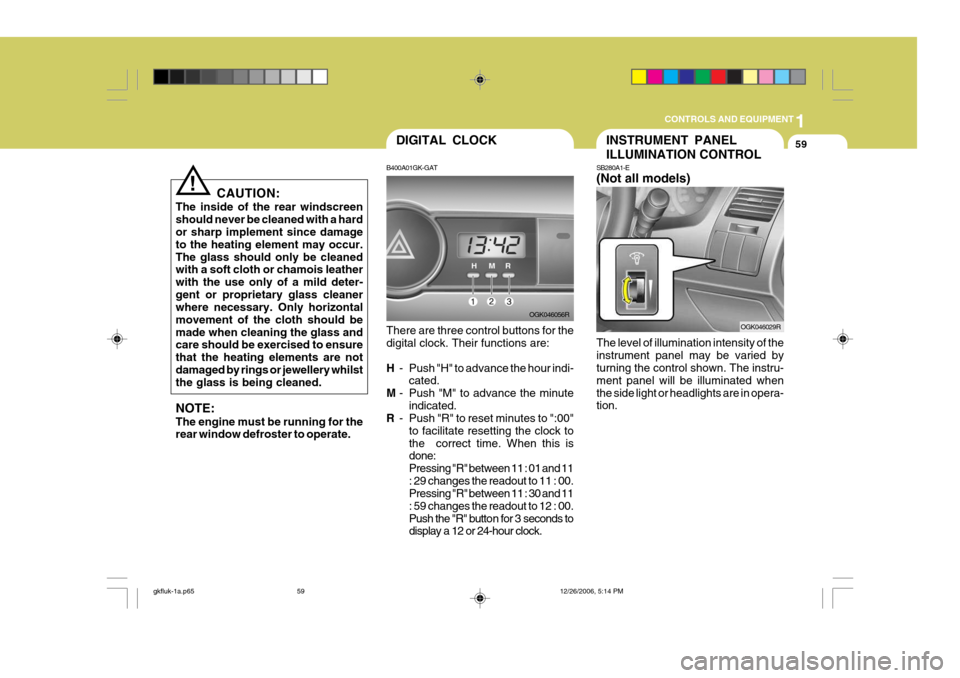
SB280A1-E (Not all models) The level of illumination intensity of the instrument panel may be varied by turning the control shown. The instru- ment panel will be illuminated whenthe side light or headlights are in opera- tion. OGK046029RDIGITAL CLOCK
B400A01GK-GAT There are three control buttons for the digital clock. Their functions are: H - Push "H" to advance the hour indi-
cated.
M - Push "M" to advance the minute
indicated.
R - Push "R" to reset minutes to ":00"
to facilitate resetting the clock to the correct time. When this is done: Pressing "R" between 11 : 01 and 11: 29 changes the readout to 11 : 00. Pressing "R" between 11 : 30 and 11 : 59 changes the readout to 12 : 00.
Push the "R" button for 3 seconds to display a 12 or 24-hour clock. OGK046056R
gkfluk-1a.p65
12/26/2006, 5:14 PM
59
Page 332 of 483
1
CONTROLS AND EQUIPMENT
65
B460E03GK-GAT Resetting the Sunroof System If the battery has been recharged, disconnected or if the sunroof is oper-ated with the hexagonal head wrench manually, you may need to reset the sunroof. To do this;
1. Turn the ignition switch "OFF".
2. With pressing " " "up" button at the same time, turn the ignition switch"ON". The resetting is failed when the ignition key to the "OFF" within1.5 seconds.
3. If the sunroof is set like this, the sunroof is reset with tilting up/down automatically once for all.
CAUTION:
If the sunroof is not reset, it may not be operated properly.
!
MAP LIGHT
B480A02GK-EAT
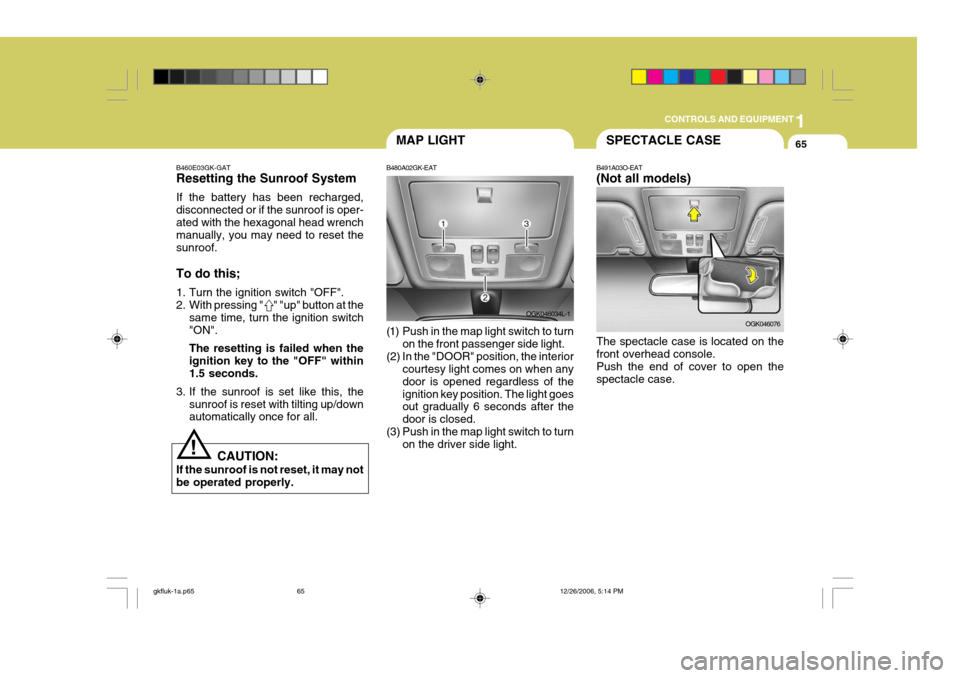
(1) Push in the map light switch to turn on the front passenger side light.
(2) In the "DOOR" position, the interior courtesy light comes on when any door is opened regardless of theignition key position. The light goes out gradually 6 seconds after the door is closed.
(3) Push in the map light switch to turn on the driver side light. OGK046034L-1SPECTACLE CASE
B491A03O-EAT (Not all models) The spectacle case is located on the front overhead console. Push the end of cover to open thespectacle case. OGK046076
gkfluk-1a.p65
12/26/2006, 5:14 PM
65
Page 344 of 483
1
CONTROLS AND EQUIPMENT
77
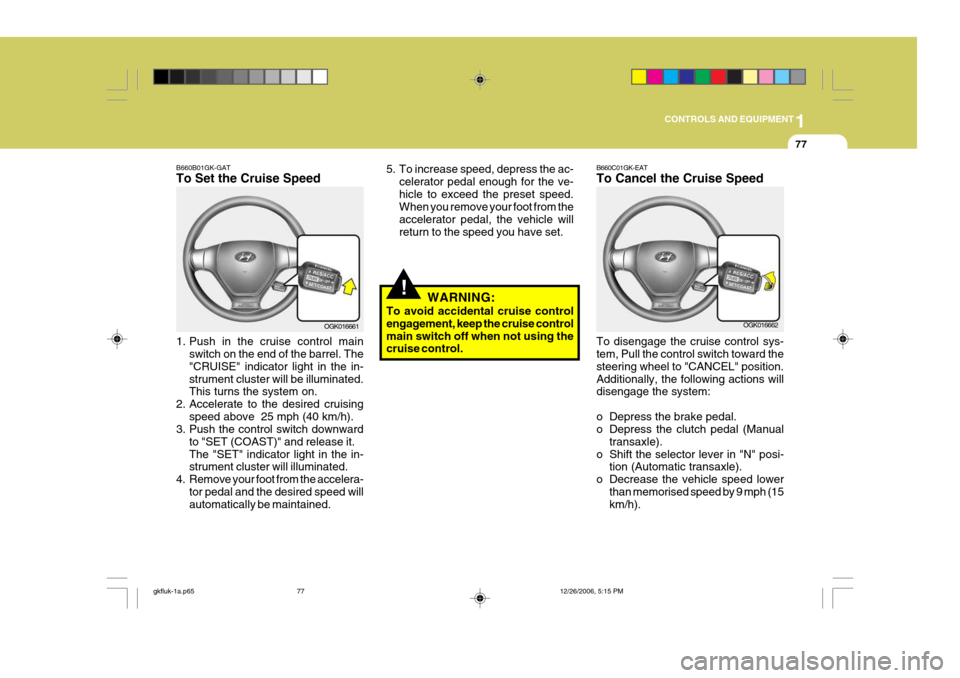
B660B01GK-GAT To Set the Cruise Speed
1. Push in the cruise control main
switch on the end of the barrel. The "CRUISE" indicator light in the in-strument cluster will be illuminated. This turns the system on.
2. Accelerate to the desired cruising speed above 25 mph (40 km/h).
3. Push the control switch downward
to "SET (COAST)" and release it. The "SET" indicator light in the in- strument cluster will illuminated.
4. Remove your foot from the accelera- tor pedal and the desired speed willautomatically be maintained. OGK016661
!
5. To increase speed, depress the ac-
celerator pedal enough for the ve- hicle to exceed the preset speed. When you remove your foot from the accelerator pedal, the vehicle willreturn to the speed you have set.
WARNING:
To avoid accidental cruise control engagement, keep the cruise control main switch off when not using the cruise control.B660C01GK-EAT To Cancel the Cruise Speed To disengage the cruise control sys- tem, Pull the control switch toward the steering wheel to "CANCEL" position.Additionally, the following actions will disengage the system:
o Depress the brake pedal.
o Depress the clutch pedal (Manual transaxle).
o Shift the selector lever in "N" posi- tion (Automatic transaxle).
o Decrease the vehicle speed lower than memorised speed by 9 mph (15km/h). OGK016662
gkfluk-1a.p65
12/26/2006, 5:15 PM
77
Page 345 of 483
1CONTROLS AND EQUIPMENT
78
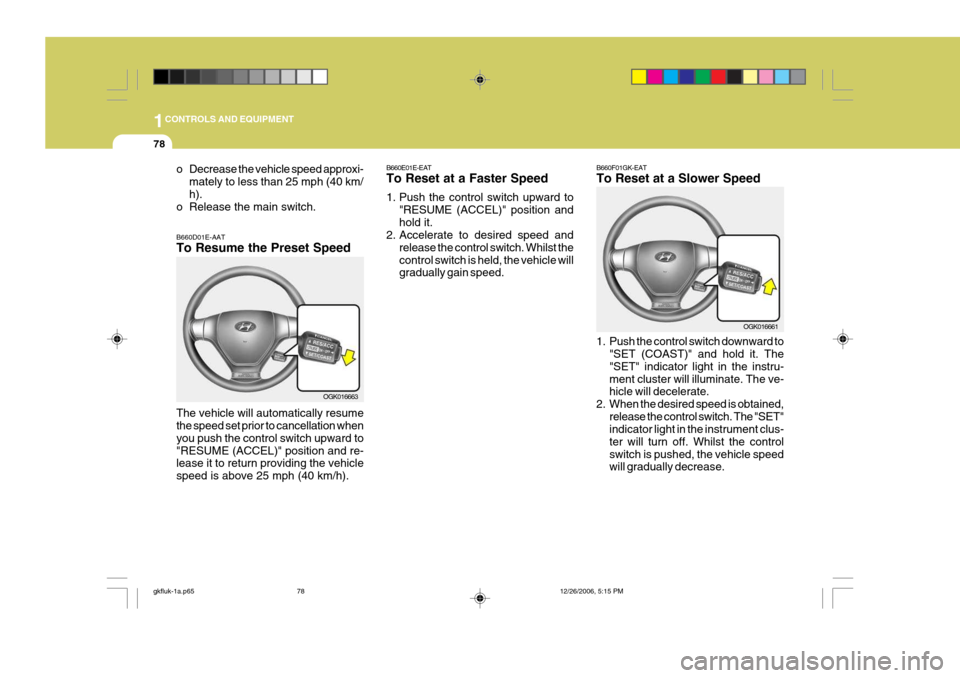
B660E01E-EAT To Reset at a Faster Speed
1. Push the control switch upward to
"RESUME (ACCEL)" position and hold it.
2. Accelerate to desired speed and
release the control switch. Whilst thecontrol switch is held, the vehicle will gradually gain speed. B660F01GK-EAT To Reset at a Slower Speed
1. Push the control switch downward to
"SET (COAST)" and hold it. The "SET" indicator light in the instru-ment cluster will illuminate. The ve- hicle will decelerate.
2. When the desired speed is obtained, release the control switch. The "SET"indicator light in the instrument clus- ter will turn off. Whilst the controlswitch is pushed, the vehicle speed will gradually decrease. OGK016661
o Decrease the vehicle speed approxi-
mately to less than 25 mph (40 km/ h).
o Release the main switch. B660D01E-AAT To Resume the Preset Speed The vehicle will automatically resume the speed set prior to cancellation when you push the control switch upward to"RESUME (ACCEL)" position and re- lease it to return providing the vehicle speed is above 25 mph (40 km/h).
OGK016663
gkfluk-1a.p65 12/26/2006, 5:15 PM
78
Page 359 of 483
1FEATURES OF YOUR HYUNDAI
92
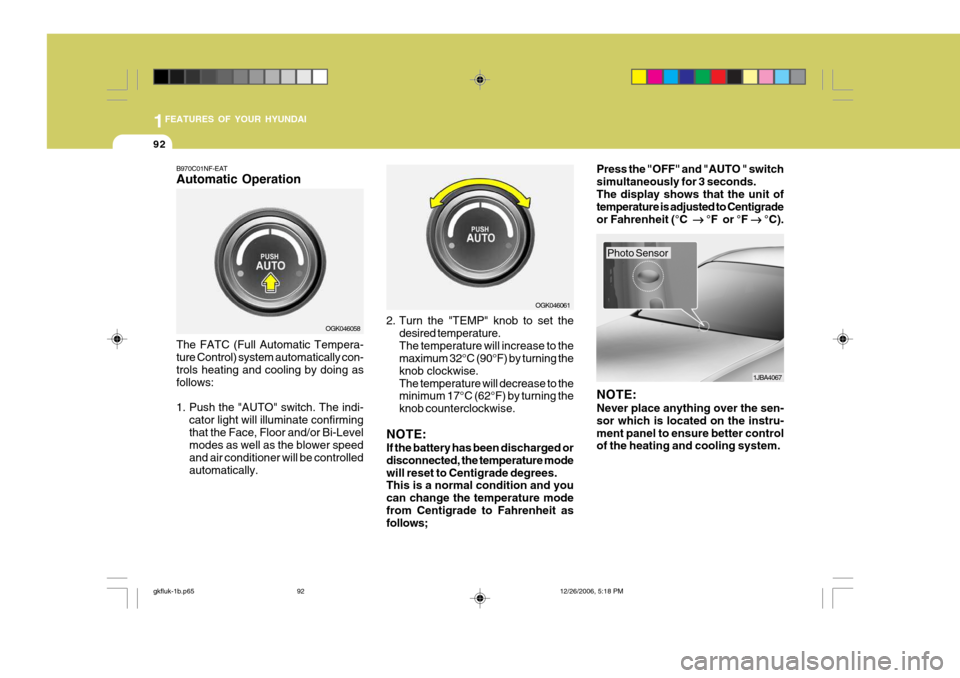
B970C01NF-EAT Automatic Operation The FATC (Full Automatic Tempera- ture Control) system automatically con- trols heating and cooling by doing as follows:
1. Push the "AUTO" switch. The indi-
cator light will illuminate confirming that the Face, Floor and/or Bi-Level modes as well as the blower speed and air conditioner will be controlledautomatically. 2. Turn the "TEMP" knob to set the
desired temperature.The temperature will increase to the maximum 32°C (90°F) by turning the knob clockwise.The temperature will decrease to the minimum 17°C (62°F) by turning the knob counterclockwise.
NOTE: If the battery has been discharged or disconnected, the temperature modewill reset to Centigrade degrees. This is a normal condition and you can change the temperature modefrom Centigrade to Fahrenheit as follows; Press the "OFF" and "AUTO " switch simultaneously for 3 seconds.The display shows that the unit of temperature is adjusted to Centigrade or Fahrenheit (°C
°F or °F
°C).
OGK046058 OGK046061
1JBA4067
NOTE: Never place anything over the sen- sor which is located on the instru-ment panel to ensure better control of the heating and cooling system.
Photo Sensor
gkfluk-1b.p65 12/26/2006, 5:18 PM
92