change time Hyundai Coupe 2006 Owner's Manual
[x] Cancel search | Manufacturer: HYUNDAI, Model Year: 2006, Model line: Coupe, Model: Hyundai Coupe 2006Pages: 483, PDF Size: 12.73 MB
Page 1 of 483
F1
All information in the Owner's Manual is current at the time of publication. Hyundai reserves the right to make changes at any time as part of our policy of continual product improvement may be carried out. This manual applies to current Hyundai models and explanations of optional as well as standard equipment are included. As a result, you may find material in this manual that does not apply to your specific vehicle. Please note that some models are equipped with Right-Hand Drive (RHD). The explanations and illustrations for some operations in RHD models areopposite of those written in this manual.
OWNER'S MANUAL A030A01A-GAT Operation Maintenance Specifications
Page 56 of 483
1FEATURES OF YOUR HYUNDAI
44
B260D01A-AAT
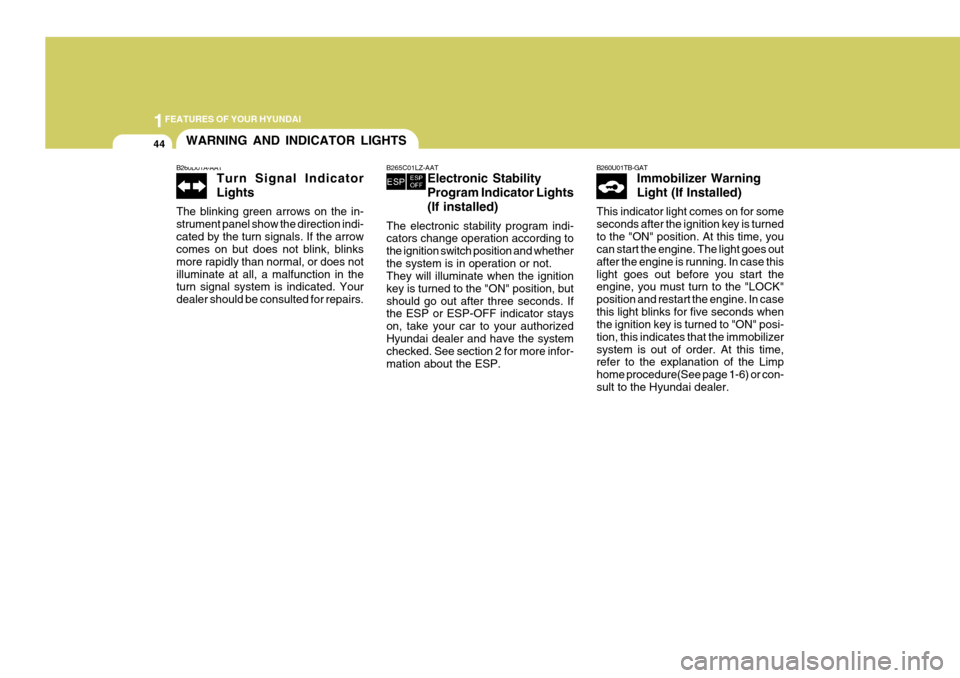
Turn Signal Indicator Lights
The blinking green arrows on the in- strument panel show the direction indi-cated by the turn signals. If the arrow comes on but does not blink, blinks more rapidly than normal, or does notilluminate at all, a malfunction in the turn signal system is indicated. Your dealer should be consulted for repairs.
WARNING AND INDICATOR LIGHTS
B265C01LZ-AAT Electronic Stability Program Indicator Lights(If installed)
The electronic stability program indi- cators change operation according to the ignition switch position and whetherthe system is in operation or not. They will illuminate when the ignition key is turned to the "ON" position, butshould go out after three seconds. If the ESP or ESP-OFF indicator stays on, take your car to your authorizedHyundai dealer and have the system checked. See section 2 for more infor- mation about the ESP.B260U01TB-GAT Immobilizer Warning Light (If Installed)
This indicator light comes on for some seconds after the ignition key is turnedto the "ON" position. At this time, you can start the engine. The light goes out after the engine is running. In case thislight goes out before you start the engine, you must turn to the "LOCK" position and restart the engine. In casethis light blinks for five seconds when the ignition key is turned to "ON" posi- tion, this indicates that the immobilizersystem is out of order. At this time, refer to the explanation of the Limp home procedure(See page 1-6) or con-sult to the Hyundai dealer.
Page 65 of 483
1
FEATURES OF YOUR HYUNDAI
53TRIP COMPUTER
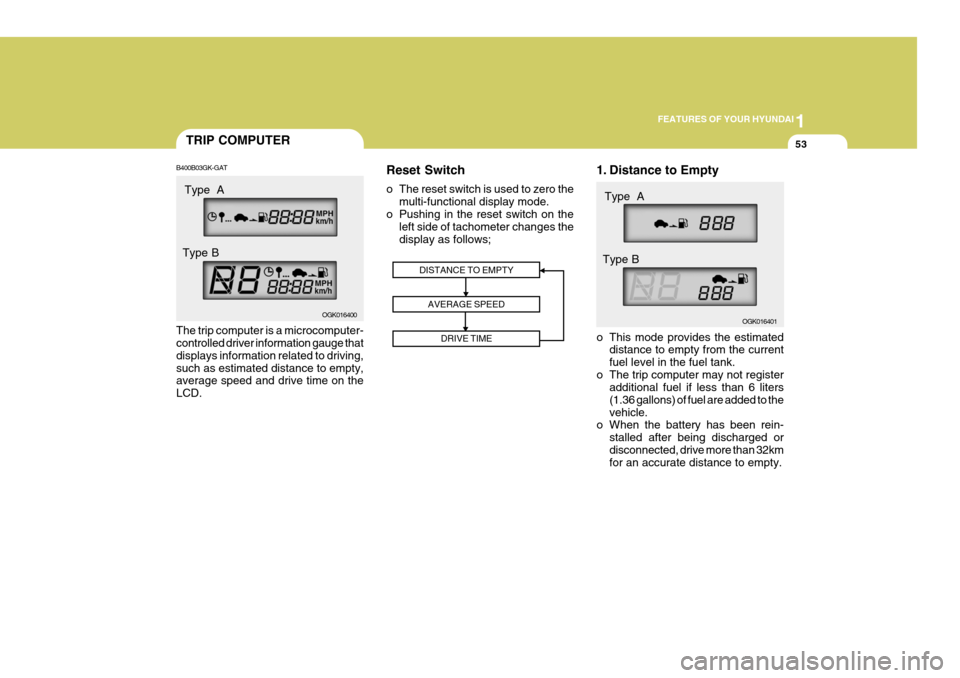
B400B03GK-GAT The trip computer is a microcomputer- controlled driver information gauge that displays information related to driving,such as estimated distance to empty, average speed and drive time on the LCD. Reset Switch
o The reset switch is used to zero the
multi-functional display mode.
o Pushing in the reset switch on the left side of tachometer changes the display as follows; 1. Distance to Empty
o This mode provides the estimated
distance to empty from the current fuel level in the fuel tank.
o The trip computer may not register additional fuel if less than 6 liters(1.36 gallons) of fuel are added to thevehicle.
o When the battery has been rein-
stalled after being discharged ordisconnected, drive more than 32km for an accurate distance to empty.
DISTANCE TO EMPTY
AVERAGE SPEED DRIVE TIME
OGK016400 OGK016401
Type A
Type B Type A
Type B
Page 68 of 483
1FEATURES OF YOUR HYUNDAI
56MULTI-FUNCITION LIGHT SWITCH
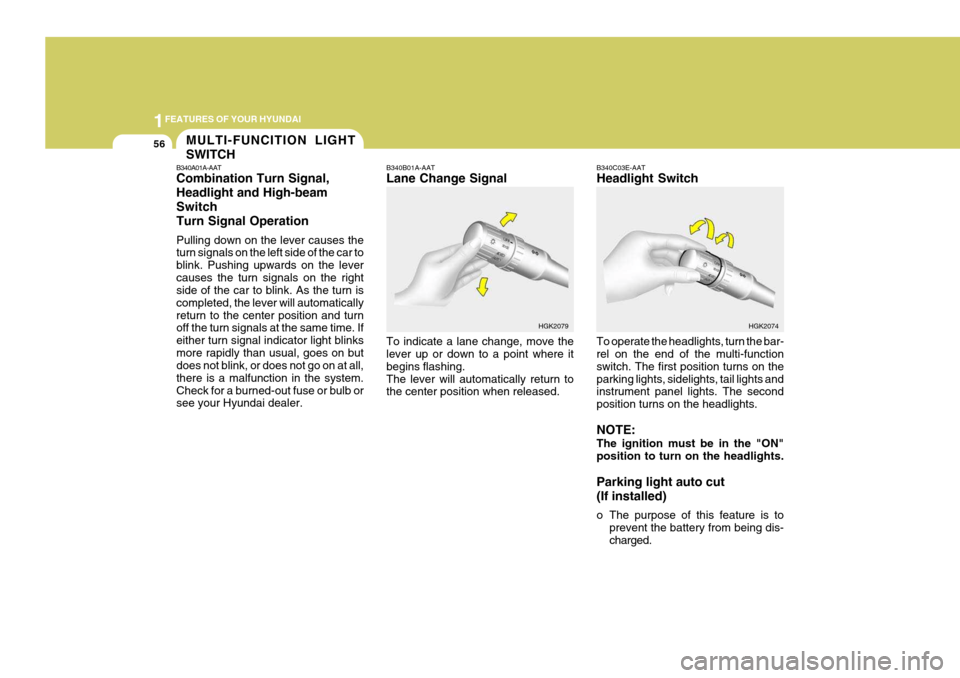
B340A01A-AAT Combination Turn Signal, Headlight and High-beamSwitchTurn Signal Operation Pulling down on the lever causes the turn signals on the left side of the car to blink. Pushing upwards on the levercauses the turn signals on the right side of the car to blink. As the turn is completed, the lever will automaticallyreturn to the center position and turn off the turn signals at the same time. If either turn signal indicator light blinksmore rapidly than usual, goes on but does not blink, or does not go on at all, there is a malfunction in the system.Check for a burned-out fuse or bulb or see your Hyundai dealer. B340B01A-AAT Lane Change Signal To indicate a lane change, move the lever up or down to a point where it begins flashing.The lever will automatically return to the center position when released.
B340C03E-AAT Headlight Switch To operate the headlights, turn the bar- rel on the end of the multi-function switch. The first position turns on theparking lights, sidelights, tail lights and instrument panel lights. The second position turns on the headlights. NOTE: The ignition must be in the "ON" position to turn on the headlights. Parking light auto cut (If installed)
o The purpose of this feature is to
prevent the battery from being dis- charged.
HGK2079
HGK2074
Page 74 of 483
1FEATURES OF YOUR HYUNDAI
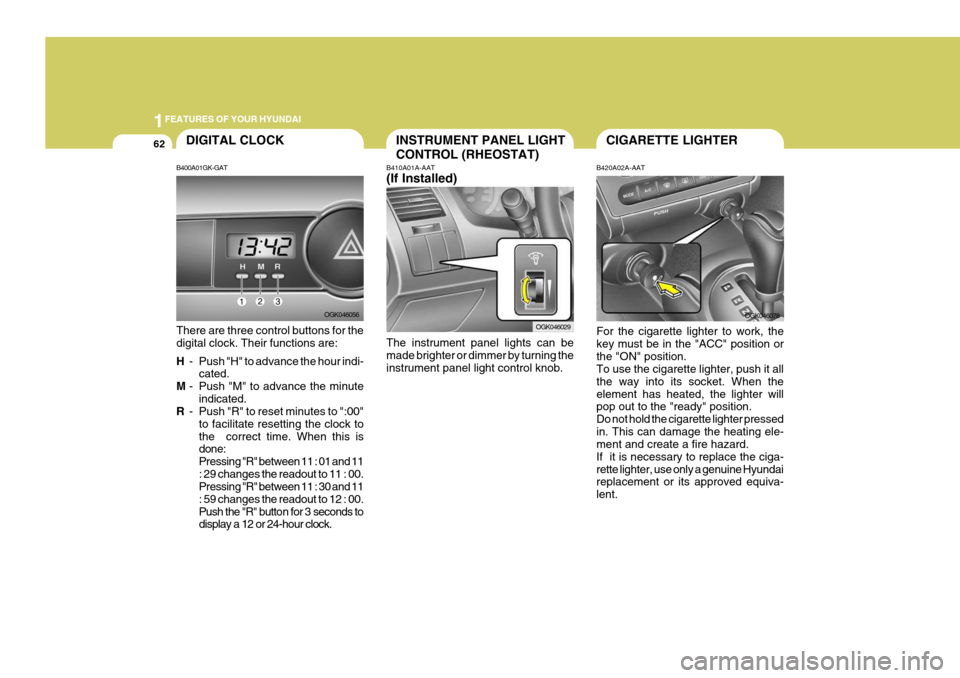
62CIGARETTE LIGHTERINSTRUMENT PANEL LIGHT CONTROL (RHEOSTAT)
B410A01A-AAT (If Installed) The instrument panel lights can be made brighter or dimmer by turning the instrument panel light control knob. B420A02A-AAT For the cigarette lighter to work, the key must be in the "ACC" position orthe "ON" position. To use the cigarette lighter, push it all the way into its socket. When theelement has heated, the lighter will pop out to the "ready" position. Do not hold the cigarette lighter pressedin. This can damage the heating ele- ment and create a fire hazard. If it is necessary to replace the ciga-rette lighter, use only a genuine Hyundai replacement or its approved equiva- lent.
OGK046029
OGK046078DIGITAL CLOCK
B400A01GK-GAT There are three control buttons for the digital clock. Their functions are: H - Push "H" to advance the hour indi-
cated.
M - Push "M" to advance the minute
indicated.
R - Push "R" to reset minutes to ":00"
to facilitate resetting the clock to the correct time. When this is done: Pressing "R" between 11 : 01 and 11: 29 changes the readout to 11 : 00. Pressing "R" between 11 : 30 and 11 : 59 changes the readout to 12 : 00.
Push the "R" button for 3 seconds to display a 12 or 24-hour clock. OGK046056
Page 100 of 483
1FEATURES OF YOUR HYUNDAI
88BI-LEVEL HEATING
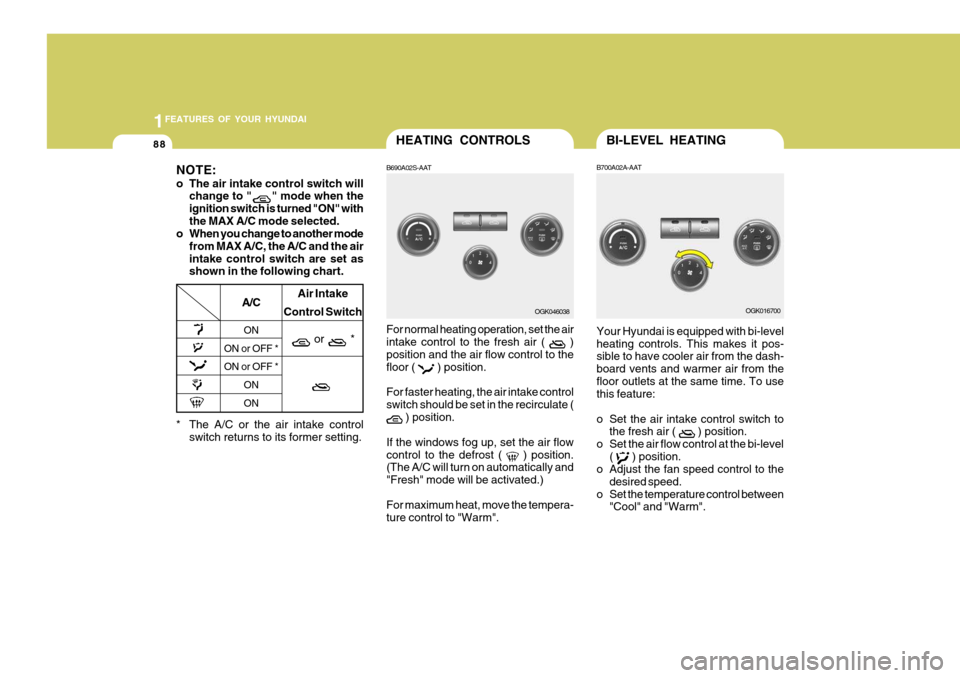
B700A02A-AAT Your Hyundai is equipped with bi-level heating controls. This makes it pos- sible to have cooler air from the dash- board vents and warmer air from thefloor outlets at the same time. To use this feature:
o Set the air intake control switch to the fresh air (
) position.
o Set the air flow control at the bi-level (
) position.
o Adjust the fan speed control to the
desired speed.
o Set the temperature control between "Cool" and "Warm". OGK016700
HEATING CONTROLS
B690A02S-AAT For normal heating operation, set the air intake control to the fresh air (
)
position and the air flow control to the floor (
) position.
For faster heating, the air intake control switch should be set in the recirculate (
) position.
If the windows fog up, set the air flow control to the defrost (
) position.
(The A/C will turn on automatically and "Fresh" mode will be activated.) For maximum heat, move the tempera- ture control to "Warm". OGK046038
* The A/C or the air intake control switch returns to its former setting.
A/C
ON
ON or OFF * ON or OFF *
ONON Air Intake
Control Switch
or *
NOTE:
o The air intake control switch will change to "
" mode when the
ignition switch is turned "ON" with the MAX A/C mode selected.
o When you change to another mode
from MAX A/C, the A/C and the airintake control switch are set as shown in the following chart.
Page 124 of 483
1FEATURES OF YOUR HYUNDAI
112
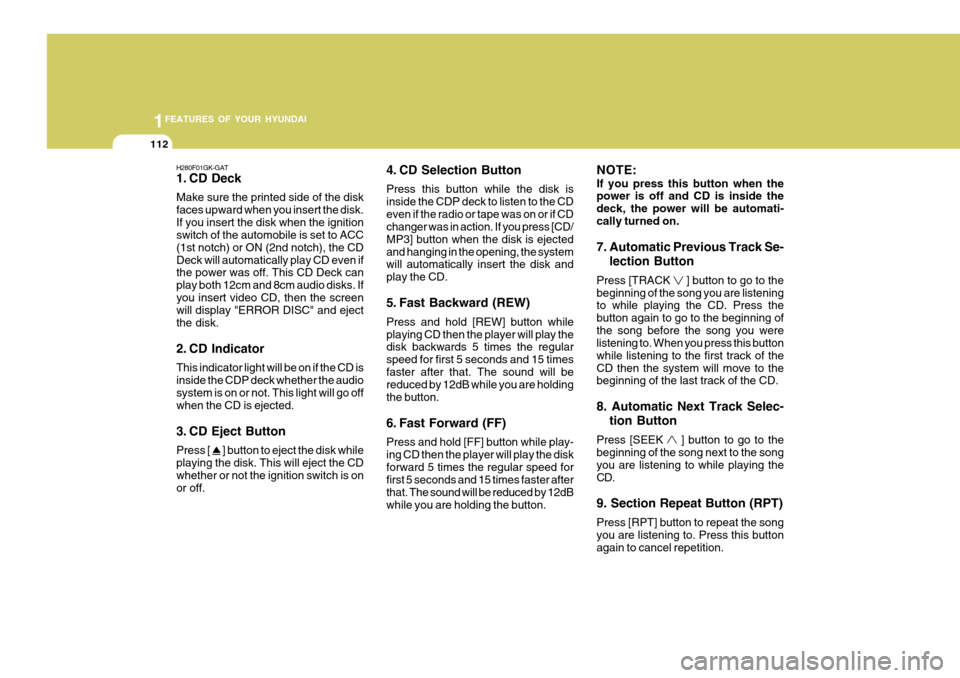
H280F01GK-GAT
1. CD Deck Make sure the printed side of the disk faces upward when you insert the disk.If you insert the disk when the ignition switch of the automobile is set to ACC (1st notch) or ON (2nd notch), the CDDeck will automatically play CD even if the power was off. This CD Deck can play both 12cm and 8cm audio disks. Ifyou insert video CD, then the screen will display "ERROR DISC" and eject the disk.
2. CD Indicator This indicator light will be on if the CD is inside the CDP deck whether the audio system is on or not. This light will go off when the CD is ejected.
3. CD Eject Button Press [
] button to eject the disk while
playing the disk. This will eject the CD whether or not the ignition switch is on or off. 4. CD Selection Button Press this button while the disk is inside the CDP deck to listen to the CDeven if the radio or tape was on or if CD changer was in action. If you press [CD/ MP3] button when the disk is ejectedand hanging in the opening, the system will automatically insert the disk and play the CD.
5. Fast Backward (REW) Press and hold [REW] button while playing CD then the player will play the disk backwards 5 times the regular speed for first 5 seconds and 15 timesfaster after that. The sound will be reduced by 12dB while you are holding the button.
6. Fast Forward (FF) Press and hold [FF] button while play- ing CD then the player will play the diskforward 5 times the regular speed for first 5 seconds and 15 times faster after that. The sound will be reduced by 12dBwhile you are holding the button. NOTE: If you press this button when the power is off and CD is inside the deck, the power will be automati-cally turned on. 7. Automatic Previous Track Se-
lection Button
Press [TRACK
] button to go to the
beginning of the song you are listening to while playing the CD. Press the button again to go to the beginning ofthe song before the song you were listening to. When you press this button while listening to the first track of theCD then the system will move to the beginning of the last track of the CD. 8. Automatic Next Track Selec-
tion Button
Press [SEEK
] button to go to the
beginning of the song next to the song you are listening to while playing theCD. 9. Section Repeat Button (RPT) Press [RPT] button to repeat the song you are listening to. Press this button again to cancel repetition.
Page 136 of 483
![Hyundai Coupe 2006 Owners Manual 1FEATURES OF YOUR HYUNDAI
124
H465D01GK-GAT 1.CD Deck The deck will open only when you press [LOAD] button. Make sure the printedside of the disk faces upward when you insert the disk. The CD changer](/img/35/14503/w960_14503-135.png "Hyundai Coupe 2006 Owners Manual 1FEATURES OF YOUR HYUNDAI
124
H465D01GK-GAT 1.CD Deck The deck will open only when you press [LOAD] button. Make sure the printedside of the disk faces upward when you insert the disk. The CD changer")
1FEATURES OF YOUR HYUNDAI
124
H465D01GK-GAT 1.CD Deck The deck will open only when you press [LOAD] button. Make sure the printedside of the disk faces upward when you insert the disk. The CD changer can only play 12cm disks. If you insertvideo CD or DATA CD, then the screen will display "ERROR DISC," eject the disk and return to the previous mode.
2. CD Load Button When you press [LOAD] button, the empty lots of the CD Changer will beopened in the order of 1, 2, 3, 4, 5 and 6. When you insert CD, you can listen to the corresponding CD. In this case,the last CD you inserted will be played. If you do not take any actions after pressing (LOAD) then the (LOAD) willbe cancelled.
3. CD Eject Button When you press [
] button, the cur-
rently played CD will be ejected. If you press the button for more than 2 sec- onds, you will be able to eject all CDs.If currently played CD is in the 3rd slot, the ejection order will be 3, 4, 5, 6, 1 and 2. 4. Information Display Screen
(LCD)
This shows the location of disk insidethe CD Changer and the correspondingCD deck number will flicker when you load or eject the CD.
5. CD Changer Selection Button If the power was turned off when the CD is inside the CD changer or if you press "CD" button when radio was on, thesystem will play CD. If you press [CD] button when there is no CD in the changer then the system will display"NO DISK" for 2 seconds and return to the previous mode. NOTE: If you press this button when the power is off and CD is inside the deck, the power will be automati-cally turned on.
6. Disc Selection Button If you press [DISC
] button while
using CD Changer, the next disc will be played (If you press the button when you are listening to CD 1, the CD 2 will be played). If you wish to listen to the previous CD, then press [DISC
] button then the
previous disc will be played (If you press the button when you are listening to CD 2, the CD 1 will be played). If the CD Changer is not fully loaded, this willmove to the next available deck. When the player moves from deck to deck, the screen will display the selecteddeck number.
7. Fast Backward (REW) Press and hold [REW] button while playing CD then the player will play the disk backwards 5 times the regular speed for first 5 seconds and 15 timesfaster after that. The sound will be reduced by 12dB while you are holding the button.
8. Fast Forward (FF) Press and hold [FF] button while play- ing CD then the player will play the disk forward 5 times the regular speed for first 5 seconds and 15 times faster afterthat. The sound will be reduced by 12dB while you are holding the button.
Page 137 of 483
![Hyundai Coupe 2006 Owners Manual 1
FEATURES OF YOUR HYUNDAI
125
9. Automatic Previous Track Se- lection Button
Press [TRACK
] button to go to the
beginning of the song you are listening to while playing the CD. Press thebutton agai](/img/35/14503/w960_14503-136.png "Hyundai Coupe 2006 Owners Manual 1
FEATURES OF YOUR HYUNDAI
125
9. Automatic Previous Track Se- lection Button
Press [TRACK
] button to go to the
beginning of the song you are listening to while playing the CD. Press thebutton agai")
1
FEATURES OF YOUR HYUNDAI
125
9. Automatic Previous Track Se- lection Button
Press [TRACK
] button to go to the
beginning of the song you are listening to while playing the CD. Press thebutton again to go to the beginning of the song before the song you were listening to. 10. Automatic Next Track Selec-
tion Button
Press [SEEK
] button to go to the
beginning of the song next to the song you are listening to while playing theCD. 11. Section Repeat Button (RPT) Press [RPT] button to repeat the song you are listening to. Press this button again to cancel repetition. 12. SCAN Button If you press this button, the player will play 10 seconds of each track. Press itagain to cancel scanning. 13. EQ Button Each time you press this button the sound equalizer setting will switch fromPOP
➟JAZZ ➟ROCK ➟CLASSIC ➟OFF
(Not displayed). 14. BOOKMARK Button This button lets you select the songs you want to listen to in the CD. Move tothe track and press (MARK) for more than 1 second then the screen will display " M " and select the track. Pressthe button less than 1 second to play the songs you selected and the system will display " M " 15. RDM (Random) Button Press [RDM] button to play the songs in random order. NOTE: When you use CD-R or CD-RW, the CD may not be played due to the manufacturing method of CD mak-ers and the recording method of the user. In this case, change CD unless the continuous use of such CDs maycause damage to the system. 16. FILE Search Knob Turn this knob to the left and right while listening to CD to change track number.If you press the button within 5 seconds then the selected track will be played. If you do not press the button within 5seconds then it will display the cur- rently played track. 17. SCROLL Button If the title of MP3 or WMA file is too long, press this button to scroll theentire song title on the LCD screen. 18. Directory Search Button In case the MP3/WMA CD contains more than 2 folders, press this button up and down to search each directory. You can move to the directory and turnthe search knob to search through the tracks. If you do not press the knob within 5 seconds after you select atrack then the system will automati- cally return to the current track.
Page 143 of 483
2 DRIVING YOUR HYUNDAI
2
C010A01O-AAT
WARNING: ENGINE EXHAUST CAN BE DANGEROUS!
Engine exhaust fumes can be extremely dangerous. If, at any time, you smell exhaust fumes inside the vehicle, open the windows immediately. o Do not inhale exhaust fumes. Exhaust fumes contain carbon monoxide, a colorless, odorless gas that can cause unconsciousness and death by asphyxiation. o Be sure the exhaust system does not leak. The exhaust system should be checked whenever the vehicle is raised to change the oil or for any other purpose.If you hear a change in the sound of the exhaust or if you drive over something that strikes the underneath side of the car, have the exhaust system checked as soon as possible by your Hyundai dealer. o Do not run the engine in an enclosed area. Letting the engine idle in your garage, even with the garage door open, is a hazardous practice. Never run theengine in your garage any longer than it takes to start the engine and back the car out. o Avoid idling the engine for prolonged periods with people inside the car. If it is necessary to idle the engine for a prolonged period with people inside the car, be sure to do so only in an open area with the air intake set at "Fresh" and the fan operating at one of the higher speeds so fresh air is drawn into the interior. If you must drive with the tail gate open because you are carrying objects that make this necessary: 1. Close all windows. 2. Open side vents. 3. Set the air intake control at "Fresh", the air flow control at "Floor" or "Face" and the fan at one of the higher speeds.
To assure proper operation of the ventilation system, be sure the ventilation air intakes located just in front ofthe windshield are kept clear of snow, ice, leaves or other obstructions.
!