ESP Hyundai Coupe 2007 User Guide
[x] Cancel search | Manufacturer: HYUNDAI, Model Year: 2007, Model line: Coupe, Model: Hyundai Coupe 2007Pages: 487, PDF Size: 12.96 MB
Page 135 of 487
![Hyundai Coupe 2007 User Guide 1
FEATURES OF YOUR HYUNDAI
123
H465D01GK-GAT 1.CD Deck The deck will open only when you press [LOAD] button. Make sure the printedside of the disk faces upward when you insert the disk. The CD changer](/img/35/14498/w960_14498-134.png "Hyundai Coupe 2007 User Guide 1
FEATURES OF YOUR HYUNDAI
123
H465D01GK-GAT 1.CD Deck The deck will open only when you press [LOAD] button. Make sure the printedside of the disk faces upward when you insert the disk. The CD changer")
1
FEATURES OF YOUR HYUNDAI
123
H465D01GK-GAT 1.CD Deck The deck will open only when you press [LOAD] button. Make sure the printedside of the disk faces upward when you insert the disk. The CD changer can only play 12cm disks. If you insertvideo CD or DATA CD, then the screen will display "ERROR DISC," eject the disk and return to the previous mode.
2. CD Load Button When you press [LOAD] button, the empty lots of the CD Changer will beopened in the order of 1, 2, 3, 4, 5 and 6. When you insert CD, you can listen to the corresponding CD. In this case,the last CD you inserted will be played. If you do not take any actions after pressing (LOAD) then the (LOAD) willbe cancelled.
3. CD Eject Button When you press [
] button, the cur-
rently played CD will be ejected. If you press the button for more than 2 sec- onds, you will be able to eject all CDs.If currently played CD is in the 3rd slot, the ejection order will be 3, 4, 5, 6, 1 and 2. 4. Information Display Screen
(LCD)
This shows the location of disk insidethe CD Changer and the correspondingCD deck number will flicker when you load or eject the CD.
5. CD Changer Selection Button If the power was turned off when the CD is inside the CD changer or if you press "CD" button when radio was on, thesystem will play CD. If you press [CD] button when there is no CD in the changer then the system will display"NO DISK" for 2 seconds and return to the previous mode. NOTE: If you press this button when the power is off and CD is inside the deck, the power will be automati-cally turned on.
6. Disc Selection Button If you press [DISC
] button while
using CD Changer, the next disc will be played (If you press the button when you are listening to CD 1, the CD 2 will be played). If you wish to listen to the previous CD, then press [DISC
] button then the
previous disc will be played (If you press the button when you are listening to CD 2, the CD 1 will be played). If the CD Changer is not fully loaded, this willmove to the next available deck. When the player moves from deck to deck, the screen will display the selecteddeck number.
7. Fast Backward (REW) Press and hold [REW] button while playing CD then the player will play the disk backwards 5 times the regular speed for first 5 seconds and 15 timesfaster after that. The sound will be reduced by 12dB while you are holding the button.
8. Fast Forward (FF) Press and hold [FF] button while play- ing CD then the player will play the disk forward 5 times the regular speed for first 5 seconds and 15 times faster afterthat. The sound will be reduced by 12dB while you are holding the button.
Page 141 of 487
2
Engine Exhaust Can Be Dangerous! ............................ 2-2
Before Starting the Engine ............................................ 2-3
Key Positions ................................................................ 2-3Starting ......................................................................... 2-5
Operating the Manual Transaxle .................................. 2-5
Operating the Automatic Transaxle .............................. 2-8Anti-Lock Brake System (ABS) ................................... 2-12
Electronic Stabilty Program (ESP) ..............................2-13
Good Braking Practices .............................................. 2-15
Driving for Economy .................................................... 2-16
Smooth Cornering ........................................................ 2-17
Winter Driving .............................................................. 2-17
Trailer or Vehicle Towing ............................................. 2-21
DRIVING YOUR HYUNDAI
2
gkflgene-2.p65
6/18/2007, 11:59 AM
1
Page 147 of 487
2
DRIVING YOUR HYUNDAI
7
!
C070D03A-AAT Good Driving Practices
o Never take the car out of gear and
coast down a hill. This is extremely hazardous. Always leave the car in gear.
o Don't "ride" the brakes. This can cause them to overheat and mal-function. Instead, when you are driv- ing down a long hill, slow down andshift to a lower gear. When you do this, engine braking will help slow the car.
o Slow down before shifting to a lower gear. This will help avoid over-rev-ving the engine, which can causedamage.
o Slow down when you encounter
cross winds. This gives you muchbetter control of your car.
o Be sure the car is completely stopped
before you attempt to shift into re-verse. The transaxle can be dam- aged if you do not. To shift into reverse, depress the clutch, movethe shift lever to neutral, wait three seconds, then shift to the reverse position. o Exercise extreme caution when driv-
ing on a slippery surface. Be espe-cially careful when braking, acceler- ating or shifting gears. On a slippery surface, an abrupt change in ve-hicle speed can cause the drive wheels to lose traction and the ve- hicle to go out of control.
WARNING:
o Avoid high cornering speeds.
o Do not make quick steering wheel movements, such as sharp lanechanges or fast, sharp turns.
o Always wear your seat belts.
In a collision crash, un unbeltedperson is significantly more likely to die than a person wearing a seatbelt.
o The risk of rollover is greatly in- creased if you lose control ofyour vehicle at highway speeds.
o Loss of control often occurs if two or more wheels drop off theroadway and the driver oversteersto reenter the roadway.o In the event your vehicle leaves
the roadway, do not steer sharply. Instead, slow down before pull- ing back into the travel lanes.
o Never exceed posted speed lim- its.
gkflgene-2.p65 6/18/2007, 11:59 AM
7
Page 152 of 487
2 DRIVING YOUR HYUNDAI
12ANTI-LOCK BRAKE SYSTEM (ABS)
!
o Slow down before shifting to a lower
gear. Otherwise, the lower gear may not be engaged.
o Always use the parking brake. Do
not depend on placing the transaxlein "P" to keep the car from moving.
o Exercise extreme caution when driv-
ing on a slippery surface. Be espe-cially careful when braking, acceler- ating or shifting gears. On a slippery surface, an abrupt change in vehiclespeed can cause the drive wheels to lose traction and the vehicle to go out of control.
o Optimum vehicle performance and economy is obtained by smoothlydepressing and releasing the accel-erator pedal. o The risk of rollover is greatly in-
creased if you lose control of your vehicle at highway speeds.
o Loss of control often occurs if two
or more wheels drop off the road-way and the driver oversteers to reenter the roadway.
o In the event your vehicle leaves the roadway, do not steer sharply.Instead, slow down before pull-ing back into the travel lanes.
o Never exceed posted speed lim-
its.
o If your vehicle becomes stuck in snow, mud, sand, etc., then youmay attempt to rock the vehiclefree by moving it forward and back- ward. Do not attempt this proce- dure if people or objects are any-where near the vehicle. During the rocking operation the vehicle may suddenly move forward of back-ward as it becomes unstuck, caus- ing injury or damage to nearby people or objects.
WARNING:
o Avoid high cornering speeds.
o Do not make quick steering wheel movements, such as sharp lane changes or fast, sharp turns.
o Always wear your seat belts.
In a collision crash, un unbeltedperson is significantly more likely to die than a person wearing a seatbelt. C120A03A-AAT (If Installed) The Anti-Lock Brake System (ABS) is designed to prevent wheel lock-upduring sudden braking or on hazard- ous road surfaces. The ABS control module monitors the wheel speed andcontrols the pressure applied to each brake. Thus, in emergency situations or on slick roads, ABS will increasevehicle control during braking. NOTE:
o A click sound may be heard in the
engine compartment when the ve- hicle begins to move after the en- gine is started. These conditionsare normal and indicate that the anti-lock brake system (Electronic Stability Program) is functioningproperly.
o During ABS (ESP) operation, a
slight pulsation may be felt in thebrake pedal when the brakes are applied. Also, a noise may be heard in the engine compartment whilebraking. These conditions are normal and indicate that the anti- lock brake system is functioningproperly.
gkflgene-2.p65 6/18/2007, 11:59 AM
12
Page 153 of 487
2
DRIVING YOUR HYUNDAI
13
!WARNING:
Your ABS (ESP) will not prevent accidents due to improper or dan- gerous driving maneuvers. Eventhough vehicle control is improved during emergency braking, always maintain a safe distance betweenyou and objects ahead. Vehicle speeds should always be reduced during extreme road conditions.The braking distance for cars equipped with an anti-lock braking system may be longer than for thosewithout it in the following road con- ditions. During these conditions the vehicleshould be driven at reduced speeds.
o Rough, gravel or snow-covered roads.
o With tire chains installed.
o Roads where the road surface is
pitted or has different surface height. The safety features of an ABS (ESP) equipped vehicle should not be tested by high speed driving or cornering. This could endanger the safety ofyourself or others.
ELECTRONIC STABILITY PROGRAM (ESP)
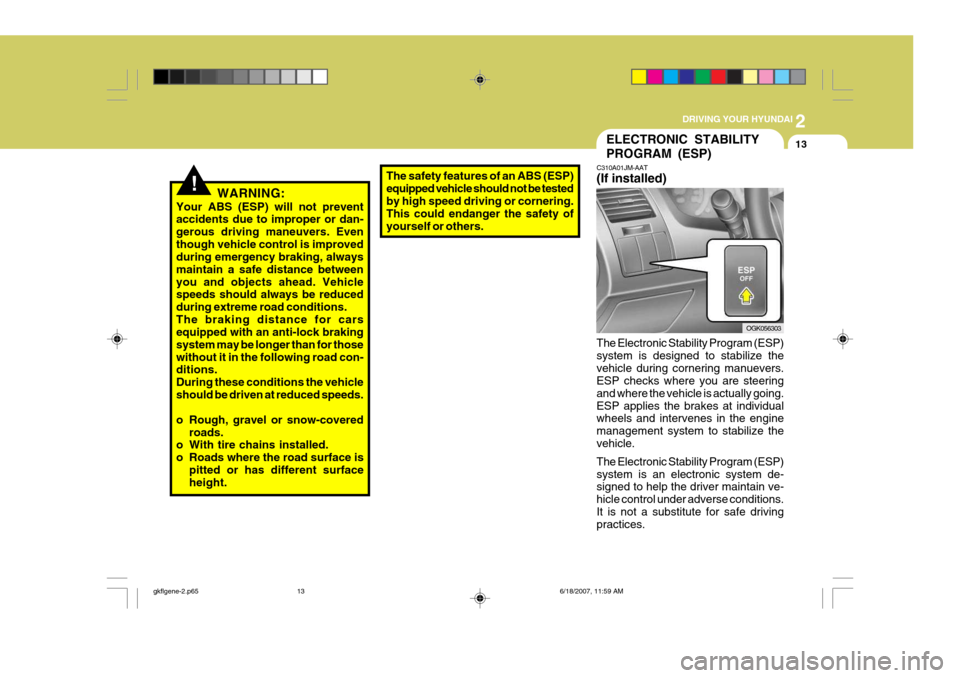
C310A01JM-AAT (If installed) The Electronic Stability Program (ESP) system is designed to stabilize thevehicle during cornering manuevers. ESP checks where you are steering and where the vehicle is actually going.ESP applies the brakes at individual wheels and intervenes in the engine management system to stabilize thevehicle. The Electronic Stability Program (ESP) system is an electronic system de- signed to help the driver maintain ve- hicle control under adverse conditions.It is not a substitute for safe driving practices. OGK056303
gkflgene-2.p65
6/18/2007, 11:59 AM
13
Page 154 of 487
2 DRIVING YOUR HYUNDAI
14
C310B01JM-AAT ESP ON/OFF Mode When the ESP is operating, the ESP indicator in the instrument cluster willblink. If you turn the system off by pressing the ESP switch, the ESP-OFF indica-tor will come on and stay on. In the ESP-OFF mode, the stability control will be deactivated. Adjust your drivingaccordingly. To turn the system back on, press the switch again. The ESP- OFF indicator should go off. NOTE: The ESP mode will automatically be turned ON after the engine is turnedoff and restarted.
!
Factors including speed, road condi- tions and driver steering input can allaffect whether ESP will be effective in preventing a loss of control. It is still your responsibility to drive and cornerat reasonable speeds and to leave a sufficient margin of safety.
CAUTION:
Driving with varying tire or wheelsize may cause the ESP system to malfunction. When replacing tires,make sure they are the same size as your original tires.
WARNING:
Electronic stability program is only a driving aid; all normal precautions for driving in inclement weather and on slippery road surfaces should beobserved.
! C310D01JM-AAT Indicators and Warning The indicators should illuminate when the ignition key is turned to ON orSTART but should go out after three seconds. If the indicators do not illuminate, or theESP or ESP-OFF indicator does not go out after 3 seconds, have the vehicle checked by an authorized dealer. Should there be any unusual conditions in the device while driving, ESP-OFFindicator illuminates as a warning. If ESP-OFF indicator illuminates, pull your car to a safe place and stop theengine. Then, start the engine again to check if the ESP-OFF indicator goes out. If the indicator remains lit even after the engine has been started, have your carchecked by an authorized Hyundai dealer.
gkflgene-2.p65
6/18/2007, 11:59 AM
14
Page 156 of 487
2 DRIVING YOUR HYUNDAI
16
C140A01A-GAT You can save fuel and get more kilo- meters from your car if you follow these suggestions:
o Drive smoothly. Accelerate at a
moderate rate. Don't make "jack- rabbit" starts or full-throttle shiftsand maintain a steady cruising speed. Don't race between stop- lights. Try to adjust your speed tothat of the other traffic so you don't have to change speeds unneces- sarily. Avoid heavy traffic wheneverpossible. Always maintain a safe distance from other vehicles so you can avoidunnecessary braking. This also re- duces brake wear.
o Drive at a moderate speed. The faster you drive, the more fuel yourcar uses. Driving at a moderate speed, especially on the highway, isone of the most effective ways to reduce fuel consumption.
DRIVING FOR ECONOMY
o Don't "ride" the brake or clutch pedal.This can increase fuel consumption and also increase wear on these components. In addition, driving with your foot resting on the brake pedalmay cause the brakes to overheat, which reduces their effectiveness and may lead to more serious con-sequences.
o Take care of your tires. Keep them
inflated to the recommended pres-sure. Incorrect inflation, either too much or too little, results in unnec- essary tire wear. Check the tire pres-sures at least once a month.
o Be sure that the wheels are aligned
correctly. Improper alignment canresult from hitting curbs or driving too fast over irregular surfaces. Poor alignment causes faster tire wearand may also result in other prob- lems as well as greater fuel con- sumption.
o Keep your car in good condition. For better fuel economy and reducedmaintenance costs, maintain yourcar in accordance with the mainte- nance schedule in Section 5. If you drive your car in severe conditions, more frequent maintenance is re-quired (see Section 5 for details).
o Keep your car clean. For maximum service, your Hyundai should bekept clean and free of corrosivematerials. It is especially important that mud, dirt, ice, etc. not be al- lowed to accumulate on the under-side of the car. This extra weight can result in increased fuel con- sumption and also contribute to cor-rosion.
o Travel lightly. Don't carry unneces-
sary weight in your car. Weight re-duces fuel economy.
o Don't let the engine idle longer than
necessary. If you are waiting (andnot in traffic), turn off your engine and restart only when you're ready to go.
o Remember, your Hyundai does not require extended warm-up. As soonas the engine is running smoothly,you can drive away. In very cold weather, however, give your engine a slightly longer warm-up period.
gkflgene-2.p65 6/18/2007, 11:59 AM
16
Page 157 of 487
2
DRIVING YOUR HYUNDAI
17
o Don't "lug" or "over-rev" the engine. Lugging is driving too slowly in too high a gear resulting in the engine bucking. If this happens, shift to a lower gear. Over-revving is racingthe engine beyond its safe limit. This can be avoided by shifting at the recommended speeds.
o Use your air conditioning sparingly. The air conditioning system is oper-ated by engine power so your fueleconomy is reduced when you use it.
C150A01A-AAT Avoid braking or gear changing in cor- ners, especially when roads are wet. Ideally, corners should always be taken under gentle acceleration. If you followthese suggestions, tire wear will be held to a minimum.SMOOTH CORNERINGC160A01A-AAT The more severe weather conditions of winter result in greater wear and other problems. To minimize the prob- lems of winter driving, you should fol-low these suggestions:
WINTER DRIVING
gkflgene-2.p65
6/18/2007, 11:59 AM
17
Page 164 of 487
2 DRIVING YOUR HYUNDAI
24
C190F01A-GAT Trailer or Vehicle Towing Tips
1. Before towing, check hitch andsafety chain connections as well as proper operation of the trailer run- ning lights, brake lights, and turn signals.
2. Always drive your vehicle at a mod- erate speed (Less than 100 km/H).
3. Trailer towing requires more fuel than normal conditions.
4. To maintain engine braking effi-
ciency and electrical chaarging per-formance, do not use fifth gear (manual transaxle) or overdrive (au- tomatic transaxle).
5. Always secure items in the trailer to prevent load shift while driving.
6. Check the condition and air pres- sure of all tires on the trailer and your car. Low tire pressure can seriously affect the handling. Alsocheck the spare tire. 7. The vehicle/trailer combination is
more affected by crosswind andbuffeting. When being passed by a large ve- hicle, keep a constant speed andsteer straight ahead. If there is too much wind buffeting, slow down to get out of the other vehicle's airturbulence.
8. When parking your car and trailer,
especially on a hill, be sure to followall the normal precautions. Turn your front wheel into the curb, set the parking brake firmly, and putthe transmission in 1st or Reverse (manual) or Park (automatic). In addition, place wheel chocks ateach of the trailer's tires.
9. If the trailer has electric brakes,
start your vehicle and trailer mov-ing, and then apply the trailer brake controller by hand to be sure the brakes are working. This lets youcheck your electrical connection at the same time.
10.During your trip, check occasion- ally to be sure that the load issecure, and that the lights and any trailer brakes are still working. 11. Avoid jerky starts, sudden accel-
eration or sudden stops.
12.Avoid sharp turns and rapid lane changes.
13.Avoid holding the brake pedal down too long or too frequently. This could cause the brakes to overheat, re- sulting in reduced braking efficiency.
14.When going down a hill, shift into a lower gear and use the engine brak-ing effect.When ascending a long grade, downshift the transmission to a lower gear and reduce speed toreduce chances of engine over- loading and/or overheating.
15.If you have to stop while going
uphill, do not hold the vehicle inplace by pressing on the accelera- tor. This can cause the automatictransmission to overheat. Use the parking brake or footbrake.
NOTE: When towing check transaxle fluid more frequently.
gkflgene-2.p65 6/18/2007, 11:59 AM
24
Page 176 of 487

3
WHAT TO DO IN AN EMERGENCY
11
D060J01FC-GAT After Changing Wheels If you have a tire gauge, remove the valve cap and check the air pressure.If the pressure is lower than recom- mended, drive slowly to the nearest service station and inflate to the cor-rect pressure. If it is too high, adjust it until it is correct. Always reinstall the valve cap after checking or adjustingtire pressure. If the cap is not replaced, air mayleak from the tire. If you lose a valve cap, buy another and install it assoon as possible. After you have changed wheels, al- ways secure the flat tire in its place inthe luggage compartment and return the jack and tools to their proper stor- age locations. OGK036605
EMERGENCY COMMODITY
D070A01GK
D070A01GK-GET (If Installed) There are some emergency commodi- ties in the vehicle to help you respondto the emergency situation. Fire extinguisher The fire extinguisher is located in the tray under the luggage mat. If there is small fire and you know how to use the fire extinguisher, take the following steps carefully. 1. Pull the pin at the top of the extin-
guisher that keeps the handle from being accidentally pressed.
2. Aim the nozzle toward the base of
the fire.
3. Stand approximately 2.5 m (8 ft) away from the fire and squeeze thehandle to discharge the extinguisher.If you release the handle, the dis- charge will stop.
4. Sweep the nozzle back and forth at the base of the fire. After the fireappears to be out, watch it carefully since it may re-ignite.
Triangle Reflector Placed the triangle reflector on the road to warn oncoming vehicles during emer-gencies, such as when the vehicle is parked by the roadside due to any problems. First Aid Kit There are some items such as scis- sors, bandage and adhesive tape and etc. in the kit to give first aid to an injured person.