ECO mode HYUNDAI COUPE 2014 User Guide
[x] Cancel search | Manufacturer: HYUNDAI, Model Year: 2014, Model line: COUPE, Model: HYUNDAI COUPE 2014Pages: 546, PDF Size: 14.38 MB
Page 184 of 546
3-93
Convenient features of your vehicle
3
Indicator Lights
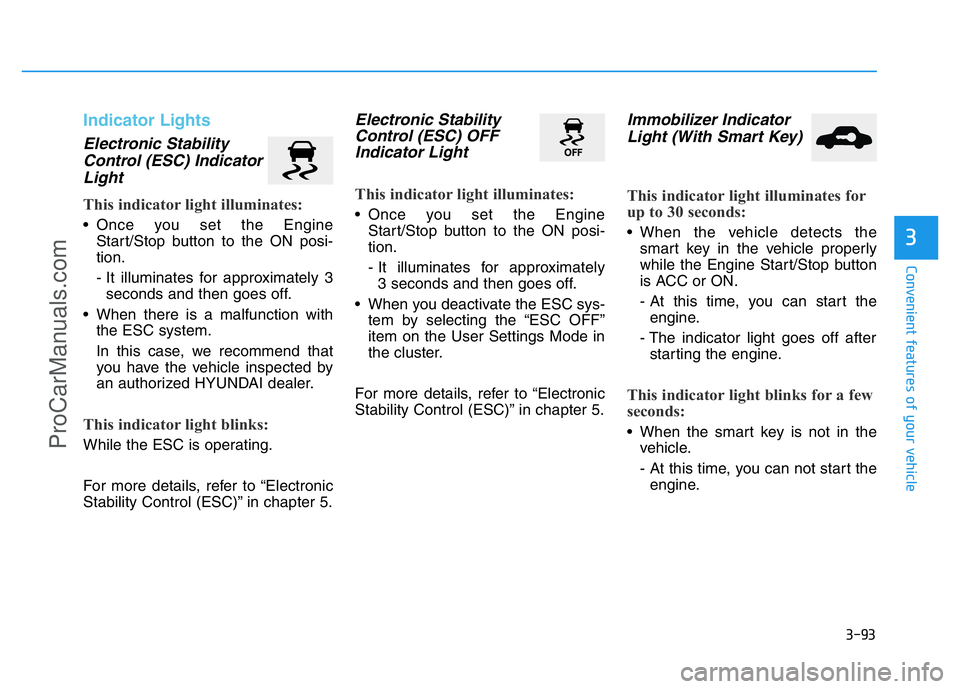
Electronic Stability
Control (ESC) Indicator
Light
This indicator light illuminates:
• Once you set the Engine
Start/Stop button to the ON posi-
tion.
- It illuminates for approximately 3
seconds and then goes off.
• When there is a malfunction with
the ESC system.
In this case, we recommend that
you have the vehicle inspected by
an authorized HYUNDAI dealer.
This indicator light blinks:
While the ESC is operating.
For more details, refer to “Electronic
Stability Control (ESC)” in chapter 5.
Electronic Stability
Control (ESC) OFF
Indicator Light
This indicator light illuminates:
• Once you set the Engine
Start/Stop button to the ON posi-
tion.
- It illuminates for approximately
3 seconds and then goes off.
• When you deactivate the ESC sys-
tem by selecting the “ESC OFF”
item on the User Settings Mode in
the cluster.
For more details, refer to “Electronic
Stability Control (ESC)” in chapter 5.
Immobilizer Indicator
Light (With Smart Key)
This indicator light illuminates for
up to 30 seconds:
• When the vehicle detects the
smart key in the vehicle properly
while the Engine Start/Stop button
is ACC or ON.
- At this time, you can start the
engine.
- The indicator light goes off after
starting the engine.
This indicator light blinks for a few
seconds:
• When the smart key is not in the
vehicle.
- At this time, you can not start the
engine.
ProCarManuals.com
Page 188 of 546
3-97
Convenient features of your vehicle
3
SPORT/SNOW Mode
Indicator Light
This indicator light illuminates
• When you select "SPORT/SNOW"
mode as drive mode.
For more details, refer to "Drive
Mode Integrated Control System" in
chapter 5.
ECO Mode Indicator
Light
This indicator light illuminates:
• When you select “ECO” mode as
drive mode.
For more details, refer to “Drive
Mode Integrated Control System” in
chapter 5.
SPORT
SNOW
ECO
Do not watch the ECO indicator
light while driving. This will dis-
tract you and may cause an
accident that results in severe
personal injury.
WARNING
ProCarManuals.com
Page 198 of 546
3-107
Convenient features of your vehicle
3
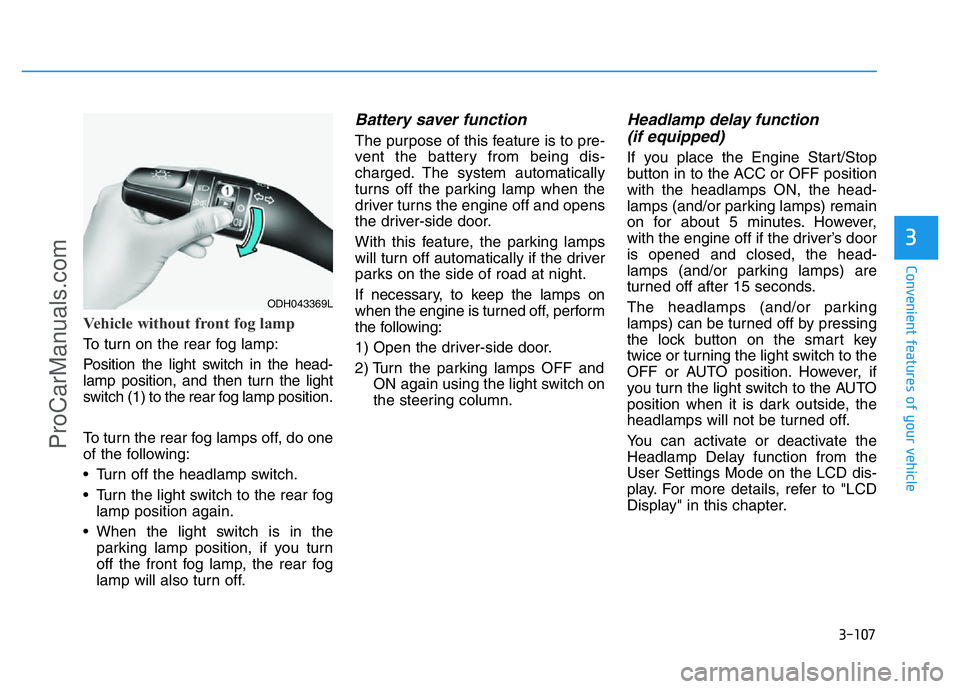
Vehicle without front fog lamp
To turn on the rear fog lamp:
Position the light switch in the head-
lamp position, and then turn the light
switch (1) to the rear fog lamp position.
To turn the rear fog lamps off, do one
of the following:
• Turn off the headlamp switch.
• Turn the light switch to the rear fog
lamp position again.
• When the light switch is in the
parking lamp position, if you turn
off the front fog lamp, the rear fog
lamp will also turn off.
Battery saver function
The purpose of this feature is to pre-
vent the battery from being dis-
charged. The system automatically
turns off the parking lamp when the
driver turns the engine off and opens
the driver-side door.
With this feature, the parking lamps
will turn off automatically if the driver
parks on the side of road at night.
If necessary, to keep the lamps on
when the engine is turned off, perform
the following:
1) Open the driver-side door.
2) Turn the parking lamps OFF and
ON again using the light switch on
the steering column.
Headlamp delay function
(if equipped)
If you place the Engine Start/Stop
button in to the ACC or OFF position
with the headlamps ON, the head-
lamps (and/or parking lamps) remain
on for about 5 minutes. However,
with the engine off if the driver’s door
is opened and closed, the head-
lamps (and/or parking lamps) are
turned off after 15 seconds.
The headlamps (and/or parking
lamps) can be turned off by pressing
the lock button on the smart key
twice or turning the light switch to the
OFF or AUTO position. However, if
you turn the light switch to the AUTO
position when it is dark outside, the
headlamps will not be turned off.
You can activate or deactivate the
Headlamp Delay function from the
User Settings Mode on the LCD dis-
play. For more details, refer to "LCD
Display" in this chapter.
ODH043369L
ProCarManuals.com
Page 201 of 546
3-110
Convenient features of your vehicle
Also, if the outside rearview mirror
folding switch is in the AUTO posi-
tion, the outside rearview mirror will
unfold automatically.
Door handle lamp (if equipped)
When all the doors (and trunk) are
closed and locked, the door handle
lamp will come on for about 15 sec-
onds if any of the below is performed.
• When the door unlock button is
pressed on the smart key.
• When the button of the outside
door handle is pressed.
• When the vehicle is approached
with the smart key in possession.
Headlamp and Parking lamp
When the headlamp (lamp switch in
the headlamp or AUTO position) is on
and all doors (and trunk) are locked
and closed, the parking lamp and
headlamp will come on for 15 seconds
if/or any of the below is performed.
• When the door unlock button is
pressed on the smart key.
At this time, if you press the door lock
or unlock button, the parking lamp and
headlamp will turn off immediately.
You can activate or deactivate the
Welcome Light from the User
Settings Mode on the LCD display.
For more details, refer to "LCD
Display" in this chapter.
Interior lamp
When the interior lamp switch is in
the DOOR position and all doors (and
trunk) are closed and locked, the
room lamp will come on for 30 sec-
onds if any of the below is performed.
• When the door unlock button is
pressed on the smart key.
• When the button of the outside
door handle is pressed.
At this time, if you press the door lock
or unlock button, the room lamp will
turn off immediately.
ProCarManuals.com
Page 214 of 546
3-123
Convenient features of your vehicle
3
✽NOTICE
Sensor may not recognize objects
less than 30 cm from the sensor, or it
may sense an incorrect distance.
Smart Parking Assist System
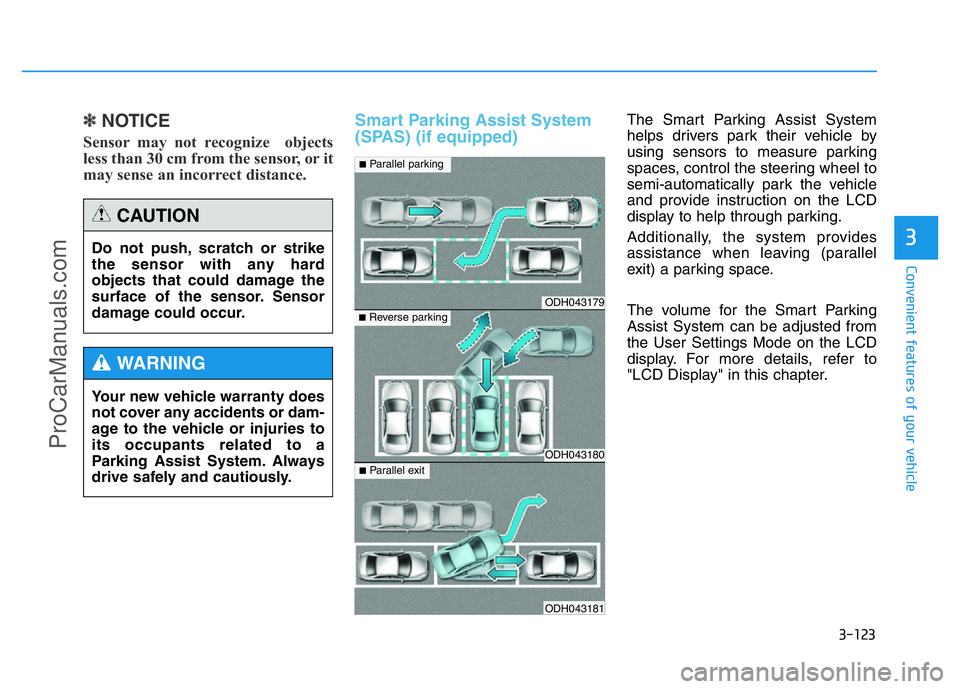
(SPAS) (if equipped)The Smart Parking Assist System
helps drivers park their vehicle by
using sensors to measure parking
spaces, control the steering wheel to
semi-automatically park the vehicle
and provide instruction on the LCD
display to help through parking.
Additionally, the system provides
assistance when leaving (parallel
exit) a parking space.
The volume for the Smart Parking
Assist System can be adjusted from
the User Settings Mode on the LCD
display. For more details, refer to
"LCD Display" in this chapter. Do not push, scratch or strike
the sensor with any hard
objects that could damage the
surface of the sensor. Sensor
damage could occur.
CAUTION
Your new vehicle warranty does
not cover any accidents or dam-
age to the vehicle or injuries to
its occupants related to a
Parking Assist System. Always
drive safely and cautiously.
WARNING
ODH043179
ODH043180
ODH043181
■Parallel parking
■Reverse parking
■Parallel exit
ProCarManuals.com
Page 221 of 546
3-130
Convenient features of your vehicle
• The Parking Assist System will be
activated (the button indicator will
illuminate).
A warning sound will be heard if an
obstacle is detected.
• Press the Smart Parking Assist
System button again for more than
2 seconds to turn off the system.
• The Smart Parking Assist System
defaults to the OFF position when-
ever the engine is turned on.
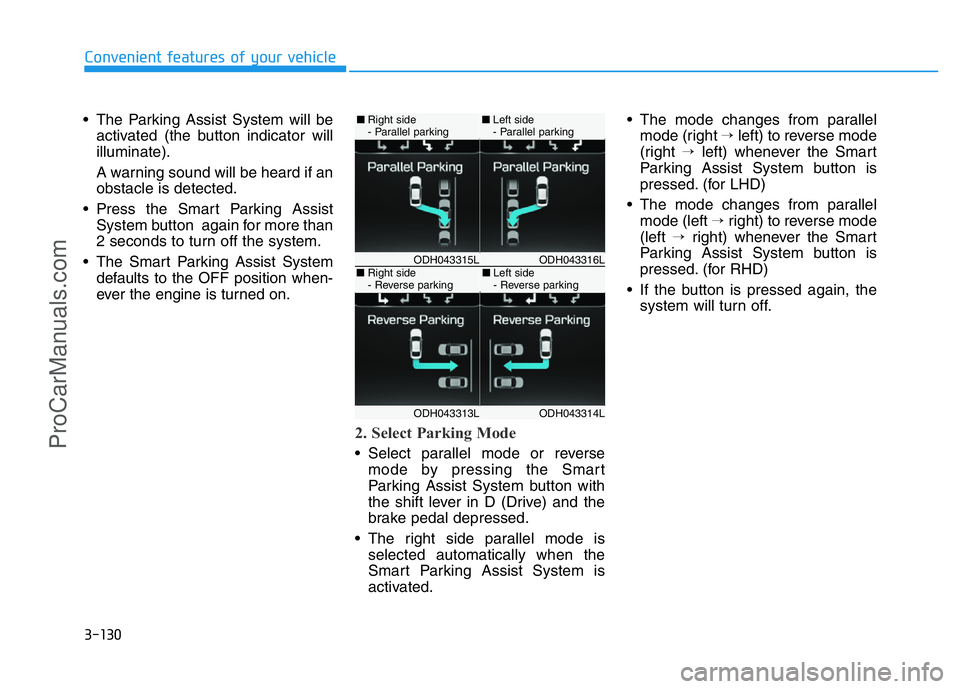
2. Select Parking Mode
• Select parallel mode or reverse
mode by pressing the Smart
Parking Assist System button with
the shift lever in D (Drive) and the
brake pedal depressed.
• The right side parallel mode is
selected automatically when the
Smart Parking Assist System is
activated.• The mode changes from parallel
mode (right →left) to reverse mode
(right →left) whenever the Smart
Parking Assist System button is
pressed. (for LHD)
• The mode changes from parallel
mode (left →right) to reverse mode
(left →right) whenever the Smart
Parking Assist System button is
pressed. (for RHD)
• If the button is pressed again, the
system will turn off.
ODH043316LODH043315L
ODH043314LODH043313L
■Right side
- Parallel parking■Left side
- Parallel parking
■Right side
- Reverse parking■Left side
- Reverse parking
ProCarManuals.com
Page 227 of 546
3-136
Convenient features of your vehicle
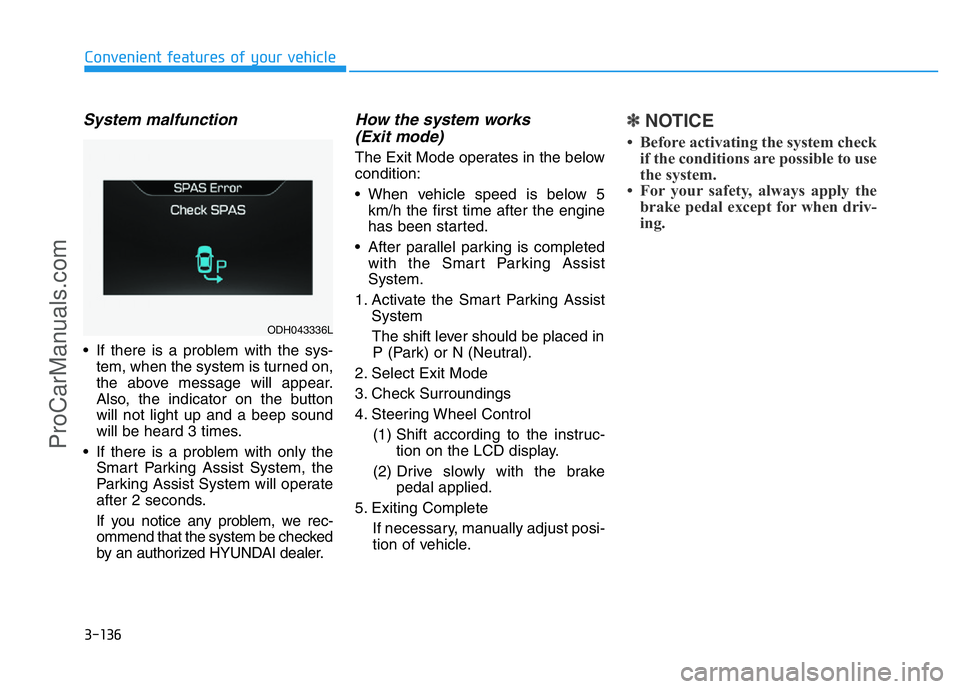
System malfunction
• If there is a problem with the sys-
tem, when the system is turned on,
the above message will appear.
Also, the indicator on the button
will not light up and a beep sound
will be heard 3 times.
• If there is a problem with only the
Smart Parking Assist System, the
Parking Assist System will operate
after 2 seconds.
If you notice any problem, we rec-
ommend that the system be checked
by an authorized HYUNDAI dealer.
How the system works
(Exit mode)
The Exit Mode operates in the below
condition:
• When vehicle speed is below 5
km/h the first time after the engine
has been started.
• After parallel parking is completed
with the Smart Parking Assist
System.
1. Activate the Smart Parking Assist
System
The shift lever should be placed in
P (Park) or N (Neutral).
2. Select Exit Mode
3. Check Surroundings
4. Steering Wheel Control
(1) Shift according to the instruc-
tion on the LCD display.
(2) Drive slowly with the brake
pedal applied.
5. Exiting Complete
If necessary, manually adjust posi-
tion of vehicle.
✽NOTICE
• Before activating the system check
if the conditions are possible to use
the system.
• For your safety, always apply the
brake pedal except for when driv-
ing.
ODH043336L
ProCarManuals.com
Page 228 of 546
3-137
Convenient features of your vehicle
3
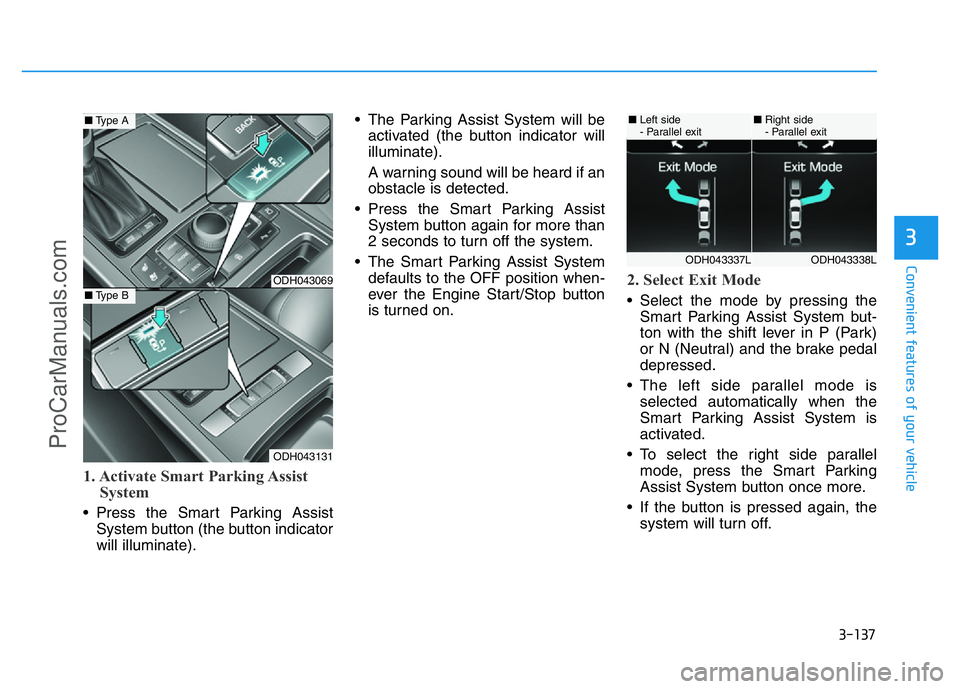
1. Activate Smart Parking Assist
System
• Press the Smart Parking Assist
System button (the button indicator
will illuminate).• The Parking Assist System will be
activated (the button indicator will
illuminate).
A warning sound will be heard if an
obstacle is detected.
• Press the Smart Parking Assist
System button again for more than
2 seconds to turn off the system.
• The Smart Parking Assist System
defaults to the OFF position when-
ever the Engine Start/Stop button
is turned on.
2. Select Exit Mode
• Select the mode by pressing the
Smart Parking Assist System but-
ton with the shift lever in P (Park)
or N (Neutral) and the brake pedal
depressed.
• The left side parallel mode is
selected automatically when the
Smart Parking Assist System is
activated.
• To select the right side parallel
mode, press the Smart Parking
Assist System button once more.
• If the button is pressed again, the
system will turn off.
ODH043069
ODH043131
■Type A
■Type B
ODH043338LODH043337L
■Left side
- Parallel exit■Right side
- Parallel exit
ProCarManuals.com
Page 248 of 546
3-157
Convenient features of your vehicle
3
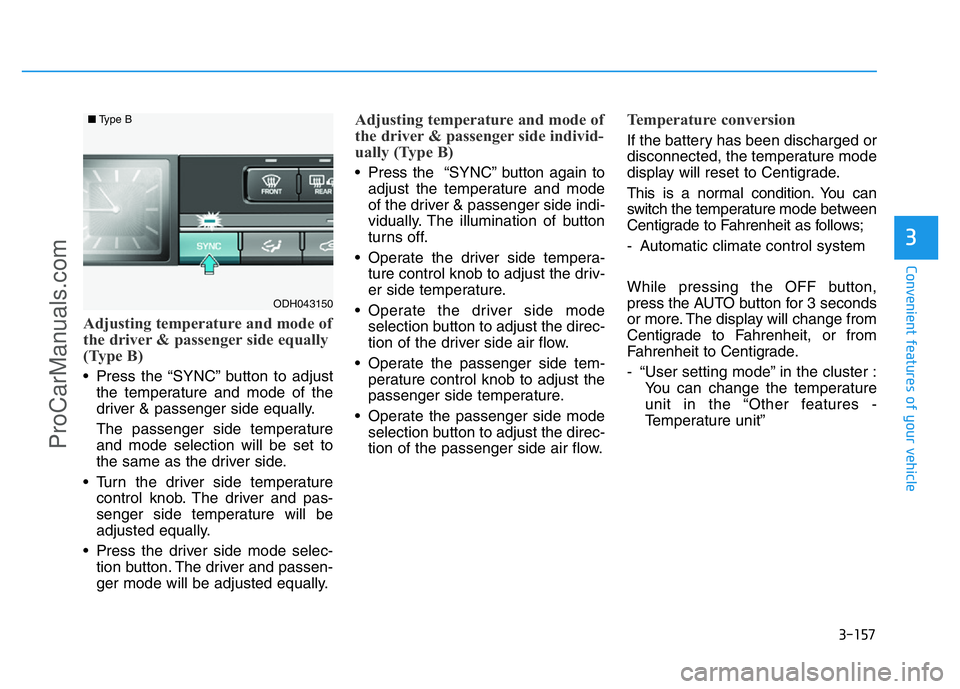
Adjusting temperature and mode of
the driver & passenger side equally
(Type B)
• Press the “SYNC” button to adjust
the temperature and mode of the
driver & passenger side equally.
The passenger side temperature
and mode selection will be set to
the same as the driver side.
• Turn the driver side temperature
control knob. The driver and pas-
senger side temperature will be
adjusted equally.
• Press the driver side mode selec-
tion button. The driver and passen-
ger mode will be adjusted equally.
Adjusting temperature and mode of
the driver & passenger side individ-
ually (Type B)
• Press the “SYNC” button again to
adjust the temperature and mode
of the driver & passenger side indi-
vidually. The illumination of button
turns off.
• Operate the driver side tempera-
ture control knob to adjust the driv-
er side temperature.
• Operate the driver side mode
selection button to adjust the direc-
tion of the driver side air flow.
• Operate the passenger side tem-
perature control knob to adjust the
passenger side temperature.
• Operate the passenger side mode
selection button to adjust the direc-
tion of the passenger side air flow.
Temperature conversion
If the battery has been discharged or
disconnected, the temperature mode
display will reset to Centigrade.
This is a normal condition. You can
switch the temperature mode between
Centigrade to Fahrenheit as follows;
- Automatic climate control system
While pressing the OFF button,
press the AUTO button for 3 seconds
or more. The display will change from
Centigrade to Fahrenheit, or from
Fahrenheit to Centigrade.
- “User setting mode” in the cluster :
You can change the temperature
unit in the “Other features -
Temperature unit”
ODH043150
■Type B
ProCarManuals.com
Page 253 of 546
3-162
Convenient features of your vehicle
✽NOTICE
• When using the air conditioning
system, monitor the temperature
gauge closely while driving up
hills or in heavy traffic when out-
side temperatures are high. Air
conditioning system operation
may cause engine overheating.
Continue to use the blower fan but
turn the air conditioning system
off if the temperature gauge indi-
cates engine overheating.
• When opening the windows in
humid weather air conditioning
may create water droplets inside
the vehicle. Since excessive water
droplets may cause damage to
electrical equipment, air condi-
tioning should only be used with
the windows closed.Air conditioning system operation
tips• If the vehicle has been parked in
direct sunlight during hot weather,
open the windows for a short time
to let the hot air inside the vehicle
escape.
• Use air conditioning to reduce
humidity and moisture inside the
vehicle on rainy or humid days.
• During air conditioning system
operation, you may occasionally
notice a slight change in engine
speed as the air conditioning com-
pressor cycles. This is a normal
system operation characteristic.
• Use the air conditioning system
every month only for a few minutes
to ensure maximum system per-
formance.
• When using the air conditioning
system, you may notice clear water
dripping (or even puddling) on the
ground under the passenger side
of the vehicle. This is a normal sys-
tem operation characteristic.• Operating the air conditioning sys-
tem in the recirculated air position
provides maximum cooling, how-
ever, continual operation in this
mode may cause the air inside the
vehicle to become stale.
• During cooling operation, you may
occasionally notice a misty air flow
because of rapid cooling and
humid air intake. This is a normal
system operation characteristic.
ProCarManuals.com