display HYUNDAI COUPE 2014 User Guide
[x] Cancel search | Manufacturer: HYUNDAI, Model Year: 2014, Model line: COUPE, Model: HYUNDAI COUPE 2014Pages: 546, PDF Size: 14.38 MB
Page 141 of 546
3-50
Convenient features of your vehicle
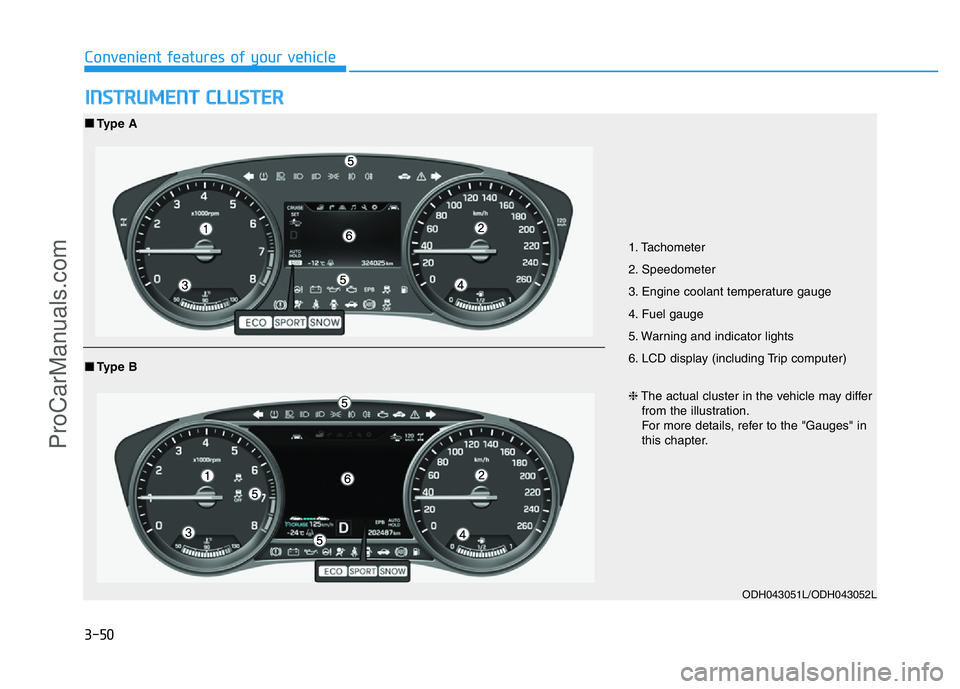
INSTRUMENT CLUSTER
1. Tachometer
2. Speedometer
3. Engine coolant temperature gauge
4. Fuel gauge
5. Warning and indicator lights
6. LCD display (including Trip computer)
ODH043051L/ODH043052L
■Type A
❈The actual cluster in the vehicle may differ
from the illustration.
For more details, refer to the "Gauges" in
this chapter.
■Type B
ProCarManuals.com
Page 142 of 546
3-51
Convenient features of your vehicle
3
Instrument Cluster Control
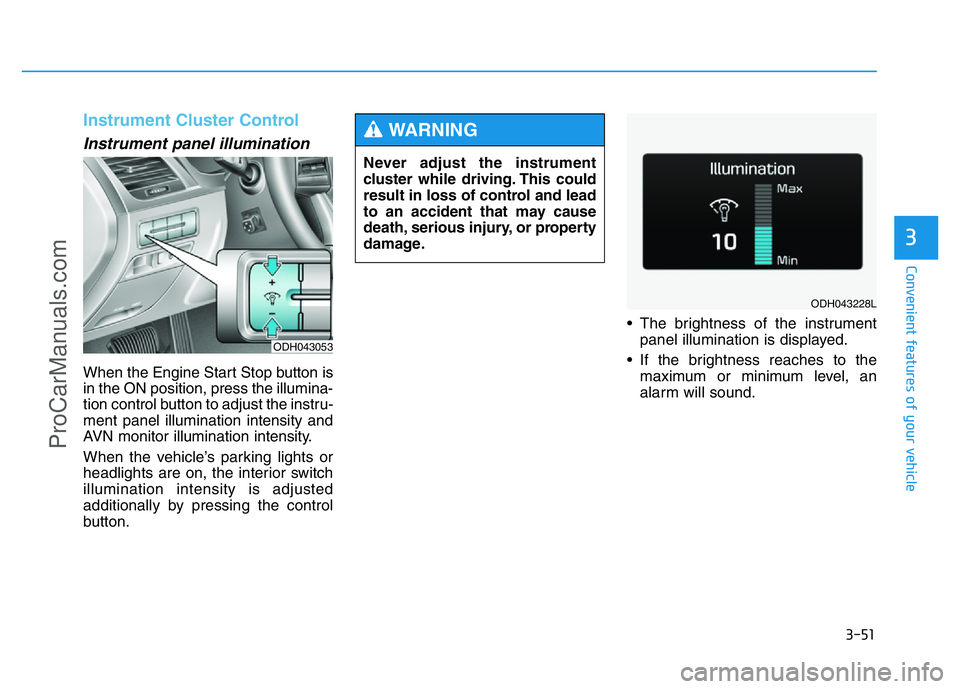
Instrument panel illumination
When the Engine Start Stop button is
in the ON position, press the illumina-
tion control button to adjust the instru-
ment panel illumination intensity and
AVN monitor illumination intensity.
When the vehicle’s parking lights or
headlights are on, the interior switch
illumination intensity is adjusted
additionally by pressing the control
button.• The brightness of the instrument
panel illumination is displayed.
• If the brightness reaches to the
maximum or minimum level, an
alarm will sound.
ODH043053
Never adjust the instrument
cluster while driving. This could
result in loss of control and lead
to an accident that may cause
death, serious injury, or property
damage.
WARNING
ODH043228L
ProCarManuals.com
Page 143 of 546
3-52
Convenient features of your vehicle
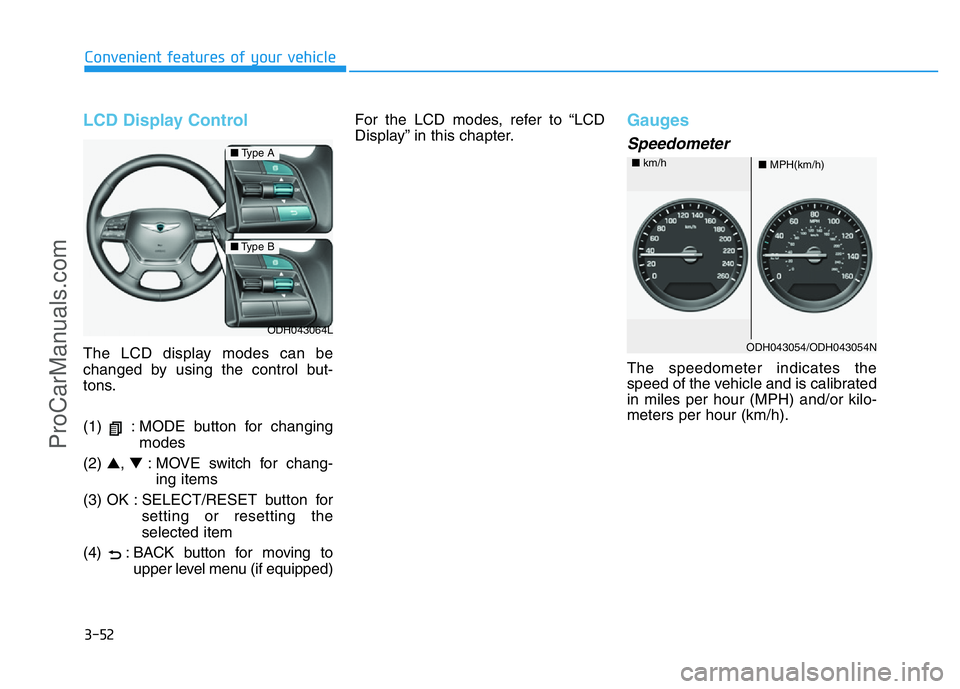
LCD Display Control
The LCD display modes can be
changed by using the control but-
tons.
(1) : MODE button for changing
modes
(2) ▲, ▼: MOVE switch for chang-
ing items
(3) OK : SELECT/RESET button for
setting or resetting the
selected item
(4) : BACK button for moving to
upper level menu (if equipped)For the LCD modes, refer to “LCD
Display” in this chapter.
Gauges
Speedometer
The speedometer indicates the
speed of the vehicle and is calibrated
in miles per hour (MPH) and/or kilo-
meters per hour (km/h).
ODH043064L
■Type A
■Type B
ODH043054/ODH043054N
■MPH(km/h) ■km/h
ProCarManuals.com
Page 147 of 546
3-56
Convenient features of your vehicle
✽NOTICE
If the icy road warning light appears
while driving, you should drive
more attentively and safely refrain-
ing from over-speeding, rapid accel-
eration, sudden braking or sharp
turning, etc.
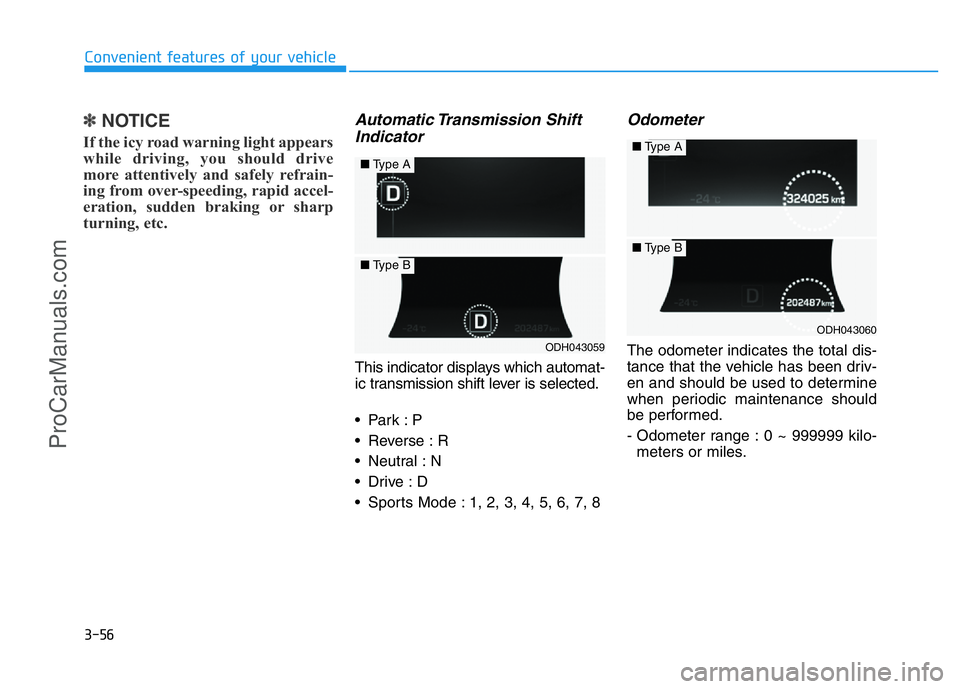
Automatic Transmission Shift
Indicator
This indicator displays which automat-
ic transmission shift lever is selected.
•Park :P
• Reverse : R
• Neutral : N
•Drive :D
• Sports Mode : 1, 2, 3, 4, 5, 6, 7, 8
Odometer
The odometer indicates the total dis-
tance that the vehicle has been driv-
en and should be used to determine
when periodic maintenance should
be performed.
- Odometer range : 0 ~ 999999 kilo-
meters or miles.ODH043059
■Type A
■Type B
ODH043060
■Type A
■Type B
ProCarManuals.com
Page 148 of 546
3-57
Convenient features of your vehicle
3
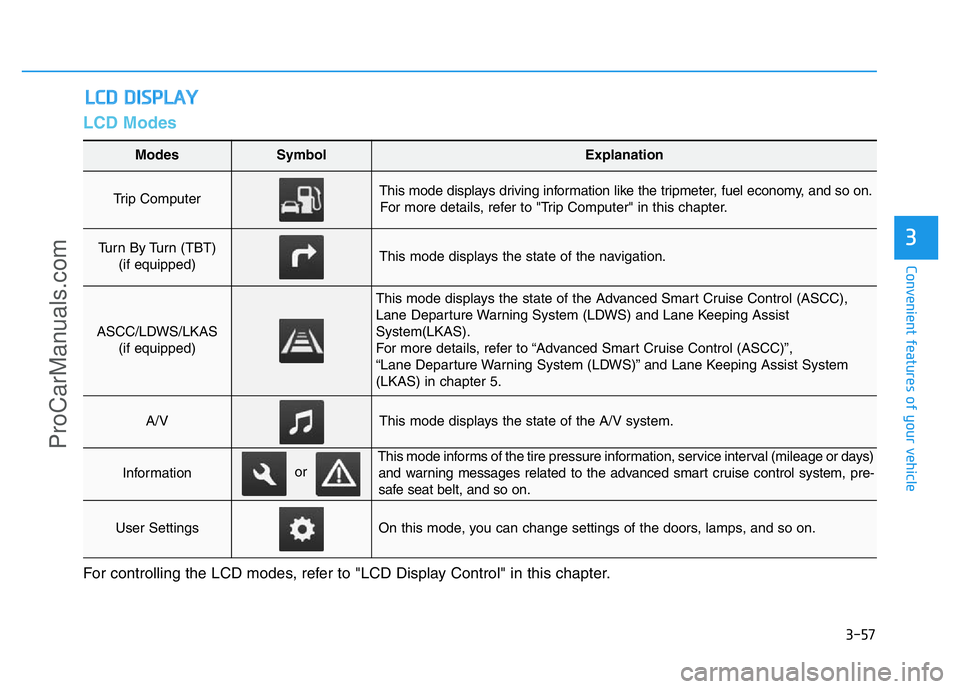
LCD Modes
LCD DISPLAY
For controlling the LCD modes, refer to "LCD Display Control" in this chapter.
Modes SymbolExplanation
Trip Computer This mode displays driving information like the tripmeter, fuel economy, and so on.
For more details, refer to "Trip Computer" in this chapter.
Turn By Turn (TBT)
(if equipped)This mode displays the state of the navigation.
ASCC/LDWS/LKAS
(if equipped)
This mode displays the state of the Advanced Smart Cruise Control (ASCC),
Lane Departure Warning System (LDWS) and Lane Keeping Assist
System(LKAS).
For more details, refer to “Advanced Smart Cruise Control (ASCC)”,
“Lane Departure Warning System (LDWS)” and Lane Keeping Assist System
(LKAS) in chapter 5.
A/VThis mode displays the state of the A/V system.
Information
This mode informs of the tire pressure information, service interval (mileage or days)
and warning messages related to the advanced smart cruise control system, pre-
safe seat belt, and so on.
User SettingsOn this mode, you can change settings of the doors, lamps, and so on.
or
ProCarManuals.com
Page 149 of 546
3-58
Convenient features of your vehicle
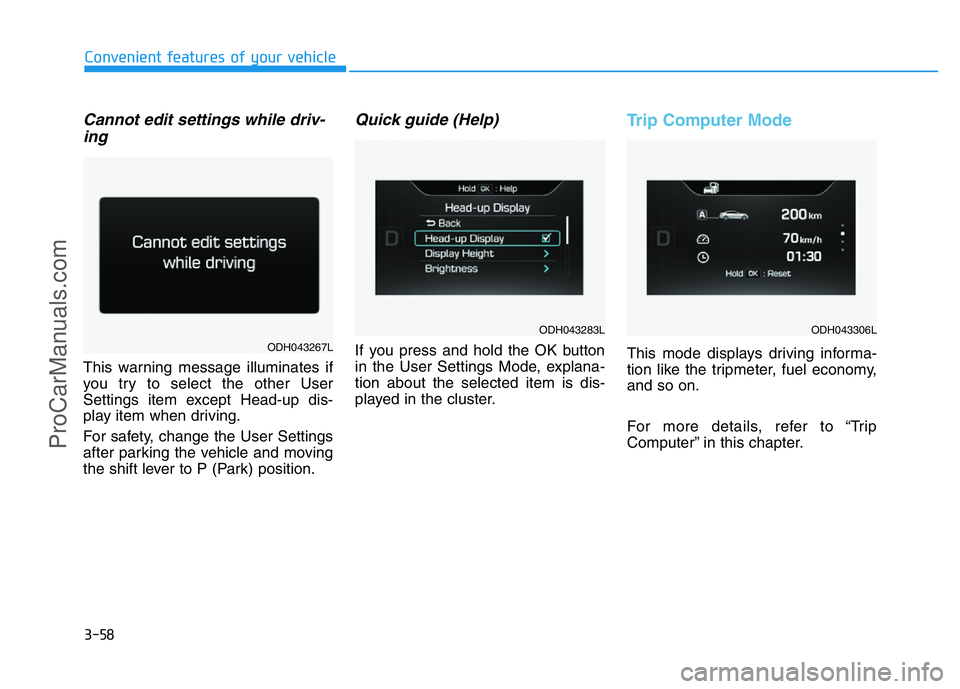
Cannot edit settings while driv-
ing
This warning message illuminates if
you try to select the other User
Settings item except Head-up dis-
play item when driving.
For safety, change the User Settings
after parking the vehicle and moving
the shift lever to P (Park) position.
Quick guide (Help)
If you press and hold the OK button
in the User Settings Mode, explana-
tion about the selected item is dis-
played in the cluster.
Trip Computer Mode
This mode displays driving informa-
tion like the tripmeter, fuel economy,
and so on.
For more details, refer to “Trip
Computer” in this chapter.ODH043267L
ODH043283LODH043306L
ProCarManuals.com
Page 150 of 546
3-59
Convenient features of your vehicle
3
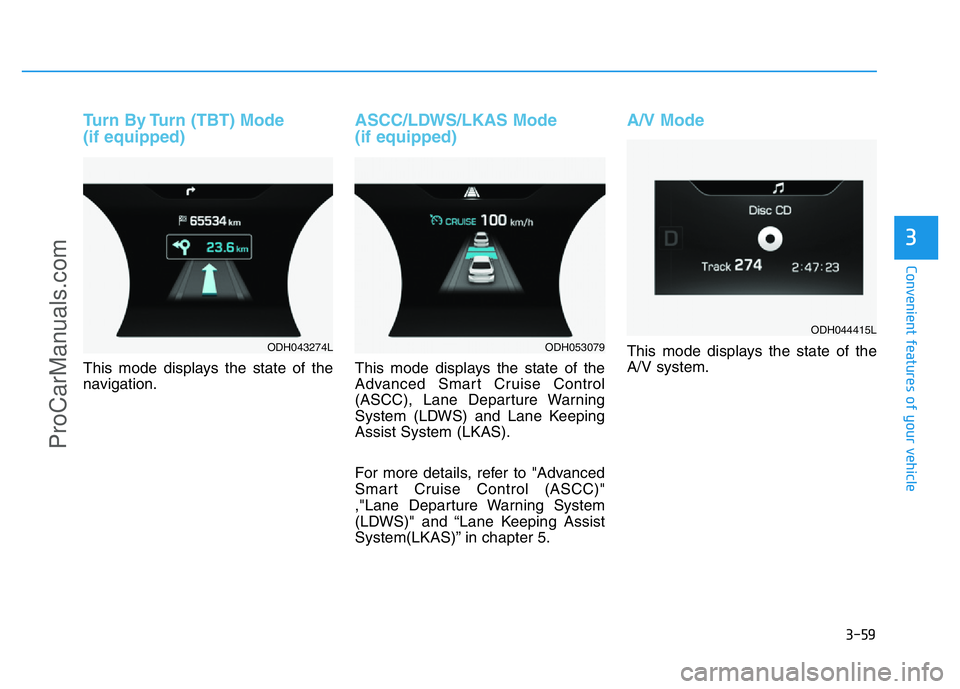
Turn By Turn (TBT) Mode
(if equipped)
This mode displays the state of the
navigation.
ASCC/LDWS/LKAS Mode
(if equipped)
This mode displays the state of the
Advanced Smart Cruise Control
(ASCC), Lane Departure Warning
System (LDWS) and Lane Keeping
Assist System (LKAS).
For more details, refer to "Advanced
Smart Cruise Control (ASCC)"
,"Lane Departure Warning System
(LDWS)" and “Lane Keeping Assist
System(LKAS)” in chapter 5.
A/V Mode
This mode displays the state of the
A/V system.ODH043274LODH053079
ODH044415L
ProCarManuals.com
Page 151 of 546
3-60
Convenient features of your vehicle
Information Mode
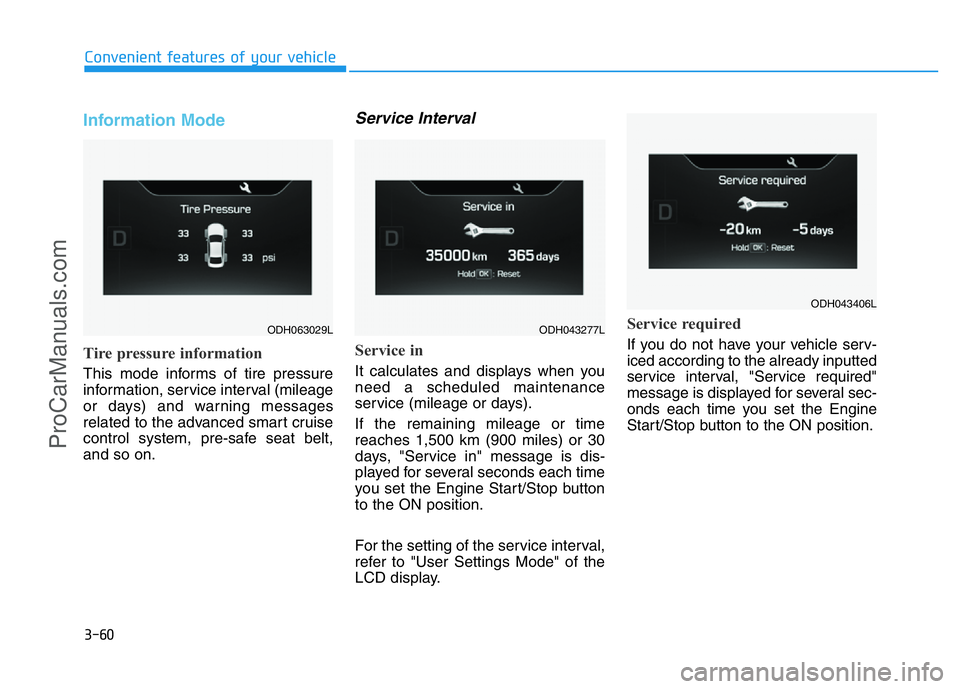
Tire pressure information
This mode informs of tire pressure
information, service interval (mileage
or days) and warning messages
related to the advanced smart cruise
control system, pre-safe seat belt,
and so on.
Service Interval
Service in
It calculates and displays when you
need a scheduled maintenance
service (mileage or days).
If the remaining mileage or time
reaches 1,500 km (900 miles) or 30
days, "Service in" message is dis-
played for several seconds each time
you set the Engine Start/Stop button
to the ON position.
For the setting of the service interval,
refer to "User Settings Mode" of the
LCD display.
Service required
If you do not have your vehicle serv-
iced according to the already inputted
service interval, "Service required"
message is displayed for several sec-
onds each time you set the Engine
Start/Stop button to the ON position.
ODH063029LODH043277L
ODH043406L
ProCarManuals.com
Page 152 of 546
3-61
Convenient features of your vehicle
3
To reset the service interval to the
mileage and days you inputted before:
- Activate the reset mode by press-
ing the OK button for more than 5
second, then press the OK button
again for more than 1 second
(Europe).
- Press the OK button for more than
1 second (Except Europe).
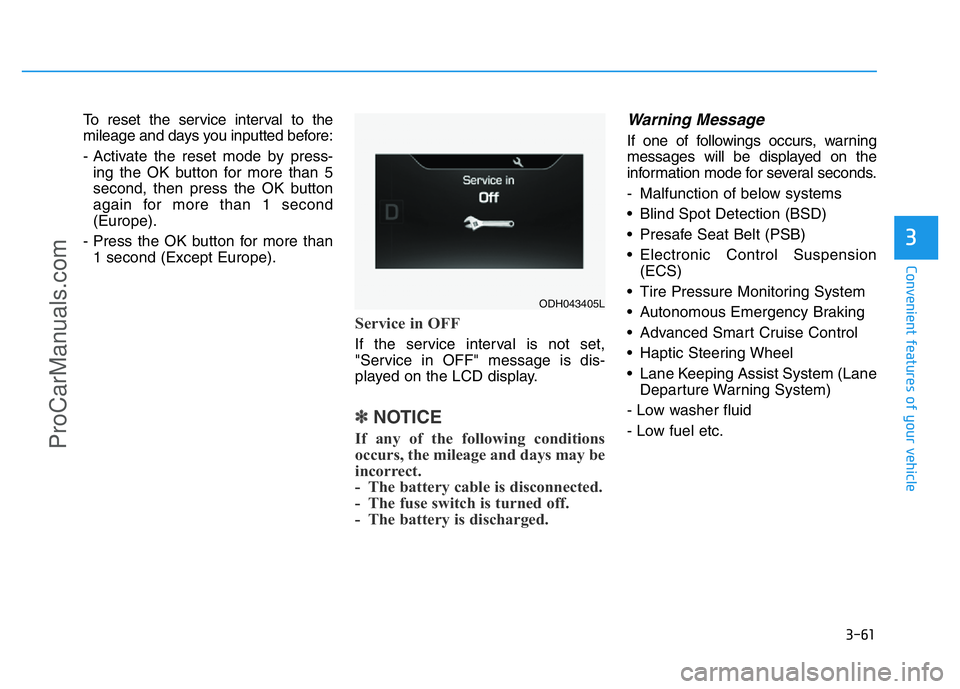
Service in OFF
If the service interval is not set,
"Service in OFF" message is dis-
played on the LCD display.
✽NOTICE
If any of the following conditions
occurs, the mileage and days may be
incorrect.
- The battery cable is disconnected.
- The fuse switch is turned off.
- The battery is discharged.
Warning Message
If one of followings occurs, warning
messages will be displayed on the
information mode for several seconds.
- Malfunction of below systems
• Blind Spot Detection (BSD)
• Presafe Seat Belt (PSB)
• Electronic Control Suspension
(ECS)
• Tire Pressure Monitoring System
• Autonomous Emergency Braking
• Advanced Smart Cruise Control
• Haptic Steering Wheel
• Lane Keeping Assist System (Lane
Departure Warning System)
- Low washer fluid
- Low fuel etc.
ODH043405L
ProCarManuals.com
Page 153 of 546
3-62
Convenient features of your vehicle
ItemsExplanation
Head-Up Display• On : Activate the Head Up Display.
• Off : Deactivate the Head Up Display.
Display HeightAdjust the height of the HUD image on the windshield glass.
BrightnessAdjust the intensity of the HUD illumination.
Content Select
Activate or deactivate each contents of the HUD.
• Tu r n b y Tu r n
• Traffic Information
• Smart Cruise control
• Lane Keep Assist System/ Lane Departure Warning System
• Blind Spot Detection
Speedometer SizeChoose the speedometer font size of the HUD. (Large, Medium, Small)
Speedometer ColorChoose the speedometer font color of the HUD. (White, Orange, Green)
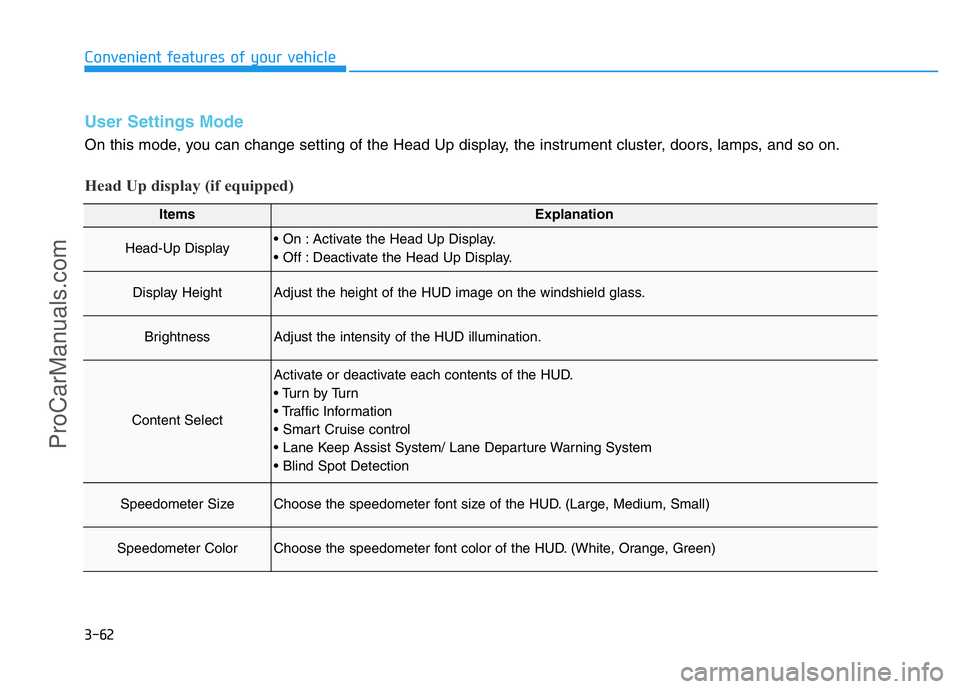
User Settings Mode
On this mode, you can change setting of the Head Up display, the instrument cluster, doors, lamps, and so on.
Head Up display (if equipped)
ProCarManuals.com