steering wheel HYUNDAI COUPE 2014 Owner's Manual
[x] Cancel search | Manufacturer: HYUNDAI, Model Year: 2014, Model line: COUPE, Model: HYUNDAI COUPE 2014Pages: 546, PDF Size: 14.38 MB
Page 165 of 546
3-74
Convenient features of your vehicle
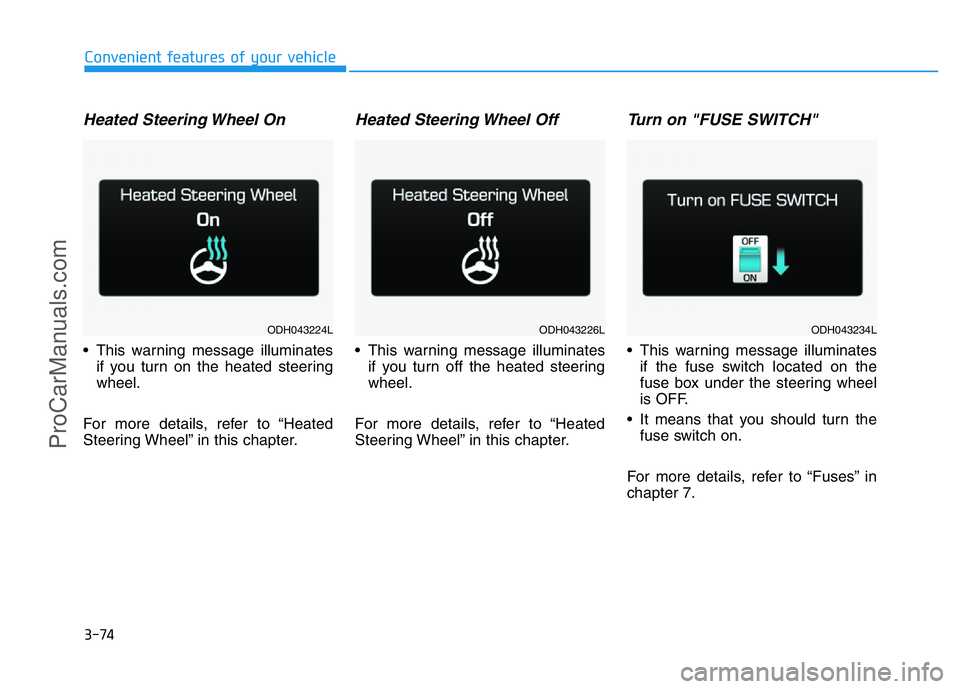
Heated Steering Wheel On
• This warning message illuminates
if you turn on the heated steering
wheel.
For more details, refer to “Heated
Steering Wheel” in this chapter.
Heated Steering Wheel Off
• This warning message illuminates
if you turn off the heated steering
wheel.
For more details, refer to “Heated
Steering Wheel” in this chapter.
Turn on "FUSE SWITCH"
• This warning message illuminates
if the fuse switch located on the
fuse box under the steering wheel
is OFF.
• It means that you should turn the
fuse switch on.
For more details, refer to “Fuses” in
chapter 7.
ODH043224LODH043226LODH043234L
ProCarManuals.com
Page 166 of 546
3-75
Convenient features of your vehicle
3
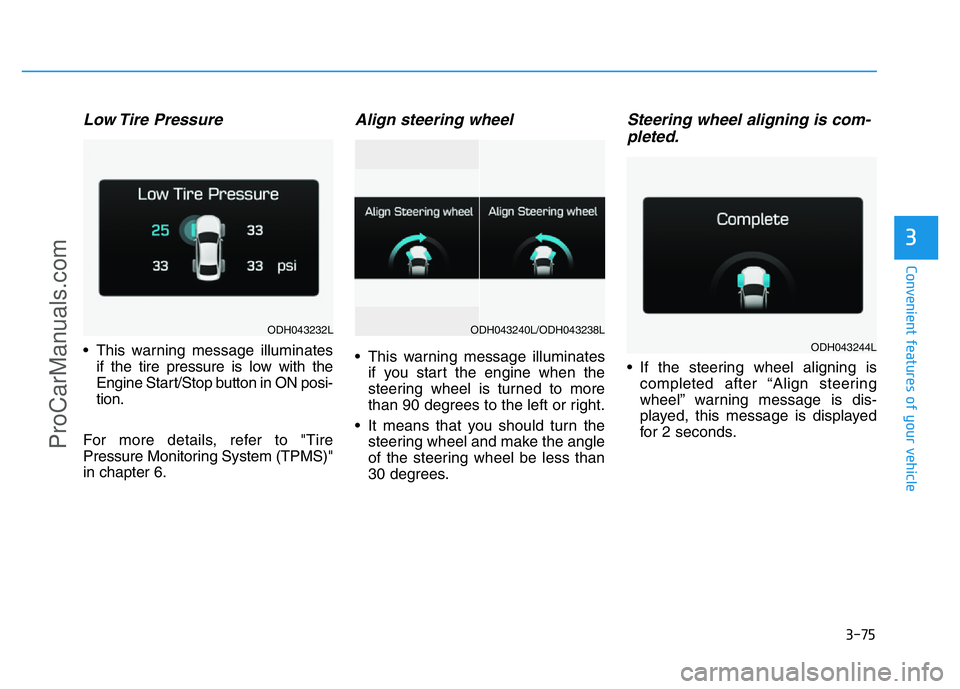
Low Tire Pressure
• This warning message illuminates
if the tire pressure is low with the
Engine Start/Stop button in ON posi-
tion.
For more details, refer to "Tire
Pressure Monitoring System (TPMS)"
in chapter 6.
Align steering wheel
• This warning message illuminates
if you start the engine when the
steering wheel is turned to more
than 90 degrees to the left or right.
• It means that you should turn the
steering wheel and make the angle
of the steering wheel be less than
30 degrees.
Steering wheel aligning is com-
pleted.
• If the steering wheel aligning is
completed after “Align steering
wheel” warning message is dis-
played, this message is displayed
for 2 seconds.
ODH043232L
ODH043244L
ODH043240L/ODH043238L
ProCarManuals.com
Page 171 of 546
3-80
Convenient features of your vehicle
Overview
Description
The trip computer is a microcomput-
er-controlled driver information sys-
tem that displays information related
to driving.
✽NOTICE
Some driving information stored in
the trip computer (for example
Average Vehicle Speed) resets if the
battery is disconnected.
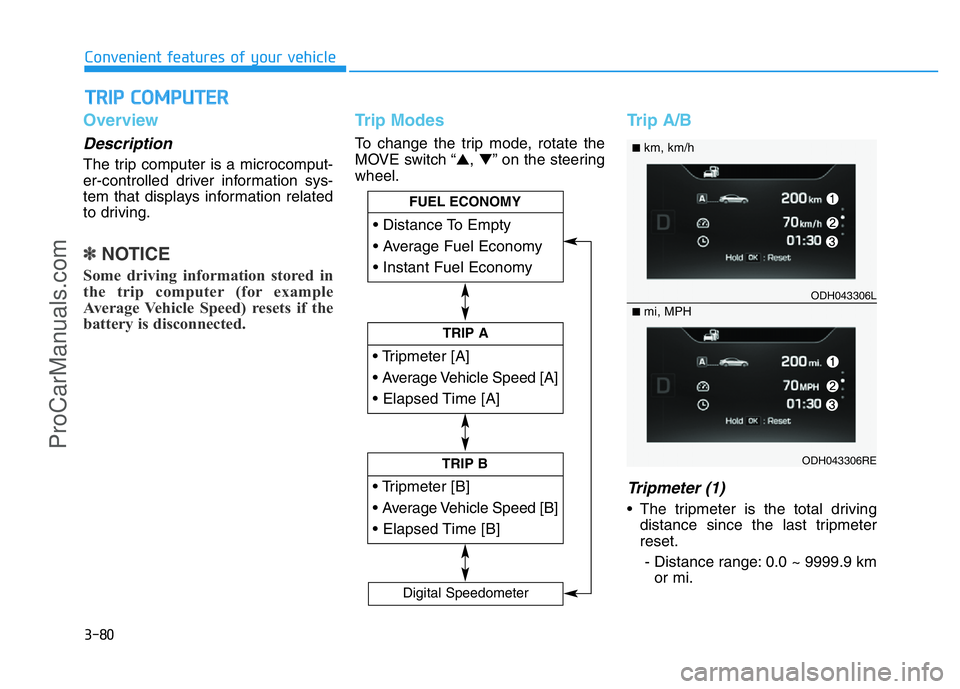
Trip Modes
To change the trip mode, rotate the
MOVE switch “▲,▼” on the steering
wheel.
Trip A/B
Tripmeter (1)
• The tripmeter is the total driving
distance since the last tripmeter
reset.
- Distance range: 0.0 ~ 9999.9 km
or mi.
TRIP COMPUTER
Page 172 of 546
![HYUNDAI COUPE 2014 Owners Manual 3-81
Convenient features of your vehicle
3
• To reset the tripmeter, press the
[OK] button on the steering wheel
for more than 1 second when the
tripmeter is displayed.
Average Vehicle Speed (2)
•](/img/35/57910/w960_57910-171.png "HYUNDAI COUPE 2014 Owners Manual 3-81
Convenient features of your vehicle
3
• To reset the tripmeter, press the
[OK] button on the steering wheel
for more than 1 second when the
tripmeter is displayed.
Average Vehicle Speed (2)
•")
3-81
Convenient features of your vehicle
3
• To reset the tripmeter, press the
[OK] button on the steering wheel
for more than 1 second when the
tripmeter is displayed.
Average Vehicle Speed (2)
• The average vehicle speed is cal-
culated by the total driving dis-
tance and driving time since the
last average vehicle speed reset.
- Speed range: 0 ~ 999 km/h or MPH
• To reset the average vehicle speed,
press the [OK] button on the steer-
ing wheel for more than 1 second
when the average vehicle speed is
displayed.
✽NOTICE
• The average vehicle speed is not
displayed if the driving distance is
less than 300 meters (0.19 miles)
or the driving time is less than 10
seconds since the Engine
Start/Stop button is turned to ON.
• Even if the vehicle is not in motion,
the average vehicle speed keeps
calculating while the engine is run-
ning.
Elapsed Time (3)
• The elapsed time is the total driv-
ing time since the last elapsed time
reset.
- Time range (hh:mm): 00:00 ~ 99:59
• To reset the elapsed time, press
the [OK] button on the steering
wheel for more than 1 second
when the elapsed time is dis-
played.
✽NOTICE
Even if the vehicle is not in motion,
the elapsed time keeps calculating
while the engine is running.
Fuel Economy
Distance To Empty (1)
• The distance to empty is the esti-
mated distance the vehicle can be
driven with the remaining fuel.
- Distance range: 1 ~ 9999 km or
1 ~ 9999 mi.
ODH043271L
ODH043271RE
■km, L/100km
■mi, MPG
ProCarManuals.com
Page 173 of 546
3-82
Convenient features of your vehicle
• If the estimated distance is below
1 km (1 mi.), the trip computer will
display “---” as distance to empty.
✽NOTICE
• If the vehicle is not on level ground
or the battery power has been
interrupted, the distance to empty
function may not operate correctly.
• The distance to empty may differ
from the actual driving distance as
it is an estimate of the available
driving distance.
• The trip computer may not regis-
ter additional fuel if less than 6
liters (1.6 gallons) of fuel are
added to the vehicle.
• The fuel economy and distance to
empty may vary significantly based
on driving conditions, driving
habits, and condition of the vehicle.
Average Fuel Economy (2)
• The average fuel economy is calcu-
lated by the total driving distance
and fuel consumption since the last
average fuel economy reset.
- Fuel economy range: 0.0 ~ 99.9
L/100km or MPG
• The average fuel economy can be
reset both manually and automati-
cally.
Manual reset
To clear the average fuel economy
manually, press the [OK] button on
the steering wheel for more than 1
second when the average fuel econo-
my is displayed.
Automatic reset
To make the average fuel economy
be reset automatically whenever refu-
eling, select the “Auto Reset” mode in
User Setting menu of the LCD display
(Refer to “LCD Display”).
Under “Auto Reset” mode, the aver-
age fuel economy will be cleared to
zero (---) when the vehicle speed
exceeds 1 km/h after refueling more
than 6 liters (1.6 gallons).
✽NOTICE
The average fuel economy is not dis-
played for more accurate calculation
if the vehicle does not drive more
than 10 seconds or 300 meters (0.19
miles) since the Engine Start/Stop
button is turned to ON.
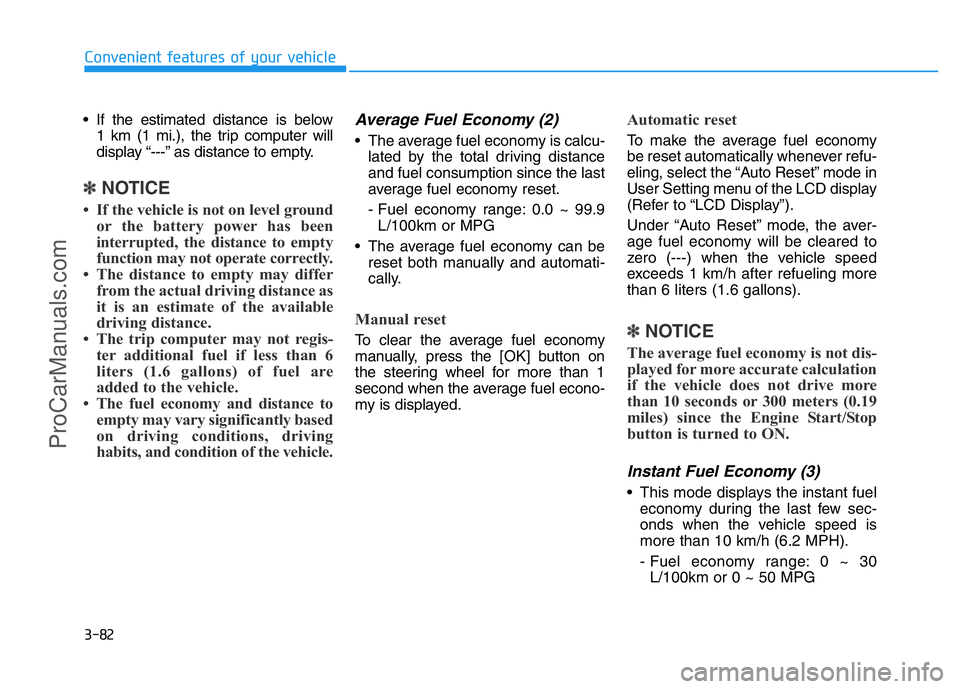
Instant Fuel Economy (3)
• This mode displays the instant fuel
economy during the last few sec-
onds when the vehicle speed is
more than 10 km/h (6.2 MPH).
- Fuel economy range: 0 ~ 30
L/100km or 0 ~ 50 MPG
ProCarManuals.com
Page 214 of 546
3-123
Convenient features of your vehicle
3
✽NOTICE
Sensor may not recognize objects
less than 30 cm from the sensor, or it
may sense an incorrect distance.
Smart Parking Assist System
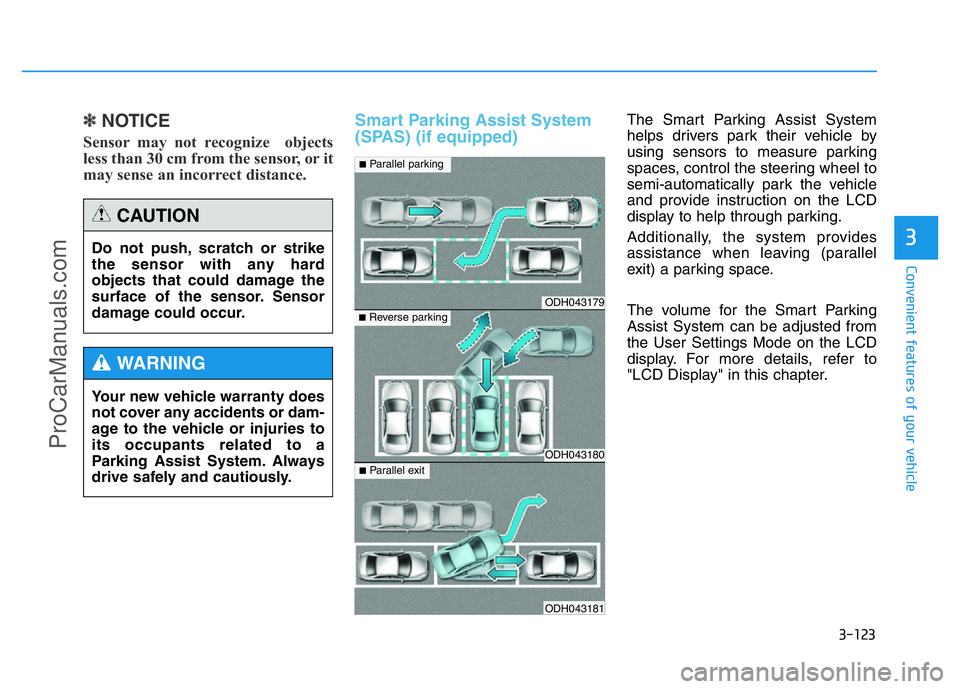
(SPAS) (if equipped)The Smart Parking Assist System
helps drivers park their vehicle by
using sensors to measure parking
spaces, control the steering wheel to
semi-automatically park the vehicle
and provide instruction on the LCD
display to help through parking.
Additionally, the system provides
assistance when leaving (parallel
exit) a parking space.
The volume for the Smart Parking
Assist System can be adjusted from
the User Settings Mode on the LCD
display. For more details, refer to
"LCD Display" in this chapter. Do not push, scratch or strike
the sensor with any hard
objects that could damage the
surface of the sensor. Sensor
damage could occur.
CAUTION
Your new vehicle warranty does
not cover any accidents or dam-
age to the vehicle or injuries to
its occupants related to a
Parking Assist System. Always
drive safely and cautiously.
WARNING
ODH043179
ODH043180
ODH043181
■Parallel parking
■Reverse parking
■Parallel exit
ProCarManuals.com
Page 220 of 546
3-129
Convenient features of your vehicle
3
How the system works
(Parking Mode)
1. Activate the Smart Parking Assist
System
The shift lever should be placed in
D (Drive).
2. Select Parking Mode
3. Search for Parking Space (slowly
move forward.)
4. Search Complete (automatic
search by sensor.)
5. Steering Wheel Control
(1) Shift according to the instruc-
tion on the LCD display.
(2) Drive slowly with the brake
pedal applied.
6 Parking Complete
7. If necessary, manually adjust posi-
tion of vehicle.
✽NOTICE
• Before activating the system check
if the conditions are possible to use
the system.
• For your safety, always apply the
brake pedal except for when driv-
ing.1. Activate Smart Parking Assist
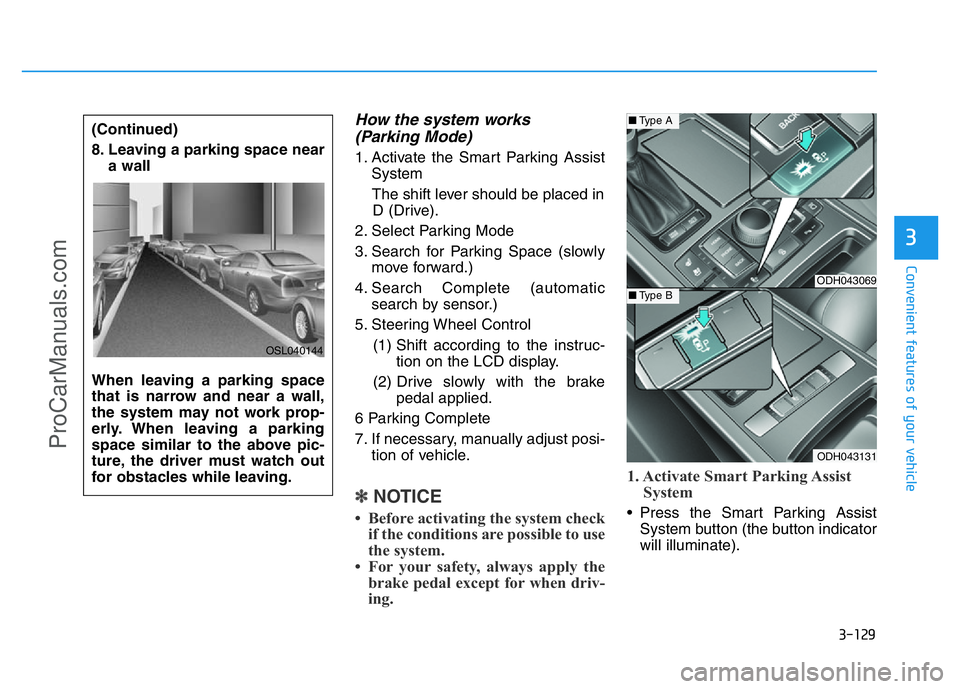
System• Press the Smart Parking Assist
System button (the button indicator
will illuminate). (Continued)
8. Leaving a parking space near
a wall
When leaving a parking space
that is narrow and near a wall,
the system may not work prop-
erly. When leaving a parking
space similar to the above pic-
ture, the driver must watch out
for obstacles while leaving.
OSL040144
ODH043069
ODH043131
■Type A
■Type B
ProCarManuals.com
Page 224 of 546
3-133
Convenient features of your vehicle
3
6. Steering Wheel Control
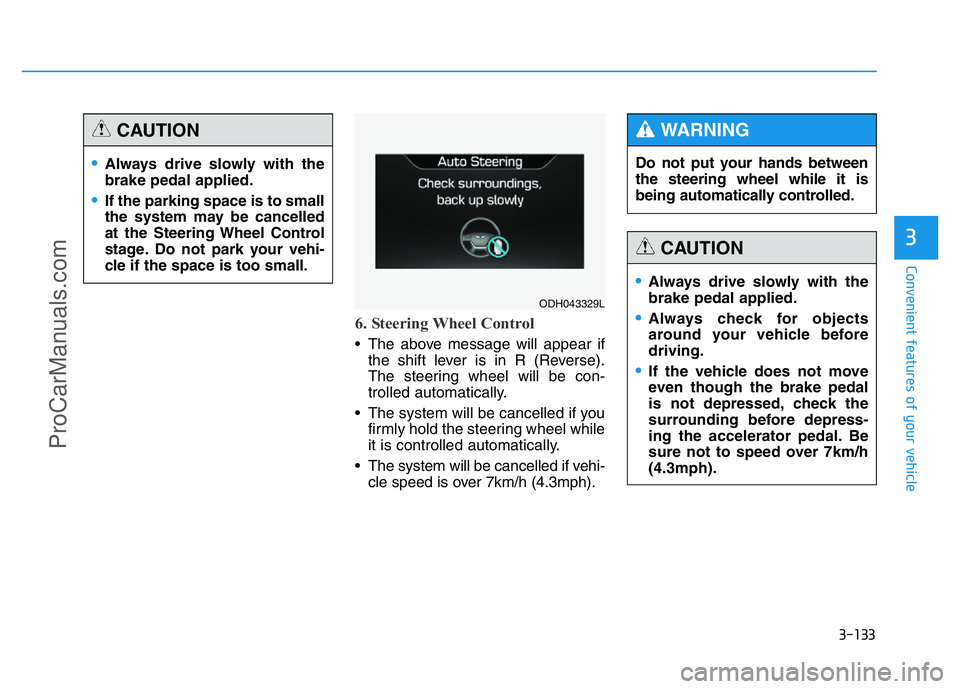
• The above message will appear if
the shift lever is in R (Reverse).
The steering wheel will be con-
trolled automatically.
• The system will be cancelled if you
firmly hold the steering wheel while
it is controlled automatically.
• The system will be cancelled if vehi-
cle speed is over 7km/h (4.3mph).
•Always drive slowly with the
brake pedal applied.
•If the parking space is to small
the system may be cancelled
at the Steering Wheel Control
stage. Do not park your vehi-
cle if the space is too small.
CAUTION
ODH043329L
Do not put your hands between
the steering wheel while it is
being automatically controlled.
WARNING
•Always drive slowly with the
brake pedal applied.
•Always check for objects
around your vehicle before
driving.
•If the vehicle does not move
even though the brake pedal
is not depressed, check the
surrounding before depress-
ing the accelerator pedal. Be
sure not to speed over 7km/h
(4.3mph).
CAUTION
ProCarManuals.com
Page 225 of 546
3-134
Convenient features of your vehicle
✽NOTICE
• If you do not follow the instruc-
tions provided, you may fail to
park your vehicle.
However, if the Parking Assist
System warning sound (distance
from object is within 30cm: con-
tinuous beep) occurs, slowly drive
the vehicle to the reverse direction
of the detected object after check-
ing the surrounding.
• Always check the surrounding
before driving your vehicle if the
Parking Assist System warning
sound (distance from object is
within 30cm: continuous beep) is
heard for the object is close to
your vehicle.
If the vehicle gets too close to the
object, the warning will not sound.To cancel the system while parking: • Press the Smart Parking Assist
System button and hold until the
system is cancelled.
• Press the Smart Parking Assist
System button while the system is
searching for a parking space or
when the steering wheel is con-
trolled.
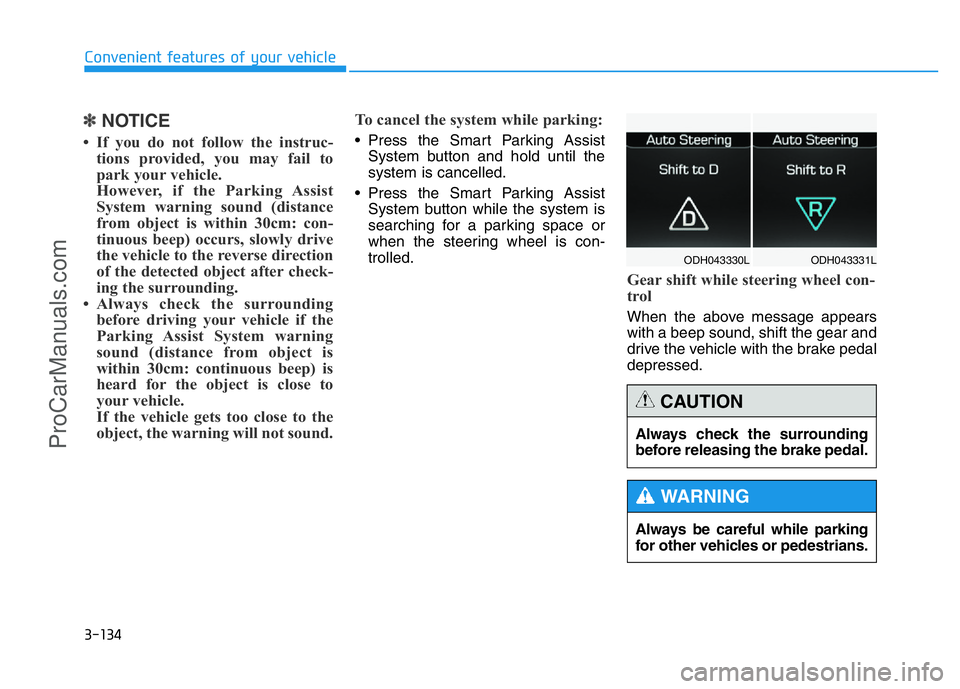
Gear shift while steering wheel con-
trol
When the above message appears
with a beep sound, shift the gear and
drive the vehicle with the brake pedal
depressed.
ODH043331L ODH043330L
Always be careful while parking
for other vehicles or pedestrians.
WARNING
Always check the surrounding
before releasing the brake pedal.
CAUTION
ProCarManuals.com
Page 226 of 546
3-135
Convenient features of your vehicle
3
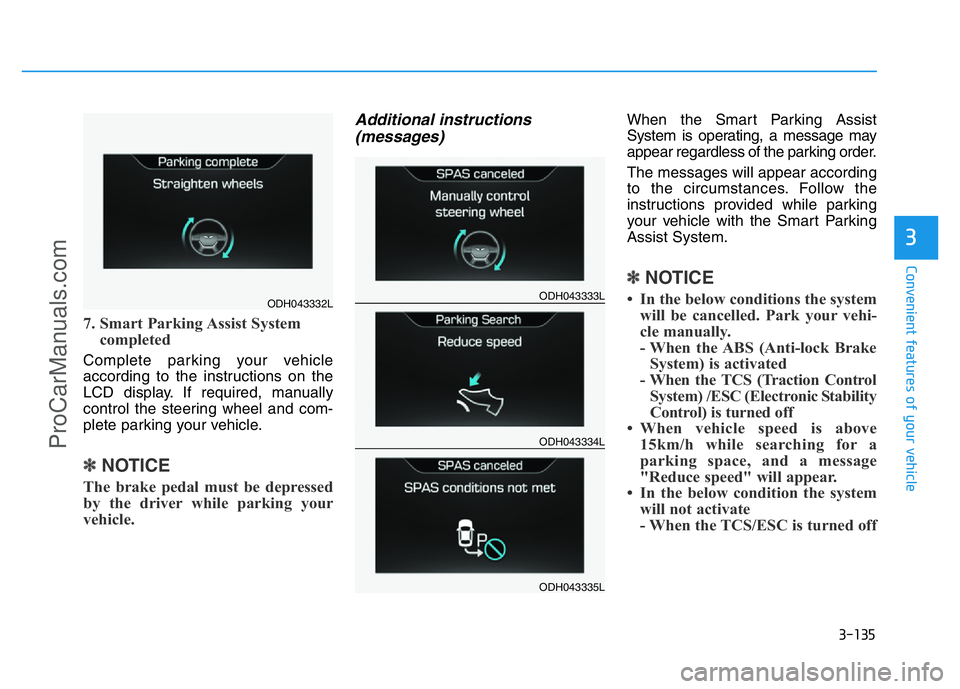
7. Smart Parking Assist System
completed
Complete parking your vehicle
according to the instructions on the
LCD display. If required, manually
control the steering wheel and com-
plete parking your vehicle.
✽NOTICE
The brake pedal must be depressed
by the driver while parking your
vehicle.
Additional instructions
(messages)When the Smart Parking Assist
System is operating, a message may
appear regardless of the parking order.
The messages will appear according
to the circumstances. Follow the
instructions provided while parking
your vehicle with the Smart Parking
Assist System.
✽NOTICE
• In the below conditions the system
will be cancelled. Park your vehi-
cle manually.
- When the ABS (Anti-lock Brake
System) is activated
- When the TCS (Traction Control
System) /ESC (Electronic Stability
Control) is turned off
• When vehicle speed is above
15km/h while searching for a
parking space, and a message
"Reduce speed" will appear.
• In the below condition the system
will not activate
- When the TCS/ESC is turned offODH043332LODH043333L
ODH043334L
ODH043335L
ProCarManuals.com