climate control HYUNDAI COUPE 2016 User Guide
[x] Cancel search | Manufacturer: HYUNDAI, Model Year: 2016, Model line: COUPE, Model: HYUNDAI COUPE 2016Pages: 475, PDF Size: 14.78 MB
Page 187 of 475
Features of your vehicle
104
4
Automatic heating and air con-
ditioning
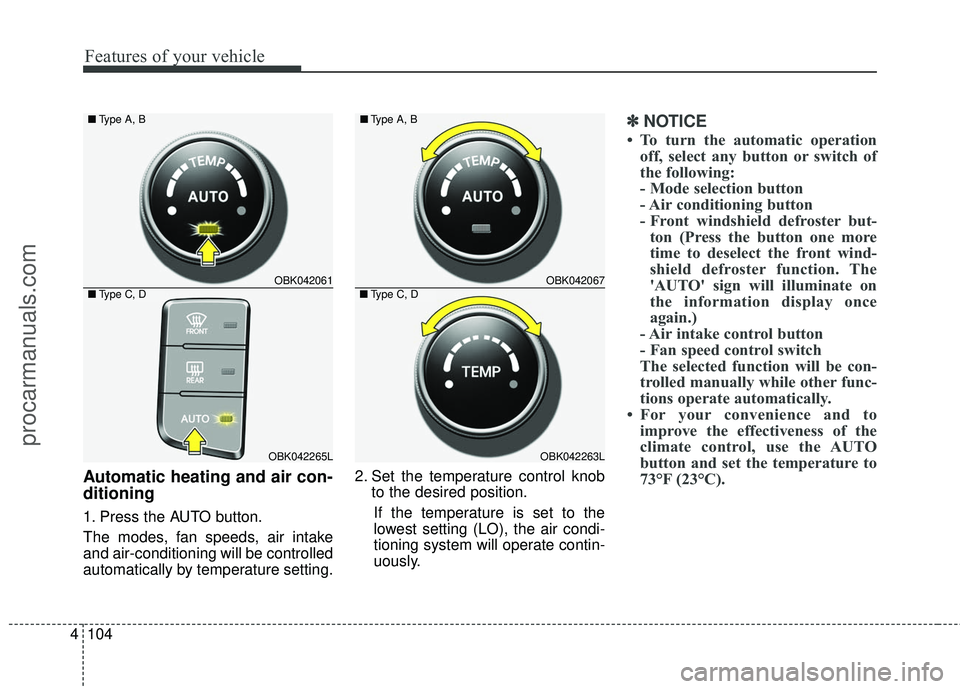
1. Press the AUTO button.
The modes, fan speeds, air intake
and air-conditioning will be controlled
automatically by temperature setting. 2. Set the temperature control knob
to the desired position.
If the temperature is set to the
lowest setting (LO), the air condi-
tioning system will operate contin-
uously.
✽ ✽ NOTICE
• To turn the automatic operation
off, select any button or switch of
the following:
- Mode selection button
- Air conditioning button
- Front windshield defroster but-ton (Press the button one more
time to deselect the front wind-
shield defroster function. The
'AUTO' sign will illuminate on
the information display once
again.)
- Air intake control button
- Fan speed control switch
The selected function will be con-
trolled manually while other func-
tions operate automatically.
• For your convenience and to improve the effectiveness of the
climate control, use the AUTO
button and set the temperature to
73°F (23°C).
OBK042061
OBK042265L
■
Type A, B
■Type C, DOBK042067
OBK042263L
■
Type A, B
■Type C, D
procarmanuals.com
Page 192 of 475

4109
Features of your vehicle
Fan speed control
The ignition switch must be in the ON
position for fan operation. The fan
speed control knob allows you to
control the fan speed of the air flow-
ing from the ventilation system. To
change the fan speed, turn the knob
to the right for higher speed or left for
lower speed.
Air conditioning
Press the A/C button to turn the air
conditioning system on (indicator
light will illuminate).
Press the button again to turn the air
conditioning system off.
OBK042106
OBK042266L
■
Type A, B
■ Type C, D
OBK042105
OBK042264L
■
Type A, B
■Type C, D
WARNING
Continued use of the climate
control system operation in
the recirculated air position
may allow humidity to increase
inside the vehicle which may
fog the glass and obscure vis-
ibility.
Do not sleep in a vehicle with the air conditioning or heating
system on. It may cause seri-
ous harm or death due to a
drop in the oxygen level
and/or body temperature.
Continued use of the climate control system operation in
the recirculated air position
can cause drowsiness or
sleepiness, and loss of vehi-
cle control. Set the air intake
control to the outside (fresh)
air position as much as possi-
ble while driving.
procarmanuals.com
Page 193 of 475
Features of your vehicle
110
4
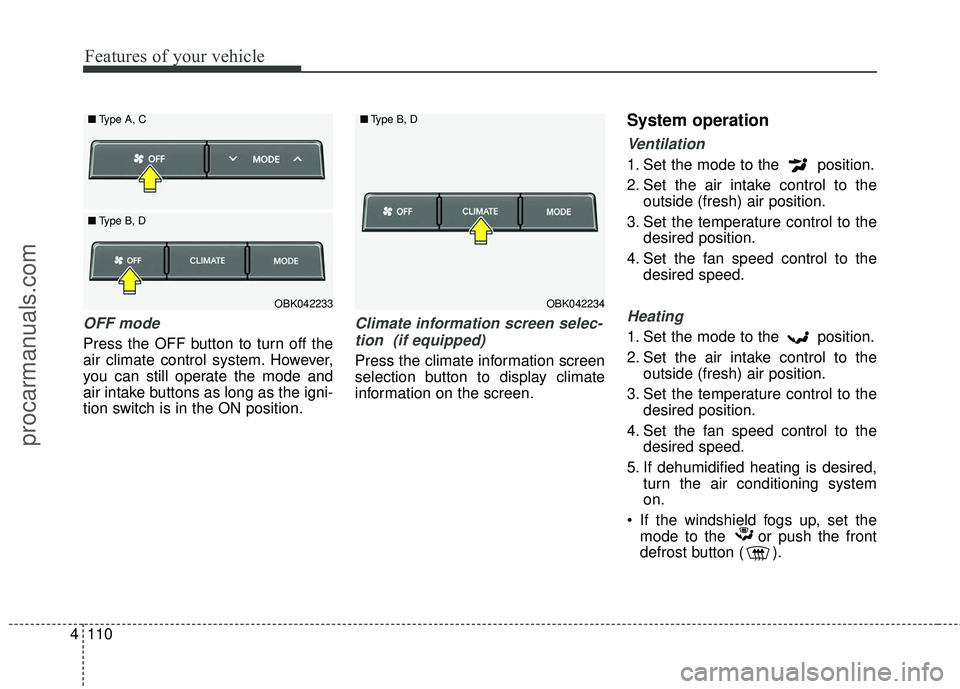
OFF mode
Press the OFF button to turn off the
air climate control system. However,
you can still operate the mode and
air intake buttons as long as the igni-
tion switch is in the ON position.
Climate information screen selec-
tion (if equipped)
Press the climate information screen
selection button to display climate
information on the screen.
System operation
Ventilation
1. Set the mode to the position.
2. Set the air intake control to the outside (fresh) air position.
3. Set the temperature control to the desired position.
4. Set the fan speed control to the desired speed.
Heating
1. Set the mode to the position.
2. Set the air intake control to theoutside (fresh) air position.
3. Set the temperature control to the desired position.
4. Set the fan speed control to the desired speed.
5. If dehumidified heating is desired, turn the air conditioning system
on.
If the windshield fogs up, set the mode to the or push the front
defrost button ( ).
OBK042234
■
Type B, DOBK042233
■
Type A, C
■ Type B, D
procarmanuals.com
Page 195 of 475
Features of your vehicle
112
4
Air conditioning system operation tips
If the vehicle has been parked in
direct sunlight during hot weather,
open the windows for a short time
to let the hot air inside the vehicle
escape.
To help reduce moisture inside of the windows on rainy or humid
days, decrease the humidity inside
the vehicle by operating the air
conditioning system.
During air conditioning system operation, you may occasionally
notice a slight change in engine
speed as the air conditioning com-
pressor cycles. This is a normal
system operation characteristic.
Use the air conditioning system every month, even if only for a few
minutes, to ensure maximum sys-
tem performance. When using the air conditioning
system, you may notice clear water
dripping (or even puddling) on the
ground under the passenger side
of the vehicle. This is a normal sys-
tem operation characteristic.
Operating the air conditioning sys- tem in the recirculated air position
provides maximum cooling, how-
ever, continual operation in this
mode may cause the air inside the
vehicle to become stale.
During cooling operation, you may occasionally notice a misty air flow
because of rapid cooling and
humid air intake. This is a normal
system operation characteristics.
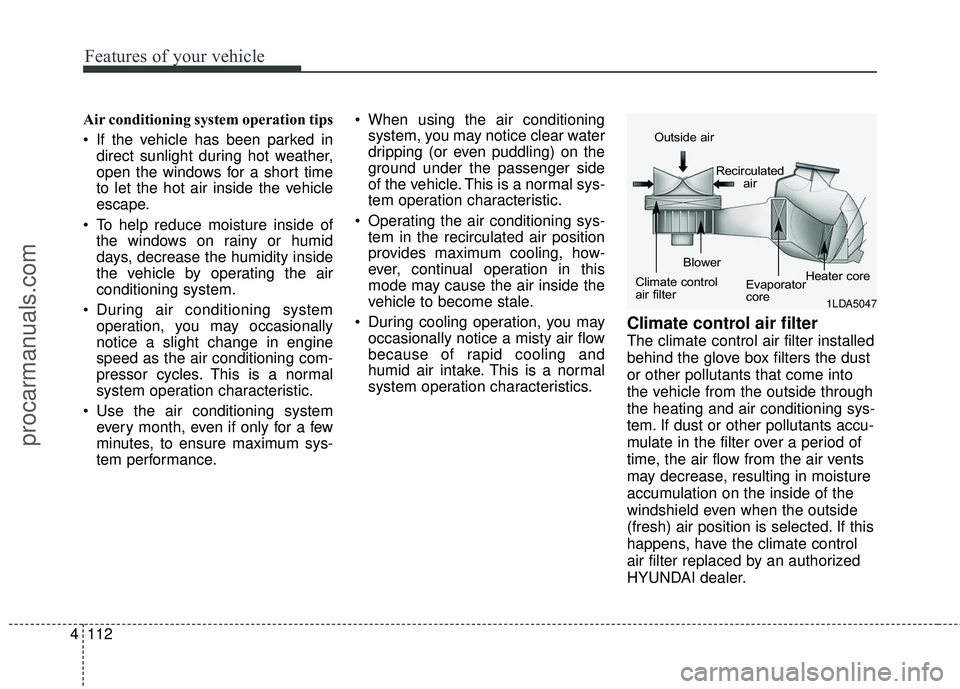
Climate control air filter
The climate control air filter installed
behind the glove box filters the dust
or other pollutants that come into
the vehicle from the outside through
the heating and air conditioning sys-
tem. If dust or other pollutants accu-
mulate in the filter over a period of
time, the air flow from the air vents
may decrease, resulting in moisture
accumulation on the inside of the
windshield even when the outside
(fresh) air position is selected. If this
happens, have the climate control
air filter replaced by an authorized
HYUNDAI dealer.
1LDA5047
Outside air
Recirculatedair
Climate control
air filter Blower
Evaporator
coreHeater core
procarmanuals.com
Page 197 of 475
Features of your vehicle
114
4
For maximum defrosting, set the
temperature control to the extreme
right/hot position and the fan speed
control to the highest speed.
If warm air to the floor is desired while defrosting or defogging, set
the mode to the floor-defrost posi-
tion.
Before driving, clear all snow and ice from the windshield, rear win-
dow, outside rear view mirrors, and
all side windows.
Clear all snow and ice from the hood and air inlet in the cowl grill to
improve heater and defroster effi-
ciency and to reduce the probabili-
ty of fogging up the inside of the
windshield.
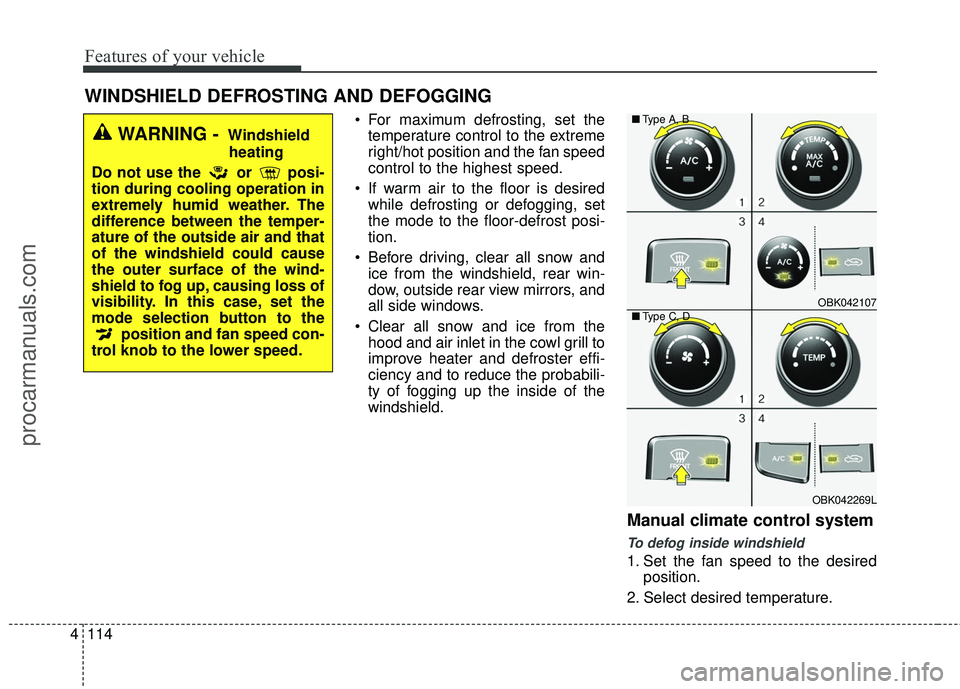
Manual climate control system
To defog inside windshield
1. Set the fan speed to the desired position.
2. Select desired temperature.
WINDSHIELD DEFROSTING AND DEFOGGING
WARNING - Windshield heating
Do not use the or posi-
tion during cooling operation in
extremely humid weather. The
difference between the temper-
ature of the outside air and that
of the windshield could cause
the outer surface of the wind-
shield to fog up, causing loss of
visibility. In this case, set the
mode selection button to the position and fan speed con-
trol knob to the lower speed.
OBK042107
OBK042269L
■
Type A, B
■ Type C, D
procarmanuals.com
Page 199 of 475
Features of your vehicle
116
4
Automatic climate control sys-
tem
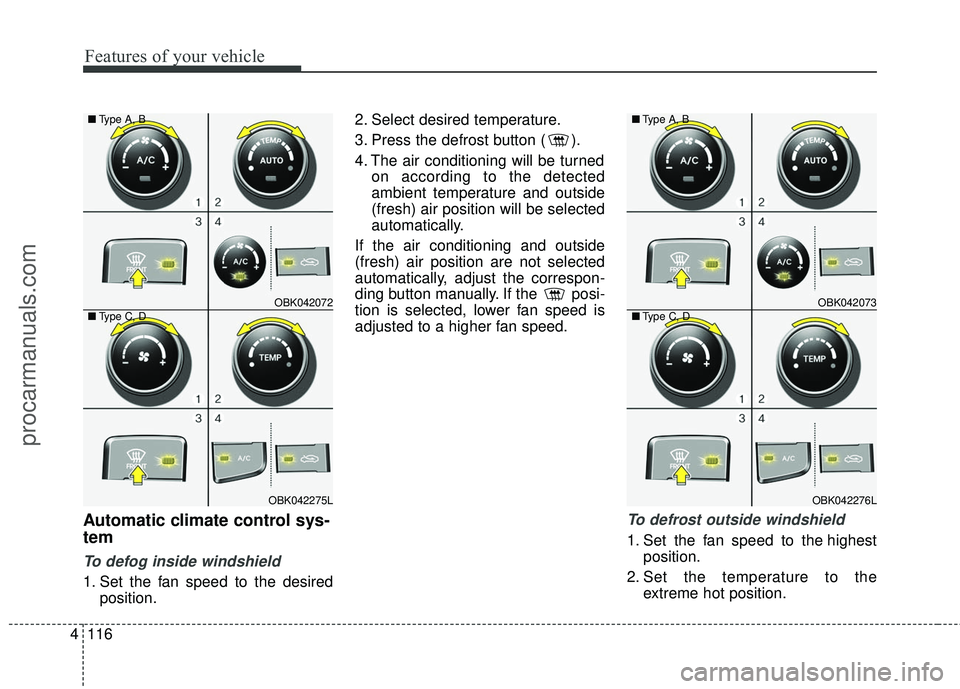
To defog inside windshield
1. Set the fan speed to the desired
position. 2. Select desired temperature.
3. Press the defrost button ( ).
4. The air conditioning will be turned
on according to the detected
ambient temperature and outside
(fresh) air position will be selected
automatically.
If the air conditioning and outside
(fresh) air position are not selected
automatically, adjust the correspon-
ding button manually. If the posi-
tion is selected, lower fan speed is
adjusted to a higher fan speed.
To defrost outside windshield
1. Set the fan speed to the highest position.
2. Set the temperature to the extreme hot position.
OBK042072
OBK042275L
■
Type A, B
■ Type C, D
OBK042073
OBK042276L
■
Type A, B
■ Type C, D
procarmanuals.com
Page 200 of 475
4117
Features of your vehicle
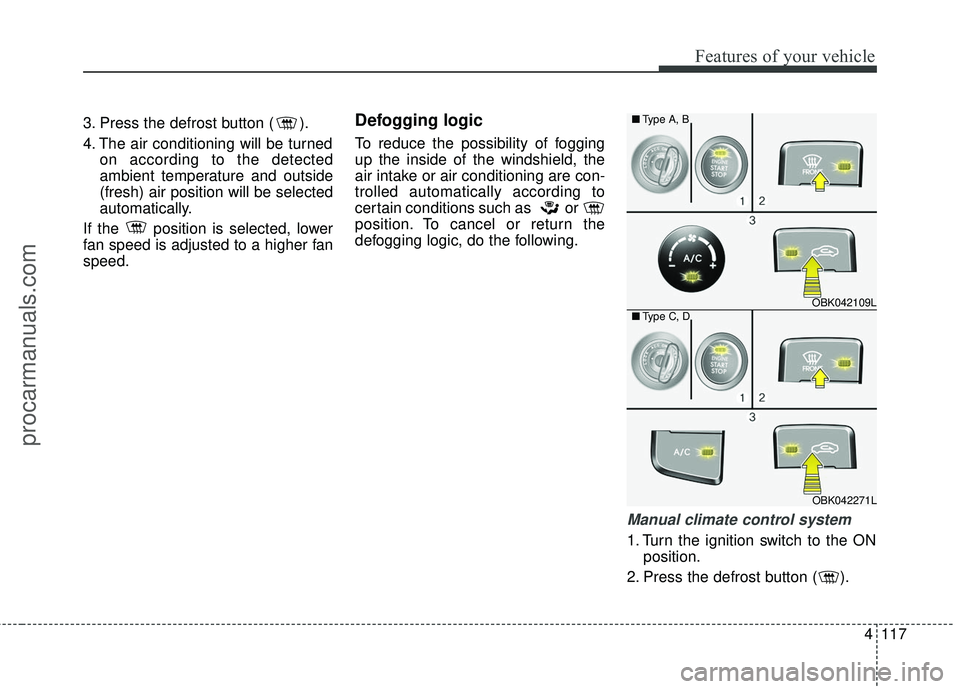
3. Press the defrost button ( ).
4. The air conditioning will be turnedon according to the detected
ambient temperature and outside
(fresh) air position will be selected
automatically.
If the position is selected, lower
fan speed is adjusted to a higher fan
speed.Defogging logic
To reduce the possibility of fogging
up the inside of the windshield, the
air intake or air conditioning are con-
trolled automatically according to
certain conditions such as or
position. To cancel or return the
defogging logic, do the following.
Manual climate control system
1. Turn the ignition switch to the ON position.
2. Press the defrost button ( ).
OBK042109L
OBK042271L
■
Type A, B
■ Type C, D
procarmanuals.com
Page 201 of 475
Features of your vehicle
118
4
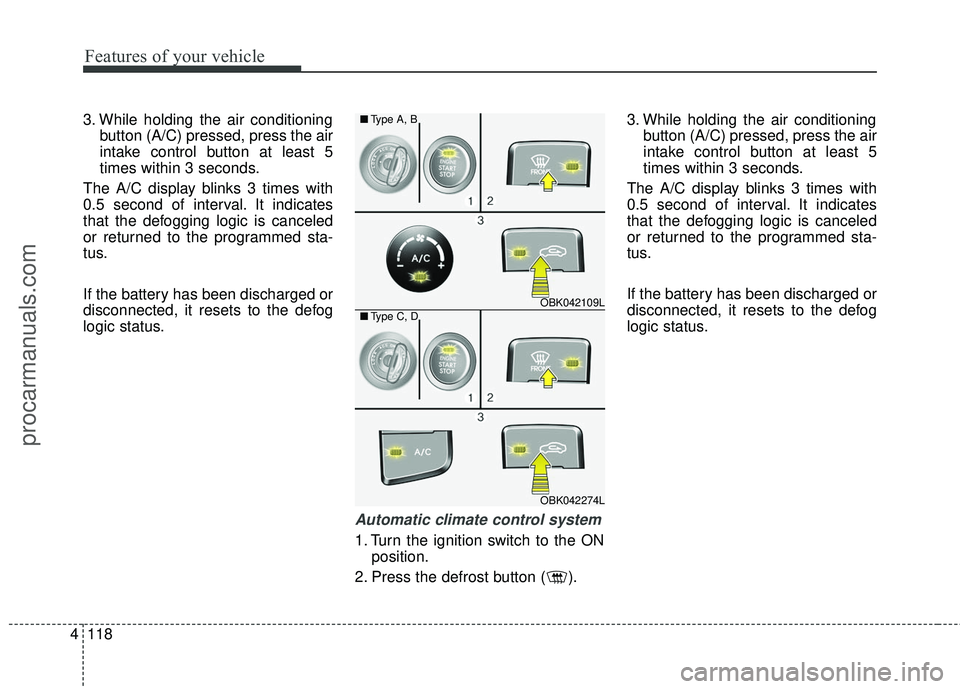
3. While holding the air conditioning
button (A/C) pressed, press the air
intake control button at least 5
times within 3 seconds.
The A/C display blinks 3 times with
0.5 second of interval. It indicates
that the defogging logic is canceled
or returned to the programmed sta-
tus.
If the battery has been discharged or
disconnected, it resets to the defog
logic status.
Automatic climate control system
1. Turn the ignition switch to the ON position.
2. Press the defrost button ( ). 3. While holding the air conditioning
button (A/C) pressed, press the air
intake control button at least 5
times within 3 seconds.
The A/C display blinks 3 times with
0.5 second of interval. It indicates
that the defogging logic is canceled
or returned to the programmed sta-
tus.
If the battery has been discharged or
disconnected, it resets to the defog
logic status.
OBK042109L
OBK042274L
■
Type A, B
■ Type C, D
procarmanuals.com
Page 202 of 475
4119
Features of your vehicle
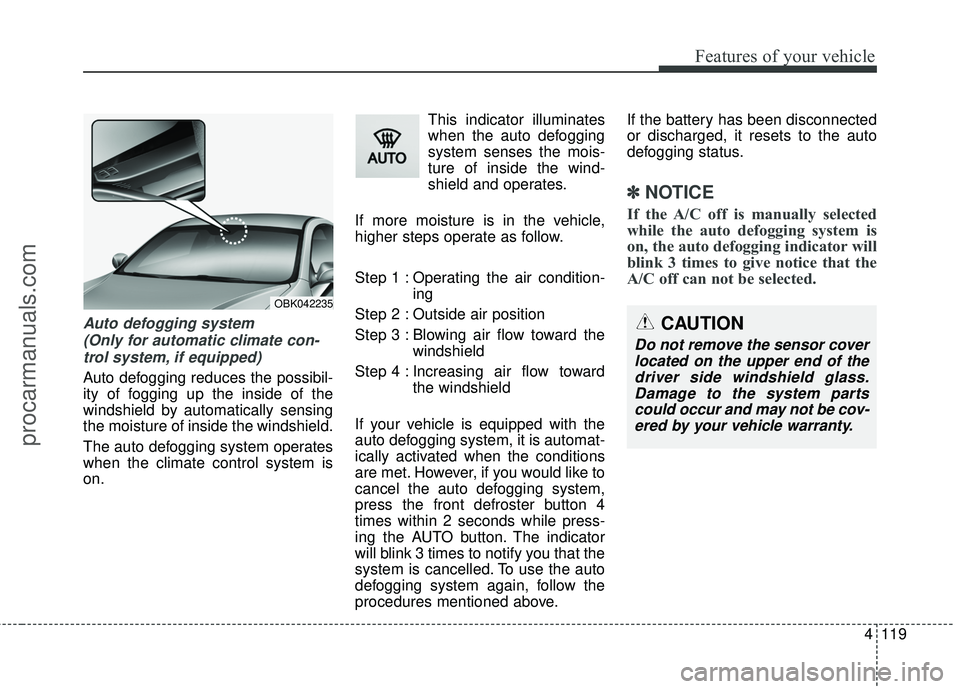
Auto defogging system (Only for automatic climate con-trol system, if equipped)
Auto defogging reduces the possibil-
ity of fogging up the inside of the
windshield by automatically sensing
the moisture of inside the windshield.
The auto defogging system operates
when the climate control system is
on. This indicator illuminates
when the auto defogging
system senses the mois-
ture of inside the wind-
shield and operates.
If more moisture is in the vehicle,
higher steps operate as follow.
Step 1 : Operating the air condition- ing
Step 2 : Outside air position
Step 3 : Blowing air flow toward the windshield
Step 4 : Increasing air flow toward the windshield
If your vehicle is equipped with the
auto defogging system, it is automat-
ically activated when the conditions
are met. However, if you would like to
cancel the auto defogging system,
press the front defroster button 4
times within 2 seconds while press-
ing the AUTO button. The indicator
will blink 3 times to notify you that the
system is cancelled. To use the auto
defogging system again, follow the
procedures mentioned above. If the battery has been disconnected
or discharged, it resets to the auto
defogging status.
✽ ✽
NOTICE
If the A/C off is manually selected
while the auto defogging system is
on, the auto defogging indicator will
blink 3 times to give notice that the
A/C off can not be selected.
OBK042235
CAUTION
Do not remove the sensor cover
located on the upper end of thedriver side windshield glass.Damage to the system partscould occur and may not be cov-ered by your vehicle warranty.
procarmanuals.com
Page 313 of 475
Driving your vehicle
26
5
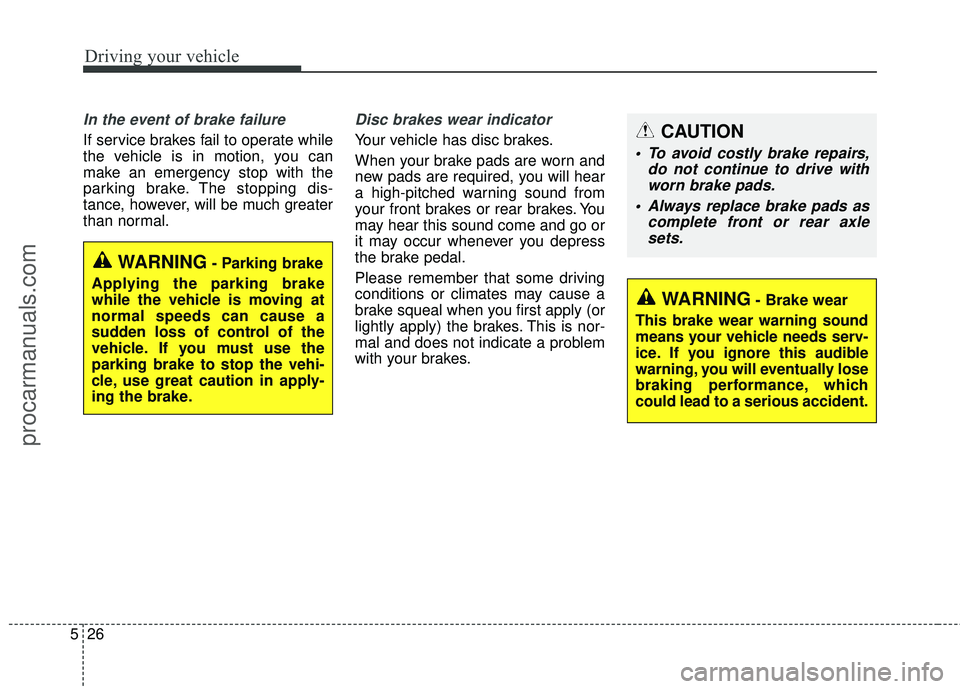
In the event of brake failure
If service brakes fail to operate while
the vehicle is in motion, you can
make an emergency stop with the
parking brake. The stopping dis-
tance, however, will be much greater
than normal.
Disc brakes wear indicator
Your vehicle has disc brakes.
When your brake pads are worn and
new pads are required, you will hear
a high-pitched warning sound from
your front brakes or rear brakes. You
may hear this sound come and go or
it may occur whenever you depress
the brake pedal.
Please remember that some driving
conditions or climates may cause a
brake squeal when you first apply (or
lightly apply) the brakes. This is nor-
mal and does not indicate a problem
with your brakes.
WARNING- Brake wear
This brake wear warning sound
means your vehicle needs serv-
ice. If you ignore this audible
warning, you will eventually lose
braking performance, which
could lead to a serious accident.
CAUTION
To avoid costly brake repairs, do not continue to drive withworn brake pads.
Always replace brake pads as complete front or rear axlesets.
WARNING- Parking brake
Applying the parking brake
while the vehicle is moving at
normal speeds can cause a
sudden loss of control of the
vehicle. If you must use the
parking brake to stop the vehi-
cle, use great caution in apply-
ing the brake.
procarmanuals.com