battery Hyundai Creta 2016 User Guide
[x] Cancel search | Manufacturer: HYUNDAI, Model Year: 2016, Model line: Creta, Model: Hyundai Creta 2016Pages: 512, PDF Size: 11.54 MB
Page 150 of 512
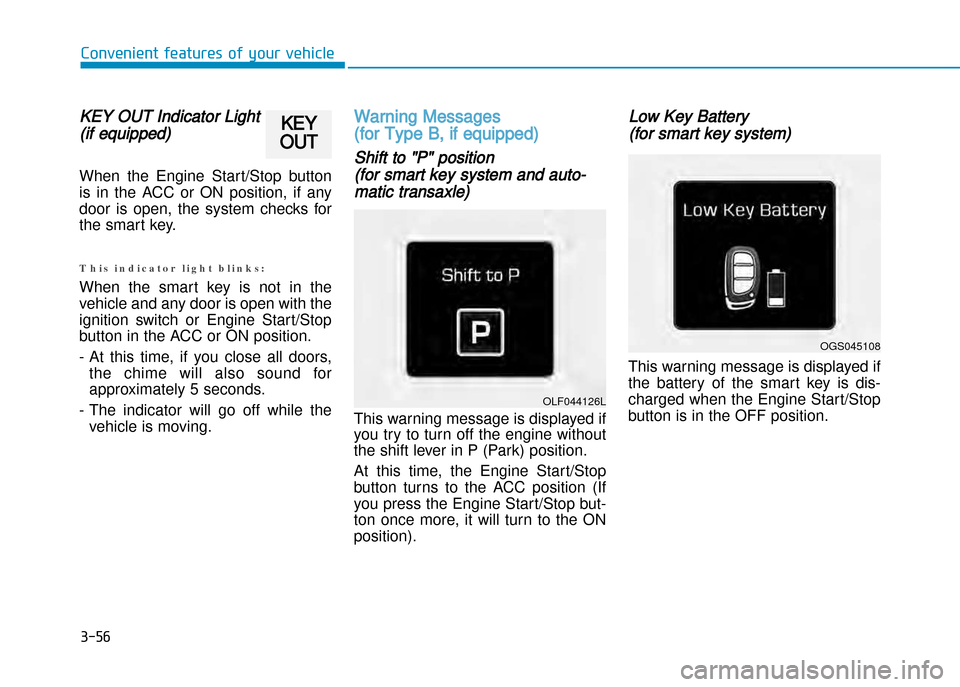
KEY OUT Indicator Light
(if equipped)
When the Engine Start/Stop button
is in the ACC or ON position, if any
door is open, the system checks for
the smart key.
T h i s i n d i c a t o r l i g h t b l i n k s :
When the smart key is not in the
vehicle and any door is open with the
ignition switch or Engine Start/Stop
button in the ACC or ON position.
At this time, if you close all doors, the chime will also sound for
approximately 5 seconds.
The indicator will go off while the vehicle is moving.
Warning Messages
(for Type B, if equipped)
Shift to "P" position
(for smart key system and auto
matic transaxle)
This warning message is displayed if
you try to turn off the engine without
the shift lever in P (Park) position.
At this time, the Engine Start/Stop
button turns to the ACC position (If
you press the Engine Start/Stop but
ton once more, it will turn to the ONposition).
Low Key Battery
(for smart key system)
This warning message is displayed if
the battery of the smart key is dis
charged when the Engine Start/Stop
button is in the OFF position.
3-56
Convenient features of your vehicle
OGS045108
OLF044126L
KEY
OUT
Page 171 of 512
3-77
Convenient features of your vehicle
Battery saver function
The purpose of this feature is to pre
vent the battery from being dis
charged. The system automatically
turns off the parking lights when the
driver removes the ignition key or
turns the engine off (for smart key)
and opens the driverside door.
With this feature, the parking lights
will turn off automatically if the driver
parks on the side of road at night.
If necessary, to keep the lights on
when the ignition key is removed or
the engine is turned off (for smart
key), perform the following:
1) Open the driverside door.
2) Turn the parking lights OFF andON again using the light switch on
the steering column.
Headlamp delay function
(if equipped)
If the key is removed from the ignition
switch or placed in the ACC or
LOCK/OFF position with the head
lights ON, the headlights (and/or
parking lights) remain on for about 5
minutes. However, with the engine off
if the driver’s door is opened and
closed, the headlights (and/or parking
lights) are turned off after 15 seconds.
The headlights (and/or parking
lights) can be turned off by pressing
the lock button on the remote key (or
smart key) twice or turning the light
switch to the OFF or AUTO position.
However, if you turn the light switch
to the AUTO position when it is dark
outside, the headlights will not be
turned off.If the driver gets out of the vehicle
through other doors (except driver's
door), the battery saver function
does not operate and the headlamp
delay function does not turn off auto
matically. Therefore, It causes the
battery to be discharged. In this
case, make sure to turn off the lamp
before getting out of the vehicle.
NOTICE
Page 173 of 512
3-79
Convenient features of your vehicle
Interior lights
Do not use the interior lights for
extended periods when the engine is
turned off or the battery will dis
charge.
Interior lamp AUTO cut
The interior lamps will automatically
go off approximately 20 minutes after
the engine is turned off and the
doors closed. If a door is opened, the
lamp will go off 40 minutes after the
engine is turned off. If the doors are
locked by the remote key or smart
key and the vehicle enters the armed
stage of the theft alarm system, the
lamps will go off five seconds later.
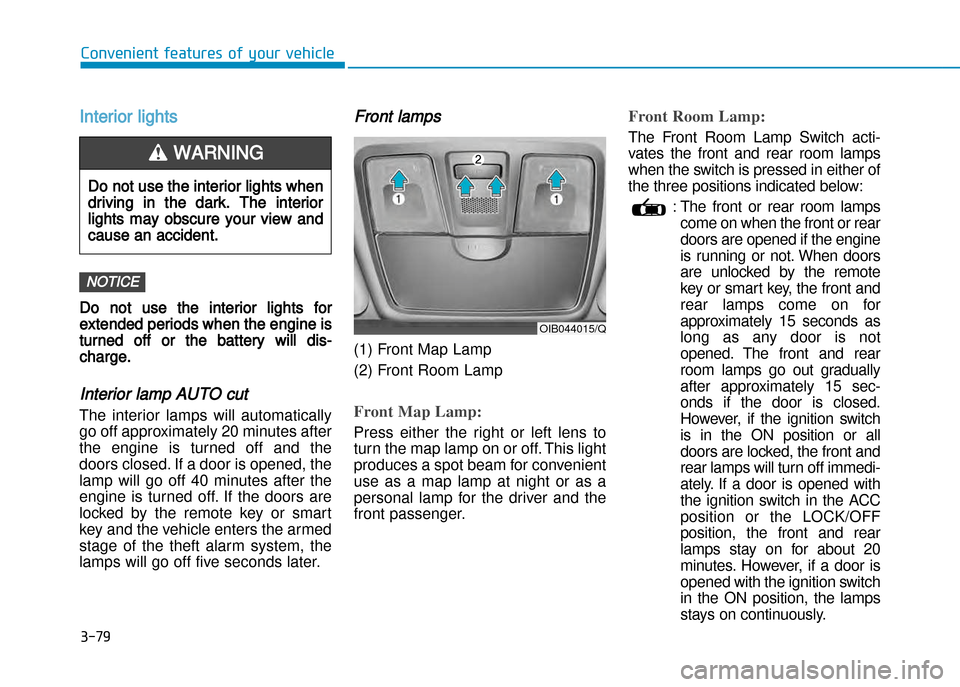
Front lamps
(1) Front Map Lamp
(2) Front Room Lamp
Front Map Lamp:
Press either the right or left lens to
turn the map lamp on or off. This light
produces a spot beam for convenient
use as a map lamp at night or as a
personal lamp for the driver and the
front passenger.
Front Room Lamp:
The Front Room Lamp Switch acti
vates the front and rear room lamps
when the switch is pressed in either of
the three positions indicated below:
: The front or rear room lampscome on when the front or rear
doors are opened if the engine
is running or not. When doors
are unlocked by the remote
key or smart key, the front and
rear lamps come on for
approximately 15 seconds as
long as any door is not
opened. The front and rear
room lamps go out gradually
after approximately 15 sec
onds if the door is closed.
However, if the ignition switch
is in the ON position or all
doors are locked, the front and
rear lamps will turn off immedi
ately. If a door is opened with
the ignition switch in the ACC
position or the LOCK/OFF
position, the front and rear
lamps stay on for about 20
minutes. However, if a door is
opened with the ignition switch
in the ON position, the lamps
stays on continuously.
NOTICE
OIB044015/Q
Do not use the interior lights when
driving in the dark. The interior
lights may obscure your view and
cause an accident.
WARNING
Page 209 of 512
3-115
Convenient features of your vehicle
iNtERioR FEAtURES
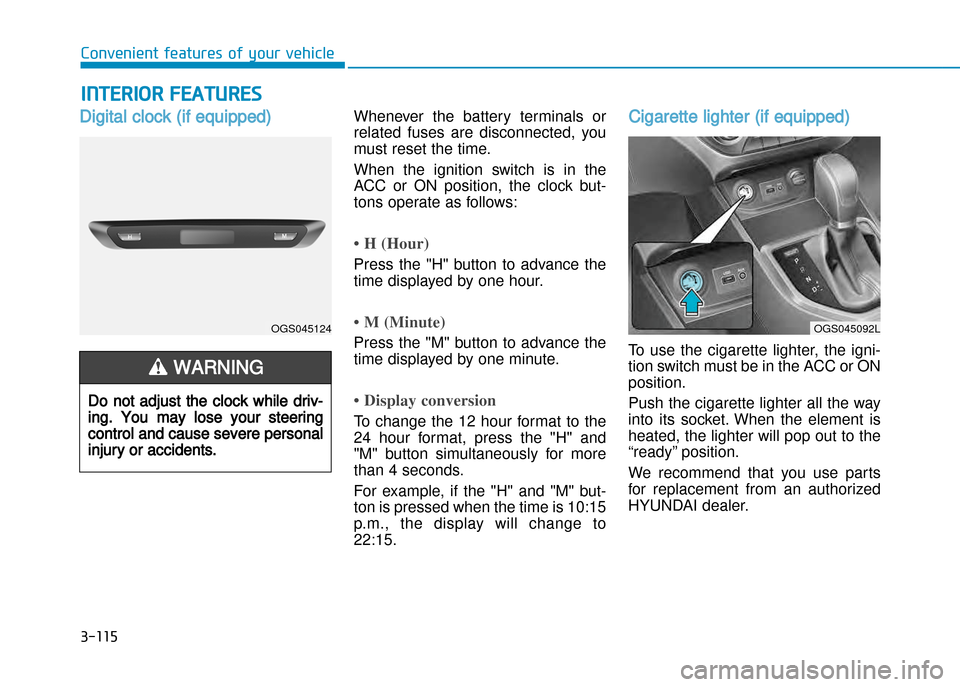
Digital clock (if equipped)Whenever the battery terminals or
related fuses are disconnected, you
must reset the time.
When the ignition switch is in the
ACC or ON position, the clock but
tons operate as follows:
• H (Hour)
Press the "H" button to advance the
time displayed by one hour.
• M (Minute)
Press the "M" button to advance the
time displayed by one minute.
• Display conversion
To change the 12 hour format to the
24 hour format, press the "H" and
"M" button simultaneously for more
than 4 seconds.
For example, if the "H" and "M" but
ton is pressed when the time is 10:15
p.m., the display will change to22:15.
Cigarette lighter (if equipped)
To use the cigarette lighter, the igni
tion switch must be in the ACC or ONposition.
Push the cigarette lighter all the way
into its socket. When the element is
heated, the lighter will pop out to the
“ready” position.
We recommend that you use parts
for replacement from an authorized
HYUNDAI dealer.
Do not adjust the clock while driv
ing. You may lose your steering
control and cause severe personal
injury or accidents.
WARNING
OGS045124OGS045092L
Page 213 of 512
3-119
Convenient features of your vehicle
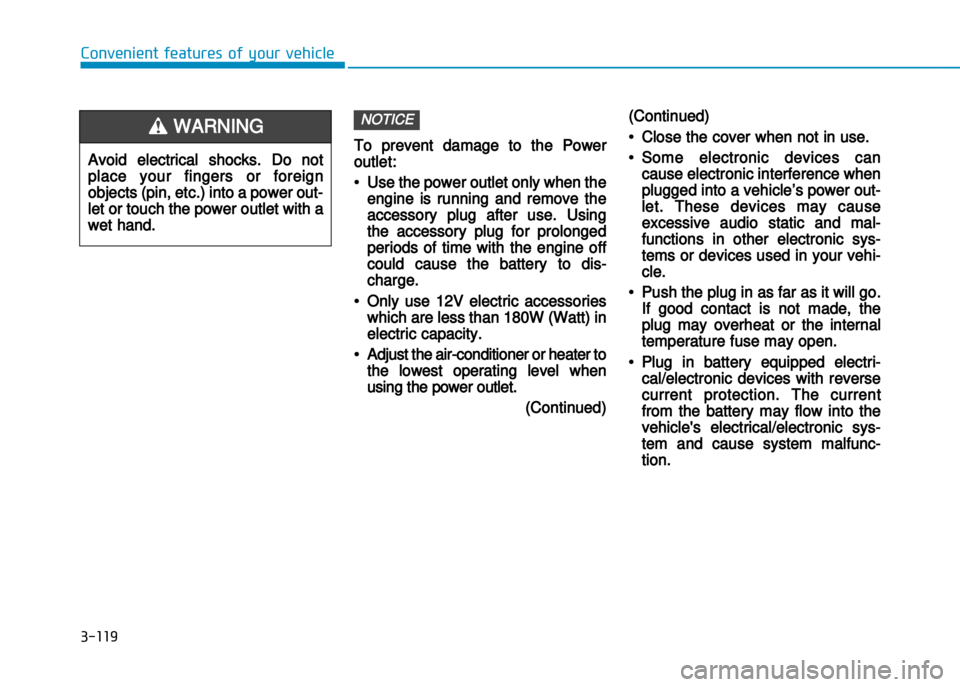
To prevent damage to the Power
outlet:
•Use the power outlet only when the
engine is running and remove the
accessory plug after use. Using
the accessory plug for prolonged
periods of time with the engine off
could cause the battery to dis
charge.
•Only use 12V electric accessories
which are less than 180W (Watt) in
electric capacity.
•Adjust the airconditioner or heater to
the lowest operating level when
using the power outlet.
(Continued)
(Continued)
•Close the cover when not in use.
•Some electronic devices can
cause electronic interference when
plugged into a vehicle’s power out
let. These devices may cause
excessive audio static and mal
functions in other electronic sys
tems or devices used in your vehi
cle.
•Push the plug in as far as it will go.
If good contact is not made, the
plug may overheat or the internal
temperature fuse may open.
•Plug in battery equipped electri
cal/electronic devices with reverse
current protection. The current
from the battery may flow into the
vehicle's electrical/electronic sys
tem and cause system malfunc
tion.
NOTICE
Avoid electrical shocks. Do not
place your fingers or foreign
objects (pin, etc.) into a power out
let or touch the power outlet with a
wet hand.
WARNING
Page 233 of 512
4-15
Multimedia System
4
(Continued)
When the EQ features of an exter-nal device, such as the iPod ®
, and
the audio system are both active,
EQ effects could overlap and cause
sound deterioration and distortion.
Whenever possible, turn off the EQ
feature within the external device
upon use by connecting with the
audio system.
Noise may occur when an iPod ®
or
AUX device is connected. When
such devices are not being used, dis-
connect the device for storage.
When the iPod ®
or AUX device
power is connected to the power
jack, playing the external device
may result in noise. In such cases,
disconnect the power connection
before use.
Skipping or improper operation may occur depending on the characteris-
tics of your iPod ®
/Phone ®
device.
(Continued) (Continued)
If your iPhone
®
is connected to both
the Bluetooth ®
Wireless Technology
and USB, the sound may not be
properly played. In your iPhone ®
,
select the Dock connector or
Bluetooth ®
Wireless Technology to
change the sound output (source).
iPod mode cannot be operated when the iPod ®
cannot be recognized due
to versions that do not support com-
munication protocols.
For fifth generation iPod ®
Nano
devices, the iPod ®
may not be recog-
nized when the battery level is low.
Please charge the iPod ®
for use.
Search/play orders shown within the iPod ®
device may differ with the
orders shown within the audio sys-
tem.
If the iPod ®
malfunctions due to an
iPod ®
device defect, reset the iPod ®
and try again. (To learn more, refer
to your iPod ®
manual)
(Continued) (Continued)
Some iPod
®
s may not sync with the
System depending on its version. If
the Media is removed before the
Media is recognized, then the sys-
tem may not properly restore the
previously operated mode. (iPad ®
charging is not supported.)
Beside support 1M cable when pur- chasing iPod/iPhone products, Long
Cable cannot be recognized.
Page 235 of 512
4-17
Multimedia System
4
Information -When connect-
ing a Bluetooth ®
phone
Before connecting the head unit with the mobile phone, check to see
that the mobile phone supports
Bluetooth ®
features.
Even if the phone supports Bluetooth ®
, the phone will not be
found during device searches if the
phone has been set to hidden state
or the Bluetooth ®
power is turned
off. Disable the hidden state or turn
on the Bluetooth ®
power prior to
searching/connecting with the Head
unit.
Bluetooth phone is automatically connected when the ignition on.
If you do not want automatic con- nection with your Bluetooth ®
device, turn off the Bluetooth ®
fea-
ture within your mobile phone.
The Handsfree call volume and quality may differ depending on the
mobile phone.
(Continued)(Continued)
Park the vehicle when connecting
the head unit with the mobile phone.
Bluetooth ®
connection may become
intermittently disconnected in some
mobile phones. Follow these steps to
try again.
1. Within the mobile phone, turn the Bluetooth ®
function off/on and try
again.
2. Turn the mobile phone power Off/On and try again.
3. Completely remove the mobile phone battery, reboot, and then
again.
4. Reboot the Audio System and try again.
5. Delete all paired devices, pair and try again.
Handsfree call quality and volume may differ depending on the model
of your mobile phone.i
Page 269 of 512
4-51
Multimedia System
4
(Continued)
If you do not want to automaticallyconnect your Bluetooth®
Wireless
Technology phone, try the following.
1. Turn off the Bluetooth®
Wireless
Technology feature in your mobile
phone.
- For more information on Bluetooth ®
Wireless Technology fea-
tures within your mobile, refer to
your mobile phone user’s manual.
2. Turn off the Bluetooth®
Wireless
Technology feature in your car
audio system.
- To turn off the Bluetooth®
Wireless
Technology feature in your car
audio system, go to
[Phone] and [turn off] the
Bluetooth ®
Wireless Technology fea-
ture.
Park the vehicle when connecting the car audio system with your mobile
phone.
(Continued)(Continued)
Bluetooth ®
Wireless Technology con-
nection may become intermittently
disconnected in some mobile phones.
Follow these steps to try again.
1. Turn the Bluetooth®
Wireless
Technology function within the
mobile phone off/on and try
again.
2. Turn the mobile phone power Off/On and try again.
3. Completely remove the mobile phone battery, reboot, and then
again.
4. Reboot the audio system and try again.
5. Delete all paired devices, pair and try again.
The Handsfree call volume and quality may differ depending on the
mobile phone.
(Continued)(Continued)
Bluetooth ®
Wireless Technology fea-
tures supported within the vehicle
are as follows. Some features may
not be supported depending on your
Bluetooth ®
Wireless Technologydevice.
- Answering and placing Bluetooth®
Wireless Technology Handsfree
calls
- Menu operation during call (Switch to Private, Switch to call
waiting, Outgoing volume)
- Download Call History
- Download Mobile Phone book
- Phone book/Call History Auto Download
- Bluetooth ®
Wireless Technology
device auto connection -
Bluetooth ®
Wireless Technology
Audio
It is possible to pair up to five Bluetooth ®
Wireless Technology
devices to the car system.
(Continued)
SETUP
Page 309 of 512
4-91
Multimedia System
4
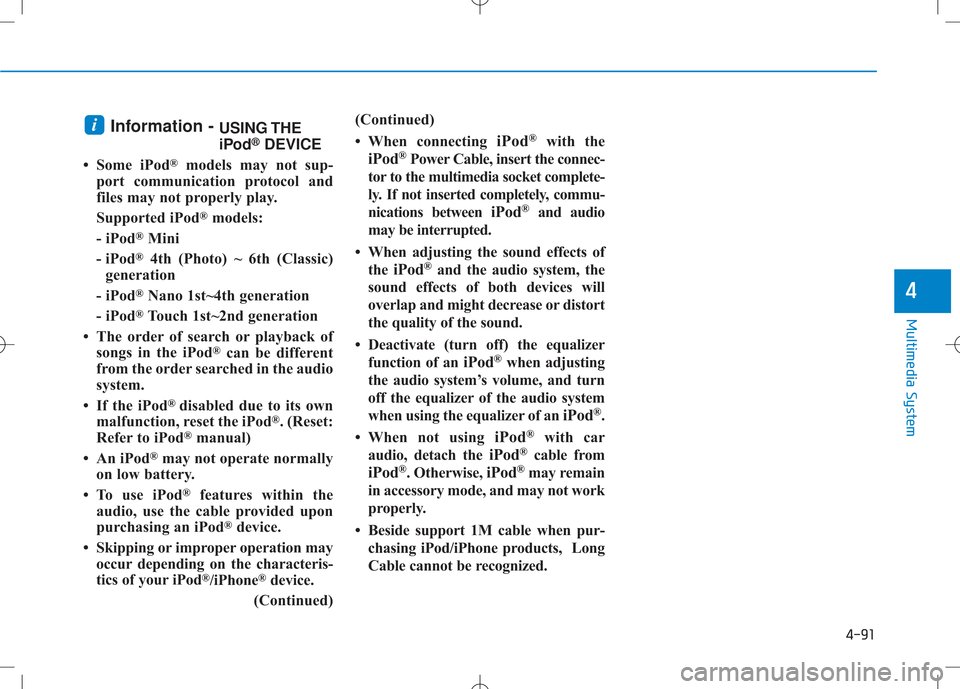
Information - USING THE
iPod®
DEVICE
Some iPod ®
models may not sup-
port communication protocol and
files may not properly play.
Supported iPod ®
models:
- iPod ®
Mini
- iPod ®
4th (Photo) ~ 6th (Classic)
generation
- iPod ®
Nano 1st~4th generation
- iPod ®
Touch 1st~2nd generation
The order of search or playback of songs in the iPod ®
can be different
from the order searched in the audio
system.
If the iPod ®
disabled due to its own
malfunction, reset the iPod ®
. (Reset:
Refer to iPod ®
manual)
An iPod ®
may not operate normally
on low battery.
To use iPod ®
features within the
audio, use the cable provided upon
purchasing an iPod ®
device.
Skipping or improper operation may occur depending on the characteris-
tics of your iPod ®
/iPhone ®
device.
(Continued) (Continued)
When connecting
iPod®
with the
iPod ®
Power Cable, insert the connec-
tor to the multimedia socket complete-
ly. If not inserted completely, commu-
nications between iPod®
and audio
may be interrupted.
When adjusting the sound effects of the iPod ®
and the audio system, the
sound effects of both devices will
overlap and might decrease or distort
the quality of the sound.
Deactivate (turn off) the equalizer function of an iPod®
when adjusting
the audio system’s volume, and turn
off the equalizer of the audio system
when using the equalizer of an iPod®
.
When not using iPod®
with car
audio, detach the iPod®
cable from
iPod ®
. Otherwise, iPod®
may remain
in accessory mode, and may not work
properly.
Beside support 1M cable when pur- chasing iPod/iPhone products, Long
Cable cannot be recognized.i
Page 318 of 512
5-6
Driving your vehicle
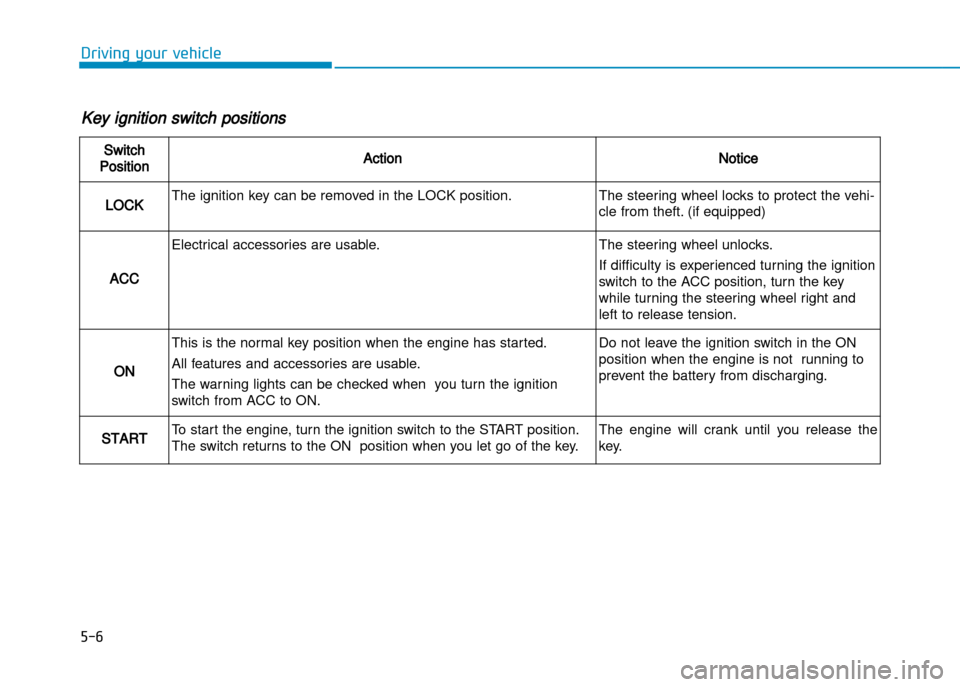
Key ignition switch positions
Switch
PositionActionNotice
LOCKThe ignition key can be removed in the LOCK position.The steering wheel locks to protect the vehi
cle from theft. (if equipped)
ACC
Electrical accessories are usable.The steering wheel unlocks.
If difficulty is experienced turning the ignition
switch to the ACC position, turn the key
while turning the steering wheel right and
left to release tension.
ON
This is the normal key position when the engine has started.
All features and accessories are usable.
The warning lights can be checked when you turn the ignition
switch from ACC to ON.Do not leave the ignition switch in the ON
position when the engine is not running to
prevent the battery from discharging.
STARTTo start the engine, turn the ignition switch to the START position.
The switch returns to the ON position when you let go of the key.The engine will crank until you release the
key.