VIN Hyundai Creta 2016 Repair Manual
[x] Cancel search | Manufacturer: HYUNDAI, Model Year: 2016, Model line: Creta, Model: Hyundai Creta 2016Pages: 512, PDF Size: 11.54 MB
Page 215 of 512
3-121
Convenient features of your vehicle
Luggage net holder
(if equipped)
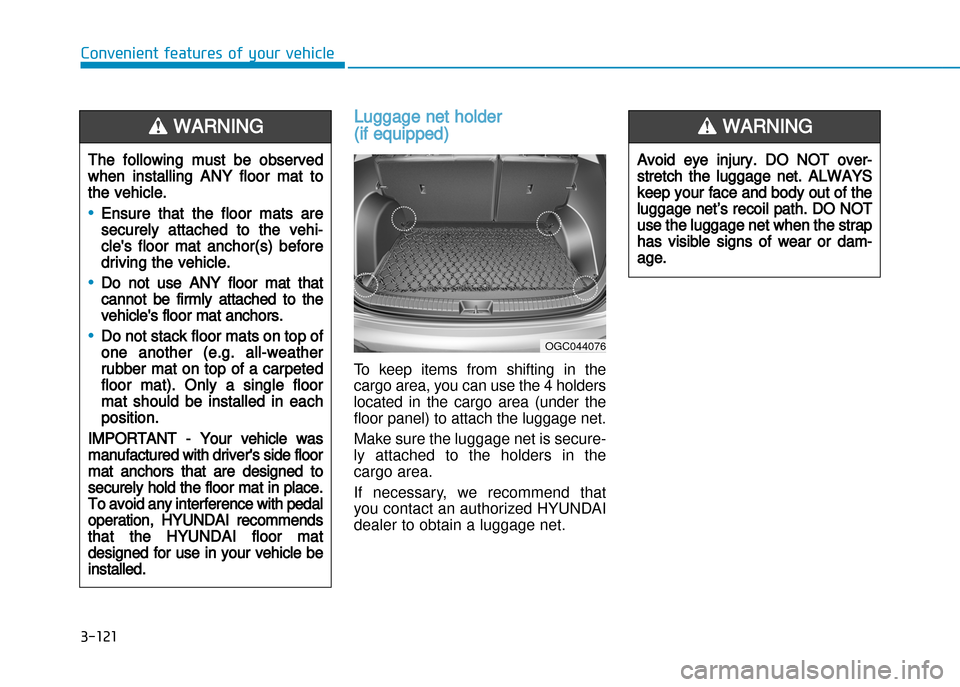
To keep items from shifting in the
cargo area, you can use the 4 holders
located in the cargo area (under the
floor panel) to attach the luggage net.
Make sure the luggage net is secure
ly attached to the holders in the
cargo area.
If necessary, we recommend that
you contact an authorized HYUNDAI
dealer to obtain a luggage net.
The following must be observed
when installing ANY floor mat to
the vehicle.
•Ensure that the floor mats are
securely attached to the vehi
cle's floor mat anchor(s) before
driving the vehicle.
•Do not use ANY floor mat that
cannot be firmly attached to the
vehicle's floor mat anchors.
•Do not stack floor mats on top of
one another (e.g. allweather
rubber mat on top of a carpeted
floor mat). Only a single floor
mat should be installed in each
position.
IMPORTANT Your vehicle was
manufactured with driver's side floor
mat anchors that are designed to
securely hold the floor mat in place.
To avoid any interference with pedal
operation, HYUNDAI recommends
that the HYUNDAI floor mat
designed for use in your vehicle be
installed.
WARNING
OGC044076
Avoid eye injury. DO NOT over
stretch the luggage net. ALWAYS
keep your face and body out of the
luggage net’s recoil path. DO NOT
use the luggage net when the strap
has visible signs of wear or dam
age.
WARNING
Page 217 of 512
Roof rack (if equipped)
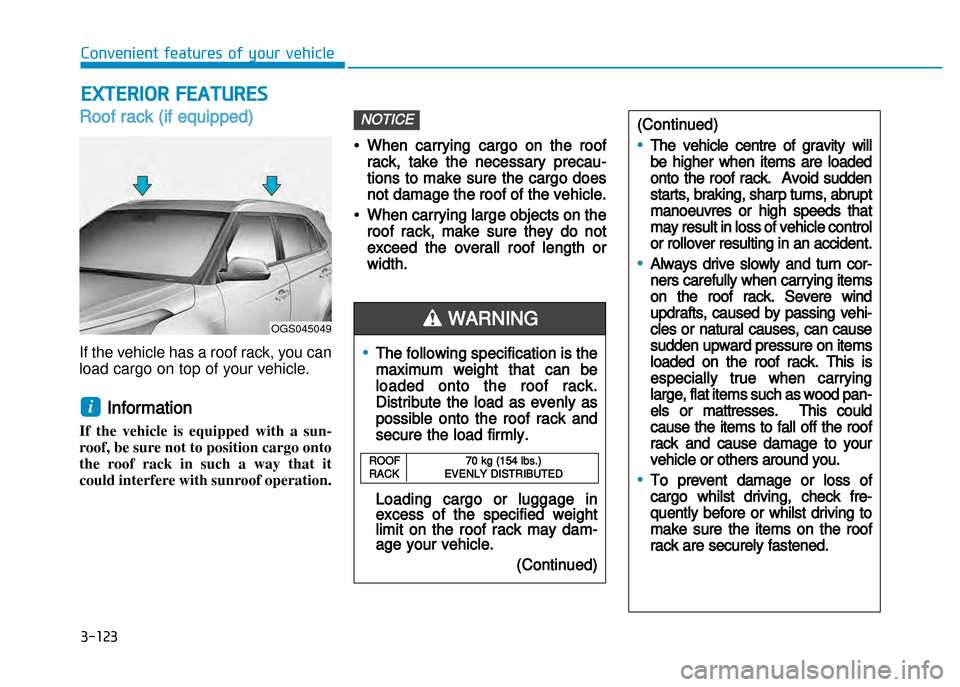
If the vehicle has a roof rack, you can
load cargo on top of your vehicle.
Information
If the vehicle is equipped with a sun
roof, be sure not to position cargo onto
the roof rack in such a way that it
could interfere with sunroof operation.
•When carrying cargo on the roof
rack, take the necessary precau
tions to make sure the cargo does
not damage the roof of the vehicle.
•When carrying large objects on the
roof rack, make sure they do not
exceed the overall roof length or
width.
NOTICE
i
ExtERioR FEAtURES
•The following specification is the
maximum weight that can be
loaded onto the roof rack.
Distribute the load as evenly as
possible onto the roof rack and
secure the load firmly.
Loading cargo or luggage inexcess of the specified weightlimit on the roof rack may damage your vehicle.
(Continued)
WARNING
(Continued)
•The vehicle centre of gravity will
be higher when items are loaded
onto the roof rack. Avoid sudden
starts, braking, sharp turns, abrupt
manoeuvres or high speeds that
may result in loss of vehicle control
or rollover resulting in an accident.
•Always drive slowly and turn cor
ners carefully when carrying items
on the roof rack. Severe wind
updrafts, caused by passing vehi
cles or natural causes, can cause
sudden upward pressure on items
loaded on the roof rack. This is
especially true when carrying
large, flat items such as wood pan
els or mattresses. This could
cause the items to fall off the roof
rack and cause damage to your
vehicle or others around you.
•To prevent damage or loss of
cargo whilst driving, check fre
quently before or whilst driving to
make sure the items on the roof
rack are securely fastened.
ROOF70 kg (154 lbs.)RACK EVENLY DISTRIBUTED
OGS045049
Convenient features of your vehicle
3-123
Page 222 of 512
Steering wheel audio control (if equipped)
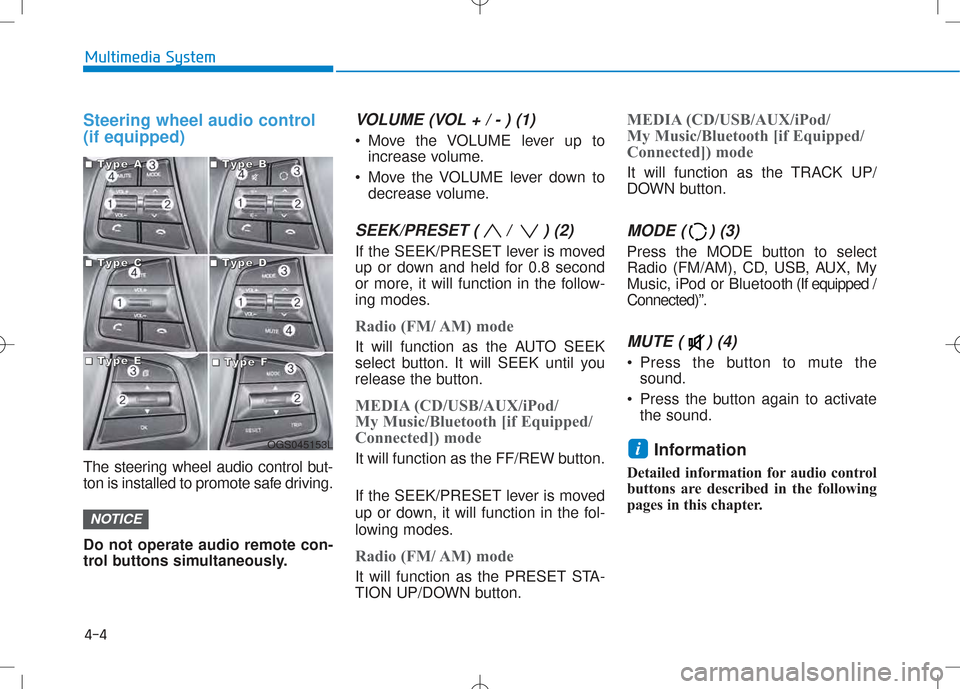
The steering wheel audio control but-
ton is installed to promote safe driving. Do not operate audio remote con-
trol buttons simultaneously.
VOLUME (VOL + / - ) (1)
Move the VOLUME lever up toincrease volume.
Move the VOLUME lever down to decrease volume.
SEEK/PRESET ( / ) (2)
If the SEEK/PRESET lever is moved
up or down and held for 0.8 second
or more, it will function in the follow-
ing modes.
Radio (FM/ AM) mode
It will function as the AUTO SEEK
select button. It will SEEK until you
release the button.
MEDIA (CD/USB/AUX/iPod/
My Music/Bluetooth [if Equipped/
Connected]) mode
It will function as the FF/REW button.
If the SEEK/PRESET lever is moved
up or down, it will function in the fol-
lowing modes.
Radio (FM/ AM) mode
It will function as the PRESET STA-
TION UP/DOWN button.
MEDIA (CD/USB/AUX/iPod/
My Music/Bluetooth [if Equipped/
Connected]) mode
It will function as the TRACK UP/
DOWN button.
MODE ( ) (3)
Press the MODE button to select
Radio (FM/AM), CD, USB, AUX, My
Music, iPod or Bluetooth (If equipped /
Connected)”.
MUTE ( ) (4)
Press the button to mute the sound.
Press the button again to activate the sound.
Information
Detailed information for audio control
buttons are described in the following
pages in this chapter.
i
NOTICE
4-4
Multimedia System
OGS045153L
■■■■TTTTyyyyppppeeee AAAA■■■■TTTTyyyyppppeeee BBBB
■■■■TTTTyyyyppppeeee CCCC■■■■TTTTyyyyppppeeee DDDD
■■■■TTTTyyyyppppeeee EEEE■■■■TTTTyyyyppppeeee FFFF
Page 228 of 512
4-10
Multimedia System
Using a cellular phone or a two-way radio
When a cellular phone is used inside
the vehicle, noise may be produced
from the audio system. This does notmean that something is wrong with
the audio equipment. In such a case,
try to operate mobile devices as far
from the audio equipment as possible. NOTE:
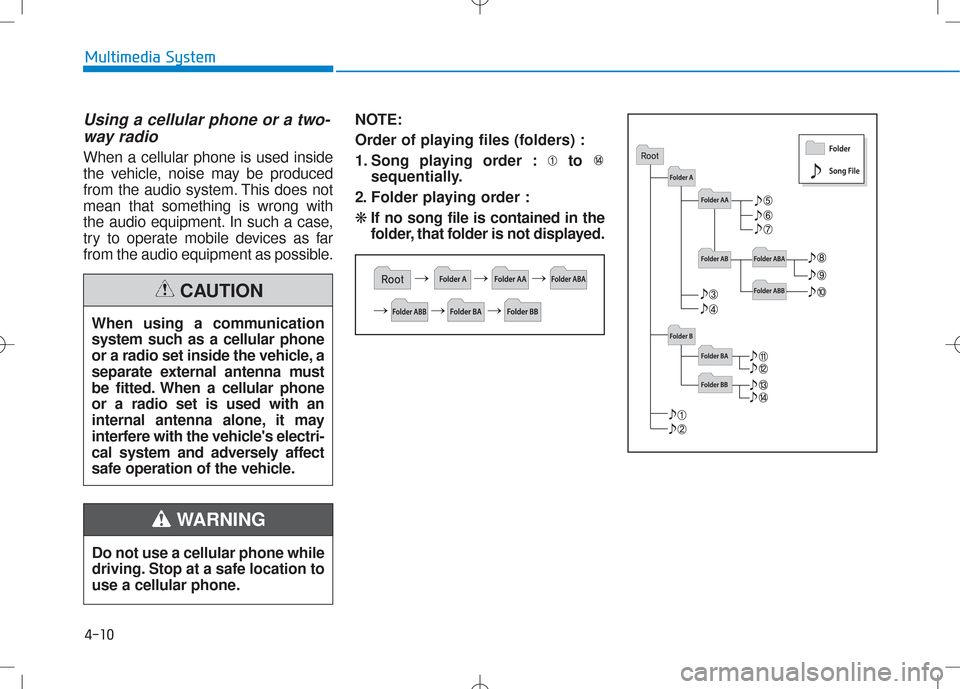
Order of playing files (folders) :
1. Song playing order : to
sequentially.
2. Folder playing order :❋ If no song file is contained in the
folder, that folder is not displayed.
Do not use a cellular phone while
driving. Stop at a safe location to
use a cellular phone.
WARNING
When using a communication
system such as a cellular phone
or a radio set inside the vehicle, a
separate external antenna must
be fitted. When a cellular phoneor a radio set is used with an
internal antenna alone, it may
interfere with the vehicle's electri-
cal system and adversely affect
safe operation of the vehicle.
CAUTION
Page 229 of 512
4-11
Multimedia System
4
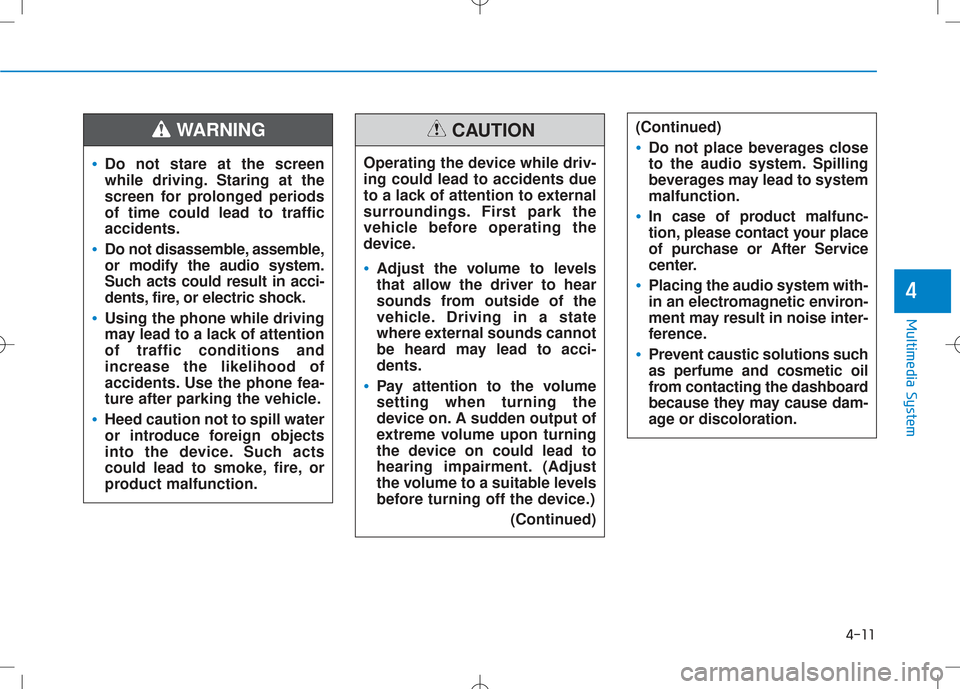
(Continued)
•Do not place beverages close
to the audio system. Spilling
beverages may lead to systemmalfunction.
•In case of product malfunc-
tion, please contact your place
of purchase or After Service
center.
•Placing the audio system with-
in an electromagnetic environ-
ment may result in noise inter-
ference.
•Prevent caustic solutions such as perfume and cosmetic oil
from contacting the dashboard
because they may cause dam-
age or discoloration.
•Do not stare at the screen
while driving. Staring at the
screen for prolonged periodsof time could lead to trafficaccidents.
•Do not disassemble, assemble, or modify the audio system.
Such acts could result in acci-
dents, fire, or electric shock.
•Using the phone while driving
may lead to a lack of attentionof traffic conditions andincrease the likelihood of
accidents. Use the phone fea-
ture after parking the vehicle.
•Heed caution not to spill water
or introduce foreign objects
into the device. Such acts
could lead to smoke, fire, or
product malfunction.
WARNING
Operating the device while driv- ing could lead to accidents due
to a lack of attention to external
surroundings. First park the
vehicle before operating the
device.
•Adjust the volume to levels
that allow the driver to hear
sounds from outside of the
vehicle. Driving in a state
where external sounds cannot
be heard may lead to acci-dents.
•Pay attention to the volume setting when turning the
device on. A sudden output of
extreme volume upon turning
the device on could lead to
hearing impairment. (Adjust
the volume to a suitable levels
before turning off the device.)(Continued)
CAUTION
Page 234 of 512
4-16
Multimedia System
Information - Using the AUX
device
If an external device connector is connected with the AUX terminal,
then AUX mode will automatically
operate. Once the connector is dis-
connected, the previous mode will
be restored.
AUX mode can be used only when an external audio player (cam-
corder, car VCR, etc.) has been con-
nected.
The AUX volume can be controlled separately from other audio modes.
Connecting a connector jack to the AUX terminal without an external
device will convert the system to
AUX mode, but only output noise.
When an external device is not
being used, also remove the connec-
tor jack.
When the external device power is connected to the power jack, play-
ing the external device may output
noise. In such cases, disconnect the
power connection before use.
Fully insert the AUX cable to the AUX jack upon use. Information
- Before using
the Bluetooth ®
handsfree
What is Bluetooth ®
?
Bluetooth ®
refers to a short-dis-
tance wireless networking technolo-
gy which uses a 2.4GHz ~ 2.48GHz
frequency to connect various
devices within a certain distance.
Supported within PCs, external devices, Bluetooth ®
phones, Personal
Digital Assistant, various electronic
devices, and automotive environ-
ments, Bluetooth ®
allows data to be
transmitted at high speeds without
having to use a connector cable.
Bluetooth ®
Handsfree refers to a
device which allows the user to con-
veniently make phone calls with
Bluetooth ®
mobile phones through
the audio system.
Bluetooth ®
Handsfree may not be
supported in some mobile phones.
To learn more about mobile device
compatibility. Information
- Precautions for
safe driving
Bluetooth ®
Handsfree is a feature
that enables drivers to practice safe
driving. Connecting the head unit
with a Bluetooth ®
phone allows the
user to conveniently make and
receive calls and use contacts.
Before using Bluetooth ®
, carefully
read the contents of this user’s man-
ual.
Excessive use or operations while driving may lead to negligent driv-
ing practices and result in accidents.
Refrain from excessive operations
while driving.
Viewing the screen for prolonged periods of time is dangerous and
may lead to accidents. When driv-
ing, view the screen only for short
periods of time.iii
Page 244 of 512
4-26
Multimedia System
Using Radio Mode
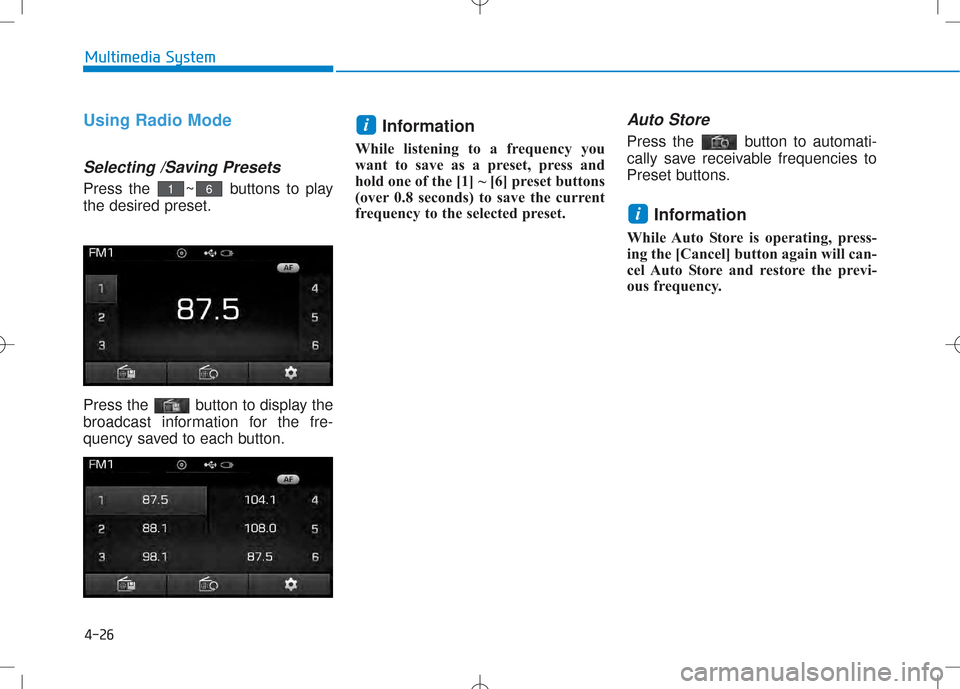
Selecting /Saving Presets
Press the ~ buttons to play the desired preset.
Press the button to display the
broadcast information for the fre-
quency saved to each button.Information
While listening to a frequency you
want to save as a preset, press and
hold one of the [1] ~ [6] preset buttons
(over 0.8 seconds) to save the current
frequency to the selected preset.
Auto Store
Press the button to automati-
cally save receivable frequencies to
Preset buttons.
Information
While Auto Store is operating, press-
ing the [Cancel] button again will can-
cel Auto Store and restore the previ-
ous frequency.
i
i
61
Page 247 of 512
4-29
Multimedia System
4
Searching Radio Frequencies
Using Seek
Press the key to play the
previous/next frequency.
Using TUNE
Turn the TUNE knob to select the
desired frequency.
Using Radio Mode
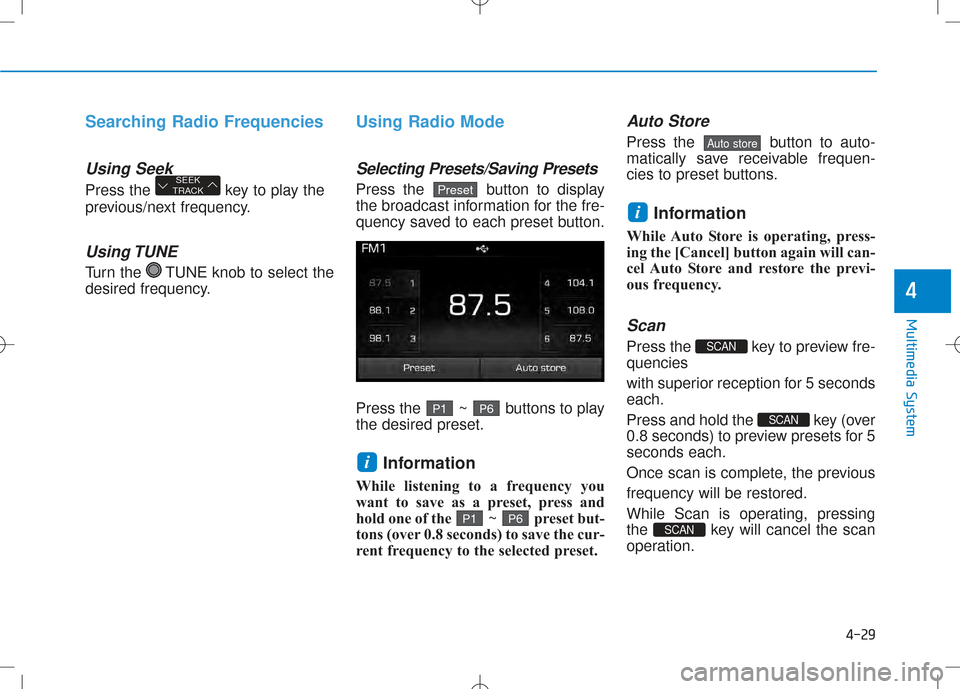
Selecting Presets/Saving Presets
Press the button to display
the broadcast information for the fre-
quency saved to each preset button.
Press the ~ buttons to play the desired preset.Information
While listening to a frequency you
want to save as a preset, press and
hold one of the ~ preset but-
tons (over 0.8 seconds) to save the cur-
rent frequency to the selected preset.
Auto Store
Press the button to auto-
matically save receivable frequen-
cies to preset buttons.
Information
While Auto Store is operating, press-
ing the [Cancel] button again will can-
cel Auto Store and restore the previ-
ous frequency.
Scan
Press the key to preview fre-quencies
with superior reception for 5 seconds each.
Press and hold the key (over
0.8 seconds) to preview presets for 5seconds each.
Once scan is complete, the previousfrequency will be restored.
While Scan is operating, pressing
the key will cancel the scan
operation.
SCAN
SCAN
SCAN
i
Auto store
P 6P1
i
P 6P1
PresetSEEK
TRACK
Page 249 of 512
4-31
Multimedia System
Searching Radio Frequencies
Using Seek
Press the key to play the
previous/next frequency.
Using TUNE
Turn the TUNE knob to select the
desired frequency.
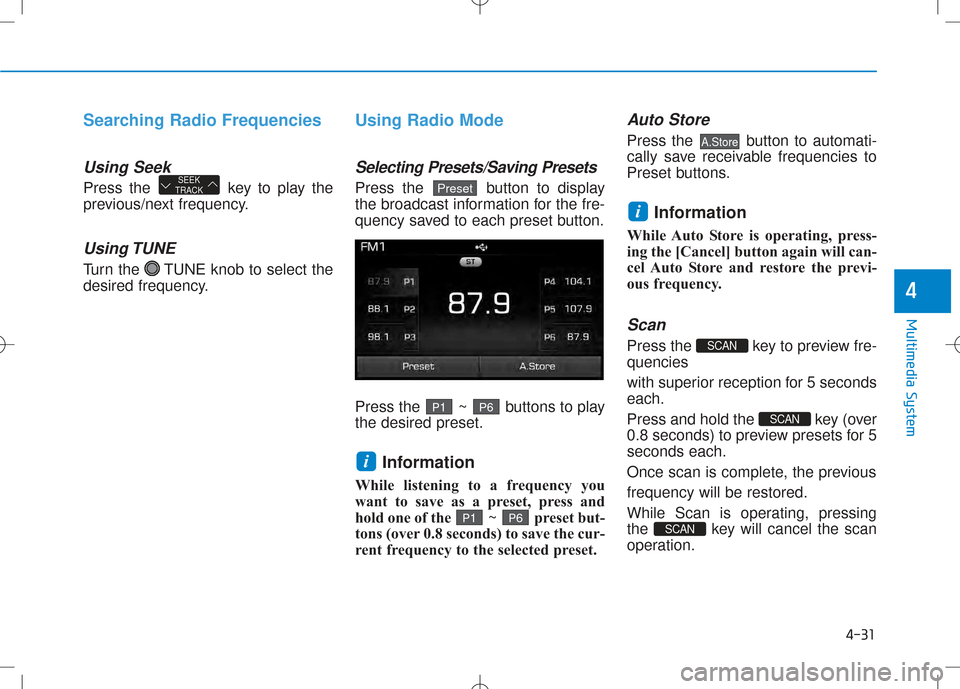
Using Radio Mode
Selecting Presets/Saving Presets
Press the button to display
the broadcast information for the fre-
quency saved to each preset button.
Press the ~ buttons to play the desired preset.Information
While listening to a frequency you
want to save as a preset, press and
hold one of the ~ preset but-
tons (over 0.8 seconds) to save the cur-
rent frequency to the selected preset.
Auto Store
Press the button to automati-
cally save receivable frequencies to
Preset buttons.
Information
While Auto Store is operating, press-
ing the [Cancel] button again will can-
cel Auto Store and restore the previ-
ous frequency.
Scan
Press the key to preview fre-quencies
with superior reception for 5 seconds each.
Press and hold the key (over
0.8 seconds) to preview presets for 5seconds each.
Once scan is complete, the previousfrequency will be restored.
While Scan is operating, pressing
the key will cancel the scan
operation.
SCAN
SCAN
SCAN
i
A.Store
P 6P 1
i
P6P1
PresetSEEK
TRACK
4
Page 268 of 512
4-50
Multimedia System
BBlluu eettoo ootthh®®WW iirr ee llee ssss TT eecchh nnoo lloo ggyy
Using Bluetooth®Wireless
Technology Handsfree
•Bluetooth®Wireless Technology
refers to a short-distance wireless
networking technology which uses a
2.45GHz frequency to connect vari-
ous devices within a certain dis-
tance.
devices,
Bluetooth®Wireless
Technology phones, Personal
Digital Assistant, various electronic
devices, and automotive environ-
ments,
Bluetooth®Wireless
Technology allows data to be trans-
mitted at high speeds without hav-
ing to use a connector cable.
Bluetooth®Wireless Technology
Handsfree refers to a device which
allows the user to conveniently
make phone calls with
Bluetooth®
Wireless Technology mobilephones through the audio system. •
Bluetooth®Wireless Technology
Handsfree is a feature that
enables drivers to practice safe
driving. Connecting the caraudio system with a
Bluetooth®
Wireless Technology phone
allows the user to conveniently
make calls, receive calls, and
manage the phone book. Beforeusing the
Bluetooth®Wireless
Technology , carefully read the
contents of this user’s manual.
• Excessive use or operations while driving may lead to negli-
gent driving practices and bethe cause of accidents.
• Do not operate the device exces- sively while driving.
• Viewing the screen for pro- longed periods of time is dan-
gerous and may lead to acci-
dents. When driving, view the
screen only for short periods of
time. Information - Using upon connecting
Bluetooth®Wireless
Technology phone
Before connecting the car audio sys- tem with the mobile phone, check to
see that the mobile phone supports
Bluetooth ®
Wireless Technology fea-
tures.
Even if the phone supports Bluetooth ®
Wireless Technology, the
phone will not be found during
device searches if the phone has been
set to hidden state or the Bluetooth®
Wireless Technology power is turned
off. Disable the hidden state or turn
on the Bluetooth®
Wireless
Technology power prior to search-
ing/connecting with the car audio
system.
(Continued)
iNOTICE