start stop button Hyundai Creta 2019 User Guide
[x] Cancel search | Manufacturer: HYUNDAI, Model Year: 2019, Model line: Creta, Model: Hyundai Creta 2019Pages: 472, PDF Size: 13.39 MB
Page 143 of 472
3-58
Convenient features of your vehicle
Immobilizer Indicator
Light (with smart key)
(if equipped)
This indicator light illuminates for
up to 30 seconds:
When the vehicle detects the smart
key in the vehicle with the Engine
Start/Stop button in the ACC or ON
position.
- At this time, you can start the engine.
- The indicator light goes off after
starting the engine.
This indicator light blinks for a few
seconds:
When the smart key is not in the
vehicle.
- At this time, you cannot start the
engine.
This indicator light illuminates for
2 seconds and goes off:
If the smart key is in the vehicle and
the Engine Start/Stop button is ON,
but the vehicle cannot detect the
smart key.
In this case, we recommend that you
have the vehicle inspected by an
authorized HYUNDAI dealer.
This indicator light blinks:
When the battery voltage of the
smart key is low.
- At this time, you can not start the
engine. However, you can start the
engine if you press the Engine
Start/Stop button with the smart
key. (For more details, refer to
“Starting the Engine” in chapter 5).
When there is a malfunction with
the immobilizer system.
In this case, we recommend that
you have the vehicle inspected by
an authorized HYUNDAI dealer.
Turn Signal Indicator
Light
This indicator light blinks:
When you operate the turn signal
indicator light.
If any of the following occurs, there
may a malfunction with the turn signal
system.
- The turn signal indicator light illumi-
nates but does not blink
- The turn signal indicator light
blinks rapidly
- The turn signal indicator light does
not illuminate at all
If either of these conditions occur, we
recommend you to have your vehicle
inspected by an authorized HYUNDAI
dealer.
Page 145 of 472
3-60
Convenient features of your vehicle
Overspeed Warning
Light (if equipped)
This warning light blinks:
When you drive the vehicle more
than 120 km/h.
- This is to prevent you from driving
your vehicle with overspeed.
- The overspeed warning chime also
sound for approximately 5 seconds.
Master Warning Light
(if equipped)
This indicator light illuminates :
When the remaining mileage or time
is 0 on the “Service Interval” in the
cluster.
If the service interval setting is reset,
the master warning light turns off.
Glow Indicator Light
(Diesel Engine)
This indicator light illuminates:
When the engine is being preheated
with the ignition switch or Engine
Start/Stop button in the ON position.
- The engine can be started after the
glow indicator light goes off.
- The illumination time varies with
the engine coolant temperature, air
temperature, and battery condition.
If the indicator light remains on or
blinks after the engine has warmed
up or while driving, there may a mal-
function with the engine preheating
system.
In this case, we recommend that you
have the vehicle inspected by an
authorized HYUNDAI dealer.
Information - Engine
Preheating
If the engine does not start within 10
seconds after the preheating is com-
pleted, set the ignition switch or
Engine Start/Stop button to the
LOCK or OFF position for 10 seconds
and then to the ON position in order
to preheat the engine again.i120km/h
Page 146 of 472
3-61
Convenient features of your vehicle
3
KEY OUT Indicator
Light (if equipped)
When the Engine Start/Stop button
is in the ACC or ON position, if any
door is open, the system checks for
the smart key.
This indicator light blinks:
When the smart key is not in the
vehicle and any door is open with the
ignition switch or Engine Start/Stop
button in the ACC or ON position.
- At this time, if you close all doors,
the chime will also sound for
approximately 5 seconds.
- The indicator will go off while the
vehicle is moving.
Warning Messages
(for Type B, if equipped)
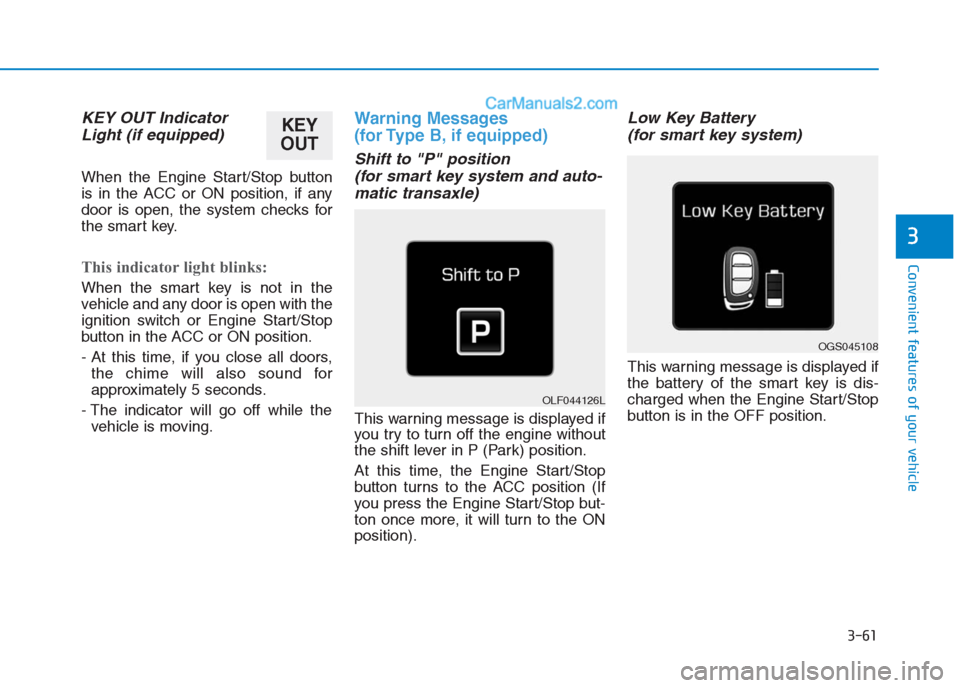
Shift to "P" position
(for smart key system and auto-
matic transaxle)
This warning message is displayed if
you try to turn off the engine without
the shift lever in P (Park) position.
At this time, the Engine Start/Stop
button turns to the ACC position (If
you press the Engine Start/Stop but-
ton once more, it will turn to the ON
position).
Low Key Battery
(for smart key system)
This warning message is displayed if
the battery of the smart key is dis-
charged when the Engine Start/Stop
button is in the OFF position.
OGS045108
OLF044126L
KEY
OUT
Page 147 of 472
3-62
Convenient features of your vehicle
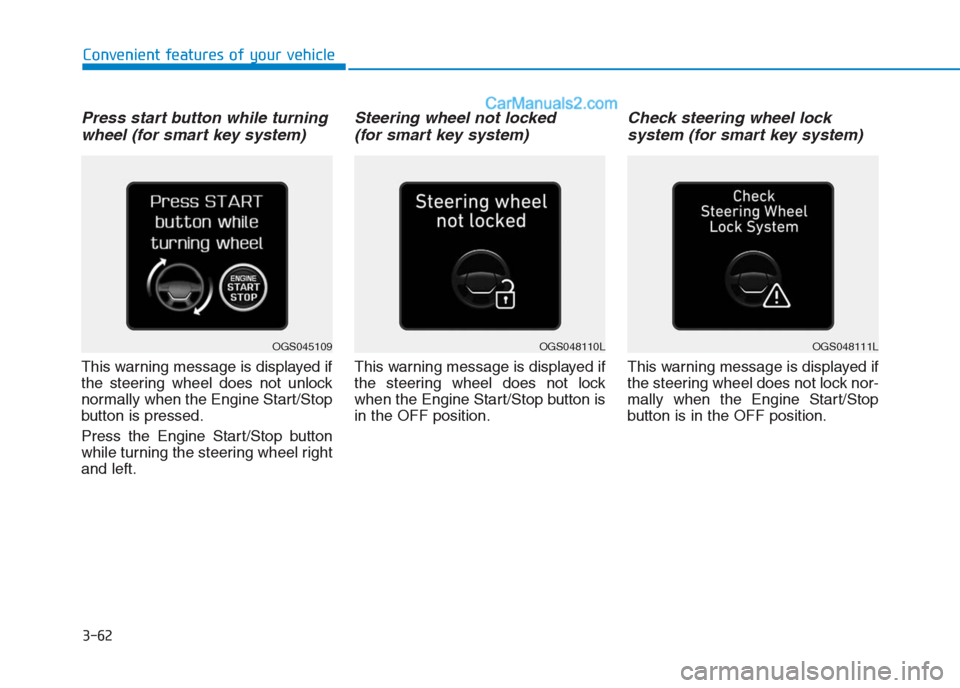
Press start button while turning
wheel (for smart key system)
This warning message is displayed if
the steering wheel does not unlock
normally when the Engine Start/Stop
button is pressed.
Press the Engine Start/Stop button
while turning the steering wheel right
and left.
Steering wheel not locked
(for smart key system)
This warning message is displayed if
the steering wheel does not lock
when the Engine Start/Stop button is
in the OFF position.
Check steering wheel lock
system (for smart key system)
This warning message is displayed if
the steering wheel does not lock nor-
mally when the Engine Start/Stop
button is in the OFF position.
OGS048110LOGS048111LOGS045109
Page 148 of 472
3-63
Convenient features of your vehicle
3
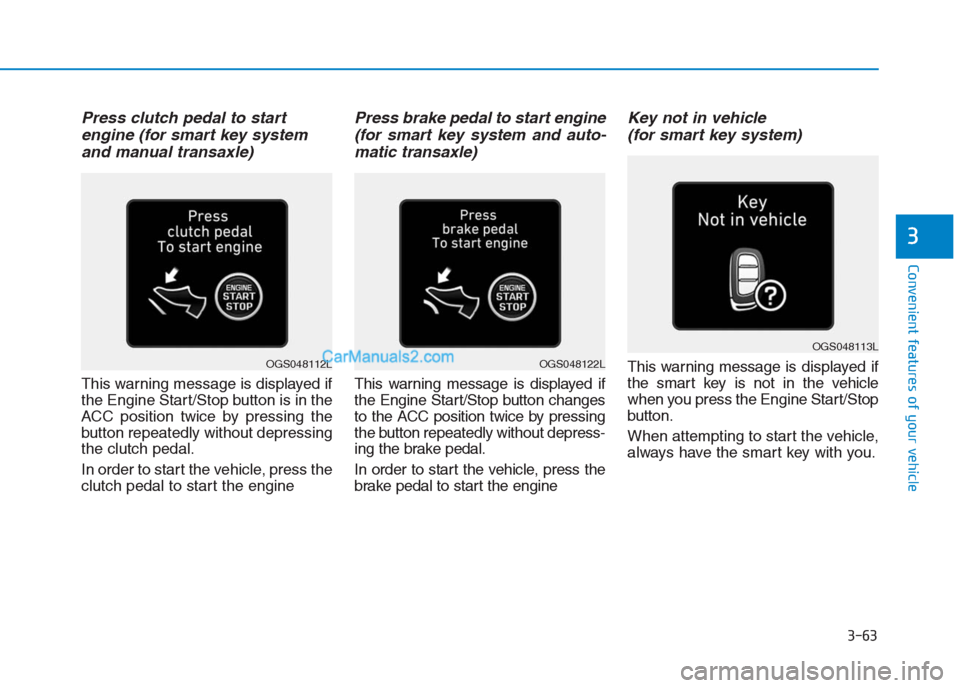
Press clutch pedal to start
engine (for smart key system
and manual transaxle)
This warning message is displayed if
the Engine Start/Stop button is in the
ACC position twice by pressing the
button repeatedly without depressing
the clutch pedal.
In order to start the vehicle, press the
clutch pedal to start the engine
Press brake pedal to start engine
(for smart key system and auto-
matic transaxle)
This warning message is displayed if
the Engine Start/Stop button changes
to the ACC position twice by pressing
the button repeatedly without depress-
ing the brake pedal.
In order to start the vehicle, press the
brake pedal to start the engine
Key not in vehicle
(for smart key system)
This warning message is displayed if
the smart key is not in the vehicle
when you press the Engine Start/Stop
button.
When attempting to start the vehicle,
always have the smart key with you.
OGS048113L
OGS048122LOGS048112L
Page 149 of 472
3-64
Convenient features of your vehicle
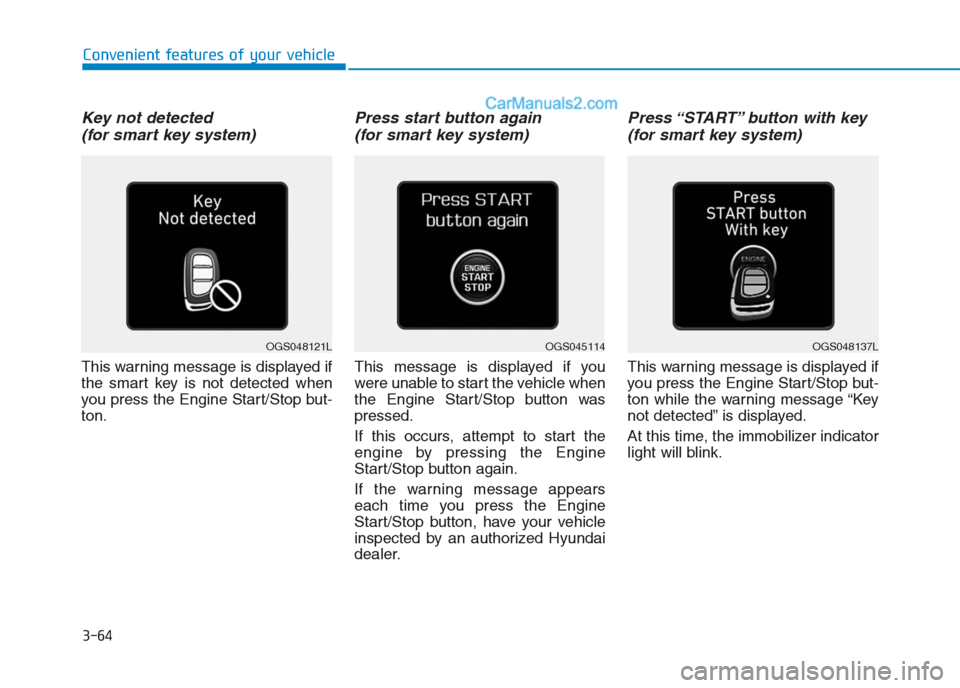
Key not detected
(for smart key system)
This warning message is displayed if
the smart key is not detected when
you press the Engine Start/Stop but-
ton.
Press start button again
(for smart key system)
This message is displayed if you
were unable to start the vehicle when
the Engine Start/Stop button was
pressed.
If this occurs, attempt to start the
engine by pressing the Engine
Start/Stop button again.
If the warning message appears
each time you press the Engine
Start/Stop button, have your vehicle
inspected by an authorized Hyundai
dealer.
Press “START” button with key
(for smart key system)
This warning message is displayed if
you press the Engine Start/Stop but-
ton while the warning message “Key
not detected” is displayed.
At this time, the immobilizer indicator
light will blink.
OGS045114OGS048137LOGS048121L
Page 150 of 472
3-65
Convenient features of your vehicle
3
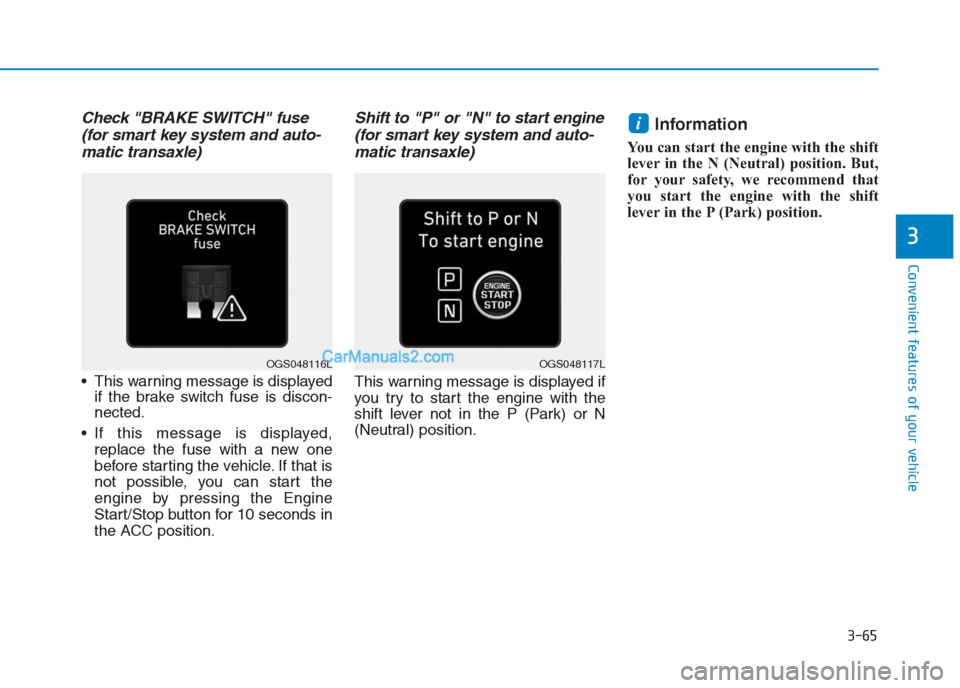
Check "BRAKE SWITCH" fuse
(for smart key system and auto-
matic transaxle)
This warning message is displayed
if the brake switch fuse is discon-
nected.
If this message is displayed,
replace the fuse with a new one
before starting the vehicle. If that is
not possible, you can start the
engine by pressing the Engine
Start/Stop button for 10 seconds in
the ACC position.
Shift to "P" or "N" to start engine
(for smart key system and auto-
matic transaxle)
This warning message is displayed if
you try to start the engine with the
shift lever not in the P (Park) or N
(Neutral) position.
Information
You can start the engine with the shift
lever in the N (Neutral) position. But,
for your safety, we recommend that
you start the engine with the shift
lever in the P (Park) position.
i
OGS048117LOGS048116L
Page 276 of 472
Driving your vehicle
5
Before driving.........................................................5-3
Before entering the vehicle ...........................................5-3
Before starting...................................................................5-3
Ignition switch ........................................................5-5
Key ignition switch ............................................................5-5
Engine Start/Stop button ................................................5-9
Manual transaxle .................................................5-19
Manual transaxle operation .........................................5-19
Good driving practices ...................................................5-21
Automatic transaxle ............................................5-23
Automatic transaxle operation ....................................5-24
Parking ...............................................................................5-28
Good driving practices ...................................................5-28
Braking system.....................................................5-30
Power brakes ...................................................................5-30
Disc brakes wear indicator ...........................................5-31
Rear drum brakes ...........................................................5-31
Parking brake ...................................................................5-31
Anti-lock Brake System (ABS) ....................................5-34
Electronic Stability Control (ESC)................................5-36
Vehicle Stability Management......................................5-40
Hill-Start Assist Control (HAC) ....................................5-41
Good braking practices..................................................5-42
Cruise control .......................................................5-43
Cruise control operation................................................5-43
Special driving conditions ...................................5-48
Hazardous driving conditions.......................................5-48
Rocking the vehicle ........................................................5-48
Smooth cornering ...........................................................5-49
Driving at night ................................................................5-49
Driving in the rain ...........................................................5-50
Driving in flooded areas ................................................5-50
Highway driving ...............................................................5-51
Winter driving .......................................................5-52
Snow or icy conditions ..................................................5-52
Winter precautions .........................................................5-54
Vehicle weight ......................................................5-56
Overloading.......................................................................5-56
Page 284 of 472
5-9
Driving your vehicle
5
Starting and stopping the engine
for turbocharger intercooler
1. Do not race or accelerate the
engine immediately after starting
the engine.
If the engine is cold, idle for sever-
al seconds before sufficient lubri-
cation is ensured in the turbo
charger unit.
2. After high speed or extended driv-
ing that requires heavy engine
load, idle the engine about one
minute before turning the engine
off.
This idle time will allow the tur-
bocharger to cool prior to shutting
the engine off.
Do not turn off the engine immedi-
ately after it has been subjected to
a heavy load. Doing so may cause
severe damage to the engine or
turbo charger unit.To prevent damage to the vehicle:
Do not hold the ignition key in
the START position for more
than 10 seconds. Wait 5 to 10
seconds before trying again.
Do not turn the ignition switch to
the START position with the
engine running. It may damage
the starter.
If traffic and road conditions
permit, you may put the shift
lever in the N (Neutral) position
while the vehicle is still moving
and turn the ignition switch to
the START position in an
attempt to restart the engine.
Do not push or tow your vehicle
to start the engine.
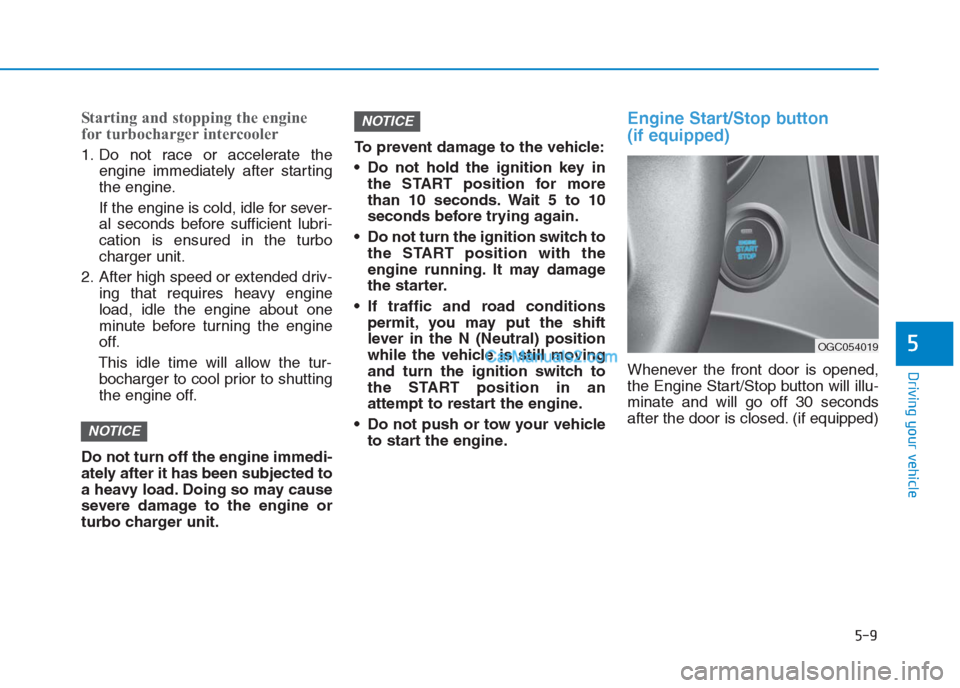
Engine Start/Stop button
(if equipped)
Whenever the front door is opened,
the Engine Start/Stop button will illu-
minate and will go off 30 seconds
after the door is closed. (if equipped)
NOTICE
NOTICE
OGC054019
Page 285 of 472
5-10
Driving your vehicle
NEVER press the Engine
Start/Stop button while the
vehicle is in motion except in
an emergency. This will result
in the engine turning off and
loss of power assist for the
steering and brake systems.
This may lead to loss of direc-
tional control and braking
function, which could cause
an accident.
Before leaving the driver’s
seat, always make sure the
shift lever is in the P (Park)
position, set the parking
brake, press the Engine
Start/Stop button to the OFF
position, and take the Smart
Key with you. Unexpected
vehicle movement may occur
if these precautions are not
followed.
(Continued)
WARNING
To turn the engine off in an
emergency:
Press and hold the Engine
Start/Stop button for more than
two seconds OR Rapidly press
and release the Engine
Start/Stop button three times
(within three seconds).
If the vehicle is still moving, you
can restart the engine without
depressing the brake pedal by
pressing the Engine Start/Stop
button with the shift lever in the
N (Neutral) position.
(Continued)
NEVER reach through the
steering wheel for the Engine
Start/Stop button or any other
control while the vehicle is in
motion. The presence of your
hand or arm in this area may
cause a loss of vehicle control
resulting in an accident.
WARNING
To reduce risk of serious injury
or death, NEVER allow children
or any person who is unfamiliar
with the vehicle to touch the
Engine Start/Stop button or
related parts. Unexpected and
sudden vehicle movement can
occur.
WARNING