trip computer Hyundai Elantra 2004 Owner's Manual
[x] Cancel search | Manufacturer: HYUNDAI, Model Year: 2004, Model line: Elantra, Model: Hyundai Elantra 2004Pages: 241, PDF Size: 6.5 MB
Page 10 of 241
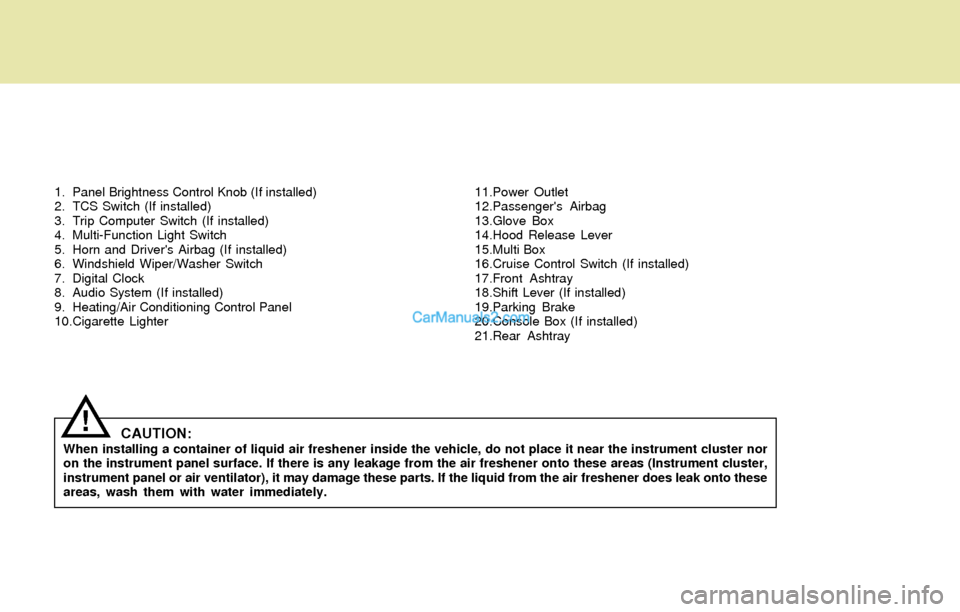
1. Panel Brightness Control Knob (If installed)
2. TCS Switch (If installed)
3. Trip Computer Switch (If installed)
4. Multi-Function Light Switch
5. Horn and Driver's Airbag (If installed)
6. Windshield Wiper/Washer Switch
7. Digital Clock
8. Audio System (If installed)
9. Heating/Air Conditioning Control Panel
10.Cigarette Lighter11.Power Outlet
12.Passenger's Airbag
13.Glove Box
14.Hood Release Lever
15.Multi Box
16.Cruise Control Switch (If installed)
17.Front Ashtray
18.Shift Lever (If installed)
19.Parking Brake
20.Console Box (If installed)
21.Rear Ashtray
CAUTION:When installing a container of liquid air freshener inside the vehicle, do not place it near the instrument cluster nor
on the instrument panel surface. If there is any leakage from the air freshener onto these areas (Instrument cluster,
instrument panel or air ventilator), it may damage these parts. If the liquid from the air freshener does leak onto these
areas, wash them with water immediately.
!
Page 52 of 241
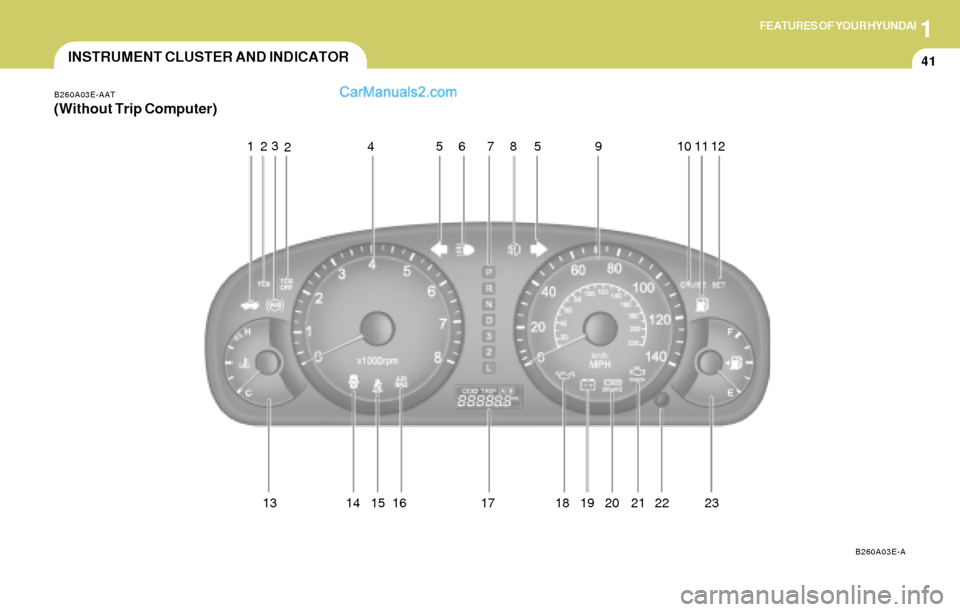
1FEATURES OF YOUR HYUNDAI
41
9
B260A03E-AAT
(Without Trip Computer)
B260A03E-A
123
467
13 14 1785
INSTRUMENT CLUSTER AND INDICATOR
5
15 16 18 19 20 21 210 11 12
22 23
Page 54 of 241
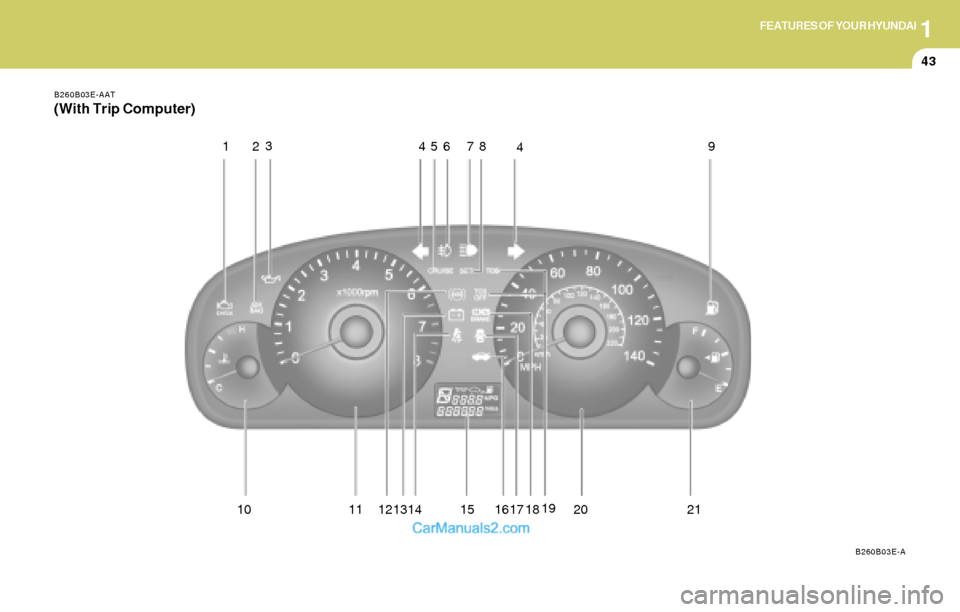
1FEATURES OF YOUR HYUNDAI
43
10 11 12 1719
20 21 1314 15 16
B260B03E-AAT
(With Trip Computer)
B260B03E-A
123
4
56
18 78 9
4
Page 55 of 241
1FEATURES OF YOUR HYUNDAI
44
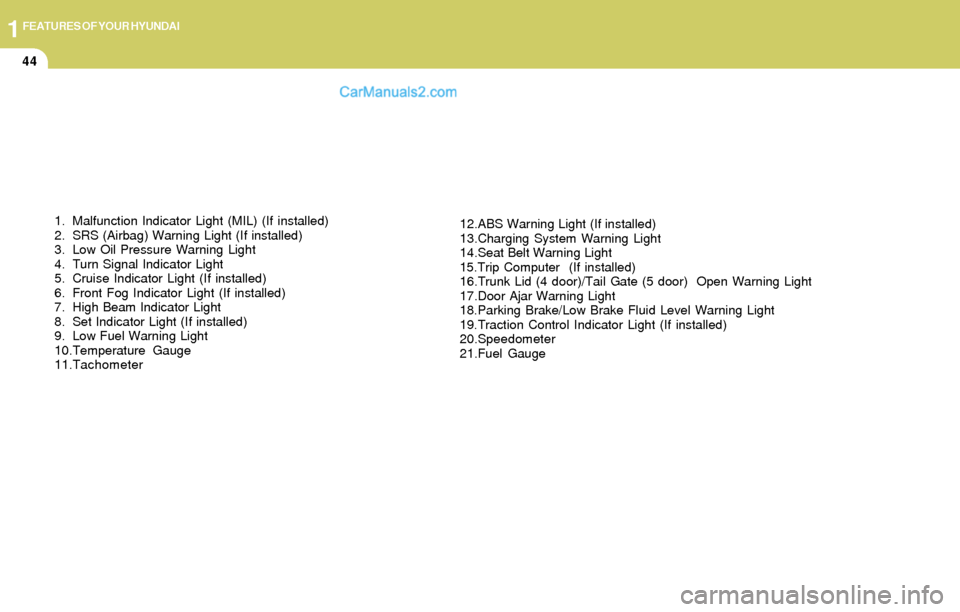
1. Malfunction Indicator Light (MIL) (If installed)
2. SRS (Airbag) Warning Light (If installed)
3. Low Oil Pressure Warning Light
4. Turn Signal Indicator Light
5. Cruise Indicator Light (If installed)
6. Front Fog Indicator Light (If installed)
7. High Beam Indicator Light
8. Set Indicator Light (If installed)
9. Low Fuel Warning Light
10.Temperature Gauge
11.Tachometer12.ABS Warning Light (If installed)
13.Charging System Warning Light
14.Seat Belt Warning Light
15.Trip Computer (If installed)
16.Trunk Lid (4 door)/Tail Gate (5 door) Open Warning Light
17.Door Ajar Warning Light
18.Parking Brake/Low Brake Fluid Level Warning Light
19.Traction Control Indicator Light (If installed)
20.Speedometer
21.Fuel Gauge
Page 59 of 241
1FEATURES OF YOUR HYUNDAI
48INSTRUMENT CLUSTER
B270A01A-AAT
BRAKE PAD WEAR WARNING SOUND
The front disc brake pads have wear indicators
that should make a high-pitched squealing or
scraping noise when new pads are needed. The
sound may come and go or be heard all the time
when the vehicle is moving. It may also be heard
when the brake pedal is pushed down firmly.
Expensive rotor damage will result if the worn
pads are not replaced. See your Hyundai dealer
immediately.
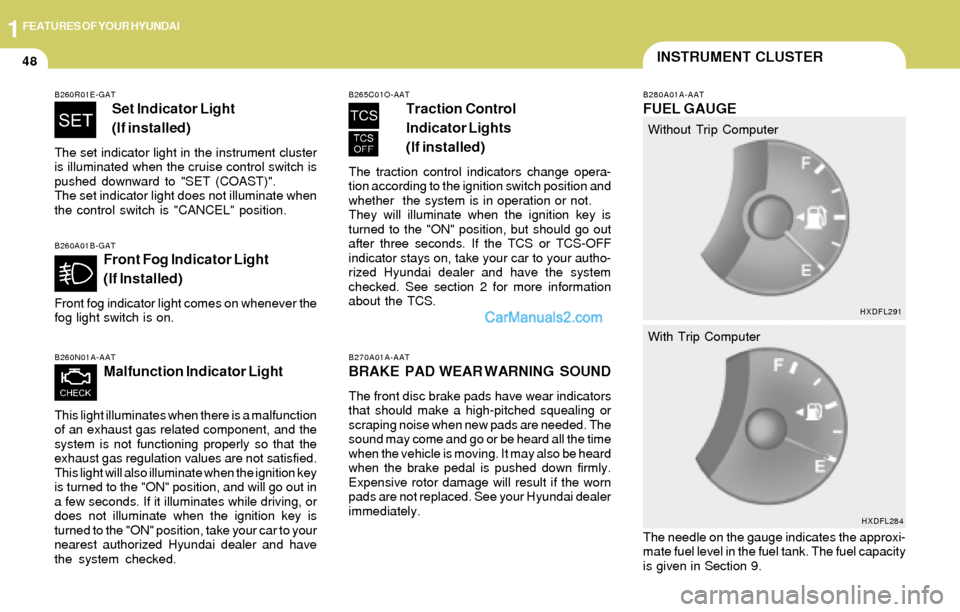
B260A01B-GATFront Fog Indicator Light
(If Installed)
Front fog indicator light comes on whenever the
fog light switch is on.
B260N01A-AAT
Malfunction Indicator Light
This light illuminates when there is a malfunction
of an exhaust gas related component, and the
system is not functioning properly so that the
exhaust gas regulation values are not satisfied.
This light will also illuminate when the ignition key
is turned to the "ON" position, and will go out in
a few seconds. If it illuminates while driving, or
does not illuminate when the ignition key is
turned to the "ON" position, take your car to your
nearest authorized Hyundai dealer and have
the system checked.
B260R01E-GAT
Set Indicator Light
( (If installed)
The set indicator light in the instrument cluster
is illuminated when the cruise control switch is
pushed downward to "SET (COAST)".
The set indicator light does not illuminate when
the control switch is "CANCEL" position.
B265C01O-AAT
Traction Control
Indicator Lights
(If installed)
The traction control indicators change opera-
tion according to the ignition switch position and
whether the system is in operation or not.
They will illuminate when the ignition key is
turned to the "ON" position, but should go out
after three seconds. If the TCS or TCS-OFF
indicator stays on, take your car to your autho-
rized Hyundai dealer and have the system
checked. See section 2 for more information
about the TCS.
B280A01A-AAT
FUEL GAUGE
The needle on the gauge indicates the approxi-
mate fuel level in the fuel tank. The fuel capacity
is given in Section 9.Without Trip Computer
With Trip Computer
HXDFL291
HXDFL284
Page 60 of 241
1FEATURES OF YOUR HYUNDAI
49
!
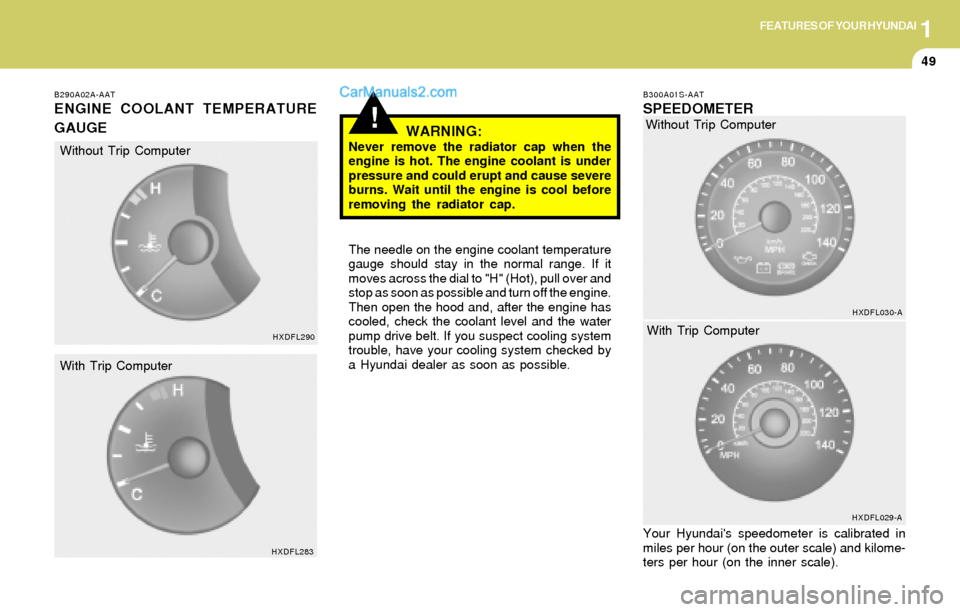
B290A02A-AAT
ENGINE COOLANT TEMPERATURE
GAUGE
WARNING:
Never remove the radiator cap when the
engine is hot. The engine coolant is under
pressure and could erupt and cause severe
burns. Wait until the engine is cool before
removing the radiator cap.
The needle on the engine coolant temperature
gauge should stay in the normal range. If it
moves across the dial to "H" (Hot), pull over and
stop as soon as possible and turn off the engine.
Then open the hood and, after the engine has
cooled, check the coolant level and the water
pump drive belt. If you suspect cooling system
trouble, have your cooling system checked by
a Hyundai dealer as soon as possible.
B300A01S-AAT
SPEEDOMETER
Your Hyundai's speedometer is calibrated in
miles per hour (on the outer scale) and kilome-
ters per hour (on the inner scale).
HXDFL290
HXDFL283
Without Trip Computer
With Trip ComputerWithout Trip Computer
HXDFL030-A
HXDFL029-A
With Trip Computer
Page 61 of 241
1FEATURES OF YOUR HYUNDAI
50
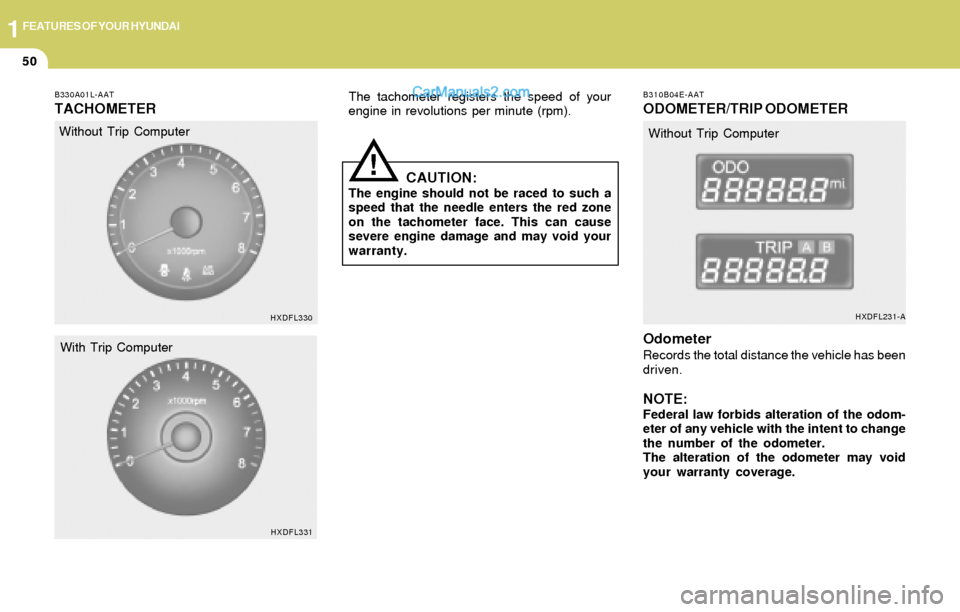
B330A01L-AAT
TACHOMETERThe tachometer registers the speed of your
engine in revolutions per minute (rpm).
CAUTION:The engine should not be raced to such a
speed that the needle enters the red zone
on the tachometer face. This can cause
severe engine damage and may void your
warranty.
!
B310B04E-AAT
ODOMETER/TRIP ODOMETER
Odometer
Records the total distance the vehicle has been
driven.
NOTE:Federal law forbids alteration of the odom-
eter of any vehicle with the intent to change
the number of the odometer.
The alteration of the odometer may void
your warranty coverage. Without Trip Computer
HXDFL330
HXDFL331
With Trip ComputerWithout Trip Computer
HXDFL231-A
Page 62 of 241
1FEATURES OF YOUR HYUNDAI
51
HXDFL077-1
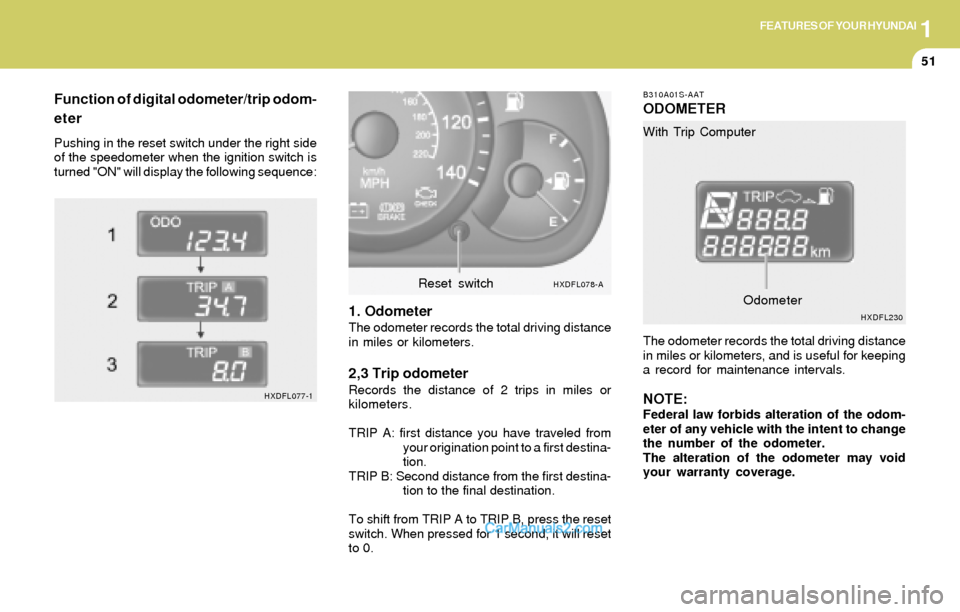
Function of digital odometer/trip odom-
eter
Pushing in the reset switch under the right side
of the speedometer when the ignition switch is
turned "ON" will display the following sequence:
1. OdometerThe odometer records the total driving distance
in miles or kilometers.
2,3 Trip odometerRecords the distance of 2 trips in miles or
kilometers.
TRIP A: first distance you have traveled from
your origination point to a first destina-
tion.
TRIP B: Second distance from the first destina-
tion to the final destination.
To shift from TRIP A to TRIP B, press the reset
switch. When pressed for 1 second, it will reset
to 0.
B310A01S-AAT
ODOMETER
The odometer records the total driving distance
in miles or kilometers, and is useful for keeping
a record for maintenance intervals.
NOTE:Federal law forbids alteration of the odom-
eter of any vehicle with the intent to change
the number of the odometer.
The alteration of the odometer may void
your warranty coverage. With Trip Computer
HXDFL078-AReset switch
HXDFL230Odometer
Page 63 of 241
1FEATURES OF YOUR HYUNDAI
52
B400B03E-AAT
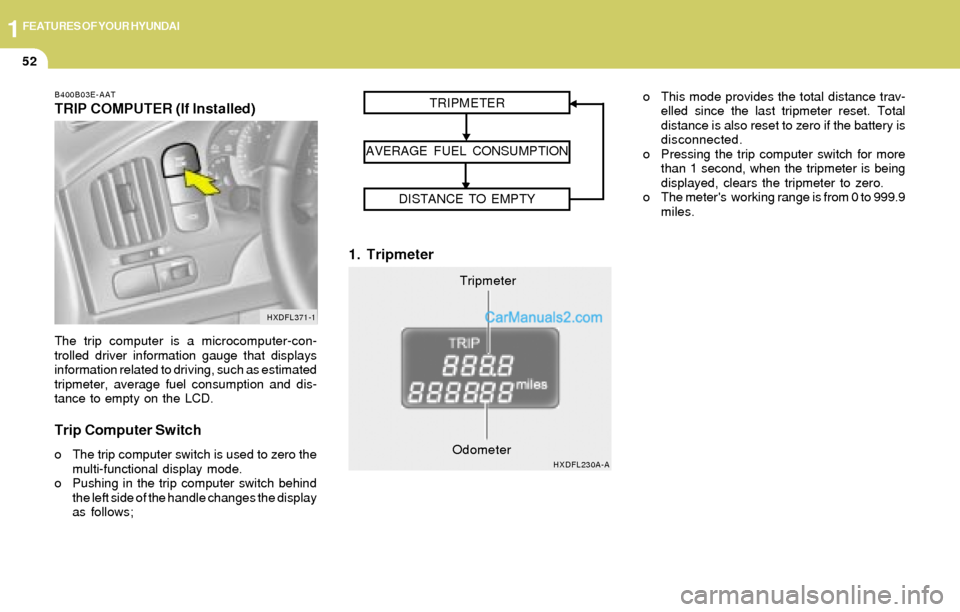
TRIP COMPUTER (If Installed)
The trip computer is a microcomputer-con-
trolled driver information gauge that displays
information related to driving, such as estimated
tripmeter, average fuel consumption and dis-
tance to empty on the LCD.
Trip Computer Switch
o The trip computer switch is used to zero the
multi-functional display mode.
o Pushing in the trip computer switch behind
the left side of the handle changes the display
as follows;
1. Tripmeter
o This mode provides the total distance trav-
elled since the last tripmeter reset. Total
distance is also reset to zero if the battery is
disconnected.
o Pressing the trip computer switch for more
than 1 second, when the tripmeter is being
displayed, clears the tripmeter to zero.
o The meter's working range is from 0 to 999.9
miles.
HXDFL371-1
Tripmeter TRIPMETER
AVERAGE FUEL CONSUMPTION
DISTANCE TO EMPTY
HXDFL230A-AOdometer
Page 64 of 241
1FEATURES OF YOUR HYUNDAI
53
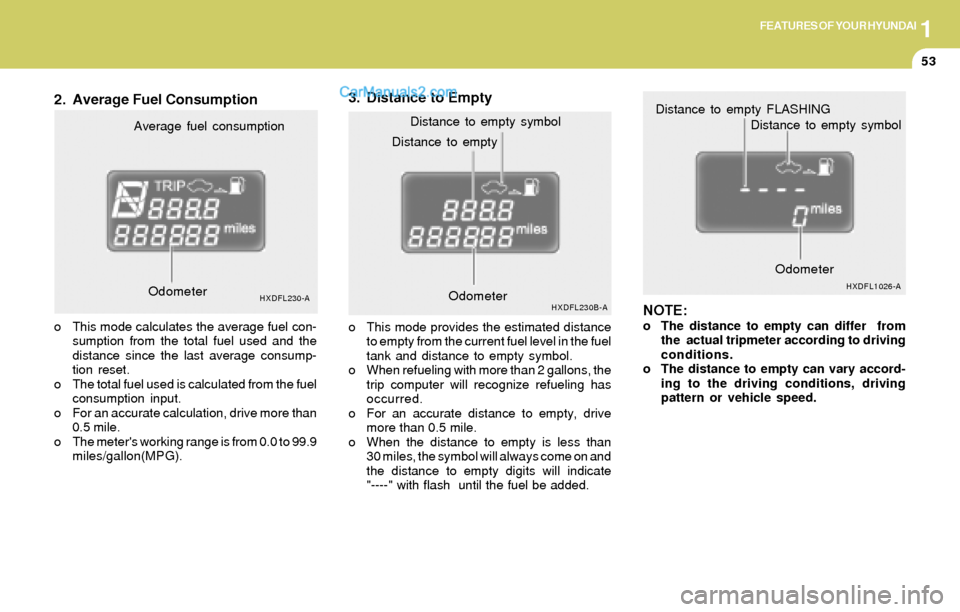
2. Average Fuel Consumption3. Distance to Empty
NOTE:
o The distance to empty can differ from
the actual tripmeter according to driving
conditions.
o The distance to empty can vary accord-
ing to the driving conditions, driving
pattern or vehicle speed. Distance to emptyDistance to empty symbol
HXDFL230B-AOdometerOdometerHXDFL1026-A
Distance to empty FLASHING
Distance to empty symbol
Average fuel consumption
HXDFL230-A
o This mode calculates the average fuel con-
sumption from the total fuel used and the
distance since the last average consump-
tion reset.
o The total fuel used is calculated from the fuel
consumption input.
o For an accurate calculation, drive more than
0.5 mile.
o The meter's working range is from 0.0 to 99.9
miles/gallon(MPG).o This mode provides the estimated distance
to empty from the current fuel level in the fuel
tank and distance to empty symbol.
o When refueling with more than 2 gallons, the
trip computer will recognize refueling has
occurred.
o For an accurate distance to empty, drive
more than 0.5 mile.
o When the distance to empty is less than
30 miles, the symbol will always come on and
the distance to empty digits will indicate
"----" with flash until the fuel be added. Odometer