cooling Hyundai Elantra 2005 Owner's Manual
[x] Cancel search | Manufacturer: HYUNDAI, Model Year: 2005, Model line: Elantra, Model: Hyundai Elantra 2005Pages: 256, PDF Size: 10.4 MB
Page 12 of 256
FEATURES OF YOUR HYUNDAI
1
Fuel Recommendations ................................................ 1-2
Breaking in Your New Hyundai ..................................... 1-3
Keys.............................................................................. 1-3
Door .............................................................................. 1-4
Theft-Alarm System ...................................................... 1-8
Window .......................................................................1-10
Seat ............................................................................. 1-11
Seat Belts....................................................................1-17
Child Restraint System ...............................................1-23
Supplemental Restraint (AIRBAG) System ................1-31
Instrument Cluster and Indicator .................................1-42
Warning and Indicator Lights......................................1-46
Multi-Function Light Switch .........................................1-55
Windshield Wiper/Washer Switch...............................1-57
Sunroof.......................................................................1-64
Mirror...........................................................................1-68
Hood Release .............................................................1-72
Cruise Control.............................................................1-78
Heating and Cooling Control .......................................1-81
Stereo Sound System.................................................1-99
Audio System............................................................1-101
Antenna.....................................................................1-129
1
xdflhma-1a.p652/5/2008, 2:02 PM 1
Page 61 of 256
1FEATURES OF YOUR HYUNDAI50
!
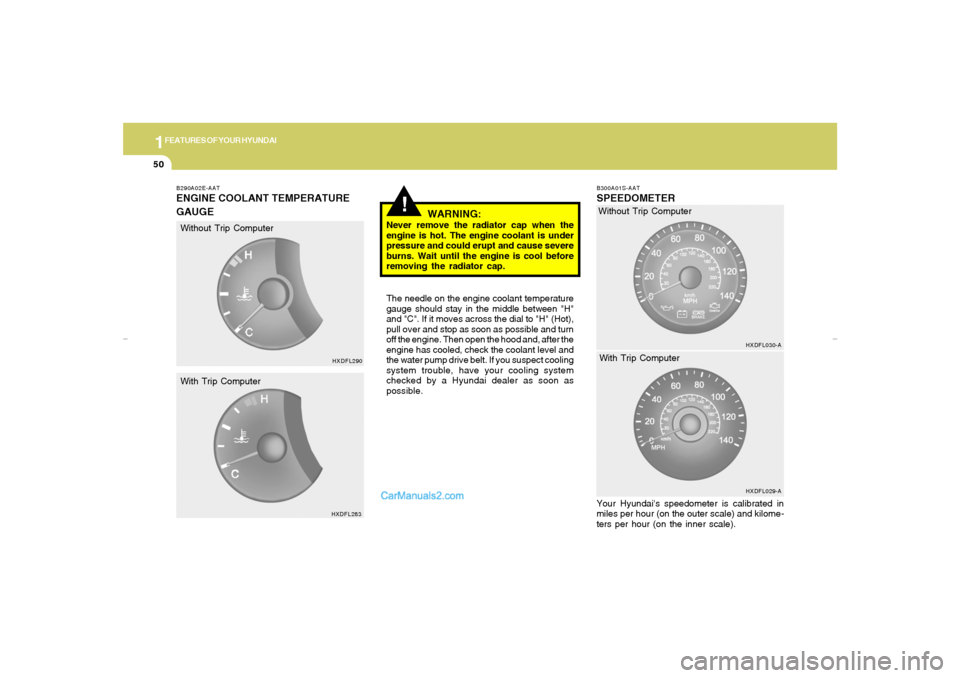
B290A02E-AATENGINE COOLANT TEMPERATURE
GAUGE
WARNING:
Never remove the radiator cap when the
engine is hot. The engine coolant is under
pressure and could erupt and cause severe
burns. Wait until the engine is cool before
removing the radiator cap.
The needle on the engine coolant temperature
gauge should stay in the middle between "H"
and "C". If it moves across the dial to "H" (Hot),
pull over and stop as soon as possible and turn
off the engine. Then open the hood and, after the
engine has cooled, check the coolant level and
the water pump drive belt. If you suspect cooling
system trouble, have your cooling system
checked by a Hyundai dealer as soon as
possible.
B300A01S-AATSPEEDOMETERYour Hyundai's speedometer is calibrated in
miles per hour (on the outer scale) and kilome-
ters per hour (on the inner scale).
HXDFL290
HXDFL283
Without Trip Computer
With Trip ComputerWithout Trip Computer
HXDFL030-A
HXDFL029-A
With Trip Computer
xdflhma-1a.p652/5/2008, 2:03 PM 50
Page 92 of 256
1
FEATURES OF YOUR HYUNDAI
81
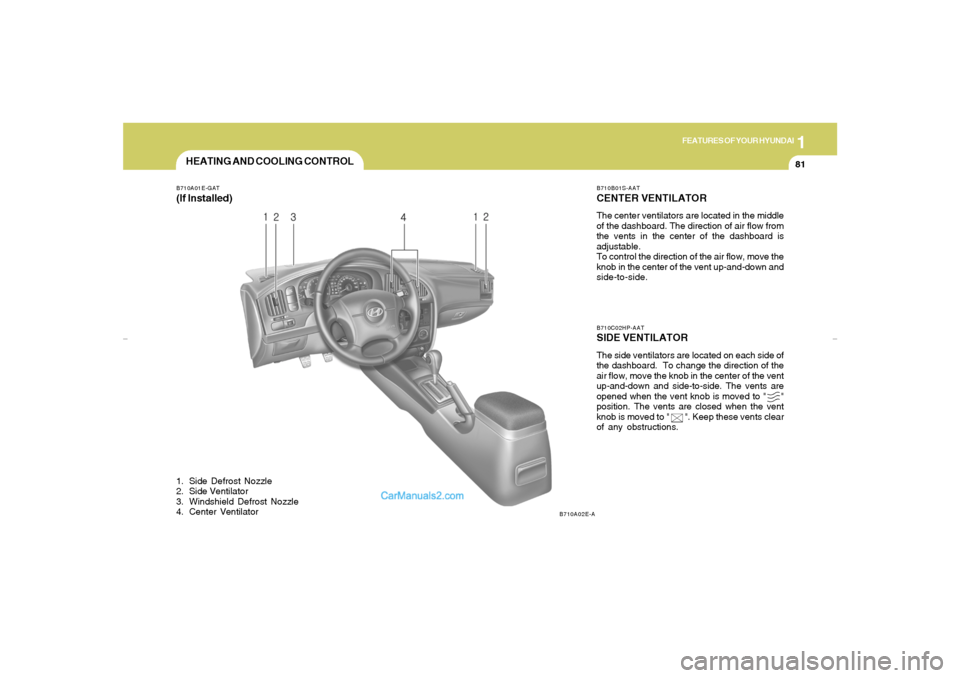
HEATING AND COOLING CONTROLB710A01E-GAT(If Installed)1. Side Defrost Nozzle
2. Side Ventilator
3. Windshield Defrost Nozzle
4. Center Ventilator
B710B01S-AATCENTER VENTILATORThe center ventilators are located in the middle
of the dashboard. The direction of air flow from
the vents in the center of the dashboard is
adjustable.
To control the direction of the air flow, move the
knob in the center of the vent up-and-down and
side-to-side.B710C02HP-AATSIDE VENTILATORThe side ventilators are located on each side of
the dashboard. To change the direction of the
air flow, move the knob in the center of the vent
up-and-down and side-to-side. The vents are
opened when the vent knob is moved to " "
position. The vents are closed when the vent
knob is moved to " ". Keep these vents clear
of any obstructions.
B710A02E-A
xdflhma-1b.p652/5/2008, 2:06 PM 81
Page 93 of 256
1FEATURES OF YOUR HYUNDAI82
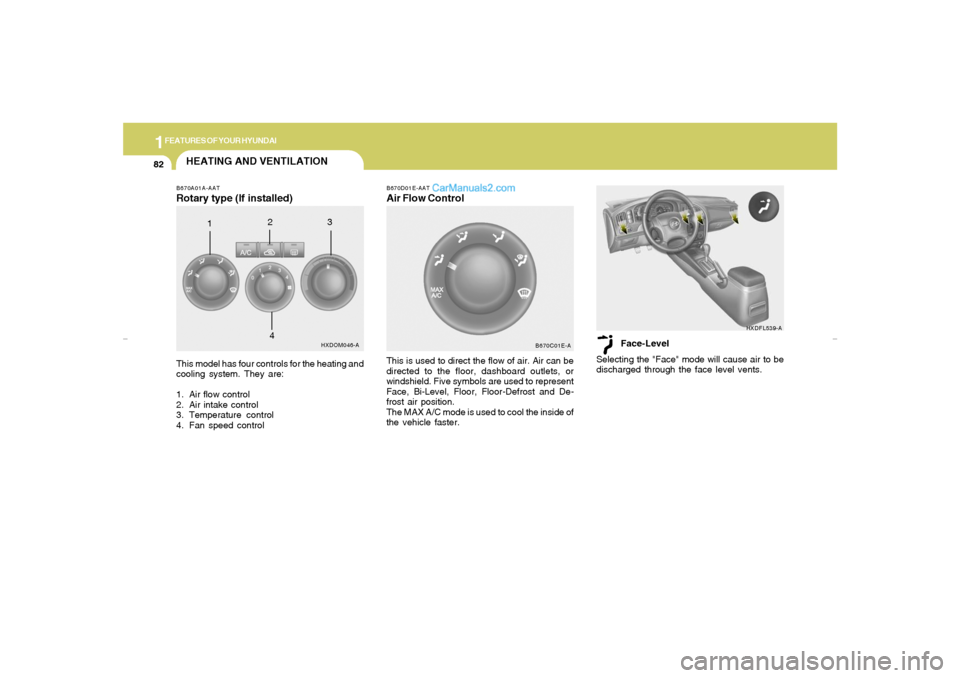
HEATING AND VENTILATIONB670A01A-AATRotary type (If installed)This model has four controls for the heating and
cooling system. They are:
1. Air flow control
2. Air intake control
3. Temperature control
4. Fan speed control
HXDOM046-A
123
4
B670C01E-A B670D01E-AAT
Air Flow ControlThis is used to direct the flow of air. Air can be
directed to the floor, dashboard outlets, or
windshield. Five symbols are used to represent
Face, Bi-Level, Floor, Floor-Defrost and De-
frost air position.
The MAX A/C mode is used to cool the inside of
the vehicle faster.Face-Level
Selecting the "Face" mode will cause air to be
discharged through the face level vents.
HXDFL539-A
xdflhma-1b.p652/5/2008, 2:06 PM 82
Page 96 of 256
1
FEATURES OF YOUR HYUNDAI
85
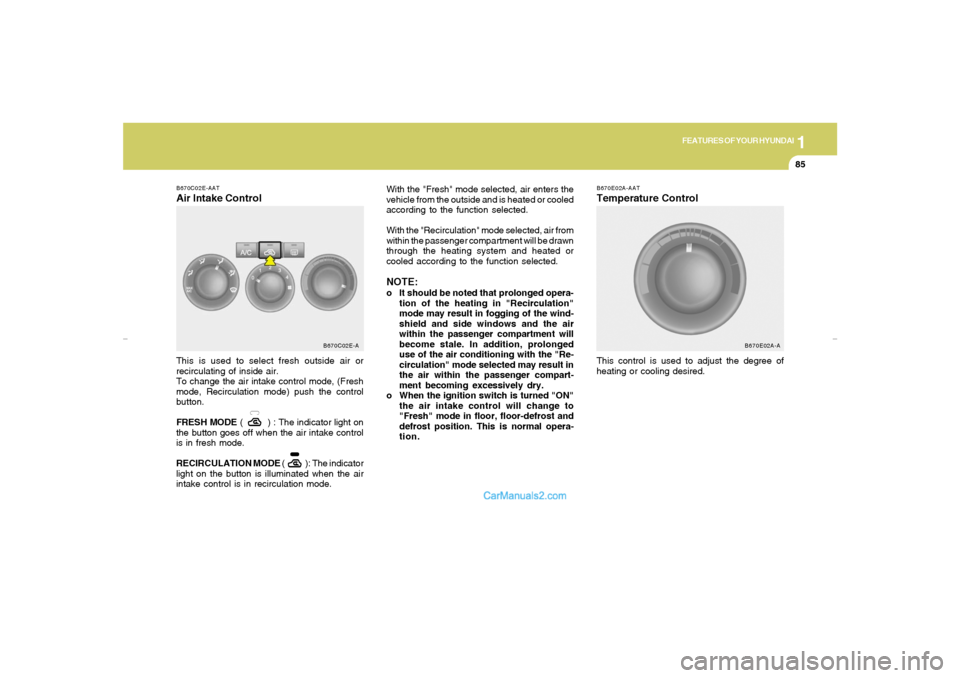
B670C02E-AATAir Intake ControlThis is used to select fresh outside air or
recirculating of inside air.
To change the air intake control mode, (Fresh
mode, Recirculation mode) push the control
button.
FRESH MODE ( ) : The indicator light on
the button goes off when the air intake control
is in fresh mode.
RECIRCULATION MODE ( ): The indicator
light on the button is illuminated when the air
intake control is in recirculation mode.
B670C02E-A
B670E02A-AATTemperature ControlThis control is used to adjust the degree of
heating or cooling desired. With the "Fresh" mode selected, air enters the
vehicle from the outside and is heated or cooled
according to the function selected.
With the "Recirculation" mode selected, air from
within the passenger compartment will be drawn
through the heating system and heated or
cooled according to the function selected.
NOTE:o It should be noted that prolonged opera-
tion of the heating in "Recirculation"
mode may result in fogging of the wind-
shield and side windows and the air
within the passenger compartment will
become stale. In addition, prolonged
use of the air conditioning with the "Re-
circulation" mode selected may result in
the air within the passenger compart-
ment becoming excessively dry.
o When the ignition switch is turned "ON"
the air intake control will change to
"Fresh" mode in floor, floor-defrost and
defrost position. This is normal opera-
tion.
B670E02A-A
xdflhma-1b.p652/5/2008, 2:06 PM 85
Page 98 of 256
1
FEATURES OF YOUR HYUNDAI
87
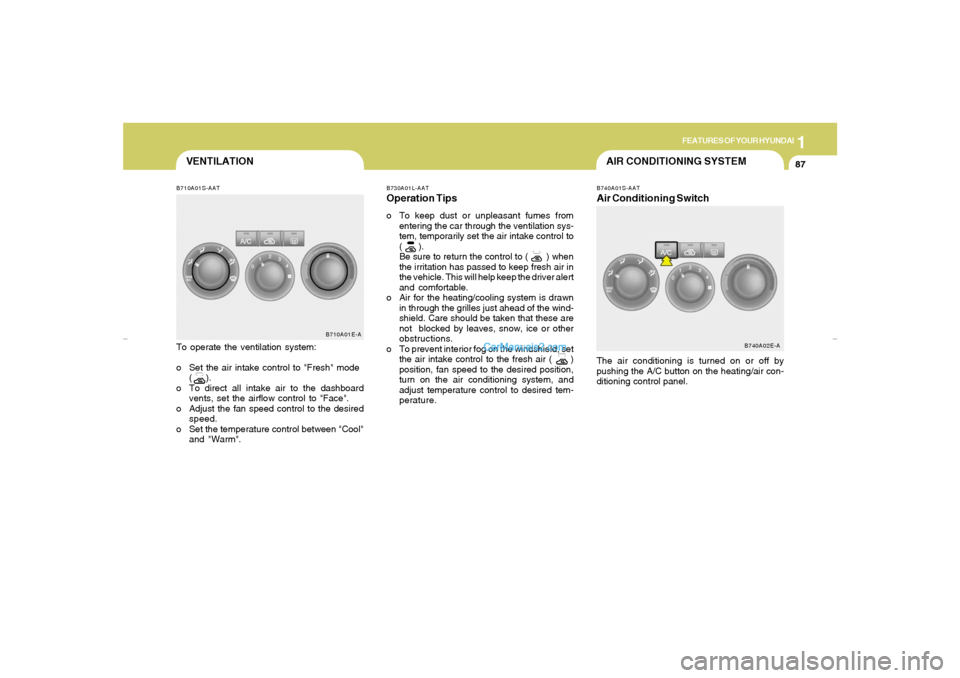
VENTILATIONB710A01S-AATTo operate the ventilation system:
o Set the air intake control to "Fresh" mode
( ).
o To direct all intake air to the dashboard
vents, set the airflow control to "Face".
o Adjust the fan speed control to the desired
speed.
o Set the temperature control between "Cool"
and "Warm".
B710A01E-A
B730A01L-AATOperation Tipso To keep dust or unpleasant fumes from
entering the car through the ventilation sys-
tem, temporarily set the air intake control to
( ).
Be sure to return the control to ( ) when
the irritation has passed to keep fresh air in
the vehicle. This will help keep the driver alert
and comfortable.
o Air for the heating/cooling system is drawn
in through the grilles just ahead of the wind-
shield. Care should be taken that these are
not blocked by leaves, snow, ice or other
obstructions.
o To prevent interior fog on the windshield, set
the air intake control to the fresh air ( )
position, fan speed to the desired position,
turn on the air conditioning system, and
adjust temperature control to desired tem-
perature.
AIR CONDITIONING SYSTEMB740A01S-AATAir Conditioning SwitchThe air conditioning is turned on or off by
pushing the A/C button on the heating/air con-
ditioning control panel.
B740A02E-A
xdflhma-1b.p652/5/2008, 2:06 PM 87
Page 99 of 256
1FEATURES OF YOUR HYUNDAI88
o Adjust the fan control to the desired speed.
For greater cooling, turn the fan control to
one of the higher speeds or temporarily
select the "Recirculation" position on the air
intake control.
B740B01E-AATAir Conditioning Operation
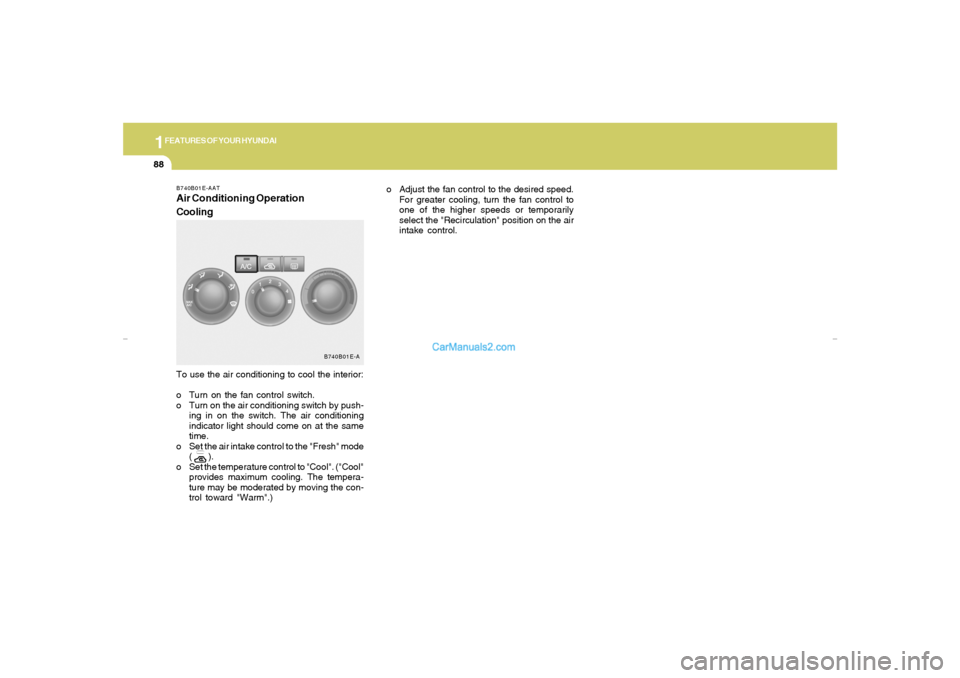
CoolingTo use the air conditioning to cool the interior:
o Turn on the fan control switch.
o Turn on the air conditioning switch by push-
ing in on the switch. The air conditioning
indicator light should come on at the same
time.
o Set the air intake control to the "Fresh" mode
( ).
o Set the temperature control to "Cool". ("Cool"
provides maximum cooling. The tempera-
ture may be moderated by moving the con-
trol toward "Warm".)
B740B01E-A
xdflhma-1b.p652/5/2008, 2:06 PM 88
Page 102 of 256
1
FEATURES OF YOUR HYUNDAI
91
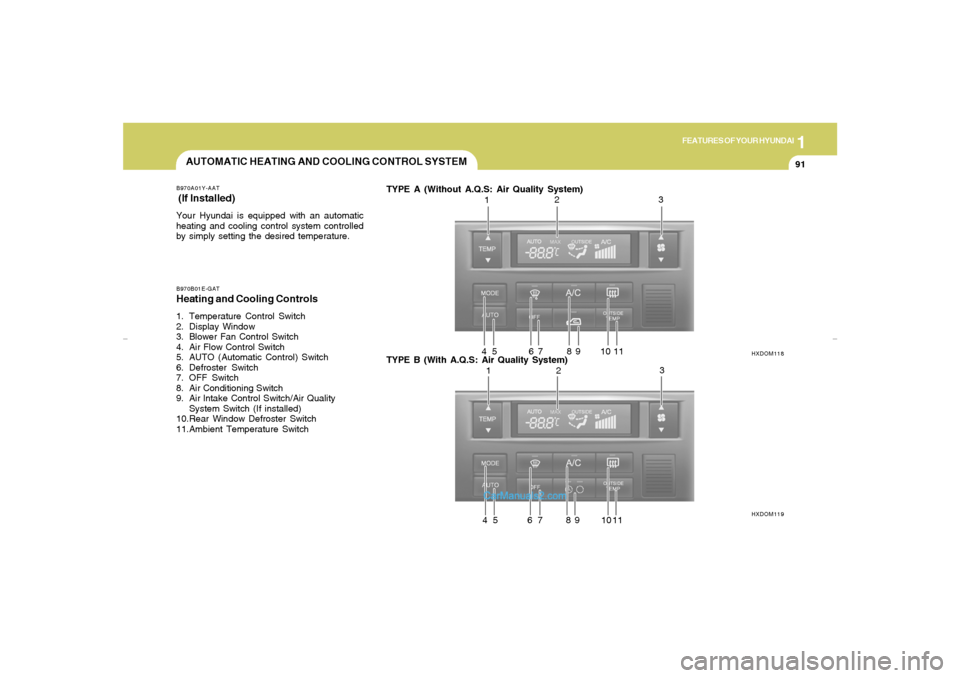
AUTOMATIC HEATING AND COOLING CONTROL SYSTEMB970A01Y-AAT (If lnstalled)Your Hyundai is equipped with an automatic
heating and cooling control system controlled
by simply setting the desired temperature.B970B01E-GATHeating and Cooling Controls1. Temperature Control Switch
2. Display Window
3. Blower Fan Control Switch
4. Air Flow Control Switch
5. AUTO (Automatic Control) Switch
6. Defroster Switch
7. OFF Switch
8. Air Conditioning Switch
9. Air lntake Control Switch/Air Quality
System Switch (If installed)
10.Rear Window Defroster Switch
11.Ambient Temperature SwitchTYPE A (Without A.Q.S: Air Quality System)
TYPE B (With A.Q.S: Air Quality System)
HXDOM118
HXDOM119
123
4 5 6 7 8 9 10 11
123
4 5 6 7 8 9 10 11
xdflhma-1b.p652/5/2008, 2:06 PM 91
Page 103 of 256
1FEATURES OF YOUR HYUNDAI92
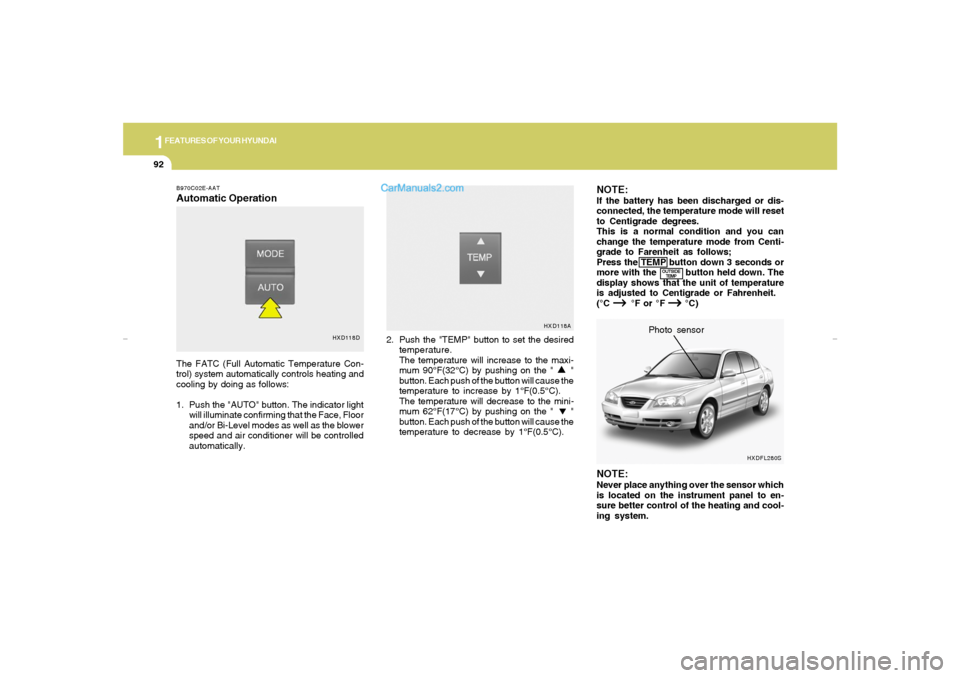
NOTE:If the battery has been discharged or dis-
connected, the temperature mode will reset
to Centigrade degrees.
This is a normal condition and you can
change the temperature mode from Centi-
grade to Farenheit as follows;
Press the TEMP button down 3 seconds or
more with the button held down. The
display shows that the unit of temperature
is adjusted to Centigrade or Fahrenheit.
(°C
→ → → →
→
°F or °F
→ →→ →
→
°C)
B970C02E-AATAutomatic OperationThe FATC (Full Automatic Temperature Con-
trol) system automatically controls heating and
cooling by doing as follows:
1. Push the "AUTO" button. The indicator light
will illuminate confirming that the Face, Floor
and/or Bi-Level modes as well as the blower
speed and air conditioner will be controlled
automatically.2. Push the "TEMP" button to set the desired
temperature.
The temperature will increase to the maxi-
mum 90°F(32°C) by pushing on the " "
button. Each push of the button will cause the
temperature to increase by 1°F(0.5°C).
The temperature will decrease to the mini-
mum 62°F(17°C) by pushing on the " "
button. Each push of the button will cause the
temperature to decrease by 1°F(0.5°C).
NOTE:Never place anything over the sensor which
is located on the instrument panel to en-
sure better control of the heating and cool-
ing system.Photo sensor
HXD118DHXD118A
OUTSIDE
TEMP
HXDFL280S
xdflhma-1b.p652/5/2008, 2:06 PM 92
Page 104 of 256
1
FEATURES OF YOUR HYUNDAI
93
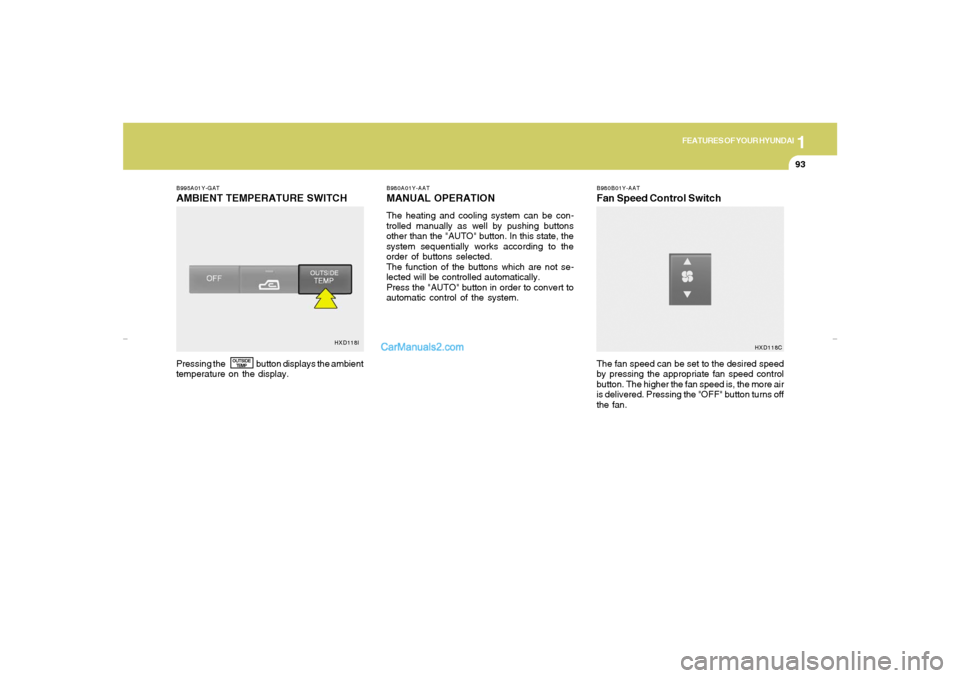
B995A01Y-GATAMBIENT TEMPERATURE SWITCH
B980A01Y-AATMANUAL OPERATIONThe heating and cooling system can be con-
trolled manually as well by pushing buttons
other than the "AUTO" button. In this state, the
system sequentially works according to the
order of buttons selected.
The function of the buttons which are not se-
lected will be controlled automatically.
Press the "AUTO" button in order to convert to
automatic control of the system.
B980B01Y-AATFan Speed Control Switch
Pressing the button displays the ambient
temperature on the display.The fan speed can be set to the desired speed
by pressing the appropriate fan speed control
button. The higher the fan speed is, the more air
is delivered. Pressing the "OFF" button turns off
the fan.
OUTSIDE
TEMP
HXD118I
HXD118C
xdflhma-1b.p652/5/2008, 2:06 PM 93