display Hyundai Elantra 2011 User Guide
[x] Cancel search | Manufacturer: HYUNDAI, Model Year: 2011, Model line: Elantra, Model: Hyundai Elantra 2011Pages: 382, PDF Size: 9.25 MB
Page 183 of 382

4105
Features of your vehicle
Using RADIO, SETUP, VOLUME
and AUDIO CONTROL
1. Button
The FM/AM button toggles between FM
and AM. Listed below are the paths as
the system switches from FM to AM and
back to FM.
FM/AM : FM1
➟FM2➟AM➟FM1...
2. Button
When the is pressed, it will
automatically tune to the next lower
station.
When the is pressed, it will
automatically tune to the next higher
station.
3. PRESET Buttons
Press ~ buttons less than
0.8 seconds to play the station saved
in each button.
Press ~ buttons more than
0.8 seconds or longer to save the cur-
rent station to the respective button
with a beep.
4. Button
Turn the LCD Display & Backlight
ON/OFF when button press.
5. Button
When the button is pressed, it auto-
matically scans the radio stations
upwards.
The SCAN feature steps through each
station, starting from the initial station,
for 5 seconds.
Press the button again to stop
the scan feature and to listen to the
currently selected channel.
SCAN
SCAN
DISP
DISP
61
61
SEEK
TRACK
SEEK
FM/AM
MD_USA_RADIO
MD_USA_RADIO
Page 184 of 382
Features of your vehicle
106 4
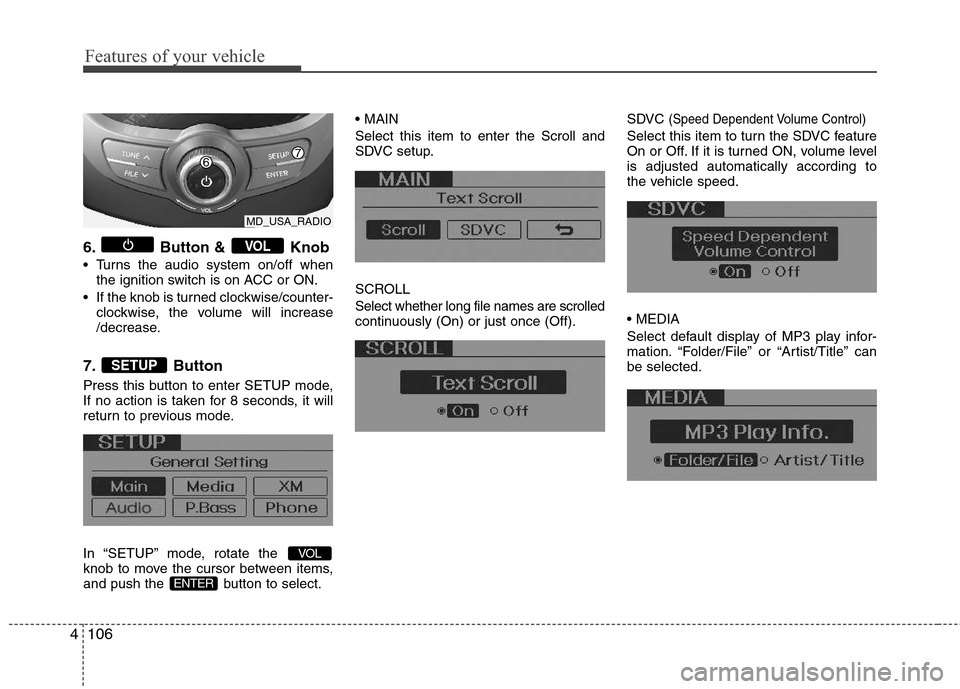
6. Button & Knob
Turns the audio system on/off when
the ignition switch is on ACC or ON.
If the knob is turned clockwise/counter-
clockwise, the volume will increase
/decrease.
7. Button
Press this button to enter SETUP mode,
If no action is taken for 8 seconds, it will
return to previous mode.
In “SETUP” mode, rotate the
knob to move the cursor between items,
and push the button to select.
Select this item to enter the Scroll and
SDVC setup.
SCROLL
Select whether long file names are scrolled
continuously (On) or just once (Off).SDVC
(Speed Dependent Volume Control)
Select this item to turn the SDVC feature
On or Off. If it is turned ON, volume level
is adjusted automatically according to
the vehicle speed.
Select default display of MP3 play infor-
mation. “Folder/File” or “Artist/Title” can
be selected.
ENTER
VOL
SETUP
VOL
MD_USA_RADIO
Page 185 of 382
4107
Features of your vehicle
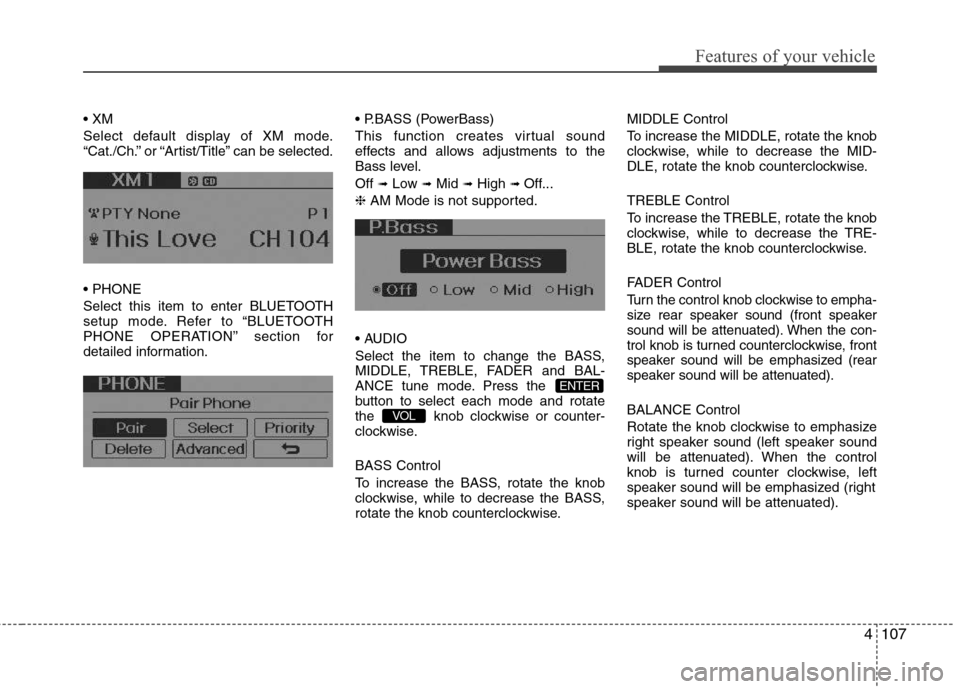
Select default display of XM mode.
“Cat./Ch.” or “Artist/Title” can be selected.
Select this item to enter BLUETOOTH
setup mode. Refer to “BLUETOOTH
PHONE OPERATION” section for
detailed information. (PowerBass)
This function creates virtual sound
effects and allows adjustments to the
Bass level.
Off
➟Low ➟Mid ➟High ➟ Off...
❈ AM Mode is not supported.
Select the item to change the BASS,
MIDDLE, TREBLE, FADER and BAL-
ANCE tune mode. Press the
button to select each mode and rotate
the knob clockwise or counter-
clockwise.
BASS Control
To increase the BASS, rotate the knob
clockwise, while to decrease the BASS,
rotate the knob counterclockwise.MIDDLE Control
To increase the MIDDLE, rotate the knob
clockwise, while to decrease the MID-
DLE, rotate the knob counterclockwise.
TREBLE Control
To increase the TREBLE, rotate the knob
clockwise, while to decrease the TRE-
BLE, rotate the knob counterclockwise.
FADER Control
Turn the control knob clockwise to empha-
size rear speaker sound (front speaker
sound will be attenuated). When the con-
trol knob is turned counterclockwise, front
speaker sound will be emphasized (rear
speaker sound will be attenuated).
BALANCE Control
Rotate the knob clockwise to emphasize
right speaker sound (left speaker sound
will be attenuated). When the control
knob is turned counter clockwise, left
speaker sound will be emphasized (right
speaker sound will be attenuated).VOL
ENTER
Page 186 of 382
Features of your vehicle
108 4
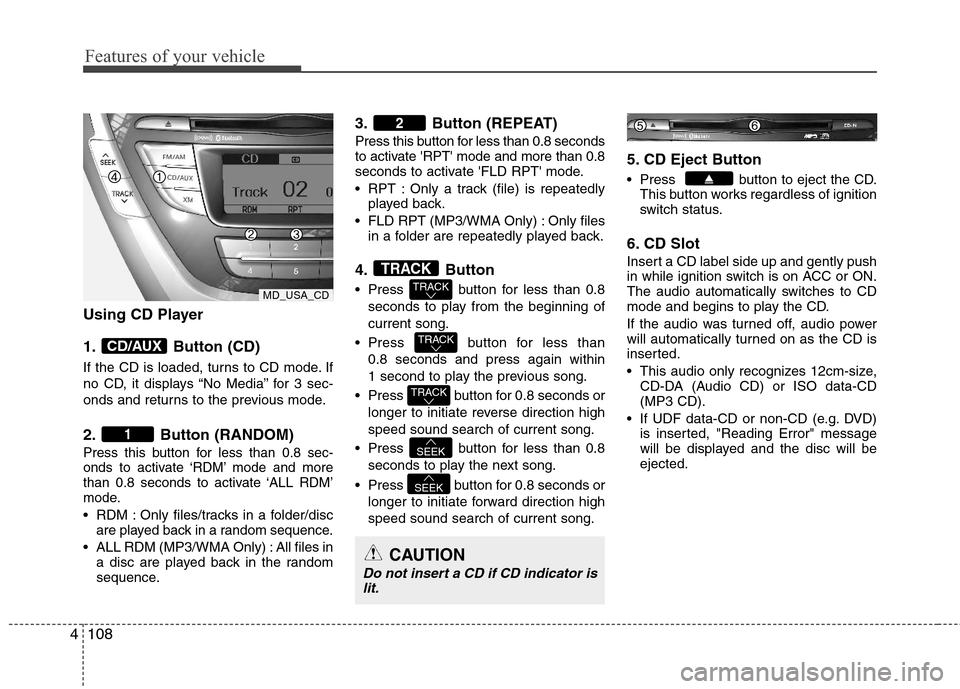
Using CD Player
1. Button (CD)
If the CD is loaded, turns to CD mode. If
no CD, it displays “No Media” for 3 sec-
onds and returns to the previous mode.
2. Button (RANDOM)
Press this button for less than 0.8 sec-
onds to activate ‘RDM’ mode and more
than 0.8 seconds to activate ‘ALL RDM’
mode.
RDM : Only files/tracks in a folder/disc
are played back in a random sequence.
ALL RDM (MP3/WMA Only) : All files in
a disc are played back in the random
sequence.
3. Button (REPEAT)
Press this button for less than 0.8 seconds
to activate 'RPT' mode and more than 0.8
seconds to activate 'FLD RPT' mode.
RPT : Only a track (file) is repeatedly
played back.
FLD RPT (MP3/WMA Only) : Only files
in a folder are repeatedly played back.
4. Button
Press button for less than 0.8
seconds to play from the beginning of
current song.
Press button for less than
0.8 seconds and press again within
1 second to play the previous song.
Press button for 0.8 seconds or
longer to initiate reverse direction high
speed sound search of current song.
Press button for less than 0.8
seconds to play the next song.
Press button for 0.8 seconds or
longer to initiate forward direction high
speed sound search of current song.
5. CD Eject Button
Press button to eject the CD.
This button works regardless of ignition
switch status.
6. CD Slot
Insert a CD label side up and gently push
in while ignition switch is on ACC or ON.
The audio automatically switches to CD
mode and begins to play the CD.
If the audio was turned off, audio power
will automatically turned on as the CD is
inserted.
This audio only recognizes 12cm-size,
CD-DA (Audio CD) or ISO data-CD
(MP3 CD).
If UDF data-CD or non-CD (e.g. DVD)
is inserted, "Reading Error" message
will be displayed and the disc will be
ejected.
SEEK
SEEK
TRACK
TRACK
TRACK
TRACK
2
1
CD/AUX
CAUTION
Do not insert a CD if CD indicator is
lit.
MD_USA_CD
Page 187 of 382

4109
Features of your vehicle
7. Button
Play each song in the CD for 10 seconds. To
cancel SCAN Play, press this button again.
8. Button
Displays the information of the current song.
Audio CD : Disc Title/Artist, Track Title
/Artist, Total Track.
MP3 CD : File Name, Title, Artist,
Album, Folder, Total Files (Not dis-
played if the information is unavailable
on the CD or file.)
9. Button (FOLDER)
Press button to move to child
folder of the current folder and display
the first song in the folder.
Press /buttons
to move
to the folder displayed. It will play the
first song in the folder.
Press button to move to parent
folder of the current folder and display
the first song in the folder.
Press
/buttons to move
to the folder displayed.
10.Search Button
Press the button to display the
songs next to the currently played song.
press the button to display the
songs before to the currently played
song.
11.Button
Press the button to play the
select song.ENTER
ENTER
FILE
TUNE
FLDRCAT
FLDR
FLDRCAT
CAT
FLDR
INFO
SCAN
MD_USA_CDMD_USA_CD
Page 188 of 382

Features of your vehicle
110 4
NOTE:
Order of playing files (folders) :
1. Song playing order : to sequen-
tially.2. Folder playing order :
❋If no song file is contained in the
folder, that folder is not displayed.
Page 191 of 382
4113
Features of your vehicle
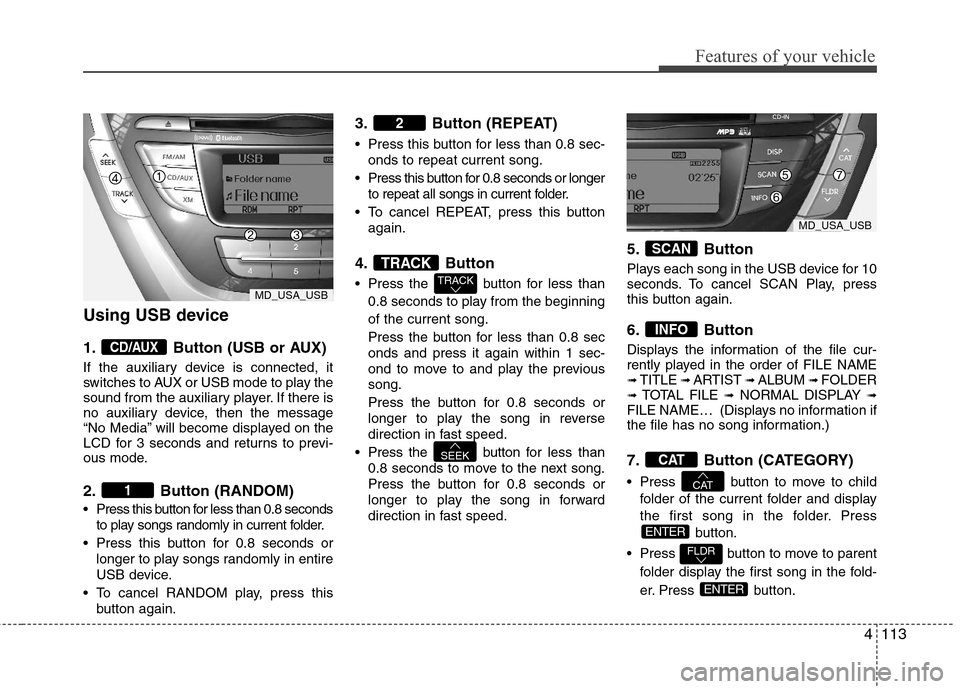
Using USB device
1. Button (USB or AUX)
If the auxiliary device is connected, it
switches to AUX or USB mode to play the
sound from the auxiliary player. If there is
no auxiliary device, then the message
“No Media” will become displayed on the
LCD for 3 seconds and returns to previ-
ous mode.
2. Button (RANDOM)
Press this button for less than 0.8 seconds
to play songs randomly in current folder.
Press this button for 0.8 seconds or
longer to play songs randomly in entire
USB device.
To cancel RANDOM play, press this
button again.
3. Button (REPEAT)
Press this button for less than 0.8 sec-
onds to repeat current song.
Press this button for 0.8 seconds or longer
to repeat all songs in current folder.
To cancel REPEAT, press this button
again.
4. Button
Press the button for less than
0.8 seconds to play from the beginning
of the current song.
Press the button for less than 0.8 sec
onds and press it again within 1 sec-
ond to move to and play the previous
song.
Press the button for 0.8 seconds or
longer to play the song in reverse
direction in fast speed.
Press the button for less than
0.8 seconds to move to the next song.
Press the button for 0.8 seconds or
longer to play the song in forward
direction in fast speed.
5. Button
Plays each song in the USB device for 10
seconds. To cancel SCAN Play, press
this button again.
6. Button
Displays the information of the file cur-
rently played in the order of FILE NAME
➟ TITLE ➟ ARTIST ➟ ALBUM ➟ FOLDER➟ TOTAL FILE ➟NORMAL DISPLAY ➟FILE NAME… (Displays no information if
the file has no song information.)
7. Button (CATEGORY)
Press button to move to child
folder of the current folder and display
the first song in the folder. Press
button.
Press button to move to parent
folder display the first song in the fold-
er. Press button.
ENTER
FLDR
ENTER
CAT
CAT
INFO
SCAN
SEEK
TRACK
TRACK
2
1
CD/AUX
MD_USA_USB
MD_USA_USB
Page 192 of 382
Features of your vehicle
114 4
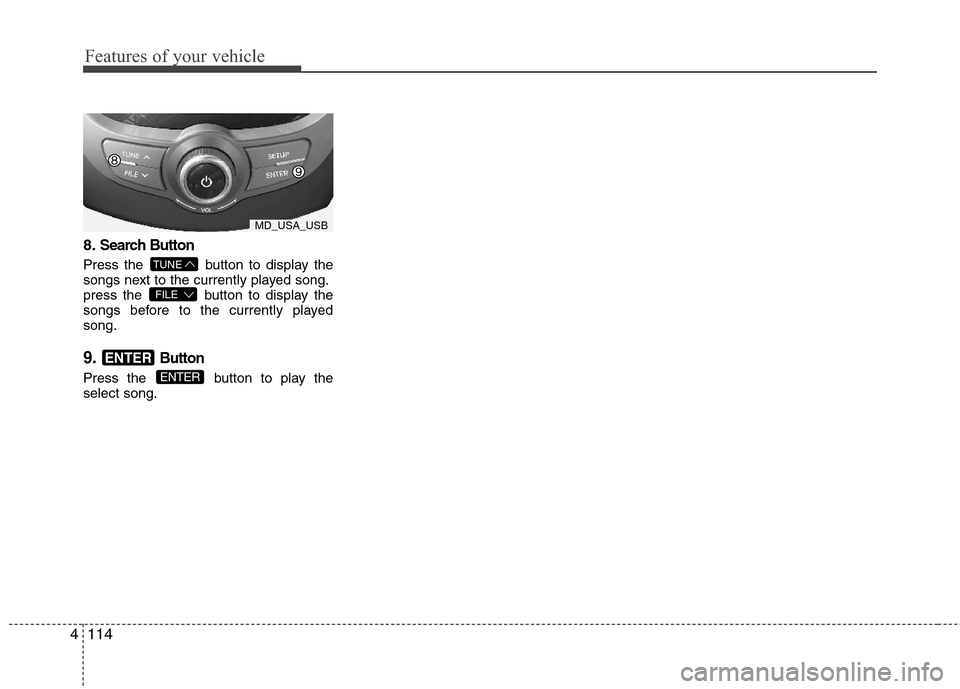
8.Search Button
Press the button to display the
songs next to the currently played song.
press the button to display the
songs before to the currently played
song.
9.Button
Press the button to play the
select song.ENTER
ENTER
FILE
TUNE
MD_USA_USB
Page 194 of 382
Features of your vehicle
116 4
Using iPod®
❋
iPod®is a trademark of Apple Inc.
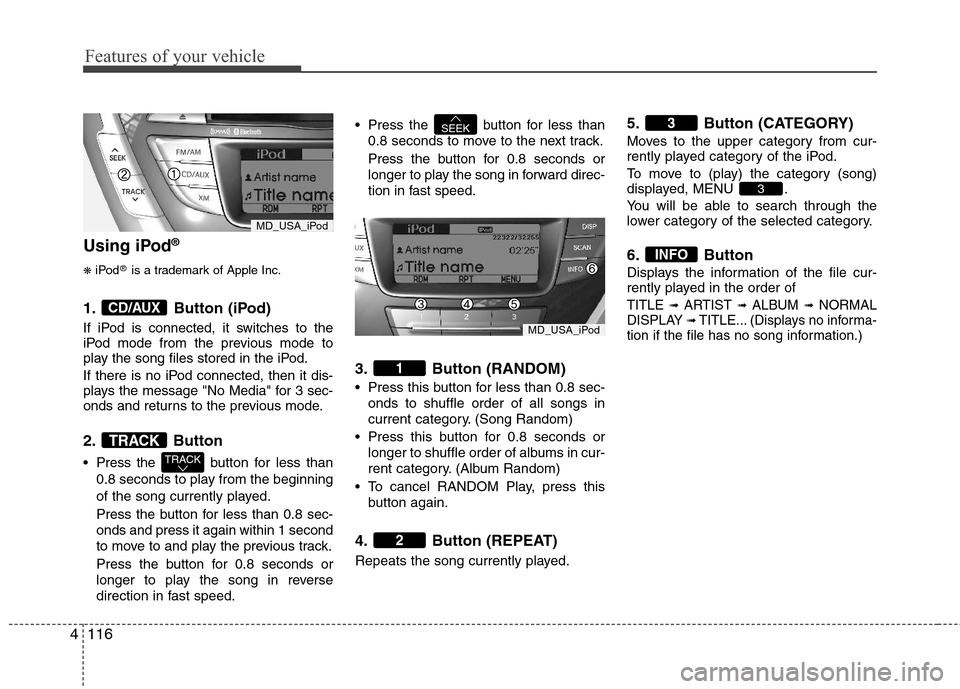
1. Button (iPod)
If iPod is connected, it switches to the
iPod mode from the previous mode to
play the song files stored in the iPod.
If there is no iPod connected, then it dis-
plays the message "No Media" for 3 sec-
onds and returns to the previous mode.
2. Button
Press the button for less than
0.8 seconds to play from the beginning
of the song currently played.
Press the button for less than 0.8 sec-
onds and press it again within 1 second
to move to and play the previous track.
Press the button for 0.8 seconds or
longer to play the song in reverse
direction in fast speed. Press the button for less than
0.8 seconds to move to the next track.
Press the button for 0.8 seconds or
longer to play the song in forward direc-
tion in fast speed.
3. Button (RANDOM)
Press this button for less than 0.8 sec-
onds to shuffle order of all songs in
current category. (Song Random)
Press this button for 0.8 seconds or
longer to shuffle order of albums in cur-
rent category. (Album Random)
To cancel RANDOM Play, press this
button again.
4. Button (REPEAT)
Repeats the song currently played.
5. Button (CATEGORY)
Moves to the upper category from cur-
rently played category of the iPod.
To move to (play) the category (song)
displayed, MENU .
You will be able to search through the
lower category of the selected category.
6. Button
Displays the information of the file cur-
rently played in the order of
TITLE ➟ARTIST ➟ALBUM ➟NORMAL
DISPLAY ➟TITLE... (Displays no informa-
tion if the file has no song information.)
INFO
3
3
2
1
SEEK
TRACK
TRACK
CD/AUX
MD_USA_iPod
MD_USA_iPod
Page 195 of 382
4117
Features of your vehicle
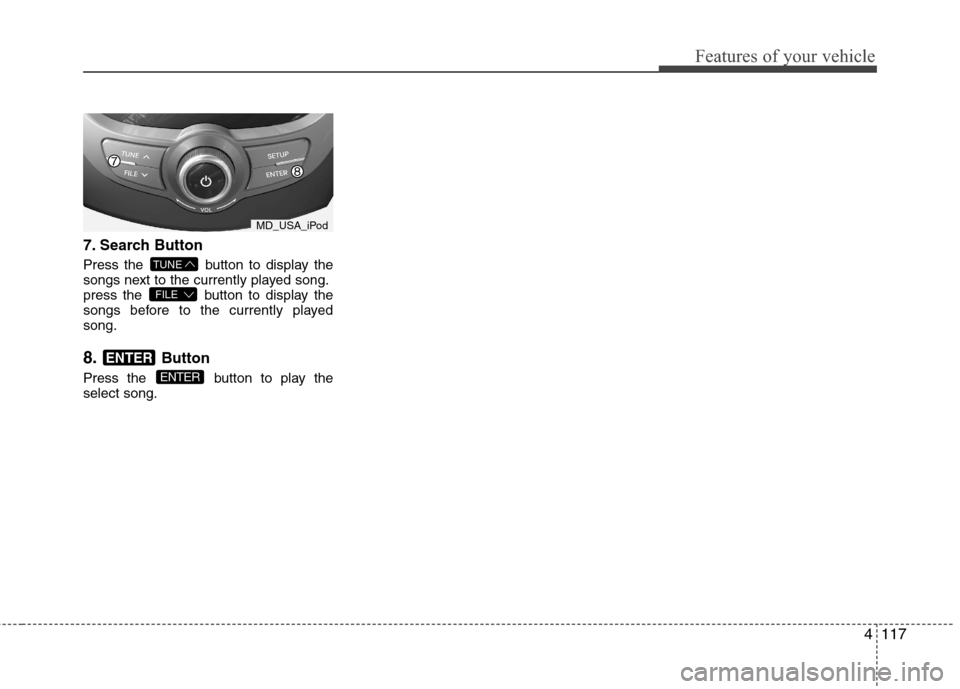
7.Search Button
Press the button to display the
songs next to the currently played song.
press the button to display the
songs before to the currently played
song.
8.Button
Press the button to play the
select song.ENTER
ENTER
FILE
TUNE
MD_USA_iPod