lock Hyundai Elantra 2012 - RHD (UK. Australia) Owner's Guide
[x] Cancel search | Manufacturer: HYUNDAI, Model Year: 2012, Model line: Elantra, Model: Hyundai Elantra 2012Pages: 384, PDF Size: 26.92 MB
Page 75 of 384
4
Keys / 4-2
Smart key / 4-5
Remote keyless entry / 4-11
Theft-alarm system / 4-13
Door locks / 4-16
Boot / 4-20
Windows / 4-22
Bonnet / 4-27
Fuel filler lid / 4-29
Sunroof / 4-32
Steering wheel / 4-36
Mirrors / 4-38
Instrument cluster / 4-42
Rear parking assist system / 4-65
Rearview camera / 4-68
Hazard warning flasher / 4-69
Lighting / 4-70
Wipers and washers / 4-75
Interior light / 4-78
Defroster / 4-80
Manual climate control system / 4-81
Automatic climate control system / 4-90
Windscreen defrosting and defogging / 4-98
Storage compartment / 4-102
Interior features / 4-104
Audio system / 4-111
Features of your vehicle
Page 76 of 384
Features of your vehicle
2
4
KEYS
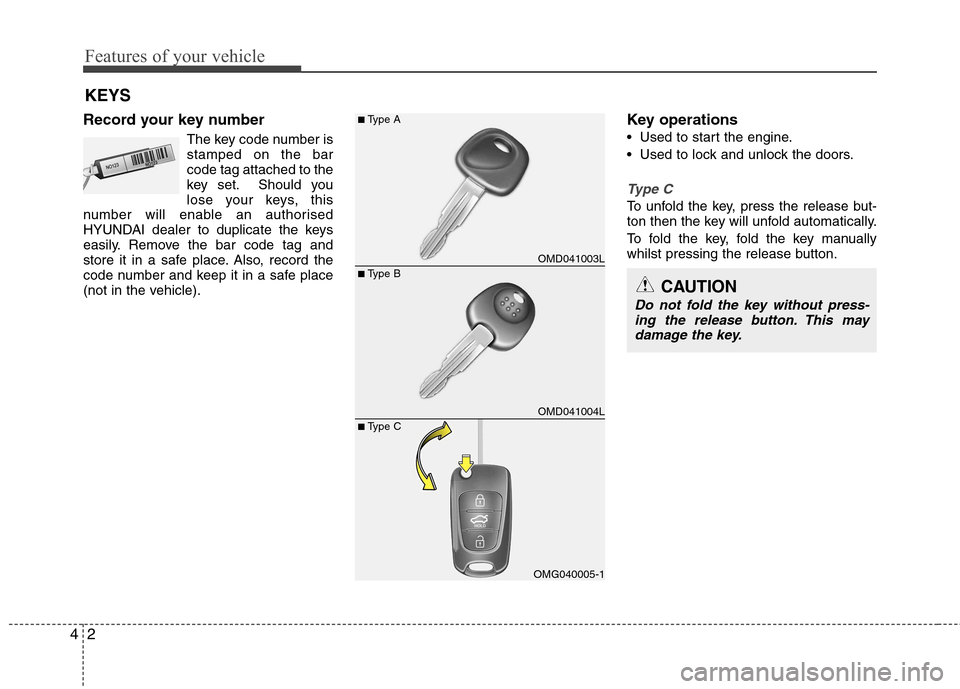
Record your key number The key code number is stamped on the barcode tag attached to the
key set. Should you
lose your keys, this
number will enable an authorised
HYUNDAI dealer to duplicate the keys
easily. Remove the bar code tag and
store it in a safe place. Also, record the
code number and keep it in a safe place
(not in the vehicle). Key operations
• Used to start the engine.
Used to lock and unlock the doors.
Type C
To unfold the key, press the release but-
ton then the key will unfold automatically.
To fold the key, fold the key manually
whilst pressing the release button.
OMD041003L
OMD041004L
OMG040005-1
■
Type B
■
Type A
■ Type CCAUTION
Do not fold the key without press-
ing the release button. This may damage the key.
Page 79 of 384
45
Features of your vehicle
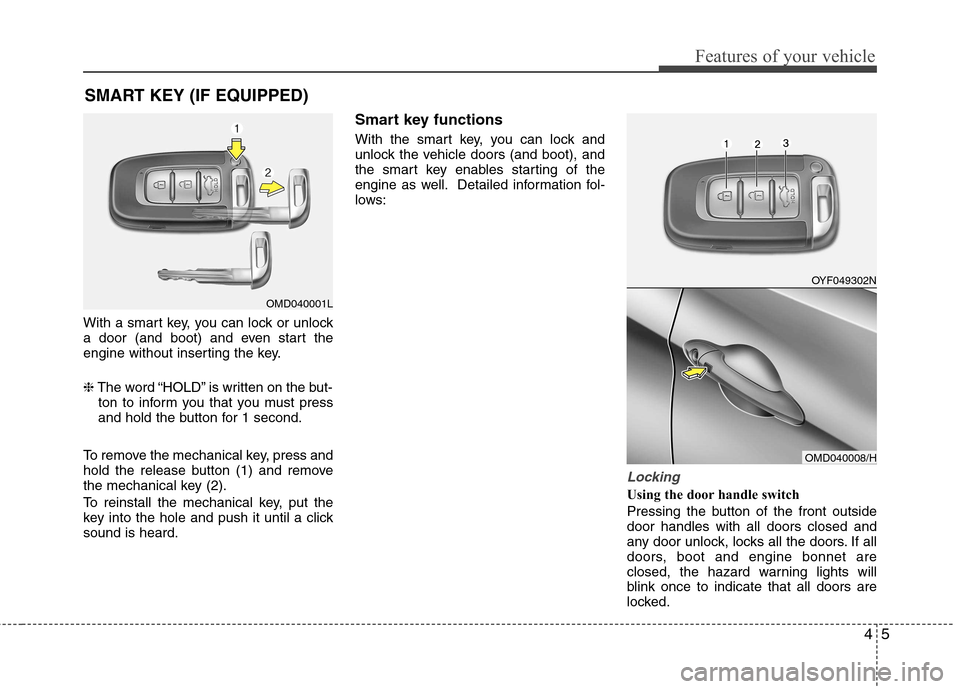
With a smart key, you can lock or unlock
a door (and boot) and even start the
engine without inserting the key. ❈The word “HOLD” is written on the but-
ton to inform you that you must press
and hold the button for 1 second.
To remove the mechanical key, press and
hold the release button (1) and remove
the mechanical key (2).
To reinstall the mechanical key, put the
key into the hole and push it until a clicksound is heard. Smart key functions
With the smart key, you can lock and
unlock the vehicle doors (and boot), and
the smart key enables starting of the
engine as well. Detailed information fol-
lows:
Locking
Using the door handle switch
Pressing the button of the front outside door handles with all doors closed and
any door unlock, locks all the doors. If all
doors, boot and engine bonnet are
closed, the hazard warning lights will
blink once to indicate that all doors are
locked.
SMART KEY (IF EQUIPPED)
OMD040001L
OYF049302N
OMD040008/H
Page 80 of 384
Features of your vehicle
6
4
However, if any door remains open, the
doors won't lock and the chime will sound
for 3 seconds. Close the door and try
again to lock the doors. If boot lid or engine bonnet remains
open, the hazard warning light won't
operate. After this, if boot lid and engine
bonnet are closed, the hazard warning
lights blink once.
The button will only operate when the
smart key is within 0.7~1 m (28~40 in.)
from the outside door handle. If you want
to make sure that a door has locked or
not, you should check the door lock but-
ton inside the vehicle or pull the outside
door handle.
Even though you press the outside door
handle buttons, the doors will not lock
and the chime will sound for 3 seconds if
any of following occur:
The smart key is in the vehicle.
The engine start/stop button is in ACC
or ON position.
Any door except the boot is open. Using the button on the smart key
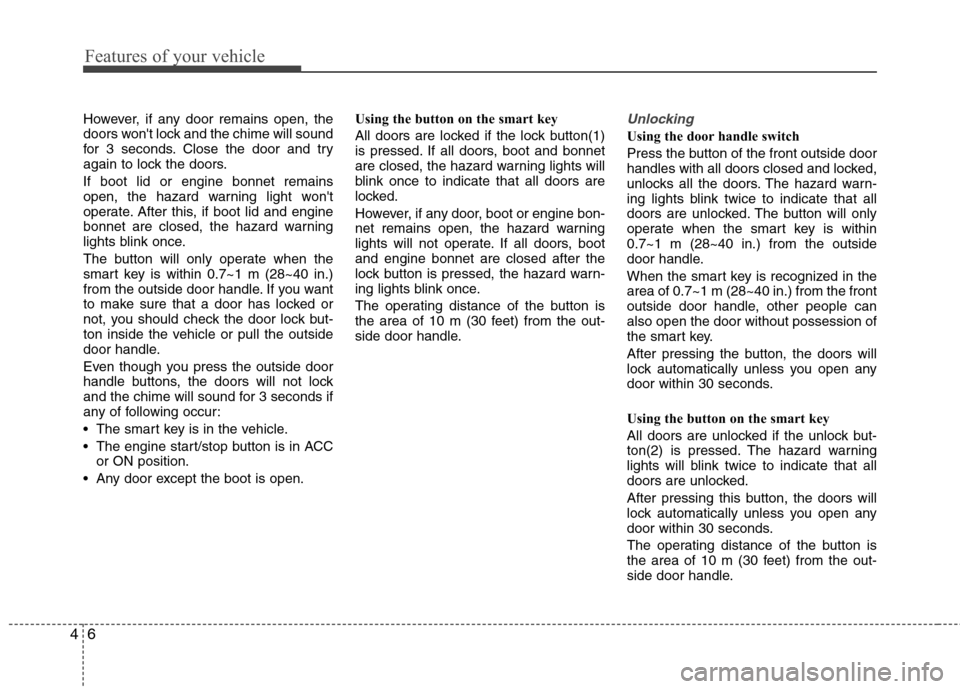
All doors are locked if the lock button(1)
is pressed. If all doors, boot and bonnet
are closed, the hazard warning lights will
blink once to indicate that all doors are
locked.
However, if any door, boot or engine bon-
net remains open, the hazard warning
lights will not operate. If all doors, bootand engine bonnet are closed after the
lock button is pressed, the hazard warn-
ing lights blink once.
The operating distance of the button is
the area of 10 m (30 feet) from the out-
side door handle.Unlocking
Using the door handle switch
Press the button of the front outside door
handles with all doors closed and locked,
unlocks all the doors. The hazard warn-
ing lights blink twice to indicate that all
doors are unlocked. The button will only
operate when the smart key is within0.7~1 m (28~40 in.) from the outside
door handle.
When the smart key is recognized in the area of 0.7~1 m (28~40 in.) from the front
outside door handle, other people canalso open the door without possession of
the smart key.
After pressing the button, the doors will
lock automatically unless you open any
door within 30 seconds.
Using the button on the smart key
All doors are unlocked if the unlock but-
ton(2) is pressed. The hazard warning
lights will blink twice to indicate that all
doors are unlocked.
After pressing this button, the doors will
lock automatically unless you open any
door within 30 seconds.
The operating distance of the button is
the area of 10 m (30 feet) from the out-
side door handle.
Page 81 of 384
47
Features of your vehicle
Boot-lid unlocking
Using the boot-lid handle switch
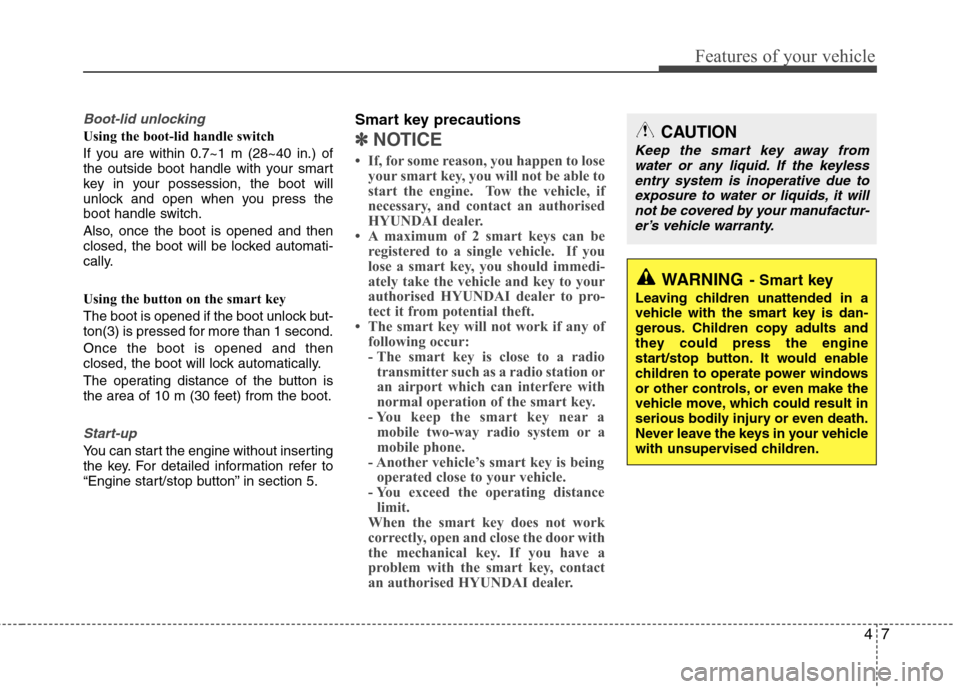
If you are within 0.7~1 m (28~40 in.) of
the outside boot handle with your smart
key in your possession, the boot will
unlock and open when you press the
boot handle switch.
Also, once the boot is opened and then
closed, the boot will be locked automati-
cally.
Using the button on the smart key
The boot is opened if the boot unlock but-
ton(3) is pressed for more than 1 second. Once the boot is opened and then
closed, the boot will lock automatically.
The operating distance of the button is
the area of 10 m (30 feet) from the boot.
Start-up
You can start the engine without inserting
the key. For detailed information refer to
“Engine start/stop button” in section 5.Smart key precautions
✽✽
NOTICE
If, for some reason, you happen to lose your smart key, you will not be able to
start the engine. Tow the vehicle, if
necessary, and contact an authorised
HYUNDAI dealer.
A maximum of 2 smart keys can be
registered to a single vehicle. If you
lose a smart key, you should immedi-
ately take the vehicle and key to your
authorised HYUNDAI dealer to pro-
tect it from potential theft.
The smart key will not work if any of
following occur:
- The smart key is close to a radiotransmitter such as a radio station or
an airport which can interfere with
normal operation of the smart key.
- You keep the smart key near a
mobile two-way radio system or a
mobile phone.
- Another vehicle’s smart key is being operated close to your vehicle.
- You exceed the operating distance limit.
When the smart key does not work
correctly, open and close the door with
the mechanical key. If you have a
problem with the smart key, contact
an authorised HYUNDAI dealer.CAUTION
Keep the smart key away from
water or any liquid. If the keyless
entry system is inoperative due to exposure to water or liquids, it willnot be covered by your manufactur- er’s vehicle warranty.
WARNING - Smart key
Leaving children unattended in a
vehicle with the smart key is dan-
gerous. Children copy adults and
they could press the engine
start/stop button. It would enable
children to operate power windows
or other controls, or even make the
vehicle move, which could result in
serious bodily injury or even death.
Never leave the keys in your vehicle
with unsupervised children.
Page 85 of 384
411
Features of your vehicle
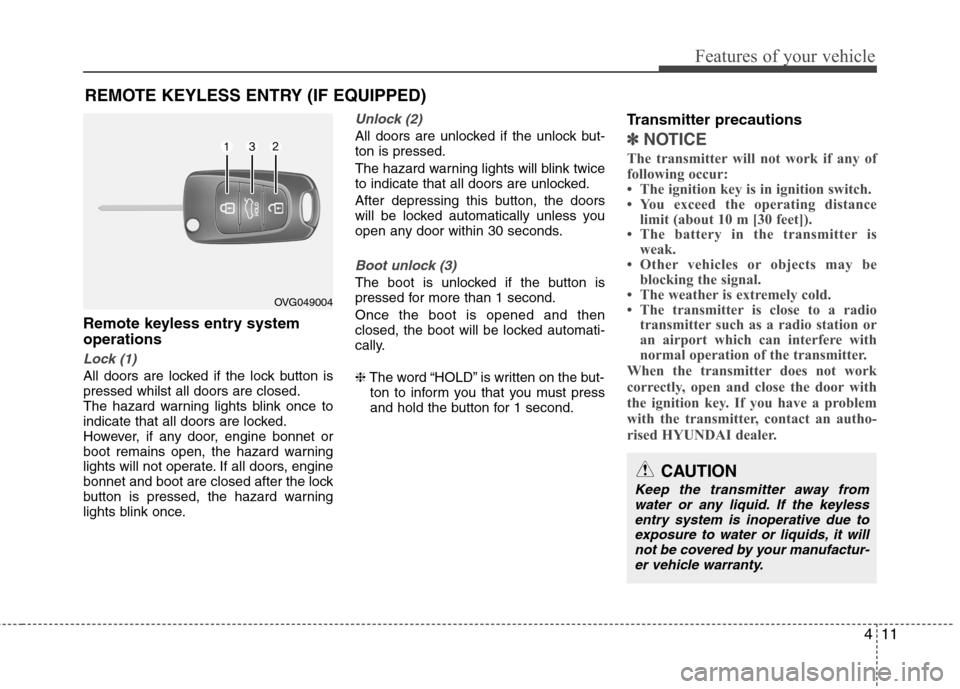
Remote keyless entry system operations
Lock (1)
All doors are locked if the lock button is pressed whilst all doors are closed.
The hazard warning lights blink once to
indicate that all doors are locked.
However, if any door, engine bonnet or
boot remains open, the hazard warning
lights will not operate. If all doors, engine
bonnet and boot are closed after the lock
button is pressed, the hazard warning
lights blink once.
Unlock (2)
All doors are unlocked if the unlock but- ton is pressed.
The hazard warning lights will blink twice
to indicate that all doors are unlocked.
After depressing this button, the doors
will be locked automatically unless you
open any door within 30 seconds.
Boot unlock (3)
The boot is unlocked if the button is
pressed for more than 1 second. Once the boot is opened and then
closed, the boot will be locked automati-
cally. ❈The word “HOLD” is written on the but-
ton to inform you that you must press
and hold the button for 1 second. Transmitter precautions
✽✽
NOTICE
The transmitter will not work if any of
following occur:
The ignition key is in ignition switch.
You exceed the operating distance limit (about 10 m [30 feet]).
The battery in the transmitter is weak.
Other vehicles or objects may be blocking the signal.
The weather is extremely cold.
The transmitter is close to a radio transmitter such as a radio station or
an airport which can interfere with
normal operation of the transmitter.
When the transmitter does not work
correctly, open and close the door with
the ignition key. If you have a problem
with the transmitter, contact an autho-
rised HYUNDAI dealer.
REMOTE KEYLESS ENTRY (IF EQUIPPED)
OVG049004
CAUTION
Keep the transmitter away from water or any liquid. If the keyless
entry system is inoperative due toexposure to water or liquids, it will not be covered by your manufactur-er vehicle warranty.
Page 87 of 384
413
Features of your vehicle
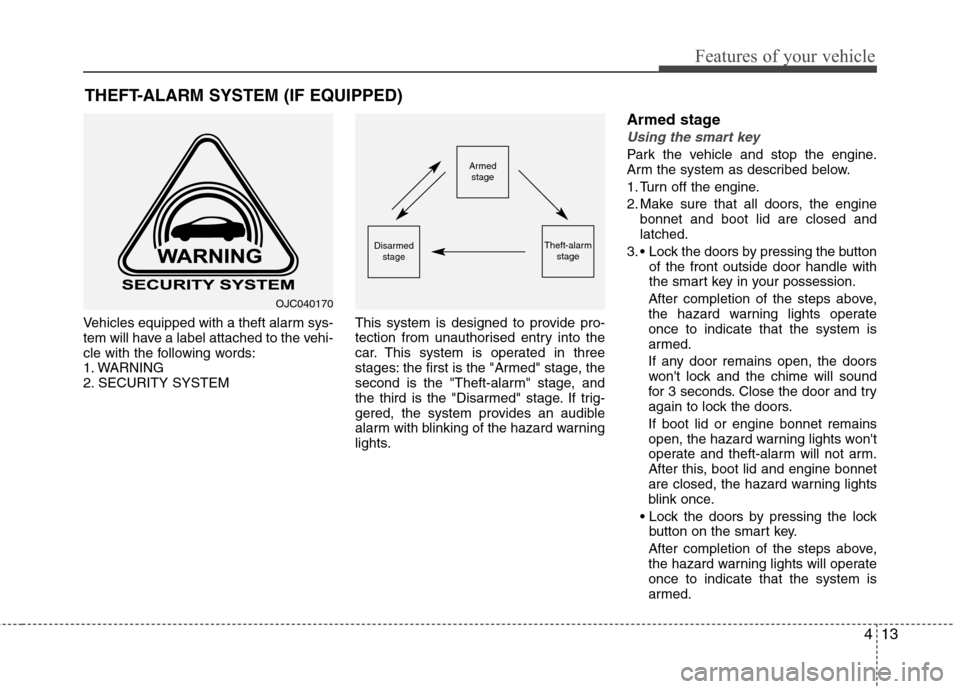
Vehicles equipped with a theft alarm sys-
tem will have a label attached to the vehi-
cle with the following words:
1. WARNING
2. SECURITY SYSTEMThis system is designed to provide pro-
tection from unauthorised entry into the
car. This system is operated in three
stages: the first is the "Armed" stage, the
second is the "Theft-alarm" stage, and
the third is the "Disarmed" stage. If trig-
gered, the system provides an audible
alarm with blinking of the hazard warning
lights.Armed stage
Using the smart key
Park the vehicle and stop the engine.
Arm the system as described below.
1. Turn off the engine.
2. Make sure that all doors, the engine
bonnet and boot lid are closed and latched.
3. Lock the doors by pressing the button of the front outside door handle with
the smart key in your possession.
After completion of the steps above,
the hazard warning lights operateonce to indicate that the system is
armed.
If any door remains open, the doors
won't lock and the chime will sound
for 3 seconds. Close the door and try
again to lock the doors. If boot lid or engine bonnet remains
open, the hazard warning lights won't
operate and theft-alarm will not arm.
After this, boot lid and engine bonnet
are closed, the hazard warning lights
blink once.
button on the smart key.
After completion of the steps above,
the hazard warning lights will operateonce to indicate that the system is
armed.
THEFT-ALARM SYSTEM (IF EQUIPPED)Armed
stage
Theft-alarm stageDisarmedstage
OJC040170
Page 88 of 384
Features of your vehicle
14
4
If any door, boot lid or engine bonnet
remains open, the hazard warning
lights won't operate and theft-alarm
will not arm. After this, if all doors,boot lid and engine bonnet are
closed, the hazard warning lights
blink once.
Using the transmitter
Park the vehicle and stop the engine.
Arm the system as described below.
1. Turn off the engine and remove the
ignition key from the ignition switch.
2. Make sure that all doors, the engine bonnet and boot lid are closed and latched.
3. Lock the doors by pressing the lock button on the transmitter.
After completion of the steps above,
the hazard warning lights will blinkonce to indicate that the system is
armed.
If any door, boot lid or engine bonnet
remains open, the hazard warning
lights won't operate and theft-alarm will
not arm. After this, if all doors, boot lidand engine bonnet are closed, the haz-
ard warning lights blink once. Do not arm the system until all pas-
sengers have left the vehicle. If thesystem is armed whilst a passen-
ger(s) remains in the vehicle, the
alarm may be activated when the
remaining passenger(s) leave the
vehicle. If any door (or boot) or enginebonnet is opened within 30 seconds
after the system enters the armed
stage, the system is disarmed to pre-
vent unnecessary alarm.
Theft-alarm stage
The alarm will be activated if any of the
following occurs whilst the system is
armed.
A front or rear door is opened without
using the transmitter (or smart key).
The boot is opened without using the transmitter (or smart key).
The engine bonnet is opened.
The horn will sound and the hazard
warning lights will blink continuously for
27 seconds, unless the system is dis-
armed. To turn off the system, unlock the
doors with the transmitter (or smart key). Opening the boot with the alarm armed (if equipped)
When the alarm is armed, the alarm will not sound if the boot lid is opened with
the transmitter (or the smart key). Once the boot is opened and then
closed, the boot will be locked automati-
cally and the system will be armed again.
Also, if any of the doors or bonnet is opened whilst the boot lid open and the
alarm armed, the alarm will sound.
Page 89 of 384
415
Features of your vehicle
Disarmed stage
The system will be disarmed when:
Transmitter
- The door unlock button is pressed.
Smart key
- The door unlock button is pressed.
- The button of the front outside door ispressed whilst carrying the smart key.
After the doors are unlocked, the hazard
warning lights will blink twice to indicate
that the system is disarmed.
After pressing the unlock button, if any door (or boot) is not opened within 30
seconds, the system will be rearmed.
✽✽ NOTICE - Non-Smart key
If the system is not disarmed with the transmitter, open the door with the
key and insert the key into the ignition
switch, turn the ignition switch to the
ON position and wait for 30 seconds.
Then the system will be disarmed.
If you lose your keys, consult your
authorised HYUNDAI dealer.
✽
✽ NOTICE - Smart key
If the system is not disarmed with the smart key, open the door with the
mechanical key and start the engine.
Then the system will be disarmed.
If you lose your keys, consult your
authorised HYUNDAI dealer.
CAUTION
Do not change, alter or adjust the
theft-alarm system because it could
cause the theft-alarm system to malfunction and should only beserviced by an authorisedHYUNDAI dealer.
Malfunctions caused by improperalterations, adjustments or modifi-cations to the theft-alarm system are not covered by your vehicle
manufacturer’s warranty.
Page 90 of 384
Features of your vehicle
16
4
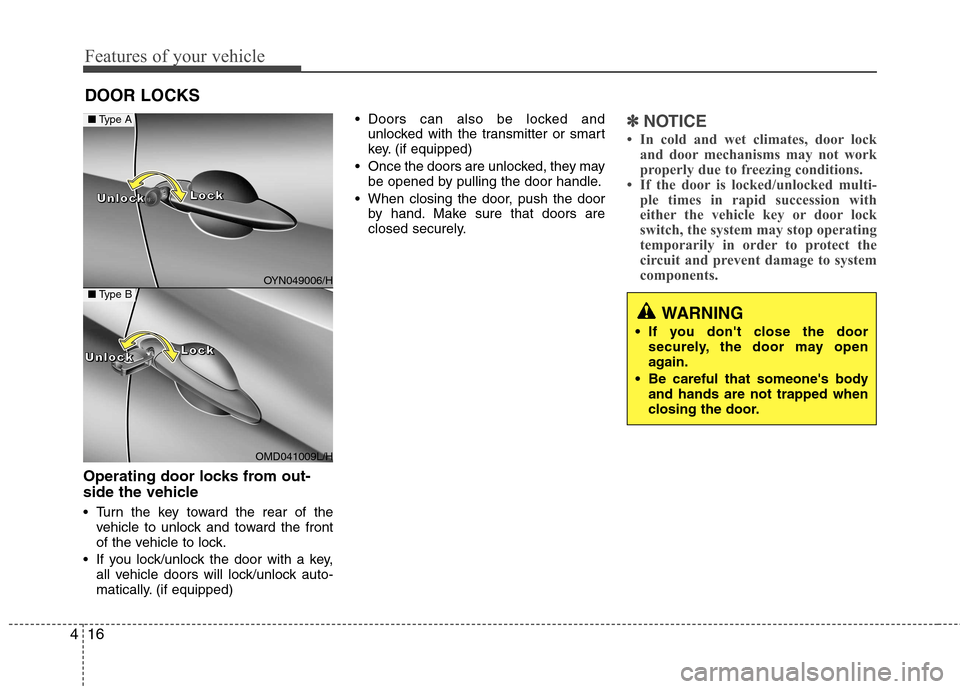
Operating door locks from out-
side the vehicle
Turn the key toward the rear of the
vehicle to unlock and toward the front
of the vehicle to lock.
If you lock/unlock the door with a key, all vehicle doors will lock/unlock auto-
matically. (if equipped) Doors can also be locked and
unlocked with the transmitter or smart
key. (if equipped)
Once the doors are unlocked, they may be opened by pulling the door handle.
When closing the door, push the door by hand. Make sure that doors are
closed securely.
✽✽ NOTICE
In cold and wet climates, door lock and door mechanisms may not work
properly due to freezing conditions.
If the door is locked/unlocked multi-
ple times in rapid succession with
either the vehicle key or door lock
switch, the system may stop operating
temporarily in order to protect the
circuit and prevent damage to system
components.
DOOR LOCKS
WARNING
If you don't close the door securely, the door may open
again.
Be careful that someone's body and hands are not trapped when
closing the door.
OYN049006/H
OMD041009L/H
■Type A
■Type B
LLLLoooocccckkkkUUUUnnnnlllloooocccckkkk
LLLLoooocccckkkkUUUUnnnnlllloooocccckkkk