English Hyundai Elantra 2013 Owner's Manual
[x] Cancel search | Manufacturer: HYUNDAI, Model Year: 2013, Model line: Elantra, Model: Hyundai Elantra 2013Pages: 383, PDF Size: 8.94 MB
Page 5 of 383
F5 Guide to Hyundai Genuine Parts
1. What are Hyundai Genuine Parts?
Hyundai Genuine Parts are the same
parts used by Hyundai Motor
Company to manufacture vehicles.
They are designed and tested for the
optimum safety, performance, and reli-
ability to our customers.
2. Why should you use genuine parts?
Hyundai Genuine Parts are engi-
neered and built to meet rigid manu-
facturing requirements. Using imita-
tion, counterfeit or used salvage parts
is not covered under the Hyundai New
Vehicle Limited Warranty or any other
Hyundai warranty.In addition, any damage to or failure of
Hyundai Genuine Parts caused by the
installation or failure of an imitation,
counterfeit or used salvage part is not
covered by any Hyundai Warranty.
3. How can you tell if you are purchas-
ing Hyundai Genuine Parts?
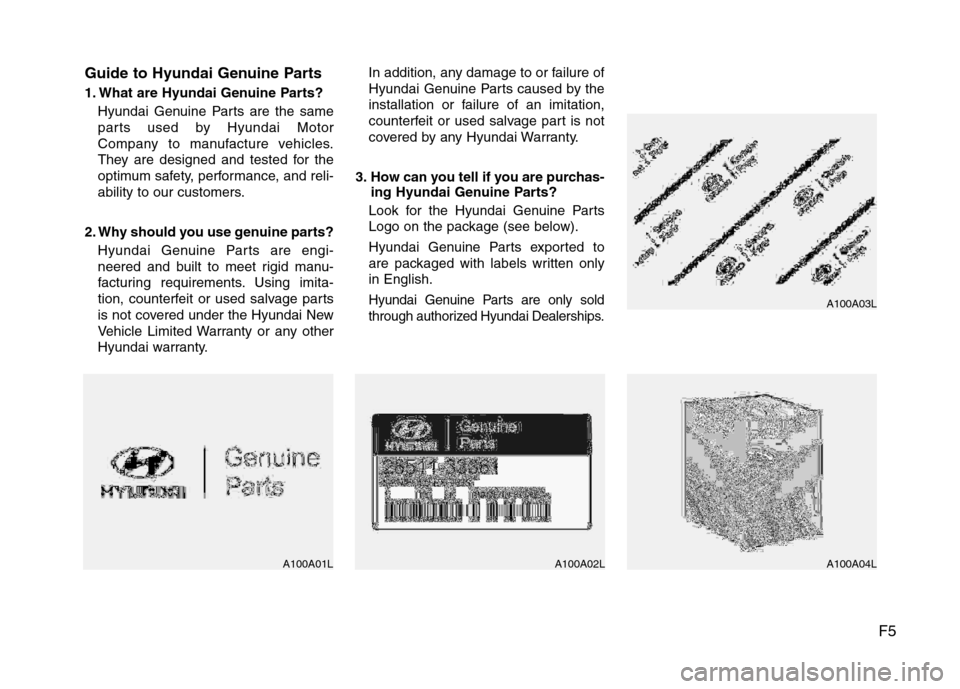
Look for the Hyundai Genuine Parts
Logo on the package (see below).
Hyundai Genuine Parts exported to
are packaged with labels written only
in English.
Hyundai Genuine Parts are only sold
through authorized Hyundai Dealerships.
A100A01L A100A02L A100A04LA100A03L
Page 198 of 383
Features of your vehicle
120 4
NOTE:
Bluetooth phone compatibility can be
checked by visiting
www.hyundaiusa.com and under the
SERVICE & PARTS - BLUETOOTH
COMPATIBILITY menu.
Areas that can be checked - 9 areas,
such as Pairing, Connection,
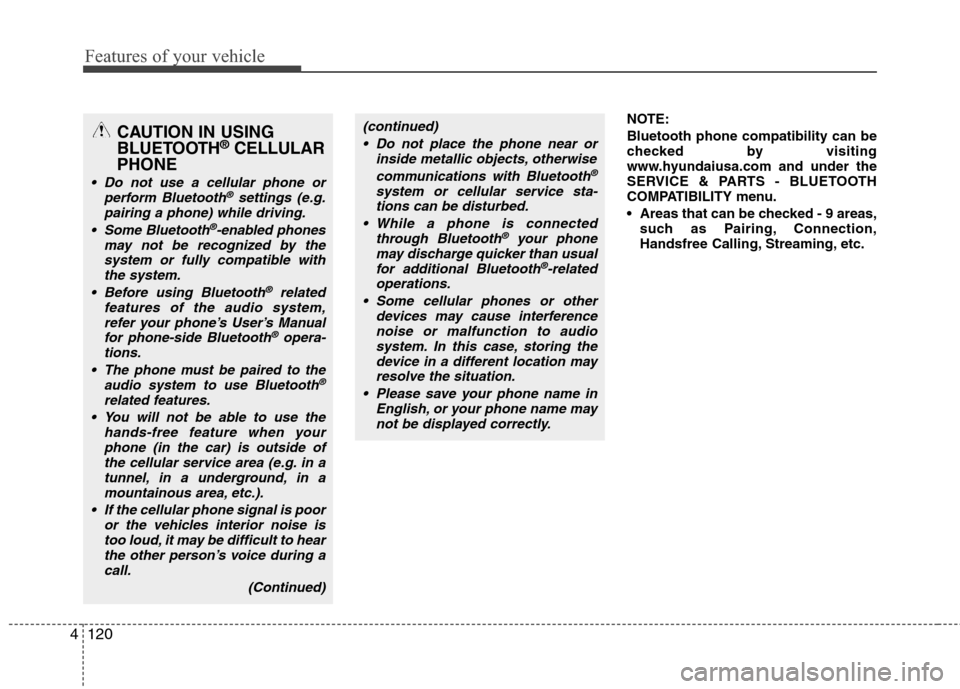
Handsfree Calling, Streaming, etc.CAUTION IN USING
BLUETOOTH®CELLULAR
PHONE
Do not use a cellular phone or
perform Bluetooth®settings (e.g.
pairing a phone) while driving.
Some Bluetooth
®-enabled phones
may not be recognized by the
system or fully compatible with
the system.
Before using Bluetooth
®related
features of the audio system,
refer your phone’s User’s Manual
for phone-side Bluetooth
®opera-
tions.
The phone must be paired to the
audio system to use Bluetooth®
related features.
You will not be able to use the
hands-free feature when your
phone (in the car) is outside of
the cellular service area (e.g. in a
tunnel, in a underground, in a
mountainous area, etc.).
If the cellular phone signal is poor
or the vehicles interior noise is
too loud, it may be difficult to hear
the other person’s voice during a
call.
(Continued)
(continued)
Do not place the phone near or
inside metallic objects, otherwise
communications with Bluetooth
®
system or cellular service sta-
tions can be disturbed.
While a phone is connected
through Bluetooth
®your phone
may discharge quicker than usual
for additional Bluetooth
®-related
operations.
Some cellular phones or other
devices may cause interference
noise or malfunction to audio
system. In this case, storing the
device in a different location may
resolve the situation.
Please save your phone name in
English, or your phone name may
not be displayed correctly.
Page 199 of 383
4121
Features of your vehicle
BLUETOOTH®PHONE OPERATION
(if equipped)
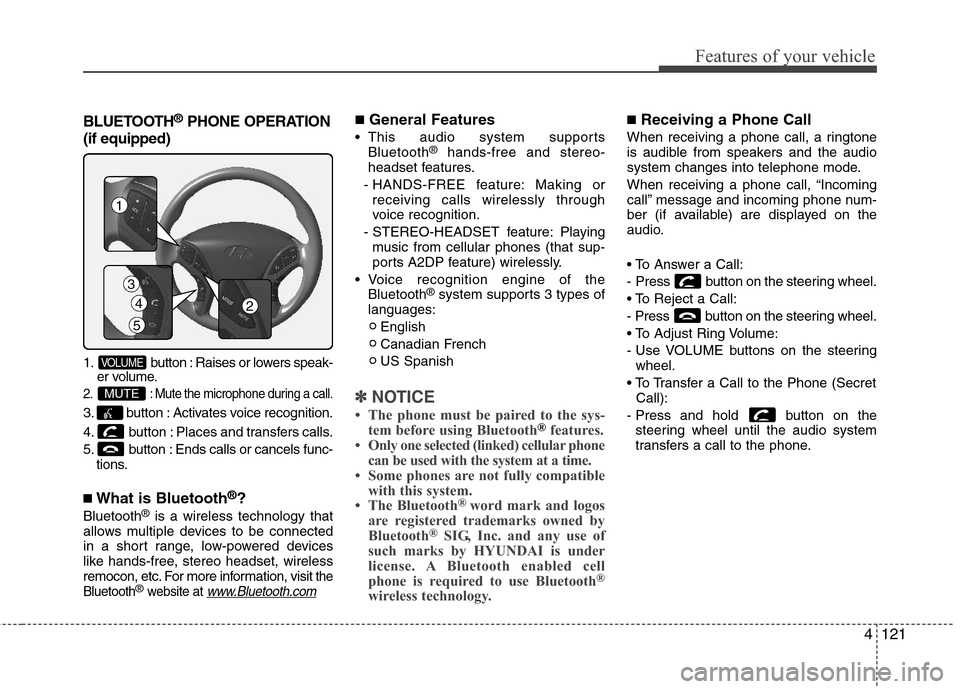
1. button : Raises or lowers speak-
er volume.
2. : Mute the microphone during a call.
3. button : Activates voice recognition.
4. button : Places and transfers calls.
5. button : Ends calls or cancels func-
tions.
■What is Bluetooth®?
Bluetooth®is a wireless technology that
allows multiple devices to be connected
in a short range, low-powered devices
like hands-free, stereo headset, wireless
remocon, etc. For more information, visit
the
Bluetooth®website at www.Bluetooth.com
■General Features
This audio system supports
Bluetooth®hands-free and stereo-
headset features.
- HANDS-FREE feature: Making or
receiving calls wirelessly through
voice recognition.
- STEREO-HEADSET feature: Playing
music from cellular phones (that sup-
ports A2DP feature) wirelessly.
Voice recognition engine of the
Bluetooth
®system supports 3 types of
languages:
English
Canadian French
US Spanish
✽ ✽
NOTICE
• The phone must be paired to the sys-
tem before using Bluetooth®features.
• Only one selected (linked) cellular phone
can be used with the system at a time.
• Some phones are not fully compatible
with this system.
• The Bluetooth
® word mark and logos
are registered trademarks owned by
Bluetooth
®SIG, Inc. and any use of
such marks by HYUNDAI is under
license. A Bluetooth enabled cell
phone is required to use Bluetooth
®
wireless technology.
■Receiving a Phone Call
When receiving a phone call, a ringtone
is audible from speakers and the audio
system changes into telephone mode.
When receiving a phone call, “Incoming
call” message and incoming phone num-
ber (if available) are displayed on the
audio.
- Press button on the steering wheel.
- Press button on the steering wheel.
- Use VOLUME buttons on the steering
wheel.
Call):
- Press and hold button on the
steering wheel until the audio system
transfers a call to the phone.
MUTE
VOLUME
4
5
3
1
2
Page 207 of 383
![Hyundai Elantra 2013 Owners Manual 4129
Features of your vehicle
■ Key matrix
No.
Class
Paired H/P
EmptyDisconnected
1SHORT
LONG
SHORT
SHORT
LONG
[10sec]
LONG
[10sec]Normal mode
BT SETUP menuIncoming CallOutgoing Call
Active Call2nd](/img/35/14577/w960_14577-206.png "Hyundai Elantra 2013 Owners Manual 4129
Features of your vehicle
■ Key matrix
No.
Class
Paired H/P
EmptyDisconnected
1SHORT
LONG
SHORT
SHORT
LONG
[10sec]
LONG
[10sec]Normal mode
BT SETUP menuIncoming CallOutgoing Call
Active Call2nd")
4129
Features of your vehicle
■ Key matrix
No.
Class
Paired H/P
EmptyDisconnected
1SHORT
LONG
SHORT
SHORT
LONG
[10sec]
LONG
[10sec]Normal mode
BT SETUP menuIncoming CallOutgoing Call
Active Call2nd Call
Not Paired Not Connecting--Accept Call
Connected
-
2nd call
1st Call:waiting
2nd Call:active2nd Call
2nd Call:waiting
1st Call:active
KEY
-
-
-
---Transfer call:secret call
End Call VR
MODE CancelVR
MODE CancelVR
MODE CancelVR
MODE CancelReject Call End Call End Call
-
Active
-
-
ActiveSpeaker
Adaptation
(Only English)
-
Active
-
Active
-Speaker
Adaptation
(Only English)
-
--
--
--
--
-
--
2
3
Page 331 of 383
743
Maintenance
Tire speed ratings
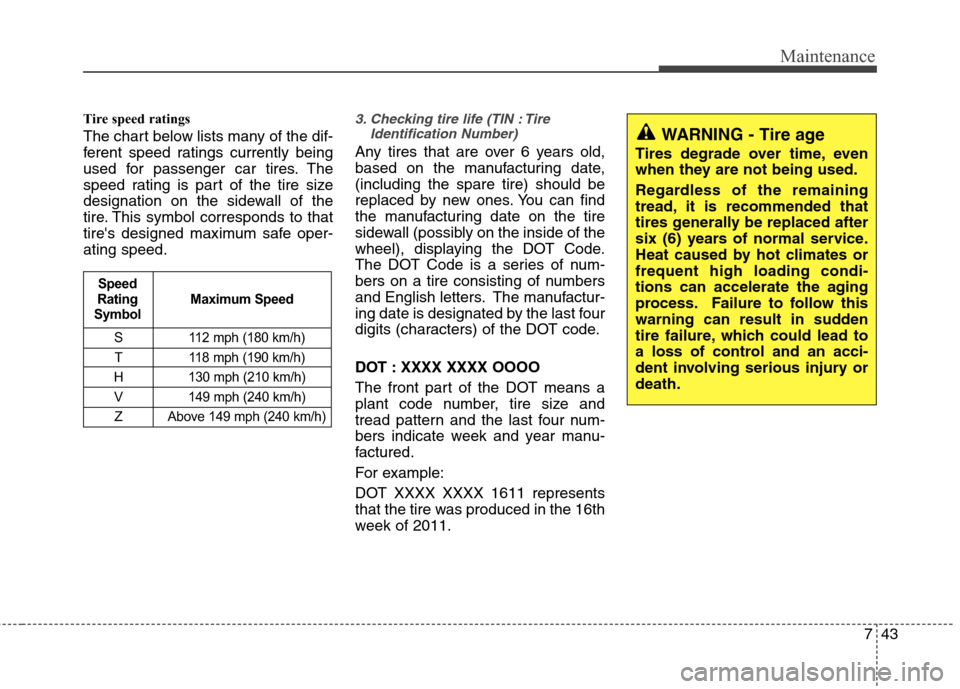
The chart below lists many of the dif-
ferent speed ratings currently being
used for passenger car tires. The
speed rating is part of the tire size
designation on the sidewall of the
tire. This symbol corresponds to that
tire's designed maximum safe oper-
ating speed.
3. Checking tire life (TIN : Tire
Identification Number)
Any tires that are over 6 years old,
based on the manufacturing date,
(including the spare tire) should be
replaced by new ones. You can find
the manufacturing date on the tire
sidewall (possibly on the inside of the
wheel), displaying the DOT Code.
The DOT Code is a series of num-
bers on a tire consisting of numbers
and English letters. The manufactur-
ing date is designated by the last four
digits (characters) of the DOT code.
DOT : XXXX XXXX OOOO
The front part of the DOT means a
plant code number, tire size and
tread pattern and the last four num-
bers indicate week and year manu-
factured.
For example:
DOT XXXX XXXX 1611 represents
that the tire was produced in the 16th
week of 2011.
S 112 mph (180 km/h)
T 118 mph (190 km/h)
H 130 mph (210 km/h)
V 149 mph (240 km/h)
Z Above 149 mph (240 km/h)
Maximum Speed Speed
Rating
Symbol
WARNING - Tire age
Tires degrade over time, even
when they are not being used.
Regardless of the remaining
tread, it is recommended that
tires generally be replaced after
six (6) years of normal service.
Heat caused by hot climates or
frequent high loading condi-
tions can accelerate the aging
process. Failure to follow this
warning can result in sudden
tire failure, which could lead to
a loss of control and an acci-
dent involving serious injury or
death.