warning Hyundai Elantra 2014 Owner's Manual
[x] Cancel search | Manufacturer: HYUNDAI, Model Year: 2014, Model line: Elantra, Model: Hyundai Elantra 2014Pages: 668, PDF Size: 35.58 MB
Page 197 of 668
4111
Features of your vehicle
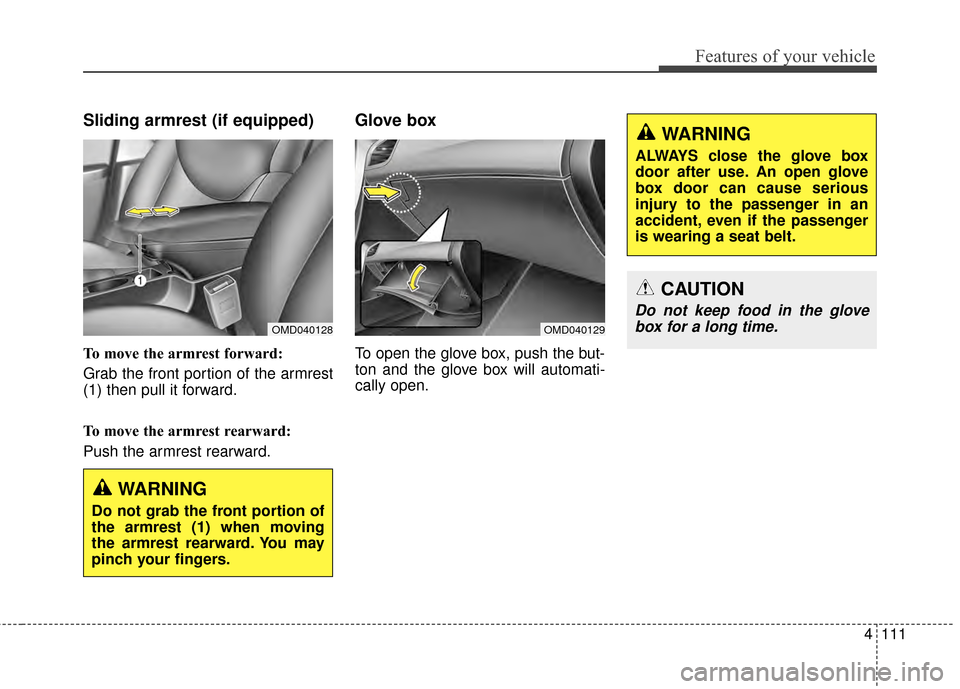
Sliding armrest (if equipped)
To move the armrest forward:
Grab the front portion of the armrest
(1) then pull it forward.
To move the armrest rearward:
Push the armrest rearward.
Glove box
To open the glove box, push the but-
ton and the glove box will automati-
cally open.
OMD040128
WARNING
Do not grab the front portion of
the armrest (1) when moving
the armrest rearward. You may
pinch your fingers.
WARNING
ALWAYS close the glove box
door after use. An open glove
box door can cause serious
injury to the passenger in an
accident, even if the passenger
is wearing a seat belt.
CAUTION
Do not keep food in the glovebox for a long time.
OMD040129
Page 198 of 668
Features of your vehicle
112
4
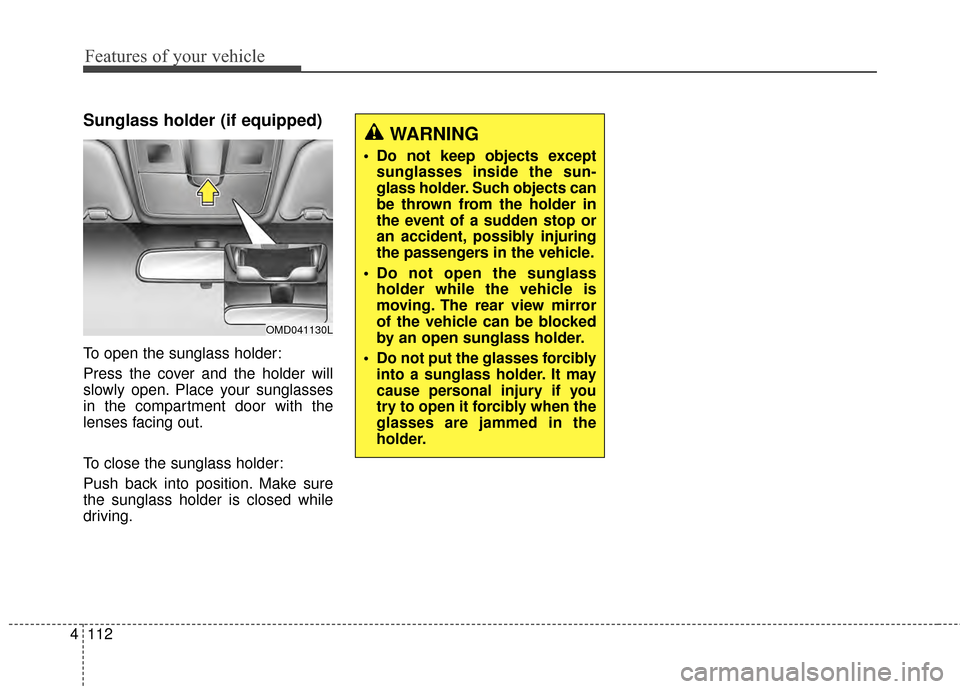
Sunglass holder (if equipped)
To open the sunglass holder:
Press the cover and the holder will
slowly open. Place your sunglasses
in the compartment door with the
lenses facing out.
To close the sunglass holder:
Push back into position. Make sure
the sunglass holder is closed while
driving.
WARNING
Do not keep objects except
sunglasses inside the sun-
glass holder. Such objects can
be thrown from the holder in
the event of a sudden stop or
an accident, possibly injuring
the passengers in the vehicle.
Do not open the sunglass holder while the vehicle is
moving. The rear view mirror
of the vehicle can be blocked
by an open sunglass holder.
Do not put the glasses forcibly
into a sunglass holder. It may
cause personal injury if you
try to open it forcibly when the
glasses are jammed in the
holder.
OMD041130L
Page 199 of 668
4113
Features of your vehicle
INTERIOR FEATURES
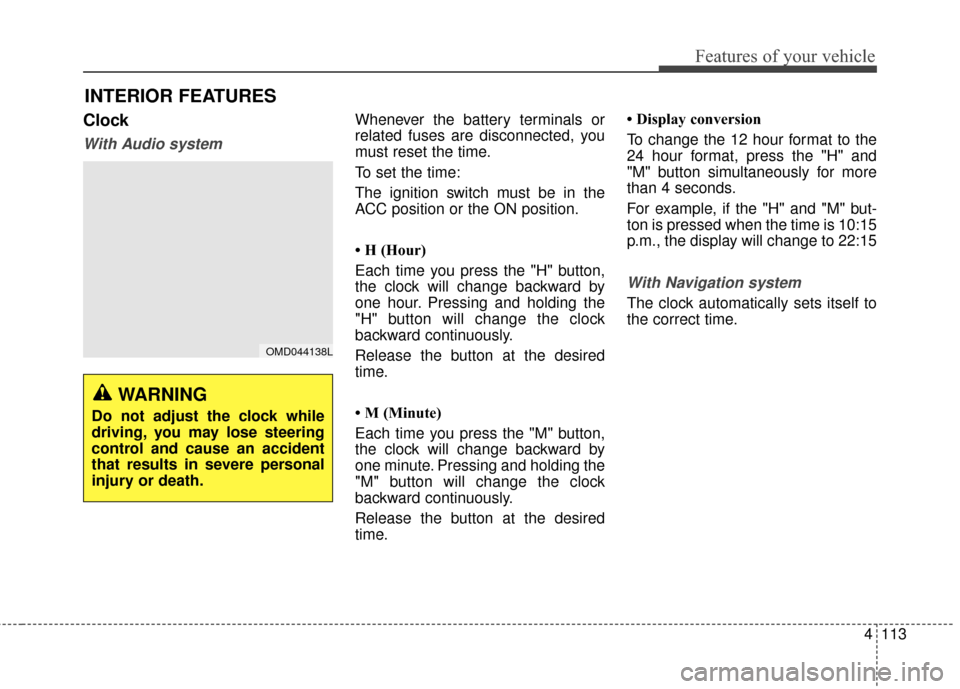
Clock
With Audio system
Whenever the battery terminals or
related fuses are disconnected, you
must reset the time.
To set the time:
The ignition switch must be in the
ACC position or the ON position.
• H (Hour)
Each time you press the "H" button,
the clock will change backward by
one hour. Pressing and holding the
"H" button will change the clock
backward continuously.
Release the button at the desired
time.
• M (Minute)
Each time you press the "M" button,
the clock will change backward by
one minute. Pressing and holding the
"M" button will change the clock
backward continuously.
Release the button at the desired
time.• Display conversion
To change the 12 hour format to the
24 hour format, press the "H" and
"M" button simultaneously for more
than 4 seconds.
For example, if the "H" and "M" but-
ton is pressed when the time is 10:15
p.m., the display will change to 22:15
With Navigation system
The clock automatically sets itself to
the correct time.
OMD044138L
WARNING
Do not adjust the clock while
driving, you may lose steering
control and cause an accident
that results in severe personal
injury or death.
Page 201 of 668
4115
Features of your vehicle
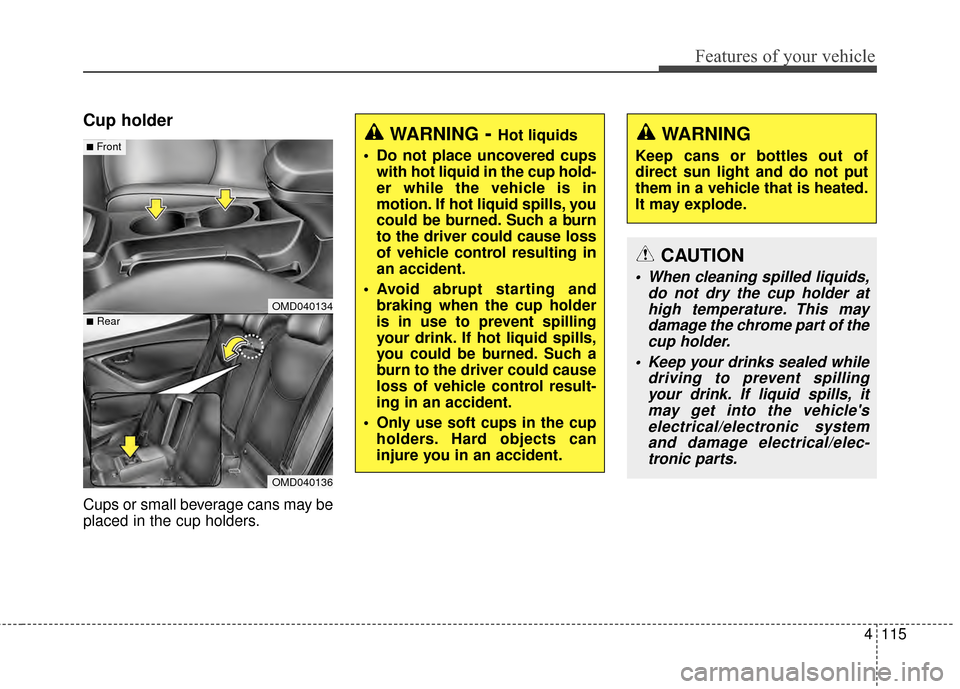
Cup holder
Cups or small beverage cans may be
placed in the cup holders.
OMD040134
OMD040136
■Rear
■FrontWARNING- Hot liquids
Do not place uncovered cups with hot liquid in the cup hold-
er while the vehicle is in
motion. If hot liquid spills, you
could be burned. Such a burn
to the driver could cause loss
of vehicle control resulting in
an accident.
Avoid abrupt starting and braking when the cup holder
is in use to prevent spilling
your drink. If hot liquid spills,
you could be burned. Such a
burn to the driver could cause
loss of vehicle control result-
ing in an accident.
Only use soft cups in the cup holders. Hard objects can
injure you in an accident.WARNING
Keep cans or bottles out of
direct sun light and do not put
them in a vehicle that is heated.
It may explode.
CAUTION
When cleaning spilled liquids, do not dry the cup holder athigh temperature. This maydamage the chrome part of thecup holder.
Keep your drinks sealed while driving to prevent spillingyour drink. If liquid spills, itmay get into the vehicle'selectrical/electronic systemand damage electrical/elec-tronic parts.
Page 202 of 668
Features of your vehicle
116
4
Sunvisor
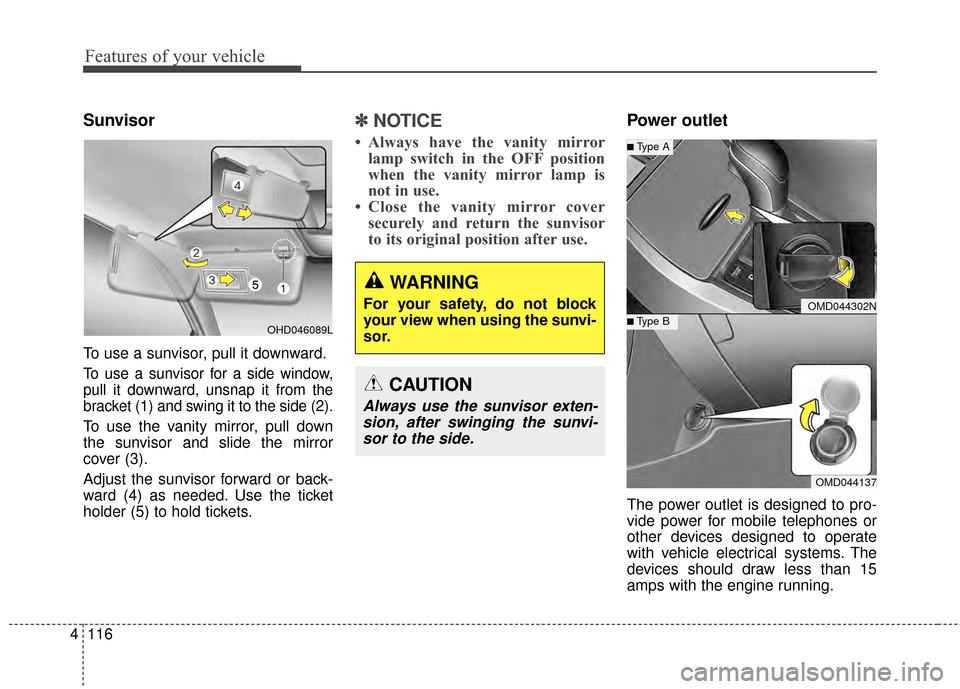
To use a sunvisor, pull it downward.
To use a sunvisor for a side window,
pull it downward, unsnap it from the
bracket (1) and swing it to the side (2).
To use the vanity mirror, pull down
the sunvisor and slide the mirror
cover (3).
Adjust the sunvisor forward or back-
ward (4) as needed. Use the ticket
holder (5) to hold tickets.
✽ ✽
NOTICE
• Always have the vanity mirror
lamp switch in the OFF position
when the vanity mirror lamp is
not in use.
• Close the vanity mirror cover securely and return the sunvisor
to its original position after use.
Power outlet
The power outlet is designed to pro-
vide power for mobile telephones or
other devices designed to operate
with vehicle electrical systems. The
devices should draw less than 15
amps with the engine running.
WARNING
For your safety, do not block
your view when using the sunvi-
sor.
CAUTION
Always use the sunvisor exten-
sion, after swinging the sunvi-sor to the side.
OMD044302N
OMD044137
■Type B
■Type A
OHD046089L
Page 203 of 668
4117
Features of your vehicle
Clothes hanger (if equipped)
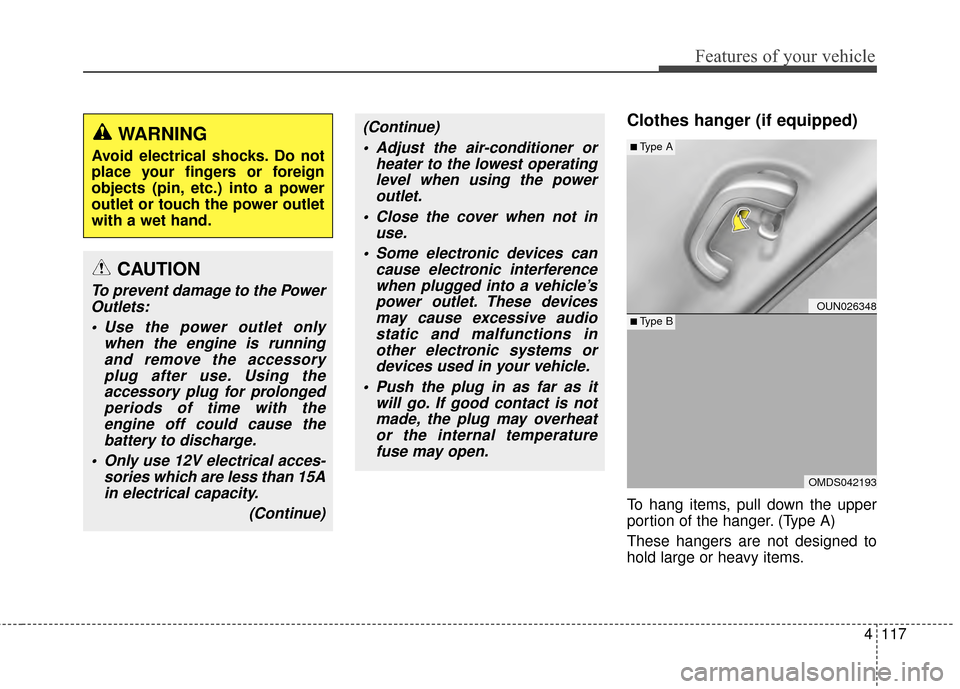
To hang items, pull down the upper
portion of the hanger. (Type A)
These hangers are not designed to
hold large or heavy items.
CAUTION
To prevent damage to the PowerOutlets:
Use the power outlet only when the engine is runningand remove the accessoryplug after use. Using theaccessory plug for prolongedperiods of time with theengine off could cause thebattery to discharge.
Only use 12V electrical acces- sories which are less than 15Ain electrical capacity.
(Continue)
(Continue) Adjust the air-conditioner or heater to the lowest operatinglevel when using the poweroutlet.
Close the cover when not in use.
Some electronic devices can cause electronic interferencewhen plugged into a vehicle’spower outlet. These devicesmay cause excessive audiostatic and malfunctions inother electronic systems ordevices used in your vehicle.
Push the plug in as far as it will go. If good contact is notmade, the plug may overheator the internal temperaturefuse may open.WARNING
Avoid electrical shocks. Do not
place your fingers or foreign
objects (pin, etc.) into a power
outlet or touch the power outlet
with a wet hand.
OUN026348
OMDS042193
■Type A
■Type B
Page 204 of 668
Features of your vehicle
118
4
Floor mat anchor(s)
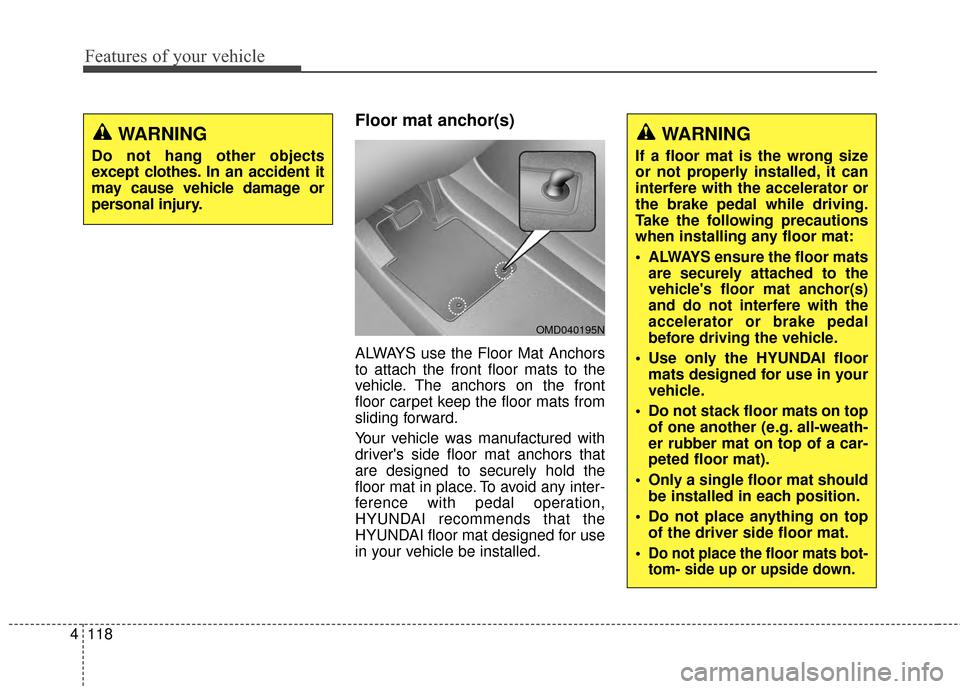
ALWAYS use the Floor Mat Anchors
to attach the front floor mats to the
vehicle. The anchors on the front
floor carpet keep the floor mats from
sliding forward.
Your vehicle was manufactured with
driver's side floor mat anchors that
are designed to securely hold the
floor mat in place. To avoid any inter-
ference with pedal operation,
HYUNDAI recommends that the
HYUNDAI floor mat designed for use
in your vehicle be installed.
WARNING
Do not hang other objects
except clothes. In an accident it
may cause vehicle damage or
personal injury.
OMD040195N
WARNING
If a floor mat is the wrong size
or not properly installed, it can
interfere with the accelerator or
the brake pedal while driving.
Take the following precautions
when installing any floor mat:
ALWAYS ensure the floor mats
are securely attached to the
vehicle's floor mat anchor(s)
and do not interfere with the
accelerator or brake pedal
before driving the vehicle.
Use only the HYUNDAI floormats designed for use in your
vehicle.
Do not stack floor mats on top of one another (e.g. all-weath-
er rubber mat on top of a car-
peted floor mat).
Only a single floor mat should be installed in each position.
Do not place anything on top of the driver side floor mat.
Do not place the floor mats bot-
tom- side up or upside down.
Page 205 of 668
4119
Features of your vehicle
Luggage net holder
(if equipped)
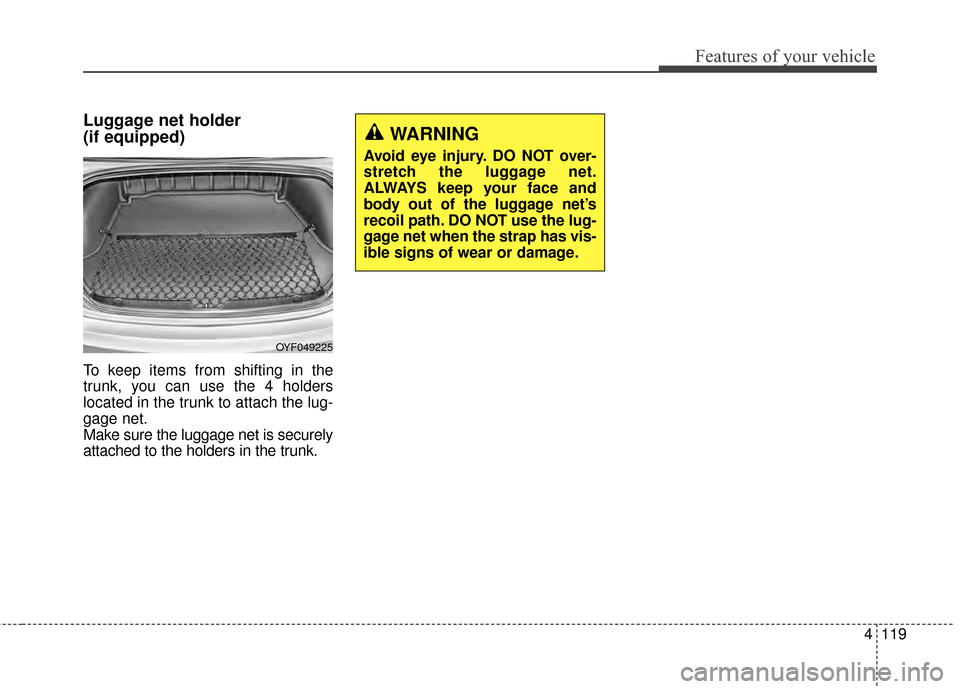
To keep items from shifting in the
trunk, you can use the 4 holders
located in the trunk to attach the lug-
gage net.
Make sure the luggage net is securely
attached to the holders in the trunk.
OYF049225
WARNING
Avoid eye injury. DO NOT over-
stretch the luggage net.
ALWAYS keep your face and
body out of the luggage net’s
recoil path. DO NOT use the lug-
gage net when the strap has vis-
ible signs of wear or damage.
Page 210 of 668
Features of your vehicle
124
4
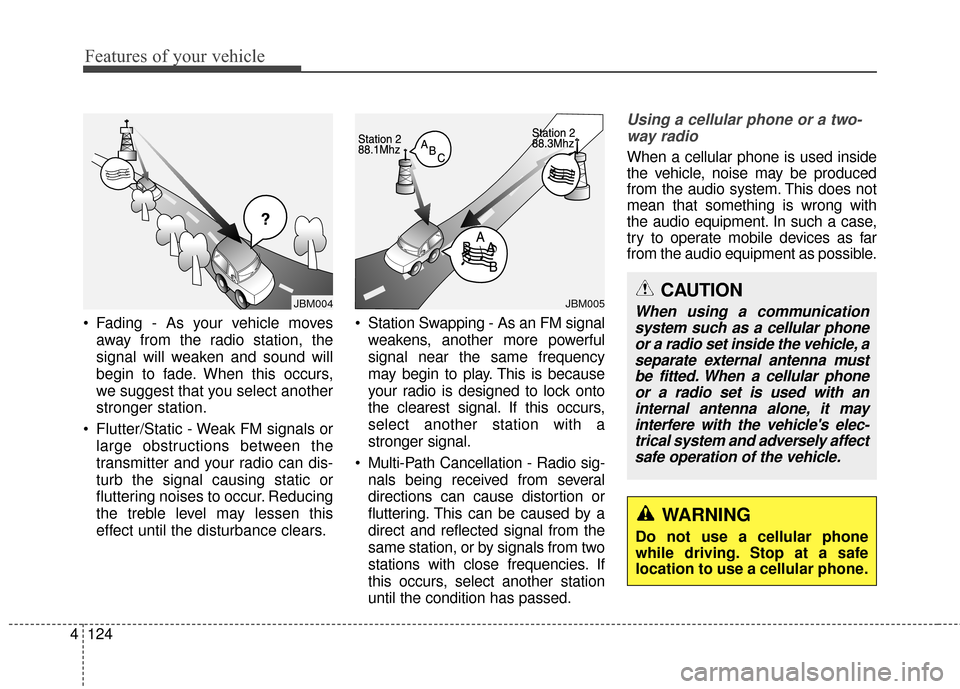
Fading - As your vehicle moves
away from the radio station, the
signal will weaken and sound will
begin to fade. When this occurs,
we suggest that you select another
stronger station.
Flutter/Static - Weak FM signals or large obstructions between the
transmitter and your radio can dis-
turb the signal causing static or
fluttering noises to occur. Reducing
the treble level may lessen this
effect until the disturbance clears. Station Swapping - As an FM signal
weakens, another more powerful
signal near the same frequency
may begin to play. This is because
your radio is designed to lock onto
the clearest signal. If this occurs,
select another station with a
stronger signal.
Multi-Path Cancellation - Radio sig- nals being received from several
directions can cause distortion or
fluttering. This can be caused by a
direct and reflected signal from the
same station, or by signals from two
stations with close frequencies. If
this occurs, select another station
until the condition has passed.
Using a cellular phone or a two-way radio
When a cellular phone is used inside
the vehicle, noise may be produced
from the audio system. This does not
mean that something is wrong with
the audio equipment. In such a case,
try to operate mobile devices as far
from the audio equipment as possible.
¢¢¢
JBM004JBM005CAUTION
When using a communicationsystem such as a cellular phoneor a radio set inside the vehicle, aseparate external antenna mustbe fitted. When a cellular phoneor a radio set is used with aninternal antenna alone, it mayinterfere with the vehicle's elec-trical system and adversely affectsafe operation of the vehicle.
WARNING
Do not use a cellular phone
while driving. Stop at a safe
location to use a cellular phone.
Page 212 of 668
Features of your vehicle
126
4
WARNING
Do not stare at the screen
while driving. Staring at the
screen for prolonged periods
of time could lead to traffic
accidents.
Do not disassemble, assem- ble, or modify the audio sys-
tem. Such acts could result in
accidents, fire, or electric
shock.
Using the phone while driving may lead to a lack of attention of
traffic conditions and increase
the likelihood of accidents.
Use the phone feature after
parking the vehicle.
Heed caution not to spill water or introduce foreign objects
into the device. Such acts
could lead to smoke, fire, or
product malfunction.
(Continued)
(Continued)
Please refrain from use if the screen is blank or no sound
can be heard as these signs
may indicate product malfunc-
tion. Continued use in such
conditions could lead to acci-
dents(fires, electric shock) or
product malfunctions.
Do not touch the antenna dur- ing thunder or lightening as
such acts may lead to light-
ning induced electric shock.
Do not stop or park in park- ing-restricted areas to operate
the product. Such acts could
lead to traffic accidents.
Use the system with the vehi- cle ignition turned on.
Prolonged use with the igni-
tion turned off could result in
battery discharge.