lights Hyundai Elantra 2014 User Guide
[x] Cancel search | Manufacturer: HYUNDAI, Model Year: 2014, Model line: Elantra, Model: Hyundai Elantra 2014Pages: 668, PDF Size: 35.58 MB
Page 138 of 668
Features of your vehicle
52
4
Instrument Cluster Control
Adjusting Instrument Cluster
Illumination
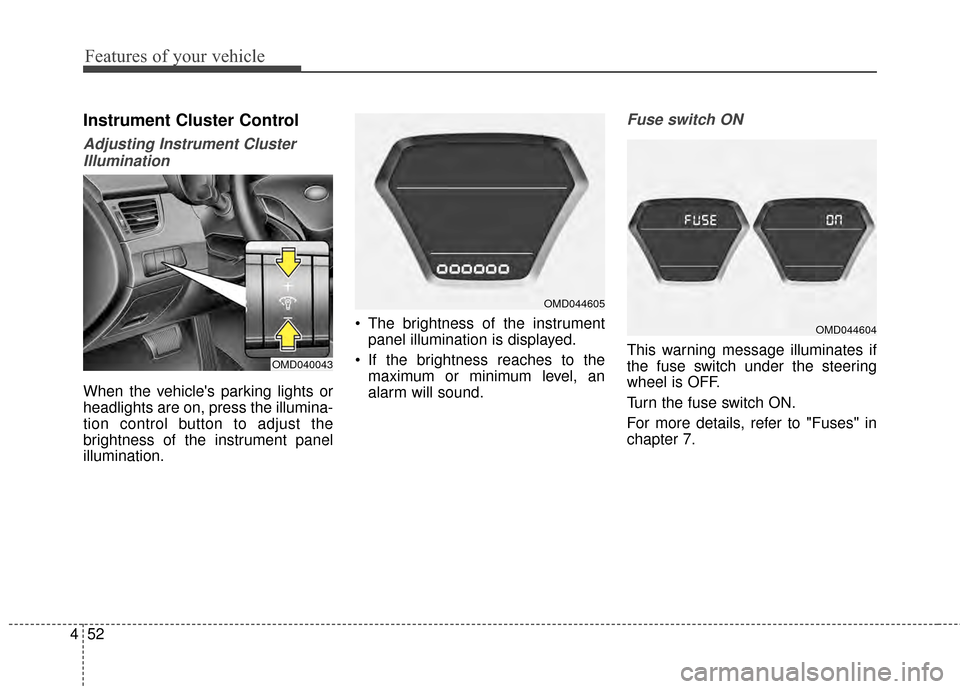
When the vehicle's parking lights or
headlights are on, press the illumina-
tion control button to adjust the
brightness of the instrument panel
illumination. The brightness of the instrument
panel illumination is displayed.
If the brightness reaches to the maximum or minimum level, an
alarm will sound.
Fuse switch ON
This warning message illuminates if
the fuse switch under the steering
wheel is OFF.
Turn the fuse switch ON.
For more details, refer to "Fuses" in
chapter 7.OMD040043
OMD044605
OMD044604
Page 146 of 668
Features of your vehicle
60
4
Warning and indicator lights
✽
✽
NOTICE - Warning lights
Make sure that all warning lights
are OFF after starting the engine. If
any light is still ON, this indicates a
situation that needs attention.
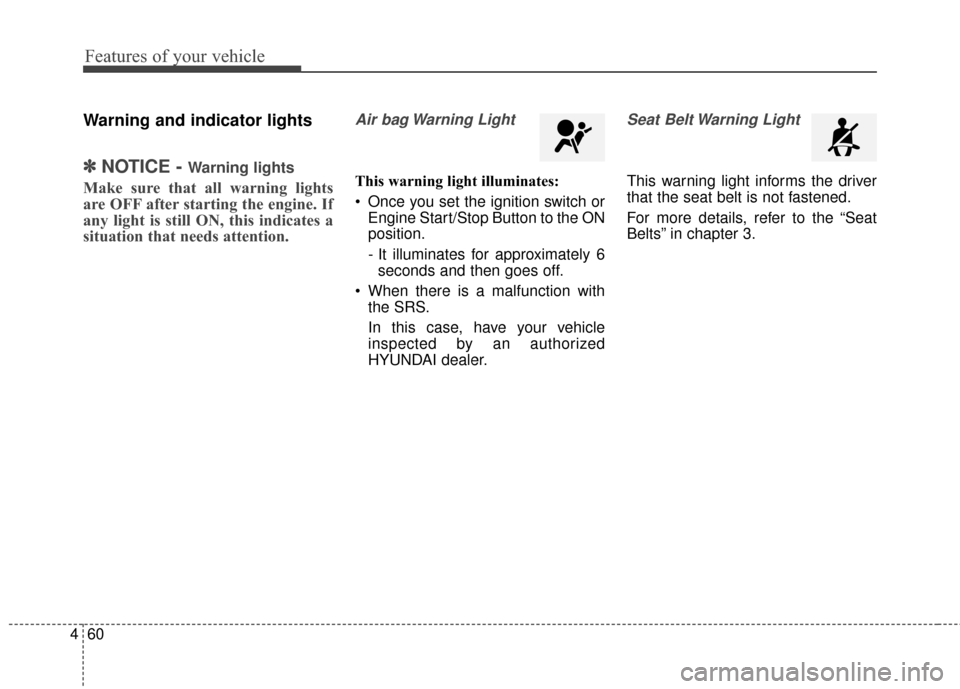
Air bag Warning Light
This warning light illuminates:
Once you set the ignition switch or
Engine Start/Stop Button to the ON
position.
- It illuminates for approximately 6seconds and then goes off.
When there is a malfunction with the SRS.
In this case, have your vehicle
inspected by an authorized
HYUNDAI dealer.
Seat Belt Warning Light
This warning light informs the driver
that the seat belt is not fastened.
For more details, refer to the “Seat
Belts” in chapter 3.
Page 148 of 668
Features of your vehicle
62
4
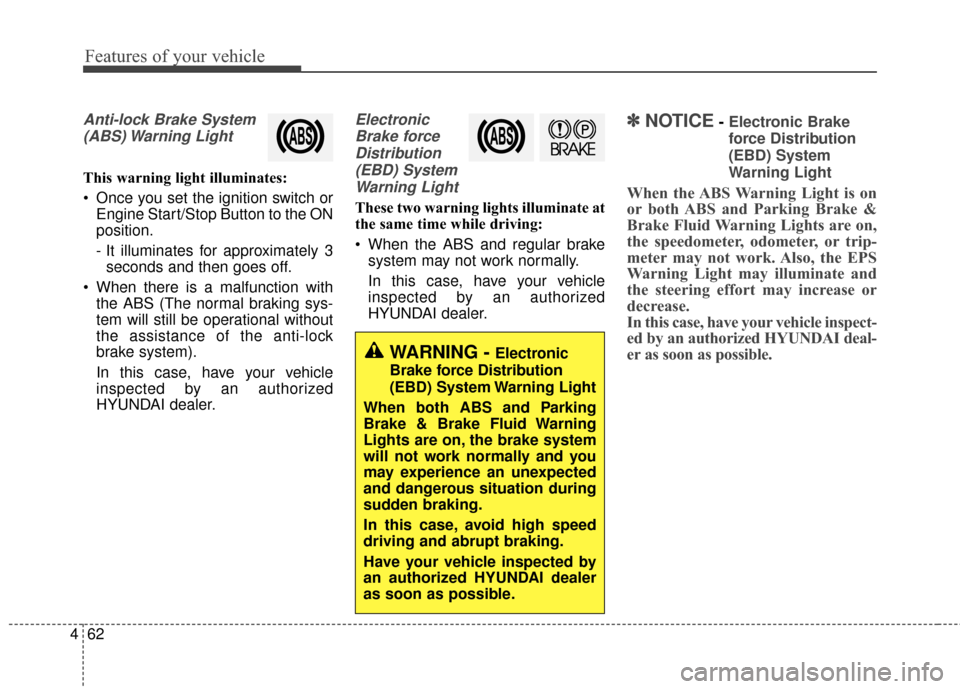
Anti-lock Brake System
(ABS) Warning Light
This warning light illuminates:
Once you set the ignition switch or Engine Start/Stop Button to the ON
position.
- It illuminates for approximately 3seconds and then goes off.
When there is a malfunction with the ABS (The normal braking sys-
tem will still be operational without
the assistance of the anti-lock
brake system).
In this case, have your vehicle
inspected by an authorized
HYUNDAI dealer.
Electronic
Brake forceDistribution(EBD) SystemWarning Light
These two warning lights illuminate at
the same time while driving:
When the ABS and regular brake system may not work normally.
In this case, have your vehicle
inspected by an authorized
HYUNDAI dealer.
✽ ✽ NOTICE- Electronic Brake
force Distribution
(EBD) System
Warning Light
When the ABS Warning Light is on
or both ABS and Parking Brake &
Brake Fluid Warning Lights are on,
the speedometer, odometer, or trip-
meter may not work. Also, the EPS
Warning Light may illuminate and
the steering effort may increase or
decrease.
In this case, have your vehicle inspect-
ed by an authorized HYUNDAI deal-
er as soon as possible.
WARNING - Electronic
Brake force Distribution
(EBD) System Warning Light
When both ABS and Parking
Brake & Brake Fluid Warning
Lights are on, the brake system
will not work normally and you
may experience an unexpected
and dangerous situation during
sudden braking.
In this case, avoid high speed
driving and abrupt braking.
Have your vehicle inspected by
an authorized HYUNDAI dealer
as soon as possible.
Page 156 of 668
Features of your vehicle
70
4
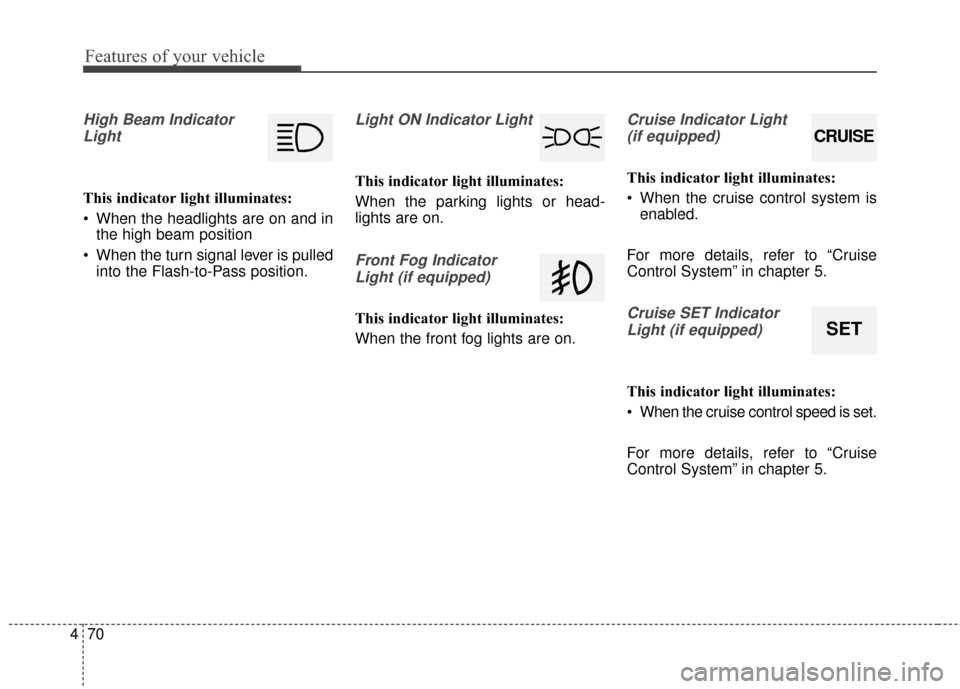
High Beam Indicator
Light
This indicator light illuminates:
When the headlights are on and in the high beam position
When the turn signal lever is pulled into the Flash-to-Pass position.
Light ON Indicator Light
This indicator light illuminates:
When the parking lights or head-
lights are on.
Front Fog Indicator
Light (if equipped)
This indicator light illuminates:
When the front fog lights are on.
Cruise Indicator Light (if equipped)
This indicator light illuminates:
When the cruise control system is enabled.
For more details, refer to “Cruise
Control System” in chapter 5.
Cruise SET Indicator Light (if equipped)
This indicator light illuminates:
When the cruise control speed is set.
For more details, refer to “Cruise
Control System” in chapter 5.
CRUISE
SET
Page 158 of 668
Features of your vehicle
72
4
LIGHT
Exterior lights
Lighting control
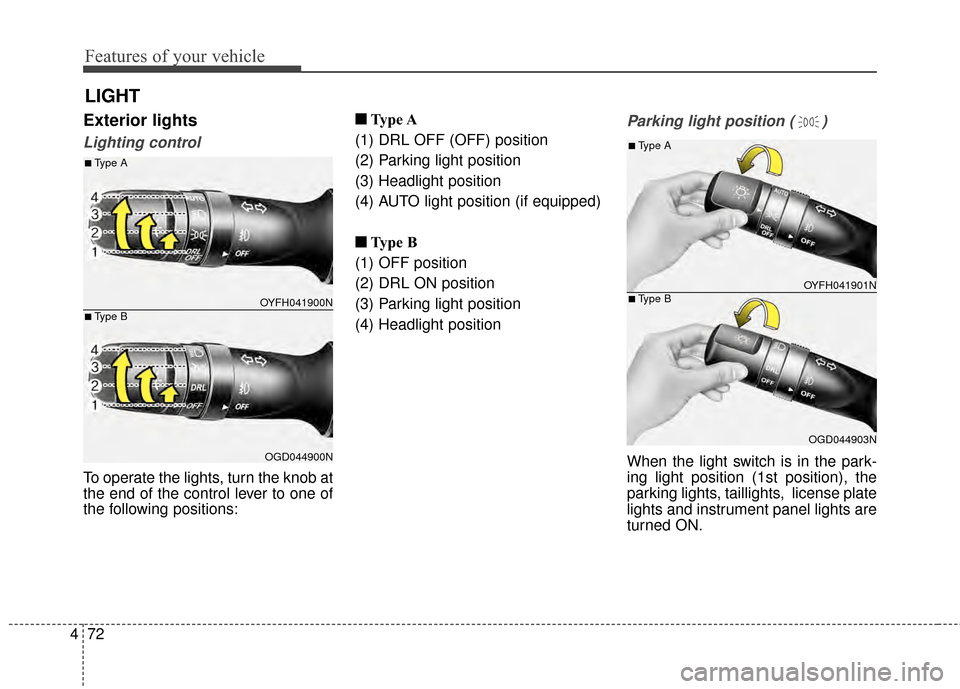
To operate the lights, turn the knob at
the end of the control lever to one of
the following positions: ■ ■
Type A
(1) DRL OFF (OFF) position
(2) Parking light position
(3) Headlight position
(4) AUTO light position (if equipped)
■ ■ Type B
(1) OFF position
(2) DRL ON position
(3) Parking light position
(4) Headlight position
Parking light position ( )
When the light switch is in the park-
ing light position (1st position), the
parking lights, taillights, license plate
lights and instrument panel lights are
turned ON.
OYFH041900N
OGD044900N
■Type A
■Type B
OYFH041901N
OGD044903N
■Type A
■Type B
Page 159 of 668
473
Features of your vehicle
Headlight position ( )
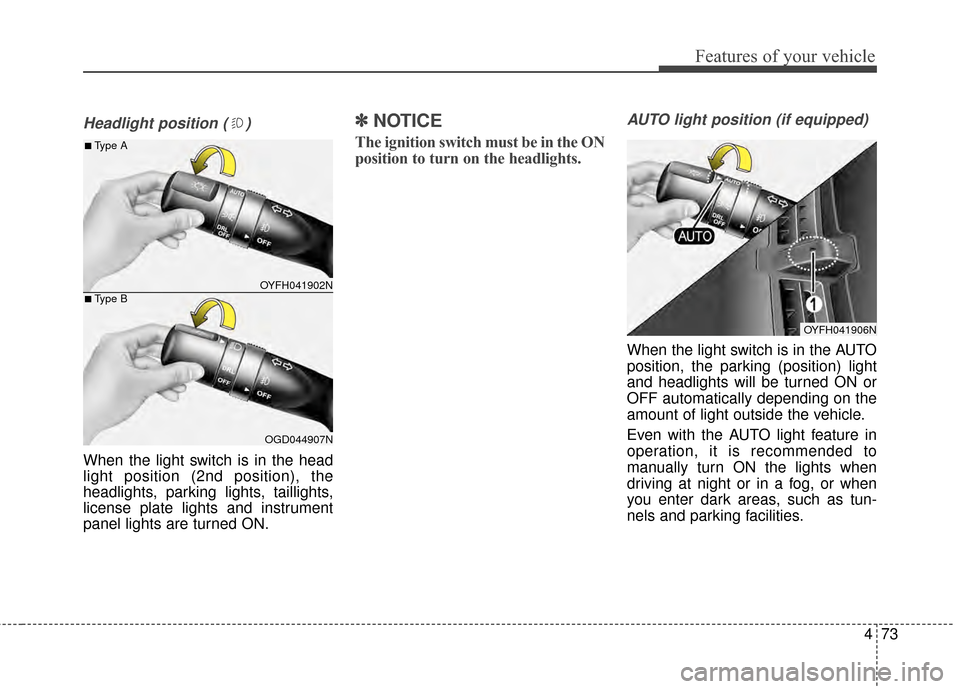
When the light switch is in the head
light position (2nd position), the
headlights, parking lights, taillights,
license plate lights and instrument
panel lights are turned ON.
✽ ✽NOTICE
The ignition switch must be in the ON
position to turn on the headlights.
AUTO light position (if equipped)
When the light switch is in the AUTO
position, the parking (position) light
and headlights will be turned ON or
OFF automatically depending on the
amount of light outside the vehicle.
Even with the AUTO light feature in
operation, it is recommended to
manually turn ON the lights when
driving at night or in a fog, or when
you enter dark areas, such as tun-
nels and parking facilities.
OYFH041902N
OGD044907N
■Type A
■Type B
OYFH041906N
Page 160 of 668
Features of your vehicle
74
4
High beam operation
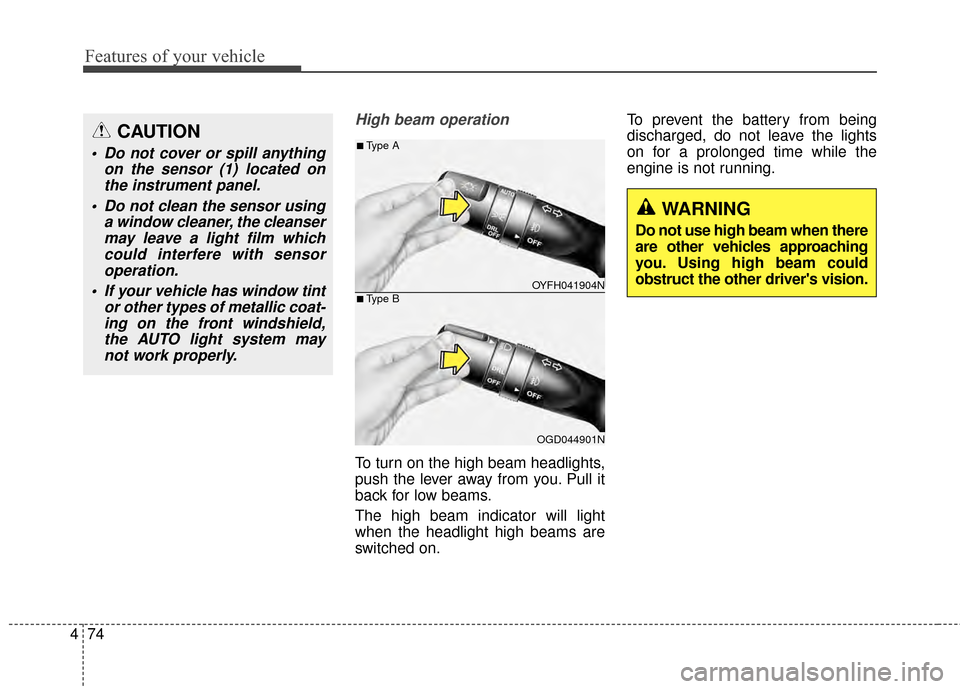
To turn on the high beam headlights,
push the lever away from you. Pull it
back for low beams.
The high beam indicator will light
when the headlight high beams are
switched on. To prevent the battery from being
discharged, do not leave the lights
on for a prolonged time while the
engine is not running.
CAUTION
Do not cover or spill anything
on the sensor (1) located onthe instrument panel.
Do not clean the sensor using a window cleaner, the cleansermay leave a light film whichcould interfere with sensoroperation.
If your vehicle has window tint or other types of metallic coat-ing on the front windshield,the AUTO light system maynot work properly.
OYFH041904N
OGD044901N
■Type A
■Type B
WARNING
Do not use high beam when there
are other vehicles approaching
you. Using high beam could
obstruct the other driver's vision.
Page 161 of 668
475
Features of your vehicle
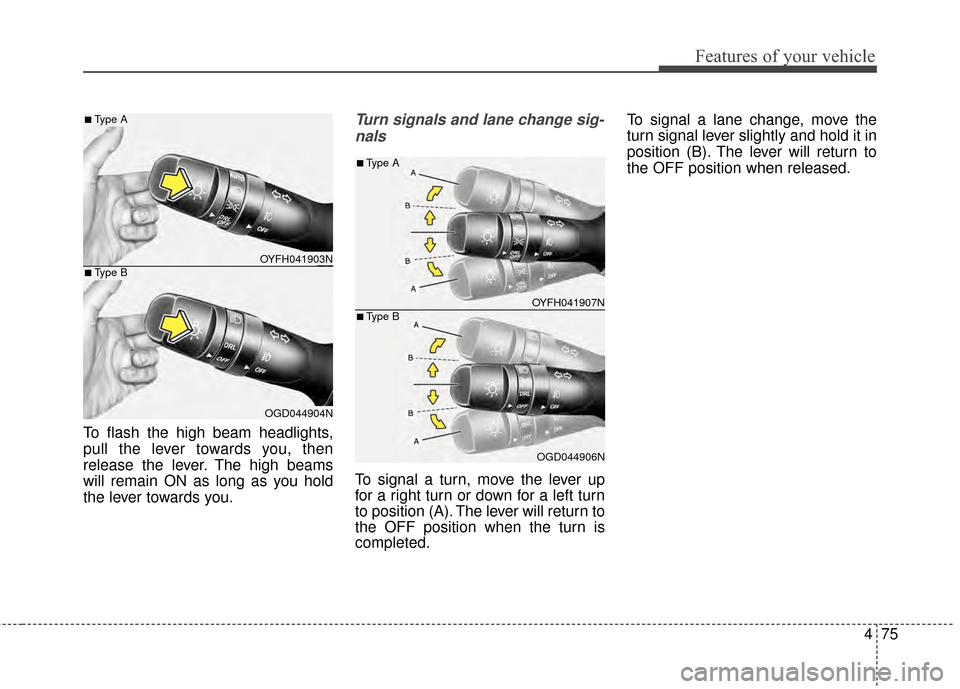
To flash the high beam headlights,
pull the lever towards you, then
release the lever. The high beams
will remain ON as long as you hold
the lever towards you.
Turn signals and lane change sig-nals
To signal a turn, move the lever up
for a right turn or down for a left turn
to position (A). The lever will return to
the OFF position when the turn is
completed. To signal a lane change, move the
turn signal lever slightly and hold it in
position (B). The lever will return to
the OFF position when released.
OYFH041903N
OGD044904N
■Type A
■Type B
OYFH041907N
OGD044906N
■Type A
■Type B
Page 162 of 668
Features of your vehicle
76
4
One-touch lane change function
To activate an one-touch lane
change function, move the turn sig-
nal lever slightly and then release it.
The lane change signals will blink 3
times.
✽ ✽
NOTICE
If the turn signal indicator stays on
and does not flash, or if it flashes
abnormally, a bulb may be burned
out or have a poor electrical connec-
tion in the circuit. The bulb may
require replacement.
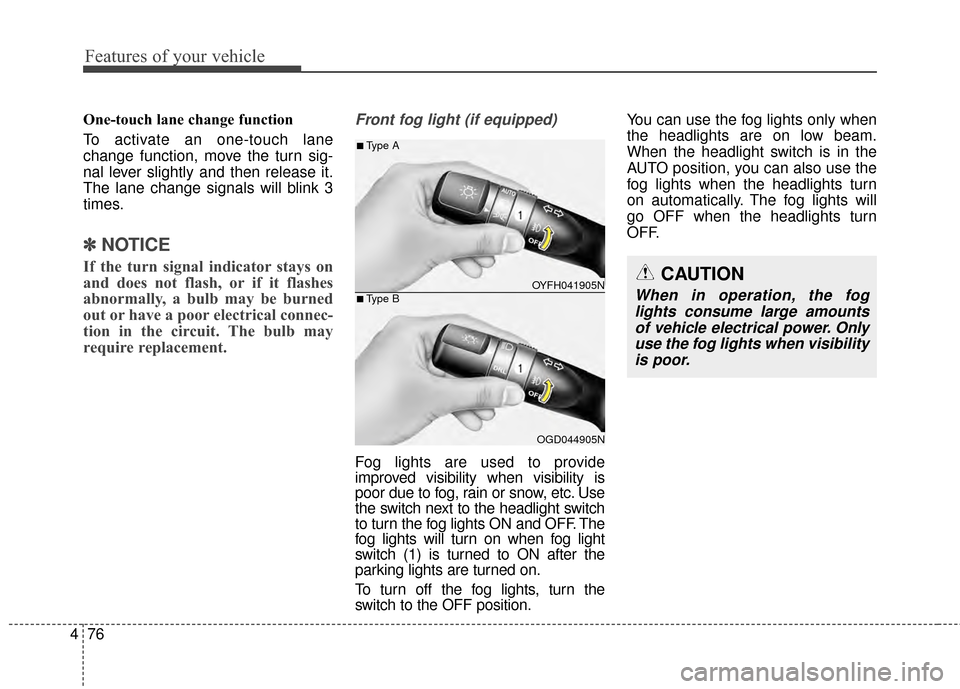
Front fog light (if equipped)
Fog lights are used to provide
improved visibility when visibility is
poor due to fog, rain or snow, etc. Use
the switch next to the headlight switch
to turn the fog lights ON and OFF. The
fog lights will turn on when fog light
switch (1) is turned to ON after the
parking lights are turned on.
To turn off the fog lights, turn the
switch to the OFF position. You can use the fog lights only when
the headlights are on low beam.
When the headlight switch is in the
AUTO position, you can also use the
fog lights when the headlights turn
on automatically. The fog lights will
go OFF when the headlights turn
OFF.
CAUTION
When in operation, the fog
lights consume large amountsof vehicle electrical power. Onlyuse the fog lights when visibilityis poor.OYFH041905N
OGD044905N
■Type A
■Type B
Page 163 of 668
477
Features of your vehicle
Battery saver function
The purpose of this feature is to pre-
vent the battery from being dis-
charged. The system automatically
turns off the parking lights when the
driver removes the ignition key or
turns the engine off (for smart key)
and opens the driver-side door.
With this feature, the parking lights
will turn off automatically if the driver
parks on the side of road at night.
If necessary, to keep the lights on
when the ignition key is removed or
the engine is turned off (for smart
key), perform the following:
1) Open the driver-side door.
2) Turn the parking lights OFF andON again using the light switch on
the steering column.
Headlight escort function
If the key is removed from the ignition
switch or placed in the ACC position
or the LOCK/OFF position with the
headlights ON, the headlights (and/or
parking lights) remain on for about 5
minutes. However, if the driver’s door
is opened and closed, the headlights
are turned off after 15 seconds.
The headlights can be turned off by
pressing the LOCK button on the
remote key or smart key twice or
turning the light switch to the OFF or
AUTO position. However, if you turn
the light switch to the AUTO position
when it is dark outside, the head-
lights will not be turned off.
CAUTION
If the driver gets out of the vehi-cle through other doors (exceptdriver's door), the battery saverfunction does not operate andthe headlamp delay functiondoes not turn off automatically.Therefore, It causes the batteryto be discharged. In this case,make sure to turn off the lampbefore getting out of the vehicle.