panel Hyundai Elantra 2014 User Guide
[x] Cancel search | Manufacturer: HYUNDAI, Model Year: 2014, Model line: Elantra, Model: Hyundai Elantra 2014Pages: 668, PDF Size: 35.58 MB
Page 84 of 668
Safety features of your vehicle
365
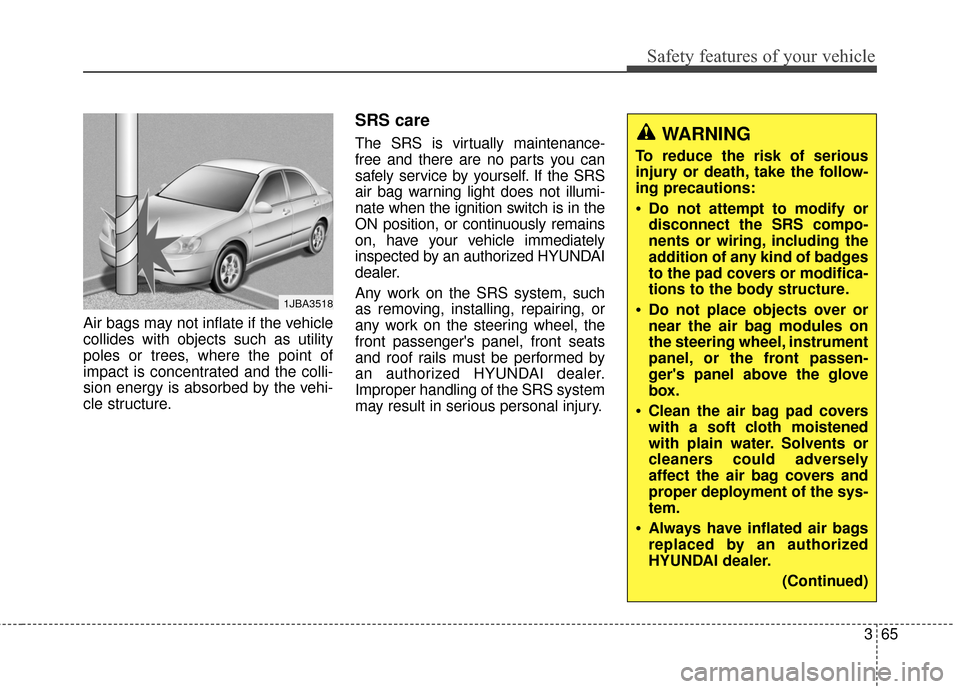
Air bags may not inflate if the vehicle
collides with objects such as utility
poles or trees, where the point of
impact is concentrated and the colli-
sion energy is absorbed by the vehi-
cle structure.
SRS care
The SRS is virtually maintenance-
free and there are no parts you can
safely service by yourself. If the SRS
air bag warning light does not illumi-
nate when the ignition switch is in the
ON position, or continuously remains
on, have your vehicle immediately
inspected by an authorized HYUNDAI
dealer.
Any work on the SRS system, such
as removing, installing, repairing, or
any work on the steering wheel, the
front passenger's panel, front seats
and roof rails must be performed by
an authorized HYUNDAI dealer.
Improper handling of the SRS system
may result in serious personal injury.
1JBA3518
WARNING
To reduce the risk of serious
injury or death, take the follow-
ing precautions:
Do not attempt to modify or
disconnect the SRS compo-
nents or wiring, including the
addition of any kind of badges
to the pad covers or modifica-
tions to the body structure.
Do not place objects over or
near the air bag modules on
the steering wheel, instrument
panel, or the front passen-
ger's panel above the glove
box.
Clean the air bag pad covers
with a soft cloth moistened
with plain water. Solvents or
cleaners could adversely
affect the air bag covers and
proper deployment of the sys-
tem.
Always have inflated air bags
replaced by an authorized
HYUNDAI dealer.
(Continued)
Page 122 of 668
Features of your vehicle
36
4
✽
✽
NOTICE
After washing the vehicle or after a
rain, be sure to wipe off the water on
the sunroof before operating the
sunroof.
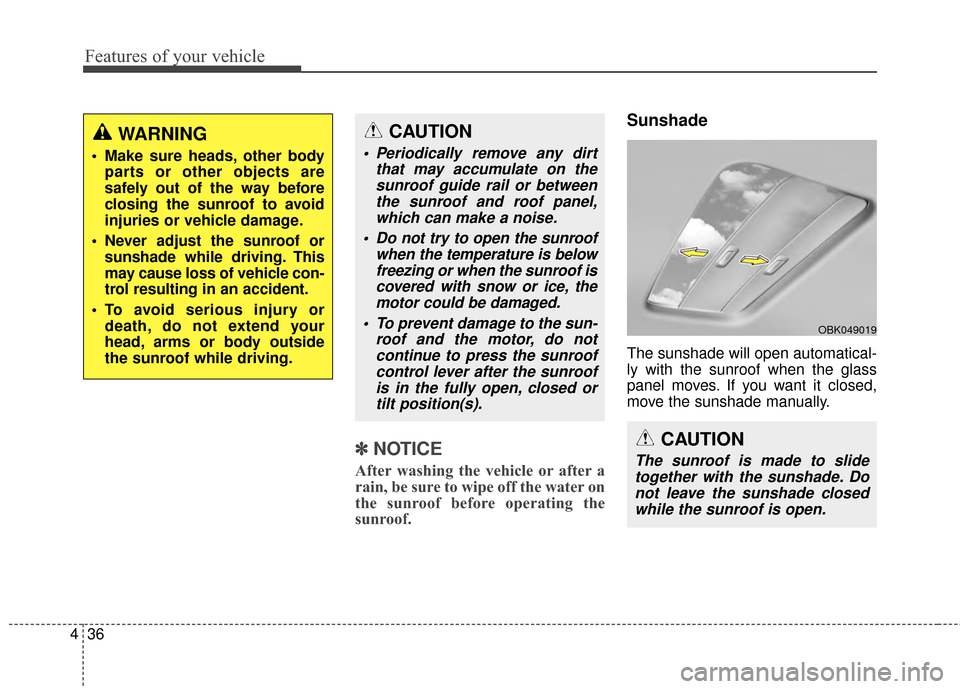
Sunshade
The sunshade will open automatical-
ly with the sunroof when the glass
panel moves. If you want it closed,
move the sunshade manually.
CAUTION
The sunroof is made to slide
together with the sunshade. Donot leave the sunshade closedwhile the sunroof is open.
OBK049019
CAUTION
Periodically remove any dirt that may accumulate on thesunroof guide rail or betweenthe sunroof and roof panel,which can make a noise.
Do not try to open the sunroof when the temperature is belowfreezing or when the sunroof iscovered with snow or ice, themotor could be damaged.
To prevent damage to the sun- roof and the motor, do notcontinue to press the sunroofcontrol lever after the sunroofis in the fully open, closed ortilt position(s).
WARNING
Make sure heads, other body parts or other objects are
safely out of the way before
closing the sunroof to avoid
injuries or vehicle damage.
Never adjust the sunroof or sunshade while driving. This
may cause loss of vehicle con-
trol resulting in an accident.
To avoid serious injury or death, do not extend your
head, arms or body outside
the sunroof while driving.
Page 125 of 668
439
Features of your vehicle
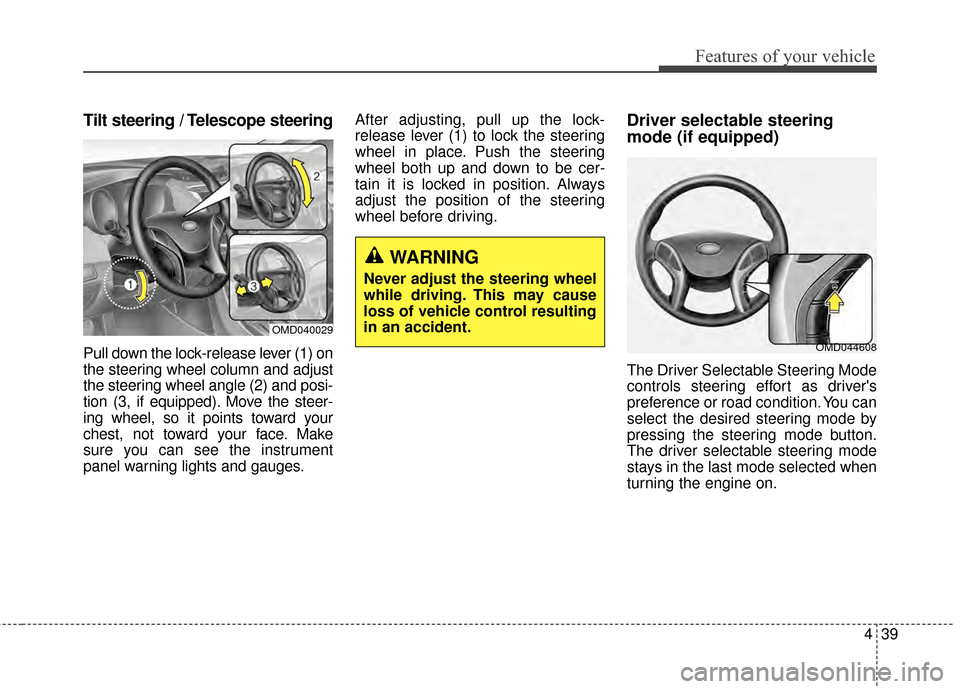
Tilt steering / Telescope steering
Pull down the lock-release lever (1) on
the steering wheel column and adjust
the steering wheel angle (2) and posi-
tion (3, if equipped). Move the steer-
ing wheel, so it points toward your
chest, not toward your face. Make
sure you can see the instrument
panel warning lights and gauges.After adjusting, pull up the lock-
release lever (1) to lock the steering
wheel in place. Push the steering
wheel both up and down to be cer-
tain it is locked in position. Always
adjust the position of the steering
wheel before driving.
Driver selectable steering
mode (if equipped)
The Driver Selectable Steering Mode
controls steering effort as driver's
preference or road condition. You can
select the desired steering mode by
pressing the steering mode button.
The driver selectable steering mode
stays in the last mode selected when
turning the engine on.
WARNING
Never adjust the steering wheel
while driving. This may cause
loss of vehicle control resulting
in an accident.
OMD040029
OMD044608
Page 138 of 668
Features of your vehicle
52
4
Instrument Cluster Control
Adjusting Instrument Cluster
Illumination
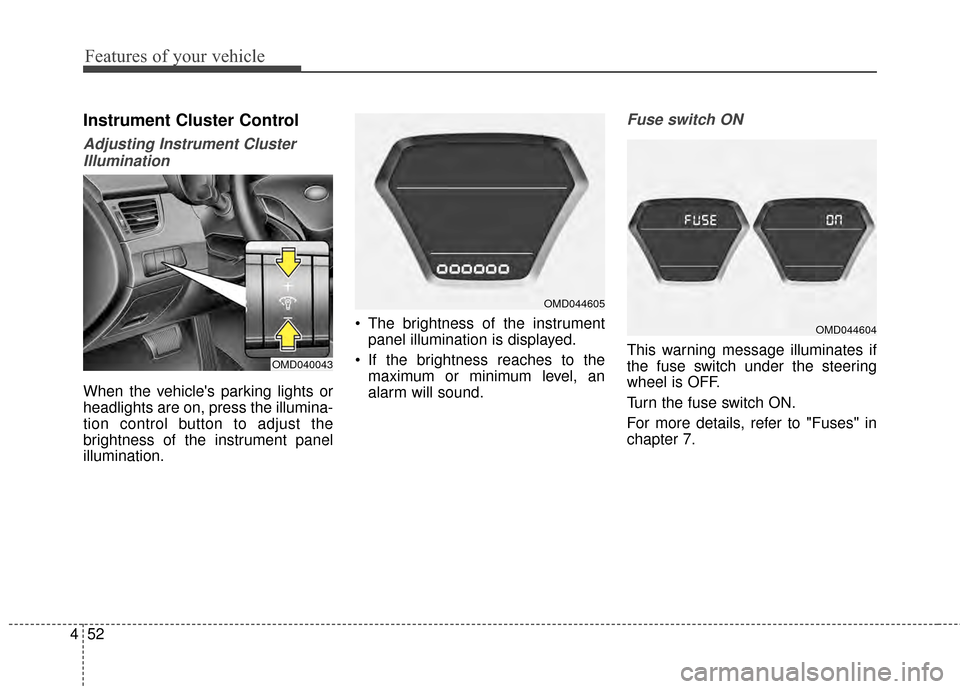
When the vehicle's parking lights or
headlights are on, press the illumina-
tion control button to adjust the
brightness of the instrument panel
illumination. The brightness of the instrument
panel illumination is displayed.
If the brightness reaches to the maximum or minimum level, an
alarm will sound.
Fuse switch ON
This warning message illuminates if
the fuse switch under the steering
wheel is OFF.
Turn the fuse switch ON.
For more details, refer to "Fuses" in
chapter 7.OMD040043
OMD044605
OMD044604
Page 158 of 668
Features of your vehicle
72
4
LIGHT
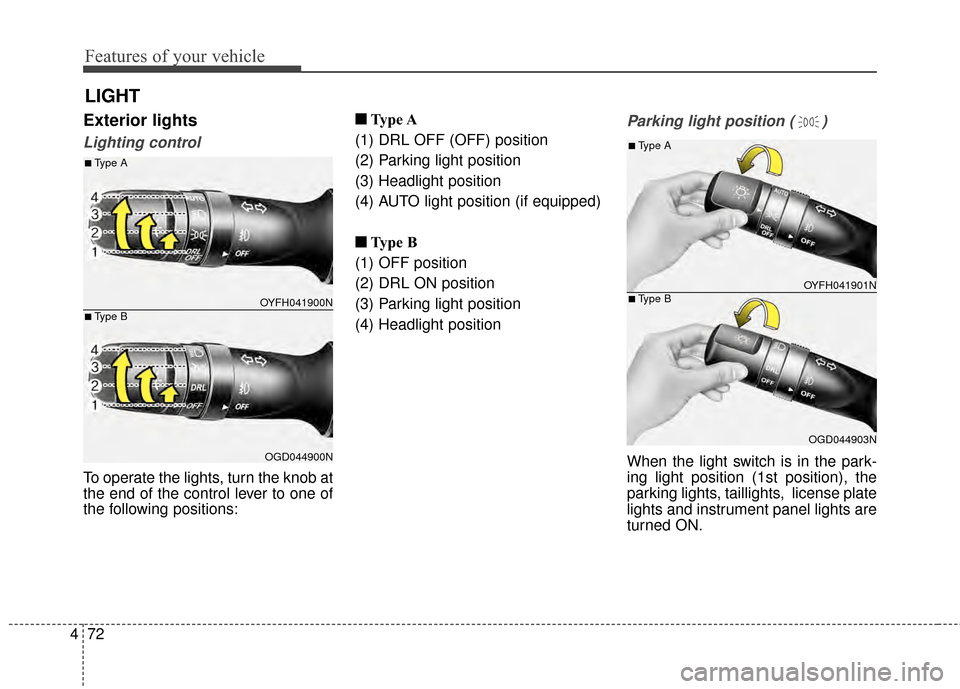
Exterior lights
Lighting control
To operate the lights, turn the knob at
the end of the control lever to one of
the following positions: ■ ■
Type A
(1) DRL OFF (OFF) position
(2) Parking light position
(3) Headlight position
(4) AUTO light position (if equipped)
■ ■ Type B
(1) OFF position
(2) DRL ON position
(3) Parking light position
(4) Headlight position
Parking light position ( )
When the light switch is in the park-
ing light position (1st position), the
parking lights, taillights, license plate
lights and instrument panel lights are
turned ON.
OYFH041900N
OGD044900N
■Type A
■Type B
OYFH041901N
OGD044903N
■Type A
■Type B
Page 159 of 668
473
Features of your vehicle
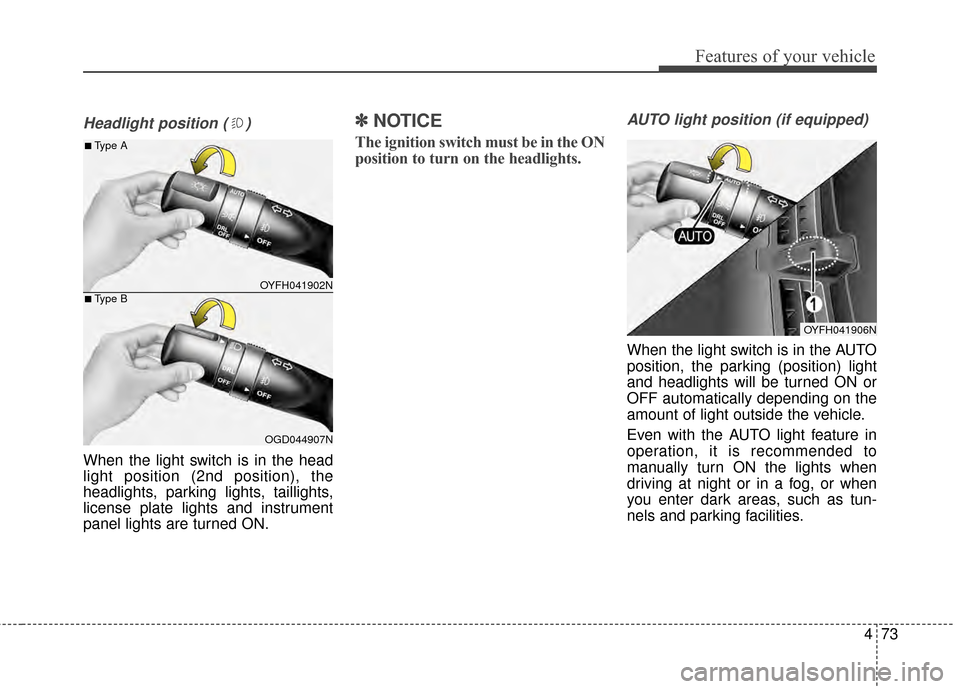
Headlight position ( )
When the light switch is in the head
light position (2nd position), the
headlights, parking lights, taillights,
license plate lights and instrument
panel lights are turned ON.
✽ ✽NOTICE
The ignition switch must be in the ON
position to turn on the headlights.
AUTO light position (if equipped)
When the light switch is in the AUTO
position, the parking (position) light
and headlights will be turned ON or
OFF automatically depending on the
amount of light outside the vehicle.
Even with the AUTO light feature in
operation, it is recommended to
manually turn ON the lights when
driving at night or in a fog, or when
you enter dark areas, such as tun-
nels and parking facilities.
OYFH041902N
OGD044907N
■Type A
■Type B
OYFH041906N
Page 160 of 668
Features of your vehicle
74
4
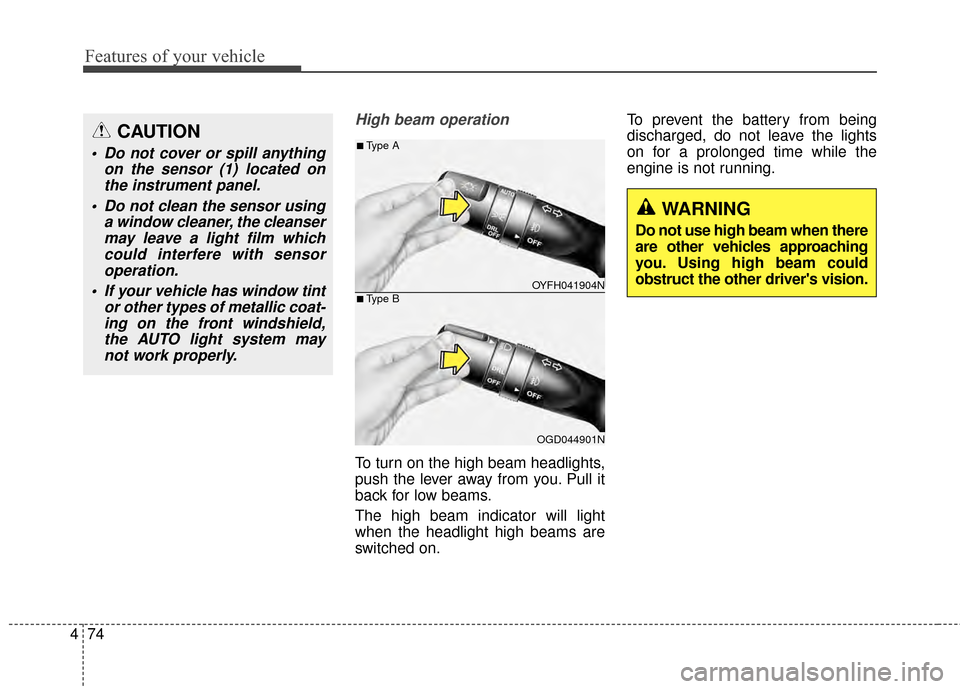
High beam operation
To turn on the high beam headlights,
push the lever away from you. Pull it
back for low beams.
The high beam indicator will light
when the headlight high beams are
switched on. To prevent the battery from being
discharged, do not leave the lights
on for a prolonged time while the
engine is not running.
CAUTION
Do not cover or spill anything
on the sensor (1) located onthe instrument panel.
Do not clean the sensor using a window cleaner, the cleansermay leave a light film whichcould interfere with sensoroperation.
If your vehicle has window tint or other types of metallic coat-ing on the front windshield,the AUTO light system maynot work properly.
OYFH041904N
OGD044901N
■Type A
■Type B
WARNING
Do not use high beam when there
are other vehicles approaching
you. Using high beam could
obstruct the other driver's vision.
Page 169 of 668
483
Features of your vehicle
✽
✽NOTICE
If you want to defrost and defog the
front windshield, refer to
“Windshield defrosting and defog-
ging” in this chapter.
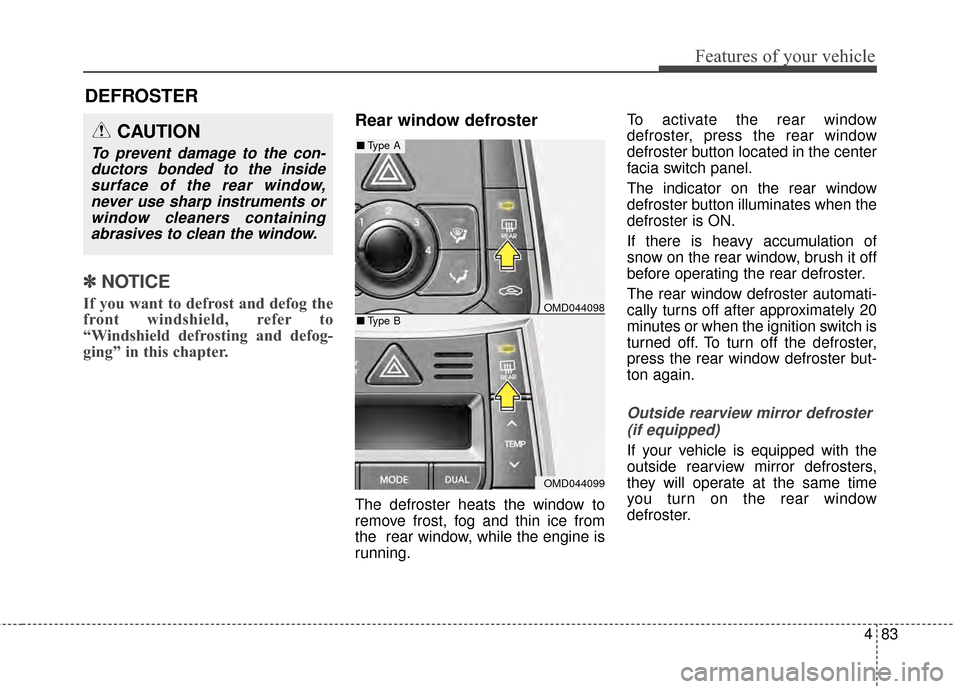
Rear window defroster
The defroster heats the window to
remove frost, fog and thin ice from
the rear window, while the engine is
running. To activate the rear window
defroster, press the rear window
defroster button located in the center
facia switch panel.
The indicator on the rear window
defroster button illuminates when the
defroster is ON.
If there is heavy accumulation of
snow on the rear window, brush it off
before operating the rear defroster.
The rear window defroster automati-
cally turns off after approximately 20
minutes or when the ignition switch is
turned off. To turn off the defroster,
press the rear window defroster but-
ton again.
Outside rearview mirror defroster
(if equipped)
If your vehicle is equipped with the
outside rearview mirror defrosters,
they will operate at the same time
you turn on the rear window
defroster.
CAUTION
To prevent damage to the con-ductors bonded to the insidesurface of the rear window,never use sharp instruments orwindow cleaners containingabrasives to clean the window.
DEFROSTER
OMD044098
OMD044099
■ Type A
■Type B
Page 173 of 668
487
Features of your vehicle
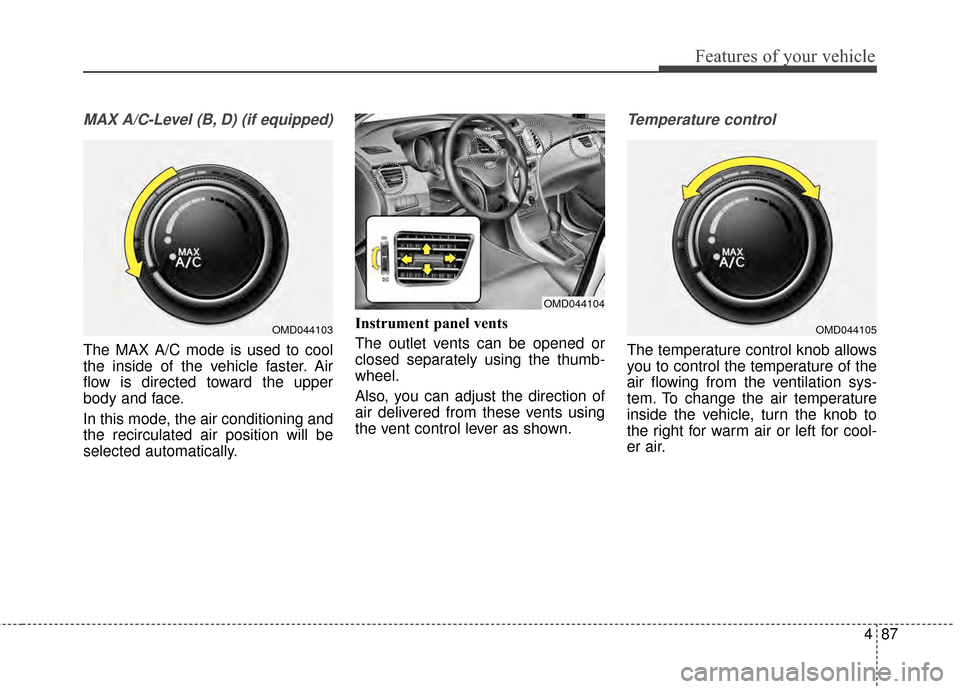
MAX A/C-Level (B, D) (if equipped)
The MAX A/C mode is used to cool
the inside of the vehicle faster. Air
flow is directed toward the upper
body and face.
In this mode, the air conditioning and
the recirculated air position will be
selected automatically.Instrument panel vents
The outlet vents can be opened or
closed separately using the thumb-
wheel.
Also, you can adjust the direction of
air delivered from these vents using
the vent control lever as shown.
Temperature control
The temperature control knob allows
you to control the temperature of the
air flowing from the ventilation sys-
tem. To change the air temperature
inside the vehicle, turn the knob to
the right for warm air or left for cool-
er air.
OMD044103
OMD044104
OMD044105
Page 181 of 668
495
Features of your vehicle
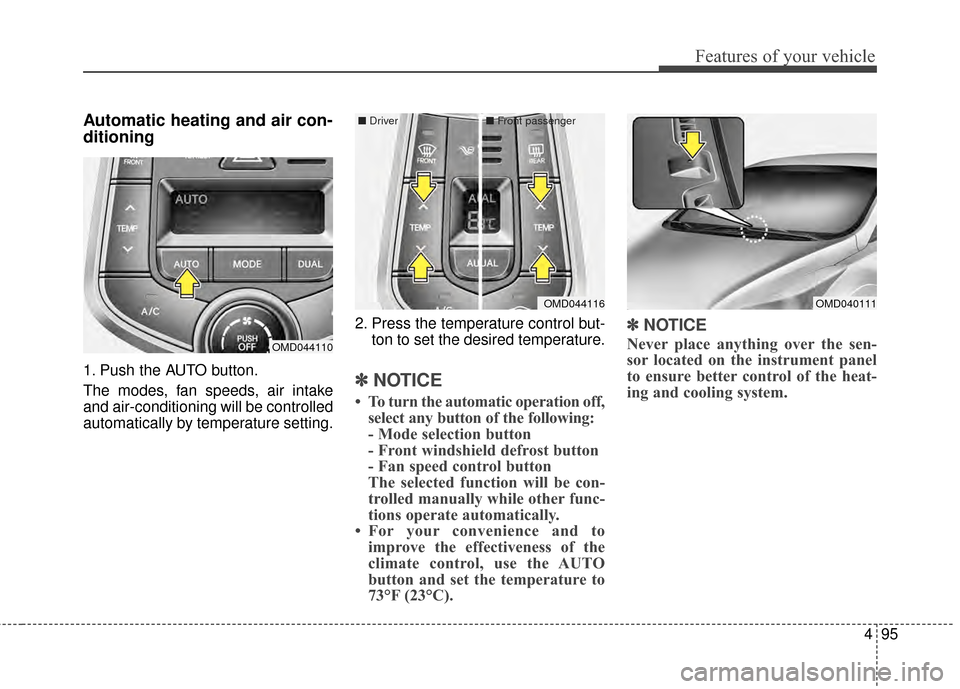
Automatic heating and air con-
ditioning
1. Push the AUTO button.
The modes, fan speeds, air intake
and air-conditioning will be controlled
automatically by temperature setting.2. Press the temperature control but-
ton to set the desired temperature.✽ ✽NOTICE
• To turn the automatic operation off,
select any button of the following:
- Mode selection button
- Front windshield defrost button
- Fan speed control button
The selected function will be con-
trolled manually while other func-
tions operate automatically.
• For your convenience and to improve the effectiveness of the
climate control, use the AUTO
button and set the temperature to
73°F (23°C).
✽ ✽ NOTICE
Never place anything over the sen-
sor located on the instrument panel
to ensure better control of the heat-
ing and cooling system.
OMD040111
OMD044110
OMD044116
■
Dr
iver ■Front passenger