wheel Hyundai Elantra 2014 Workshop Manual
[x] Cancel search | Manufacturer: HYUNDAI, Model Year: 2014, Model line: Elantra, Model: Hyundai Elantra 2014Pages: 668, PDF Size: 35.58 MB
Page 491 of 668
535
Driving your vehicle
ESC operation
ESC ON condition
When the ignition switch is in the ON
position, the ESC and the ESC OFF
indicator lights illuminate for approxi-
mately three seconds and goes off,
then the ESC is turned on.
If this light stays on, your vehicle may
have a malfunction with the ESC
system. Have your vehicle checked
by an authorized HYUNDAI dealer
as soon as possible.When operating
When the ESC is in opera-
tion, the ESC indicator light
blinks:
conditions which may lock the
wheels, you may hear sounds from
the brakes, or feel a corresponding
sensation in the brake pedal. This
is normal and it means your ESC is
active.
engine may not respond to the
accelerator as it does under rou-
tine conditions.
when the ESC activates, the cruise
control automatically disengages.
The Cruise Control can be reen-
gaged when the road conditions
allow. See “Cruise Control System”
later in this chapter.
driving on a slippery road, the
engine rpm (revolutions per
minute) may not increase even if
you press the accelerator pedal
deeply. This is to maintain the sta-
bility and traction of the vehicle and
does not indicate a problem.
UD(FL) HMA 5.qxp 6/26/2014 3:22 PM Page 35
Page 493 of 668
537
Driving your vehicle
ESC OFF usage
When Driving
The ESC OFF mode should only be
used briefly to help free the vehicle if
stuck in snow or mud by temporarily
stopping operation of the ESC to
maintain wheel torque.
To turn ESC off while driving, press
the ESC OFF button while driving on
a flat road surface.
✽ ✽NOTICE
Turning the ESC OFF does not
affect ABS or standard brake sys-
tem operation.
CAUTION
Driving with varying tire or
wheel sizes may cause the ESCsystem to malfunction. Whenreplacing tires, make sure theyare the same size as your origi-nal tires for this vehicle.
CAUTION
To prevent damage to thetransaxle:
Do not allow wheel(s) of one axle to spin excessively whilethe ESC, ABS, and brakewarning lights are displayed.The repairs would not be cov-ered by the vehicle warranty.Reduce engine power and donot spin the wheel(s) exces-sively while these lights aredisplayed.
When operating the vehicle on a dynamometer, ensure theESC is turned off (ESC OFFlight illuminated).
WARNING
When the ESC is blinking, this
indicates the ESC is active:
Drive slowly and NEVER
attempt to accelerate. NEVER
press the ESC OFF button while
the ESC indicator light is blink-
ing or you may lose control of
the vehicle resulting in an acci-
dent.
UD(FL) HMA 5.qxp 6/26/2014 3:22 PM Page 37
Page 495 of 668
539
Driving your vehicle
VSM OFF condition
To cancel VSM operation, press the
ESC OFF button. ESC OFF indicator
light ( ) will illuminate.
To turn on VSM, press the ESC OFF
button again. The ESC OFF indicator
light will go out.Hill-Start Assist Control (HAC)
(if equipped)
The Hill-Start Assist Control (HAC)
helps prevent the vehicle from rolling
backwards when starting a vehicle
from a stop on a hill. The system
operates the brakes automatically for
approximately 2 seconds and releas-
es the brake when the accelerator
pedal is depressed or after 2 sec-
onds.
✽ ✽NOTICE
• The HAC does not operate when
the shift lever is in P (Park) or N
(Neutral)
• The HAC activates even though the ESC (Electronic Stability
Control) is off but does not acti-
vate when the ESC has malfunc-
tioned.
WARNING
If ESC indicator light ( ) or
EPS warning light ( ) stays
on, your vehicle may have a
malfunction with the VSM sys-
tem. When the warning light illu-
minates have the vehicle
checked by an authorized
HYUNDAI dealer as soon as
possible.
CAUTION
Driving with varying tire or
wheel sizes may cause the ESCsystem to malfunction. Whenreplacing tires, make sure theyare the same size as your origi-nal tires for this vehicle.
WARNING
Always be ready to depress the
accelerator pedal when starting
off on a incline. The HAC acti-
vates only for approximately 2
seconds.
UD(FL) HMA 5.qxp 6/26/2014 3:22 PM Page 39
Page 500 of 668
Driving your vehicle
44
5
To set cruise control speed
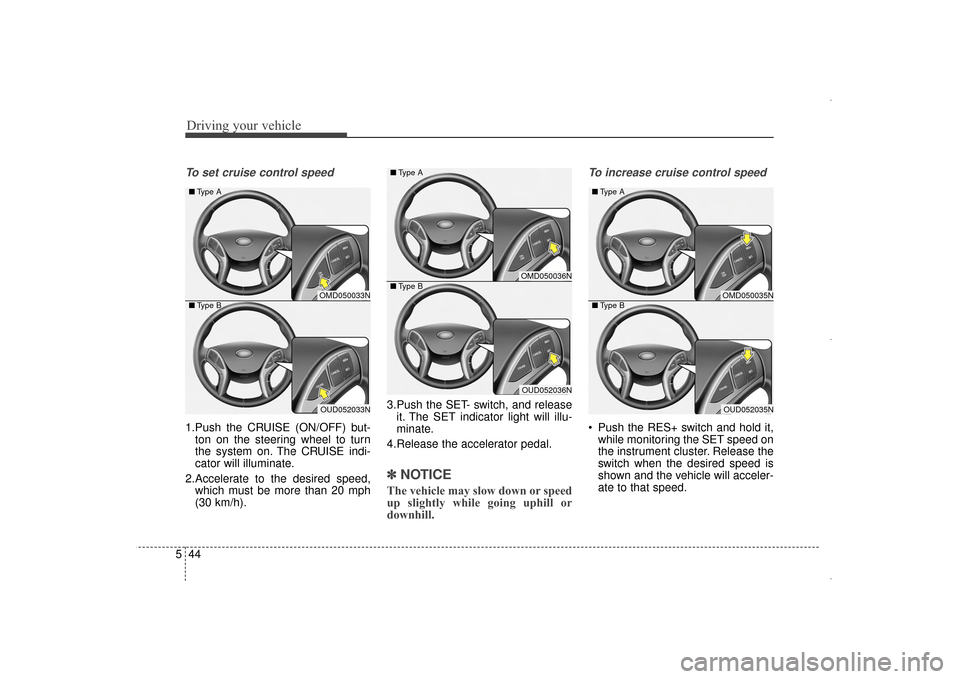
1.Push the CRUISE (ON/OFF) but-
ton on the steering wheel to turn
the system on. The CRUISE indi-
cator will illuminate.
2.Accelerate to the desired speed, which must be more than 20 mph
(30 km/h). 3.Push the SET- switch, and release
it. The SET indicator light will illu-
minate.
4.Release the accelerator pedal.
✽ ✽ NOTICE
The vehicle may slow down or speed
up slightly while going uphill or
downhill.
To increase cruise control speed
Push the RES+ switch and hold it,
while monitoring the SET speed on
the instrument cluster. Release the
switch when the desired speed is
shown and the vehicle will acceler-
ate to that speed.
OMD050036N
OUD052036N
■
Type A
■ Type B
OMD050033N
OUD052033N
■
Type A
■ Type B
OMD050035N
OUD052035N
■
Type A
■ Type B
UD(FL) HMA 5.qxp 6/26/2014 3:23 PM Page 44
Page 502 of 668
Driving your vehicle
46
5
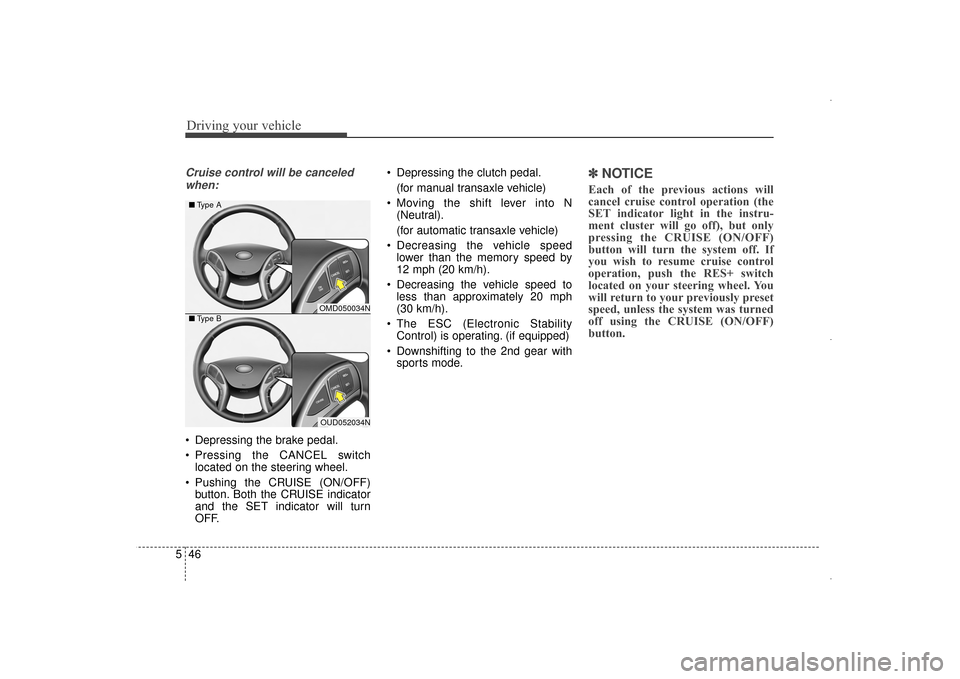
Cruise control will be canceled
when:
Depressing the brake pedal.
Pressing the CANCEL switch located on the steering wheel.
Pushing the CRUISE (ON/OFF) button. Both the CRUISE indicator
and the SET indicator will turn
OFF. Depressing the clutch pedal.
(for manual transaxle vehicle)
Moving the shift lever into N (Neutral).
(for automatic transaxle vehicle)
Decreasing the vehicle speed lower than the memory speed by
12 mph (20 km/h).
Decreasing the vehicle speed to less than approximately 20 mph
(30 km/h).
The ESC (Electronic Stability Control) is operating. (if equipped)
Downshifting to the 2nd gear with sports mode.
✽ ✽ NOTICE
Each of the previous actions will
cancel cruise control operation (the
SET indicator light in the instru-
ment cluster will go off), but only
pressing the CRUISE (ON/OFF)
button will turn the system off. If
you wish to resume cruise control
operation, push the RES+ switch
located on your steering wheel. You
will return to your previously preset
speed, unless the system was turned
off using the CRUISE (ON/OFF)
button.
OMD050034N
OUD052034N
■
Type A
■ Type B
UD(FL) HMA 5.qxp 6/26/2014 3:23 PM Page 46
Page 504 of 668
Driving your vehicle
48
5
SPECIAL DRIVING CONDITIONS
Hazardous driving conditions
When hazardous driving conditions
are encountered such as water,
snow, ice, mud or sand:
Drive cautiously and allow extra dis-
tance for braking.
Avoid sudden movements in braking
or steering.
If stuck in snow, mud, or sand, use
second gear. Accelerate slowly to
avoid spinning the drive wheels.
Use sand, rock salt, or other non-slip
material under the drive wheels to
provide traction when stalled in ice,
snow, or mud.
Rocking the vehicle
If it is necessary to rock the vehicle
to free it from snow, sand, or mud,
first turn the steering wheel right and
left to clear the area around your
front wheels. Then, shift back and
forth between 1st and R (Reverse,
for manual transaxle vehicle) or R
(Reverse) and a forward gear (for
automatic transaxle vehicle). Try to
avoid spinning the wheels, and do
not race the engine.
To prevent transaxle wear, wait until
the wheels stop spinning before
shifting gears. Release the accelera-
tor pedal while shifting, and press
lightly on the accelerator pedal while
the transaxle is in gear. Slowly spin-
ning the wheels in forward and
reverse directions causes a rocking
motion that may free the vehicle.
WARNING
Downshifting with an automatic
transaxle, while driving on slip-
pery surfaces can cause an
accident. The sudden change in
tire speed could cause the tires
to skid. Be careful when down-
shifting on slippery surfaces.
WARNING
If the tires spin at high speed
the tires can explode, and you
or others may be injured. Do not
attempt this procedure if people
or objects are anywhere near
the vehicle.
The vehicle can overheat caus-
ing an engine compartment fire
or other damage. Spin the
wheels as little as possible and
avoid spinning the wheels at
speeds over 35 mph (56 km/h)
as indicated on the speedome-
ter.
CAUTION
If you are still stuck after rock-
ing the vehicle a few times, havethe vehicle pulled out by a towvehicle to avoid engine over-heating, possible damage to thetransaxle, and tire damage. See“Towing” in chapter 6.
To prevent damage to thetransaxle, turn OFF the ESCprior to rocking the vehicle.
UD(FL) HMA 5.qxp 6/26/2014 3:23 PM Page 48
Page 506 of 668
Driving your vehicle
50
5
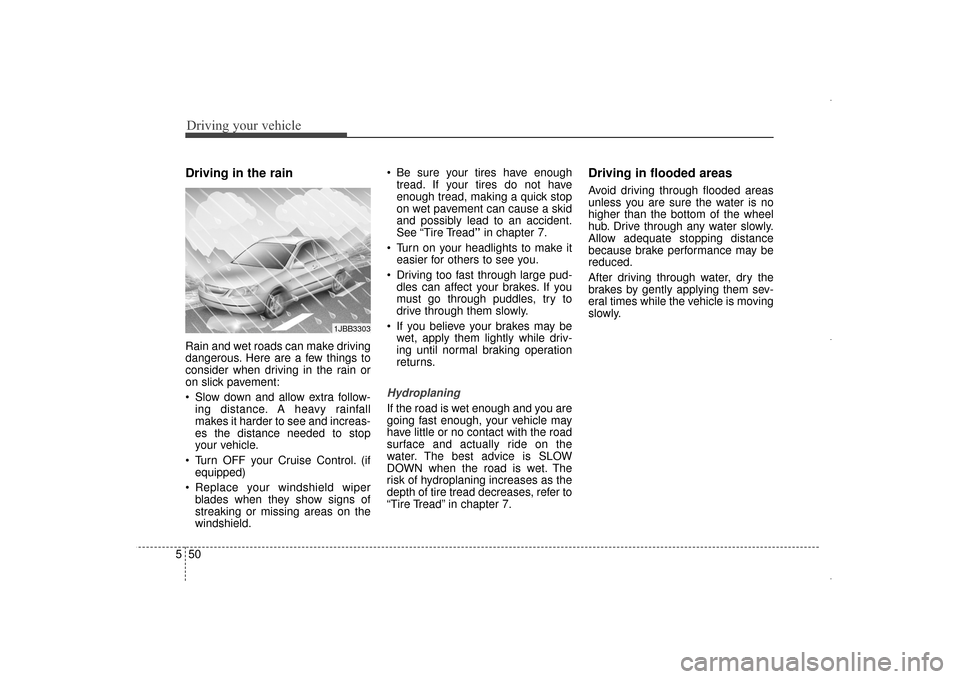
Driving in the rain
Rain and wet roads can make driving
dangerous. Here are a few things to
consider when driving in the rain or
on slick pavement:
Slow down and allow extra follow-
ing distance. A heavy rainfall
makes it harder to see and increas-
es the distance needed to stop
your vehicle.
Turn OFF your Cruise Control. (if equipped)
Replace your windshield wiper blades when they show signs of
streaking or missing areas on the
windshield. Be sure your tires have enough
tread. If your tires do not have
enough tread, making a quick stop
on wet pavement can cause a skid
and possibly lead to an accident.
See “Tire Tread” in chapter 7.
Turn on your headlights to make it easier for others to see you.
Driving too fast through large pud- dles can affect your brakes. If you
must go through puddles, try to
drive through them slowly.
If you believe your brakes may be wet, apply them lightly while driv-
ing until normal braking operation
returns.
Hydroplaning
If the road is wet enough and you are
going fast enough, your vehicle may
have little or no contact with the road
surface and actually ride on the
water. The best advice is SLOW
DOWN when the road is wet. The
risk of hydroplaning increases as the
depth of tire tread decreases, refer to
“Tire Tread” in chapter 7.
Driving in flooded areas
Avoid driving through flooded areas
unless you are sure the water is no
higher than the bottom of the wheel
hub. Drive through any water slowly.
Allow adequate stopping distance
because brake performance may be
reduced.
After driving through water, dry the
brakes by gently applying them sev-
eral times while the vehicle is moving
slowly.
1JBB3303
UD(FL) HMA 5.qxp 6/26/2014 3:23 PM Page 50
Page 507 of 668
551
Driving your vehicle
Snow or icy conditions
You need to keep sufficient distance
between your vehicle and the vehicle
in front of you.
Apply the brakes gently. Speeding,
rapid acceleration, sudden brake
applications, and sharp turns are
potentially very hazardous practices.
During deceleration, use engine
braking to the fullest extent. Sudden
brake applications on snowy or icy
roads may cause skids to occur.
To drive your vehicle in deep snow, it
may be necessary to use snow tires
or to install tire chains on your tires.
Always carry emergency equipment.
Some of the items you may want to
carry include, tow straps or chains, a
flashlight, emergency flares, sand, a
shovel, jumper cables, a window
scraper, gloves, ground cloth, cover-
alls, a blanket, etc.
Snow tires
If you mount snow tires on your vehi-
cle, make sure to use radial tires of
the same size and load range as the
original tires. Mount snow tires on all
four wheels to balance your vehicle’s
handling in all weather conditions.
The traction provided by snow tires
on dry roads may not be as high as
your vehicle's original equipment
tires. Check with the tire dealer for
maximum speed recommendations.
✽ ✽NOTICE
Do not install studded tires without
first checking local and municipal
regulations for possible restrictions
against their use.
Tire chains
Since the sidewalls of radial tires are
thinner than other types of tires, they
may be damaged by mounting some
types of tire chains on them.
Therefore, the use of snow tires is
recommended instead of tire chains.
Do not mount tire chains on vehicles
equipped with aluminum wheels; if
unavoidable use a wire type chain. If
tire chains must be used, use gen-
uine HYUNDAI parts and install the
tire chain after reviewing the instruc-
tions provided with the tire chains.
Damage to your vehicle caused by
improper tire chain use is not cov-
ered by your vehicle manufacturer’s
warranty.
WINTER DRIVING
WARNING
Snow tires should be equivalent
in size and type to the vehicle's
standard tires. Otherwise, the
safety and handling of your
vehicle may be adversely affect-
ed.
OED050200
UD(FL) HMA 5.qxp 6/26/2014 3:23 PM Page 51
Page 508 of 668
Driving your vehicle
52
5
✽
✽
NOTICE
• Install tire chains on the front
tires. It should be noted that
installing tire chains on the tires
will provide a greater driving
force, but will not prevent side
skids.
• Do not install studded tires with- out first checking local and munic-
ipal regulations for possible
restrictions against their use.
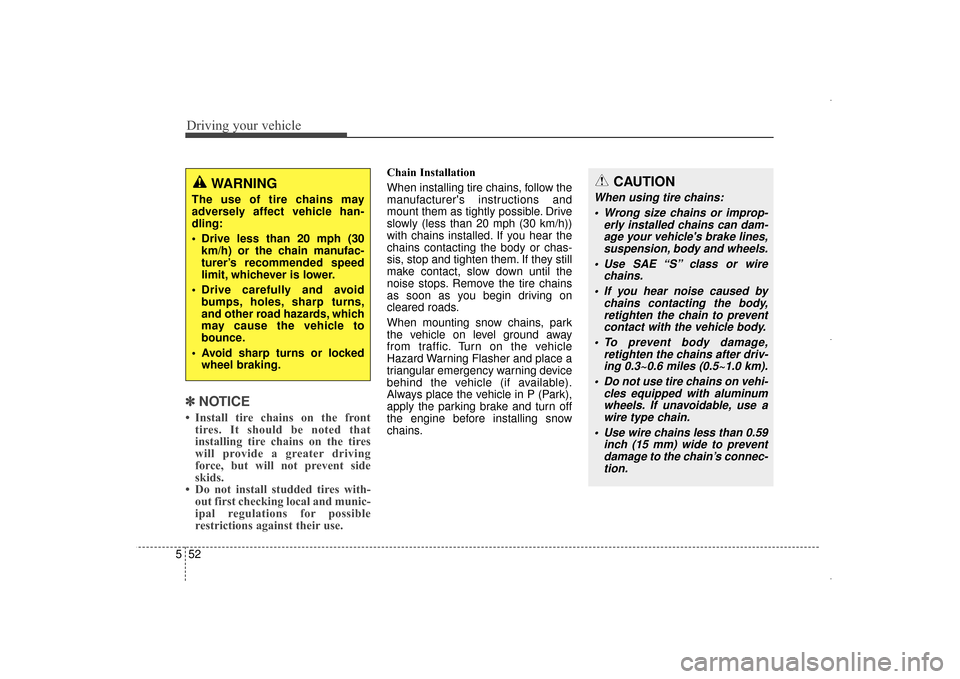
Chain Installation
When installing tire chains, follow the
manufacturer's instructions and
mount them as tightly possible. Drive
slowly (less than 20 mph (30 km/h))
with chains installed. If you hear the
chains contacting the body or chas-
sis, stop and tighten them. If they still
make contact, slow down until the
noise stops. Remove the tire chains
as soon as you begin driving on
cleared roads.
When mounting snow chains, park
the vehicle on level ground away
from traffic. Turn on the vehicle
Hazard Warning Flasher and place a
triangular emergency warning device
behind the vehicle (if available).
Always place the vehicle in P (Park),
apply the parking brake and turn off
the engine before installing snow
chains.
WARNING
The use of tire chains may
adversely affect vehicle han-
dling:
Drive less than 20 mph (30
km/h) or the chain manufac-
turer’s recommended speed
limit, whichever is lower.
Drive carefully and avoid bumps, holes, sharp turns,
and other road hazards, which
may cause the vehicle to
bounce.
Avoid sharp turns or locked wheel braking.
CAUTION
When using tire chains:
Wrong size chains or improp- erly installed chains can dam-age your vehicle's brake lines,suspension, body and wheels.
Use SAE “S” class or wire chains.
If you hear noise caused by chains contacting the body,retighten the chain to preventcontact with the vehicle body.
To prevent body damage, retighten the chains after driv-ing 0.3~0.6 miles (0.5~1.0 km).
Do not use tire chains on vehi- cles equipped with aluminumwheels. If unavoidable, use awire type chain.
Use wire chains less than 0.59 inch (15 mm) wide to preventdamage to the chain’s connec-tion.
UD(FL) HMA 5.qxp 6/26/2014 3:23 PM Page 52
Page 510 of 668
Driving your vehicle
54
5
Don't let your parking brake
freeze
Under some conditions your parking
brake can freeze in the engaged
position. This is most likely to happen
when there is an accumulation of
snow or ice around or near the rear
brakes or if the brakes are wet. If
there is a risk the parking brake may
freeze, apply it only temporarily while
you put the shift lever in P (automat-
ic transaxle) or in first or reverse gear
(manual transaxle) and block the
rear wheels so the vehicle cannot
roll. Then release the parking brake.
Don't let ice and snow accu-
mulate underneath
Under some conditions, snow and
ice can build up under the fenders
and interfere with the steering. When
driving in severe winter conditions
where this may happen, you should
periodically check underneath the
vehicle to be sure the movement of
the front wheels and the steering
components is not obstructed.
Carry emergency equipment
Depending on the severity of the
weather, you should carry appropri-
ate emergency equipment. Some of
the items you may want to carry
include tire chains, tow straps or
chains, flashlight, emergency flares,
sand, a shovel, jumper cables, a win-
dow scraper, gloves, ground cloth,
coveralls, a blanket, etc.
Don't place foreign objects or
materials in the engine com-
partment
Placement of foreign objects or
materials which prevent cooling of
the engine, in the engine compart-
ment, may cause a failure or com-
bustion. The manufacturer is not
responsible for the damage caused
by such placement.
UD(FL) HMA 5.qxp 6/26/2014 3:23 PM Page 54