recom Hyundai Elantra 2015 User Guide
[x] Cancel search | Manufacturer: HYUNDAI, Model Year: 2015, Model line: Elantra, Model: Hyundai Elantra 2015Pages: 668, PDF Size: 35.58 MB
Page 65 of 668
Safety features of your vehicle
46
3 This vehicle is equipped with an
Advanced Supplemental Air Bag
System for the driver’s seat and front
passenger’s seats.
The front air bags are designed to
supplement the three-point seat
belts. For these air bags to provide
protection, the seat belts must be
worn at all times when driving.
You can be severely injured or killed
in an accident if you are not wearing
a seat belt. Air bags are designed to
supplement seat belts, but do not
replace them. Also, air bags are not
designed to deploy in every collision.
In some accidents, the seat belts are
the only restraint protecting you.
WARNING
AIR BAG SAFETY PRECAUTIONS
ALWAYS use seat belts and child restraints - every trip, every time,
everyone! Even with air bags, you can be seriously injured or killed in
a collision if you are improperly belted or not wearing your seat belt
when the air bag inflates.
NEVER place a child in any child restraint or booster seat in the front
passenger seat. An inflating air bag could forcefully strike the infant
or child causing serious or fatal injuries.
ABC - Always Buckle Children under age 13 in the back seat. It is the
safest place for children of any age to ride. If a child age 13 or older
must be seated in the front seat, he or she must be properly belted
and the seat should be moved as far back as possible.
All occupants should sit upright with the seatback in an upright posi-
tion, centered on the seat cushion with their seat belt on, legs com-
fortably extended and their feet on the floor until the vehicle is parked
and the engine is turned off. If an occupant is out of position during
an accident, the rapidly deploying air bag may forcefully contact the
occupant causing serious or fatal injuries.
You and your passengers should never sit or lean unnecessarily
close to the air bags or lean against the door or center console.
Move your seat as far back as possible from front air bags, while still
maintaining control of the vehicle. NHTSA recommends that drivers
allow at least 10 inches (25 cm) between the center of the steering
wheel and the chest.
Page 71 of 668
Safety features of your vehicle
52
3 Air bag deployment depends on a
number of factors including vehicle
speed, angles of impact and the
density and stiffness of the vehicles
or objects which your vehicle
impacts during a collision. The
determining factors are not limited
to those mentioned above.
The front air bags will completely inflate and deflate in an instant. It is
virtually impossible for you to see
the air bags inflate during an acci-
dent. It is much more likely that you
will simply see the deflated air bags
hanging out of their storage com-
partments after the collision. To help provide protection, the air
bags must inflate rapidly. The
speed of air bag inflation is a con-
sequence of extremely short time
in which to inflate the air bag
between the occupant and the
vehicle structures before the occu-
pant impacts those structures. This
speed of inflation reduces the risk
of serious or life-threatening
injuries and is thus a necessary
part of air bag design.
However, the rapid air bag inflation
can also cause injuries which can
include facial abrasions, bruises
and broken bones because the
inflation speed also causes the air
bags to expand with a great deal of
force.
There are even circumstances under which contact with the air
bag can cause fatal injuries, espe-
cially if the occupant is positioned
excessively close to the air bag. You can take steps to reduce the risk
of being injured by an inflating air
bag. The greatest risk is sitting too
close to the air bag. An air bag needs
about 10 inches (25 cm) of space to
inflate. NHTSA recommends that
drivers allow at least 10 inches
(25 cm) between the center of the
steering wheel and the chest.
Page 96 of 668
Features of your vehicle
10
4
Start-up
You can start the engine without
inserting the key. For detailed infor-
mation refer to the Engine Start/Stop
button in chapter 5.
Mechanical key
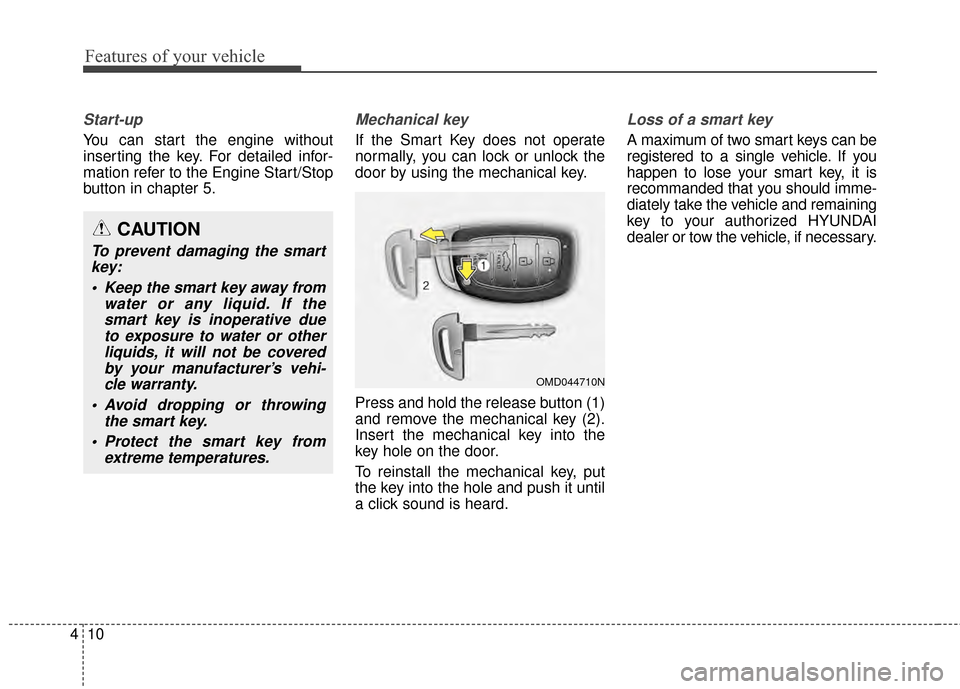
If the Smart Key does not operate
normally, you can lock or unlock the
door by using the mechanical key.
Press and hold the release button (1)
and remove the mechanical key (2).
Insert the mechanical key into the
key hole on the door.
To reinstall the mechanical key, put
the key into the hole and push it until
a click sound is heard.
Loss of a smart key
A maximum of two smart keys can be
registered to a single vehicle. If you
happen to lose your smart key, it is
recommanded that you should imme-
diately take the vehicle and remaining
key to your authorized HYUNDAI
dealer or tow the vehicle, if necessary.
OMD044710N
CAUTION
To prevent damaging the smart
key:
Keep the smart key away from water or any liquid. If thesmart key is inoperative dueto exposure to water or otherliquids, it will not be coveredby your manufacturer’s vehi-cle warranty.
Avoid dropping or throwing the smart key.
Protect the smart key from extreme temperatures.
Page 121 of 668
435
Features of your vehicle
Sliding the sunroof
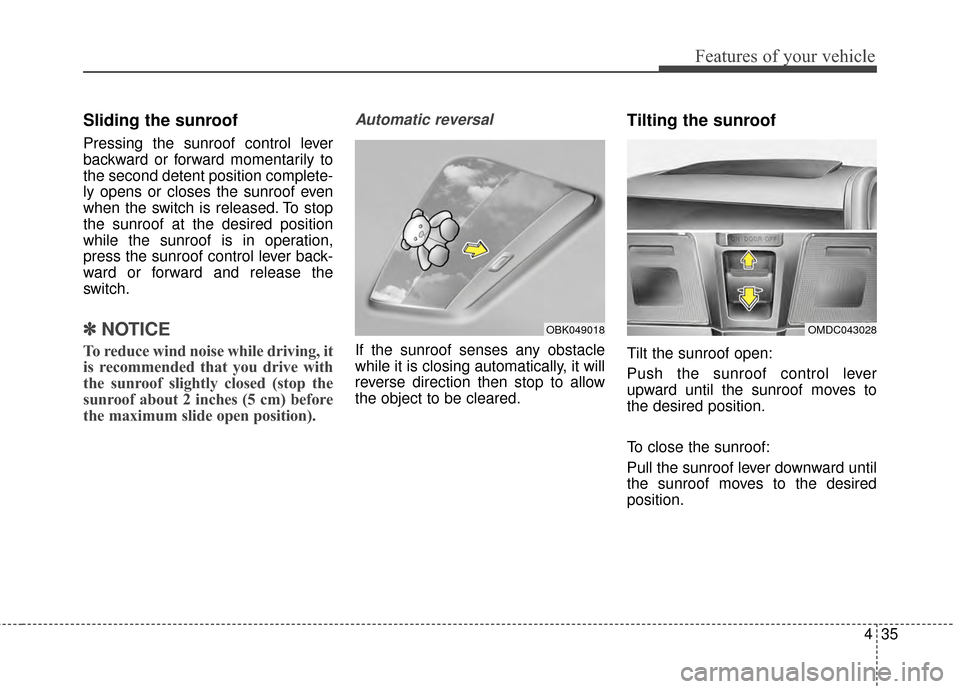
Pressing the sunroof control lever
backward or forward momentarily to
the second detent position complete-
ly opens or closes the sunroof even
when the switch is released. To stop
the sunroof at the desired position
while the sunroof is in operation,
press the sunroof control lever back-
ward or forward and release the
switch.
✽ ✽NOTICE
To reduce wind noise while driving, it
is recommended that you drive with
the sunroof slightly closed (stop the
sunroof about 2 inches (5 cm) before
the maximum slide open position).
Automatic reversal
If the sunroof senses any obstacle
while it is closing automatically, it will
reverse direction then stop to allow
the object to be cleared.
Tilting the sunroof
Tilt the sunroof open:
Push the sunroof control lever
upward until the sunroof moves to
the desired position.
To close the sunroof:
Pull the sunroof lever downward until
the sunroof moves to the desired
position.
OMDC043028OBK049018
Page 124 of 668
Features of your vehicle
38
4
Electric power steering (EPS)
The system assists you with steering
the vehicle. If the engine is off or if
the power steering system becomes
inoperative, the vehicle may still be
steered, but it will require increased
steering effort.
Also, the steering effort becomes
heavier as the vehicle’s speed
increases and becomes lighter as
the vehicle’s speed decreases for
better control of the steering wheel.
Should you notice any change in the
effort required to steer during normal
vehicle operation, we recommend
that the system be checked by an
authorized HYUNDAI dealer.
✽ ✽
NOTICE
The following symptoms may occur
during normal vehicle operation:
• The steering effort may be high
immediately after placing the igni-
tion switch in the ON position.
This happens as the system per-
forms the EPS system diagnostics.
When the diagnostics is complet-
ed, the steering wheel will return
to its normal condition.
• A click noise may be heard from the EPS relay after the ignition
switch is placed to the ON or
LOCK/OFF position.
• A motor noise may be heard when the vehicle is at stop or at a low
driving speed.
• When you operate the steering wheel in low temperature, abnor-
mal noise may occur. If tempera-
ture rises, the noise will disappear.
This is a normal condition.
STEERING WHEEL
CAUTION
If the Electric Power Steering
System does not operate nor-mally, the warning light ( ) willilluminate on the instrumentcluster. The steering wheel maybecome difficult to control oroperate. Take your vehicle to anauthorized HYUNDAI dealer andhave the system checked assoon as possible.
Page 131 of 668
445
Features of your vehicle
Programming HomeLink®
Please note the following:
When programming a garage dooropener, it is advised to park the
vehicle outside of the garage.
It is recommended that a new bat- tery be placed in the hand-held
transmitter of the device being pro-
grammed to HomeLink
®for quicker
training and accurate transmission
of the radio-frequency signal.
Some vehicles may require the ignition switch to be placed in the
ACC (or "Accessories") position for
programming and/or operation of
HomeLink
®.
In the event that there are still pro- gramming difficulties or questions
after following the programming
steps listed below, contact
HomeLink
®at: www.homelink.com
or by calling 1-800-355-3515.
Rolling code programming
Rolling code devices which are
"code-protected" and manufactured
after 1996 may be determined by the
following:
Reference the device owner's manual for verification.
The handheld transmitter appears to program the HomeLink
®
Universal Transceiver but does not
activate the device.
Press and hold the trained HomeLink button. The device has
the rolling code feature if the indi-
cator light flashes rapidly and then
turns solid after 2 seconds. To train rolling code devices, follow
these instructions:
1. At the garage door opener receiv-
er (motor-head unit) in the garage,
locate the "learn" or "smart" but-
ton. This can usually be found
where the hanging antenna wire is
attached to the motor-head unit.
Exact location and color of the but-
ton may vary by garage door
opener brand. If there is difficulty
locating the training button, refer-
ence the device owner's manual or
please visit our Web site at
www.homelink.com.
2. Firmly press and release the "learn" or "smart" button (which
activates the "training light"). You
will have 30 seconds to initiate
step 3.
3. Return to the vehicle and firmly press, hold for two seconds and
then release the desired
HomeLink
®button. Repeat the
"press/hold/release" sequence a
second time to complete the pro-
gramming. (Some devices may
require you to repeat this
sequence a third time to complete
the programming.)
Page 159 of 668
473
Features of your vehicle
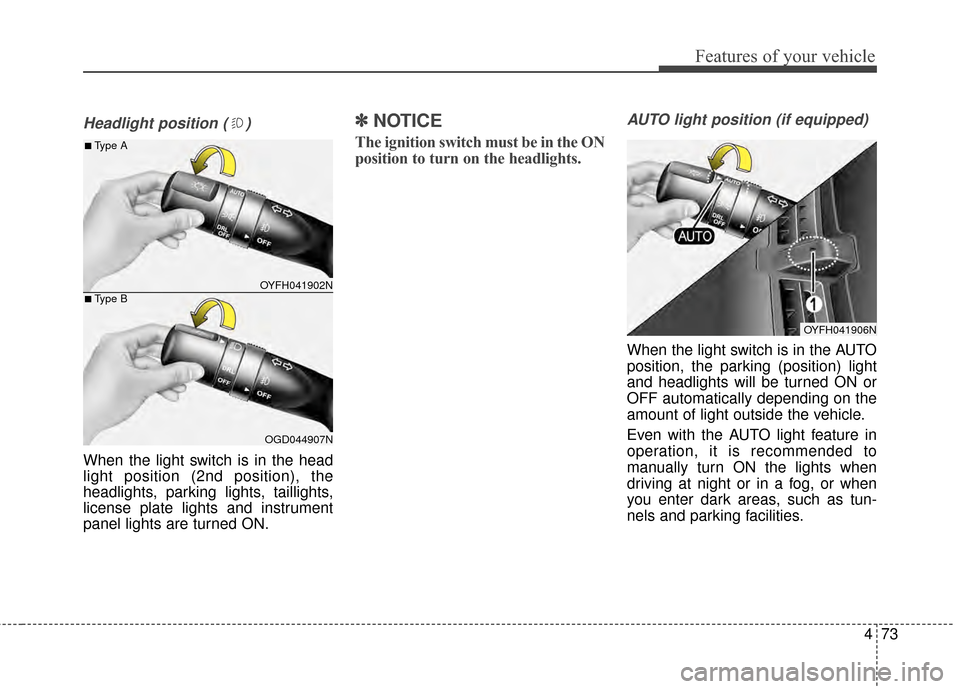
Headlight position ( )
When the light switch is in the head
light position (2nd position), the
headlights, parking lights, taillights,
license plate lights and instrument
panel lights are turned ON.
✽ ✽NOTICE
The ignition switch must be in the ON
position to turn on the headlights.
AUTO light position (if equipped)
When the light switch is in the AUTO
position, the parking (position) light
and headlights will be turned ON or
OFF automatically depending on the
amount of light outside the vehicle.
Even with the AUTO light feature in
operation, it is recommended to
manually turn ON the lights when
driving at night or in a fog, or when
you enter dark areas, such as tun-
nels and parking facilities.
OYFH041902N
OGD044907N
■Type A
■Type B
OYFH041906N
Page 204 of 668
Features of your vehicle
118
4
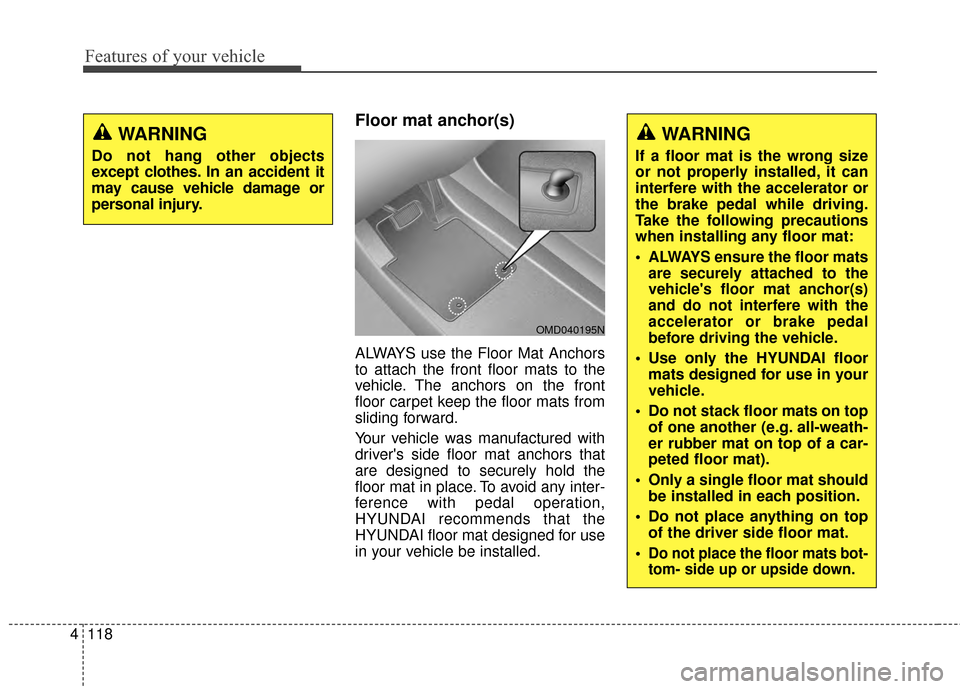
Floor mat anchor(s)
ALWAYS use the Floor Mat Anchors
to attach the front floor mats to the
vehicle. The anchors on the front
floor carpet keep the floor mats from
sliding forward.
Your vehicle was manufactured with
driver's side floor mat anchors that
are designed to securely hold the
floor mat in place. To avoid any inter-
ference with pedal operation,
HYUNDAI recommends that the
HYUNDAI floor mat designed for use
in your vehicle be installed.
WARNING
Do not hang other objects
except clothes. In an accident it
may cause vehicle damage or
personal injury.
OMD040195N
WARNING
If a floor mat is the wrong size
or not properly installed, it can
interfere with the accelerator or
the brake pedal while driving.
Take the following precautions
when installing any floor mat:
ALWAYS ensure the floor mats
are securely attached to the
vehicle's floor mat anchor(s)
and do not interfere with the
accelerator or brake pedal
before driving the vehicle.
Use only the HYUNDAI floormats designed for use in your
vehicle.
Do not stack floor mats on top of one another (e.g. all-weath-
er rubber mat on top of a car-
peted floor mat).
Only a single floor mat should be installed in each position.
Do not place anything on top of the driver side floor mat.
Do not place the floor mats bot-
tom- side up or upside down.
Page 477 of 668
521
Driving your vehicle
WARNING
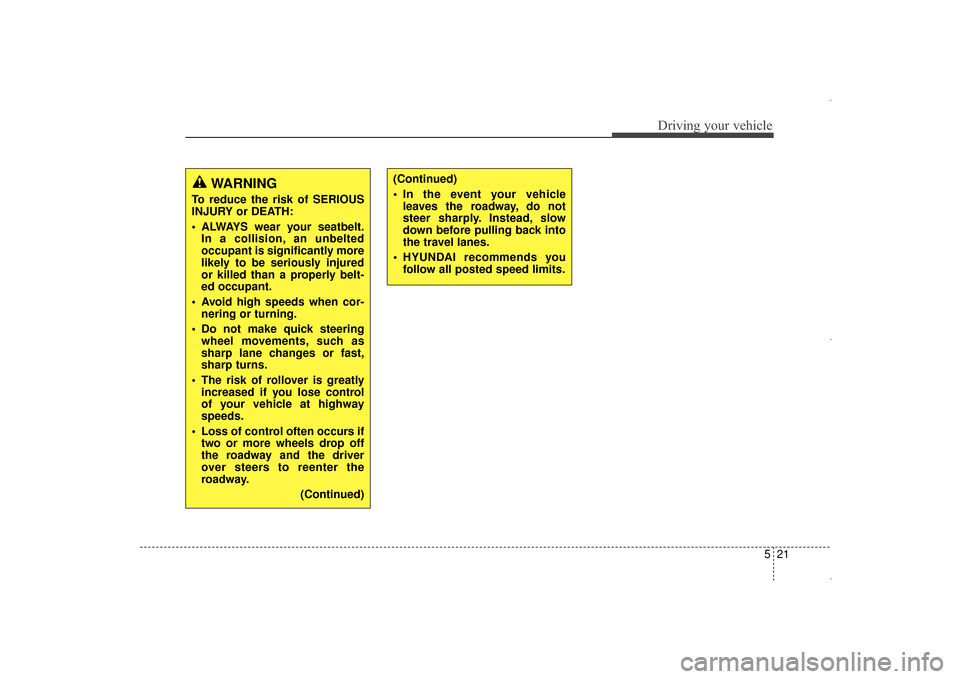
To reduce the risk of SERIOUS
INJURY or DEATH:
ALWAYS wear your seatbelt.In a collision, an unbelted
occupant is significantly more
likely to be seriously injured
or killed than a properly belt-
ed occupant.
Avoid high speeds when cor- nering or turning.
Do not make quick steering wheel movements, such as
sharp lane changes or fast,
sharp turns.
The risk of rollover is greatly increased if you lose control
of your vehicle at highway
speeds.
Loss of control often occurs if two or more wheels drop off
the roadway and the driver
over steers to reenter the
roadway.
(Continued)
(Continued)
In the event your vehicleleaves the roadway, do not
steer sharply. Instead, slow
down before pulling back into
the travel lanes.
HYUNDAI recommends you follow all posted speed limits.
UD(FL) HMA 5.qxp 6/26/2014 3:22 PM Page 21
Page 484 of 668
Driving your vehicle
28
5
Always apply the parking brake
when leaving the vehicle. Do not
depend on placing the transaxle in
P (Park) to keep the vehicle from
moving.
Exercise extreme caution when driving on a slippery surface. Be
especially careful when braking,
accelerating or shifting gears. On a
slippery surface, an abrupt change
in vehicle speed can cause the
drive wheels to lose traction and
may cause loss of vehicle control
resulting in an accident
Optimum vehicle performance and economy is obtained by smoothly
depressing and releasing the
accelerator.
WARNING
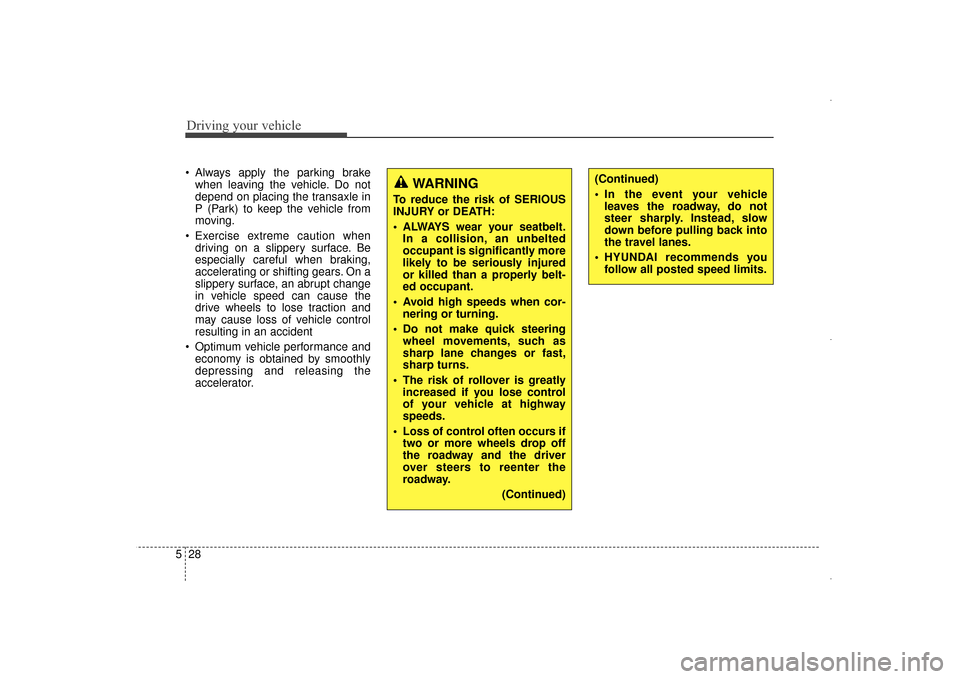
To reduce the risk of SERIOUS
INJURY or DEATH:
ALWAYS wear your seatbelt.In a collision, an unbelted
occupant is significantly more
likely to be seriously injured
or killed than a properly belt-
ed occupant.
Avoid high speeds when cor- nering or turning.
Do not make quick steering wheel movements, such as
sharp lane changes or fast,
sharp turns.
The risk of rollover is greatly increased if you lose control
of your vehicle at highway
speeds.
Loss of control often occurs if two or more wheels drop off
the roadway and the driver
over steers to reenter the
roadway.
(Continued)
(Continued)
In the event your vehicleleaves the roadway, do not
steer sharply. Instead, slow
down before pulling back into
the travel lanes.
HYUNDAI recommends you follow all posted speed limits.
UD(FL) HMA 5.qxp 6/26/2014 3:22 PM Page 28