mirror Hyundai Elantra 2016 User Guide
[x] Cancel search | Manufacturer: HYUNDAI, Model Year: 2016, Model line: Elantra, Model: Hyundai Elantra 2016Pages: 669, PDF Size: 31.96 MB
Page 157 of 669
471
Features of your vehicle
KEY OUT Indicator Light(if equipped)
When the ENGINE START/STOP
button is in the ACC or ON position,
if any door is open, the system
checks for the smart key.
This indicator light blinks:
When the smart key is not in the
vehicle and any door is open with the
ignition switch or Engine Start/Stop
button in the ACC or ON position.
- At this time, if you close all doors, the chime will also sound for
approximately 5 seconds.
- The indicator will go off while the vehicle is moving.
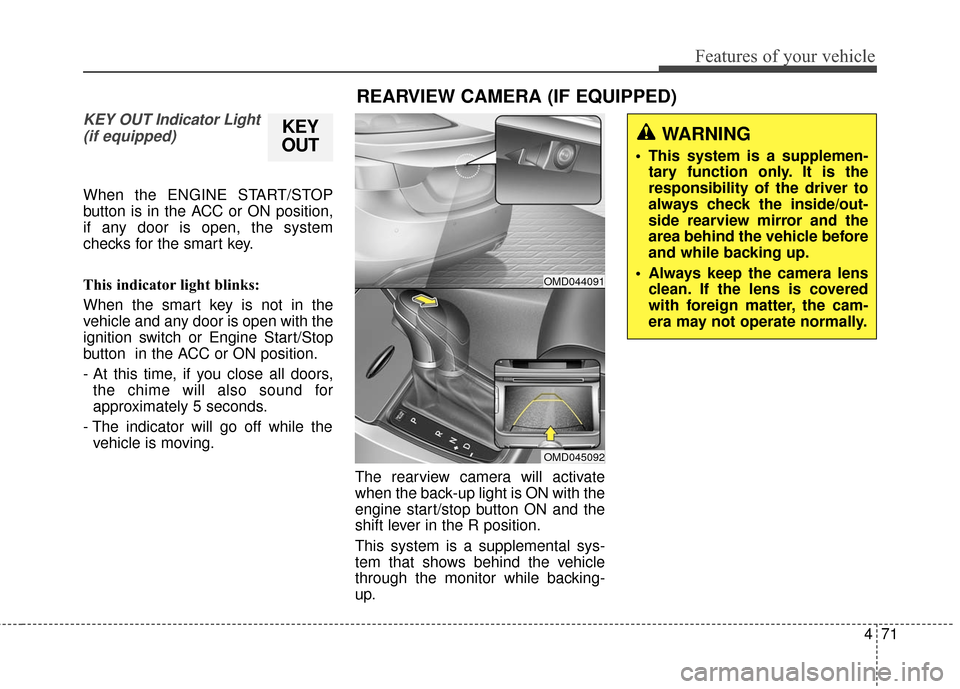
The rearview camera will activate
when the back-up light is ON with the
engine start/stop button ON and the
shift lever in the R position.
This system is a supplemental sys-
tem that shows behind the vehicle
through the monitor while backing-
up.
KEY
OUT
REARVIEW CAMERA (IF EQUIPPED)
WARNING
This system is a supplemen-
tary function only. It is the
responsibility of the driver to
always check the inside/out-
side rearview mirror and the
area behind the vehicle before
and while backing up.
Always keep the camera lens clean. If the lens is covered
with foreign matter, the cam-
era may not operate normally.
OMD044091
OMD045092
Page 166 of 669
Features of your vehicle
80
4
Rear lamp
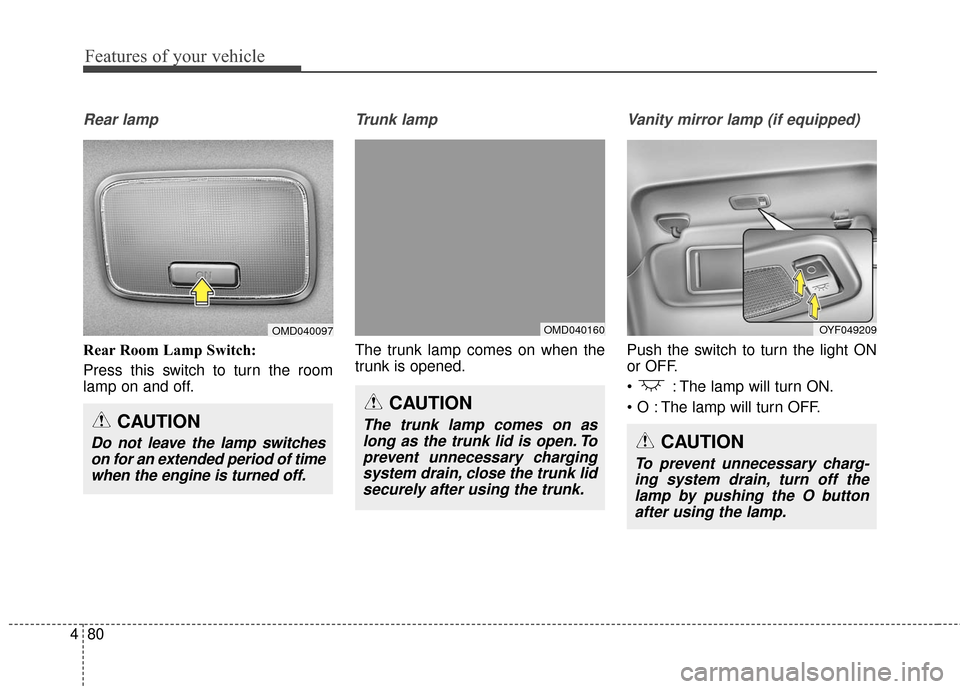
Rear Room Lamp Switch:
Press this switch to turn the room
lamp on and off.
Trunk lamp
The trunk lamp comes on when the
trunk is opened.
Vanity mirror lamp (if equipped)
Push the switch to turn the light ON
or OFF.
: The lamp will turn ON.
The lamp will turn OFF.
CAUTION
Do not leave the lamp switches
on for an extended period of timewhen the engine is turned off.
OMD040097
CAUTION
The trunk lamp comes on aslong as the trunk lid is open. Toprevent unnecessary chargingsystem drain, close the trunk lidsecurely after using the trunk.
OMD040160OYF049209
CAUTION
To prevent unnecessary charg-ing system drain, turn off thelamp by pushing the O buttonafter using the lamp.
Page 169 of 669
483
Features of your vehicle
✽
✽NOTICE
If you want to defrost and defog the
front windshield, refer to
“Windshield defrosting and defog-
ging” in this chapter.
Rear window defroster
The defroster heats the window to
remove frost, fog and thin ice from
the rear window, while the engine is
running. To activate the rear window
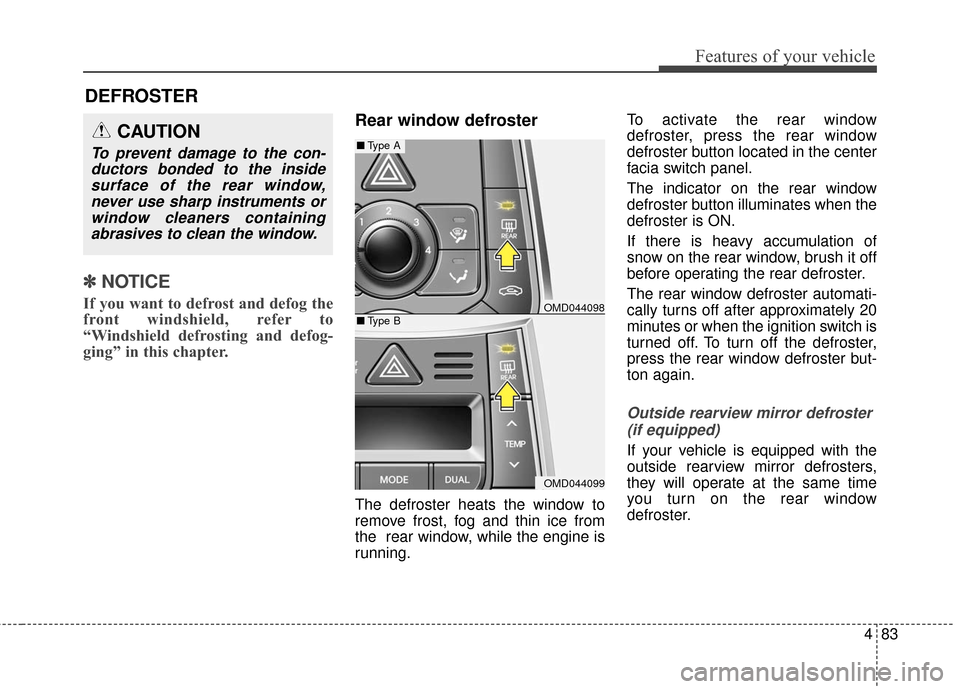
defroster, press the rear window
defroster button located in the center
facia switch panel.
The indicator on the rear window
defroster button illuminates when the
defroster is ON.
If there is heavy accumulation of
snow on the rear window, brush it off
before operating the rear defroster.
The rear window defroster automati-
cally turns off after approximately 20
minutes or when the ignition switch is
turned off. To turn off the defroster,
press the rear window defroster but-
ton again.
Outside rearview mirror defroster
(if equipped)
If your vehicle is equipped with the
outside rearview mirror defrosters,
they will operate at the same time
you turn on the rear window
defroster.
CAUTION
To prevent damage to the con-ductors bonded to the insidesurface of the rear window,never use sharp instruments orwindow cleaners containingabrasives to clean the window.
DEFROSTER
OMD044098
OMD044099
■ Type A
■Type B
Page 191 of 669
4105
Features of your vehicle
WINDSHIELD DEFROSTING AND DEFOGGING
For maximum defrosting, set thetemperature control to the extreme
right/hot position and the fan speed
control to the highest speed.
If warm air to the floor is desired while defrosting or defogging, set
the mode to the floor-defrost posi-
tion.
Before driving, clear all snow and ice from the windshield, rear win-
dow, outside rear view mirrors, and
all side windows.
Clear all snow and ice from the hood and air inlet in the cowl grill to
improve heater and defroster effi-
ciency and to reduce the probabili-
ty of fogging up the inside of the
windshield.
✽ ✽ NOTE
Be sure to keep the interior surface
of the windshield clean by wiping it
with a clean cloth and glass cleaner.
This will help reduce the tendency of
the glass fogging and also improve
visibility.Manual climate control system
To defog inside windshield
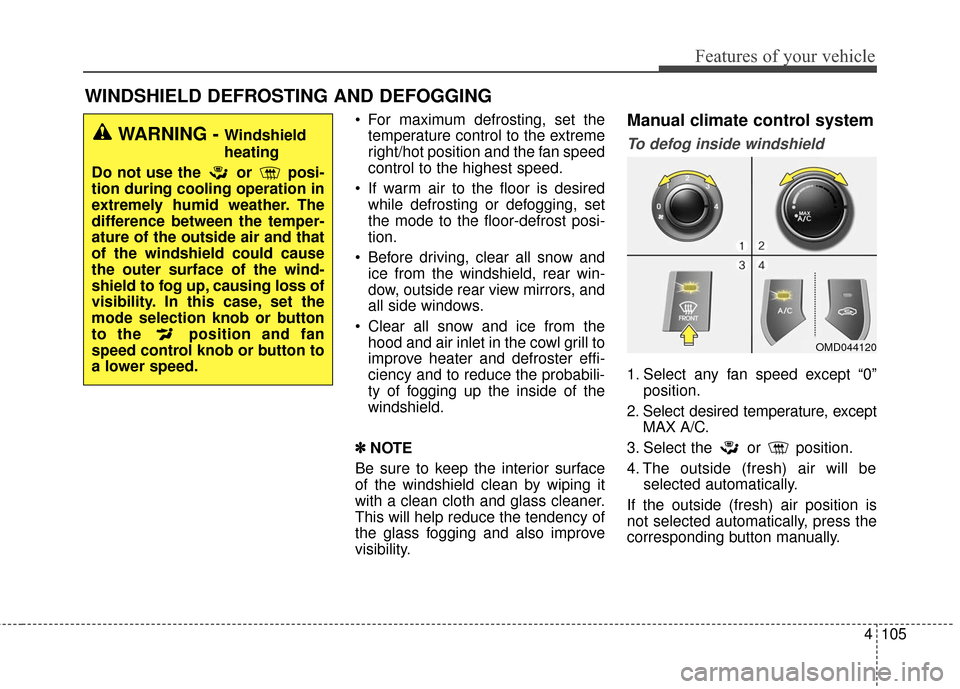
1. Select any fan speed except “0” position.
2. Select desired temperature, except MAX A/C.
3. Select the or position.
4. The outside (fresh) air will be selected automatically.
If the outside (fresh) air position is
not selected automatically, press the
corresponding button manually.
WARNING - Windshield
heating
Do not use the or posi-
tion during cooling operation in
extremely humid weather. The
difference between the temper-
ature of the outside air and that
of the windshield could cause
the outer surface of the wind-
shield to fog up, causing loss of
visibility. In this case, set the
mode selection knob or button
to the position and fan
speed control knob or button to
a lower speed.
OMD044120
Page 198 of 669
Features of your vehicle
112
4
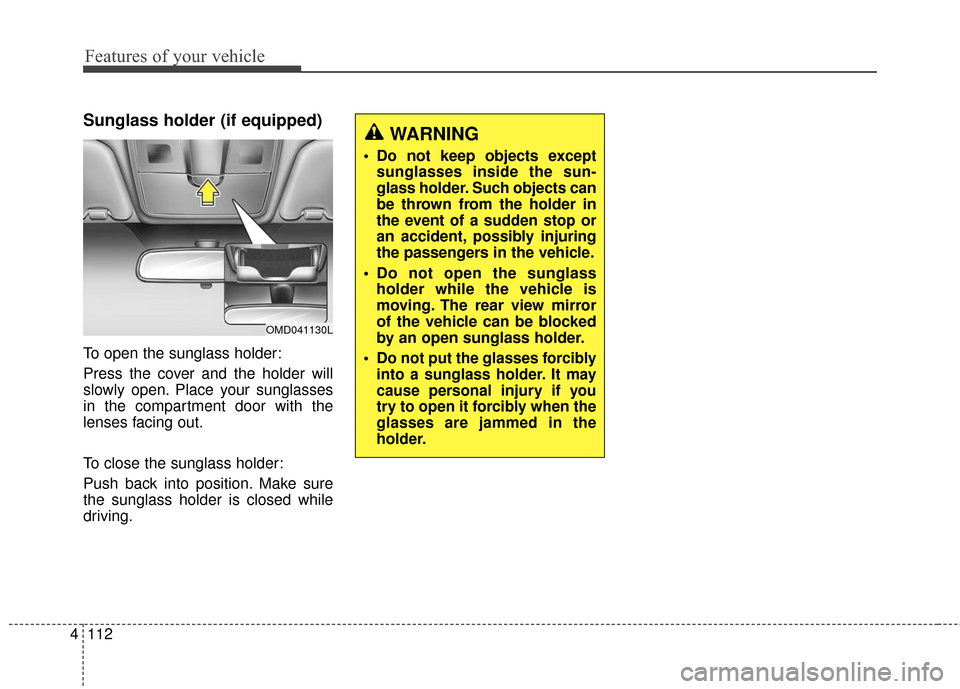
Sunglass holder (if equipped)
To open the sunglass holder:
Press the cover and the holder will
slowly open. Place your sunglasses
in the compartment door with the
lenses facing out.
To close the sunglass holder:
Push back into position. Make sure
the sunglass holder is closed while
driving.
WARNING
Do not keep objects except
sunglasses inside the sun-
glass holder. Such objects can
be thrown from the holder in
the event of a sudden stop or
an accident, possibly injuring
the passengers in the vehicle.
Do not open the sunglass holder while the vehicle is
moving. The rear view mirror
of the vehicle can be blocked
by an open sunglass holder.
Do not put the glasses forcibly
into a sunglass holder. It may
cause personal injury if you
try to open it forcibly when the
glasses are jammed in the
holder.
OMD041130L
Page 202 of 669
Features of your vehicle
116
4
Sunvisor
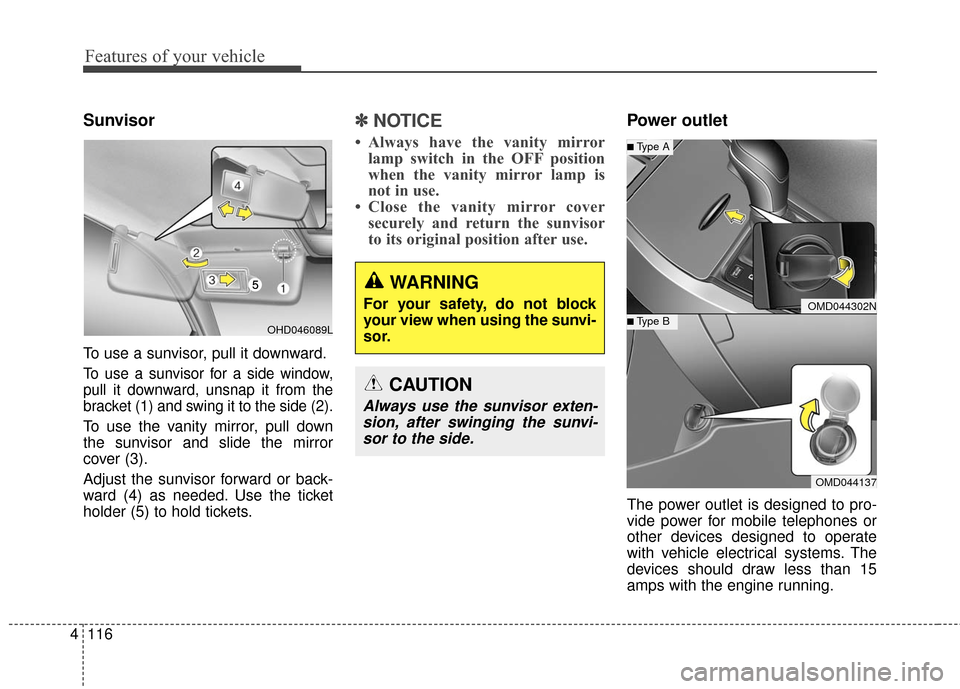
To use a sunvisor, pull it downward.
To use a sunvisor for a side window,
pull it downward, unsnap it from the
bracket (1) and swing it to the side (2).
To use the vanity mirror, pull down
the sunvisor and slide the mirror
cover (3).
Adjust the sunvisor forward or back-
ward (4) as needed. Use the ticket
holder (5) to hold tickets.
✽ ✽
NOTICE
• Always have the vanity mirror
lamp switch in the OFF position
when the vanity mirror lamp is
not in use.
• Close the vanity mirror cover securely and return the sunvisor
to its original position after use.
Power outlet
The power outlet is designed to pro-
vide power for mobile telephones or
other devices designed to operate
with vehicle electrical systems. The
devices should draw less than 15
amps with the engine running.
WARNING
For your safety, do not block
your view when using the sunvi-
sor.
CAUTION
Always use the sunvisor exten-
sion, after swinging the sunvi-sor to the side.
OMD044302N
OMD044137
■Type B
■Type A
OHD046089L
Page 336 of 669
Features of your vehicle
250
4
Blue Link®(if equipped)
Hyundai aims to offer differentiated
customer values through a
‘Connected Car Life,’ which is to pro-
vide consumers with fast and reliable
IT technology. As consumers’ lifestyles
become more and more mobile in
thanks to remarkable advances in
smart phones, tablet PCs and overall
wireless telecommunication, new
lifestyle patterns demand seamless
connection between one’s office,
home, outdoors and automobiles.
Automobile companies are now faced
with the task of shifting their paradigm
from vehicle-centered services to cus-
tomer value-centered services, with
the ultimate goal of securing global
leadership in the field of vehicle IT and
telematics.
Hyundai plans to achieve this by real-
izing a terminal platform flexible to
changes in IT technology, cooperat-
ing with global IT companies, creat-
ing an eco-system and providing the
latest contents & services based on
an open environment.
Using the Room Mirror Key
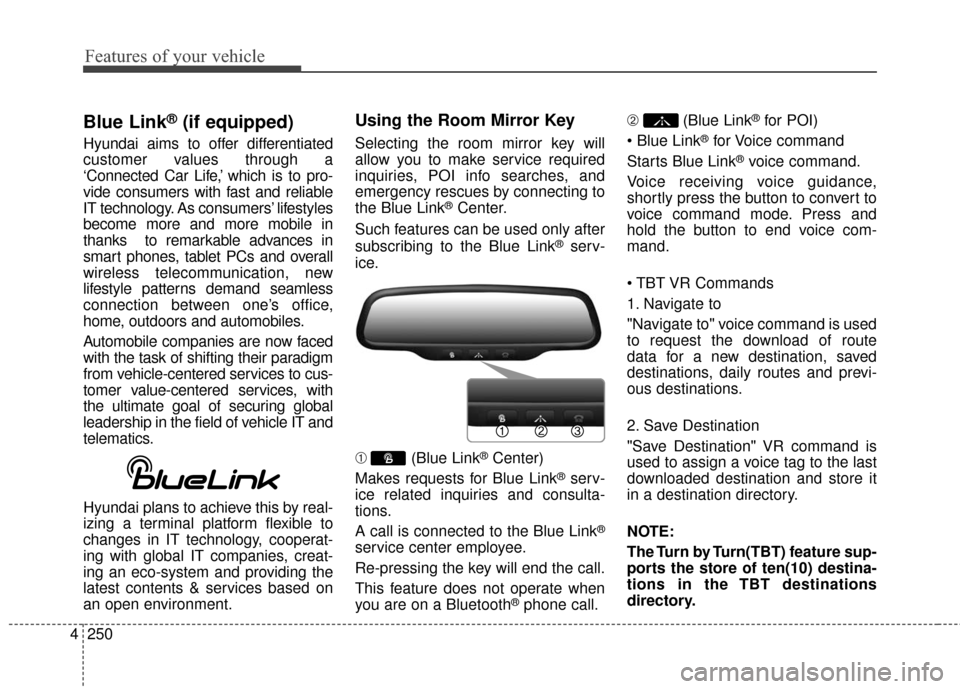
Selecting the room mirror key will
allow you to make service required
inquiries, POI info searches, and
emergency rescues by connecting to
the Blue Link
®Center.
Such features can be used only after
subscribing to the Blue Link
®serv-
ice.
➀ (Blue Link
®Center)
Makes requests for Blue Link
®serv-
ice related inquiries and consulta-
tions.
A call is connected to the Blue Link
®
service center employee.
Re-pressing the key will end the call.
This feature does not operate when
you are on a Bluetooth
®phone call. \b
(Blue Link
®for POI)
®for Voice command
Starts Blue Link
®voice command.
Voice receiving voice guidance,
shortly press the button to convert to
voice command mode. Press and
hold the button to end voice com-
mand.
1. Navigate to
"Navigate to" voice command is used
to request the download of route
data for a new destination, saved
destinations, daily routes and previ-
ous destinations.
2. Save Destination
"Save Destination" VR command is
used to assign a voice tag to the last
downloaded destination and store it
in a destination directory.
NOTE:
The Turn by Turn(TBT) feature sup-
ports the store of ten(10) destina-
tions in the TBT destinations
directory.
Page 452 of 669
Features of your vehicle
366
4
Blue Link®(if equipped)
Hyundai aims to offer differentiated
customer values through a
‘Connected Car Life,’ which is to pro-
vide consumers with fast and reliable
IT technology. As consumers’ lifestyles
become more and more mobile in
thanks to remarkable advances in
smart phones, tablet PCs and overall
wireless telecommunication, new
lifestyle patterns demand seamless
connection between one’s office,
home, outdoors and automobiles.
Automobile companies are now faced
with the task of shifting their paradigm
from vehicle-centered services to cus-
tomer value-centered services, with
the ultimate goal of securing global
leadership in the field of vehicle IT and
telematics.
Hyundai plans to achieve this by real-
izing a terminal platform flexible to
changes in IT technology, cooperat-
ing with global IT companies, creat-
ing an eco-system and providing the
latest contents & services based on
an open environment.
Using the Room Mirror Key
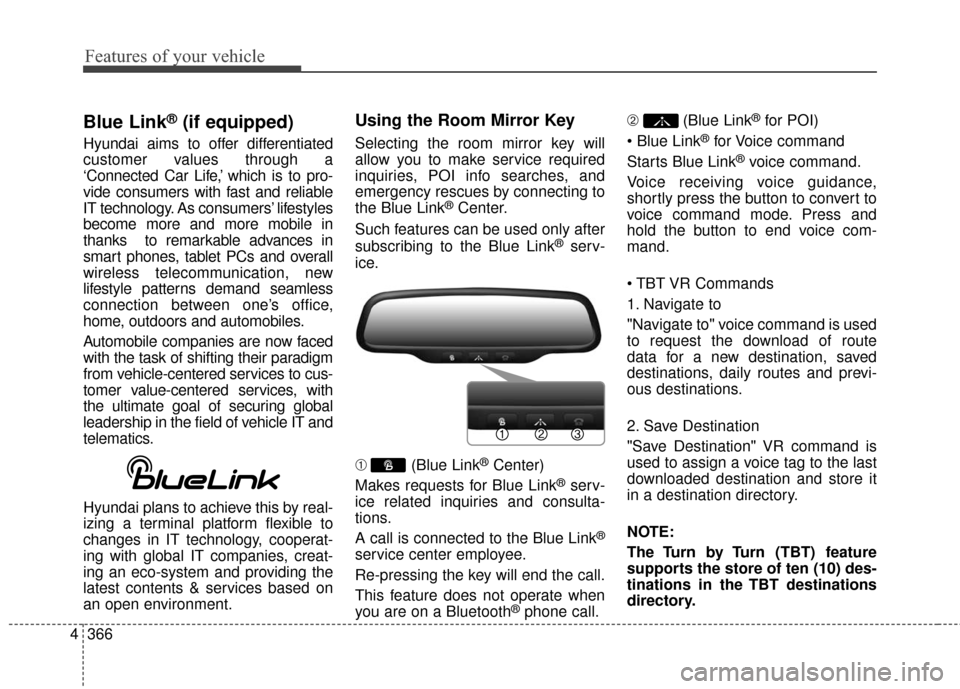
Selecting the room mirror key will
allow you to make service required
inquiries, POI info searches, and
emergency rescues by connecting to
the Blue Link
®Center.
Such features can be used only after
subscribing to the Blue Link
®serv-
ice.
➀ (Blue Link
®Center)
Makes requests for Blue Link
®serv-
ice related inquiries and consulta-
tions.
A call is connected to the Blue Link
®
service center employee.
Re-pressing the key will end the call.
This feature does not operate when
you are on a Bluetooth
®phone call. ➁
(Blue Link
®for POI)
®for Voice command
Starts Blue Link
®voice command.
Voice receiving voice guidance,
shortly press the button to convert to
voice command mode. Press and
hold the button to end voice com-
mand.
1. Navigate to
"Navigate to" voice command is used
to request the download of route
data for a new destination, saved
destinations, daily routes and previ-
ous destinations.
2. Save Destination
"Save Destination" VR command is
used to assign a voice tag to the last
downloaded destination and store it
in a destination directory.
NOTE:
The Turn by Turn (TBT) feature
supports the store of ten (10) des-
tinations in the TBT destinations
directory.
Page 460 of 669
Before entering the vehicle
• Be sure all windows, outside mir-ror(s), and outside lights are clean
and unobstructed.
Remove frost, snow, or ice.
Visually check the tires for uneven wear and damage.
Check under the vehicle for any sign of leaks.
Be sure there are no obstacles behind you if you intend to back up.
Before starting
Make sure the hood, the trunk, andthe doors are securely closed and
locked.
Adjust the position of the seat and steering wheel.
Adjust the inside and outside rearview mirrors.
Verify all the lights work.
Fasten your seatbelt. Check that all passengers have fastened their
seatbelts.
Check the gauges and indicators in the instrument panel and the mes-
sages on the instrument display
when the ignition switch is in the
ON position.
Check that any items you are car- rying are stored properly or fas-
tened down securely.
53
Driving your vehicle
WARNING - CALIFORNIA
PROPOSITION 65 WARNING
Engine exhaust and a wide vari-
ety of automobile components
including components found in
the interior furnishings in a
vehicle, contain or emit harmful
chemicals known to the State of
California to cause cancer and
birth defects and reproductive
harm. In addition, certain fluids
contained in vehicles and cer-
tain products of components
contain or emit chemicals
known to the State of California
to cause cancer and birth
defects or other reproductive
harm.
BEFORE DRIVING
UD(FL) HMA 5.qxp 6/26/2014 3:21 PM Page 3
Page 506 of 669
549
Driving your vehicle
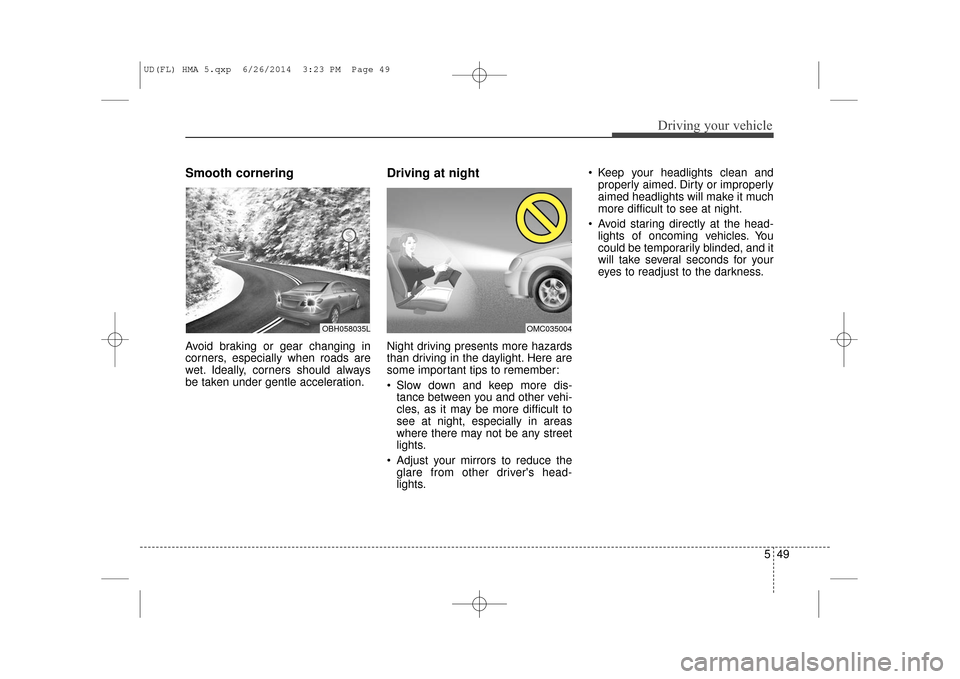
Smooth cornering
Avoid braking or gear changing in
corners, especially when roads are
wet. Ideally, corners should always
be taken under gentle acceleration.
Driving at night
Night driving presents more hazards
than driving in the daylight. Here are
some important tips to remember:
Slow down and keep more dis-tance between you and other vehi-
cles, as it may be more difficult to
see at night, especially in areas
where there may not be any street
lights.
Adjust your mirrors to reduce the glare from other driver's head-
lights. Keep your headlights clean and
properly aimed. Dirty or improperly
aimed headlights will make it much
more difficult to see at night.
Avoid staring directly at the head- lights of oncoming vehicles. You
could be temporarily blinded, and it
will take several seconds for your
eyes to readjust to the darkness.
OBH058035LOMC035004
UD(FL) HMA 5.qxp 6/26/2014 3:23 PM Page 49