Auto start Hyundai Elantra 2017 User Guide
[x] Cancel search | Manufacturer: HYUNDAI, Model Year: 2017, Model line: Elantra, Model: Hyundai Elantra 2017Pages: 637, PDF Size: 15.02 MB
Page 115 of 637
3-20
Convenient features of your vehicle
This system helps to protect your
vehicle and valuables. The horn will
sound and the hazard warning lights
will blink continuously if any of the
following occurs:
- A door is opened without using the
remote key or smart key.
- The trunk is opened without using
the remote key or smart key.
- The engine hood is opened.
The alarm continues for 30 seconds,
then the system resets. To turn off
the alarm, unlock the doors with the
remote key or smart key.
The Theft Alarm System automati-
cally sets 30 seconds after you lock
the doors and the trunk. For the sys-
tem to activate, you must lock the
doors and the trunk from outside the
vehicle with the remote key or smart
key or by pressing the button on the
outside of the door handles with the
smart key in your possession.
The hazard warning lights will blink
and the chime will sound once to
indicate the system is armed.Once the security system is set, open-
ing any door, the trunk, or the hood
without using the remote key or smart
key will cause the alarm to activate.
The Theft Alarm System will not set if
the hood, the trunk, or any door is
not fully closed. If the system will not
set, check the hood, the trunk, or the
doors are fully closed.
Do not attempt to alter this system or
add other devices to it.
Information
• Do not lock the doors until all pas-
sengers have left the vehicle. If the
remaining passenger leaves the
vehicle when the system is armed,
the alarm will be activated.
• If the vehicle is not disarmed with
the remote key or smart key, open
the doors by using the mechanical
key and place the ignition switch in
the ON position (for remote key) or
start the engine (for smart key) and
wait for 30 seconds.
• When the system is disarmed but a
door or trunk is not opened within 30
seconds, the system will be rearmed.
Information
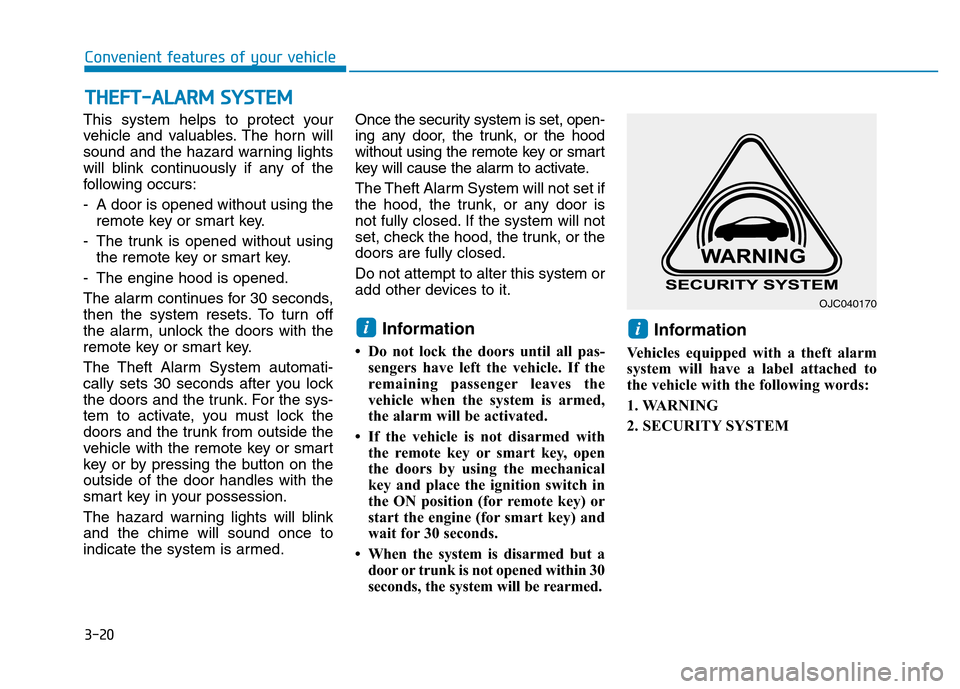
Vehicles equipped with a theft alarm
system will have a label attached to
the vehicle with the following words:
1. WARNING
2. SECURITY SYSTEM
ii
THEFT-ALARM SYSTEM
OJC040170
Page 116 of 637
3-21
Convenient features of your vehicle
3
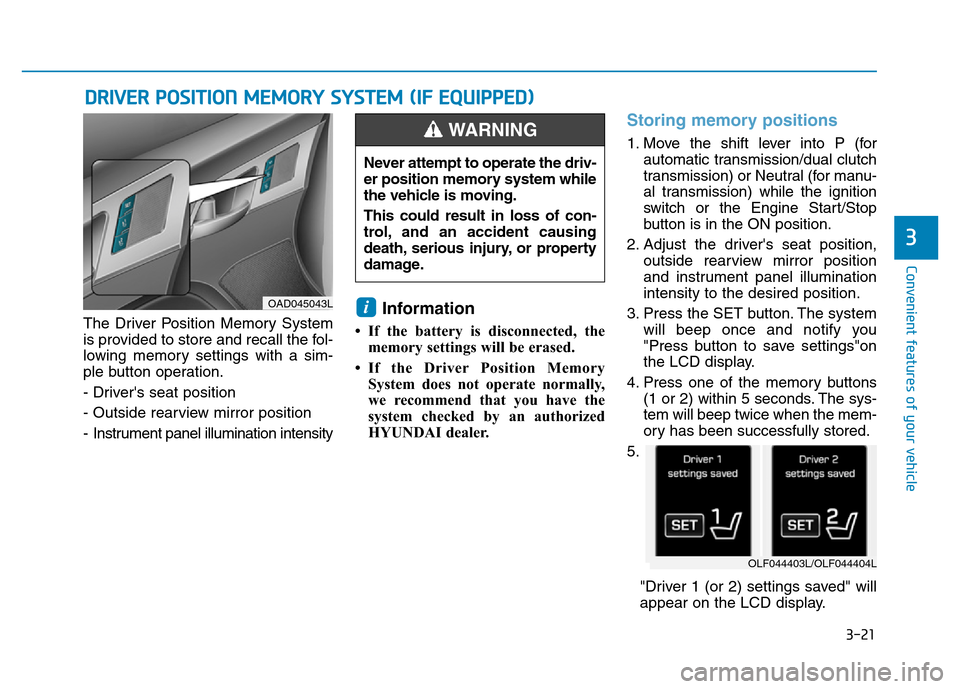
The Driver Position Memory System
is provided to store and recall the fol-
lowing memory settings with a sim-
ple button operation.
- Driver's seat position
- Outside rearview mirror position
- Instrument panel illumination intensityInformation
• If the battery is disconnected, the
memory settings will be erased.
• If the Driver Position Memory
System does not operate normally,
we recommend that you have the
system checked by an authorized
HYUNDAI dealer.
Storing memory positions
1. Move the shift lever into P (for
automatic transmission/dual clutch
transmission) or Neutral (for manu-
al transmission) while the ignition
switch or the Engine Start/Stop
button is in the ON position.
2. Adjust the driver's seat position,
outside rearview mirror position
and instrument panel illumination
intensity to the desired position.
3. Press the SET button. The system
will beep once and notify you
"Press button to save settings"on
the LCD display.
4. Press one of the memory buttons
(1 or 2) within 5 seconds. The sys-
tem will beep twice when the mem-
ory has been successfully stored.
5.
"Driver 1 (or 2) settings saved" will
appear on the LCD display.
i
DRIVER POSITION MEMORY SYSTEM (IF EQUIPPED)
OAD045043L
Never attempt to operate the driv-
er position memory system while
the vehicle is moving.
This could result in loss of con-
trol, and an accident causing
death, serious injury, or property
damage.
WARNING
OLF044403L/OLF044404L
Page 117 of 637
3-22
Convenient features of your vehicle
Recalling memory position
1. Move the shift lever into P (for auto-
matic transmission/dual clutch
transmission) or Neutral (for manu-
al transmission) while the ignition
switch or the Engine Start/Stop but-
ton is in the ON position.
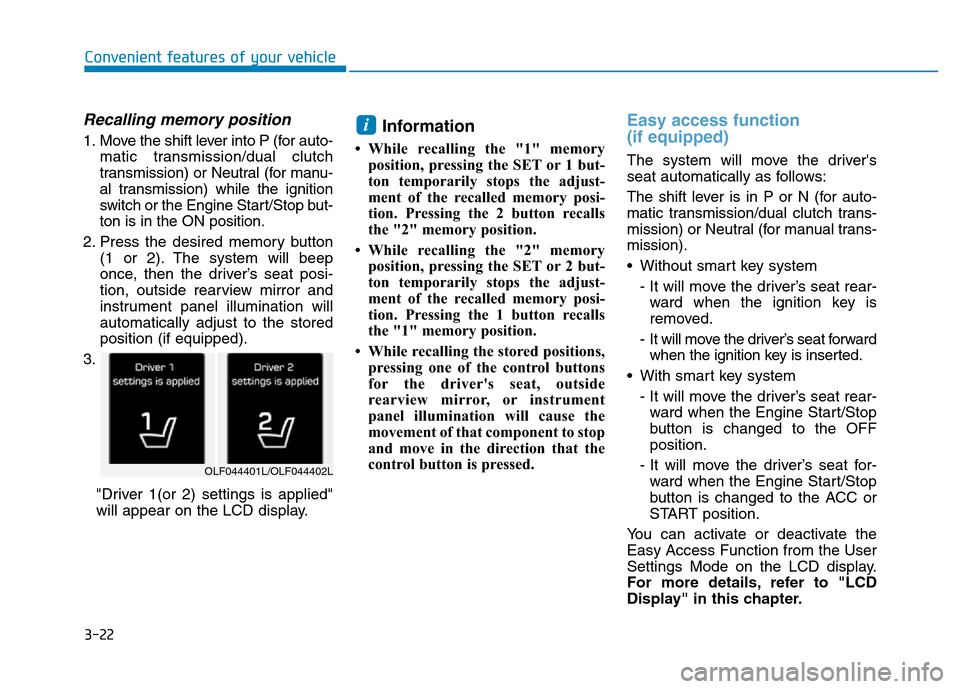
2. Press the desired memory button
(1 or 2). The system will beep
once, then the driver’s seat posi-
tion, outside rearview mirror and
instrument panel illumination will
automatically adjust to the stored
position (if equipped).
3.
"Driver 1(or 2) settings is applied"
will appear on the LCD display.Information
• While recalling the "1" memory
position, pressing the SET or 1 but-
ton temporarily stops the adjust-
ment of the recalled memory posi-
tion. Pressing the 2 button recalls
the "2" memory position.
• While recalling the "2" memory
position, pressing the SET or 2 but-
ton temporarily stops the adjust-
ment of the recalled memory posi-
tion. Pressing the 1 button recalls
the "1" memory position.
• While recalling the stored positions,
pressing one of the control buttons
for the driver's seat, outside
rearview mirror, or instrument
panel illumination will cause the
movement of that component to stop
and move in the direction that the
control button is pressed.
Easy access function
(if equipped)
The system will move the driver's
seat automatically as follows:
The shift lever is in P or N (for auto-
matic transmission/dual clutch trans-
mission) or Neutral (for manual trans-
mission).
• Without smart key system
- It will move the driver’s seat rear-
ward when the ignition key is
removed.
- It will move the driver’s seat forward
when the ignition key is inserted.
• With smart key system
- It will move the driver’s seat rear-
ward when the Engine Start/Stop
button is changed to the OFF
position.
- It will move the driver’s seat for-
ward when the Engine Start/Stop
button is changed to the ACC or
START position.
You can activate or deactivate the
Easy Access Function from the User
Settings Mode on the LCD display.
For more details, refer to "LCD
Display" in this chapter.
i
OLF044401L/OLF044402L
Page 122 of 637
3-27
Convenient features of your vehicle
3
Electric Chromic Mirror (ECM)
(if equipped)
The electric rearview mirror automati-
cally controls the glare from the head-
lamp of the car behind you in night-
time or low light driving conditions.
When the engine is running, the
glare is automatically controlled by
the sensor mounted in the rearview
mirror. The sensor detects the light
level around the vehicle, and auto-
matically adjusts to control the head-
lamp glare from vehicles behind you.
Whenever the shift lever is placed in
R (Reverse), the mirror will automat-
ically go to the brightest setting in
order to improve the drivers view
behind the vehicle.
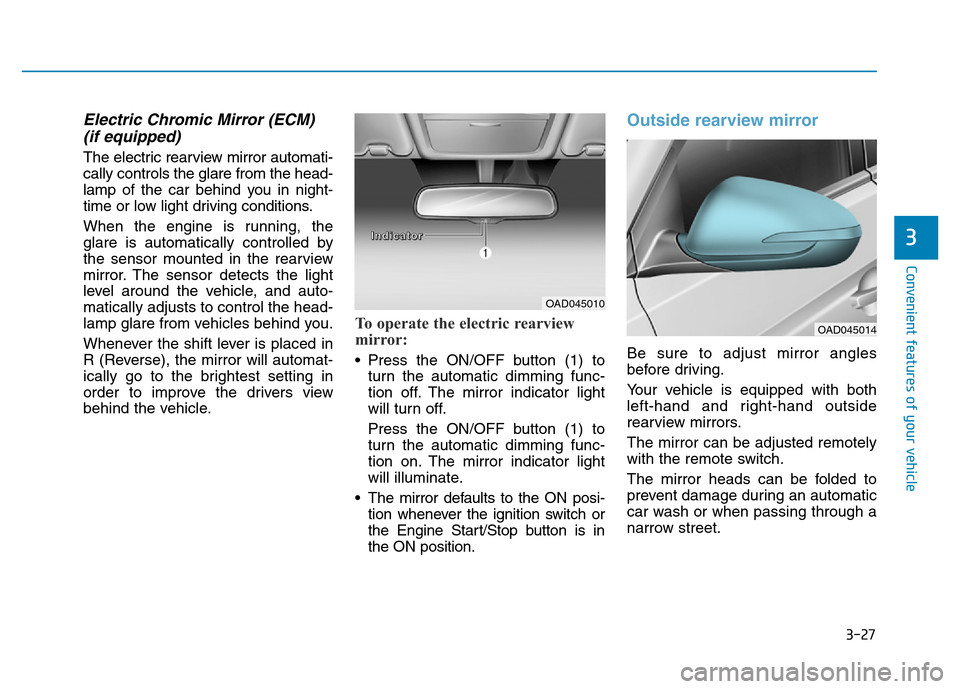
To operate the electric rearview
mirror:
• Press the ON/OFF button (1) to
turn the automatic dimming func-
tion off. The mirror indicator light
will turn off.
Press the ON/OFF button (1) to
turn the automatic dimming func-
tion on. The mirror indicator light
will illuminate.
• The mirror defaults to the ON posi-
tion whenever the ignition switch or
the Engine Start/Stop button is in
the ON position.
Outside rearview mirror
Be sure to adjust mirror angles
before driving.
Your vehicle is equipped with both
left-hand and right-hand outside
rearview mirrors.
The mirror can be adjusted remotely
with the remote switch.
The mirror heads can be folded to
prevent damage during an automatic
car wash or when passing through a
narrow street.
OAD045010
OAD045014
I I
n n
d d
i i
c c
a a
t t
o o
r r
Page 162 of 637
3-67
Convenient features of your vehicle
3
AUTO STOP Indicator
Light (if equipped)
This indicator light illuminates:
• When the engine enters the Idle
Stop mode of the ISG (Idle Stop and
Go) system.
• When the automatic starting occurs,
the AUTO STOP indicator on the
cluster will blink for 5 seconds.
For more details, refer to the “ISG
(Idle Stop and Go) system” in chap-
ter 5.
Information
When the engine automatically starts
by the ISG system, some warning
lights(ABS, ESC, ESC OFF, EPS or
Parking brake warning light) may
turn on for a few seconds.
This happens because of low battery
voltage. It does not mean the system
has malfunctioned.
Immobilizer Indicator
Light (without smart
key) (if equipped)
This indicator light illuminates:
• When the vehicle detects the
immobilizer in the key with the igni-
tion switch in the ON position.
- At this time, you can start the
engine.
- The indicator light goes off after
starting the engine.
This indicator light blinks:
• When there is a malfunction with
the immobilizer system.
In this case, we recommend that
you have the vehicle inspected by
an authorized HYUNDAI dealer.
Immobilizer Indicator
Light (with smart key)
(if equipped)
This indicator light illuminates for
up to 30 seconds:
• When the vehicle detects the
smart key in the vehicle with the
Engine Start/Stop button in the
ACC or ON position.
- At this time, you can start the
engine.
- The indicator light goes off after
starting the engine.
This indicator light blinks for a few
seconds:
• When the smart key is not in the
vehicle.
- At this time, you cannot start the
engine.
i
Page 166 of 637
3-71
Convenient features of your vehicle
3
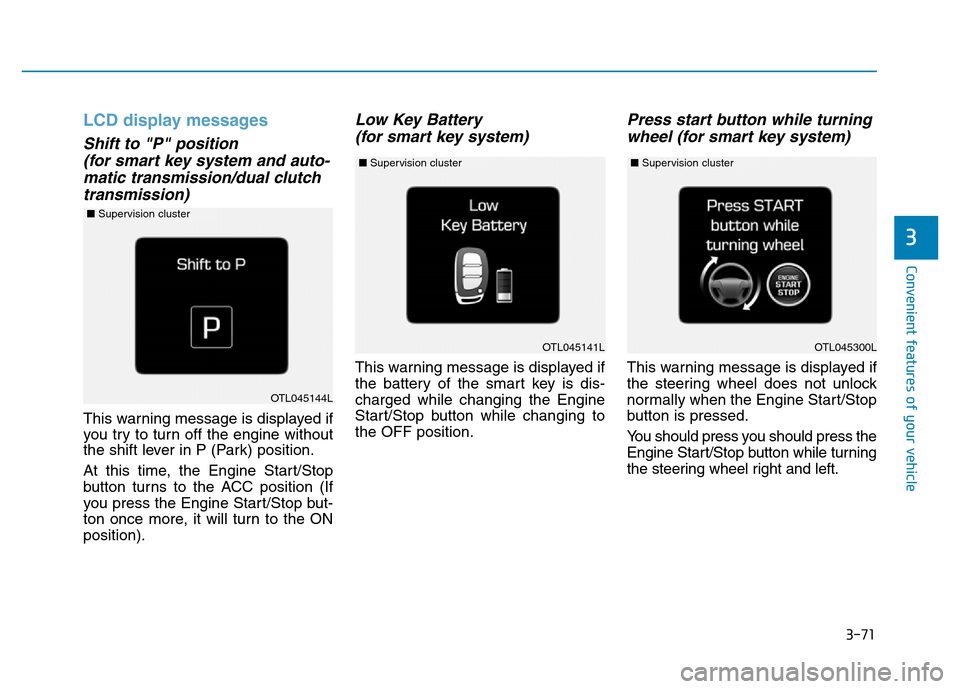
LCD display messages
Shift to "P" position
(for smart key system and auto-
matic transmission/dual clutch
transmission)
This warning message is displayed if
you try to turn off the engine without
the shift lever in P (Park) position.
At this time, the Engine Start/Stop
button turns to the ACC position (If
you press the Engine Start/Stop but-
ton once more, it will turn to the ON
position).
Low Key Battery
(for smart key system)
This warning message is displayed if
the battery of the smart key is dis-
charged while changing the Engine
Start/Stop button while changing to
the OFF position.
Press start button while turning
wheel (for smart key system)
This warning message is displayed if
the steering wheel does not unlock
normally when the Engine Start/Stop
button is pressed.
You should press you should press the
Engine Start/Stop button while turning
the steering wheel right and left.
OTL045141L
OTL045144L
OTL045300L
■Supervision cluster
■Supervision cluster ■Supervision cluster
Page 167 of 637
3-72
Convenient features of your vehicle
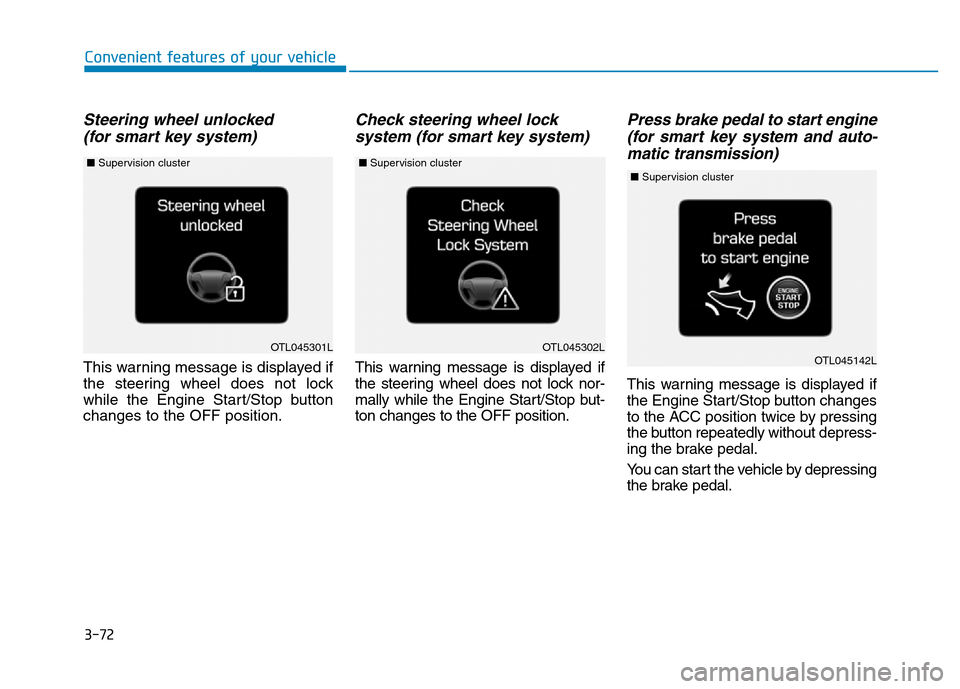
Steering wheel unlocked
(for smart key system)
This warning message is displayed if
the steering wheel does not lock
while the Engine Start/Stop button
changes to the OFF position.
Check steering wheel lock
system (for smart key system)
This warning message is displayed if
the steering wheel does not lock nor-
mally while the Engine Start/Stop but-
ton changes to the OFF position.
Press brake pedal to start engine
(for smart key system and auto-
matic transmission)
This warning message is displayed if
the Engine Start/Stop button changes
to the ACC position twice by pressing
the button repeatedly without depress-
ing the brake pedal.
You can start the vehicle by depressing
the brake pedal.
OTL045301LOTL045302LOTL045142L
■Supervision cluster ■Supervision cluster ■Supervision cluster
Page 169 of 637
3-74
Convenient features of your vehicle
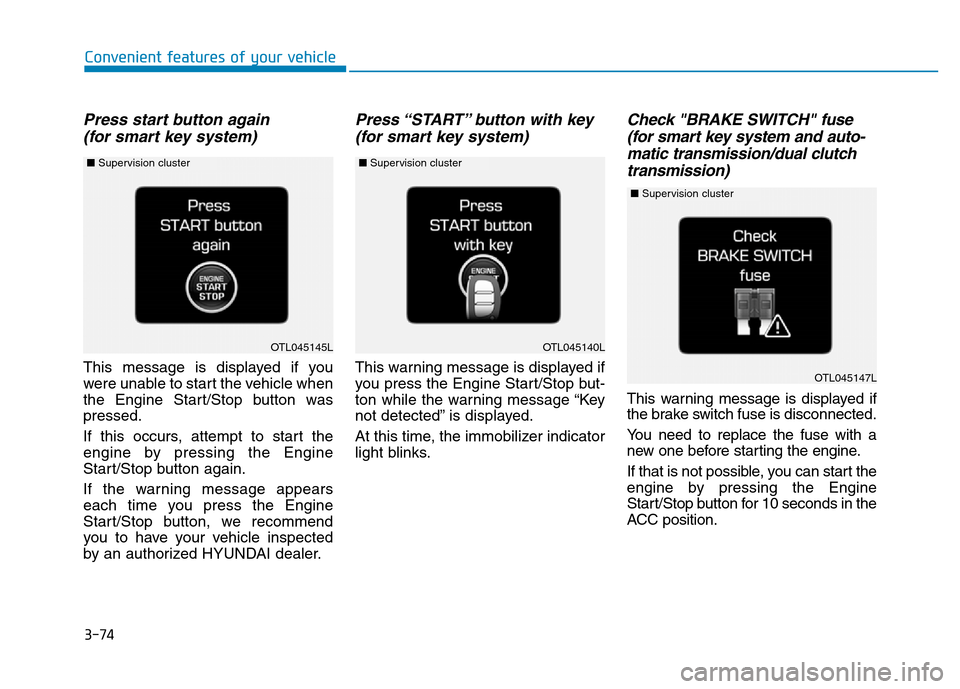
Press start button again
(for smart key system)
This message is displayed if you
were unable to start the vehicle when
the Engine Start/Stop button was
pressed.
If this occurs, attempt to start the
engine by pressing the Engine
Start/Stop button again.
If the warning message appears
each time you press the Engine
Start/Stop button, we recommend
you to have your vehicle inspected
by an authorized HYUNDAI dealer.
Press “START” button with key
(for smart key system)
This warning message is displayed if
you press the Engine Start/Stop but-
ton while the warning message “Key
not detected” is displayed.
At this time, the immobilizer indicator
light blinks.
Check "BRAKE SWITCH" fuse
(for smart key system and auto-
matic transmission/dual clutch
transmission)
This warning message is displayed if
the brake switch fuse is disconnected.
You need to replace the fuse with a
new one before starting the engine.
If that is not possible, you can start the
engine by pressing the Engine
Start/Stop button for 10 seconds in the
ACC position.
OTL045140L
OTL045147L
OTL045145L
■Supervision cluster ■Supervision cluster
■Supervision cluster
Page 170 of 637
3-75
Convenient features of your vehicle
3
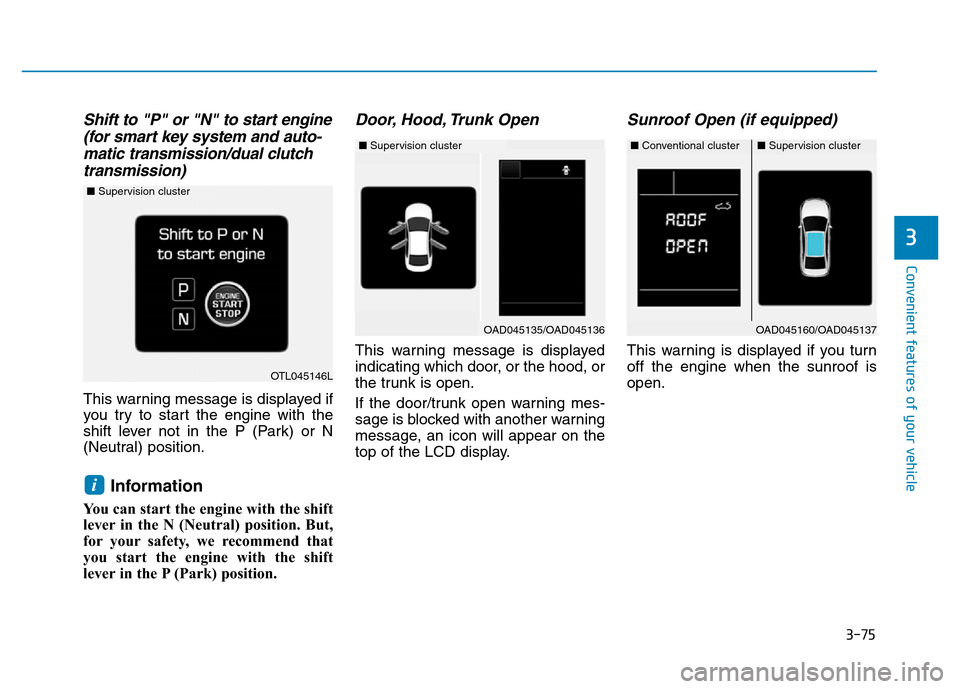
Shift to "P" or "N" to start engine
(for smart key system and auto-
matic transmission/dual clutch
transmission)
This warning message is displayed if
you try to start the engine with the
shift lever not in the P (Park) or N
(Neutral) position.
Information
You can start the engine with the shift
lever in the N (Neutral) position. But,
for your safety, we recommend that
you start the engine with the shift
lever in the P (Park) position.
Door, Hood, Trunk Open
This warning message is displayed
indicating which door, or the hood, or
the trunk is open.
If the door/trunk open warning mes-
sage is blocked with another warning
message, an icon will appear on the
top of the LCD display.
Sunroof Open (if equipped)
This warning is displayed if you turn
off the engine when the sunroof is
open.
i
OAD045160/OAD045137
OTL045146L
■Supervision cluster
■Conventional cluster■Supervision cluster
OAD045135/OAD045136
■Supervision cluster
Page 183 of 637
3-88
Convenient features of your vehicle
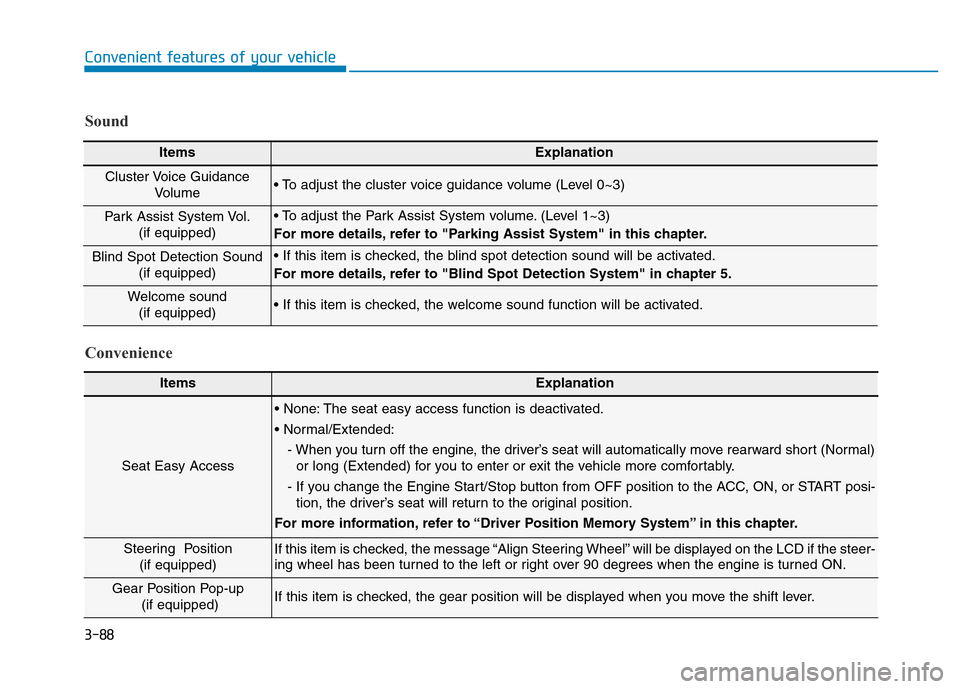
ItemsExplanation
Seat Easy Access
• None: The seat easy access function is deactivated.
• Normal/Extended:
- When you turn off the engine, the driver’s seat will automatically move rearward short (Normal)
or long (Extended) for you to enter or exit the vehicle more comfortably.
- If you change the Engine Start/Stop button from OFF position to the ACC, ON, or START posi-
tion, the driver’s seat will return to the original position.
For more information, refer to “Driver Position Memory System” in this chapter.
Steering Position
(if equipped) If this item is checked, the message “Align Steering Wheel” will be displayed on the LCD if the steer-
ing wheel has been turned to the left or right over 90 degrees when the engine is turned ON.
Gear Position Pop-up
(if equipped)If this item is checked, the gear position will be displayed when you move the shift lever.
Convenience Sound
ItemsExplanation
Cluster Voice Guidance
Volume • To adjust the cluster voice guidance volume (Level 0~3)
Park Assist System Vol.
(if equipped)• To adjust the Park Assist System volume. (Level 1~3)
For more details, refer to "Parking Assist System" in this chapter.
Blind Spot Detection Sound
(if equipped)• If this item is checked, the blind spot detection sound will be activated.
For more details, refer to "Blind Spot Detection System" in chapter 5.
Welcome sound
(if equipped)• If this item is checked, the welcome sound function will be activated.