Tire Hyundai Elantra 2017 User Guide
[x] Cancel search | Manufacturer: HYUNDAI, Model Year: 2017, Model line: Elantra, Model: Hyundai Elantra 2017Pages: 637, PDF Size: 15.02 MB
Page 158 of 637
3-63
Convenient features of your vehicle
3
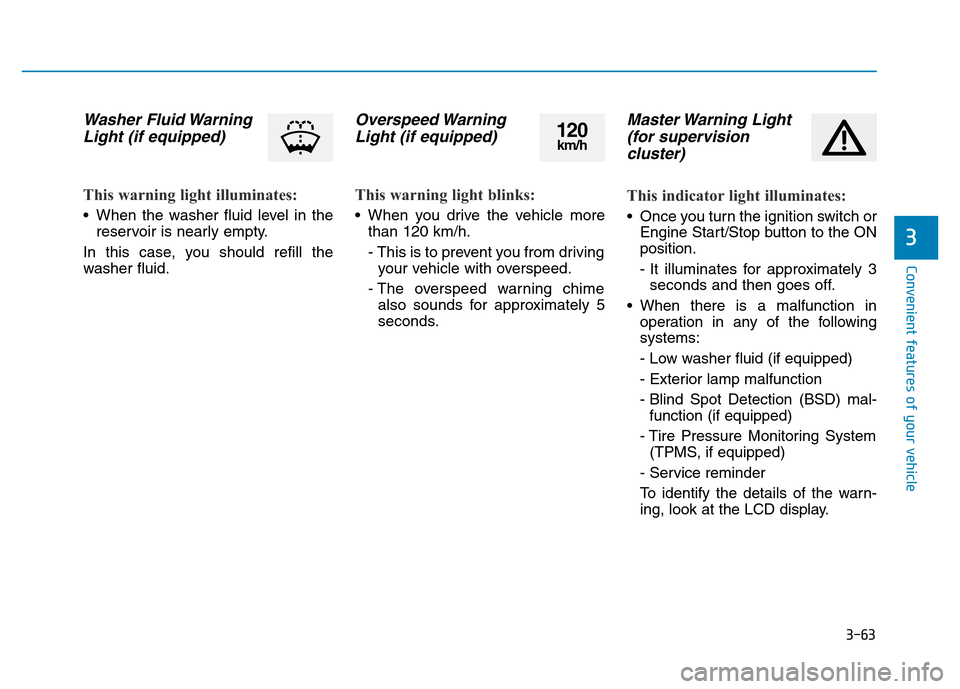
Washer Fluid Warning
Light (if equipped)
This warning light illuminates:
• When the washer fluid level in the
reservoir is nearly empty.
In this case, you should refill the
washer fluid.
Overspeed Warning
Light (if equipped)
This warning light blinks:
• When you drive the vehicle more
than 120 km/h.
- This is to prevent you from driving
your vehicle with overspeed.
- The overspeed warning chime
also sounds for approximately 5
seconds.
Master Warning Light
(for supervision
cluster)
This indicator light illuminates:
• Once you turn the ignition switch or
Engine Start/Stop button to the ON
position.
- It illuminates for approximately 3
seconds and then goes off.
• When there is a malfunction in
operation in any of the following
systems:
- Low washer fluid (if equipped)
- Exterior lamp malfunction
- Blind Spot Detection (BSD) mal-
function (if equipped)
- Tire Pressure Monitoring System
(TPMS, if equipped)
- Service reminder
To identify the details of the warn-
ing, look at the LCD display.
120km/h
Page 159 of 637
3-64
Convenient features of your vehicle
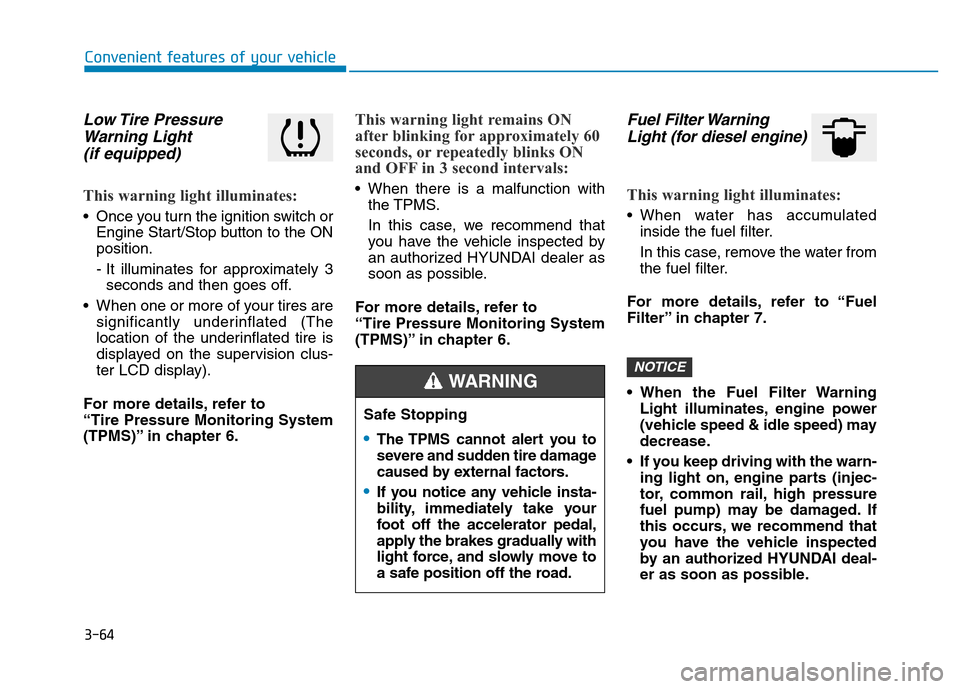
Low Tire Pressure
Warning Light
(if equipped)
This warning light illuminates:
• Once you turn the ignition switch or
Engine Start/Stop button to the ON
position.
- It illuminates for approximately 3
seconds and then goes off.
• When one or more of your tires are
significantly underinflated (The
location of the underinflated tire is
displayed on the supervision clus-
ter LCD display).
For more details, refer to
“Tire Pressure Monitoring System
(TPMS)” in chapter 6.
This warning light remains ON
after blinking for approximately 60
seconds, or repeatedly blinks ON
and OFF in 3 second intervals:
• When there is a malfunction with
the TPMS.
In this case, we recommend that
you have the vehicle inspected by
an authorized HYUNDAI dealer as
soon as possible.
For more details, refer to
“Tire Pressure Monitoring System
(TPMS)” in chapter 6.
Fuel Filter Warning
Light (for diesel engine)
This warning light illuminates:
• When water has accumulated
inside the fuel filter.
In this case, remove the water from
the fuel filter.
For more details, refer to “Fuel
Filter” in chapter 7.
• When the Fuel Filter Warning
Light illuminates, engine power
(vehicle speed & idle speed) may
decrease.
• If you keep driving with the warn-
ing light on, engine parts (injec-
tor, common rail, high pressure
fuel pump) may be damaged. If
this occurs, we recommend that
you have the vehicle inspected
by an authorized HYUNDAI deal-
er as soon as possible.
NOTICE
Safe Stopping
•The TPMS cannot alert you to
severe and sudden tire damage
caused by external factors.
•If you notice any vehicle insta-
bility, immediately take your
foot off the accelerator pedal,
apply the brakes gradually with
light force, and slowly move to
a safe position off the road.
WARNING
Page 173 of 637
3-78
Convenient features of your vehicle
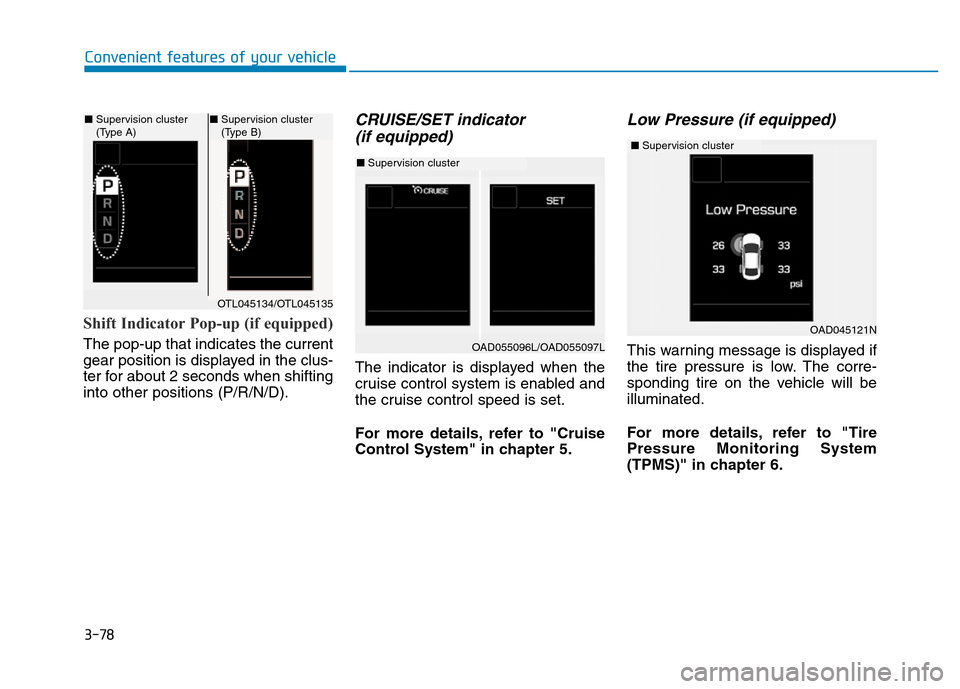
Shift Indicator Pop-up (if equipped)
The pop-up that indicates the current
gear position is displayed in the clus-
ter for about 2 seconds when shifting
into other positions (P/R/N/D).
CRUISE/SET indicator
(if equipped)
The indicator is displayed when the
cruise control system is enabled and
the cruise control speed is set.
For more details, refer to "Cruise
Control System" in chapter 5.
Low Pressure (if equipped)
This warning message is displayed if
the tire pressure is low. The corre-
sponding tire on the vehicle will be
illuminated.
For more details, refer to "Tire
Pressure Monitoring System
(TPMS)" in chapter 6.
OTL045134/OTL045135
■Supervision cluster
(Type A)■Supervision cluster
(Type B)
OAD055096L/OAD055097L
OAD045121N
■Supervision cluster
■Supervision cluster
Page 180 of 637
3-85
Convenient features of your vehicle
3
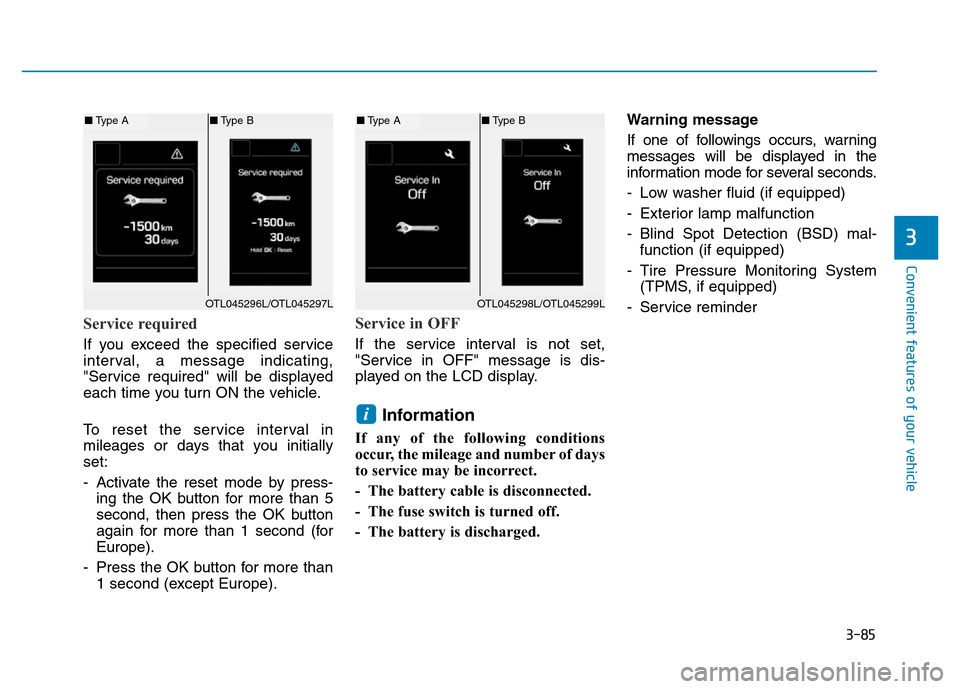
Service required
If you exceed the specified service
interval, a message indicating,
"Service required" will be displayed
each time you turn ON the vehicle.
To reset the service interval in
mileages or days that you initially
set:
- Activate the reset mode by press-
ing the OK button for more than 5
second, then press the OK button
again for more than 1 second (for
Europe).
- Press the OK button for more than
1 second (except Europe).
Service in OFF
If the service interval is not set,
"Service in OFF" message is dis-
played on the LCD display.
Information
If any of the following conditions
occur, the mileage and number of days
to service may be incorrect.
- The battery cable is disconnected.
- The fuse switch is turned off.
- The battery is discharged.Warning message
If one of followings occurs, warning
messages will be displayed in the
information mode for several seconds.
- Low washer fluid (if equipped)
- Exterior lamp malfunction
- Blind Spot Detection (BSD) mal-
function (if equipped)
- Tire Pressure Monitoring System
(TPMS, if equipped)
- Service reminder
i
OTL045298L/OTL045299L
■Type A■Type B
OTL045296L/OTL045297L
■Type A■Type B
Page 184 of 637
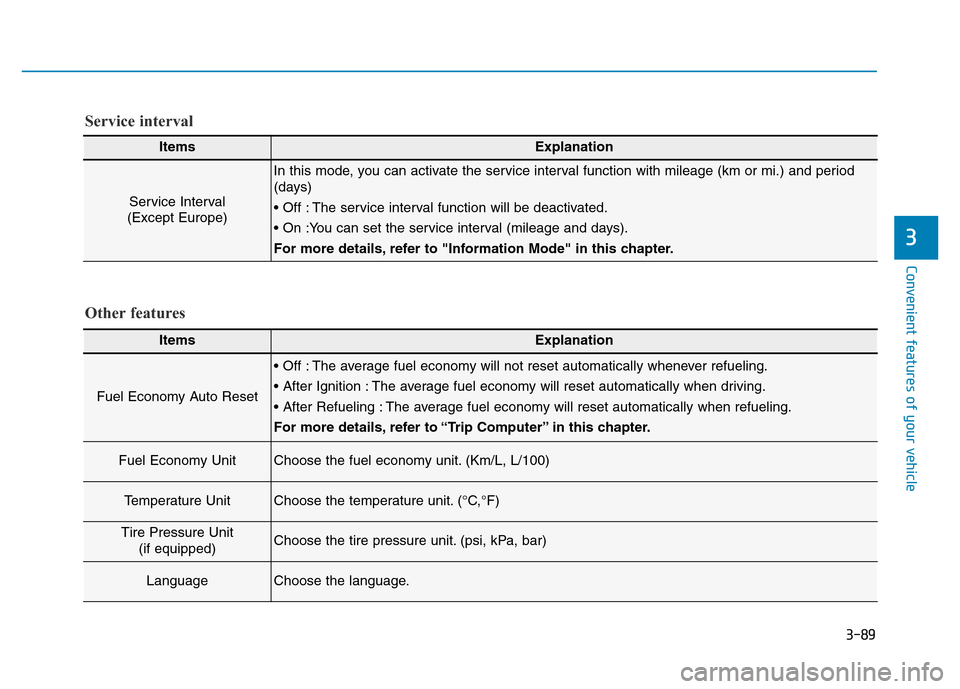
3-89
Convenient features of your vehicle
3
Other features
ItemsExplanation
Fuel Economy Auto Reset
• Off : The average fuel economy will not reset automatically whenever refueling.
• After Ignition : The average fuel economy will reset automatically when driving.
• After Refueling : The average fuel economy will reset automatically when refueling.
For more details, refer to “Trip Computer” in this chapter.
Fuel Economy UnitChoose the fuel economy unit. (Km/L, L/100)
Temperature UnitChoose the temperature unit. (°C,°F)
Tire Pressure Unit
(if equipped)Choose the tire pressure unit. (psi, kPa, bar)
LanguageChoose the language.
ItemsExplanation
Service Interval
(Except Europe)
In this mode, you can activate the service interval function with mileage (km or mi.) and period
(days)
• Off : The service interval function will be deactivated.
• On :You can set the service interval (mileage and days).
For more details, refer to "Information Mode" in this chapter.
Service interval
Page 322 of 637
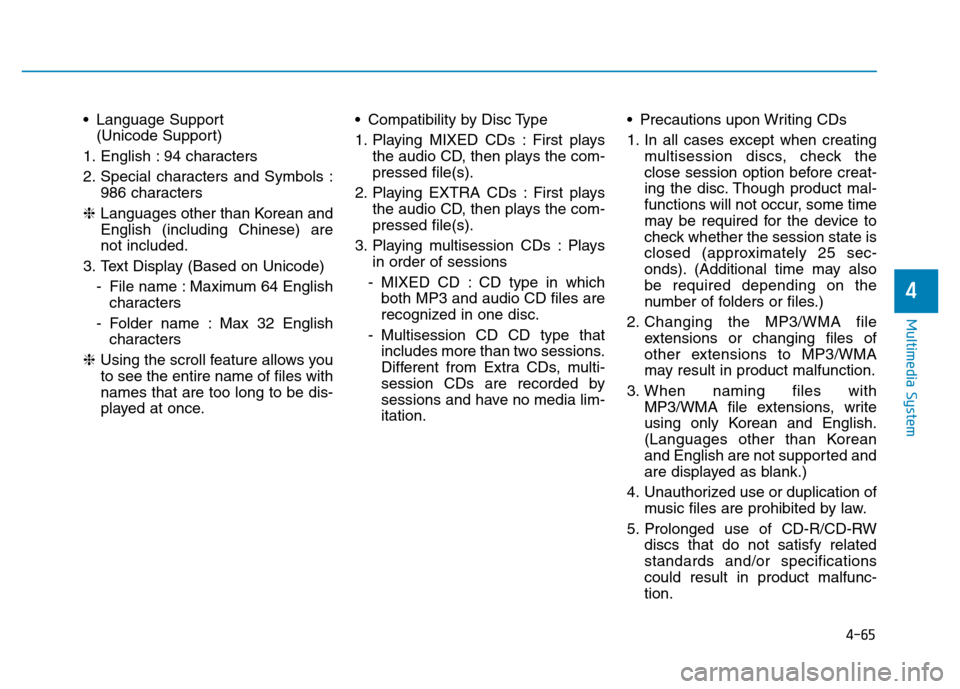
4-65
Multimedia System
4
• Language Support
(Unicode Support)
1. English : 94 characters
2. Special characters and Symbols :
986 characters
❈Languages other than Korean and
English (including Chinese) are
not included.
3. Text Display (Based on Unicode)
- File name : Maximum 64 English
characters
- Folder name : Max 32 English
characters
❈Using the scroll feature allows you
to see the entire name of files with
names that are too long to be dis-
played at once.• Compatibility by Disc Type
1. Playing MIXED CDs : First plays
the audio CD, then plays the com-
pressed file(s).
2. Playing EXTRA CDs : First plays
the audio CD, then plays the com-
pressed file(s).
3. Playing multisession CDs : Plays
in order of sessions
- MIXED CD : CD type in which
both MP3 and audio CD files are
recognized in one disc.
- Multisession CD CD type that
includes more than two sessions.
Different from Extra CDs, multi-
session CDs are recorded by
sessions and have no media lim-
itation.• Precautions upon Writing CDs
1. In all cases except when creating
multisession discs, check the
close session option before creat-
ing the disc. Though product mal-
functions will not occur, some time
may be required for the device to
check whether the session state is
closed (approximately 25 sec-
onds). (Additional time may also
be required depending on the
number of folders or files.)
2. Changing the MP3/WMA file
extensions or changing files of
other extensions to MP3/WMA
may result in product malfunction.
3. When naming files with
MP3/WMA file extensions, write
using only Korean and English.
(Languages other than Korean
and English are not supported and
are displayed as blank.)
4. Unauthorized use or duplication of
music files are prohibited by law.
5. Prolonged use of CD-R/CD-RW
discs that do not satisfy related
standards and/or specifications
could result in product malfunc-
tion.
Page 390 of 637
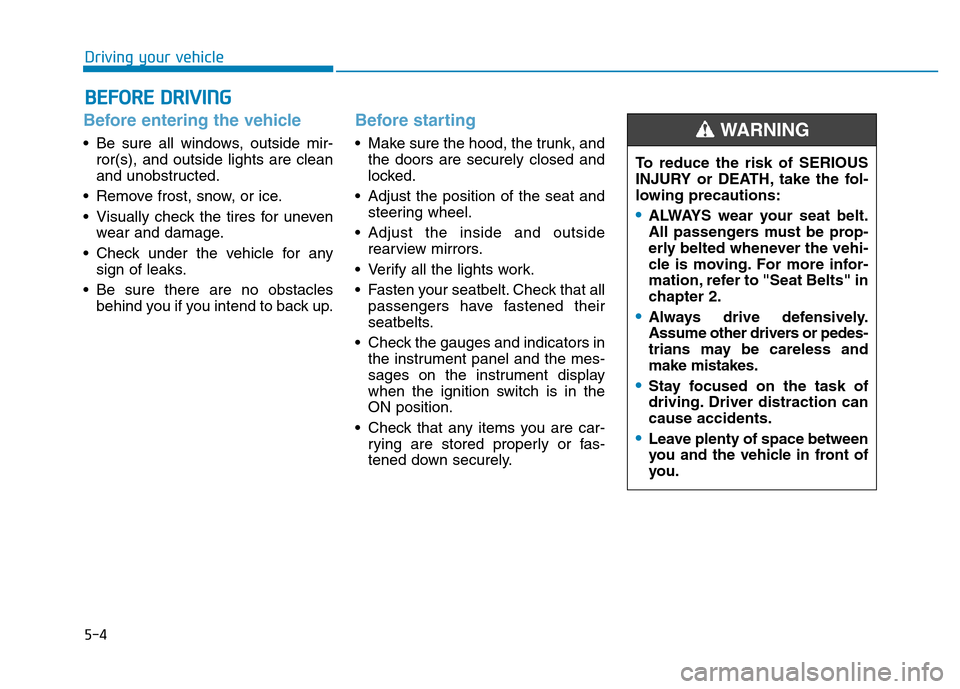
5-4
Driving your vehicle
Before entering the vehicle
• Be sure all windows, outside mir-
ror(s), and outside lights are clean
and unobstructed.
• Remove frost, snow, or ice.
• Visually check the tires for uneven
wear and damage.
• Check under the vehicle for any
sign of leaks.
• Be sure there are no obstacles
behind you if you intend to back up.
Before starting
• Make sure the hood, the trunk, and
the doors are securely closed and
locked.
• Adjust the position of the seat and
steering wheel.
• Adjust the inside and outside
rearview mirrors.
• Verify all the lights work.
• Fasten your seatbelt. Check that all
passengers have fastened their
seatbelts.
• Check the gauges and indicators in
the instrument panel and the mes-
sages on the instrument display
when the ignition switch is in the
ON position.
• Check that any items you are car-
rying are stored properly or fas-
tened down securely.
BEFORE DRIVING
To reduce the risk of SERIOUS
INJURY or DEATH, take the fol-
lowing precautions:
•ALWAYS wear your seat belt.
All passengers must be prop-
erly belted whenever the vehi-
cle is moving. For more infor-
mation, refer to "Seat Belts" in
chapter 2.
•Always drive defensively.
Assume other drivers or pedes-
trians may be careless and
make mistakes.
•Stay focused on the task of
driving. Driver distraction can
cause accidents.
•Leave plenty of space between
you and the vehicle in front of
you.
WARNING
Page 428 of 637
5-42
Driving your vehicle
Disc brakes wear indicator
When your brake pads are worn and
new pads are required, you will hear
a high pitched warning sound from
your front or rear brakes. You may
hear this sound come and go or it
may occur whenever you depress
the brake pedal.
Note that some driving conditions or
climates may cause a brake squeal
when you first apply (or lightly apply)
the brakes. This is normal and does
not indicate a problem with your
brakes.
To avoid costly brake repairs, do
not continue to drive with worn
brake pads.
Information
Always replace brake pads as com-
plete front or rear axle sets.
Rear drum brakes
(if equipped)
Your rear drum brakes do not have
wear indicators. Therefore, have the
rear brake linings inspected if you
hear a rear brake rubbing noise. Also
have your rear brakes inspected
each time you change or rotate your
tires and when you have the front
brakes replaced.
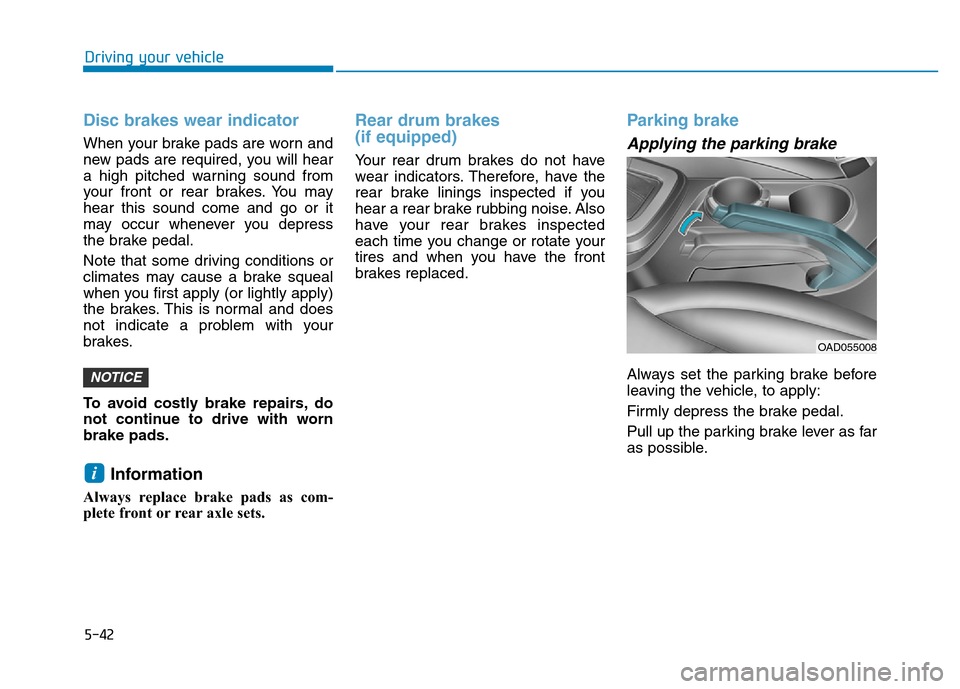
Parking brake
Applying the parking brake
Always set the parking brake before
leaving the vehicle, to apply:
Firmly depress the brake pedal.
Pull up the parking brake lever as far
as possible.
i
NOTICE
OAD055008
Page 431 of 637
5-45
Driving your vehicle
5
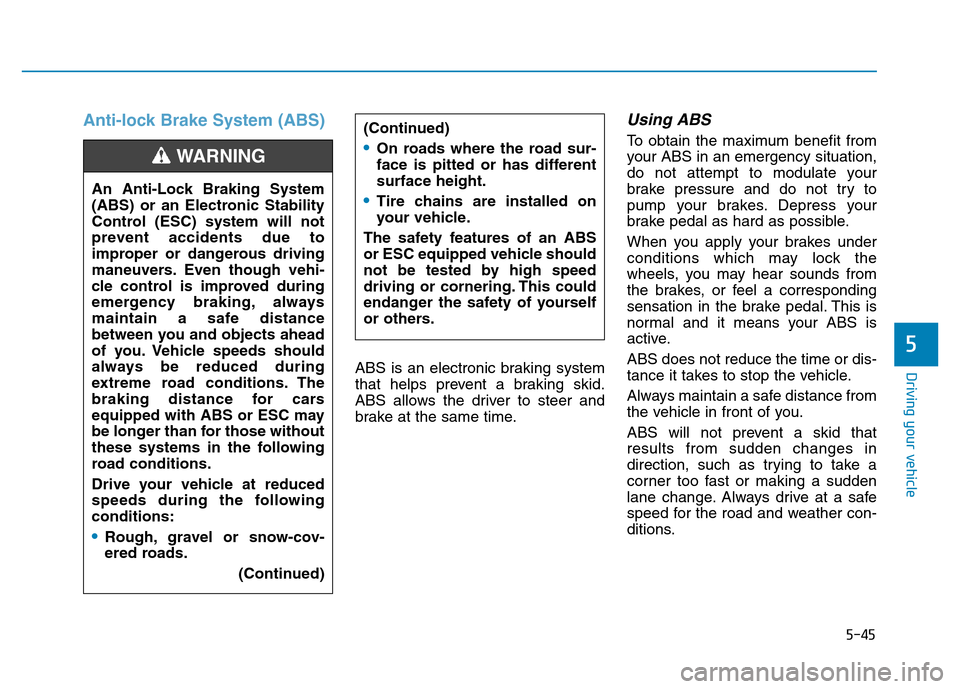
Anti-lock Brake System (ABS)
ABS is an electronic braking system
that helps prevent a braking skid.
ABS allows the driver to steer and
brake at the same time.
Using ABS
To obtain the maximum benefit from
your ABS in an emergency situation,
do not attempt to modulate your
brake pressure and do not try to
pump your brakes. Depress your
brake pedal as hard as possible.
When you apply your brakes under
conditions which may lock the
wheels, you may hear sounds from
the brakes, or feel a corresponding
sensation in the brake pedal. This is
normal and it means your ABS is
active.
ABS does not reduce the time or dis-
tance it takes to stop the vehicle.
Always maintain a safe distance from
the vehicle in front of you.
ABS will not prevent a skid that
results from sudden changes in
direction, such as trying to take a
corner too fast or making a sudden
lane change. Always drive at a safe
speed for the road and weather con-
ditions. (Continued)•On roads where the road sur-
face is pitted or has different
surface height.
•Tire chains are installed on
your vehicle.
The safety features of an ABS
or ESC equipped vehicle should
not be tested by high speed
driving or cornering. This could
endanger the safety of yourself
or others.An Anti-Lock Braking System
(ABS) or an Electronic Stability
Control (ESC) system will not
prevent accidents due to
improper or dangerous driving
maneuvers. Even though vehi-
cle control is improved during
emergency braking, always
maintain a safe distance
between you and objects ahead
of you. Vehicle speeds should
always be reduced during
extreme road conditions. The
braking distance for cars
equipped with ABS or ESC may
be longer than for those without
these systems in the following
road conditions.
Drive your vehicle at reduced
speeds during the following
conditions:
•Rough, gravel or snow-cov-
ered roads.
(Continued)
WARNING
Page 435 of 637
5-49
Driving your vehicle
5
Indicator lights
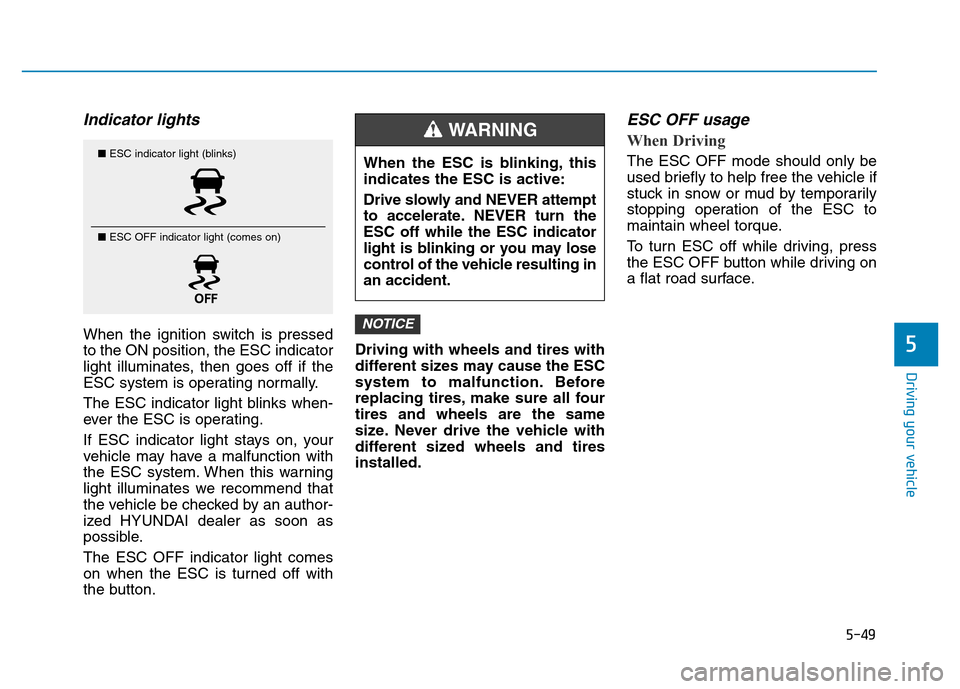
When the ignition switch is pressed
to the ON position, the ESC indicator
light illuminates, then goes off if the
ESC system is operating normally.
The ESC indicator light blinks when-
ever the ESC is operating.
If ESC indicator light stays on, your
vehicle may have a malfunction with
the ESC system. When this warning
light illuminates we recommend that
the vehicle be checked by an author-
ized HYUNDAI dealer as soon as
possible.
The ESC OFF indicator light comes
on when the ESC is turned off with
the button.Driving with wheels and tires with
different sizes may cause the ESC
system to malfunction. Before
replacing tires, make sure all four
tires and wheels are the same
size. Never drive the vehicle with
different sized wheels and tires
installed.
ESC OFF usage
When Driving
The ESC OFF mode should only be
used briefly to help free the vehicle if
stuck in snow or mud by temporarily
stopping operation of the ESC to
maintain wheel torque.
To turn ESC off while driving, press
the ESC OFF button while driving on
a flat road surface.
NOTICE
■ESC indicator light (blinks)
■ ESC OFF indicator light (comes on)When the ESC is blinking, this
indicates the ESC is active:
Drive slowly and NEVER attempt
to accelerate. NEVER turn the
ESC off while the ESC indicator
light is blinking or you may lose
control of the vehicle resulting in
an accident.
WARNING