battery Hyundai Elantra 2017 User Guide
[x] Cancel search | Manufacturer: HYUNDAI, Model Year: 2017, Model line: Elantra, Model: Hyundai Elantra 2017Pages: 637, PDF Size: 15.02 MB
Page 135 of 637
3-40
Convenient features of your vehicle
Resetting the sunroof
Sunroof needs to be reset if (in the fol-
lowings)
- Battery is discharged or disconnect-
ed or the related fuse has been
replaced or disconnected
- The one-touch sliding function of the
sunroof does not normally operate
1. Place the ignition switch to the ON
position or start the engine. It is rec-
ommended to reset the sunroof
while the engine is running.
2. Push the control lever forward. The
sunroof will close completely or tilt
depending on the condition of the
sunroof.
3. Release the control lever until the
sunroof does not move.4. Push the control lever forward
about 10 seconds.
- When the sunroof is in the close
position :
The glass will tilt and slightly move
up and down.
- When the sunroof is in the tilt posi-
tion:
The glass will slightly move up
and down.
Do not release the lever until the
operation is completed.
If you release the lever during opera-
tion, try again from step 2.
5. Within 3 seconds, push the control
lever forward until the sunroof
operates as follows:
Tilt down →Slide Open →Slide
Close.
Do not release the lever until the
operation is completed.
If you release the lever during opera-
tion, try again from step 2.6. Release the sunroof control lever
after all operation has completed.
(The sunroof system has been
reset.)
Information
• If the sunroof does not reset when
the vehicle battery is disconnected
or discharged, or related fuse is
blown, the sunroof may not operate
normally.
• For more detailed information, we
recommend that you contact an
authorized HYUNDAI dealer.
i
Page 160 of 637
3-65
Convenient features of your vehicle
3
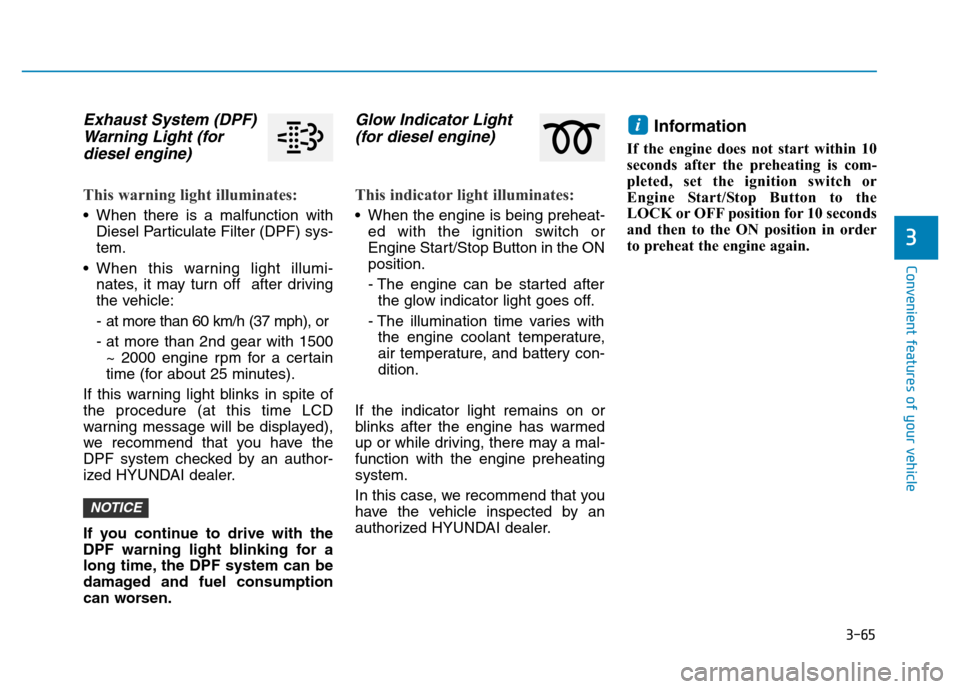
Exhaust System (DPF)
Warning Light (for
diesel engine)
This warning light illuminates:
• When there is a malfunction with
Diesel Particulate Filter (DPF) sys-
tem.
• When this warning light illumi-
nates, it may turn off after driving
the vehicle:
- at more than 60 km/h (37 mph), or
- at more than 2nd gear with 1500
~ 2000 engine rpm for a certain
time (for about 25 minutes).
If this warning light blinks in spite of
the procedure (at this time LCD
warning message will be displayed),
we recommend that you have the
DPF system checked by an author-
ized HYUNDAI dealer.
If you continue to drive with the
DPF warning light blinking for a
long time, the DPF system can be
damaged and fuel consumption
can worsen.
Glow Indicator Light
(for diesel engine)
This indicator light illuminates:
• When the engine is being preheat-
ed with the ignition switch or
Engine Start/Stop Button in the ON
position.
- The engine can be started after
the glow indicator light goes off.
- The illumination time varies with
the engine coolant temperature,
air temperature, and battery con-
dition.
If the indicator light remains on or
blinks after the engine has warmed
up or while driving, there may a mal-
function with the engine preheating
system.
In this case, we recommend that you
have the vehicle inspected by an
authorized HYUNDAI dealer.
Information
If the engine does not start within 10
seconds after the preheating is com-
pleted, set the ignition switch or
Engine Start/Stop Button to the
LOCK or OFF position for 10 seconds
and then to the ON position in order
to preheat the engine again.
i
NOTICE
Page 162 of 637
3-67
Convenient features of your vehicle
3
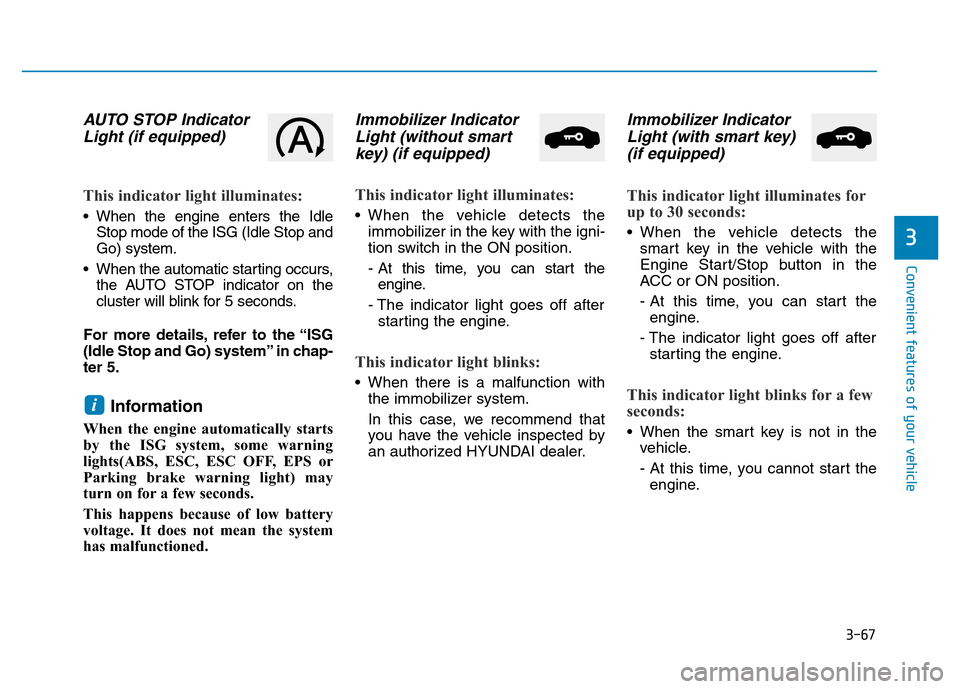
AUTO STOP Indicator
Light (if equipped)
This indicator light illuminates:
• When the engine enters the Idle
Stop mode of the ISG (Idle Stop and
Go) system.
• When the automatic starting occurs,
the AUTO STOP indicator on the
cluster will blink for 5 seconds.
For more details, refer to the “ISG
(Idle Stop and Go) system” in chap-
ter 5.
Information
When the engine automatically starts
by the ISG system, some warning
lights(ABS, ESC, ESC OFF, EPS or
Parking brake warning light) may
turn on for a few seconds.
This happens because of low battery
voltage. It does not mean the system
has malfunctioned.
Immobilizer Indicator
Light (without smart
key) (if equipped)
This indicator light illuminates:
• When the vehicle detects the
immobilizer in the key with the igni-
tion switch in the ON position.
- At this time, you can start the
engine.
- The indicator light goes off after
starting the engine.
This indicator light blinks:
• When there is a malfunction with
the immobilizer system.
In this case, we recommend that
you have the vehicle inspected by
an authorized HYUNDAI dealer.
Immobilizer Indicator
Light (with smart key)
(if equipped)
This indicator light illuminates for
up to 30 seconds:
• When the vehicle detects the
smart key in the vehicle with the
Engine Start/Stop button in the
ACC or ON position.
- At this time, you can start the
engine.
- The indicator light goes off after
starting the engine.
This indicator light blinks for a few
seconds:
• When the smart key is not in the
vehicle.
- At this time, you cannot start the
engine.
i
Page 163 of 637
3-68
Convenient features of your vehicle
This indicator light illuminates for
2 seconds and goes off:
• If the smart key is in the vehicle
and the Engine Start/Stop button is
ON., but the vehicle cannot detect
the smart key.
In this case, we recommend that
you have the vehicle inspected by
an authorized HYUNDAI dealer.
This indicator light blinks:
• When the battery voltage of the
smart key is low.
- At this time, you can not start the
engine. However, you can start
the engine if you press the
Engine Start/Stop button with the
smart key.(For more details,
refer to "Starting the Engine"
in chapter 5).
• When there is a malfunction with
the immobilizer system.
In this case, we recommend that
you have the vehicle inspected by
an authorized HYUNDAI dealer.
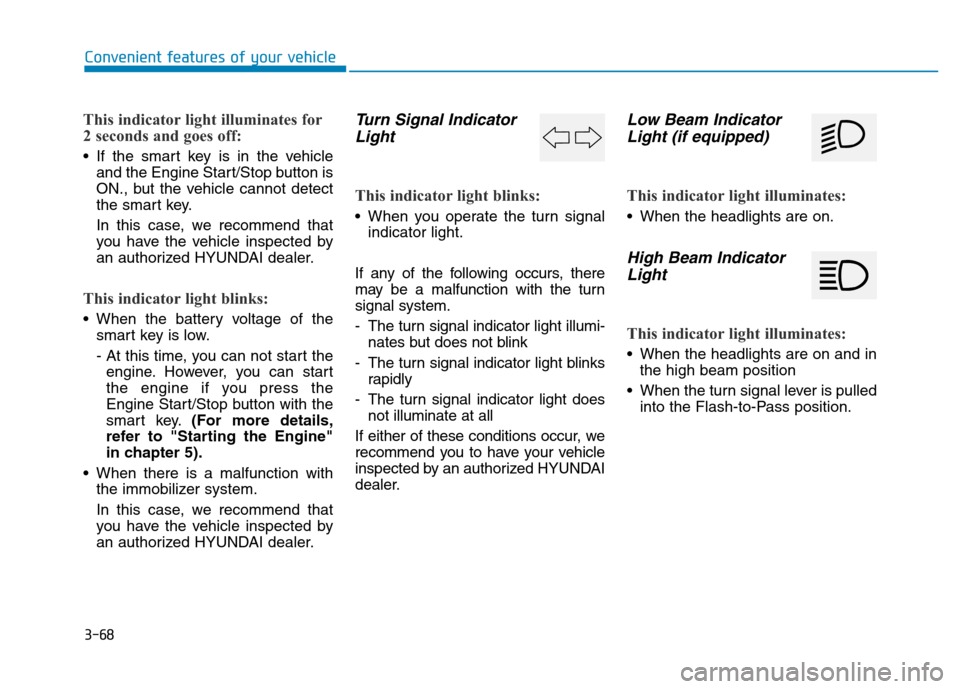
Turn Signal Indicator
Light
This indicator light blinks:
• When you operate the turn signal
indicator light.
If any of the following occurs, there
may be a malfunction with the turn
signal system.
- The turn signal indicator light illumi-
nates but does not blink
- The turn signal indicator light blinks
rapidly
- The turn signal indicator light does
not illuminate at all
If either of these conditions occur, we
recommend you to have your vehicle
inspected by an authorized HYUNDAI
dealer.
Low Beam Indicator
Light (if equipped)
This indicator light illuminates:
• When the headlights are on.
High Beam Indicator
Light
This indicator light illuminates:
• When the headlights are on and in
the high beam position
• When the turn signal lever is pulled
into the Flash-to-Pass position.
Page 166 of 637
3-71
Convenient features of your vehicle
3
LCD display messages
Shift to "P" position
(for smart key system and auto-
matic transmission/dual clutch
transmission)
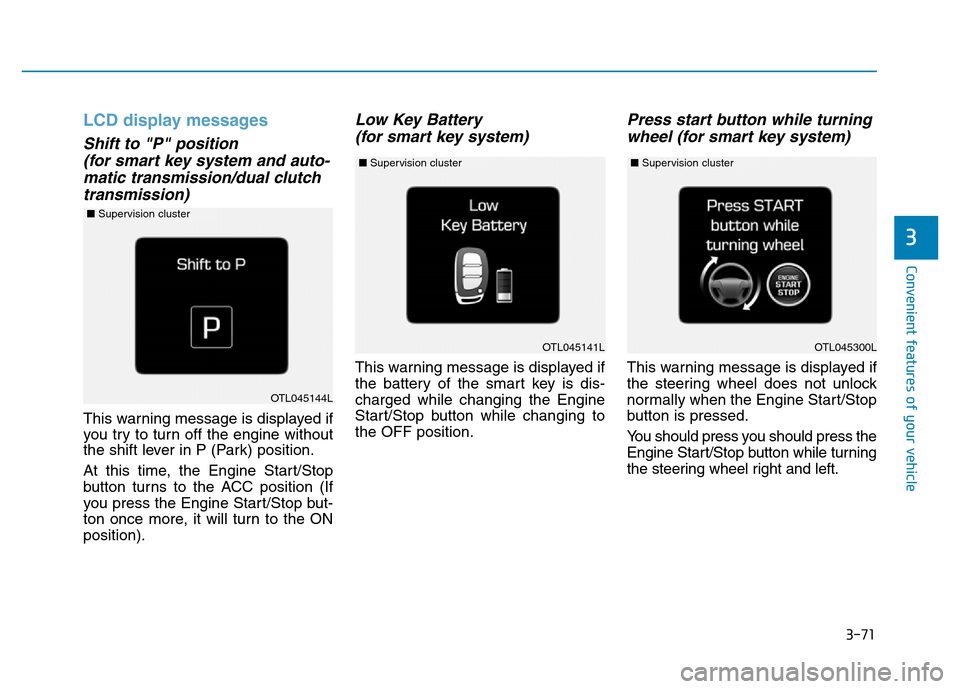
This warning message is displayed if
you try to turn off the engine without
the shift lever in P (Park) position.
At this time, the Engine Start/Stop
button turns to the ACC position (If
you press the Engine Start/Stop but-
ton once more, it will turn to the ON
position).
Low Key Battery
(for smart key system)
This warning message is displayed if
the battery of the smart key is dis-
charged while changing the Engine
Start/Stop button while changing to
the OFF position.
Press start button while turning
wheel (for smart key system)
This warning message is displayed if
the steering wheel does not unlock
normally when the Engine Start/Stop
button is pressed.
You should press you should press the
Engine Start/Stop button while turning
the steering wheel right and left.
OTL045141L
OTL045144L
OTL045300L
■Supervision cluster
■Supervision cluster ■Supervision cluster
Page 180 of 637
3-85
Convenient features of your vehicle
3
Service required
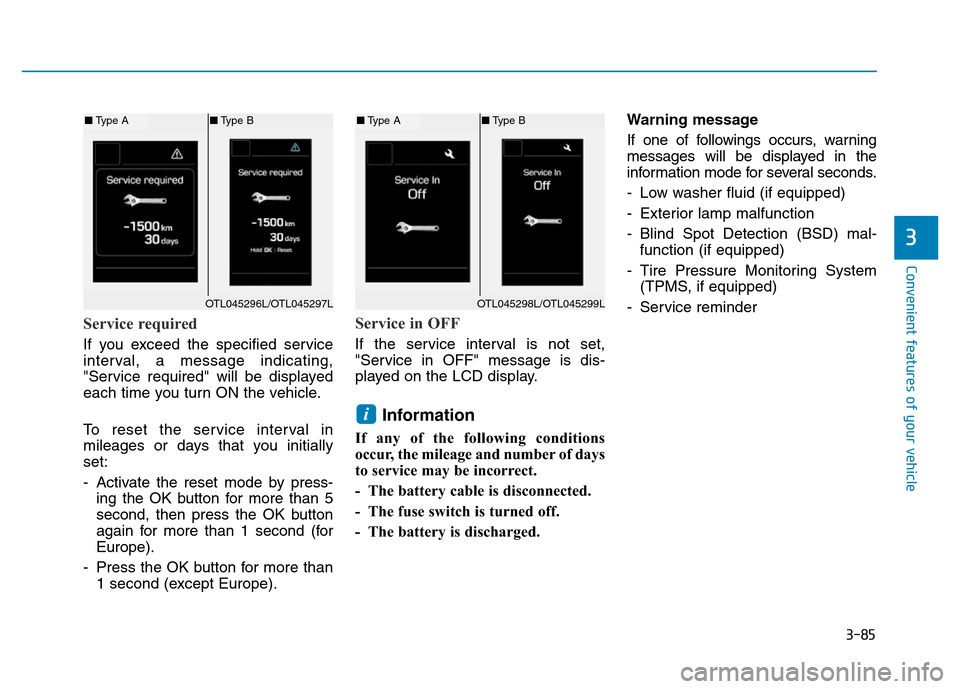
If you exceed the specified service
interval, a message indicating,
"Service required" will be displayed
each time you turn ON the vehicle.
To reset the service interval in
mileages or days that you initially
set:
- Activate the reset mode by press-
ing the OK button for more than 5
second, then press the OK button
again for more than 1 second (for
Europe).
- Press the OK button for more than
1 second (except Europe).
Service in OFF
If the service interval is not set,
"Service in OFF" message is dis-
played on the LCD display.
Information
If any of the following conditions
occur, the mileage and number of days
to service may be incorrect.
- The battery cable is disconnected.
- The fuse switch is turned off.
- The battery is discharged.Warning message
If one of followings occurs, warning
messages will be displayed in the
information mode for several seconds.
- Low washer fluid (if equipped)
- Exterior lamp malfunction
- Blind Spot Detection (BSD) mal-
function (if equipped)
- Tire Pressure Monitoring System
(TPMS, if equipped)
- Service reminder
i
OTL045298L/OTL045299L
■Type A■Type B
OTL045296L/OTL045297L
■Type A■Type B
Page 185 of 637
3-90
Convenient features of your vehicle
Conventional cluster
The trip computer is a microcomput-
er-controlled driver information sys-
tem that displays information related
to driving.
Information
Some driving information stored in the
trip computer (for example Average
Vehicle Speed) resets if the battery is
disconnected.
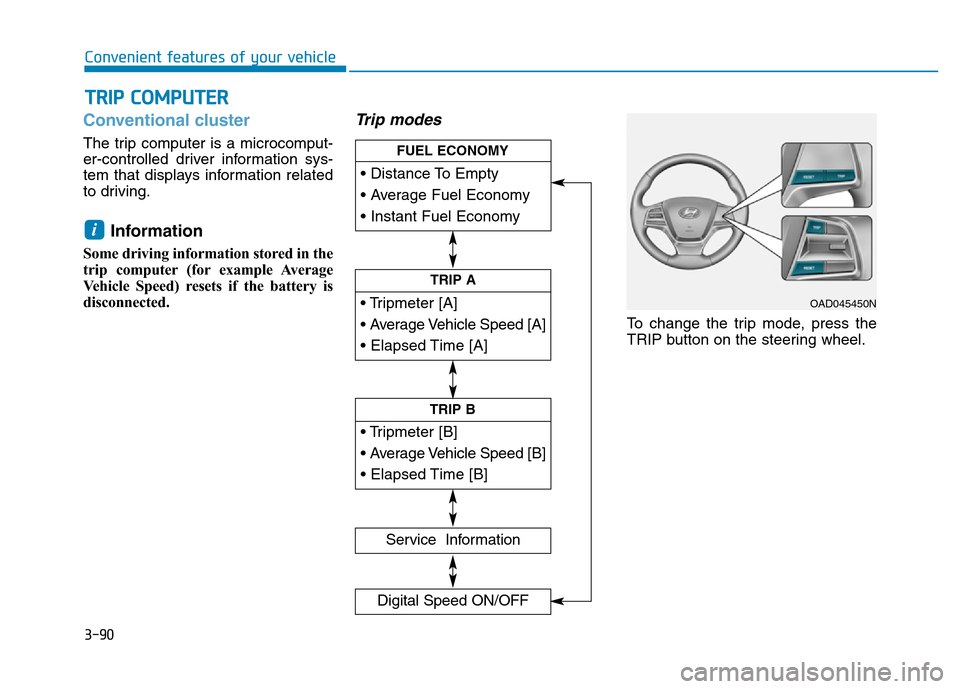
Trip modes
To change the trip mode, press the
TRIP button on the steering wheel.
i
TRIP COMPUTER
• Tripmeter [A]
• Average Vehicle Speed [A]
• Elapsed Time [A]
TRIP A
• Tripmeter [B]
• Average Vehicle Speed [B]
• Elapsed Time [B]
TRIP B
• Distance To Empty
• Average Fuel Economy
• Instant Fuel Economy
FUEL ECONOMY
Service Information
Digital Speed ON/OFF
OAD045450N
Page 186 of 637
3-91
Convenient features of your vehicle
3
Fuel economy
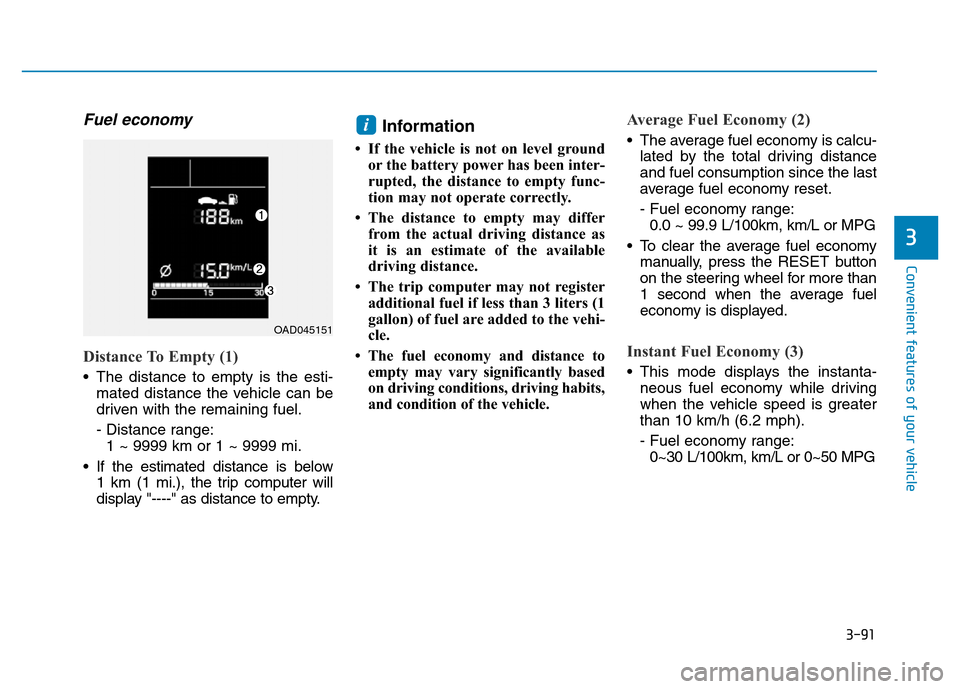
Distance To Empty (1)
• The distance to empty is the esti-
mated distance the vehicle can be
driven with the remaining fuel.
- Distance range:
1 ~ 9999 km or 1 ~ 9999 mi.
• If the estimated distance is below
1 km (1 mi.), the trip computer will
display "----" as distance to empty.
Information
• If the vehicle is not on level ground
or the battery power has been inter-
rupted, the distance to empty func-
tion may not operate correctly.
• The distance to empty may differ
from the actual driving distance as
it is an estimate of the available
driving distance.
• The trip computer may not register
additional fuel if less than 3 liters (1
gallon) of fuel are added to the vehi-
cle.
• The fuel economy and distance to
empty may vary significantly based
on driving conditions, driving habits,
and condition of the vehicle.
Average Fuel Economy (2)
• The average fuel economy is calcu-
lated by the total driving distance
and fuel consumption since the last
average fuel economy reset.
- Fuel economy range:
0.0 ~ 99.9 L/100km, km/L or MPG
• To clear the average fuel economy
manually, press the RESET button
on the steering wheel for more than
1 second when the average fuel
economy is displayed.
Instant Fuel Economy (3)
• This mode displays the instanta-
neous fuel economy while driving
when the vehicle speed is greater
than 10 km/h (6.2 mph).
- Fuel economy range:
0~30 L/100km, km/L or 0~50 MPG
i
OAD045151
Page 189 of 637
3-94
Convenient features of your vehicle
Supervision cluster
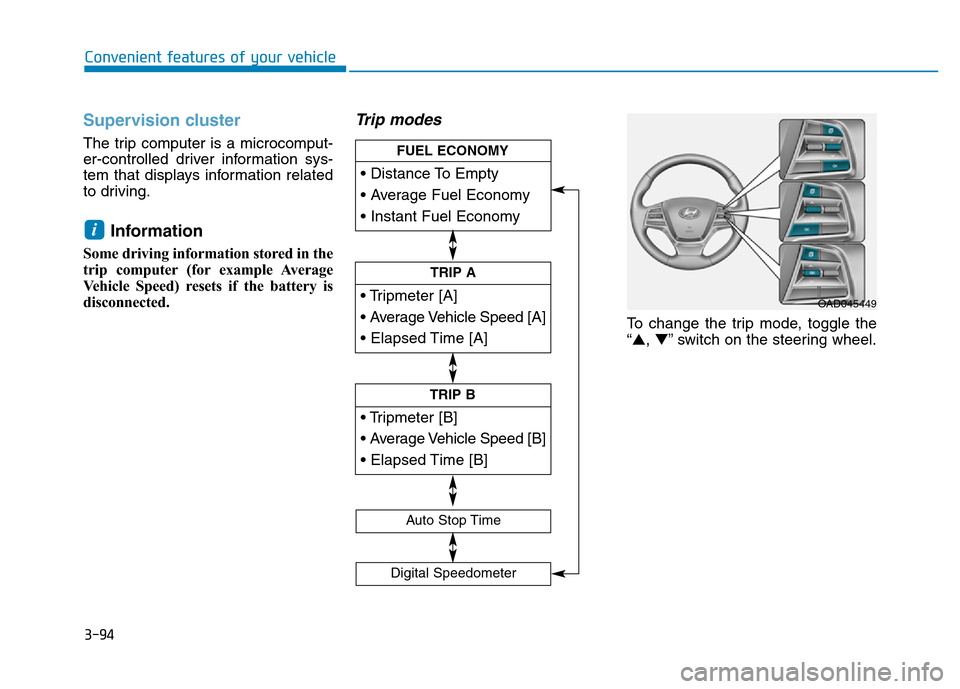
The trip computer is a microcomput-
er-controlled driver information sys-
tem that displays information related
to driving.
Information
Some driving information stored in the
trip computer (for example Average
Vehicle Speed) resets if the battery is
disconnected.
Trip modes
To change the trip mode, toggle the
“▲,▼” switch on the steering wheel.
i
• Tripmeter [A]
• Average Vehicle Speed [A]
• Elapsed Time [A]
TRIP A
• Tripmeter [B]
• Average Vehicle Speed [B]
• Elapsed Time [B]
TRIP B
• Distance To Empty
• Average Fuel Economy
• Instant Fuel Economy
FUEL ECONOMY
Digital Speedometer
Auto Stop Time
OAD045449
Page 190 of 637
3-95
Convenient features of your vehicle
3
Fuel economy
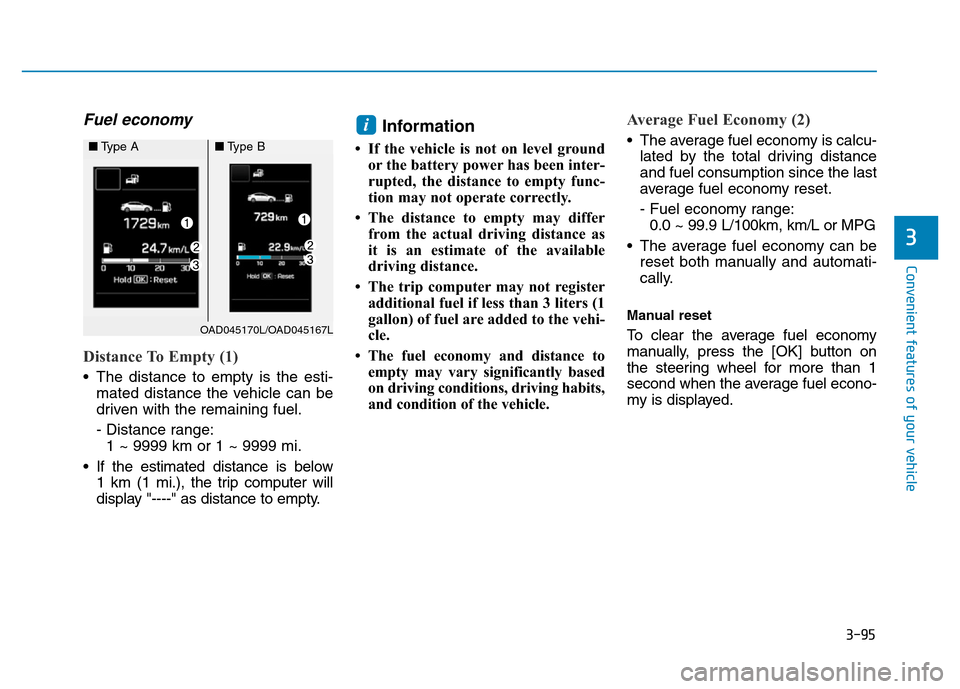
Distance To Empty (1)
• The distance to empty is the esti-
mated distance the vehicle can be
driven with the remaining fuel.
- Distance range:
1 ~ 9999 km or 1 ~ 9999 mi.
• If the estimated distance is below
1 km (1 mi.), the trip computer will
display "----" as distance to empty.
Information
• If the vehicle is not on level ground
or the battery power has been inter-
rupted, the distance to empty func-
tion may not operate correctly.
• The distance to empty may differ
from the actual driving distance as
it is an estimate of the available
driving distance.
• The trip computer may not register
additional fuel if less than 3 liters (1
gallon) of fuel are added to the vehi-
cle.
• The fuel economy and distance to
empty may vary significantly based
on driving conditions, driving habits,
and condition of the vehicle.
Average Fuel Economy (2)
• The average fuel economy is calcu-
lated by the total driving distance
and fuel consumption since the last
average fuel economy reset.
- Fuel economy range:
0.0 ~ 99.9 L/100km, km/L or MPG
• The average fuel economy can be
reset both manually and automati-
cally.
Manual reset
To clear the average fuel economy
manually, press the [OK] button on
the steering wheel for more than 1
second when the average fuel econo-
my is displayed.
i
OAD045170L/OAD045167L
■Type A■Type B