lock Hyundai Elantra 2018 Owners Manual
[x] Cancel search | Manufacturer: HYUNDAI, Model Year: 2018, Model line: Elantra, Model: Hyundai Elantra 2018Pages: 526, PDF Size: 17.2 MB
Page 320 of 526
5-37
Driving your vehicle
5
Using ABS
To obtain the maximum benefit from your
ABS in an emergency situation, do not
attempt to modulate your brake pressure
and do not try to pump your brakes.
Depress your brake pedal as hard as
possible.
When you apply your brakes under con-
ditions which may lock the wheels, you
may hear sounds from the brakes, or feel
a corresponding sensation in the brake
pedal. This is normal and it means your
ABS is active.
ABS does not reduce the time or dis-
tance it takes to stop the vehicle.
Always maintain a safe distance from the
vehicle in front of you.
ABS will not prevent a skid that results
from sudden changes in direction, such
as trying to take a corner too fast or mak-
ing a sudden lane change. Always drive
at a safe speed for the road and weather
conditions.
ABS cannot prevent a loss of stability.
Always steer moderately when braking
hard. Severe or sharp steering wheel
movement can still cause your vehicle to
veer into oncoming traffic or off the road.On loose or uneven road surfaces, oper-
ation of the anti-lock brake system may
result in a longer stopping distance than
for vehicles equipped with a conventional
brake system.
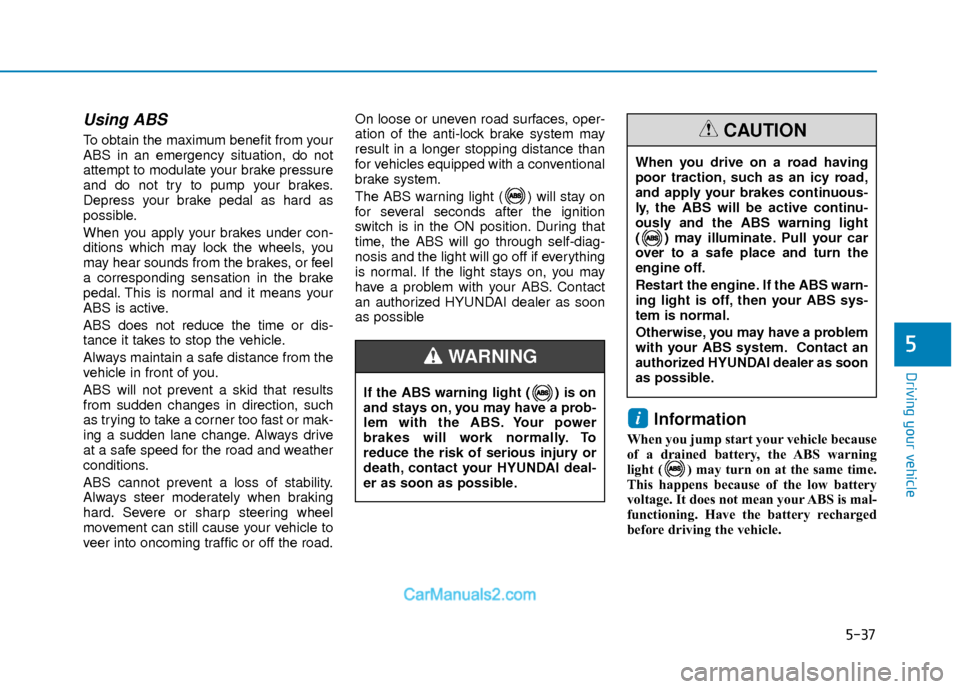
The ABS warning light ( ) will stay on
for several seconds after the ignition
switch is in the ON position. During that
time, the ABS will go through self-diag-
nosis and the light will go off if everything
is normal. If the light stays on, you may
have a problem with your ABS. Contact
an authorized HYUNDAI dealer as soon
as possible
Information
When you jump start your vehicle because
of a drained battery, the ABS warning
light ( ) may turn on at the same time.
This happens because of the low battery
voltage. It does not mean your ABS is mal-
functioning. Have the battery recharged
before driving the vehicle.
i
If the ABS warning light ( ) is on
and stays on, you may have a prob-
lem with the ABS. Your power
brakes will work normally. To
reduce the risk of serious injury or
death, contact your HYUNDAI deal-
er as soon as possible.
WARNING
When you drive on a road having
poor traction, such as an icy road,
and apply your brakes continuous-
ly, the ABS will be active continu-
ously and the ABS warning light
( ) may illuminate. Pull your car
over to a safe place and turn the
engine off.
Restart the engine. If the ABS warn-
ing light is off, then your ABS sys-
tem is normal.
Otherwise, you may have a problem
with your ABS system.
Contact an
authorized HYUNDAI dealer as soon
as possible.
CAUTION
Page 321 of 526
5-38
Driving your vehicle
Electronic Stability Control
(ESC)
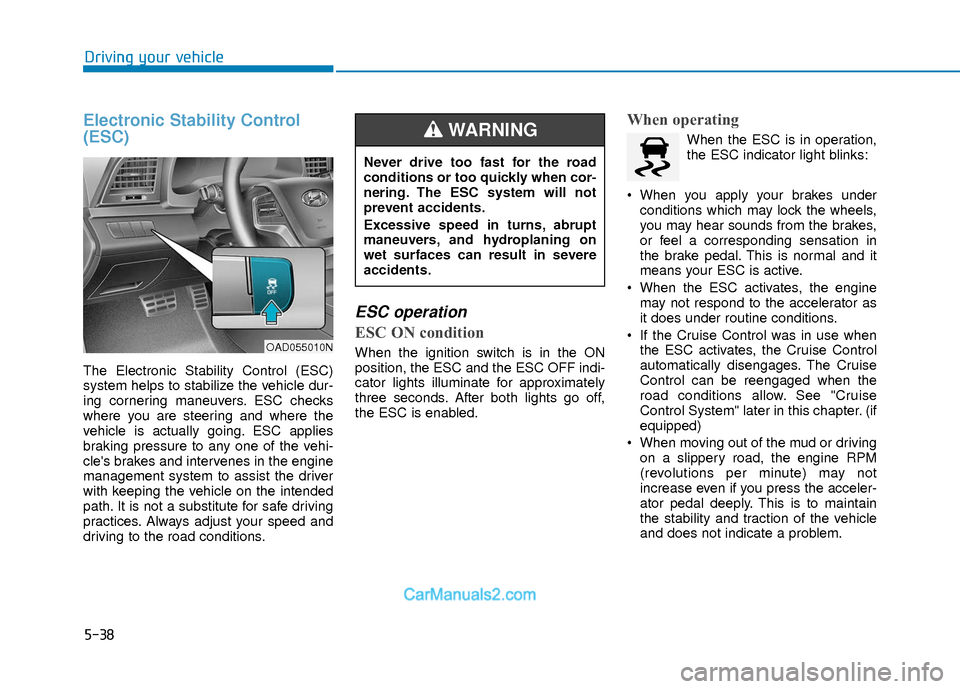
The Electronic Stability Control (ESC)
system helps to stabilize the vehicle dur-
ing cornering maneuvers. ESC checks
where you are steering and where the
vehicle is actually going. ESC applies
braking pressure to any one of the vehi-
cle's brakes and intervenes in the engine
management system to assist the driver
with keeping the vehicle on the intended
path. It is not a substitute for safe driving
practices. Always adjust your speed and
driving to the road conditions.
ESC operation
ESC ON condition
When the ignition switch is in the ON
position, the ESC and the ESC OFF indi-
cator lights illuminate for approximately
three seconds. After both lights go off,
the ESC is enabled.
When operating
When the ESC is in operation,
the ESC indicator light blinks:
When you apply your brakes under conditions which may lock the wheels,
you may hear sounds from the brakes,
or feel a corresponding sensation in
the brake pedal. This is normal and it
means your ESC is active.
When the ESC activates, the engine may not respond to the accelerator as
it does under routine conditions.
If the Cruise Control was in use when the ESC activates, the Cruise Control
automatically disengages. The Cruise
Control can be reengaged when the
road conditions allow. See "Cruise
Control System" later in this chapter. (if
equipped)
When moving out of the mud or driving on a slippery road, the engine RPM
(revolutions per minute) may not
increase even if you press the acceler-
ator pedal deeply. This is to maintain
the stability and traction of the vehicle
and does not indicate a problem.
OAD055010N
Never drive too fast for the road
conditions or too quickly when cor-
nering. The ESC system will not
prevent accidents.
Excessive speed in turns, abrupt
maneuvers, and hydroplaning on
wet surfaces can result in severe
accidents.
WARNING
Page 322 of 526
5-39
Driving your vehicle
5
ESC OFF condition
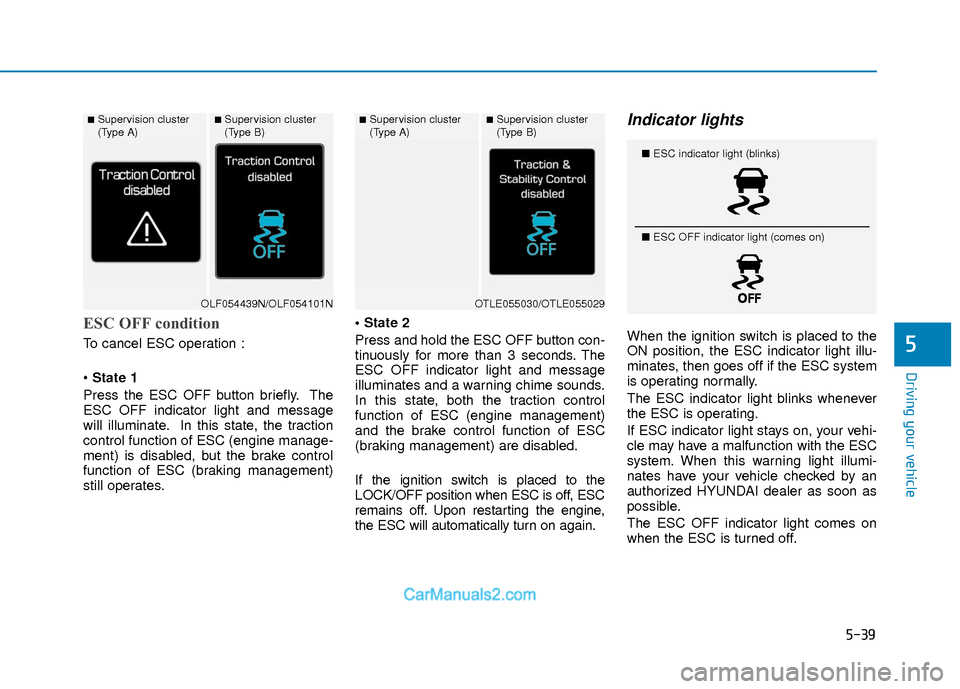
To cancel ESC operation :
State 1
Press the ESC OFF button briefly. The
ESC OFF indicator light and message
will illuminate. In this state, the traction
control function of ESC (engine manage-
ment) is disabled, but the brake control
function of ESC (braking management)
still operates.
Press and hold the ESC OFF button con-
tinuously for more than 3 seconds. The
ESC OFF indicator light and message
illuminates and a warning chime sounds.
In this state, both the traction control
function of ESC (engine management)
and the brake control function of ESC
(braking management) are disabled.
If the ignition switch is placed to the
LOCK/OFF position when ESC is off, ESC
remains off. Upon restarting the engine,
the ESC will automatically turn on again.
Indicator lights
When the ignition switch is placed to the
ON position, the ESC indicator light illu-
minates, then goes off if the ESC system
is operating normally.
The ESC indicator light blinks whenever
the ESC is operating.
If ESC indicator light stays on, your vehi-
cle may have a malfunction with the ESC
system. When this warning light illumi-
nates have your vehicle checked by an
authorized HYUNDAI dealer as soon as
possible.
The ESC OFF indicator light comes on
when the ESC is turned off.
■Supervision cluster
(Type A)■Supervision cluster
(Type B)
OLF054439N/OLF054101N
■Supervision cluster
(Type A)■Supervision cluster
(Type B)
OTLE055030/OTLE055029
■
ESC indicator light (blinks)
■ ESC OFF indicator light (comes on)
Page 325 of 526
5-42
Driving your vehicle
Hill-Start Assist Control (HAC)
The Hill-Start Assist Control (HAC) helps
prevent the vehicle from rolling back-
wards when starting a vehicle from a
stop on a hill. The system operates the
brakes automatically for approximately 2
seconds and releases the brake after 2
seconds or when the accelerator pedal is
depressed.
The HAC does not operate when theshift lever is in P (Park) or N
(Neutral)
The HAC activates even though the ESC (Electronic Stability Control) is
off but does not activate when the
ESC has malfunctioned.
Good Braking Practices
Wet brakes can be dangerous! The
brakes may get wet if the vehicle is driv-
en through standing water or if it is
washed. Your vehicle will not stop as
quickly if the brakes are wet. Wet brakes
may cause the vehicle to pull to one side. To dry the brakes, apply the brakes light-
ly until the braking action returns to nor-
mal, taking care to keep the vehicle
under control at all times. If the braking
action does not return to normal, stop as
soon as it is safe to do so and call an
authorized HYUNDAI dealer for assis-
tance.
DO NOT drive with your foot resting on
the brake pedal. Even light, but constant
pedal pressure can result in the brakes
overheating, brake wear, and possibly
even brake failure.
If a tire goes flat while you are driving,
apply the brakes gently and keep the
vehicle pointed straight ahead while you
slow down. When you are moving slowly
enough for it to be safe to do so, pull off
the road and stop in a safe location.
Keep your foot firmly on the brake pedal
when the vehicle is stopped to prevent
the vehicle from rolling forward.
NOTICE
Always be ready to depress the
accelerator pedal when starting off
on a incline. The HAC activates only
for approximately 2 seconds.
WARNING
Whenever leaving the vehicle or
parking, always come to a complete
stop and continue to depress the
brake pedal. Move the shift lever
into the 1
stgear (for manual trans-
mission vehicle) or P (Park, for
automatic transmission vehicle)
position, then apply the parking
brake, and place the ignition switch
in the LOCK/OFF position.
Vehicles parked with the parking
brake not applied or not fully
engaged may roll inadvertently and
may cause injury to the driver and
others. ALWAYS apply the parking
brake before exiting the vehicle.
WARNING
Page 331 of 526
5-48
Driving your vehicle
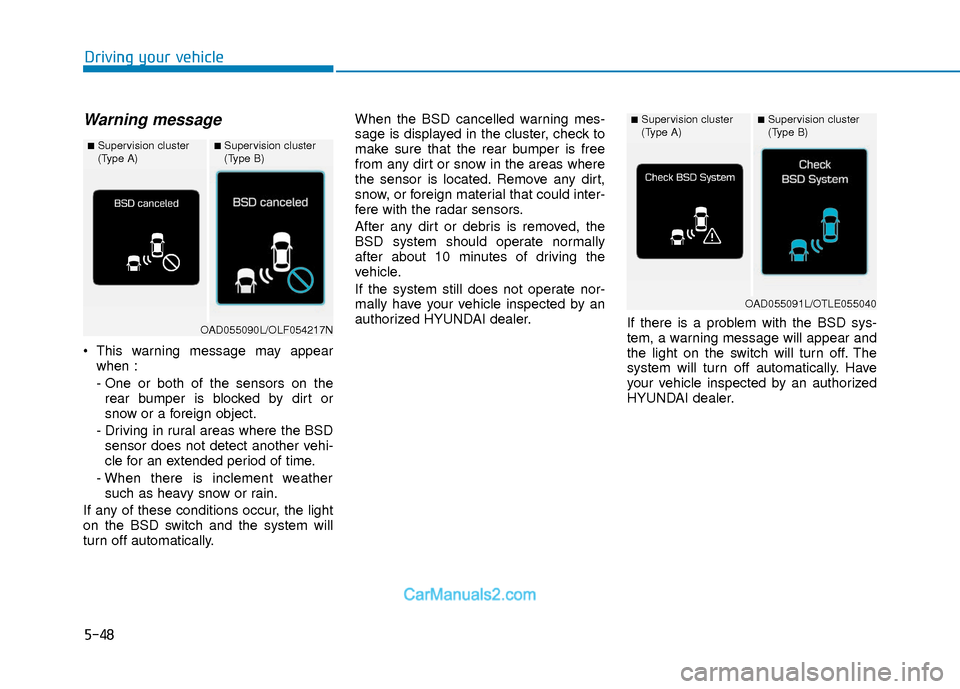
Warning message
This warning message may appearwhen :
- One or both of the sensors on therear bumper is blocked by dirt or
snow or a foreign object.
- Driving in rural areas where the BSD sensor does not detect another vehi-
cle for an extended period of time.
- When there is inclement weather such as heavy snow or rain.
If any of these conditions occur, the light
on the BSD switch and the system will
turn off automatically. When the BSD cancelled warning mes-
sage is displayed in the cluster, check to
make sure that the rear bumper is free
from any dirt or snow in the areas where
the sensor is located. Remove any dirt,
snow, or foreign material that could inter-
fere with the radar sensors.
After any dirt or debris is removed, the
BSD system should operate normally
after about 10 minutes of driving the
vehicle.
If the system still does not operate nor-
mally have your vehicle inspected by an
authorized HYUNDAI dealer.
If there is a problem with the BSD sys-
tem, a warning message will appear and
the light on the switch will turn off. The
system will turn off automatically. Have
your vehicle inspected by an authorized
HYUNDAI dealer.
■Supervision cluster
(Type A)■Supervision cluster
(Type B)
OAD055090L/OLF054217N
■Supervision cluster
(Type A)■Supervision cluster
(Type B)
OAD055091L/OTLE055040
Page 333 of 526
5-50
Driving your vehicle
Information
• The warning chime will turn off whenthe detected vehicle moves out of the
sensing area or if your vehicle is moved
away from the detected vehicle.
• The system may not operate properly due to other factors or circumstances.
Always pay attention to your surround-
ings.
• If the sensing area near the rear bumper is blocked by either a wall or barrier or
by a parked vehicle, the system sensing
area may be reduced. The system may not work properly
when the bumper has been dam-
aged, or if the rear bumper has been
replaced or repaired.
The sensing range differs some- what according to the width of the
road. When the road is narrow, the
system may detect other vehicles in
the next lane.
The system may turn off due to strong electromagnetic waves.
Non-operating condition
The BSD indicator on the outer side
view mirror may not illuminate
properly when:
- The outer side view mirror housing isdamaged.
- The mirror is covered with dirt, snow, or debris.
- The window is covered with dirt, snow, or debris.
- The window is tinted.
NOTICEi
The warning light on the outer
side view mirror will illuminate
whenever a vehicle is detected at
the rear side by the system.
To avoid accidents, do not focus
only on the warning light and
neglect to see the surrounding of
the vehicle. (Continued)
(Continued)
Drive safely even though the
vehicle is equipped with a Blind
Spot Detection System (BSD) and
Rear Cross Traffic Alert (RCTA).
Do not solely rely on the system
but check your surrounding
before changing lanes or backing
the vehicle up.
The system may not alert the
driver in some conditions so
always check your surroundings
while driving.
The Blind Spot Detection System
(BSD) and Rear Cross Traffic
Alert (RCTA) are not a substitute
for proper and safe driving prac-
tices. Always drive safely and use
caution when changing lanes or
backing up your vehicle. The
Blind Spot Detection System
(BSD) may not detect every
object alongside the vehicle.
WARNING
Page 334 of 526
5-51
Driving your vehicle
5
Limitations of the System
The driver must be cautious in the below
situations, because the system may not
detect other vehicles or objects in certain
circumstances.
- The vehicle drives on a curved road orthrough a tollgate.
- The sensor is polluted with rain, snow, mud, etc.
- The rear bumper where the sensor is located is covered with a foreign object
such as a bumper sticker, a bumper
guard, a bike rack, etc.
- The rear bumper is damaged, or the sensor is out of the original default posi-
tion.
- The vehicle height gets lower or higher due to heavy loading in a trunk, abnor-
mal tire pressure, etc.
- The vehicle drives in inclement weather such as heavy rain or snow.
- There is a fixed object near the vehicle, such as a guardrail.
- A big vehicle is near such as a bus or truck.
- A motorcycle or bicycle is near.
- A flat trailer is near. - If the vehicle has started at the same
time as the vehicle next to you and has
accelerated.
- When the other vehicle passes at a very fast speed.
- While changing lanes.
- While going down or up a steep road where the height of the lane is different.
- When the other vehicle approaches very close.
- When a trailer or carrier is installed.
- When the temperature near the rear bumper area is high or low.
- When the sensors are blocked by the other vehicles, walls or parking-lot pil-
lars.
- When the detected vehicle also moves back, as your vehicle drives back.
- If there are small objects in the detect- ing area such as a shopping cart or a
baby stroller.
- If there is a low height vehicle such as a sports car.
- When other vehicles are close to your vehicle.
- When the vehicle in the next lane moves two lanes away from you OR
when the vehicle two lanes away moves
to the next lane from you. - When driving through a narrow road
with many trees or bushes.
- When driving on wet surface.
Information
This device complies with Part 15 of the
FCC rules.
Operation is subject to the following two
conditions:
1. This device may not cause harmful interference, and
2. This device must accept any interfer- ence received, including interference
that may cause undesired operation.
i
Page 339 of 526
5-56
Driving your vehicle
AEB Front Radar Sensor
In order for the AEB system to operate
properly, always make sure the radar
sensor cover is clean and free of dirt,
snow, and debris. Dirt, snow, or foreign
substances on the lens may adversely
affect the sensing performance of the
radar.
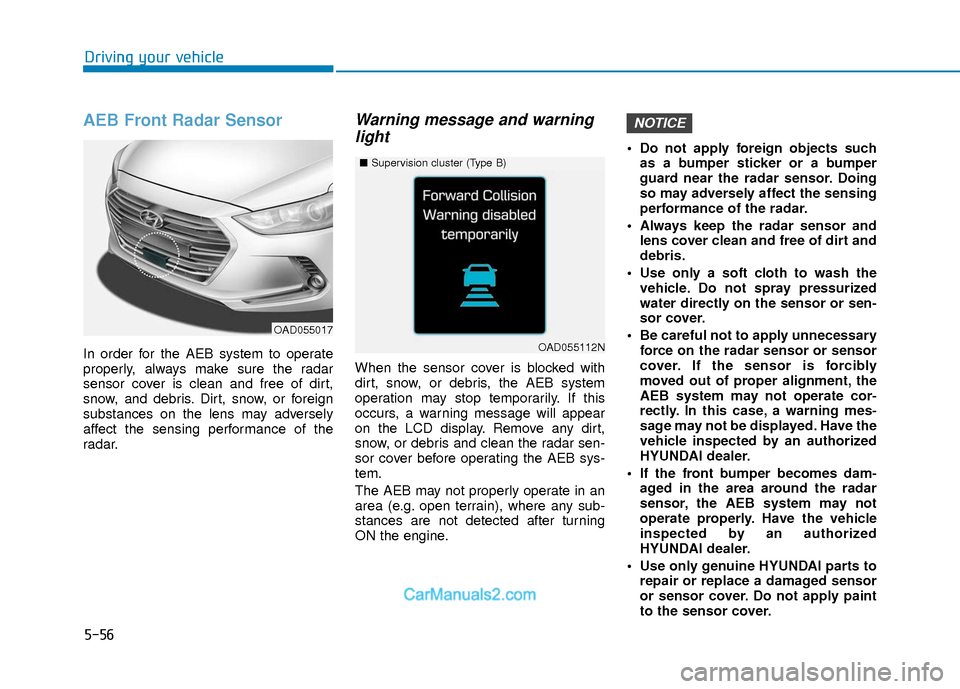
Warning message and warninglight
When the sensor cover is blocked with
dirt, snow, or debris, the AEB system
operation may stop temporarily. If this
occurs, a warning message will appear
on the LCD display. Remove any dirt,
snow, or debris and clean the radar sen-
sor cover before operating the AEB sys-
tem.
The AEB may not properly operate in an
area (e.g. open terrain), where any sub-
stances are not detected after turning
ON the engine. Do not apply foreign objects such
as a bumper sticker or a bumper
guard near the radar sensor. Doing
so may adversely affect the sensing
performance of the radar.
Always keep the radar sensor and lens cover clean and free of dirt and
debris.
Use only a soft cloth to wash the vehicle. Do not spray pressurized
water directly on the sensor or sen-
sor cover.
Be careful not to apply unnecessary force on the radar sensor or sensor
cover. If the sensor is forcibly
moved out of proper alignment, the
AEB system may not operate cor-
rectly. In this case, a warning mes-
sage may not be displayed. Have the
vehicle inspected by an authorized
HYUNDAI dealer.
If the front bumper becomes dam- aged in the area around the radar
sensor, the AEB system may not
operate properly. Have the vehicle
inspected by an authorized
HYUNDAI dealer.
Use only genuine HYUNDAI parts to repair or replace a damaged sensor
or sensor cover. Do not apply paint
to the sensor cover.
NOTICE
OAD055017
■ Supervision cluster (Type B)
OAD055112N
Page 341 of 526
5-58
Driving your vehicle
Limitations of the System
The Automatic Emergency Braking
(AEB) system is designed to monitor the
vehicle ahead or a pedestrian in the
roadway through radar signals and cam-
era recognition to warn the driver that a
collision is imminent, and if necessary,
apply emergency braking.
In certain situations, the radar sensor or
the camera may not be able to detect the
vehicle or pedestrian ahead. In these
cases, the AEB system may not operate
normally. The driver must pay careful
attention in the following situations where
the AEB operation may be limited.
Detecting vehicles
The sensor may be limited when:
- The radar sensor or camera is blockedwith a foreign object or debris.
- Inclement weather such as heavy rain or snow obscures the field of view of
the radar sensor or camera.
- There is interference by electromag- netic waves.
- There is severe irregular reflection from the radar sensor.
- The vehicle in front is too small to be detected by the camera recognition
system (for example a motorcycle or a
bicycle, etc.).
- The vehicle in front is an oversize vehi- cle or trailer that is too big to be detect-
ed by the camera recognition system
(for example a tractor trailer, etc.).
- The driver's field of view is not well illu- minated (either too dark or too much
reflection or too much backlight that
obscures the field of view).
- The vehicle in front does not have their rear lights properly turned ON.
- The outside brightness changes sud- denly, for example when entering or
exiting a tunnel.
(Continued)The brake control may be insuffi-
cient, possibly causing a colli-
sion, if a vehicle in front abruptly
stops. Always pay extreme cau-
tion.
Occupants may get injured, if the
vehicle abruptly stops by the acti-
vated AEB system. Pay extreme
caution.
Page 349 of 526
5-66
Driving your vehicle
The LKAS system will not be in the
ENABLED state and the steering
wheel will not be assisted when:
Vehicle speed is below 40 mph (60 km/h) and over 110 mph (180
km/h).
Only one lane line is detected.
The turn signal is turned on before changing a lane. If you change lanes
without the turn signal on, the steering
wheel might be controlled.
The hazard warning flasher is on.
The width of the lane is below 10 feet (3.1 m) and over 15 feet (4.5
m).
ESC (Electronic Stability Control) is activated.
The vehicle is driven on a sharp curve.
The vehicle brakes suddenly.
The vehicle makes sharp lane changes.
Information
When the system is turned on or right
after changing a lane, drive in the middle
of the lane. If not, the system will not pro-
vide steering assist function.
Limitations of the System
The LKAS may operate prematurely
even if the vehicle does not depart from
the intended lane, OR, the LKAS may not
warn you if the vehicle leaves the intend-
ed lane under the following circum-
stances:
The lanes ahead are not visible due torain, snow, water on the road, dam-
aged or stained road surface, or other
factors.
The brightness outside changes sud- denly such as when entering or exiting
a tunnel.
The brightness outside is too low such as when the headlamps are not on at
night or the vehicle is going through a
tunnel.
It is difficult to distinguish the lane marking from the road surface or the
lane marking is faded or not clearly
marked.
Driving on a steep grade, over a hill, or when driving on a curved road.
When light coming from a street light or an oncoming vehicle is reflected on a
wet road surface such as a puddle in
the road.
The windshield or the LKAS camera lens is blocked with dirt or debris. The field of view in front is obstructed
by sun glare.
The lanes are incomplete or the area is in a construction zone.
There are more than two lane lines on the road in front of you.
The lane markings are not clearly visi- ble from the road.
The lane width is too wide or too nar- row. See previous page.
The windshield glass is fogged up; a clear view of the road is obstructed.
There are markings on the road sur- face that look like a lane line that is
inadvertently being detected by the
camera.
There is a boundary structure in the roadway such as a concrete barrier,
guardrail and reflector post that is
inadvertently being detected by the
camera.
There is not enough distance between you and the vehicle in front to be able
to detect the lane line or the vehicle
ahead is driving on the lane line.
The adverse road conditions cause excessive vehicle vibrations while driv-
ing.
i