lights Hyundai Elantra 2018 User Guide
[x] Cancel search | Manufacturer: HYUNDAI, Model Year: 2018, Model line: Elantra, Model: Hyundai Elantra 2018Pages: 526, PDF Size: 17.2 MB
Page 96 of 526
3-19
Convenient features of your vehicle
3
Tilt Steering/Telescope Steering
Adjust the steering wheel so it points
toward your chest, not toward your face.
Make sure you can see the instrument
cluster warning lights and gauges. After
adjusting, push the steering wheel both
up and down to be certain it is locked in
position. Always adjust the position of the
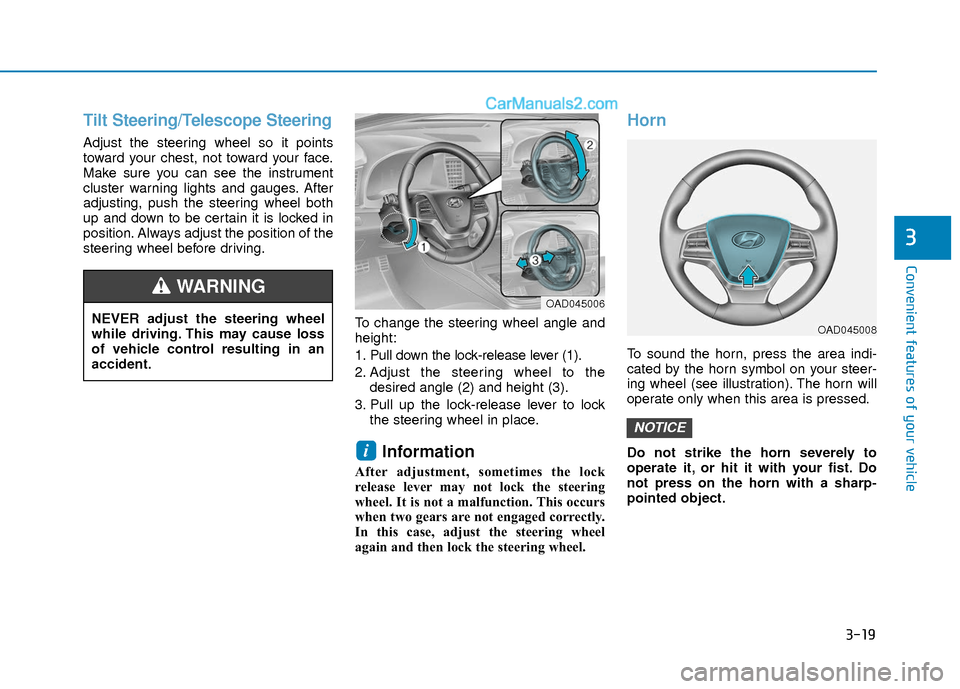
steering wheel before driving.To change the steering wheel angle and
height:
1. Pull down the lock-release lever (1).
2. Adjust the steering wheel to thedesired angle (2) and height (3).
3. Pull up the lock-release lever to lock the steering wheel in place.
Information
After adjustment, sometimes the lock
release lever may not lock the steering
wheel. It is not a malfunction. This occurs
when two gears are not engaged correctly.
In this case, adjust the steering wheel
again and then lock the steering wheel.
Horn
To sound the horn, press the area indi-
cated by the horn symbol on your steer-
ing wheel (see illustration). The horn will
operate only when this area is pressed.
Do not strike the horn severely to
operate it, or hit it with your fist. Do
not press on the horn with a sharp-
pointed object.
NOTICE
i
NEVER adjust the steering wheel
while driving. This may cause loss
of vehicle control resulting in an
accident.
WARNING OAD045006
OAD045008
Page 97 of 526
3-20
Convenient features of your vehicle
Inside Rearview Mirror
Before you start driving, adjust the
rearview mirror to the center on the view
through the rear window.When cleaning the mirror, use a paper
towel or similar material dampened
with glass cleaner. Do not spray glass
cleaner directly on the mirror as that
may cause the liquid cleaner to enter
the mirror housing.
Day/night rearview mirror
(if equipped)
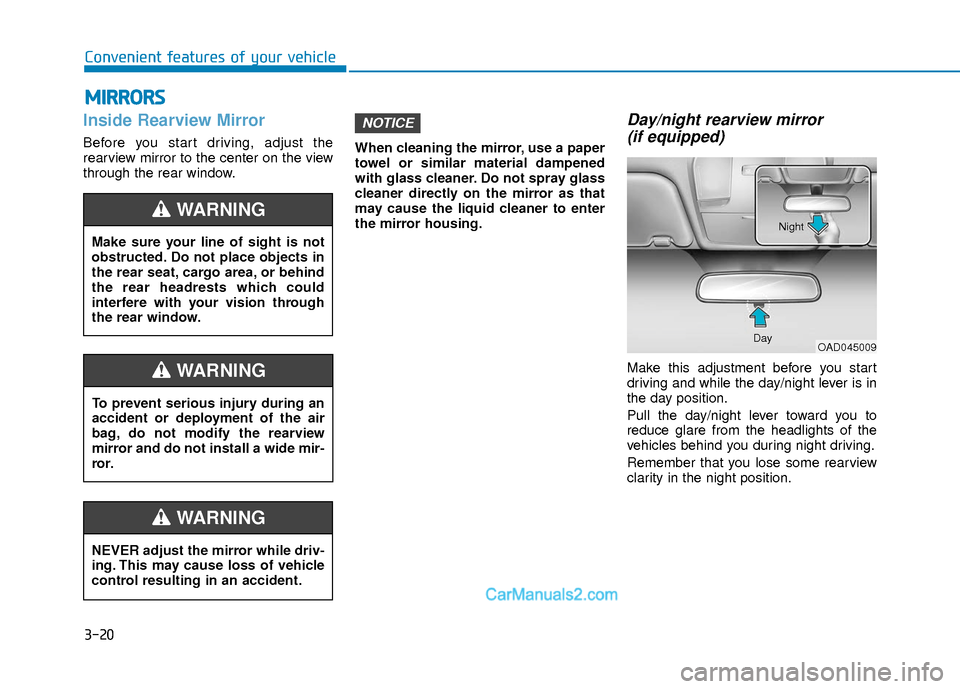
Make this adjustment before you start
driving and while the day/night lever is in
the day position.
Pull the day/night lever toward you to
reduce glare from the headlights of the
vehicles behind you during night driving.
Remember that you lose some rearview
clarity in the night position.
NOTICE
M M I
IR
R R
RO
O R
RS
S
Make sure your line of sight is not
obstructed. Do not place objects in
the rear seat, cargo area, or behind
the rear headrests which could
interfere with your vision through
the rear window.
WARNING
NEVER adjust the mirror while driv-
ing. This may cause loss of vehicle
control resulting in an accident.
WARNING
To prevent serious injury during an
accident or deployment of the air
bag, do not modify the rearview
mirror and do not install a wide mir-
ror.
WARNING
OAD045009
Day Night
Page 126 of 526
3-49
Convenient features of your vehicle
3
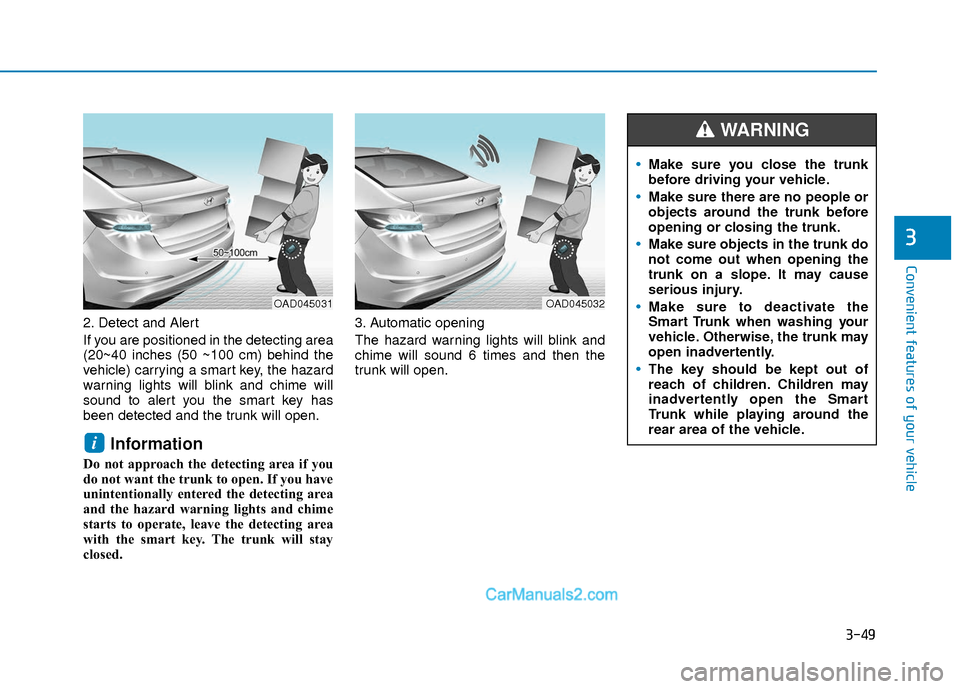
2. Detect and Alert
If you are positioned in the detecting area
(20~40 inches (50 ~100 cm) behind the
vehicle) carrying a smart key, the hazard
warning lights will blink and chime will
sound to alert you the smart key has
been detected and the trunk will open.
Information
Do not approach the detecting area if you
do not want the trunk to open. If you have
unintentionally entered the detecting area
and the hazard warning lights and chime
starts to operate, leave the detecting area
with the smart key. The trunk will stay
closed.3. Automatic opening
The hazard warning lights will blink and
chime will sound 6 times and then the
trunk will open.
i
OAD045032OAD045031
Make sure you close the trunk
before driving your vehicle.
Make sure there are no people or
objects around the trunk before
opening or closing the trunk.
Make sure objects in the trunk do
not come out when opening the
trunk on a slope. It may cause
serious injury.
Make sure to deactivate the
Smart Trunk when washing your
vehicle. Otherwise, the trunk may
open inadvertently.
The key should be kept out of
reach of children. Children may
inadvertently open the Smart
Trunk while playing around the
rear area of the vehicle.
WARNING
Page 131 of 526
3-54
Convenient features of your vehicle
I
IN
N S
ST
T R
R U
U M
M E
EN
N T
T
C
C L
LU
U S
ST
T E
ER
R
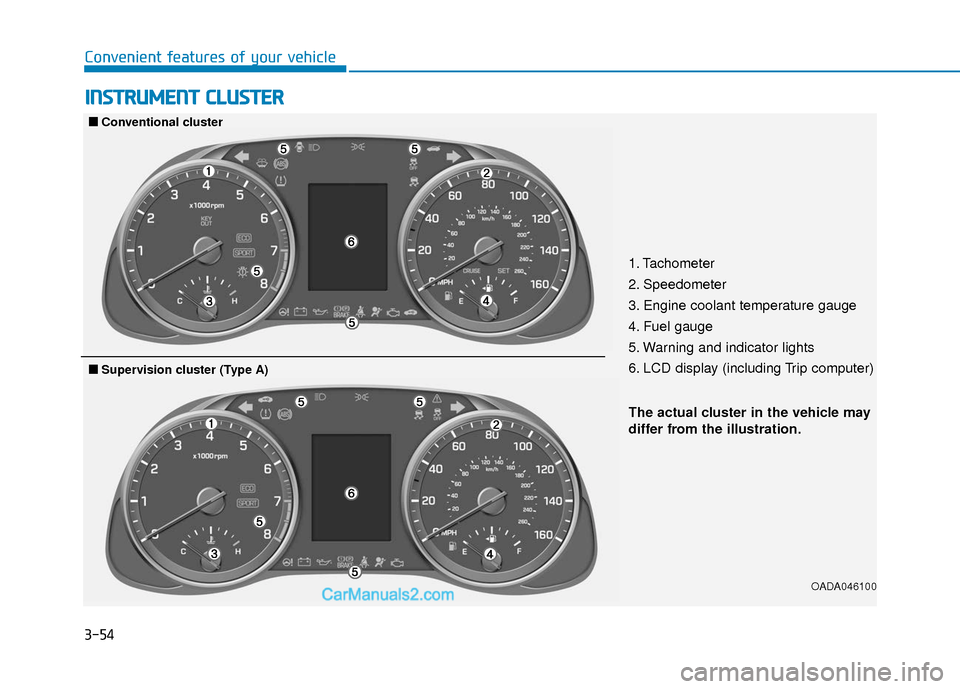
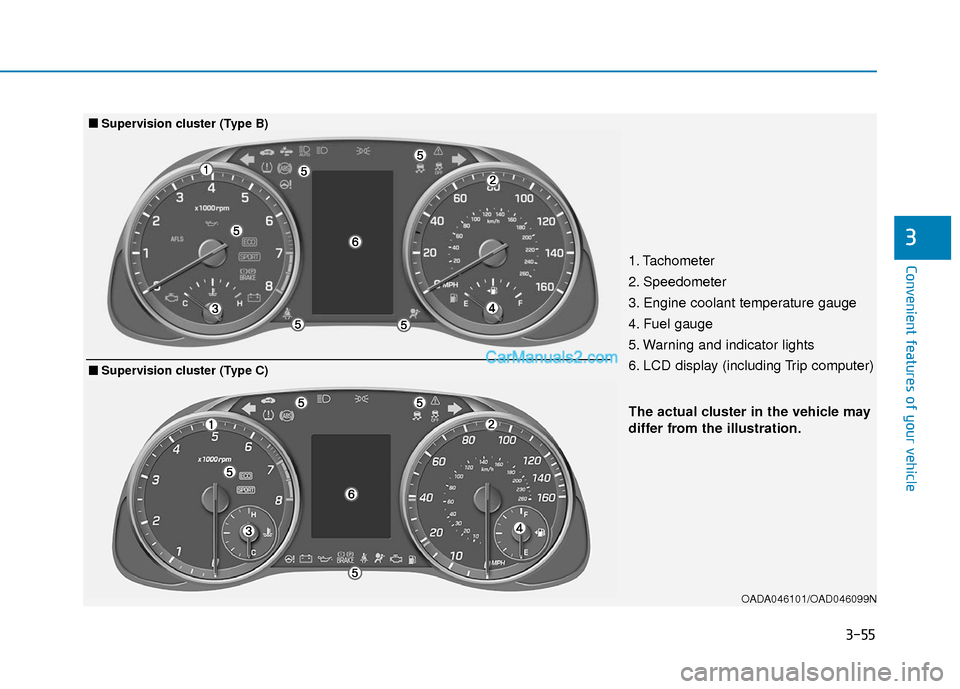
1. Tachometer
2. Speedometer
3. Engine coolant temperature gauge
4. Fuel gauge
5. Warning and indicator lights
6. LCD display (including Trip computer)
OADA046100
■
■
Conventional cluster
The actual cluster in the vehicle may
differ from the illustration.
■
■Supervision cluster (Type A)
Page 132 of 526
3-55
Convenient features of your vehicle
3
OADA046101/OAD046099N
The actual cluster in the vehicle may
differ from the illustration.
■
■Supervision cluster (Type B)
1. Tachometer
2. Speedometer
3. Engine coolant temperature gauge
4. Fuel gauge
5. Warning and indicator lights
6. LCD display (including Trip computer)
■
■Supervision cluster (Type C)
Page 133 of 526
3-56
Convenient features of your vehicle
Instrument Cluster Control
Adjusting instrument clusterillumination
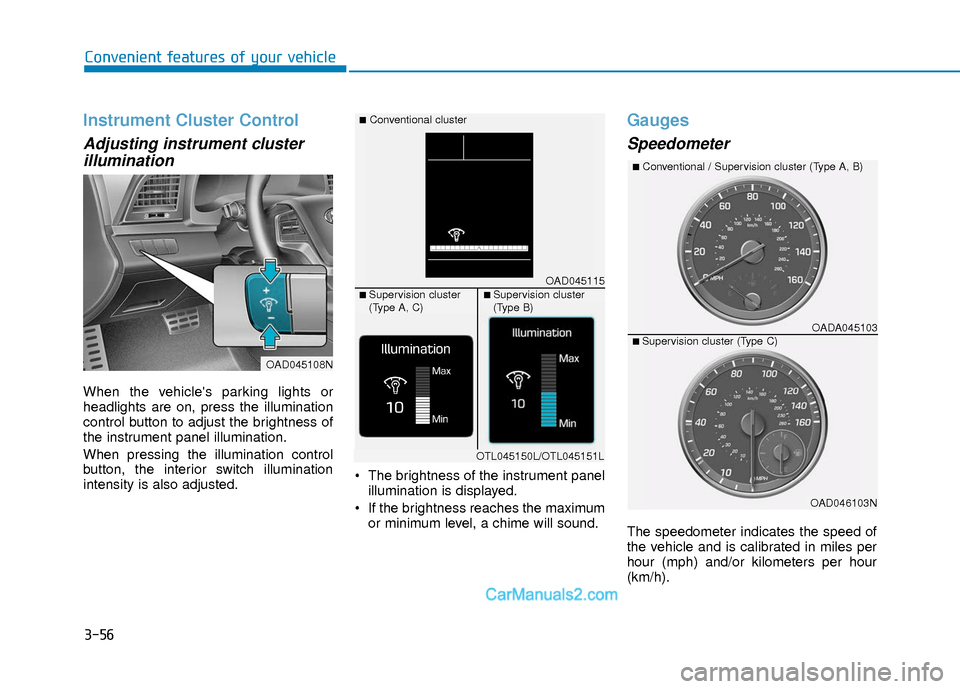
When the vehicle's parking lights or
headlights are on, press the illumination
control button to adjust the brightness of
the instrument panel illumination.
When pressing the illumination control
button, the interior switch illumination
intensity is also adjusted. The brightness of the instrument panel
illumination is displayed.
If the brightness reaches the maximum or minimum level, a chime will sound.
Gauges
Speedometer
The speedometer indicates the speed of
the vehicle and is calibrated in miles per
hour (mph) and/or kilometers per hour
(km/h).
OAD045108N
OAD045115
■Conventional cluster
■ Supervision cluster
(Type A, C)■ Supervision cluster
(Type B)
OTL045150L/OTL045151L
OADA045103
■Conventional / Supervision cluster (Type A, B)
■ Supervision cluster (Type C)
OAD046103N
Page 138 of 526
3-61
Convenient features of your vehicle
3
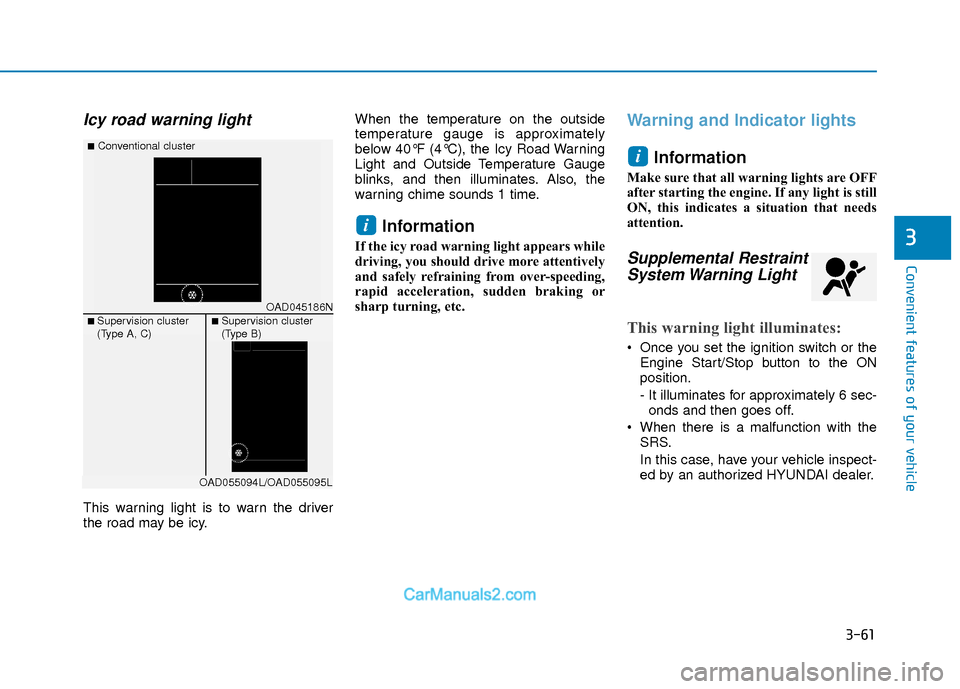
Icy road warning light
This warning light is to warn the driver
the road may be icy.When the temperature on the outside
temperature gauge is approximately
below 40°F (4°C), the Icy Road Warning
Light and Outside Temperature Gauge
blinks, and then illuminates. Also, the
warning chime sounds 1 time.
Information
If the icy road warning light appears while
driving, you should drive more attentively
and safely refraining from over-speeding,
rapid acceleration, sudden braking or
sharp turning, etc.
Warning and Indicator lights
Information
Make sure that all warning lights are OFF
after starting the engine. If any light is still
ON, this indicates a situation that needs
attention.
Supplemental RestraintSystem Warning Light
This warning light illuminates:
Once you set the ignition switch or the
Engine Start/Stop button to the ON
position.
- It illuminates for approximately 6 sec-onds and then goes off.
When there is a malfunction with the SRS.
In this case, have your vehicle inspect-
ed by an authorized HYUNDAI dealer.
i
i
OAD045186N
■Conventional cluster
■ Supervision cluster
(Type A, C)■ Supervision cluster
(Type B)
OAD055094L/OAD055095L
Page 140 of 526
3-63
Convenient features of your vehicle
3
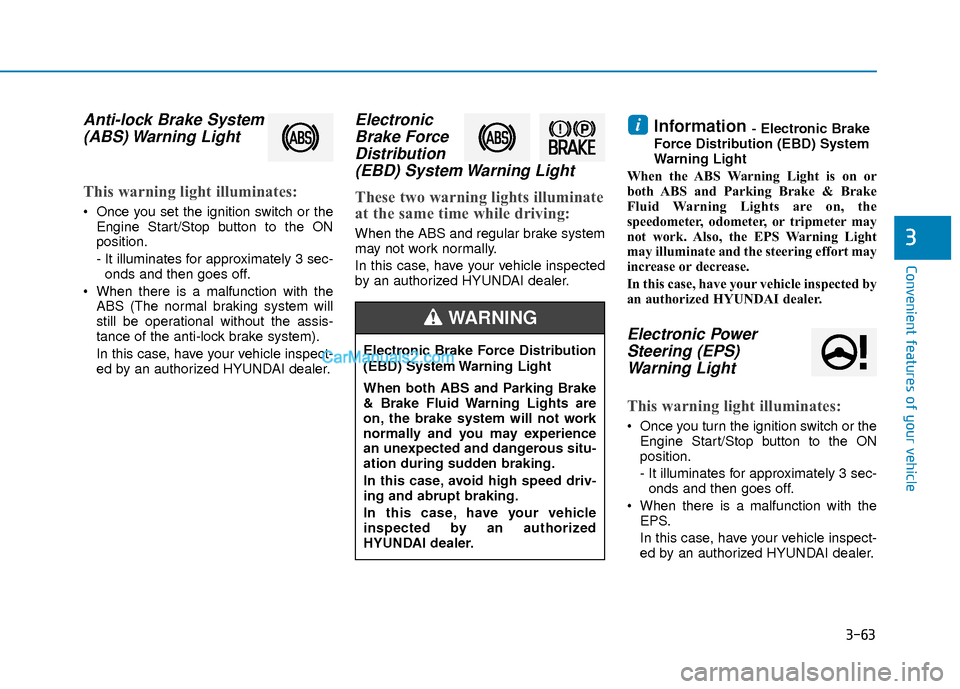
Anti-lock Brake System(ABS) Warning Light
This warning light illuminates:
Once you set the ignition switch or the
Engine Start/Stop button to the ON
position.
- It illuminates for approximately 3 sec-onds and then goes off.
When there is a malfunction with the ABS (The normal braking system will
still be operational without the assis-
tance of the anti-lock brake system).
In this case, have your vehicle inspect-
ed by an authorized HYUNDAI dealer.
ElectronicBrake ForceDistribution(EBD) System Warning Light
These two warning lights illuminate
at the same time while driving:
When the ABS and regular brake system
may not work normally.
In this case, have your vehicle inspected
by an authorized HYUNDAI dealer.
Information - Electronic Brake
Force Distribution (EBD) System
Warning Light
When the ABS Warning Light is on or
both ABS and Parking Brake & Brake
Fluid Warning Lights are on, the
speedometer, odometer, or tripmeter may
not work. Also, the EPS Warning Light
may illuminate and the steering effort may
increase or decrease.
In this case, have your vehicle inspected by
an authorized HYUNDAI dealer.
Electronic Power Steering (EPS)Warning Light
This warning light illuminates:
Once you turn the ignition switch or the
Engine Start/Stop button to the ON
position.
- It illuminates for approximately 3 sec-onds and then goes off.
When there is a malfunction with the EPS.
In this case, have your vehicle inspect-
ed by an authorized HYUNDAI dealer.
i
Electronic Brake Force Distribution
(EBD) System Warning Light
When both ABS and Parking Brake
& Brake Fluid Warning Lights are
on, the brake system will not work
normally and you may experience
an unexpected and dangerous situ-
ation during sudden braking.
In this case, avoid high speed driv-
ing and abrupt braking.
In this case, have your vehicle
inspected by an authorized
HYUNDAI dealer.
WARNING
Page 146 of 526
3-69
Convenient features of your vehicle
3
This indicator light illuminates for
2 seconds and goes off:
If the smart key is in the vehicle and the
Engine Start/Stop button is ON, but the
vehicle cannot detect the smart key.
In this case, have your vehicle inspected
by an authorized HYUNDAI dealer.
This indicator light blinks:
When the battery voltage of the smartkey is low.
- At this time, you can not start theengine. However, you can start the
engine if you press the ignition switch or
the Engine Start/Stop button with the
smart key. (For more information,
refer to "Starting the Engine" in
chapter 5).
When there is a malfunction with the immobilizer system.
In this case, have your vehicle inspect-
ed by an authorized HYUNDAI dealer.
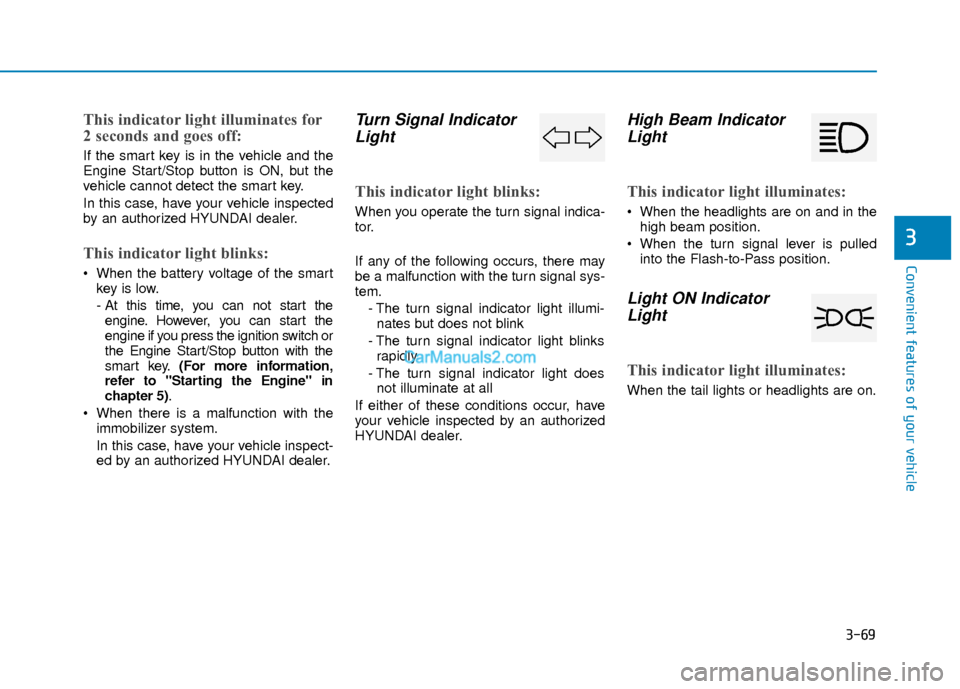
Turn Signal IndicatorLight
This indicator light blinks:
When you operate the turn signal indica-
tor.
If any of the following occurs, there may
be a malfunction with the turn signal sys-
tem.
- The turn signal indicator light illumi-nates but does not blink
- The turn signal indicator light blinks rapidly
- The turn signal indicator light does not illuminate at all
If either of these conditions occur, have
your vehicle inspected by an authorized
HYUNDAI dealer.
High Beam Indicator Light
This indicator light illuminates:
When the headlights are on and in the
high beam position.
When the turn signal lever is pulled into the Flash-to-Pass position.
Light ON IndicatorLight
This indicator light illuminates:
When the tail lights or headlights are on.
Page 155 of 526
3-78
Convenient features of your vehicle
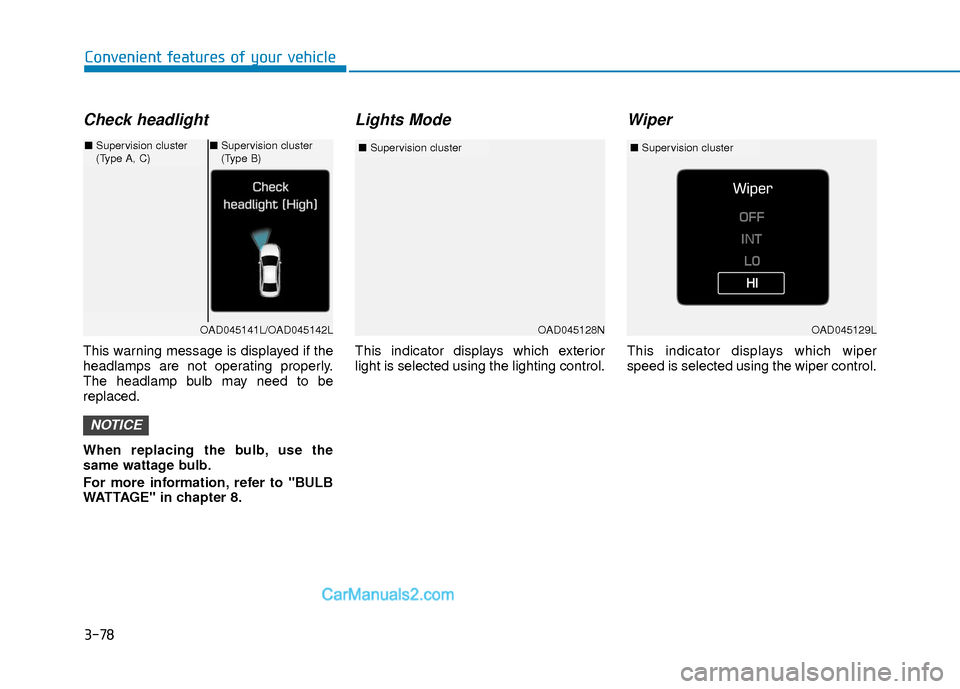
Check headlight
This warning message is displayed if the
headlamps are not operating properly.
The headlamp bulb may need to be
replaced.
When replacing the bulb, use the
same wattage bulb.
For more information, refer to "BULB
WATTAGE" in chapter 8.
Lights Mode
This indicator displays which exterior
light is selected using the lighting control.
Wiper
This indicator displays which wiper
speed is selected using the wiper control.
NOTICE
OAD045128N
■Supervision cluster
OAD045141L/OAD045142L
■Supervision cluster
(Type A, C)■Supervision cluster
(Type B)
OAD045129L
■ Supervision cluster