clutch Hyundai Elantra 2018 Owner's Manual
[x] Cancel search | Manufacturer: HYUNDAI, Model Year: 2018, Model line: Elantra, Model: Hyundai Elantra 2018Pages: 526, PDF Size: 17.2 MB
Page 17 of 526
1-6
Your vehicle at a glance
E
EN
N G
GI
IN
N E
E
C
C O
O M
M P
PA
A R
RT
TM
M E
EN
N T
T
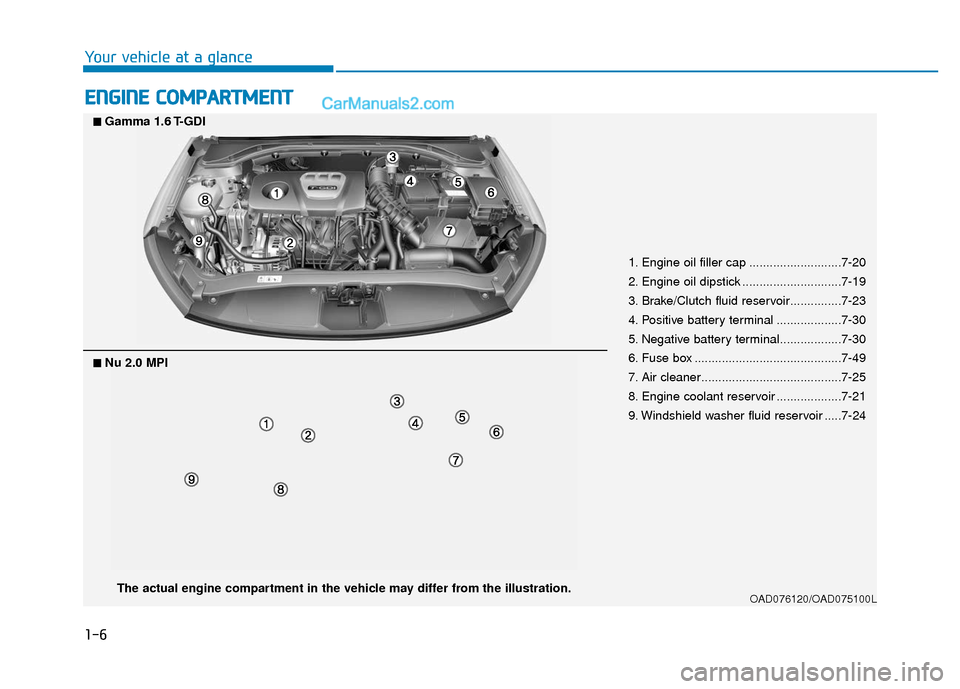
1. Engine oil filler cap ...........................7-20
2. Engine oil dipstick .............................7-19
3. Brake/Clutch fluid reservoir...............7-23
4. Positive battery terminal ...................7-30
5. Negative battery terminal..................7-30
6. Fuse box ...........................................7-49
7. Air cleaner.........................................7-25
8. Engine coolant reservoir ...................7-21
9. Windshield washer fluid reservoir .....7-24
OAD076120/OAD075100LThe actual engine compartment in the vehicle may differ from the illustration.
■
■Nu 2.0 MPI
■
■Gamma 1.6 T-GDI
Page 137 of 526
3-60
Convenient features of your vehicle
Transmission shift indicator
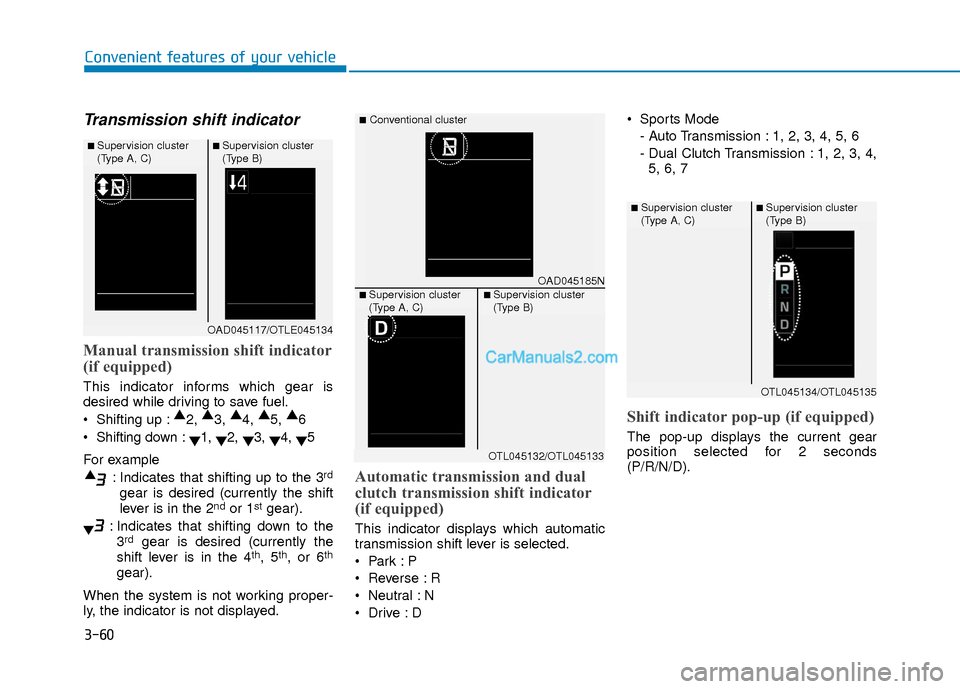
Manual transmission shift indicator
(if equipped)
This indicator informs which gear is
desired while driving to save fuel.
Shifting up :▲
2, ▲
3, ▲
4, ▲
5, ▲
6
Shifting down : ▼1,
▼2,
▼3,
▼4,
▼5
For example : Indicates that shifting up to the 3
rd
gear is desired (currently the shift
lever is in the 2ndor 1stgear).
: Indicates that shifting down to the 3
rdgear is desired (currently the
shift lever is in the 4th, 5th, or 6th
gear).
When the system is not working proper-
ly, the indicator is not displayed.
Automatic transmission and dual
clutch transmission shift indicator
(if equipped)
This indicator displays which automatic
transmission shift lever is selected.
Reverse : R
Neutral : N
Sports Mode
- Auto Transmission : 1, 2, 3, 4, 5, 6
- Dual Clutch Transmission : 1, 2, 3, 4,5, 6, 7
Shift indicator pop-up (if equipped)
The pop-up displays the current gear
position selected for 2 seconds
(P/R/N/D).
OAD045117/OTLE045134
■ Supervision cluster
(Type A, C)■ Supervision cluster
(Type B)
OAD045185N
■Conventional cluster
■ Supervision cluster
(Type A, C)■ Supervision cluster
(Type B)
OTL045132/OTL045133
OTL045134/OTL045135
■ Supervision cluster
(Type A, C)■ Supervision cluster
(Type B)
Page 154 of 526
3-77
Convenient features of your vehicle
3
DCT transmission warnings
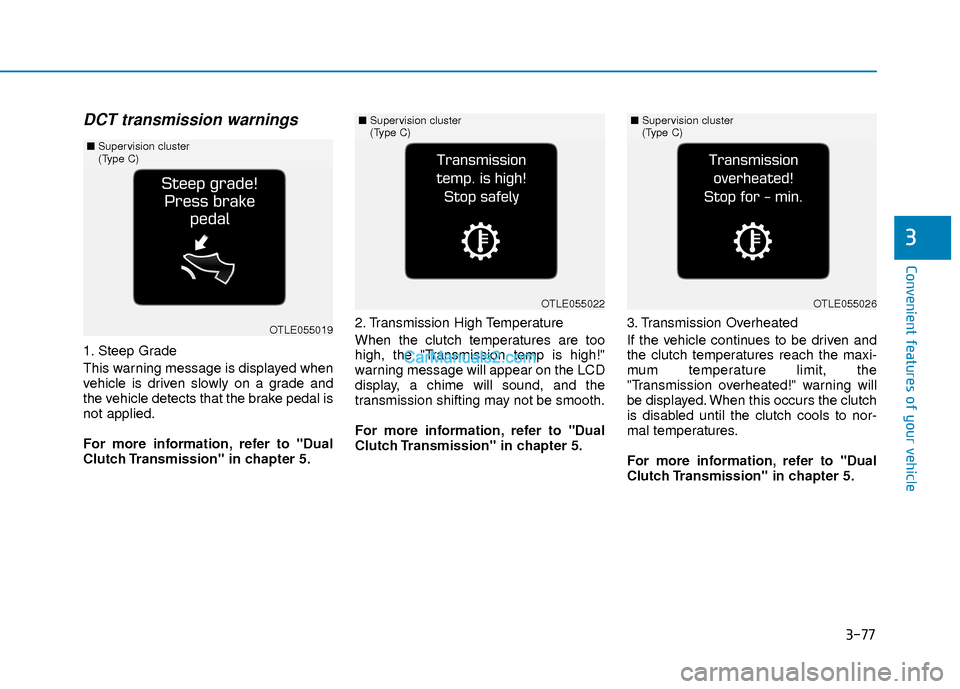
1. Steep Grade
This warning message is displayed when
vehicle is driven slowly on a grade and
the vehicle detects that the brake pedal is
not applied.
For more information, refer to "Dual
Clutch Transmission" in chapter 5.2. Transmission High Temperature
When the clutch temperatures are too
high, the "Transmission temp is high!"
warning message will appear on the LCD
display, a chime will sound, and the
transmission shifting may not be smooth.
For more information, refer to "Dual
Clutch Transmission" in chapter 5.
3. Transmission Overheated
If the vehicle continues to be driven and
the clutch temperatures reach the maxi-
mum temperature limit, the
"Transmission overheated!" warning will
be displayed. When this occurs the clutch
is disabled until the clutch cools to nor-
mal temperatures.
For more information, refer to "Dual
Clutch Transmission" in chapter 5.
OTLE055019
■
Supervision cluster
(Type C)
OTLE055022
■Supervision cluster
(Type C)
OTLE055026
■Supervision cluster
(Type C)
Page 159 of 526
3-82
Convenient features of your vehicle
Edit, settings after engagingparking brake
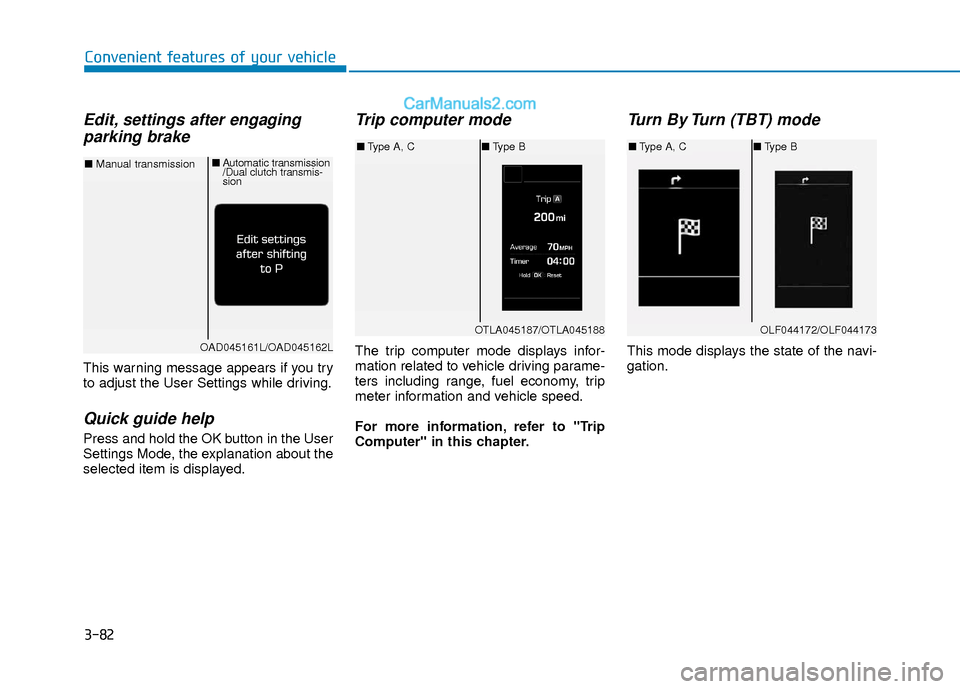
This warning message appears if you try
to adjust the User Settings while driving.
Quick guide help
Press and hold the OK button in the User
Settings Mode, the explanation about the
selected item is displayed.
Trip computer mode
The trip computer mode displays infor-
mation related to vehicle driving parame-
ters including range, fuel economy, trip
meter information and vehicle speed.
For more information, refer to "Trip
Computer" in this chapter.
Turn By Turn (TBT) mode
This mode displays the state of the navi-
gation.
OTLA045187/OTLA045188
■ Type A, C ■Type B
OAD045161L/OAD045162L
■ Manual transmission ■
Automatic transmission
/Dual clutch transmis-
sion
OLF044172/OLF044173
■Type A, C ■Type B
Page 163 of 526
3-86
Convenient features of your vehicle
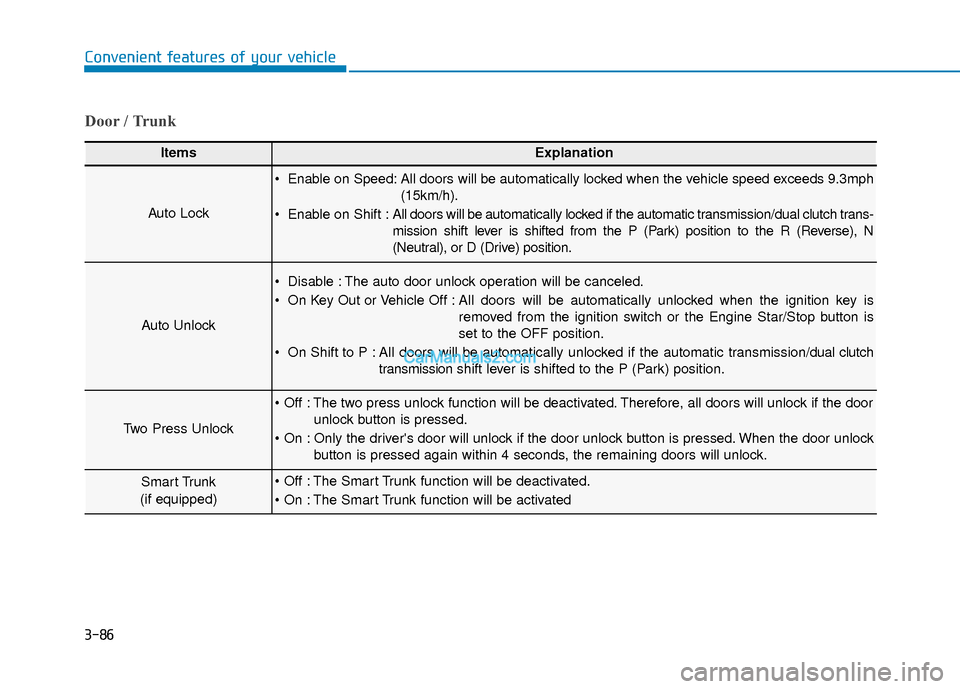
Door / Trunk
ItemsExplanation
Auto Lock
Enable on Speed: All doors will be automatically locked when the vehicle speed exceeds 9.3mph(15km/h).
Enable on Shift : All doors will be automatically locked if the automatic transmission/dual clutch trans-
mission shift lever is shifted from the P (Park) position to the R (Reverse), N
(Neutral), or D (Drive) position.
Auto Unlock
Disable : The auto door unlock operation will be canceled.
On Key Out or Vehicle Off : All doors will be automatically unlocked when the ignition key is
removed from the ignition switch or the Engine Star/Stop button is
set to the OFF position.
On Shift to P : All doors will be automatically unlocked if the automatic transmission/dual clutch transmission shift lever is shifted to the P (Park) position.
Two Press Unlock
The two press unlock function will be deactivated. Therefore, all doors will unlock if the door
unlock button is pressed.
Only the driver's door will unlock if the door unlock button is pressed. When the door unlock button is pressed again within 4 seconds, the remaining doors will unlock.
Smart Trunk
(if equipped) The Smart Trunk function will be deactivated.
The Smart Trunk function will be activated
Page 284 of 526
Driving your vehicle
5
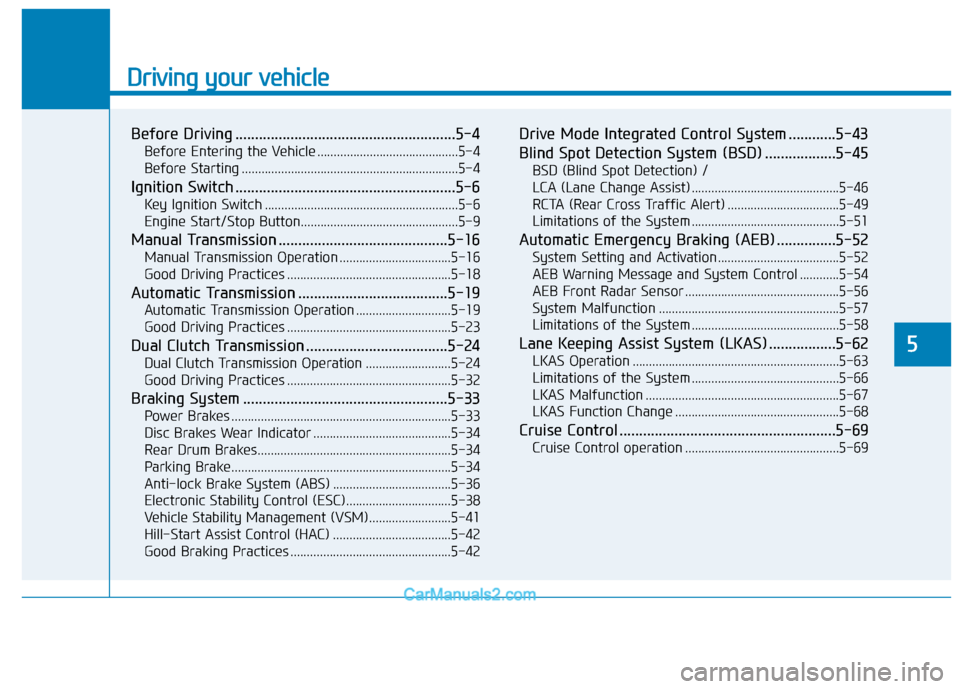
Before Driving ........................................................5-4
Before Entering the Vehicle ...........................................5-4
Before Starting ..................................................................5-4
Ignition Switch ........................................................5-6
Key Ignition Switch ...........................................................5-6
Engine Start/Stop Button................................................5-9
Manual Transmission ...........................................5-16
Manual Transmission Operation ..................................5-16
Good Driving Practices ..................................................5-18
Automatic Transmission ......................................5-19
Automatic Transmission Operation .............................5-19
Good Driving Practices ..................................................5-23
Dual Clutch Transmission ....................................5-24
Dual Clutch Transmission Operation ..........................5-24
Good Driving Practices ..................................................5-32
Braking System ....................................................5-33
Power Brakes ...................................................................5-33
Disc Brakes Wear Indicator ..........................................5-34
Rear Drum Brakes...........................................................5-34
Parking Brake...................................................................5-34
Anti-lock Brake System (ABS) ....................................5-36
Electronic Stability Control (ESC)................................5-38
Vehicle Stability Management (VSM).........................5-41
Hill-Start Assist Control (HAC) ....................................5-42
Good Braking Practices .................................................5-42
Drive Mode Integrated Control System ............5-43
Blind Spot Detection System (BSD) ..................5-45
BSD (Blind Spot Detection) /
LCA (Lane Change Assist) .............................................5-46
RCTA (Rear Cross Traffic Alert) ..................................5-49
Limitations of the System .............................................5-51
Automatic Emergency Braking (AEB) ...............5-52
System Setting and Activation.....................................5-52
AEB Warning Message and System Control ............5-54
AEB Front Radar Sensor ...............................................5-56
System Malfunction .......................................................5-57
Limitations of the System .............................................5-58
Lane Keeping Assist System (LKAS) .................5-62
LKAS Operation ...............................................................5-63
Limitations of the System .............................................5-66
LKAS Malfunction ...........................................................5-67
LKAS Function Change ..................................................5-68
Cruise Control .......................................................5-69
Cruise Control operation ...............................................5-69
Page 289 of 526
5-6
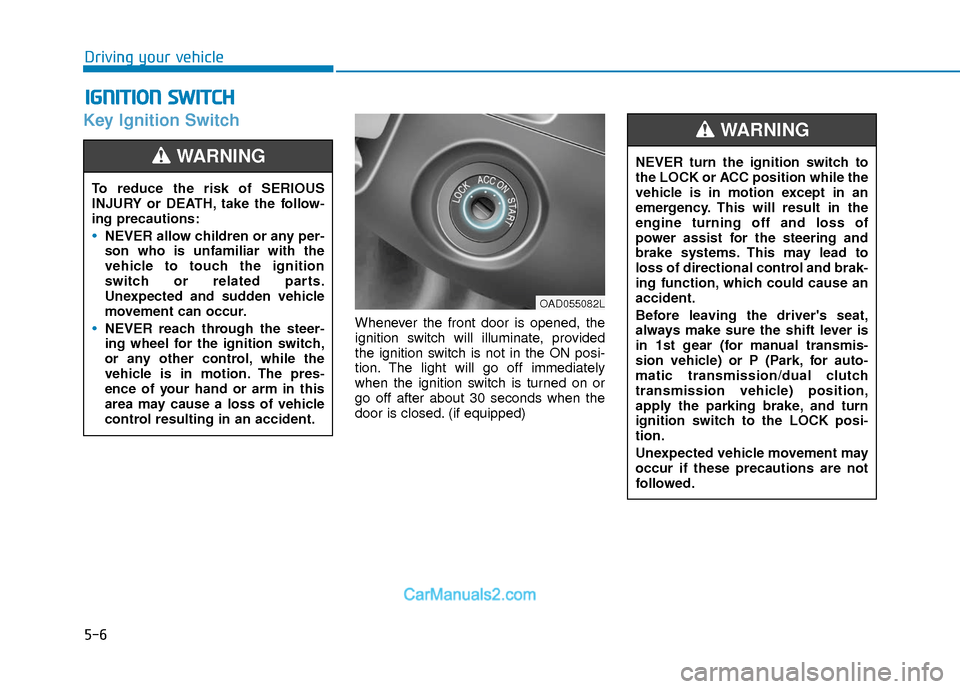
Key Ignition Switch
Whenever the front door is opened, the
ignition switch will illuminate, provided
the ignition switch is not in the ON posi-
tion. The light will go off immediately
when the ignition switch is turned on or
go off after about 30 seconds when the
door is closed. (if equipped)
I IG
G N
N I
IT
T I
IO
O N
N
S
S W
W I
IT
T C
CH
H
Driving your vehicle
To reduce the risk of SERIOUS
INJURY or DEATH, take the follow-
ing precautions:
NEVER allow children or any per-
son who is unfamiliar with the
vehicle to touch the ignition
switch or related parts.
Unexpected and sudden vehicle
movement can occur.
NEVER reach through the steer-
ing wheel for the ignition switch,
or any other control, while the
vehicle is in motion. The pres-
ence of your hand or arm in this
area may cause a loss of vehicle
control resulting in an accident.
WARNING NEVER turn the ignition switch to
the LOCK or ACC position while the
vehicle is in motion except in an
emergency. This will result in the
engine turning off and loss of
power assist for the steering and
brake systems. This may lead to
loss of directional control and brak-
ing function, which could cause an
accident.
Before leaving the driver's seat,
always make sure the shift lever is
in 1st gear (for manual transmis-
sion vehicle) or P (Park, for auto-
matic transmission/dual clutch
transmission vehicle) position,
apply the parking brake, and turn
ignition switch to the LOCK posi-
tion.
Unexpected vehicle movement may
occur if these precautions are not
followed.
WARNING
OAD055082L
Page 290 of 526
5-7
Driving your vehicle
5
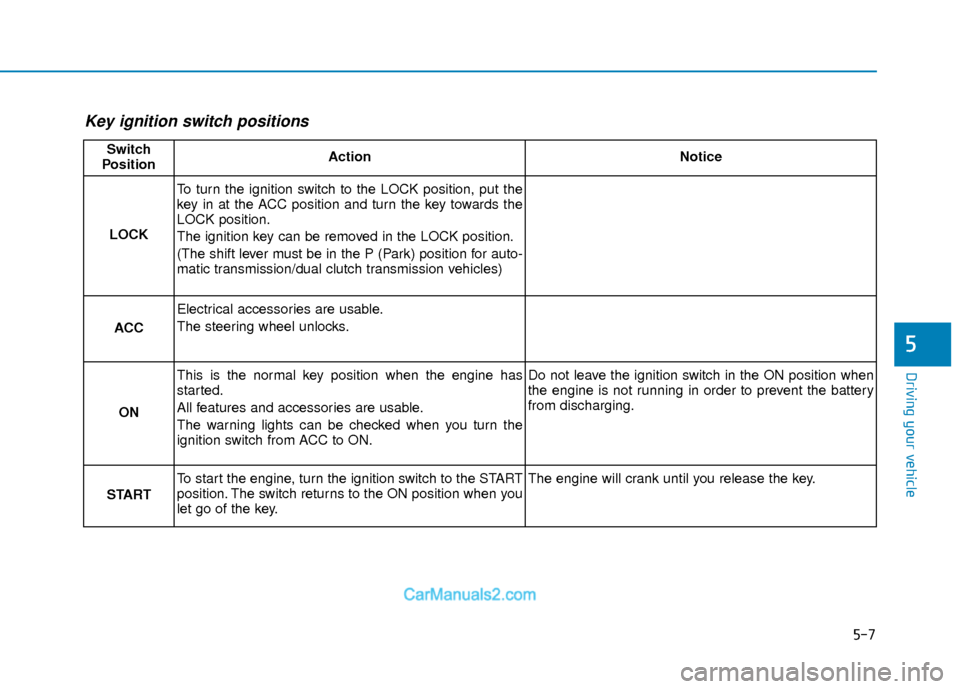
Key ignition switch positions
Switch
PositionActionNotice
LOCK
To turn the ignition switch to the LOCK position, put the
key in at the ACC position and turn the key towards the
LOCK position.
The ignition key can be removed in the LOCK position.
(The shift lever must be in the P (Park) position for auto-
matic transmission/dual clutch transmission vehicles)
ACC
Electrical accessories are usable.
The steering wheel unlocks.
ON
This is the normal key position when the engine has
started.
All features and accessories are usable.
The warning lights can be checked when you turn the
ignition switch from ACC to ON.Do not leave the ignition switch in the ON position when
the engine is not running in order to prevent the battery
from discharging.
START
To start the engine, turn the ignition switch to the START
position. The switch returns to the ON position when you
let go of the key.The engine will crank until you release the key.
Page 291 of 526
5-8
Starting the engine
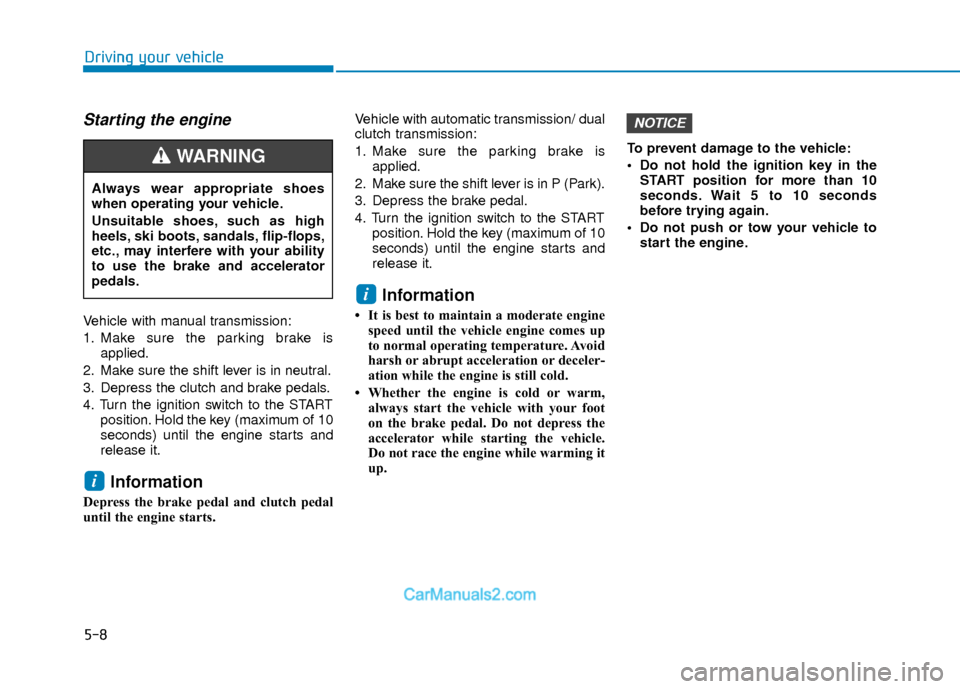
Vehicle with manual transmission:
1. Make sure the parking brake isapplied.
2. Make sure the shift lever is in neutral.
3. Depress the clutch and brake pedals.
4. Turn the ignition switch to the START position. Hold the key (maximum of 10
seconds) until the engine starts and
release it.
Information
Depress the brake pedal and clutch pedal
until the engine starts. Vehicle with automatic transmission/ dual
clutch transmission:
1. Make sure the parking brake is
applied.
2. Make sure the shift lever is in P (Park).
3. Depress the brake pedal.
4. Turn the ignition switch to the START position. Hold the key (maximum of 10
seconds) until the engine starts and
release it.
Information
• It is best to maintain a moderate enginespeed until the vehicle engine comes up
to normal operating temperature. Avoid
harsh or abrupt acceleration or deceler-
ation while the engine is still cold.
• Whether the engine is cold or warm, always start the vehicle with your foot
on the brake pedal. Do not depress the
accelerator while starting the vehicle.
Do not race the engine while warming it
up. To prevent damage to the vehicle:
Do not hold the ignition key in the
START position for more than 10
seconds. Wait 5 to 10 seconds
before trying again.
Do not push or tow your vehicle to start the engine.
NOTICE
i
i
Driving your vehicle
Always wear appropriate shoes
when operating your vehicle.
Unsuitable shoes, such as high
heels, ski boots, sandals, flip-flops,
etc., may interfere with your ability
to use the brake and accelerator
pedals.
WARNING
Page 293 of 526
5-10
Driving your vehicle
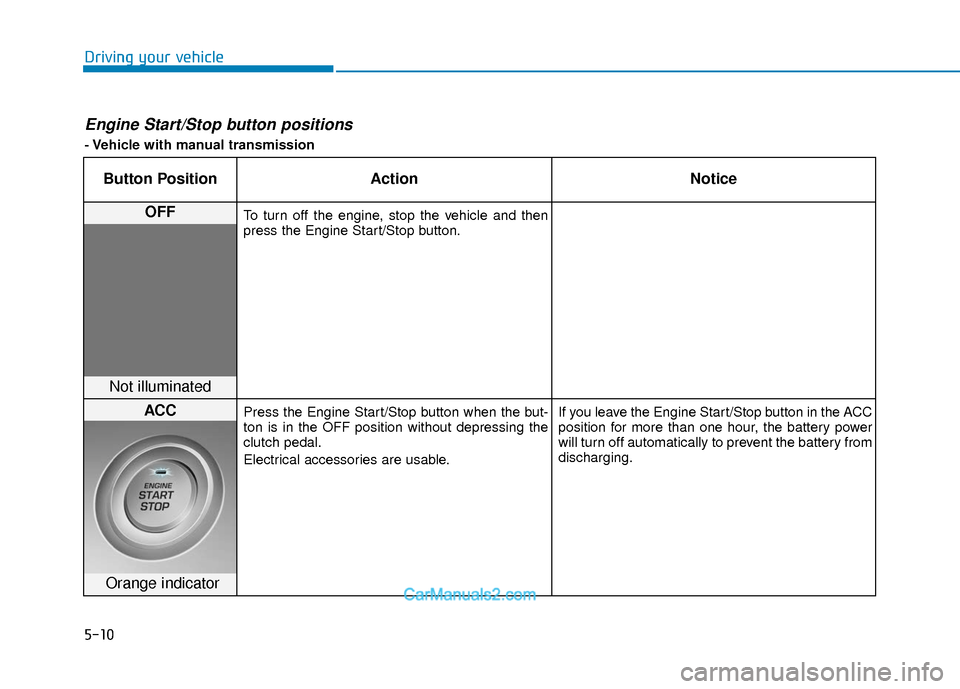
Engine Start/Stop button positions
- Vehicle with manual transmission
Button PositionAction Notice
OFFTo turn off the engine, stop the vehicle and then
press the Engine Start/Stop button.
Not illuminated
ACCPress the Engine Start/Stop button when the but-
ton is in the OFF position without depressing the
clutch pedal.
Electrical accessories are usable. If you leave the Engine Start/Stop button in the ACC
position for more than one hour, the battery power
will turn off automatically to prevent the battery from
discharging.
Orange indicator